Compress PDF ・ Make PDF

Compress PDF ・ Make PDF

다운로드: App Store
로고: Compress PDF ・ Make PDF

PDF 압축 · PDF 만들기: 당신의 전문 모바일 문서 스튜디오

단 몇 초 만에 파일을 스캔, 병합, 변환하세요. 스마트 압축으로 이메일 크기 제한을 손쉽게 극복하고, 암호 보호로 민감한 문서를 안전하게 보관하세요. 모두 iPhone에서 가능합니다.

개발사

RIJIPUPS OU

카테고리

Productivity

다운로드

33K+

사용자 평점

4.2/5

총 평가 수

200

지원 언어

1

효율적인 작동 방식

이 인터페이스를 사용하는 33K+ 명의 사용자.

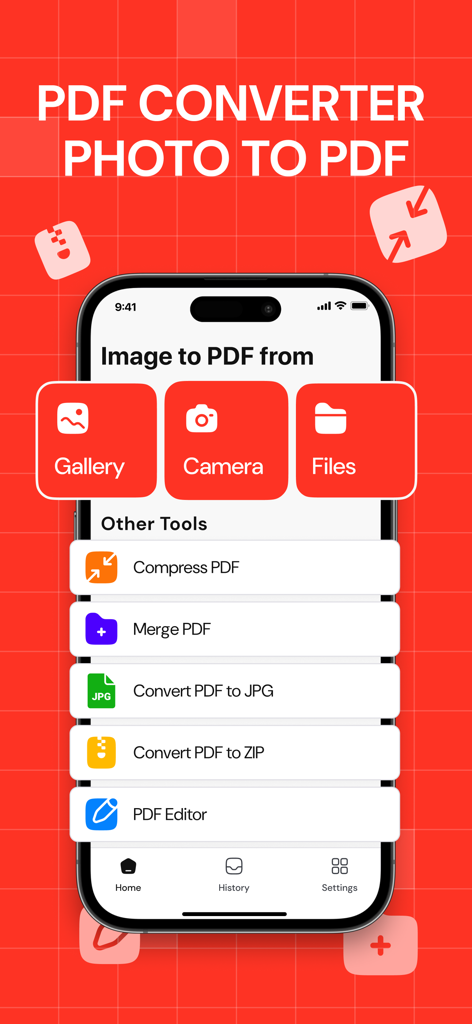
iPhone에서 PDF 변환 앱의 메인 화면, 갤러리 또는 카메라에서 이미지를 PDF로 변환하는 옵션과 압축 및 병합과 같은 다른 도구가 표시됩니다.

iPhone에서 PDF 변환 앱의 메인 화면, 갤러리 또는 카메라에서 이미지를 PDF로 변환하는 옵션과 압축 및 병합과 같은 다른 도구가 표시됩니다.

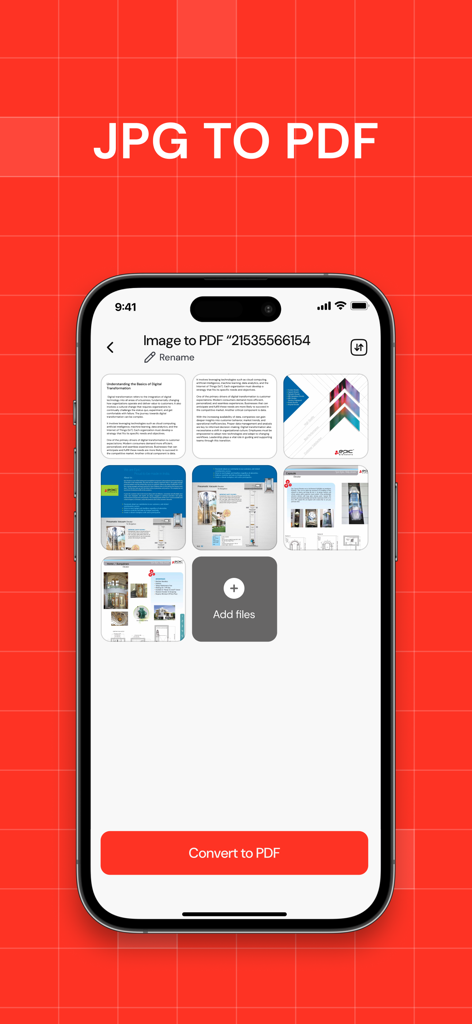
여러 이미지를 단일 PDF 문서로 변환하기 위해 선택된 iPhone 인터페이스

여러 이미지를 단일 PDF 문서로 변환하기 위해 선택된 iPhone 인터페이스

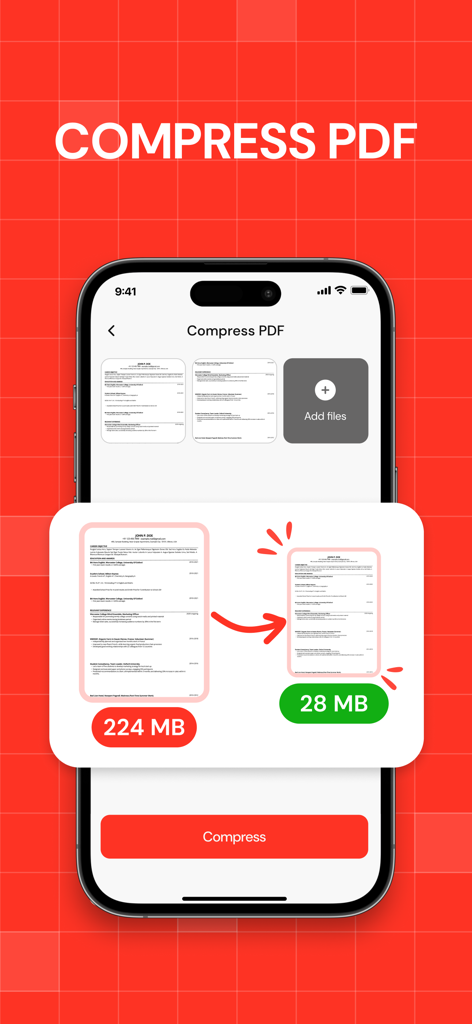
224MB에서 28MB로 PDF 파일 크기 축소를 보여주는 모바일 앱 인터페이스

224MB에서 28MB로 PDF 파일 크기 축소를 보여주는 모바일 앱 인터페이스

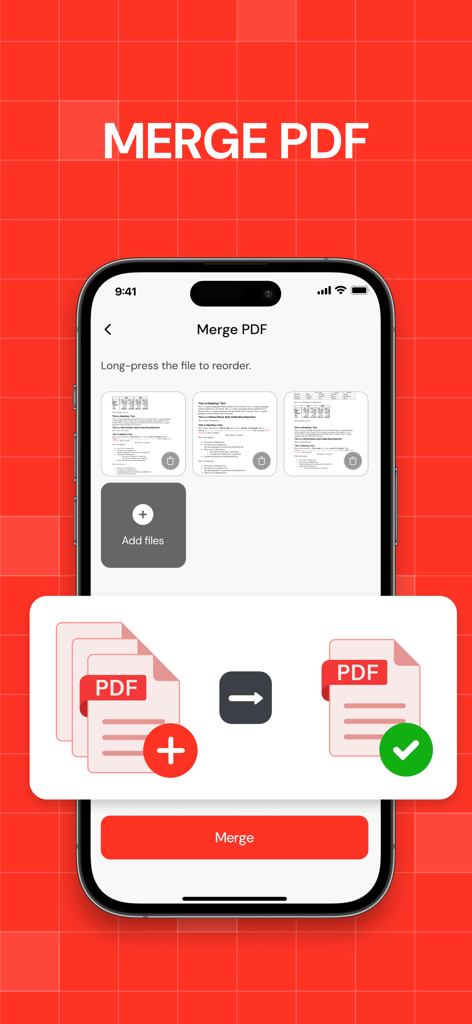
여러 PDF 파일을 하나의 문서로 병합하는 방법을 보여주는 iPhone 화면

여러 PDF 파일을 하나의 문서로 병합하는 방법을 보여주는 iPhone 화면

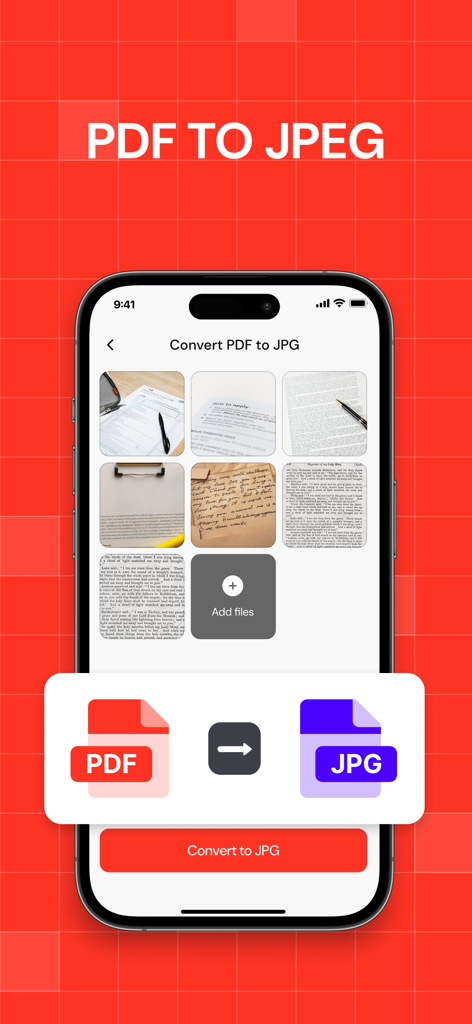
모바일 앱 인터페이스에서 PDF 문서를 JPEG 이미지로 변환하는 과정 표시

모바일 앱 인터페이스에서 PDF 문서를 JPEG 이미지로 변환하는 과정 표시

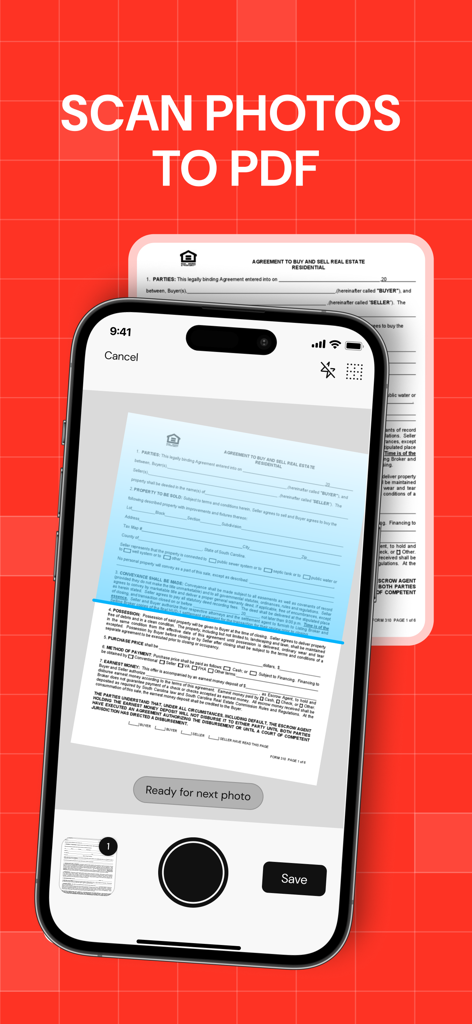
부동산 계약서를 스캔하여 PDF 파일로 변환하는 모바일 앱 인터페이스

부동산 계약서를 스캔하여 PDF 파일로 변환하는 모바일 앱 인터페이스

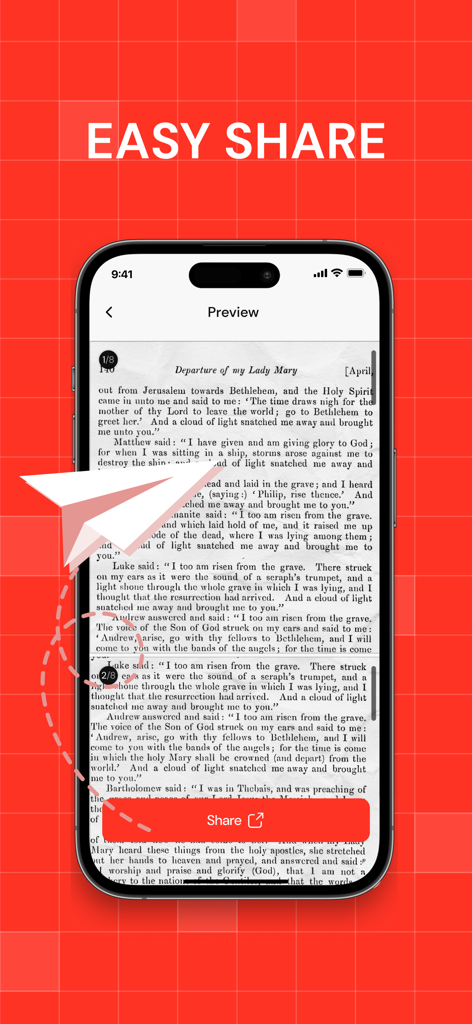
앱에서 PDF 문서 미리보기 화면, 큰 빨간색 공유 버튼과 'Easy Share' 텍스트 표시

앱에서 PDF 문서 미리보기 화면, 큰 빨간색 공유 버튼과 'Easy Share' 텍스트 표시

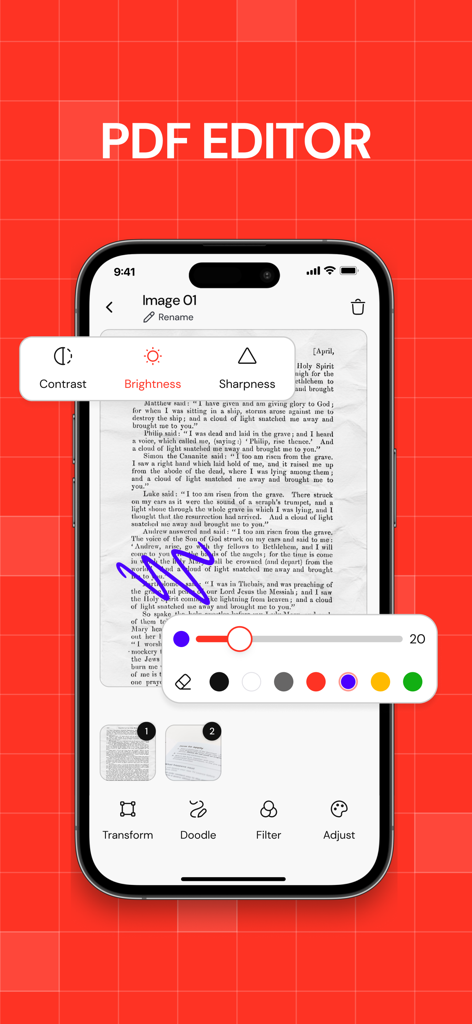
문서 마크업 도구와 이미지 조정 설정이 있는 PDF 편집기 앱을 보여주는 iPhone 화면

문서 마크업 도구와 이미지 조정 설정이 있는 PDF 편집기 앱을 보여주는 iPhone 화면

문서 워크플로우를 마스터하세요

이 앱을 돋보이게 하는 도구, 33K+ 명의 사용자가 선택.

🗜️

파일 크기 축소, 품질 유지

전문적인 명료함을 유지하면서 몇 초 만에 대용량 PDF를 압축하여 이메일 및 Slack 크기 제한을 초과하세요.

🪄

스마트 비전 스캔

AI 기반 에지 감지로 사무실 스캐너를 대체하여 실제 서류를 즉시 완벽한 PDF로 변환하세요.

🔐

개인 정보 우선 보안

민감한 계약서, 세금 양식, 신분증을 장치에서 직접 처리되는 안전한 암호 암호화로 보호하세요.

앱 소개

에 대해 알아야 할 모든 것 Compress PDF ・ Make PDF.

설명

Turn your iPhone into a powerful, easy-to-use PDF machine. Whether you need to convert, scan, compress, edit or keep your documents safe — PDF Converter has you covered. Here’s what you can do: ・ Convert photos, files, or camera scans into PDFs in seconds ・ Use the smart camera (Apple Vision-powered) to auto-detect document edges, auto-shoot, crop, and apply filters ・ Compress PDFs with flexible quality settings — save space without losing clarity ・ Merge multiple PDFs into one clean file ・ Convert PDFs to JPG (with quality options) or ZIP archives ・ Keep your conversion history neatly organized — search and sort your files easily ・ Lock sensitive documents with a password ・ Reorder or delete pages ・ Edit, adjust and enhance PDF pages Super optimized processing will help you process hundreds of pages without delays and errors 
Students scanning notes. Office workers tidying paperwork. Freelancers sending contracts. Anyone who wants full control over their PDFs — right from their phone. If you want your PDFs exactly the way you want them — with no fuss — PDF Converter is for you. Download it today and see how easy PDF can be. Privacy Policy: http://rjpups.com/converter/privacypolicy Terms of Use: https://rjpups.com/converter/terms Support: https://rjpups.com/pdfconverter/support

최신 버전

1.0.15

크기

41.1 MB

출시일

2025년 7월 16일

궁극의 PDF 머신으로 워크플로우를 마스터하세요

초당 문서를 압축, 스캔, 보호하는 33,000명 이상의 전문가 및 학생들과 함께하세요. 당신의 주머니 속 사무실이 탭 한 번이면 완성됩니다.

다운로드: App Store

App information, icons, screenshots, and descriptions displayed on this page are sourced from the Apple App Store and are the property of their respective developers. Download estimates and rankings are based on MWM's proprietary models and may not reflect actual figures. This page is provided for informational and analytical purposes only.

Believe this page infringes your intellectual property? File a dispute