Console Remote

Console Remote

다운로드: App Store
로고: Console Remote

콘솔 리모트: iPad 및 iPhone을 위한 전문가급 PS5 스트리밍 경험

네이티브 2K 스트리밍, 초저지연, 완전한 DualSense 햅틱을 통해 PS5의 잠재력을 최대한 발휘하세요. 파워 유저가 요구하는 최고의 성능과 시각적 충실도를 위해 Apple Metal로 설계되었습니다.

개발사

莼乾 沈

카테고리

Entertainment

다운로드

2K+

사용자 평점

4.8/5

총 평가 수

100

지원 언어

2

최고 성능의 시각화

이 인터페이스를 사용하는 2K+ 명의 사용자.

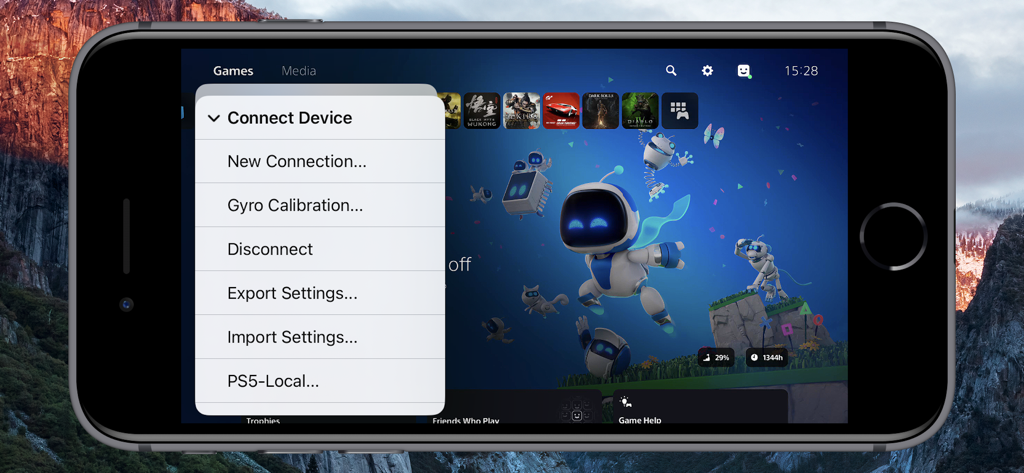
PlayStation 5 대시보드를 배경으로 콘솔 리모트 앱의 장치 연결 메뉴를 보여주는 iPhone 화면

PlayStation 5 대시보드를 배경으로 콘솔 리모트 앱의 장치 연결 메뉴를 보여주는 iPhone 화면

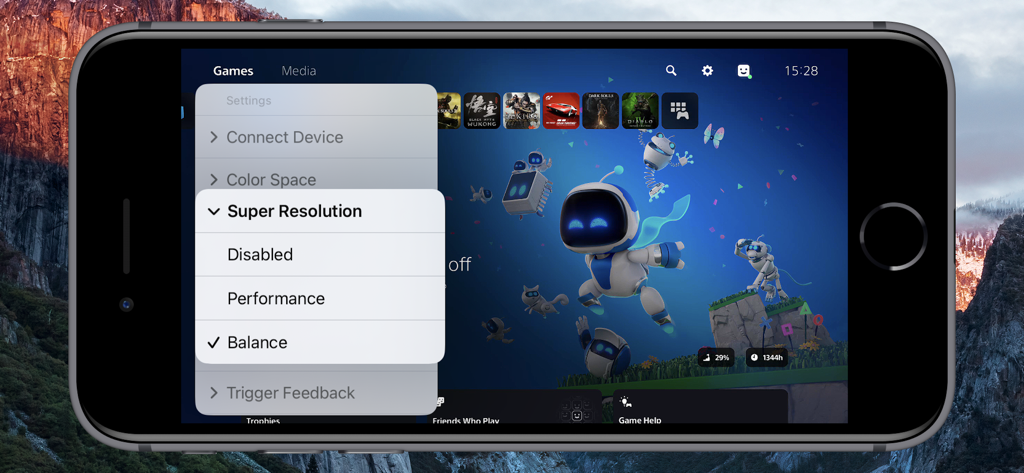
iPhone의 콘솔 리모트 앱 인터페이스에 PS5 슈퍼 해상도 설정 메뉴가 표시됨

iPhone의 콘솔 리모트 앱 인터페이스에 PS5 슈퍼 해상도 설정 메뉴가 표시됨

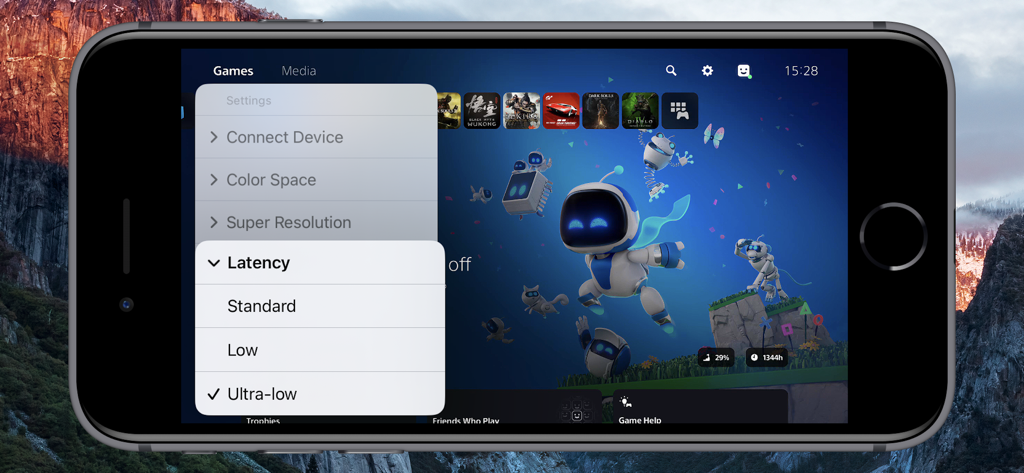
iPhone의 콘솔 리모트 앱이 초저지연 설정을 선택한 PS5 게임 라이브러리를 표시함

iPhone의 콘솔 리모트 앱이 초저지연 설정을 선택한 PS5 게임 라이브러리를 표시함

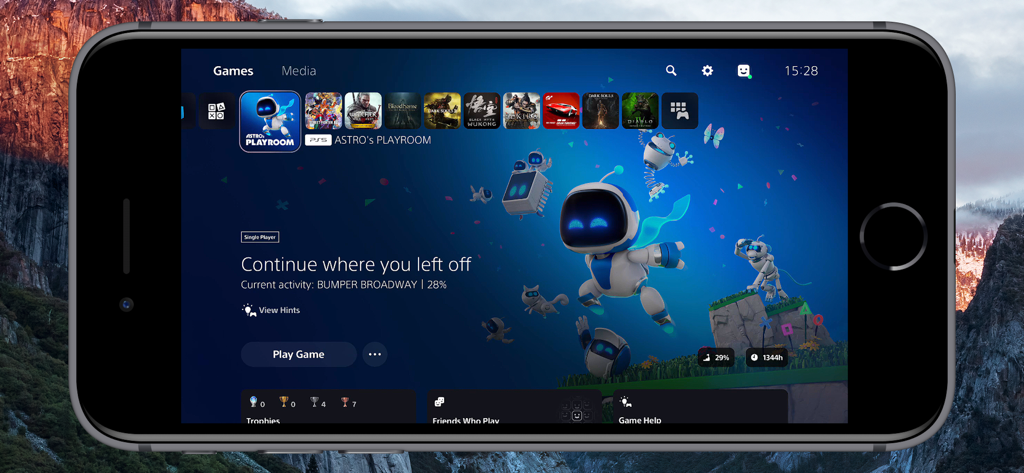
콘솔 리모트 앱을 사용하여 iPhone에서 표시되는 PlayStation 5 홈 화면

콘솔 리모트 앱을 사용하여 iPhone에서 표시되는 PlayStation 5 홈 화면

엘리트 게이머를 위한 전문가급 기능

이 앱을 돋보이게 하는 도구, 2K+ 명의 사용자가 선택.

무지연 성능

Apple Metal 기반의 맞춤형 동기화 엔진이 거의 제로에 가까운 지연 시간을 제공하여 경쟁력 있는 게임 플레이를 위한 완벽한 프레임 응답성을 보장합니다.

💎

네이티브 2K 시각적 충실도

고급 iPad 및 iPhone 디스스플레이에 최적화된 네이티브 2K 스트리밍과 고급 이미지 업샘플링으로 놀라운 선명도를 경험하세요.

🎮

완벽한 몰입감

AirPods에 최적화된 저지연 오디오와 페어링된 햅틱 피드백 및 적응형 트리거를 포함한 완전한 DualSense 지원을 잠금 해제하세요.

앱 소개

에 대해 알아야 할 모든 것 Console Remote.

설명

Turn Your iPad and iPhone into the Ultimate PS5 Streaming Companion! Console Remote is a powerful remote play tool built specifically for iPad and iPhone, designed to deliver a premium PlayStation 5 streaming experience. With ultra-low latency, native 2K resolution, and full DualSense controller support, it transforms your iPad and iPhone into a true PS5 companion-anytime, anywhere. Whether you are on the couch, in bed, or on the go, enjoy console-quality gameplay directly on your iPad and iPhone. Key Features Ultra-low Latency Mode New synchronization engine, experience near-zero delay. Perfect sync with iPad and iPhone refresh rate for smooth, responsive gameplay. Native 2K Video Streaming Enjoy enhanced visuals with up to native 2K resolution, powered by advanced super-resolution and image upsampling technologies. Full DualSense Controller Support Connect via native Bluetooth with full support for adaptive triggers, haptic feedback, touchpad, and gyroscope. Optimized Rendering Engine Built on Apple Metal and Audio Unit for high-performance video and audio rendering with reduced power consumption. Advanced Upscaling & Sampling Choose from low, medium, or high sampling modes to boost image clarity without sacrificing performance. Professional Color Space Support Switch between sRGB, Display P3, and Adobe RGB for accurate color tuning based on your screen. AirPods Optimized Audio Enjoy stable, low-latency wireless audio with seamless AirPods integration. Requirements Virtual Button and Touchpad Only the virtual touchpad is supported, virtual buttons are not supported. Open Console Remote > Check [Virtual Touchpad]. Remote Streaming Configure port forwarding on your router for ports 9295, 9296, 9297 and 9302 (UDP/TCP), or directly enable DMZ. Enable UPnP on your router. Open [Connect Device] > [PS5-Local] > [Edit] > [Connect Channel] > Select [Remote Connect]. Network Environment To avoid lag or pixelation, please follow the recommendations below Connect using a Wi-Fi 6 5GHz network Set your router channel to 149 (or 44 for EU/JP users) For improved stability, disable Location Services in your iPad and iPhone system settings Devices PlayStation 5 console DualSense wireless controller (third-party controllers are not officially supported) Systems iPad and iPhone running iOS 17.0 or higher, can work perfectly. Terms of Service https://www.apple.com/legal/internet-services/itunes/dev/stdeula/ Disclaimer PS5, PS4, PlayStation 5, PlayStation 4, DualShock, DualSense and PSN are trademarks of Sony Computer Entertainment Inc. Console Remote is in no way endorsed by or affiliated with Sony Computer Entertainment lnc, or any associated subsidiaries, logos or trademarks.

최신 버전

26.0.39

크기

4.3 MB

출시일

2024년 11월 24일

네이티브 2K로 PS5를 경험할 준비가 되셨나요?

표준 스트리밍에 만족하지 마세요. 오늘 파워 유저와 함께하고 iPad 및 iPhone에서 완전한 DualSense 지원과 초저지연을 경험하세요.

다운로드: App Store

App information, icons, screenshots, and descriptions displayed on this page are sourced from the Apple App Store and are the property of their respective developers. Download estimates and rankings are based on MWM's proprietary models and may not reflect actual figures. This page is provided for informational and analytical purposes only.

Believe this page infringes your intellectual property? File a dispute