DAK app

DAK app

다운로드: App Store
로고: DAK app

DAK 앱: 간편해진 건강 보험

서류 작업은 그만. 청구서를 스캔하고, 현금 보상을 받으며, 주머니 속 안전한 서비스 센터로 화상 상담을 이용하세요.

개발사

DAK-Gesundheit

카테고리

Health & Fitness

다운로드

1M+

사용자 평점

4.6/5

총 평가 수

57K+

지원 언어

2

시각화된 건강 관리

이 인터페이스를 사용하는 1M+ 명의 사용자.

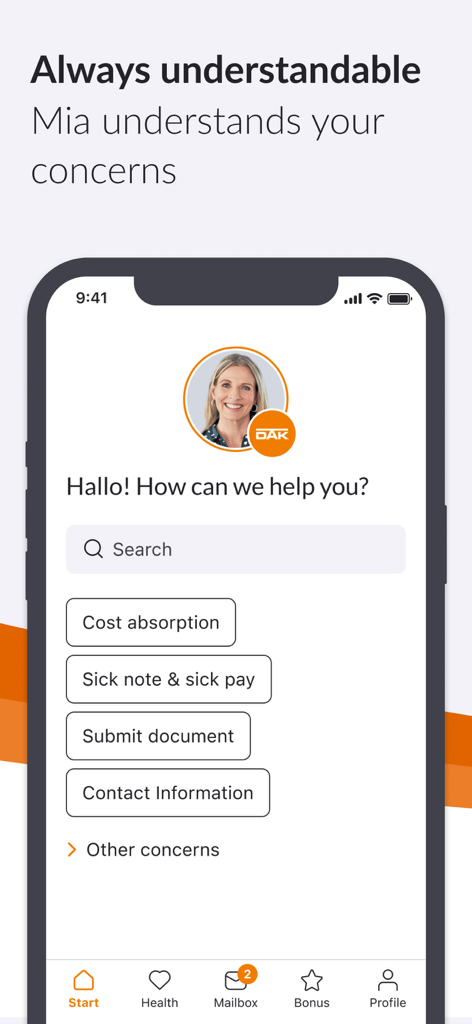
건강 보험 지원을 위한 도움말 검색 옵션과 디지털 비서 Mia를 보여주는 DAK 앱 인터페이스

건강 보험 지원을 위한 도움말 검색 옵션과 디지털 비서 Mia를 보여주는 DAK 앱 인터페이스

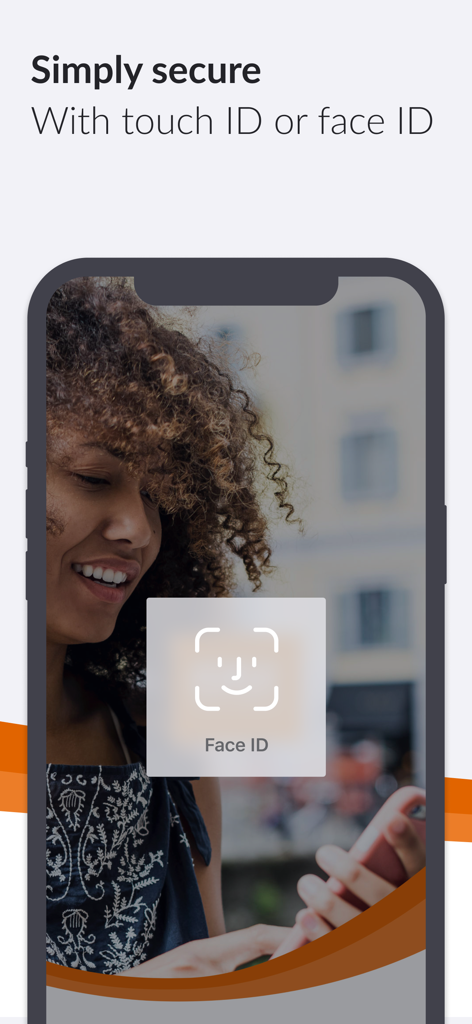
DAK 건강 보험 앱의 Face ID 생체 인식 보안 기능을 보여주는 스마트폰 화면.

DAK 건강 보험 앱의 Face ID 생체 인식 보안 기능을 보여주는 스마트폰 화면.

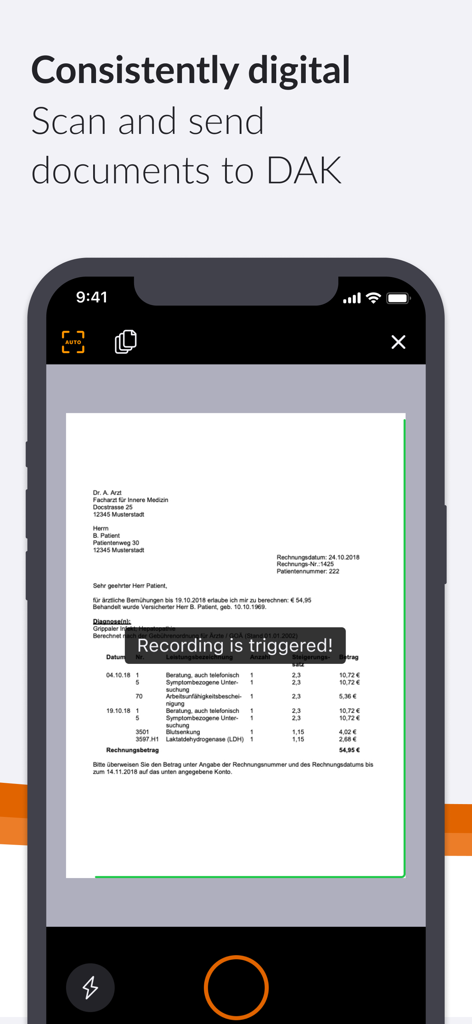
뷰파인더에 문서가 있는 DAK 앱 문서 스캔 기능을 보여주는 아이폰 화면

뷰파인더에 문서가 있는 DAK 앱 문서 스캔 기능을 보여주는 아이폰 화면

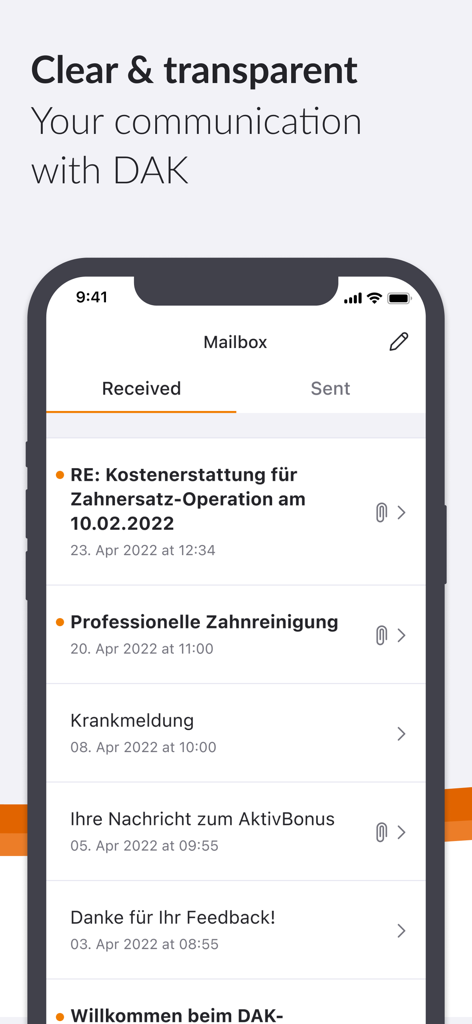
보험 메시지 목록이 있는 안전한 디지털 우편함을 보여주는 DAK 앱 인터페이스

보험 메시지 목록이 있는 안전한 디지털 우편함을 보여주는 DAK 앱 인터페이스

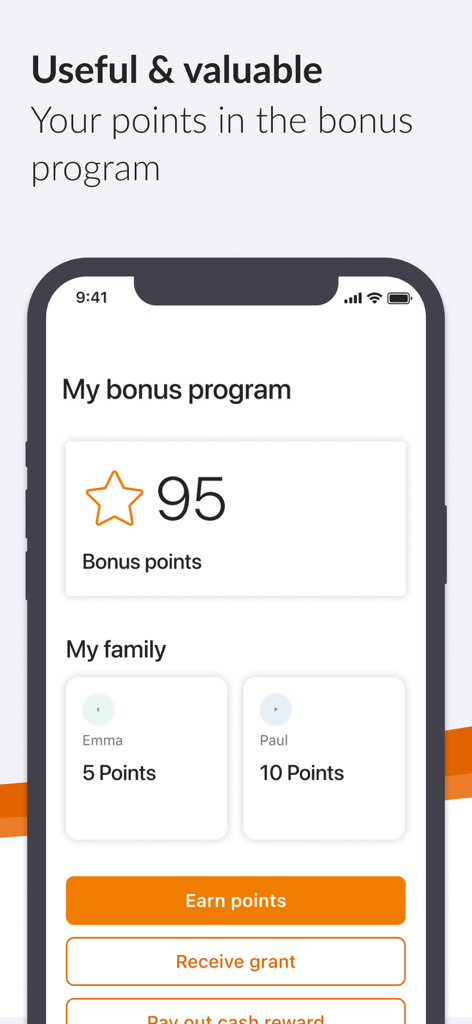
사용자 및 가족 구성원을 위한 적립 포인트가 있는 보너스 프로그램을 보여주는 DAK 건강 보험 앱 화면

사용자 및 가족 구성원을 위한 적립 포인트가 있는 보너스 프로그램을 보여주는 DAK 건강 보험 앱 화면

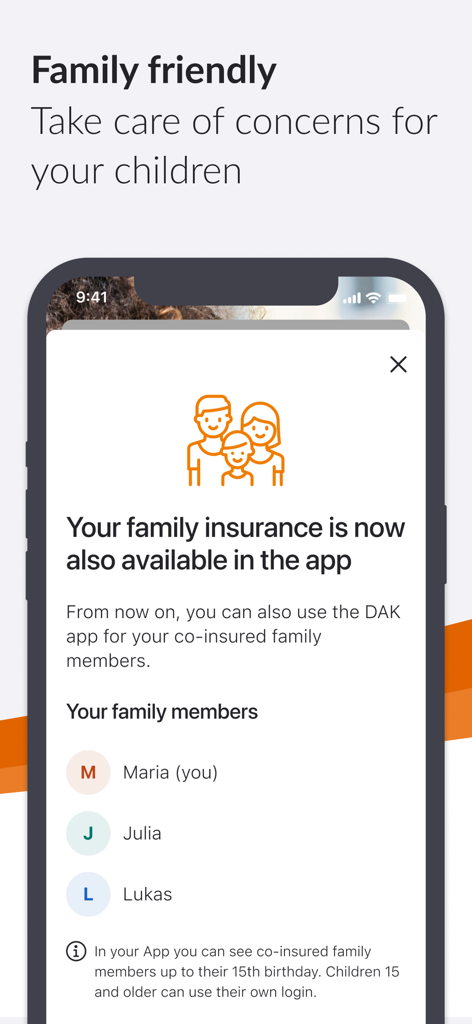
자녀 건강 기록 관리를 위한 가족 보험 기능을 보여주는 DAK 앱 스크린샷

자녀 건강 기록 관리를 위한 가족 보험 기능을 보여주는 DAK 앱 스크린샷

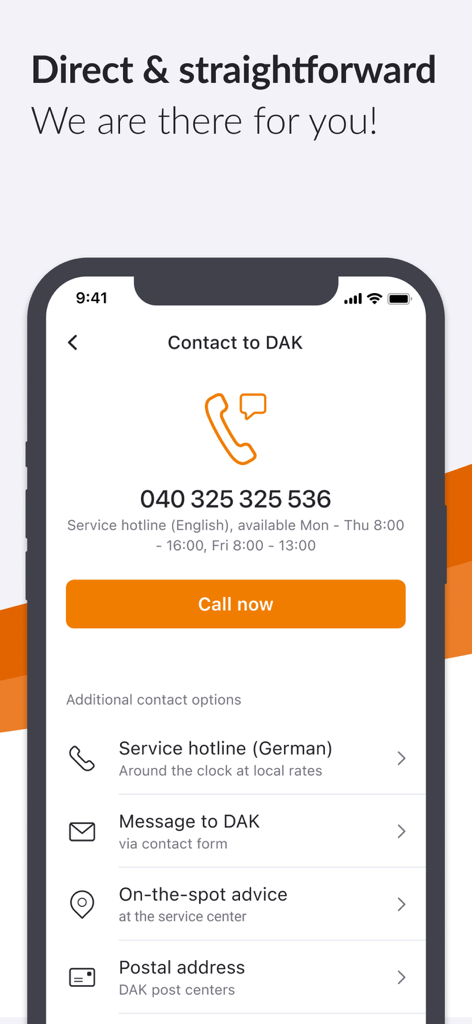
지원 핫라인 및 메시징 옵션을 보여주는 DAK 건강 보험 앱의 연락처 화면

지원 핫라인 및 메시징 옵션을 보여주는 DAK 건강 보험 앱의 연락처 화면

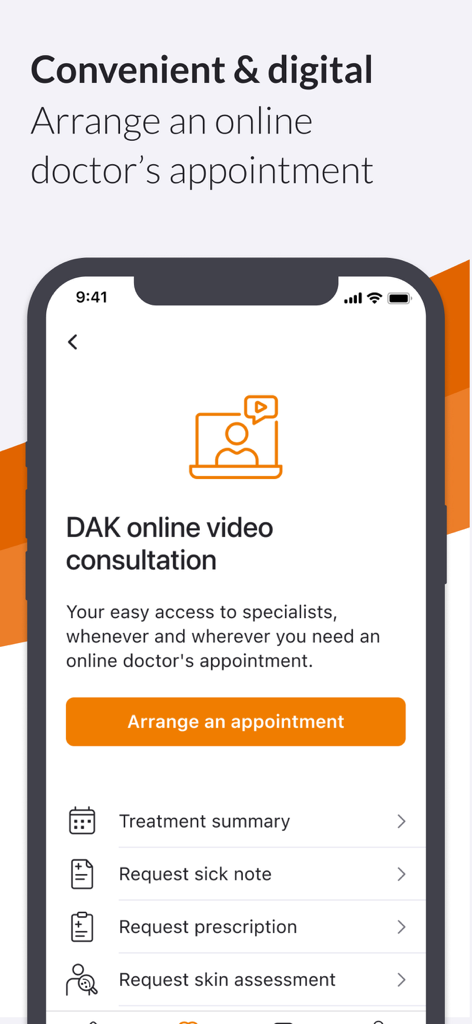
예약 준비 및 진단서 또는 처방전 요청 옵션이 있는 온라인 화상 상담 기능을 보여주는 DAK 앱 스크린샷.

예약 준비 및 진단서 또는 처방전 요청 옵션이 있는 온라인 화상 상담 기능을 보여주는 DAK 앱 스크린샷.

손끝에서 시작되는 간편한 건강 관리

이 앱을 돋보이게 하는 도구, 1M+ 명의 사용자가 선택.

📸

문서를 즉시 스캔하고 보내세요

서류 작업과 우체국 방문은 그만. 휴대폰 카메라를 사용하여 몇 번의 탭만으로 청구서, 증명서 또는 진단서를 안전하게 스캔하고 제출하세요.

💰

건강한 생활에 대한 현금 보상

활동을 수익으로 바꾸세요. AktivBonus 진행 상황을 추적하고 디지털 보너스 프로그램을 통해 건강한 습관을 현금 보상으로 직접 전환하세요.

🩺

디지털 의사 방문

DAK 온라인 화상 상담으로 대기실을 피하세요. 언제 어디서든 의료 전문가와 연결하여 원하는 시간에 전문적인 진료를 받으세요.

앱 소개

에 대해 알아야 할 모든 것 DAK app.

설명

DAK App: My pocket DAK Submit invoices and certificates, manage bonus programs, report a move or change of name, apply for a new insurance card – with the DAK App this is easy, fast and accessible. Discover the service center for your pocket! What is Meine DAK? "Meine DAK" is your protected area where you can quickly and easily handle your matters, either via app or on the web. The app is also your personal key for a secure login on the web – you always need it for two-factor authentication. We thus ensure that your health data is well protected. What are the advantages of the DAK App? • Submit invoices and certificates: Send documents easily and conveniently with the scanning function. • See the sick notes received by DAK, both the sick notes submitted by you and any electronically transmitted sick notes (eCoIfW). • Manage the bonus program "AktivBonus": Earn points and convert them into cash rewards via the DAK app. • Easy to use and barrier-free: Set the DAK App exactly as you need it, for example the font size. • Your fastest connection to us: Call back service, chat, telephone or e-mail – you have the choice. • Digital mailbox saves paper and time: Deal with matters quickly, easily and paperless with the app. • Family service: Deal with matters related to your family-insured children conveniently via the app. • DAK online video consultation: Easy access to specialists with online doctor´s appointment Other functions of the DAK App • Unlock the ePA app and use electronic patient files To the DAK App in four steps To use the DAK App, you need to register once. After that, you can log in to the DAK App with your fingerprint or facial recognition, for example. How to set up the app 1. Download the app 2. Confirm e-mail address 3. Set up app code 4. Identify yourself personally Here you can find video instructions for setting up the app: https://www.dak.de/app Register once, use all DAK applications The registration and identification process is designed to protect your health data. Another advantage: You only have to identify yourself personally once and then you can use our various digital offers, easily and safely. With only a password or your app code! Here you will find common questions about the app and the registration process: https://www.dak.de/dak-id Who can use the DAK App? The DAK App can be used by all insured persons aged 15 or over, provided they have a health card and a smartphone with the current operating system (iOS 15 or higher). The smartphone must also be protected by a display lock, for example by biometric recognition. Other technical requirements • No rooted device Accessibility The accessibility statement of the app can be found at: https://www.dak.de/barrierefreiheit-app How to contact us Are you having technical problems with the DAK App? When installing, registering or logging in? We are happy to help you. Please let us know your technical problem using this form: https://www.dak.de/app-support Or just call us on: 040 325 325 555. We look forward to your feedback! We will continuously expand the scope of the app according to your wishes. To make it as easy as possible for you, we ask for your opinion directly in the app at various points. We look forward to your comments, evaluations and suggestions to continually develop the DAK App so that the benefit for you will be even better.

최신 버전

3.53.0

크기

134.3 MB

출시일

2020년 5월 14일

언제 어디서든 건강을 관리하세요

1백만 명 이상의 회원이 간편하게 보험을 관리하고 있습니다. 지금 DAK 앱을 다운로드하여 청구서를 스캔하고, 현금 보상을 받으며, 몇 초 만에 디지털 케어에 액세스하세요.

다운로드: App Store
FAQ

자주 묻는 질문

에 대해 알아야 할 모든 것 DAK app

DAK 앱이란 무엇인가요?

DAK 앱은 DAK 가입자를 위한 모바일 서비스 센터입니다. 사용자는 스마트폰에서 손쉽게 보험 관련 업무를 처리하고, 서류를 제출하며, 건강 서비스에 접근할 수 있습니다.

DAK 앱으로 서류를 어떻게 제출하나요?

사용자는 DAK 앱의 통합 스캔 기능을 활용하여 송장과 증명서를 제출할 수 있습니다. 이 기능을 통해 기기에서 직접 편리하게 디지털 서류 제출이 가능합니다.

DAK 앱으로 보너스 프로그램을 관리할 수 있나요?

네, DAK 앱을 통해 'AktivBonus' 프로그램을 관리할 수 있습니다. 사용자는 앱 내에서 직접 포인트를 적립하고 현금 보상으로 전환하며, 진행 상황과 가족 포인트를 확인할 수 있습니다.

DAK 앱은 건강 데이터를 안전하게 보호하나요?

네, DAK 앱은 건강 데이터 보호를 보장합니다. 보호된 'Meine DAK' 영역을 특징으로 하며, 안전한 웹 로그인을 위해 앱을 사용하는 이중 인증이 필요합니다.

누가 DAK 앱을 사용할 수 있나요?

DAK 앱은 건강 보험증이 있고, iOS 15 이상을 실행하는 스마트폰을 사용하며, 디스플레이 잠금 기능이 있는 15세 이상 가입자를 위한 앱입니다. 루팅된 기기는 지원하지 않습니다.

DAK 앱 설정 단계는 어떻게 되나요?

DAK 앱을 설정하려면 사용자는 앱을 다운로드하고, 이메일 주소를 확인하고, 앱 코드를 설정하고, 개인적으로 본인 인증을 해야 합니다. 온라인에서 비디오 안내를 이용할 수 있습니다.

DAK 앱으로 가족 보험 관련 업무를 처리할 수 있나요?

네, DAK 앱에는 가족 서비스 기능이 포함되어 있습니다. 사용자는 15세가 될 때까지 앱을 통해 자녀 보험 관련 업무를 직접 처리할 수 있습니다.

DAK 앱에서 온라인 의사 상담을 제공하나요?

네, DAK 앱은 DAK 온라인 영상 상담 기능을 통해 전문가에게 쉽게 접근할 수 있도록 합니다. 사용자는 다양한 의료 요구에 대해 온라인 의사 예약을 할 수 있습니다.

앱 기술 문제에 대해 DAK 지원팀에 어떻게 연락하나요?

사용자는 dak.de/app-support의 온라인 양식을 통해 또는 040 325 325 555로 전화하여 DAK 기술 지원팀에 연락할 수 있습니다. 이는 설치, 등록 또는 로그인 문제에 적용됩니다.

DAK 앱은 생체 인식 로그인을 지원하나요?

네, 초기 등록 후 사용자는 생체 인식 방법을 사용하여 DAK 앱에 로그인할 수 있습니다. 여기에는 편리하고 안전한 액세스를 위한 지문 또는 얼굴 인식 기능이 포함됩니다.

App information, icons, screenshots, and descriptions displayed on this page are sourced from the Apple App Store and are the property of their respective developers. Download estimates and rankings are based on MWM's proprietary models and may not reflect actual figures. This page is provided for informational and analytical purposes only.

Believe this page infringes your intellectual property? File a dispute