DIC COLOR GUIDE

DIC COLOR GUIDE

다운로드: App Store
로고: DIC COLOR GUIDE

DIC COLOR GUIDE: 글로벌 색상 충실도의 전문가 표준

화면과 기재 간의 다리를 마스터하세요. 완벽함을 요구하는 디자이너를 위해 2,553가지 색상, 보정된 정확도, 원활한 Adobe 통합 기능을 경험하세요. 컨셉부터 인쇄까지.

개발사

DICGraphics Corporation

카테고리

Reference

다운로드

183K+

사용자 평점

3.7/5

총 평가 수

200

지원 언어

3

정밀한 시각화

이 인터페이스를 사용하는 183K+ 명의 사용자.

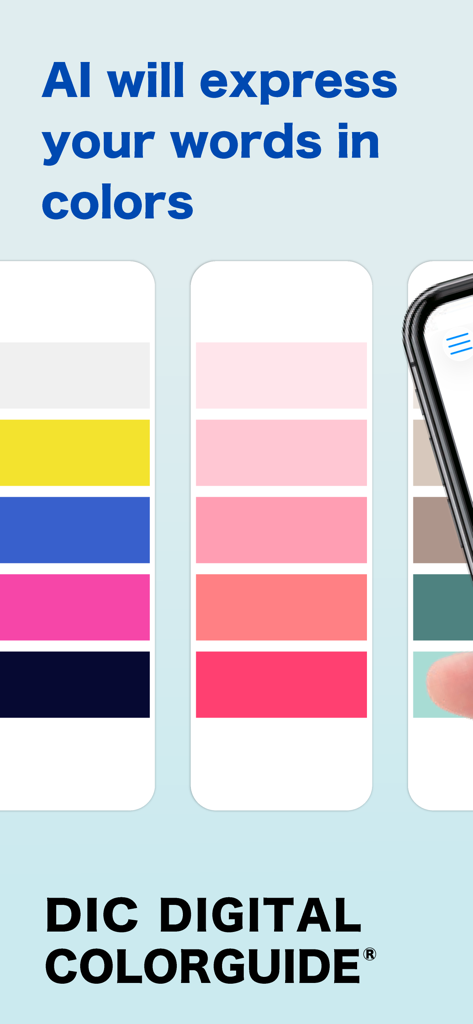
DIC Digital Color Guide 앱 화면에 단어를 기반으로 AI가 생성한 색상 팔레트가 표시됩니다.

DIC Digital Color Guide 앱 화면에 단어를 기반으로 AI가 생성한 색상 팔레트가 표시됩니다.

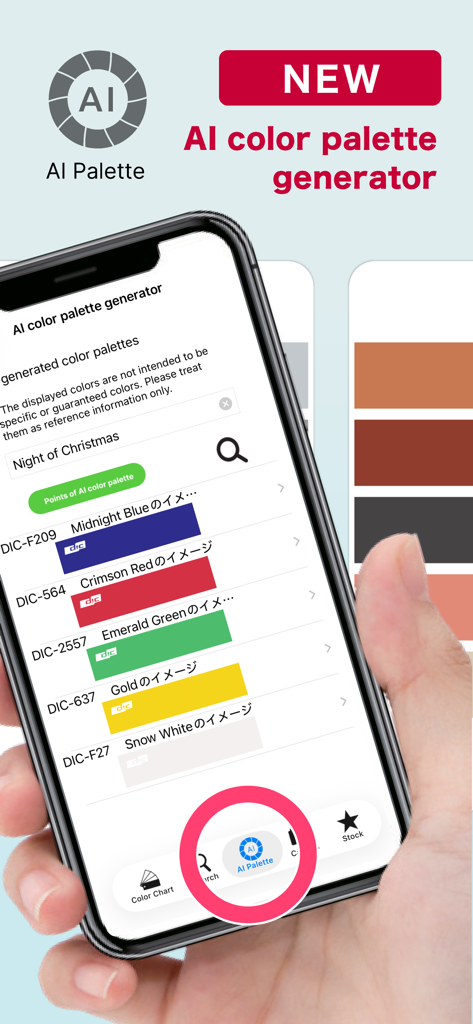
DIC COLOR GUIDE 앱의 AI 색상 팔레트 생성기 기능을 보여주는 스마트폰 화면입니다. 전문 색상 스와치 목록이 표시됩니다.

DIC COLOR GUIDE 앱의 AI 색상 팔레트 생성기 기능을 보여주는 스마트폰 화면입니다. 전문 색상 스와치 목록이 표시됩니다.

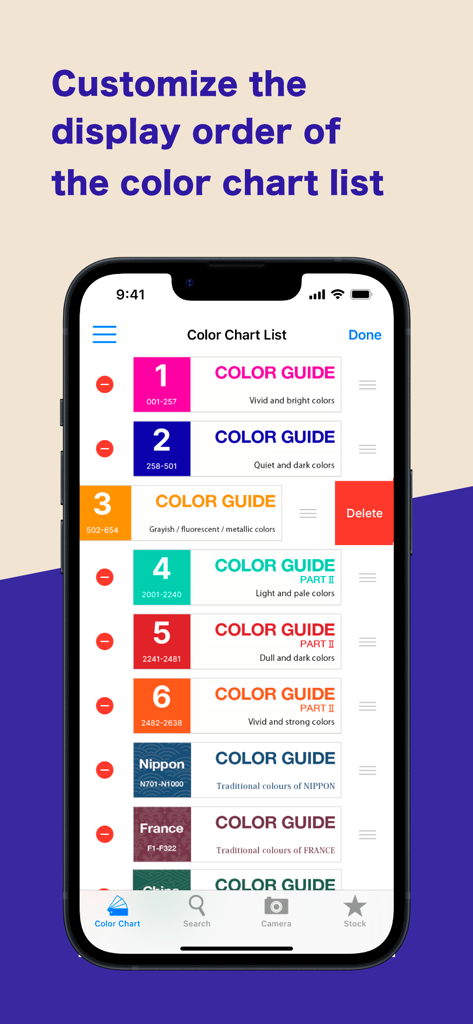
DIC COLOR GUIDE 앱의 인터페이스에 색상 차트 표시 순서의 사용자 정의가 표시됩니다.

DIC COLOR GUIDE 앱의 인터페이스에 색상 차트 표시 순서의 사용자 정의가 표시됩니다.

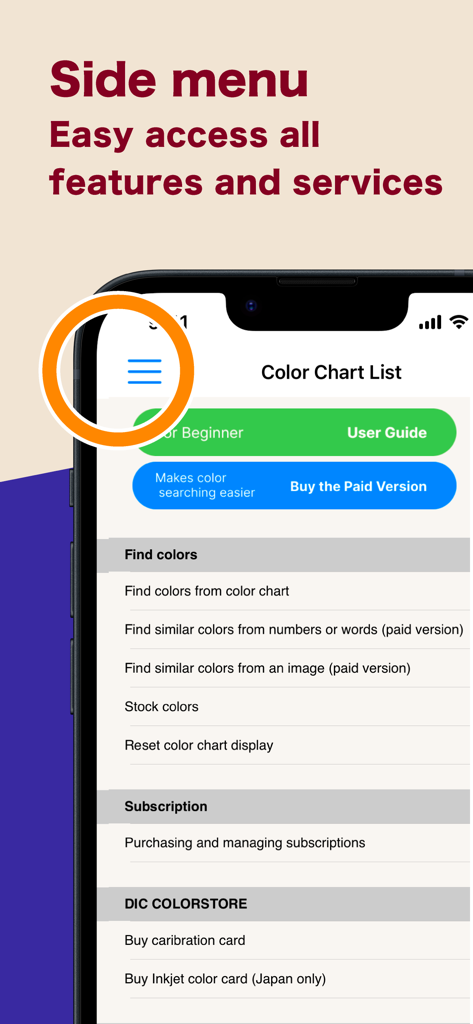
DIC COLOR GUIDE 앱의 사이드 메뉴 인터페이스에 기능 및 서비스로의 탐색이 표시됩니다.

DIC COLOR GUIDE 앱의 사이드 메뉴 인터페이스에 기능 및 서비스로의 탐색이 표시됩니다.

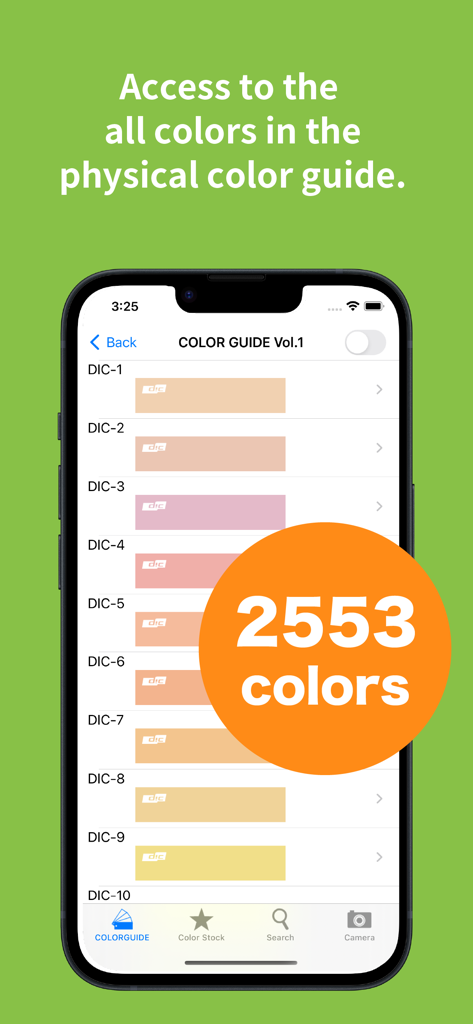
DIC Color Guide 앱의 2553가지 색상 디지털 라이브러리를 표시하는 스마트폰 화면입니다.

DIC Color Guide 앱의 2553가지 색상 디지털 라이브러리를 표시하는 스마트폰 화면입니다.

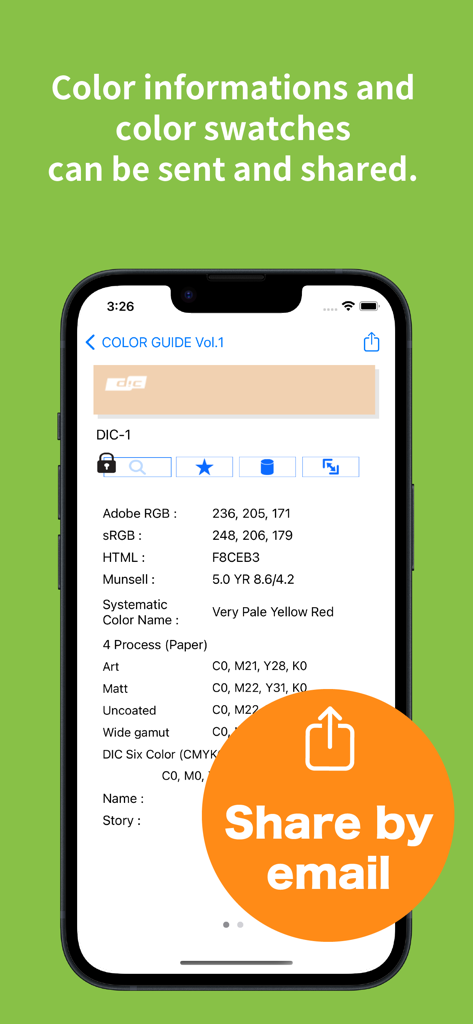
DIC COLOR GUIDE 앱 화면에 RGB 및 CMYK 값이 표시되고 이메일 공유 버튼이 있습니다.

DIC COLOR GUIDE 앱 화면에 RGB 및 CMYK 값이 표시되고 이메일 공유 버튼이 있습니다.

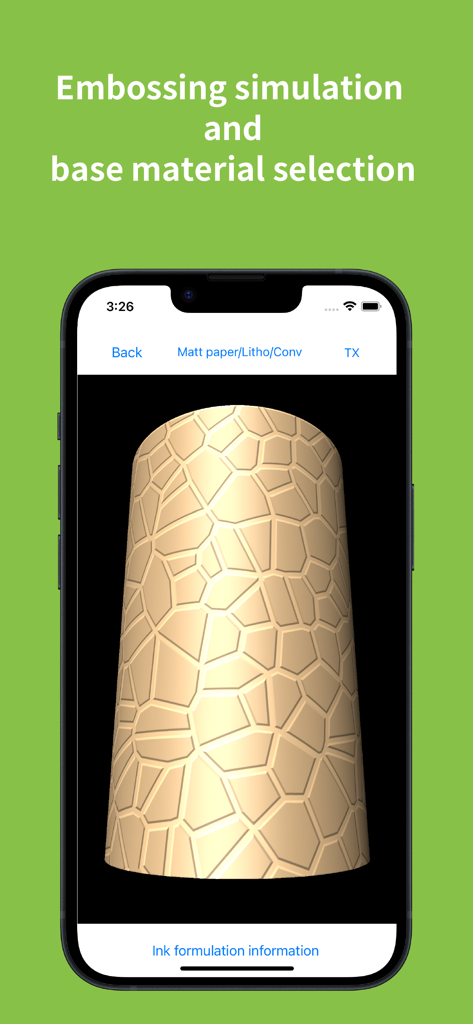
DIC COLOR GUIDE 앱 화면에 엠보싱 시뮬레이션과 질감이 있는 3D 객체에 대한 기본 재료 선택이 표시됩니다.

DIC COLOR GUIDE 앱 화면에 엠보싱 시뮬레이션과 질감이 있는 3D 객체에 대한 기본 재료 선택이 표시됩니다.

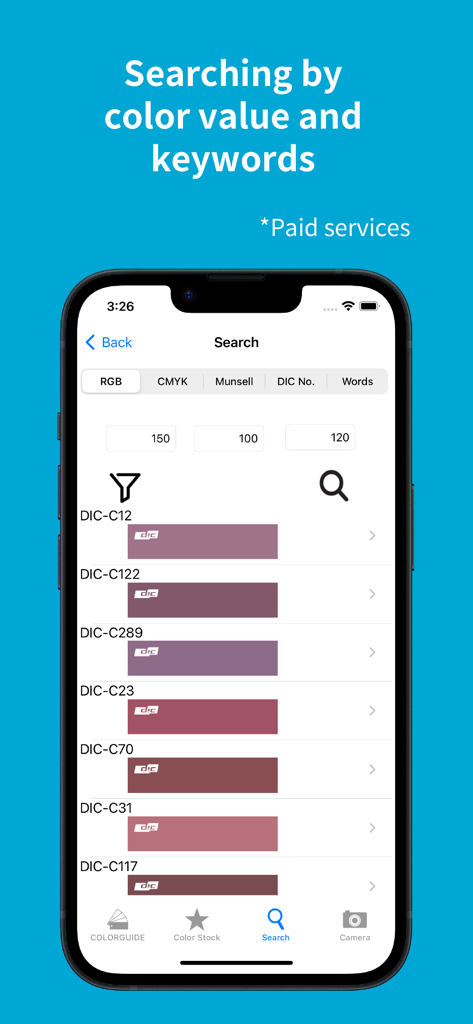
DIC COLOR GUIDE 앱의 검색 인터페이스에 RGB 값을 기반으로 한 색상 결과가 표시됩니다.

DIC COLOR GUIDE 앱의 검색 인터페이스에 RGB 값을 기반으로 한 색상 결과가 표시됩니다.

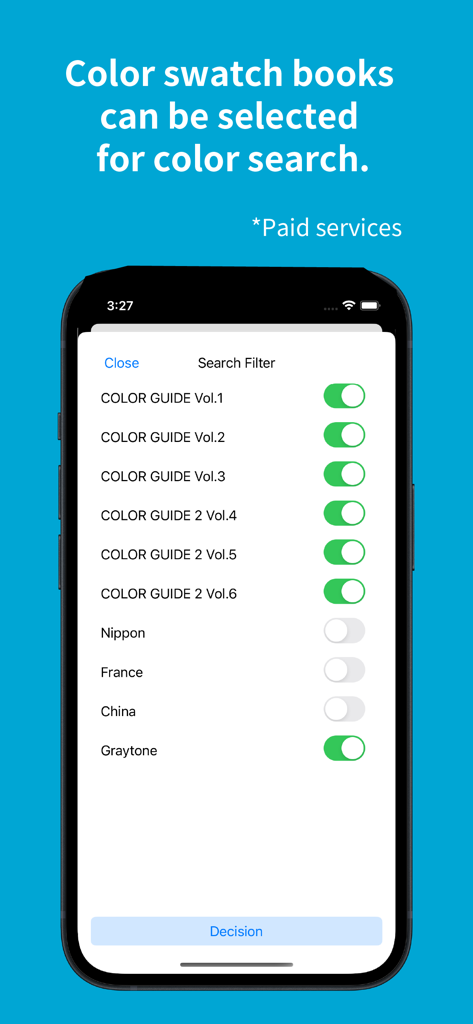
DIC Color Guide 앱 인터페이스에 다양한 색상 스와치 북 및 전통 색상 라이브러리에 대한 검색 필터가 표시됩니다.

DIC Color Guide 앱 인터페이스에 다양한 색상 스와치 북 및 전통 색상 라이브러리에 대한 검색 필터가 표시됩니다.

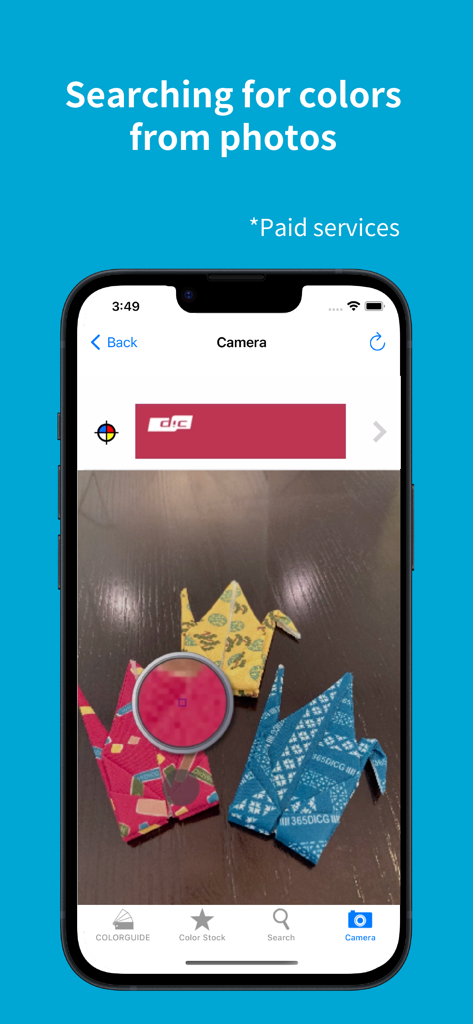
DIC COLOR GUIDE 앱의 인터페이스에 스마트폰 카메라를 사용하여 사진에서 색상을 검색하는 기능이 표시됩니다.

DIC COLOR GUIDE 앱의 인터페이스에 스마트폰 카메라를 사용하여 사진에서 색상을 검색하는 기능이 표시됩니다.

글로벌 디자이너를 위한 정밀 색상 도구

이 앱을 돋보이게 하는 도구, 183K+ 명의 사용자가 선택.

🏗️

기재 및 질감 시뮬레이션

금속, 필름, 다양한 종이를 포함한 특정 기재에서 브랜드 색상을 시각화하여 실제 생산 정확도를 보장하세요.

원활한 Adobe 통합

스ウォッチ 데이터, 잉크 혼합 비율, CMYK 값을 Illustrator 및 Photoshop으로 직접 내보내 스튜디오 워크플로우를 간소화하세요.

🎯

과학적 색상 정확도

표준 D50/D65 광원 하에서 실제 색상을 캡처하기 위해 고급 카메라 보정을 활용하여 환경적 편향을 제거하세요.

앱 소개

에 대해 알아야 할 모든 것 DIC COLOR GUIDE.

설명

This is a digital color library of the DIC Color Guide, a color sample book with the top market share in Japan. Please use the Guide as a color communication tool that allows you to select, stock, communicate, and share your favorite colors from a selection of 2,553 colors. This app has been provided free of charge since 2011 and has proved very popular. [Key Features] (Some features require a subscription.) - You can check the ink blending ratio to reproduce the colors of the DIC Color Guide in print. - You can use a pre-taken photographic image to call up a similar color from the Color Guide. (Subscription) - You can check the visual texture of DIC Color Guide colors printed on the substrate you wish to use (various types of paper, metal, and film). - The color library “Traditional Colors Series (Japan, France, China)” allows you to browse all the color names from these countries, and their origins. - Selected colors can be stocked together and text notes can be added. - Color swatch data from Adobe's Illustrator and Photoshop graphic software, RGB values, CMYK values, and other data can be sent by e-mail. -Calibration cards* can be used to convert colors under various light sources, such as sunlight, indoor fluorescent light, LED, etc., to pseudo colors that are the same as when the image is taken under a standard light source (D50/D65).  This allows for the same color reproduction as when shooting under standard light sources without concern for the light source at the time of shooting. (Subscription) *In rare cases, jaggies or moiré may appear after calibration is performed.  *Calibration cards must be purchased separately online from the DIC Graphics store (DIC Color Store). We will ship about 2 weeks after your order is placed.  Precautions for using the calibration card ・To obtain good search results, you will need a mobile device that supports the calibration card, a bright environment, and a clean camera lens. ・Please take pictures in a well-lit place (office: approx. 700 lux; 10 am on a sunny day: approx. 65,000 lux). When photographing the calibration card, make sure that light does not reflect or cast shadows on the card surface. The calibration function may not work properly.  ・When searching from DIC Color Guide images, search results may differ depending on factors such as the age of the Color Guide, its condition, and color changes.  ・Calibration cards are valid for one year. Due to inventory and shipping issues, the calibration card may be valid for more than one year at the time of delivery.  ・The expiration date of the calibration card is displayed on the Subscription Management Screen of the Digital Color Guide app. [Please note] If a film, glass, or other material is attached to the display surface of the device, the color may be affected by the color of the material, resulting in a discoloration of the displayed color. We recommend having no film, glass, etc. on the surface of the device. When viewing the screen, please set the brightness to the maximum brightness of each device. [Disclaimer] We make doubly sure that all information and values are correct, but give you no guarantee of those. Please note that all information and values are for reference only. We will never make restitution, if using this application may cause any damage or trouble.

최신 버전

6.1.1

크기

90.9 MB

출시일

2010년 12월 6일

글로벌 색상 정밀도 표준을 마스터하세요

디지털 비전과 물리적 현실의 격차를 해소하세요. DIC Color Guide를 다운로드하여 2,553가지 전문가용 색상, 기재 미리보기, 원활한 Adobe 통합 기능을 가장 까다로운 글로벌 프로젝트에 활용하세요.

다운로드: App Store

App information, icons, screenshots, and descriptions displayed on this page are sourced from the Apple App Store and are the property of their respective developers. Download estimates and rankings are based on MWM's proprietary models and may not reflect actual figures. This page is provided for informational and analytical purposes only.

Believe this page infringes your intellectual property? File a dispute