Digital Ruler Measuring Tape

Digital Ruler Measuring Tape

다운로드: App Store
로고: Digital Ruler Measuring Tape

주머니 속 전문가급 정밀 도구: 디지털 줄자 측정 테이프

구식 줄자를 찾는 것을 멈추고 DIY의 미래를 경험하세요. 고급 AR 및 LiDAR 기술을 활용하여 몇 초 만에 전문적인 정확도로 거리를 측정하고, 상세한 방 스케치를 만들고, 주택 개조 프로젝트를 계획하세요.

다운로드: App Store

개발사

Hue Le Thi Thu

카테고리

Reference

다운로드

500

사용자 평점

4.7/5

총 평가 수

0

지원 언어

1

정밀함이 작동하는 모습

이 인터페이스를 사용하는 500 명의 사용자.

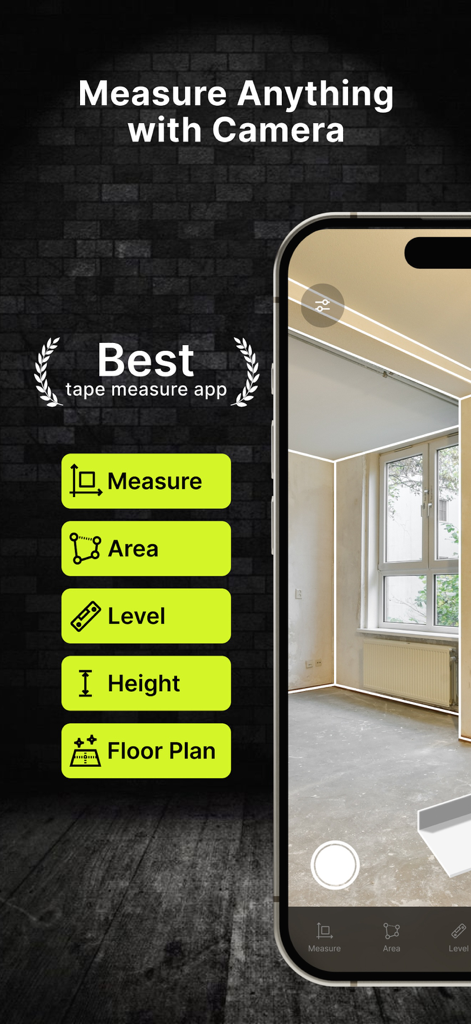
디지털 줄자 앱이 면적, 높이, 평면도에 대한 AR 카메라 측정 기능을 보여주고 있습니다.

디지털 줄자 앱이 면적, 높이, 평면도에 대한 AR 카메라 측정 기능을 보여주고 있습니다.

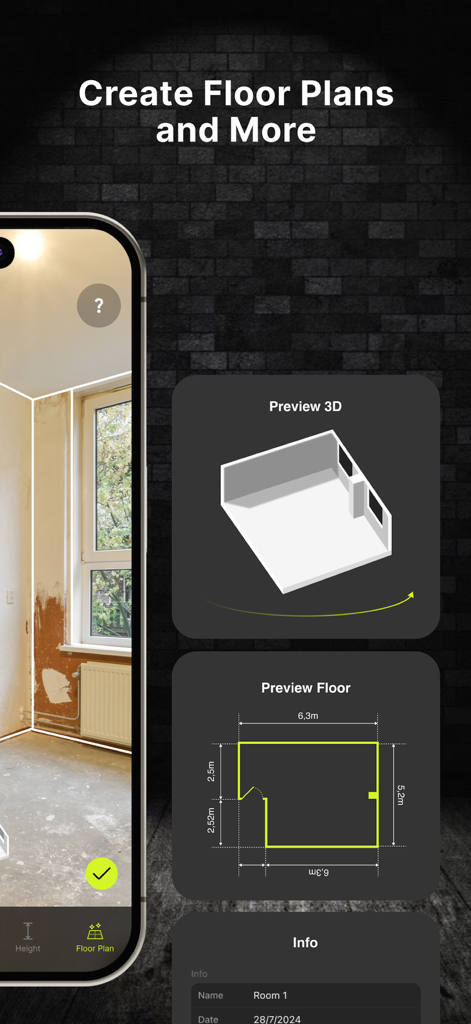
AR 측정 앱 인터페이스가 치수가 있는 3D 방 모델과 2D 평면도를 보여줍니다.

AR 측정 앱 인터페이스가 치수가 있는 3D 방 모델과 2D 평면도를 보여줍니다.

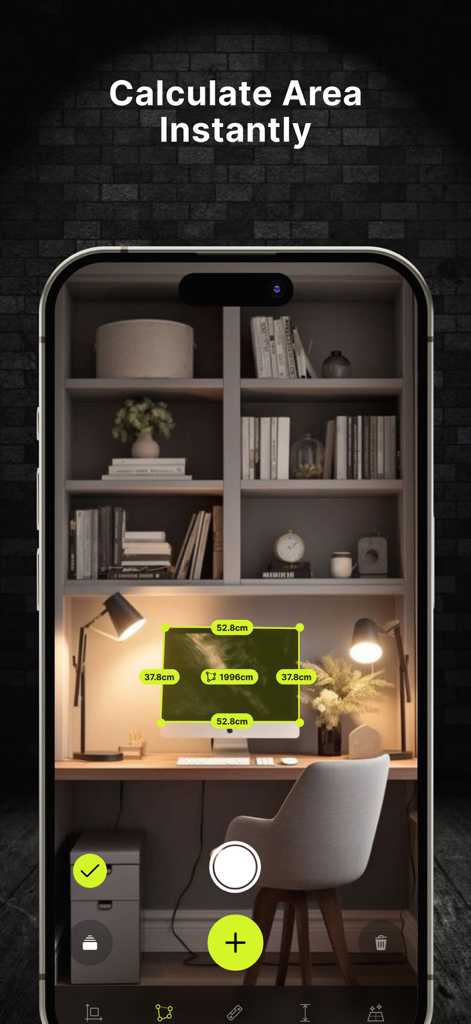
디지털 줄자 앱이 AR 기술을 사용하여 책상 위의 컴퓨터 화면의 표면적을 계산하고 있습니다.

디지털 줄자 앱이 AR 기술을 사용하여 책상 위의 컴퓨터 화면의 표면적을 계산하고 있습니다.

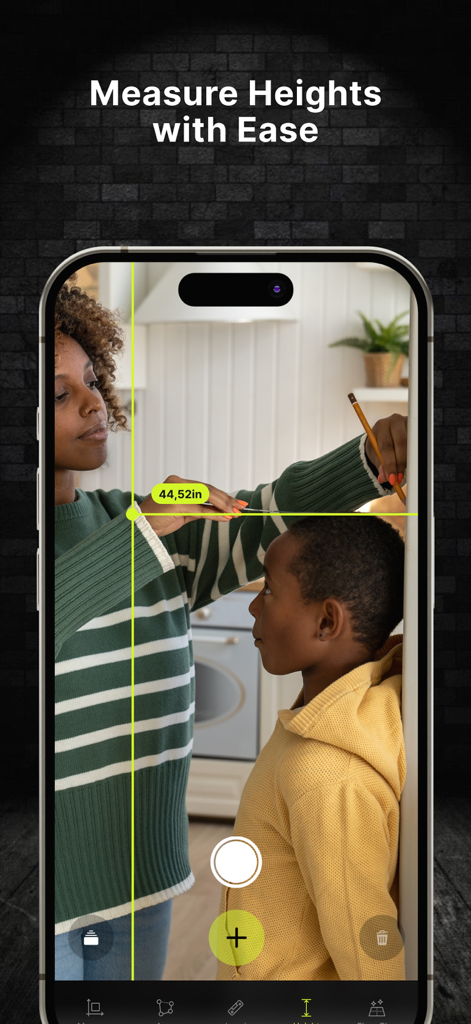
한 여성이 iPhone에서 디지털 줄자 앱을 사용하여 AR 기술로 아이의 키를 인치 단위로 측정하고 있습니다.

한 여성이 iPhone에서 디지털 줄자 앱을 사용하여 AR 기술로 아이의 키를 인치 단위로 측정하고 있습니다.

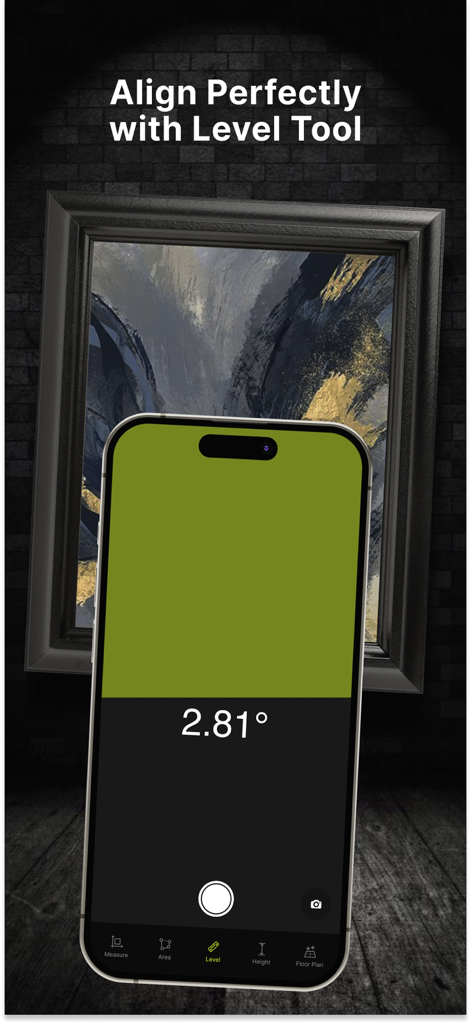
액자 정렬을 위한 디지털 수평 도구를 보여주는 iPhone 앱 화면

액자 정렬을 위한 디지털 수평 도구를 보여주는 iPhone 앱 화면

비교할 수 없는 정밀도로 세상을 측정하세요

이 앱을 돋보이게 하는 도구, 500 명의 사용자가 선택.

📏

레이저처럼 선명한 AR 측정

최첨단 LiDAR 기술을 활용하여 방이나 물체의 매우 정확한 측정을 수행하여 가구 쇼핑 및 개조에 완벽합니다.

✏️

전문적인 스케치 및 디자인

측정값을 상세한 평면도로 변환하세요. 스케치 모드를 사용하여 다음 DIY 프로젝트를 시작하기 전에 메모, 색상 및 레이아웃을 추가하세요.

🔄

이중 단위 호환성

제국 단위와 미터법 단위 간을 손쉽게 전환하여 Home Depot에서 쇼핑하든 글로벌 디자인 사양을 따르든 완벽한 정확도를 보장합니다.

앱 소개

에 대해 알아야 할 모든 것 Digital Ruler Measuring Tape.

설명

Digital Ruler Measuring Tape: The Smarter Way to Measure! Say goodbye to bulky tools and complicated measurements—this app transforms your smartphone into a powerful, portable measuring solution. Built on advanced AR and LiDAR technology, it delivers precise measurements and dynamic features to meet all your needs. Whether you’re working on DIY projects, organizing your space, or planning layouts, Digital Ruler Measuring Tape has everything you need to measure with accuracy and ease. Why choose Digital Ruler Measuring Tape? This app combines the precision of traditional tools with the convenience of cutting-edge digital features. Measure objects, distances, or create detailed plans effortlessly. Plus, with the innovative Sketch Mode, you can customize and share your designs like a pro! Key Features: - Accurate Measurements: Supports both Imperial (inch) and Metric (cm/mm) units for ultimate flexibility. - AR and LiDAR Integration: Experience real-time, highly accurate measurements powered by augmented reality and depth sensing. - Rangefinder Mode: Use your phone’s camera to measure distances in real time. - Sketch Mode: Design and edit plans with text, colors, and positioning tools. - Instant Sharing: Share your measurements and sketches with just one tap. - Portable and Convenient: A reliable measuring tool that fits in your pocket. - User-Friendly Design: Intuitive interface for effortless use by beginners and pros alike. - Take the hassle out of measuring and experience the future of precision tools with Digital Ruler Measuring Tape. Download now and get started today! Subscription auto-renew at the end of subscription period, unless cancelled 24-hours in advance prior to the end of the current period. The subscription fee is charged to your iTunes account at confirmation of purchase. You may manage your subscription and turn off auto-renewal by going to your Account Settings after purchase. Per Apple policy, no cancellation of the current subscription is allowed during active subscription period. Once purchased, refunds will not be provided for any unused portion of the term. Terms of use: https://sites.google.com/view/tapmeasurearruler/terms-of-use Privacy policy: https://sites.google.com/view/tapmeasurearruler/privacy-policy

최신 버전

1.1.1

크기

29.4 MB

출시일

2024년 12월 24일

더 똑똑하게 측정하고, 더 빠르게 건설하세요

LiDAR 정밀도를 사용하여 다음 프로젝트를 마스터하는 수천 명의 주택 소유자 및 전문가와 함께하세요. 오늘 최고의 디지털 줄자를 다운로드하세요.

다운로드: App Store

App information, icons, screenshots, and descriptions displayed on this page are sourced from the Apple App Store and are the property of their respective developers. Download estimates and rankings are based on MWM's proprietary models and may not reflect actual figures. This page is provided for informational and analytical purposes only.

Believe this page infringes your intellectual property? File a dispute