Easy Draw: Learn How to Draw

Easy Draw: Learn How to Draw


다운로드: App Store다운로드: Google Play
로고: Easy Draw: Learn How to Draw
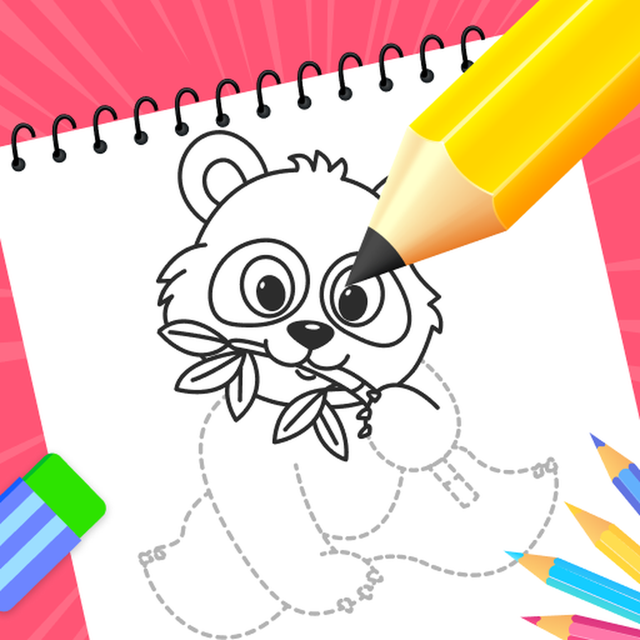
이지 드로: 단계별 안내 강좌로 무엇이든 그리는 법 배우기

애니메이션, 동물 등을 위한 짧은 튜토리얼로 창의력을 발휘하세요. 어린이부터 취미 미술가까지, 나만의 디지털 튜터와 함께 스케치 기술을 마스터하세요.

개발사

CEM SOFTWARE COMPANY LIMITED

카테고리

Education

다운로드

120K+

사용자 평점

4.2/5

총 평가 수

500

지원 언어

10

만들어지는 걸작들

이 인터페이스를 사용하는 120K+ 명의 사용자.

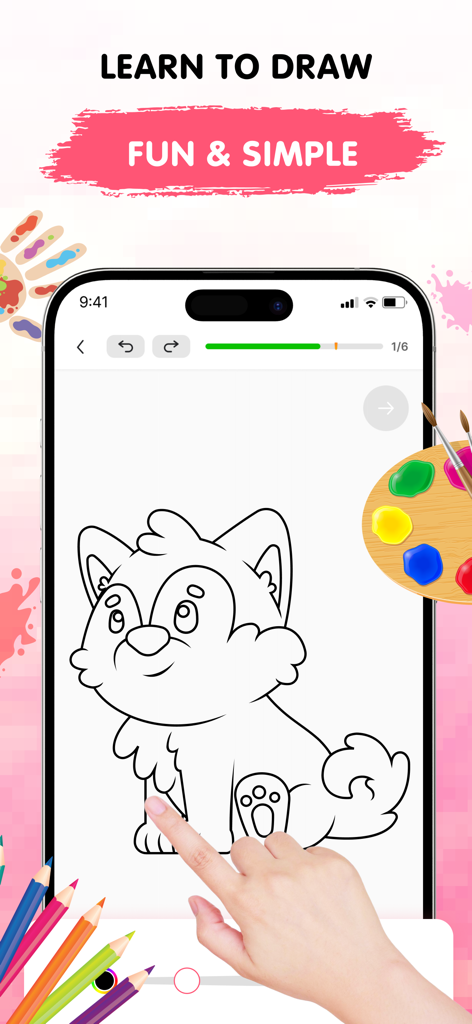
이지 드로 앱이 스마트폰 화면에 귀여운 개를 단계별로 그리는 튜토리얼을 보여주는 모습

이지 드로 앱이 스마트폰 화면에 귀여운 개를 단계별로 그리는 튜토리얼을 보여주는 모습

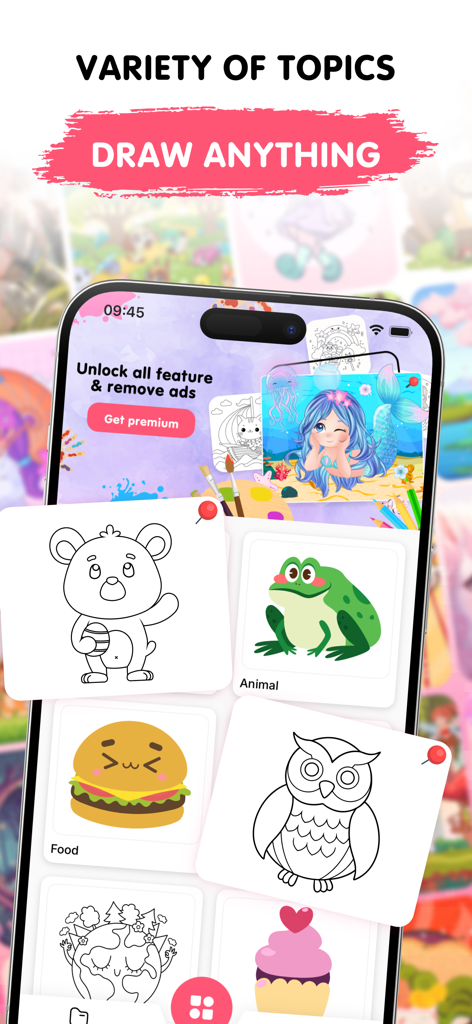
이지 드로의 모바일 앱 인터페이스로 동물, 음식, 환경 등 다양한 그림 카테고리와 귀여운 일러스트를 보여주는 모습

이지 드로의 모바일 앱 인터페이스로 동물, 음식, 환경 등 다양한 그림 카테고리와 귀여운 일러스트를 보여주는 모습

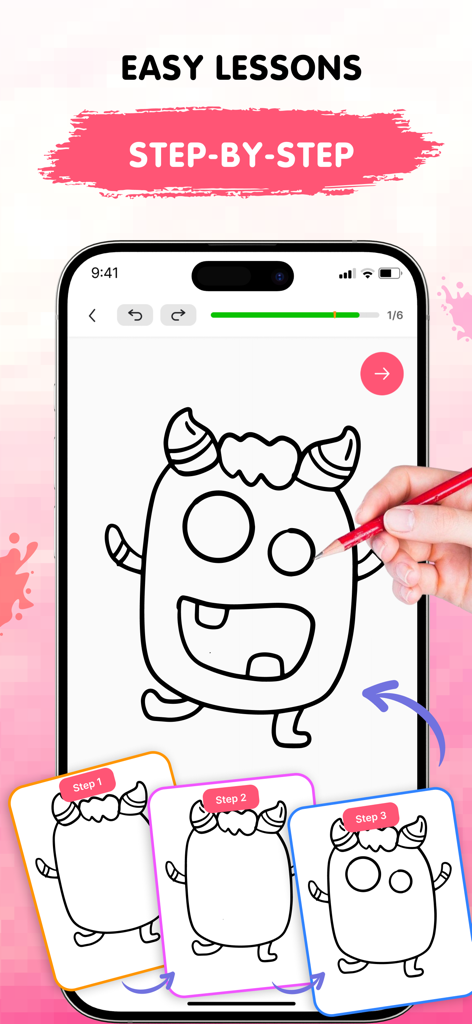
이지 드로 모바일 앱이 괴물 튜토리얼을 위한 단계별 그림 강좌를 보여주는 모습

이지 드로 모바일 앱이 괴물 튜토리얼을 위한 단계별 그림 강좌를 보여주는 모습

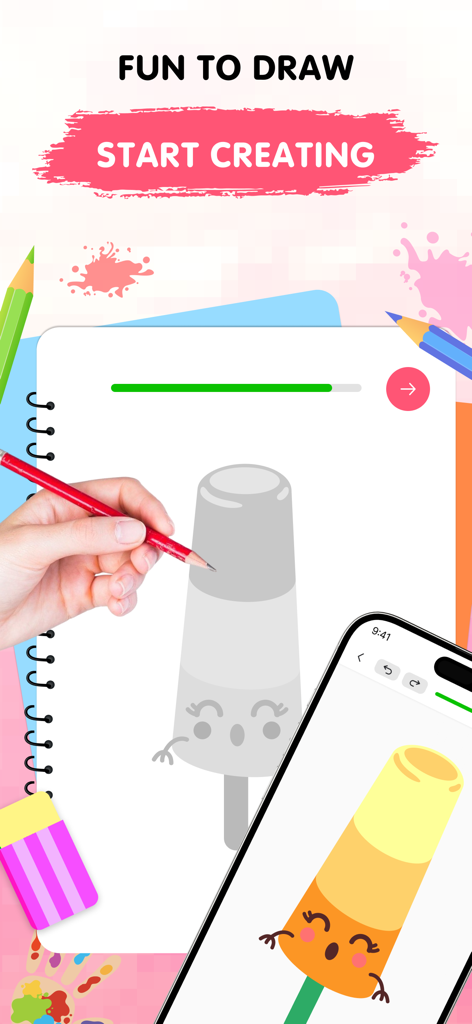
스마트폰 옆에 귀여운 막대 아이스바 캐릭터를 그리는 손과 완성된 색칠 버전 스마트폰을 보여주는 모습

스마트폰 옆에 귀여운 막대 아이스바 캐릭터를 그리는 손과 완성된 색칠 버전 스마트폰을 보여주는 모습

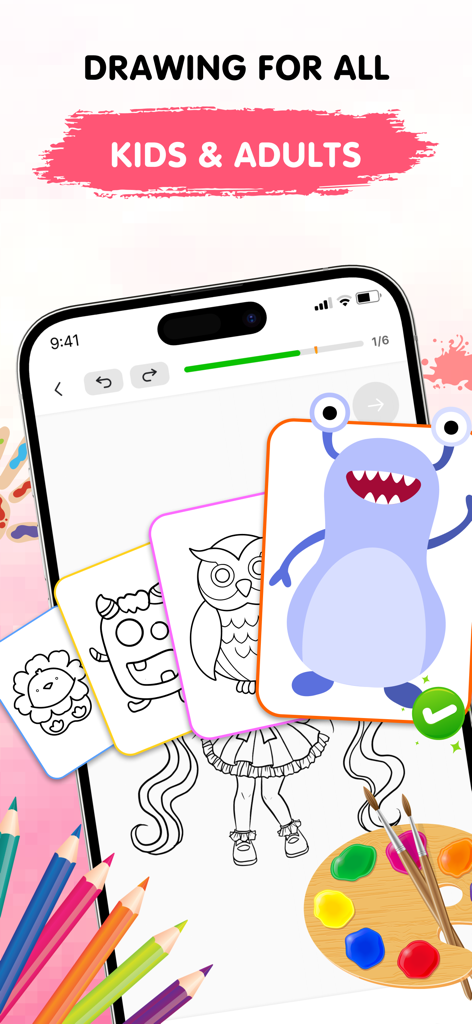
이지 드로 앱 인터페이스가 어린이와 성인을 위한 그림 튜토리얼을 단계별 강좌와 함께 보여주는 모습

이지 드로 앱 인터페이스가 어린이와 성인을 위한 그림 튜토리얼을 단계별 강좌와 함께 보여주는 모습

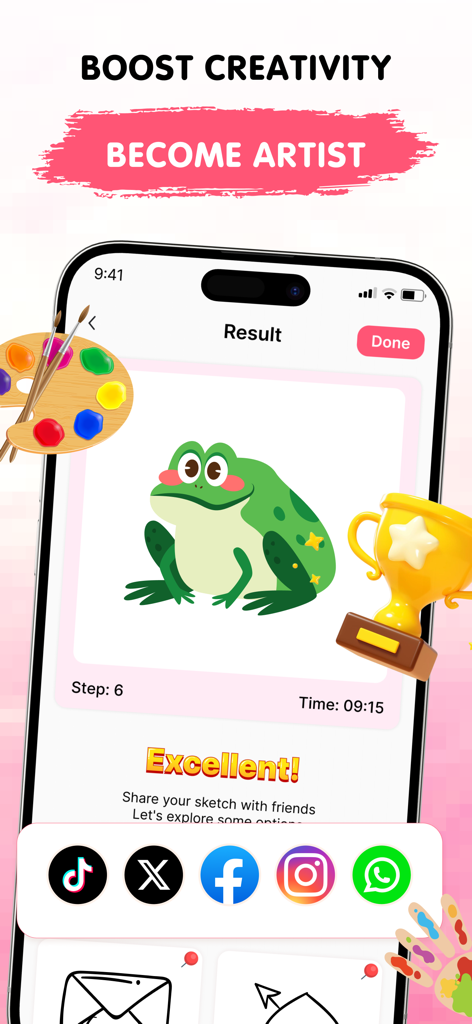
이지 드로 앱에서 완성된 녹색 개 그림과 함께 소셜 공유 아이콘 및 트로피가 표시된 모습

이지 드로 앱에서 완성된 녹색 개 그림과 함께 소셜 공유 아이콘 및 트로피가 표시된 모습

내 안의 예술가를 깨우세요

이 앱을 돋보이게 하는 도구, 120K+ 명의 사용자가 선택.

🧩

짧은 강좌

학습을 게임처럼 느껴지게 하는 간단하고 안내된 단계별 과정을 통해 복잡한 스케치를 마스터하세요.

⛩️

애니메이션 및 인기 스타일

애니메이션, 귀여운 동물, 현대적인 미학을 포함한 인기 테마의 성장하는 라이브러리로 영감을 유지하세요.

🛠️

실수 없는 창작

실행 취소, 다시 실행, 조절 가능한 브러시와 같은 사용하기 쉬운 디지털 도구로 자유롭게 실험해 보세요.

리뷰 분석

사용자 리뷰 인사이트.

감정 점수

28%
부정적

요약

This drawing app receives predominantly negative feedback from users, with the most significant complaint revolving around an excessive number of intrusive advertisements that frequently interrupt gameplay and even redirect to external websites. Many users also express frustration with the limited free content, unappealing picture choices, and high subscription costs, feeling misled by false advertising that promises features like multiplayer. While some appreciate the app's step-by-step drawing guidance and compatibility with styluses, including the Apple Pencil and cheaper alternatives, these positive aspects are often overshadowed by widespread technical issues such as erratic zooming and random lines appearing on screen.

주요 테마

Overall Enjoyment(6)
Drawing Guidance(4)
Ad Experience(3)
Stylus Compatibility(3)
App Concept(3)

앱 소개

에 대해 알아야 할 모든 것 Easy Draw: Learn How to Draw.

설명

Discover the Easy Draw: Learn How to Draw Ignite your creativity and develop your drawing skills with Easy Draw: Learn How to Draw, your personal art tutor in your pocket. Whether you're just starting out or looking to refine your technique, Easy Draw offers a smooth, guided experience that makes drawing both easy and enjoyable. Explore a relaxing way to sketch and color your favorite subjects—all in one beautifully designed app. [ Why Choose Easy Draw: Learn How to Draw? ] Easy Draw is more than just a drawing app—it’s your creative partner. With simple, clear instructions and an intuitive interface, anyone can learn how to draw step by step. Relax, explore new styles, and watch your art improve with every stroke.  [ Key Features ] *** Variety of Topics From cute animals and cool cars to anime, food, universe, and enviroment— Easy Draw has a growing library of themes for every interest and style. *** Guided Drawing Steps Each tutorial is broken into bite-sized steps, making it easy to follow and perfect for learners at all levels. No pressure—draw at your own pace. *** Easy-to-Use Drawing Tools With simple tools like undo, redo, erase, and reset, you’re free to experiment as much as you like without worry. *** Adjustable Brush Settings Fine-tune your brush and eraser sizes to get just the right touch. Perfect for adding details or filling in color with precision. *** Expressive Color Palette Unleash your creativity with vibrant colors. Each drawing becomes uniquely yours through personalized color choices. *** Save and Share Freely Show off your creations—export your drawings and share them with friends and family with no limits. [ How to Use Easy Draw ] 1. Pick a Lesson Browse our collection of drawings and choose what inspires you. 2. Follow Each Step Tap through each stage and draw along with confidence—no guesswork, just clear guidance. 3. Share Your Art Once you’ve completed your masterpiece, save it or show it off. Your creativity deserves to be seen! Easy Draw is your go-to app for learning how to draw in a calm, encouraging environment. With structured lessons, vibrant themes, and a toolkit built for artists of all kinds, you’ll find yourself creating art you never imagined possible. Download Easy Draw today and bring your drawings to life! Start your creative journey, build your skills, and express yourself—one line at a time. UNLIMITED ACCESS MEMBERSHIP SUBSCRIPTION • You can subscribe to all features within Easy Draw for unlimited access. • Subscriptions are billed weekly, monthly, or yearly at the rate selected depending on the subscription plan. • You can cancel your subscription via this URL: https://support.apple.com/en-us/HT202039 All personal data is protected in accordance with the Terms of Use and Privacy Policy: https://cemsoftwareltd.com/term.html https://cemsoftwareltd.com/privacyPolicy.html

최신 버전

1.1.1

크기

109.0 MB

출시일

2025년 6월 3일

첫 걸작을 만들 준비가 되셨나요?

수천 명의 예비 예술가들과 함께 이지 드로를 다운로드하고 간단한 단계별 안내를 통해 좋아하는 애니메이션, 동물 등을 그리며 오늘 바로 창의력을 발휘하세요.

다운로드: App Store다운로드: Google Play
FAQ

자주 묻는 질문

에 대해 알아야 할 모든 것 Easy Draw: Learn How to Draw

Easy Draw: Learn How to Draw란 무엇인가요?

Easy Draw: Learn How to Draw는 사용자의 그림 실력 개발을 돕는 개인 미술 튜터 역할을 하는 모바일 애플리케이션입니다. 스케치와 색칠을 위한 부드럽고 즐거운 경험을 제공합니다.

Easy Draw: Learn How to Draw는 사용자에게 어떻게 그림을 그리도록 가르치나요?

Easy Draw는 단계별 가이드 드로잉을 통해 사용자에게 가르칩니다. 각 튜토리얼은 작은 단계로 나뉘어 있어, 레슨 선택부터 완성된 작품 공유까지 자신의 속도에 맞춰 쉽게 따라할 수 있습니다.

Easy Draw로 사용자는 어떤 종류의 대상을 그릴 수 있나요?

Easy Draw는 귀여운 동물, 멋진 자동차, 애니메이션, 음식, 우주, 환경 등 다양한 주제를 제공합니다. 앱은 다양한 관심사와 스타일에 맞는 증가하는 테마 라이브러리를 제공합니다.

Easy Draw: Learn How to Draw에는 그림 도구가 포함되어 있나요?

네, Easy Draw에는 실행 취소, 다시 실행, 지우기, 초기화와 같은 사용하기 쉬운 그림 도구가 포함되어 있습니다. 사용자는 브러시와 지우개 크기를 미세 조정하고 다채로운 색상 팔레트에서 선택할 수도 있습니다.

Easy Draw: Learn How to Draw로 만든 그림을 공유할 수 있나요?

네, Easy Draw를 사용하면 사용자가 만든 작품을 자유롭게 저장하고 공유할 수 있습니다. 사용자는 자신의 그림을 내보내고 친구 및 가족과 제한 없이 공유할 수 있습니다.

Easy Draw에서 이용 가능한 구독 옵션은 무엇인가요?

Easy Draw는 무제한 액세스 회원 구독을 제공합니다. 구독은 선택한 요금제에 따라 주간, 월간 또는 연간으로 청구됩니다.

Easy Draw 구독을 취소하려면 어떻게 해야 하나요?

사용자는 제공된 URL(https://support.apple.com/en-us/HT202039)을 방문하여 Easy Draw 구독을 취소할 수 있습니다. 이 링크는 Apple 구독 관리에 대한 지침을 제공합니다.

Easy Draw: Learn How to Draw에는 개인정보 처리방침이 있나요?

네, Easy Draw에는 개인정보 처리방침이 있습니다. 모든 개인 데이터는 이용 약관 및 개인정보 처리방침(https://cemsoftwareltd.com/privacyPolicy.html)에 따라 보호됩니다.

App information, icons, screenshots, and descriptions displayed on this page are sourced from the Apple App Store and are the property of their respective developers. Download estimates and rankings are based on MWM's proprietary models and may not reflect actual figures. This page is provided for informational and analytical purposes only.

Believe this page infringes your intellectual property? File a dispute