Echo Beach

Echo Beach

다운로드: App Store
로고: Echo Beach

Echo Beach: 샘플링, 시퀀싱, DAW로 전송

모든 소리를 캡처하고, 정밀하게 자동 슬라이스하며, 전설적인 SP-1200 스윙으로 그루브를 만드세요. 모바일 영감을 몇 초 만에 스튜디오 준비가 된 스템으로 바꿔주는 전문 MPC 스타일 워크플로우.

다운로드: App Store

개발사

Jeremiah Klein

카테고리

Music

다운로드

700

사용자 평점

1.0/5

총 평가 수

0

지원 언어

1

내부 모습 엿보기

이 인터페이스를 사용하는 700 명의 사용자.

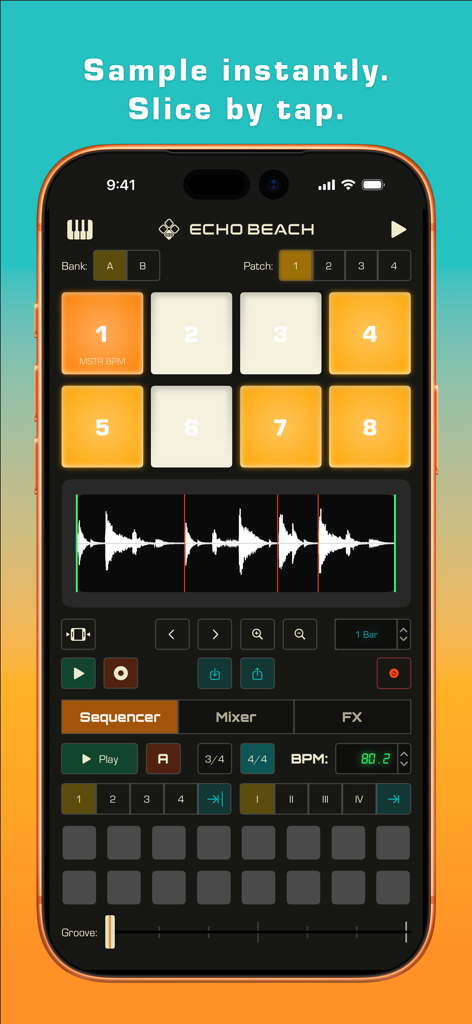
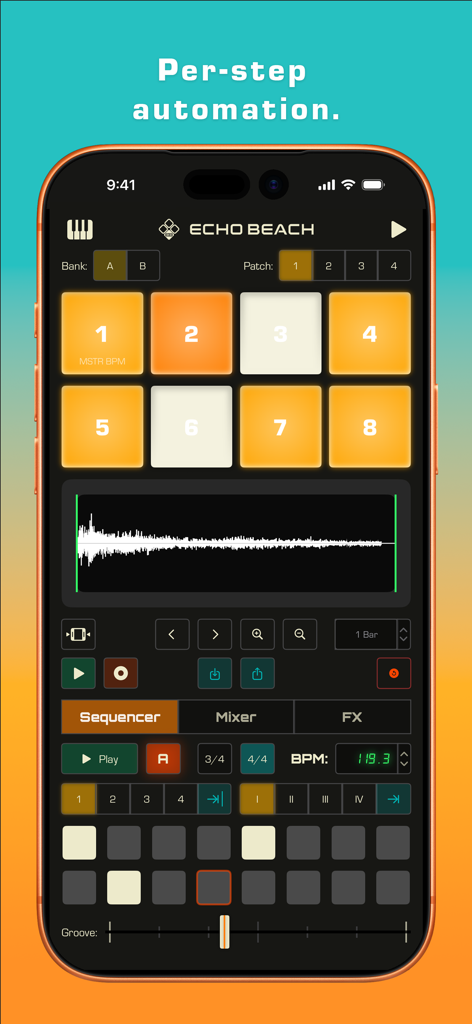
8패드 샘플러와 오디오 파형 슬라이서가 표시된 Echo Beach 모바일 앱 인터페이스.

8패드 샘플러와 오디오 파형 슬라이서가 표시된 Echo Beach 모바일 앱 인터페이스.

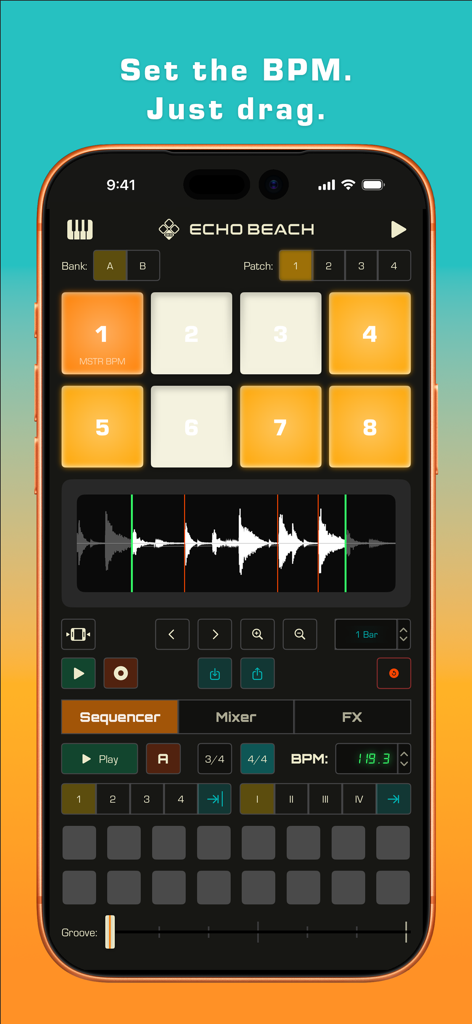
8패드와 시퀀서가 있는 Echo Beach 음악 샘플러 앱 인터페이스

8패드와 시퀀서가 있는 Echo Beach 음악 샘플러 앱 인터페이스

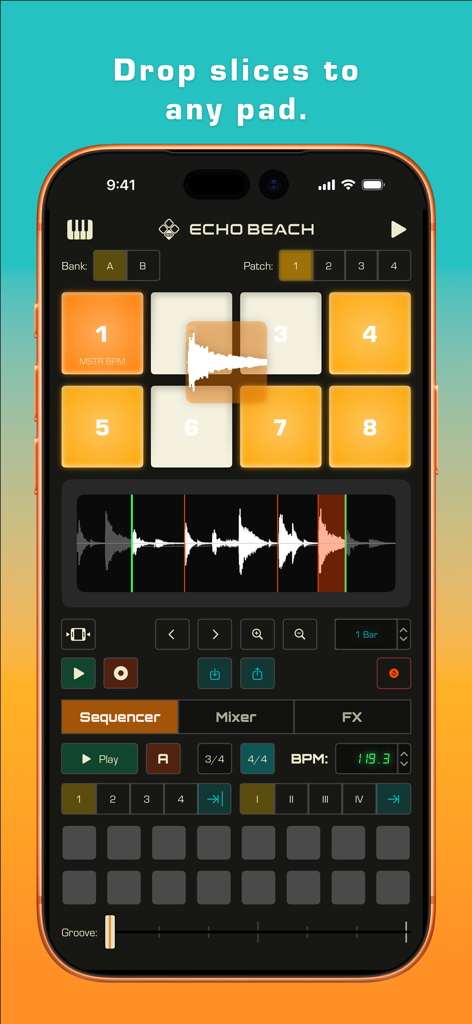
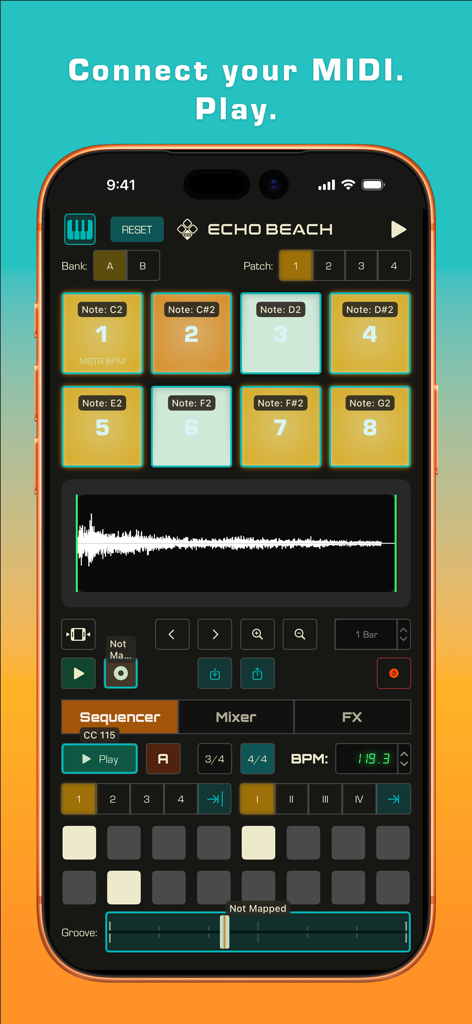
파형이 슬라이스되어 8패드 드럼 샘플러 그리드에 끌어다 놓이는 Echo Beach 모바일 앱 인터페이스.

파형이 슬라이스되어 8패드 드럼 샘플러 그리드에 끌어다 놓이는 Echo Beach 모바일 앱 인터페이스.

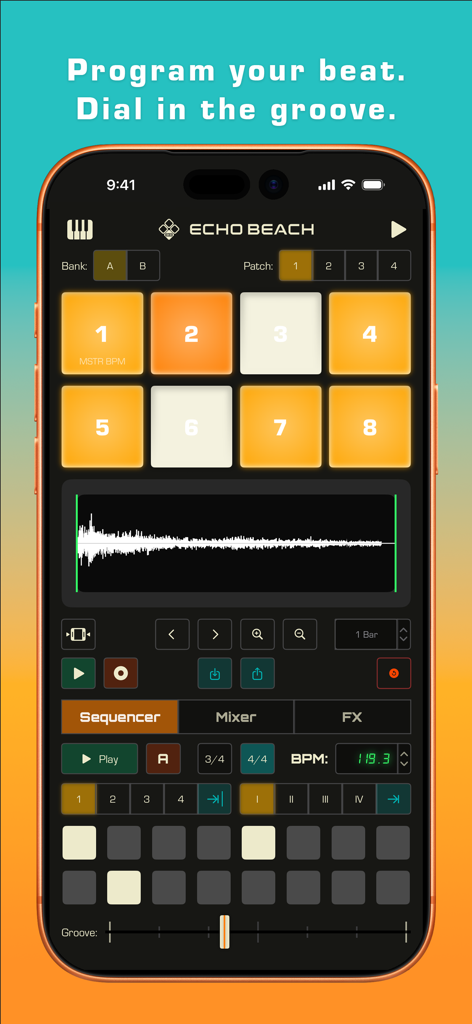
8패드 샘플러와 음악 제작용 스텝 시퀀서가 표시된 Echo Beach 모바일 앱 인터페이스

8패드 샘플러와 음악 제작용 스텝 시퀀서가 표시된 Echo Beach 모바일 앱 인터페이스

iPhone에서 패드와 스텝 시퀀서가 있는 샘플러를 보여주는 Echo Beach 앱 인터페이스.

iPhone에서 패드와 스텝 시퀀서가 있는 샘플러를 보여주는 Echo Beach 앱 인터페이스.

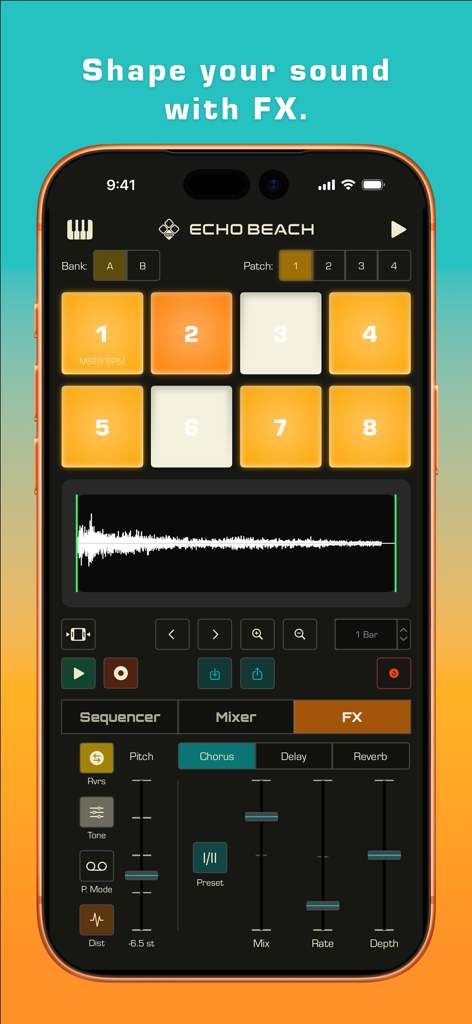
코러스 컨트롤과 8패드 샘플러 레이아웃이 있는 FX 섹션을 보여주는 Echo Beach 앱 인터페이스.

코러스 컨트롤과 8패드 샘플러 레이아웃이 있는 FX 섹션을 보여주는 Echo Beach 앱 인터페이스.

음악 제작을 위한 8개의 드럼 패드, 사운드 파형 및 스텝 시퀀서가 표시된 Echo Beach 앱 인터페이스.

음악 제작을 위한 8개의 드럼 패드, 사운드 파형 및 스텝 시퀀서가 표시된 Echo Beach 앱 인터페이스.

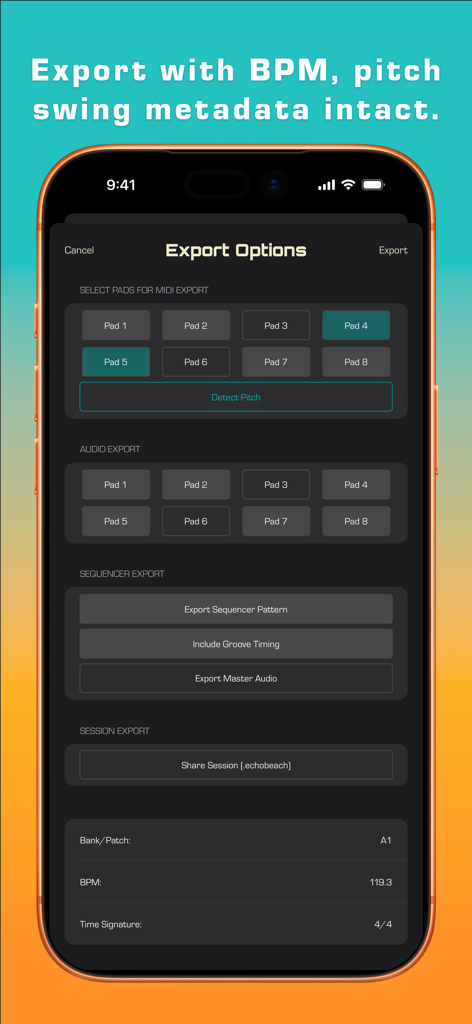
음악 제작을 위한 MIDI 및 오디오 내보내기 설정이 표시된 Echo Beach 앱 내보내기 옵션 인터페이스

음악 제작을 위한 MIDI 및 오디오 내보내기 설정이 표시된 Echo Beach 앱 내보내기 옵션 인터페이스

전문적인 샘플링. 끊김 없는 작업.

이 앱을 돋보이게 하는 도구, 700 명의 사용자가 선택.

✂️

스마트 슬라이스 & 자동 자르기

음성 메모, 바이닐, 현장 녹음 등을 즉시 연주 가능한 키트로 변환하세요. 지능형 트랜지언트 감지를 사용하여 오디오를 완벽하게 슬라이스하여 바로 연주를 시작할 수 있습니다.

🥁

전설적인 그루브 엔진

로봇 같은 타이밍은 잊으세요. 'Dilla 스타일' 스윙과 전문적인 그루브 템플릿을 적용하여 클래식 힙합 레코드에서 발견되는 인간적인 소울과 질감을 시퀀스에 부여하세요.

🚀

스튜디오 준비 완료 DAW 내보내기

최고의 아이디어를 휴대폰에만 두지 마세요. 이동 중에도 스튜디오에서도 막힘없이 작업할 수 있도록 스템과 MIDI를 Ableton, Logic 또는 Pro Tools로 직접 내보내세요.

앱 소개

에 대해 알아야 할 모든 것 Echo Beach.

설명

Sample anything. Sequence anything. Ship to any DAW. Echo Beach turns your iPhone into an SP-1200 style sampler with modern workflow. Capture, chop, sequence and export in seconds. CORE FEATURES - 8-Pad Sampler: Load, trim, loop, and play like classic MPCs - Smart Slice Detection: Auto-chop or edit transients manually - Built-In Step Sequencer: Program beats and rhythms instantly - Groove Engine interpolates between 8 templates from quantized to Dilla-esque swing - Studio FX: Reverb, delay, chorus, pitch, low-pass filter, and reverse for a polished sound - Factory Sounds Bank (B): Professional samples included to start immediately - Voice Note Ready: Record directly or import your sounds - DAW Export: Send stems, full mix and/or MIDI with full BPM + time-signature metadata - BPM Auto-Detection - Pad 1 sets the BPM to its adjustable loop length - Low Latency playback - MIDI controller support with MIDI Map mode to customize to your controller - Export the session and share with your bandmates / producers / collaborators WORKFLOW Record → Slice → Sequence → Export - Import or record anything: voice notes, vinyl, field recordings - Tap the waveform or auto-slice to cut up your audio - Drag and drop slices to any pad - Sequence your pattern and add FX - Export stems + MIDI to Ableton/Logic/Pro Tools WHY ECHO BEACH Most samplers make you choose: simple or powerful. Echo Beach is both. Echo Beach breaks this trade-off with intelligent features that work like you think: - Reversed samples auto-remap to maintain musical timing - Slices become MIDI notes automatically - Groove applies musically, not mechanically - Everything happens in real-time with near-zero latency No manual. No YouTube tutorials needed. Perfect for - Beat makers capturing inspiration anywhere - Producers sketching before studio sessions - Musicians capturing song ideas on the go - Sound designers building sound libraries - Anyone who thinks, "What if I could sample that?” Stop scrolling YouTube for 'how to make beats.' Start making them. TECH SPECS - Supports WAV, AIFF, MP3, M4A, CAF - Export stems, full mix, and MIDI - 20-30 ms latency on modern iPhones - Fully offline operation COMING SOON - AUv3 plugin integration for GarageBand, Logic Pro, AUM and Cubase - Expanded FX chain

최신 버전

1.7.1

크기

21.8 MB

출시일

2025년 10월 21일

스크롤은 그만. 만들기 시작하세요.

오늘 바로 iPhone을 전문가급 샘플러로 바꾸세요. 어디서든 분위기를 포착하고, 트랙을 몇 초 만에 자르고, 스템을 DAW로 직접 내보내세요. 다음 히트곡이 여기서 시작됩니다.

다운로드: App Store

App information, icons, screenshots, and descriptions displayed on this page are sourced from the Apple App Store and are the property of their respective developers. Download estimates and rankings are based on MWM's proprietary models and may not reflect actual figures. This page is provided for informational and analytical purposes only.

Believe this page infringes your intellectual property? File a dispute