Export Messages - Save Print Backup Recover Text SMS iMessages

Export Messages - Save Print Backup Recover Text SMS iMessages


다운로드: App Store
로고: Export Messages - Save Print Backup Recover Text SMS iMessages

메시지 내보내기: 전체 문자 기록을 안전하게 저장, 백업 및 인쇄

대화 내용을 법정용 PDF 또는 Excel 파일로 변환하세요. Mac 또는 PC에 모든 사진, 동영상, 음성 메모를 법적 기록이나 소중한 추억으로 보존하세요.

개발사

SOWJANYA ALLA

카테고리

Entertainment

다운로드

150K+

사용자 평점

3.2/5

총 평가 수

600

지원 언어

1

귀하의 증거, 정리됨

이 인터페이스를 사용하는 150K+ 명의 사용자.

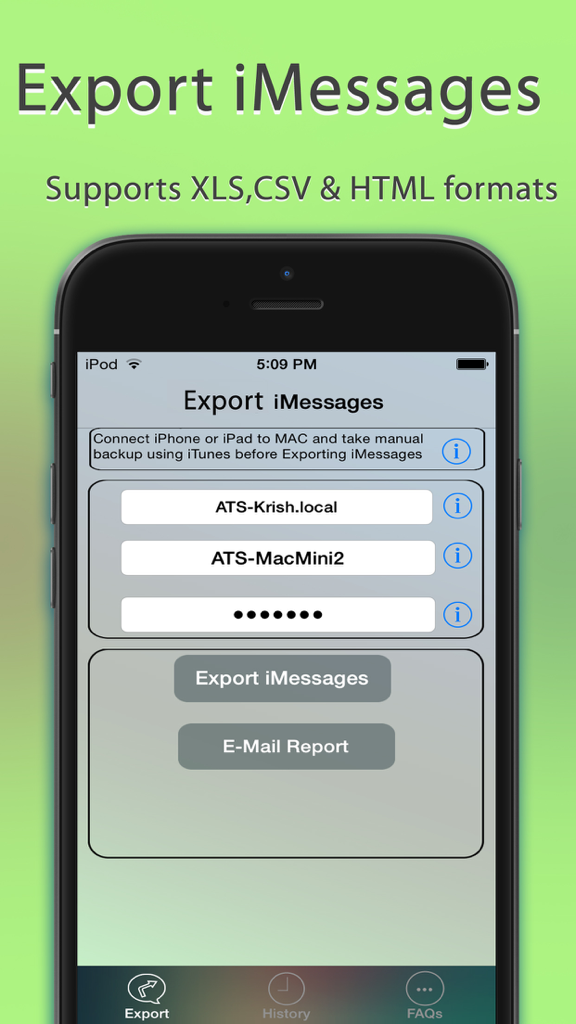
Export Messages 앱의 인터페이스로, imessage를 XLS CSV 및 HTML 형식으로 내보내는 옵션을 보여줍니다.

Export Messages 앱의 인터페이스로, imessage를 XLS CSV 및 HTML 형식으로 내보내는 옵션을 보여줍니다.

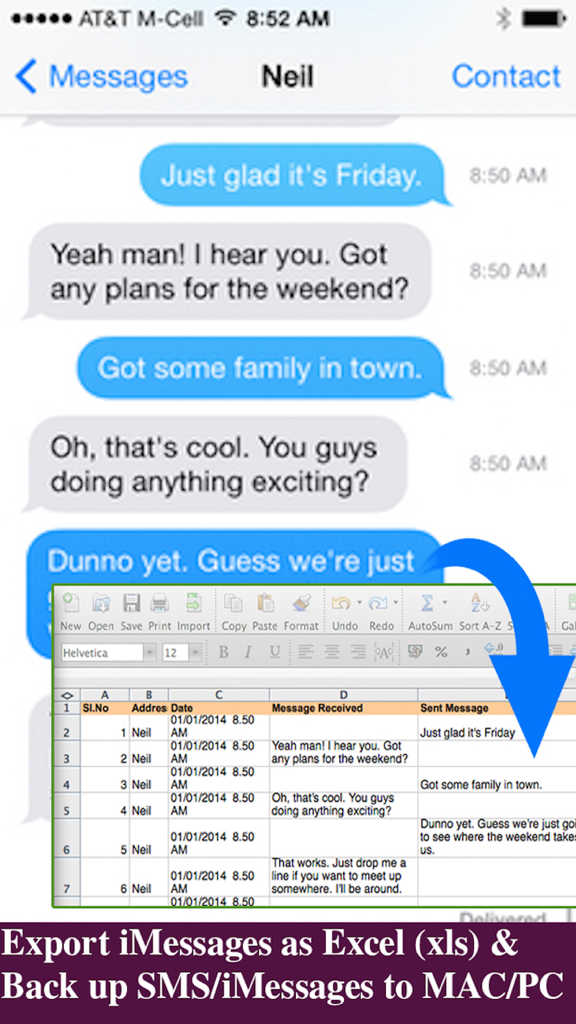
iPhone 문자 메시지를 쉬운 백업 및 기록 보관을 위한 Excel 스프레드시트로 변환하는 인터페이스를 보여줍니다.

iPhone 문자 메시지를 쉬운 백업 및 기록 보관을 위한 Excel 스프레드시트로 변환하는 인터페이스를 보여줍니다.

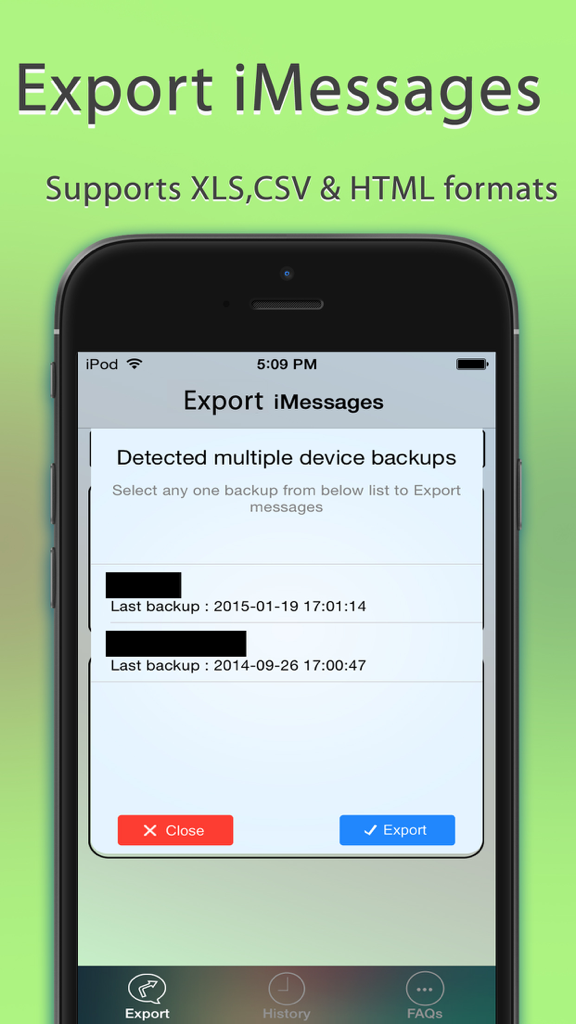
Export Messages 앱의 인터페이스로, 내보내기를 위해 여러 장치 백업 중에서 선택하는 팝업을 보여줍니다.

Export Messages 앱의 인터페이스로, 내보내기를 위해 여러 장치 백업 중에서 선택하는 팝업을 보여줍니다.

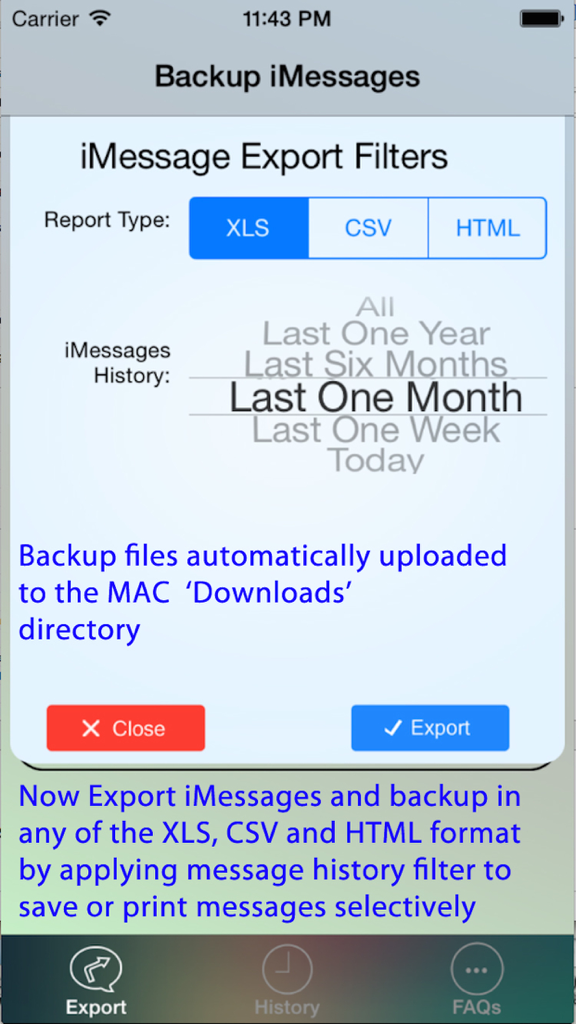
날짜 범위 선택 기능이 있는 XLS CSV 및 HTML 보고서 유형에 대한 iMessage 내보내기 필터 설정.

날짜 범위 선택 기능이 있는 XLS CSV 및 HTML 보고서 유형에 대한 iMessage 내보내기 필터 설정.

대화 내용을 손쉽게 관리하세요

이 앱을 돋보이게 하는 도구, 150K+ 명의 사용자가 선택.

⚖️

법정 제출용 문서 내보내기

정확한 타임스탬프 및 연락처 정보가 포함된 전문 PDF 또는 Excel 파일로 메시지 기록을 변환하여 법적 증거 및 공식 기록에 이상적입니다.

📁

모든 미디어 보존

스레드의 모든 사진, 동영상 및 음성 메모를 PC 또는 Mac의 정리된 폴더에 자동으로 저장하여 추억을 잃지 않도록 합니다.

🔒

안전한 오프라인 저장

데이터를 클라우드 외부에 보관하여 개인 정보를 보호하세요. 암호화된 iOS 백업에 대한 전체 지원을 통해 메시지를 직접 하드웨어로 내보낼 수 있습니다.

앱 소개

에 대해 알아야 할 모든 것 Export Messages - Save Print Backup Recover Text SMS iMessages.

설명

Export Messages App allows you to Save/Export all Text Messages,Audio messages, Images/Pictures,videos and other attachments to your MAC/PC from Messages App.If you need to print text messages for legal purpose, this is right app for you to take a print of any Text conversation. [IMPORTANT] You need to Download latest Desktop app from http://backupsms.weebly.com for iOS 10.0 or latest iOS support WIndows PC users & Mac users must follow the instructions given in "FaQ" tab with in the Application. Make use of Export Messages App and take a copy all the Text Messages in Messages App to your Computer and keep it safely before Upgrading to a new iPhone Please refer FAQ tab with in the App for instructions on how to Export Messages using the App. Detailed user guides provided in App support website http://backupsms.weebly.com/ + Never worry about losing SMS/iMessages/Text Messages, you can now take backup of all text messages including pictures, videos and other attachments in your messages app to your MAC/PC. + You can free up memory by saving all the the messages permanently to MAC/PC in PDF/HTML/Excel format + You can print save or email SMS, iMessages & Text Messages, MMS, attachments, audio, video messages. + You can filter messages by contact and date range + All attachments saved in a separate folder + This is the Only App in App Store supports iOS10.2 encrypted backups, so export/save messages without compromising on security. Don't waste your time, contact support if you are having any kind of difficulty in using the app. + No in App purchases, you can do unlimited exports for the device on which App is installed. Minimum Requirements: + Mac or Windows PC + Latest iTunes installed on your computer + iTunes backup encryption password required only for Encrypted backup users. Note: Companion PC/MAC applications are having advanced features, you download and use it for free from http://backupsms.weebly.com/

최신 버전

1.1

크기

8.6 MB

출시일

2015년 2월 17일

기록을 안전하게 보관하고 증거를 보호하세요

150,000명 이상의 사용자가 Export Messages를 신뢰하고 중요한 대화를 전문적인 PDF 및 Excel 형식으로 저장, 인쇄 및 보관하고 있습니다. 구독 없이 영구적인 마음의 평화를 누리세요.

다운로드: App Store

App information, icons, screenshots, and descriptions displayed on this page are sourced from the Apple App Store and are the property of their respective developers. Download estimates and rankings are based on MWM's proprietary models and may not reflect actual figures. This page is provided for informational and analytical purposes only.

Believe this page infringes your intellectual property? File a dispute