FACEMOTION3D

FACEMOTION3D

다운로드: App Store
로고: FACEMOTION3D

FACEMOTION3D: 3D 워크플로우를 위한 전문가 수준의 얼굴 모션 캡처

iPhone을 고정밀 모션 캡처 장비로 바꾸세요. 실시간 얼굴 표정을 Blender, Unreal Engine, Unity, Maya로 쉽게 스트리밍할 수 있습니다.

다운로드: App Store

개발사

DevelopW LLC

카테고리

Entertainment

다운로드

3K+

사용자 평점

2.8/5

총 평가 수

0

지원 언어

15

움직임 속의 정밀함

이 인터페이스를 사용하는 3K+ 명의 사용자.

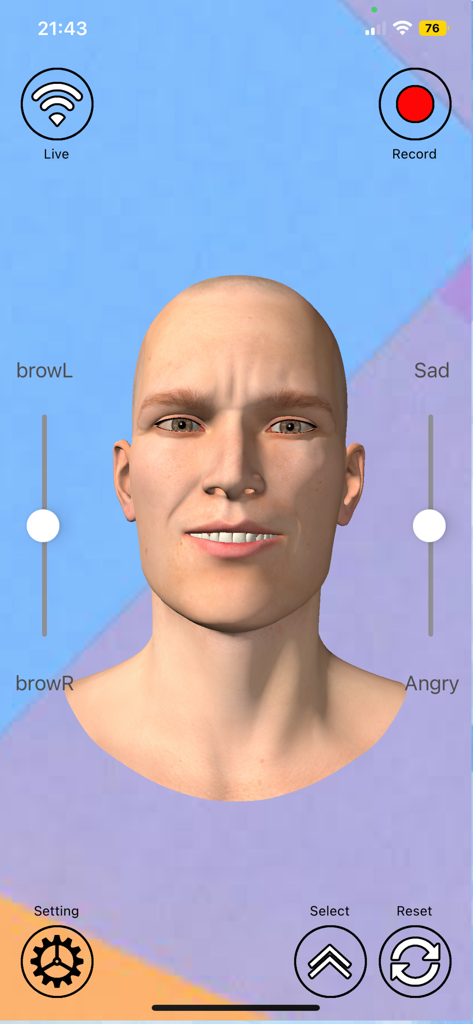
FACEMOTION3D 앱 인터페이스, 눈썹 제어 및 감정에 대한 얼굴 표정 슬라이더가 있는 3D 남성 캐릭터 머리 표시

FACEMOTION3D 앱 인터페이스, 눈썹 제어 및 감정에 대한 얼굴 표정 슬라이더가 있는 3D 남성 캐릭터 머리 표시

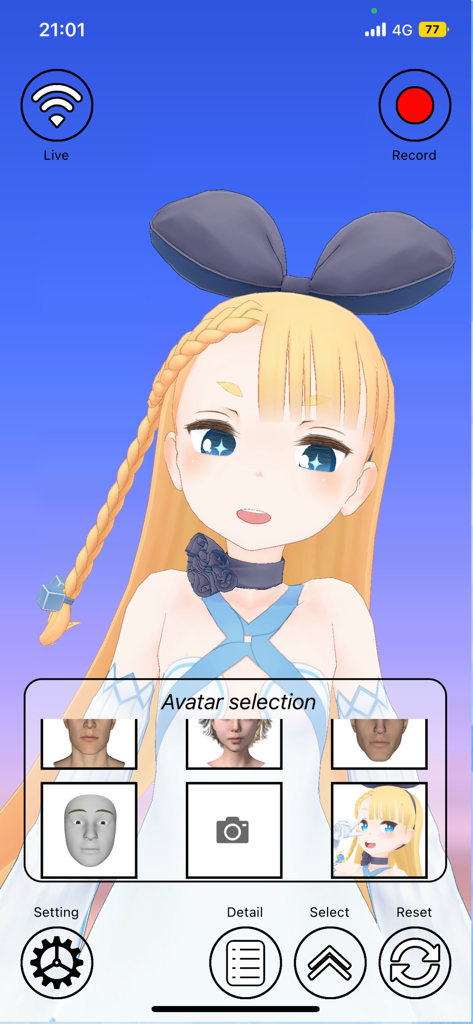
FACEMOTION3D 인터페이스, 애니메이션 캐릭터와 다양한 3D 모델 옵션을 표시하여 얼굴 모션 캡처 가능

FACEMOTION3D 인터페이스, 애니메이션 캐릭터와 다양한 3D 모델 옵션을 표시하여 얼굴 모션 캡처 가능

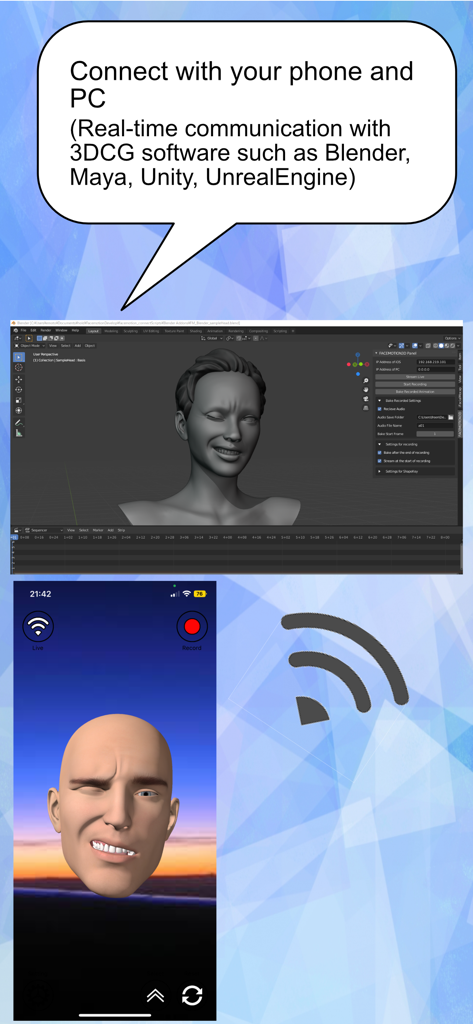
iPhone과 PC의 3D 소프트웨어 간의 실시간 얼굴 모션 캡처 동기화

iPhone과 PC의 3D 소프트웨어 간의 실시간 얼굴 모션 캡처 동기화

모든 크리에이터를 위한 스튜디오급 모션 캡처

이 앱을 돋보이게 하는 도구, 3K+ 명의 사용자가 선택.

📡

실시간 엔진 스트리밍

얼굴 움직임을 Maya, Blender, Unity 또는 Unreal Engine에 직접 연결하여 즉각적인 애니메이션 피드백 및 라이브 성능을 제공합니다.

📁

유연한 데이터 워크플로우

전문적인 후반 작업을 위해 고해상도 FBX 애니메이션 데이터를 내보내거나 고품질 VTubing 설정을 위해 VRM 모델을 가져옵니다.

TrueDepth 고정밀

기기의 내부 심도 센서를 사용하여 모든 찡그림과 깜박임을 캡처하여 저렴한 예산으로 전문가 수준의 결과를 얻습니다.

앱 소개

에 대해 알아야 할 모든 것 FACEMOTION3D.

설명

With FACEMOTION3D, you can capture facial expressions with an iOS app and communicate in real time with 3DCG software on your PC. You can also FBX export the recorded animation data.You can also import VRM format files into the iOS app. Detailed usage is available at the following URL: https://www.facemotion3d.net/ This app can create facial animations by communicating in real time with DAZ Studio, Maya, Unity ,UnrealEngine and Blender. In addition, you can bake recorded animations within the iOS app via streaming. To use it, first start this app, then download and connect the plug-in script add-on used for data examination on the PC side. Very accurate facial motion capture is very easy to do. This app is only available on iPhone / iPad with Face ID or iPhone / iPad with A12 Bonic or higher CPU. This app has the following iOS supported devices with Face ID: ・ IPhone iPhone 11 Pro Max iPhone 11 Pro iPhone 11 iPhone XS Max iPhone XS iPhone XR iPhone X ・ IPad iPad Pro 12.9 inch (4th generation) iPad Pro 12.9 inch (3rd generation) iPad Pro 11 inch (2nd generation) iPad Pro 11 inch * Face ID is not used in the new iPhone SE 2nd generation released in 2020, but you can use FACE MOTION 3D by updating to iOS 14 or later. FACEMOTION3D can be used not only for the 2nd generation of iPhone SE but also when it is equipped with an A12 or later chip and has been updated to iOS14. The camera image and resulting depth data are only used to send the motion capture data to the user's PC. That data is not saved on the iPhone. You need access to the camera to get depth data from Apple's API. This application is only used to communicate with PCs in the same network and does not send any information to third parties.

최신 버전

1.4.2

크기

472.8 MB

출시일

2021년 4월 5일

iPhone을 전문가 수준의 모션 캡처 장비로 변신시키세요

Blender, Unity, Unreal Engine 등에 고정밀 얼굴 애니메이션을 실시간 스트리밍하세요. 지금 FACEMOTION3D를 다운로드하고 3D 워크플로우를 향상시키세요.

다운로드: App Store

App information, icons, screenshots, and descriptions displayed on this page are sourced from the Apple App Store and are the property of their respective developers. Download estimates and rankings are based on MWM's proprietary models and may not reflect actual figures. This page is provided for informational and analytical purposes only.

Believe this page infringes your intellectual property? File a dispute