FFT Spectrum Audio Analyzer

FFT Spectrum Audio Analyzer


다운로드: App Store
로고: FFT Spectrum Audio Analyzer

FFT 스펙트럼 오디오 분석기: 완벽한 사운드 튜닝을 위한 전문가급 정밀도

기기를 고해상도 측정 도구로 바꿔보세요. 32768 포인트 FFT 분석부터 1/24 옥타브 스무딩까지, 전문가 수준의 정확도로 스피커를 보정하고, 자동차 오디오를 튜닝하고, 음향을 최적화하는 데 필요한 데이터를 얻으십시오.

다운로드: App Store

개발사

Trichy Commercial Private Limited

카테고리

Music

다운로드

0

사용자 평점

1.0/5

총 평가 수

0

지원 언어

1

정밀함을 눈으로 확인하세요

이 인터페이스를 사용하는 0 명의 사용자.

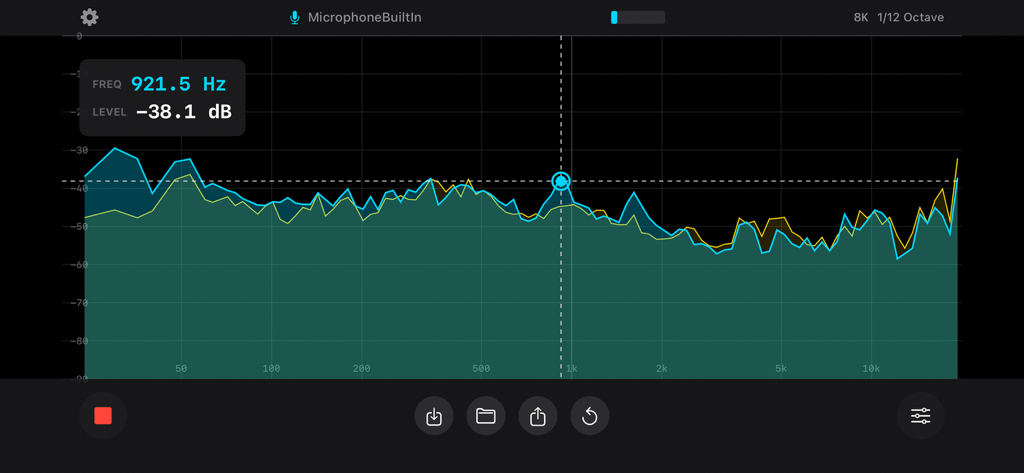
FFT 스펙트럼 오디오 분석기가 데시벨 측정 및 스무딩 옵션과 함께 실시간 주파수 응답 그래프를 표시하고 있습니다.

FFT 스펙트럼 오디오 분석기가 데시벨 측정 및 스무딩 옵션과 함께 실시간 주파수 응답 그래프를 표시하고 있습니다.

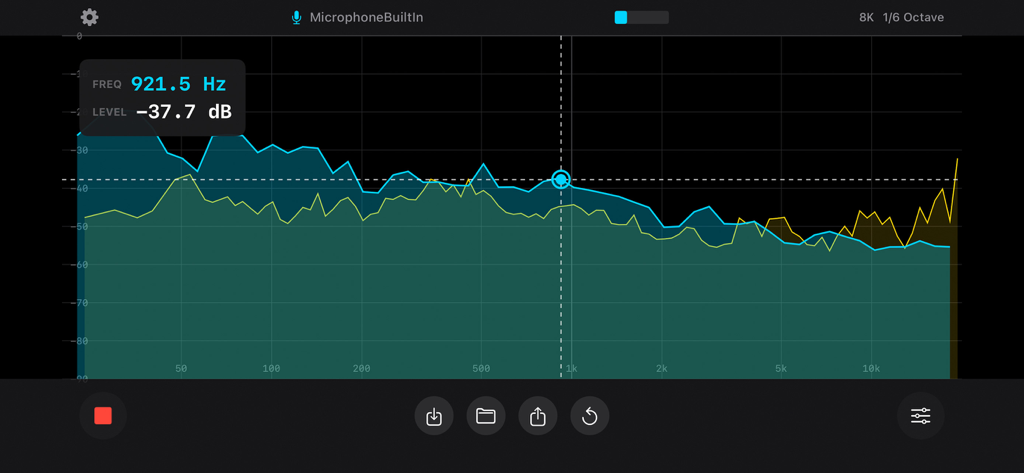
듀얼 트레이스와 측정 커서가 있는 실시간 주파수 스펙트럼 분석.

듀얼 트레이스와 측정 커서가 있는 실시간 주파수 스펙트럼 분석.

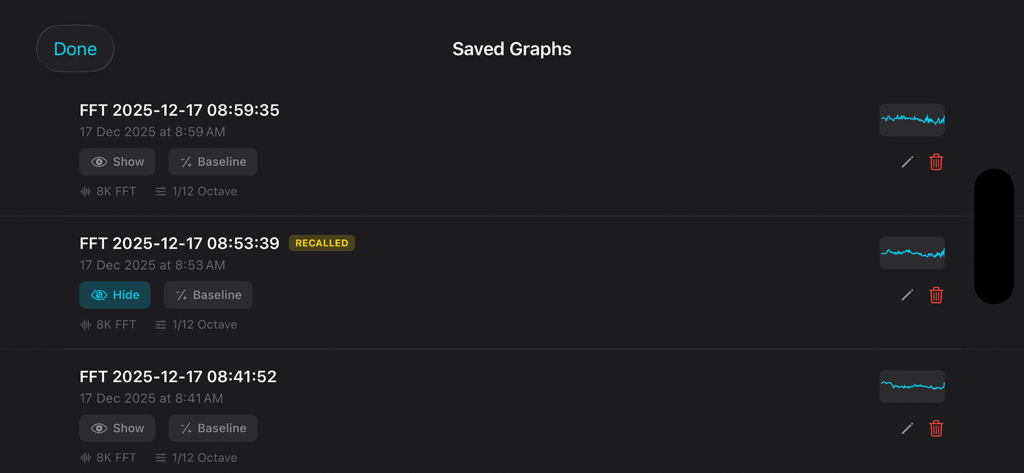
오디오 스펙트럼 분석기 앱에 저장된 주파수 응답 그래프 목록.

오디오 스펙트럼 분석기 앱에 저장된 주파수 응답 그래프 목록.

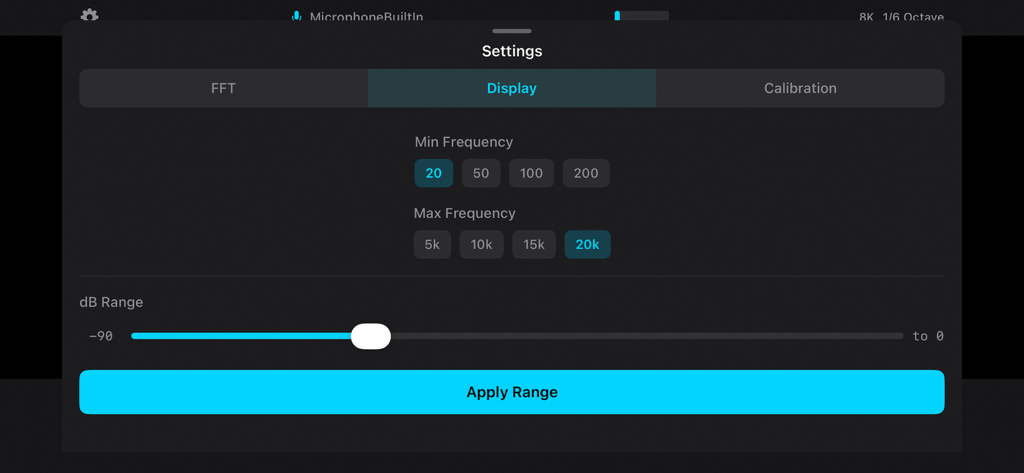
FFT 스펙트럼 오디오 분석기의 주파수 및 데시벨 범위 조정을 위한 설정 패널.

FFT 스펙트럼 오디오 분석기의 주파수 및 데시벨 범위 조정을 위한 설정 패널.

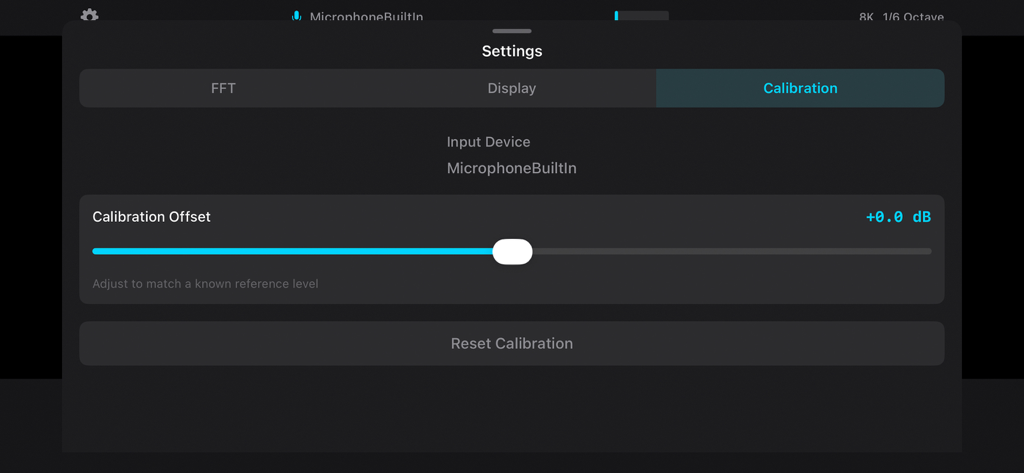
FFT 스펙트럼 오디오 분석기에서 마이크 오프셋 조정 슬라이더를 보여주는 보정 설정 화면.

FFT 스펙트럼 오디오 분석기에서 마이크 오프셋 조정 슬라이더를 보여주는 보정 설정 화면.

사운드 환경 마스터하기

이 앱을 돋보이게 하는 도구, 0 명의 사용자가 선택.

🎯

고해상도 주파수 분석

최대 32,768 포인트 FFT 해상도와 초미세 1/24 옥타브 스무딩으로 모든 음향 결함을 식별하여 정밀한 측정을 가능하게 합니다.

⚖️

전문가 수준의 A/B 비교

무제한 측정을 저장하고 기준선 빼기를 사용하여 공간 처리 또는 EQ 조정의 정확한 영향을 시각화합니다.

📊

전문가용 데이터 내보내기

고해상도 PNG 그래프와 상세한 XLSX 스프레드시트로 결과를 문서화하여 고객이나 포럼에 제공하고 심층 분석을 수행하십시오.

앱 소개

에 대해 알아야 할 모든 것 FFT Spectrum Audio Analyzer.

설명

FFT Spectrum Audio Analyzer transforms your device into a professional-grade audio measurement system. Whether you are calibrating home theater speakers, tuning car audio systems, analyzing room acoustics, or troubleshooting sound equipment, this app delivers the precision and features that audio professionals demand. PROFESSIONAL FFT ANALYSIS Real-time Fast Fourier Transform analysis with multiple resolution options. Choose from 4096, 8192, 16384, or 32768 point FFT sizes to balance frequency resolution and response time for your specific application. Higher FFT sizes reveal fine frequency detail while smaller sizes provide faster updates for dynamic measurements. OCTAVE-NORMALIZED DISPLAY Pink noise appears flat on the display, following the standard convention used in professional acoustics measurement. This octave normalization makes it easy to identify frequency response problems and compare measurements to industry standards. FLEXIBLE SMOOTHING OPTIONS Select the level of detail that matches your needs: - 1 Octave smoothing for quick system overview - 1/3 Octave for standard acoustic measurements - 1/6 Octave for detailed speaker analysis - 1/12 Octave for crossover tuning - 1/24 Octave for precision measurements DECAY AND AVERAGING MODES Multiple visualization modes help you capture the information you need: - Time-based decay (0.5s to 8s) for live sound analysis - Peak Hold to capture maximum levels - Running Average for stable long-term measurements MEASUREMENT TOOLS - Touch cursor for precise frequency and level readout - Peak frequency tracking with automatic detection - Pinch to zoom for detailed frequency range inspection - dB scale adjustment for optimal dynamic range display SAVE AND COMPARE Store measurements for later reference and comparison: - Save unlimited spectrum graphs with timestamps - Recall saved measurements as overlay for A/B comparison - Baseline subtraction mode shows difference from reference - Rename and organize your measurement library EXPORT AND SHARE Document and share your measurements: - Export high-resolution PNG images to Photos - Generate XLSX spreadsheet files with frequency and dB data - Share via email, messaging, or cloud storage CALIBRATION Device-specific microphone calibration ensures measurement accuracy. Adjust the calibration offset to match external reference microphones or compensate for known device characteristics. EXTERNAL MICROPHONE SUPPORT Connect professional USB or Lightning audio interfaces for improved measurement accuracy. The app automatically detects and switches to external input devices. USE CASES Home Theater Setup: Measure and balance speaker levels, identify room modes, verify subwoofer integration, and optimize crossover settings. Car Audio Tuning: Analyze frequency response at the listening position, identify resonances, and tune equalizer settings for optimal sound. Live Sound: Quick system checks, feedback identification, and real-time monitoring during performances. Studio Acoustics: Room analysis, monitor calibration, and acoustic treatment verification. Speaker Testing: Frequency response measurement, driver matching, and crossover design verification. Education: Visualize sound and frequency concepts for teaching acoustics and audio engineering. DESIGNED FOR PROFESSIONALS Clean, dark interface optimized for use in low-light environments. High contrast display with cyan spectrum trace for easy visibility. Responsive controls designed for one-handed operation. No internet connection required. All processing happens locally on your device. Your audio data stays private. Privacy Policy: https://audiomillo.com/privacy Terms of Service: https://audiomillo.com/eula

최신 버전

1.0.0

크기

3.7 MB

출시일

2025년 12월 17일

추측은 이제 그만. 전문가 수준의 정밀도로 측정하세요.

절대적인 정확성을 요구하는 전문가 및 엔지니어 커뮤니티에 참여하세요. 지금 FFT 스펙트럼 오디오 분석기를 다운로드하여 기기를 고해상도 도구로 변환하고 완벽한 음향 응답을 달성하십시오.

다운로드: App Store

App information, icons, screenshots, and descriptions displayed on this page are sourced from the Apple App Store and are the property of their respective developers. Download estimates and rankings are based on MWM's proprietary models and may not reflect actual figures. This page is provided for informational and analytical purposes only.

Believe this page infringes your intellectual property? File a dispute