G FORCE

G FORCE

다운로드: App Store
로고: G FORCE

G FORCE: iPhone을 고성능 G-미터로 바꾸세요

궁극의 자동차 애호가를 위해 설계된 실시간 텔레메트리, 조정 가능한 오디오 알림, 전문적인 피크 홀드 표시기로 모든 턴, 드리프트, 런치 기록을 측정하세요.

개발사

Cross-Discipline Technology Limited

카테고리

Sports

다운로드

135K+

사용자 평점

3.0/5

총 평가 수

200

지원 언어

1

한눈에 보는 성능

이 인터페이스를 사용하는 135K+ 명의 사용자.

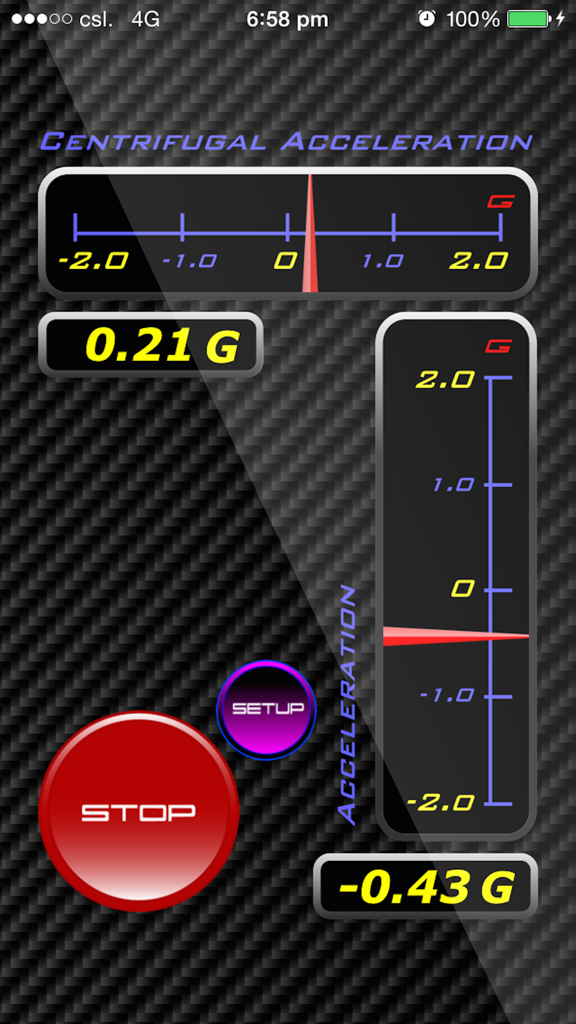
G FORCE 앱 인터페이스, 원심 및 종방향 가속 게이지 포함

G FORCE 앱 인터페이스, 원심 및 종방향 가속 게이지 포함

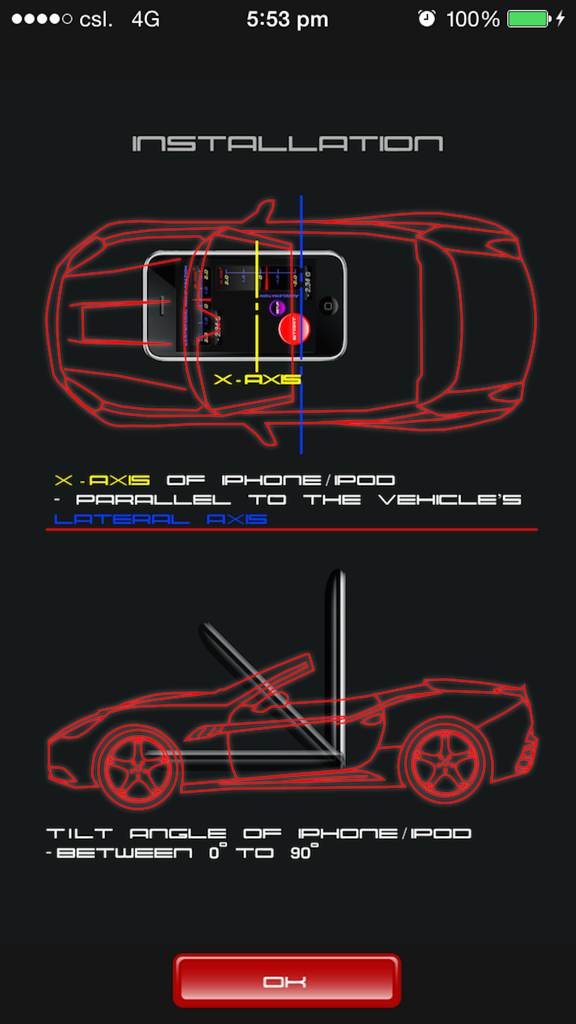
G FORCE 앱 설치 가이드, 차량 내 iPhone 정렬 및 기울기 각도 표시

G FORCE 앱 설치 가이드, 차량 내 iPhone 정렬 및 기울기 각도 표시

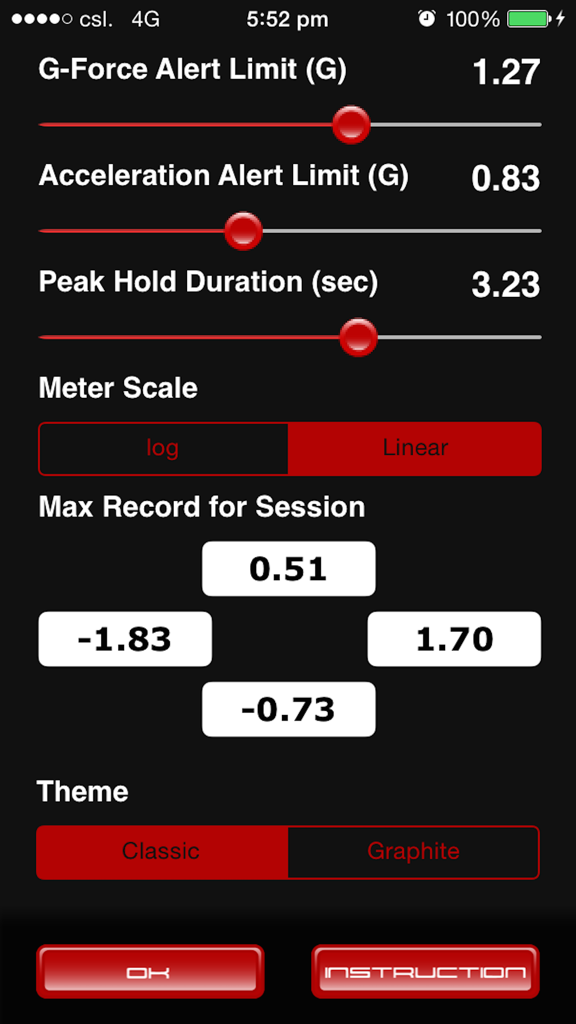
G FORCE 앱 설정 화면, 조정 가능한 g-force 알림 한계 및 피크 홀드 지속 시간 표시

G FORCE 앱 설정 화면, 조정 가능한 g-force 알림 한계 및 피크 홀드 지속 시간 표시

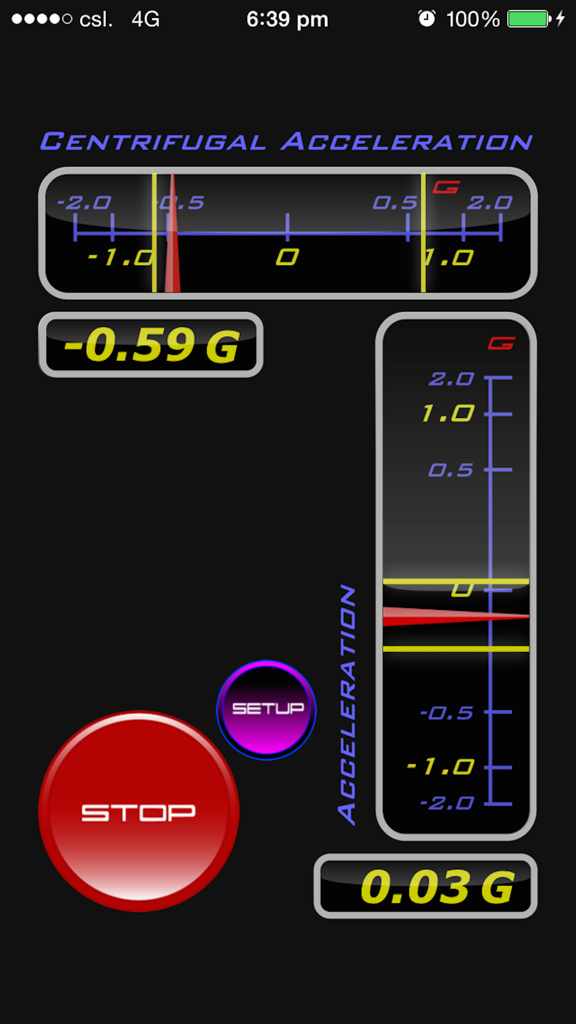
G FORCE 앱 인터페이스의 실시간 원심 및 종방향 G-force 가속도 게이지

G FORCE 앱 인터페이스의 실시간 원심 및 종방향 G-force 가속도 게이지

차량 성능 마스터하기

이 앱을 돋보이게 하는 도구, 135K+ 명의 사용자가 선택.

🏎️

실시간 텔레메트리

고속 가시성을 위해 설계된 전문 선형 게이지 및 디지털 디스플레이로 측면 및 종방향 G-Force를 즉시 모니터링하세요.

🔊

스마트 오디오 알림

특정 성능 임계값을 초과하면 트리거되는 사용자 정의 가능한 사운드 알림으로 도로에 집중하세요.

📈

최고 성능 추적

세션 최대 로그 및 피크 홀드 표시기로 모든 기록을 캡처하여 주행 후 최고의 기동을 분석하세요.

앱 소개

에 대해 알아야 할 모든 것 G FORCE.

설명

G FORCE makes your iPhone or iPod Touch a handy vehicle G-Force meter. A nice looking enhancement to the dash of your car, too. Quantify the G-Force you experience in the vehicle (e.g. during acceleration, braking, drifting, cornering etc) or perform a quick dyno. Its unique "Sound Alert feature" provides alert sound when the g-value exceeded a user selected limit. FEATURES (1) "Quick & Simple Calibration" Simply press the start button and G FORCE takes only about 0.5 seconds to calibrate to your iPhone's tilt angle. (2) "Real Time Display" Two "Linear Gauges" and two "Digital Displays" show the real time lateral (e.g. cornering) and longitudinal (acceleration, braking) G values. (3) "Peak Hold" Adjustable "Peak Hold Duration" helps you monitor peak values. (4) "Graphical Peak Hold Indicators" Distinctive graphical peak hold indicator makes observing peak values a quick glance. (5) "Adjustable Audio Alert" Provides alert sound when the G-Forces exceeded a user preset "threshold". (6) "Adjustable Gauge Scale" "log Scale" and "Linear Scale" helps you utilize the "Linear Gauges" for different conditions. e.g. Use log Scale in "mild" acceleration conditions or use "Linear Scale" in "aggressive" acceleration conditions. (7) "Session Maximum Records" Shows all the maximum G values in the current session. (8) "Large Operation Buttons" Facilitates quick and easy operation. (9) "Theme Switch" Switch between the Classic and Graphite Theme to suit your taste. With its nice interface and unique features, you would like G FORCE even though you may have already got other g-meters like dynolicious or even a hardware equipment.

최신 버전

2.1

크기

2.9 MB

출시일

2019년 2월 12일

정밀한 데이터로 모든 턴을 마스터하세요

135,000명 이상의 성능 애호가와 함께하세요. 대시보드를 전문 등급 G-미터로 변환하고 오늘 차량의 한계를 추적하세요.

다운로드: App Store

App information, icons, screenshots, and descriptions displayed on this page are sourced from the Apple App Store and are the property of their respective developers. Download estimates and rankings are based on MWM's proprietary models and may not reflect actual figures. This page is provided for informational and analytical purposes only.

Believe this page infringes your intellectual property? File a dispute