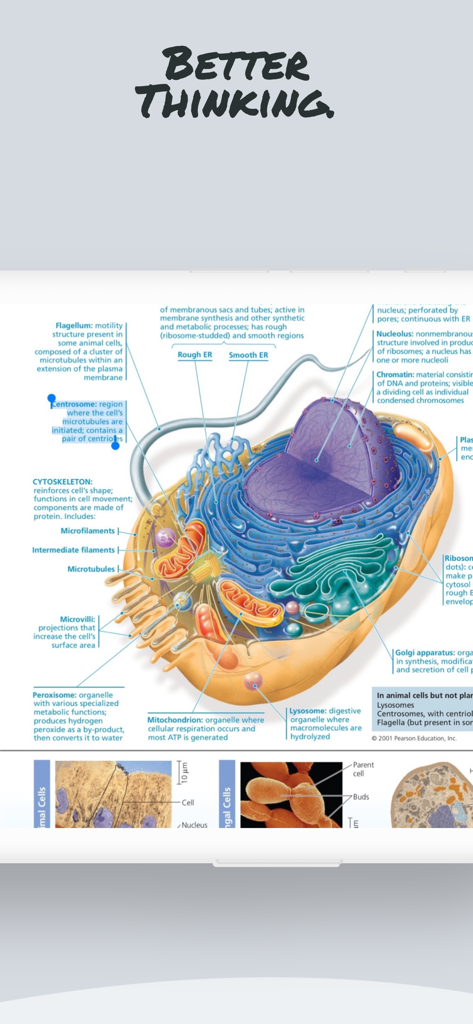
Good PDF Notebook Pencil 앱 내에서 생물학 학습을 위한 라벨이 있는 동물 세포의 상세한 과학 도해.
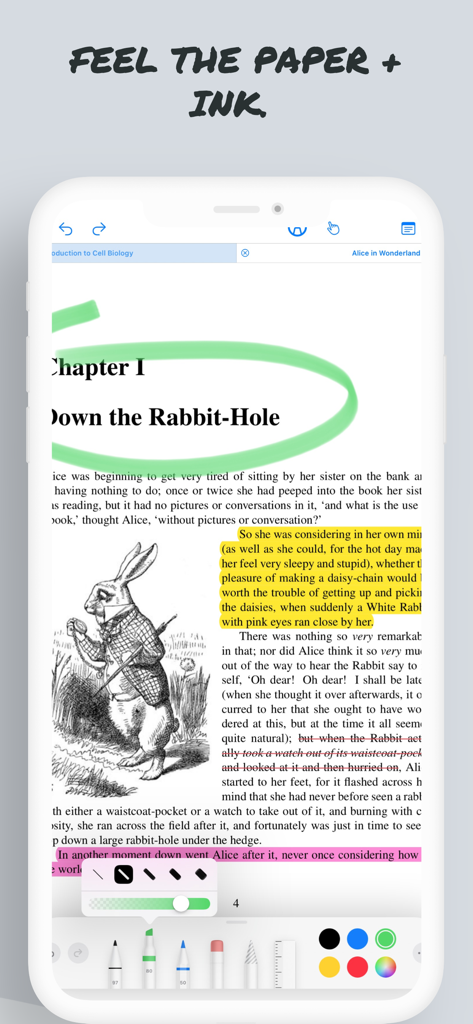
문서 마크업 및 하이라이팅을 보여주는 Good PDF Notebook Pencil 앱 인터페이스
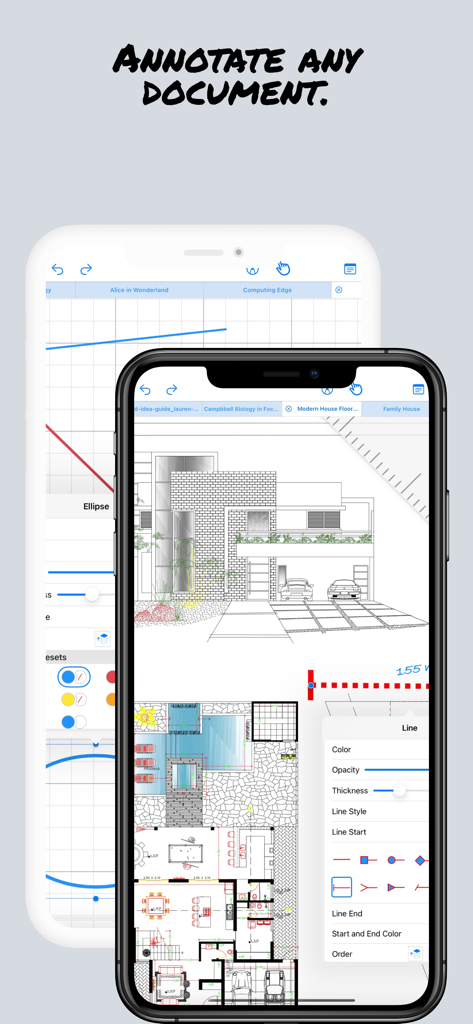
모바일 PDF 노트북 앱에서 주석이 달린 전문 건축 계획
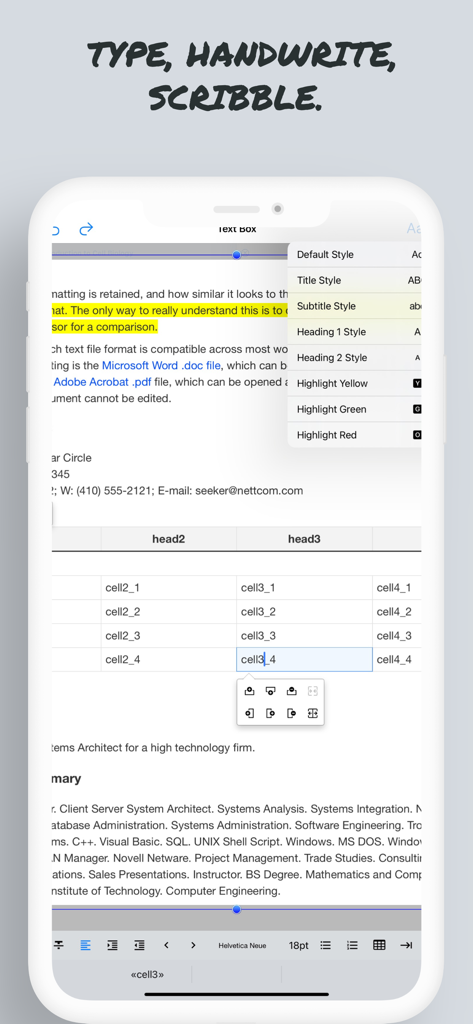
모바일 장치에서 텍스트 편집 기능 스타일링 옵션 및 문서 마크업을 보여주는 Good PDF Notebook 앱 스크린샷
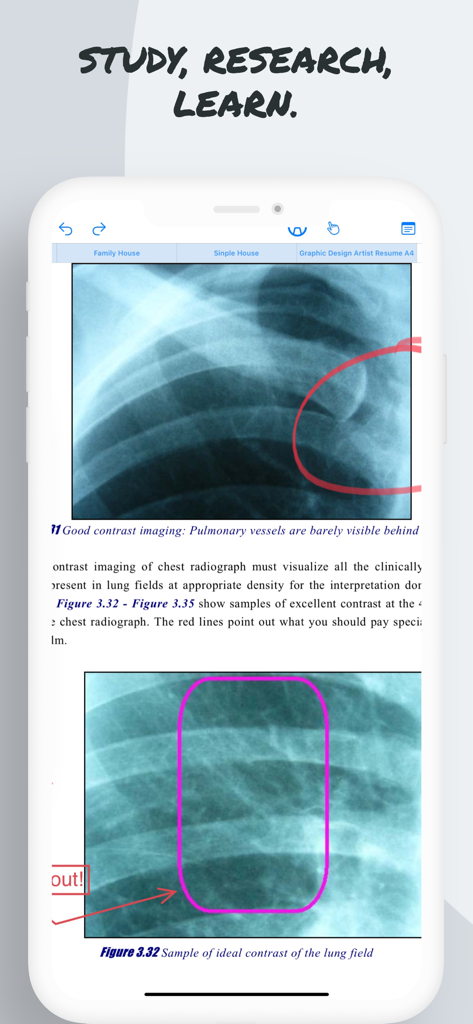
Pencil Notepad 앱에서 손글씨 메모가 있는 엑스레이 이미지를 보여주는 의료 문서 주석
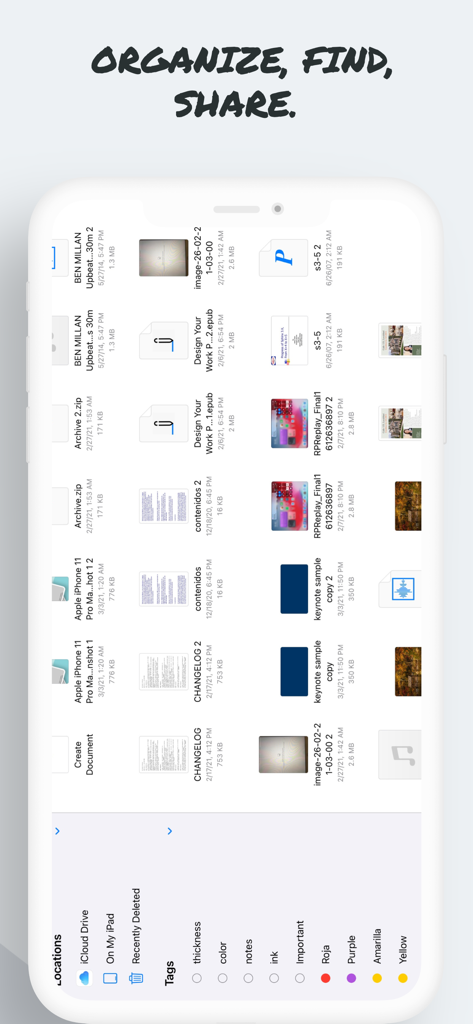
태그 및 클라우드 위치로 구성된 문서를 보여주는 Good PDF Notebook 앱의 파일 관리 인터페이스.
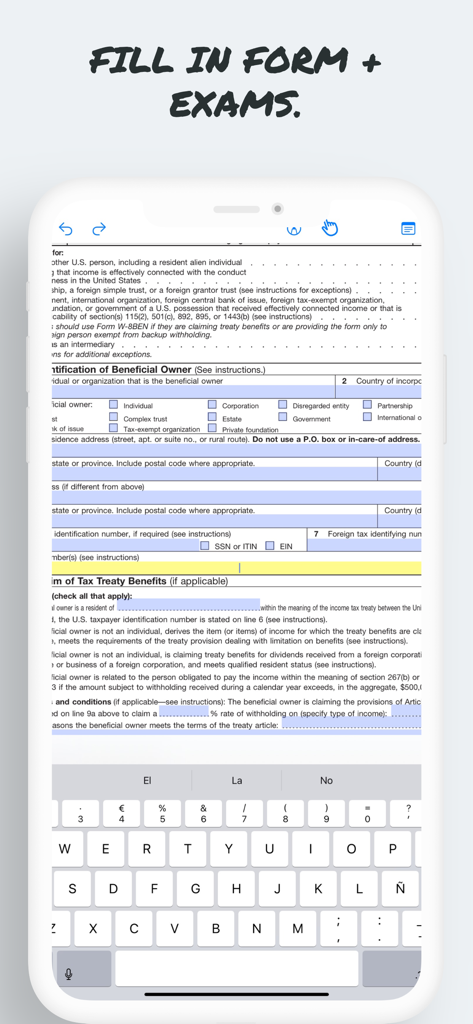
Pencil 앱에서 화면 키보드를 사용하여 디지털 PDF 양식을 작성 중
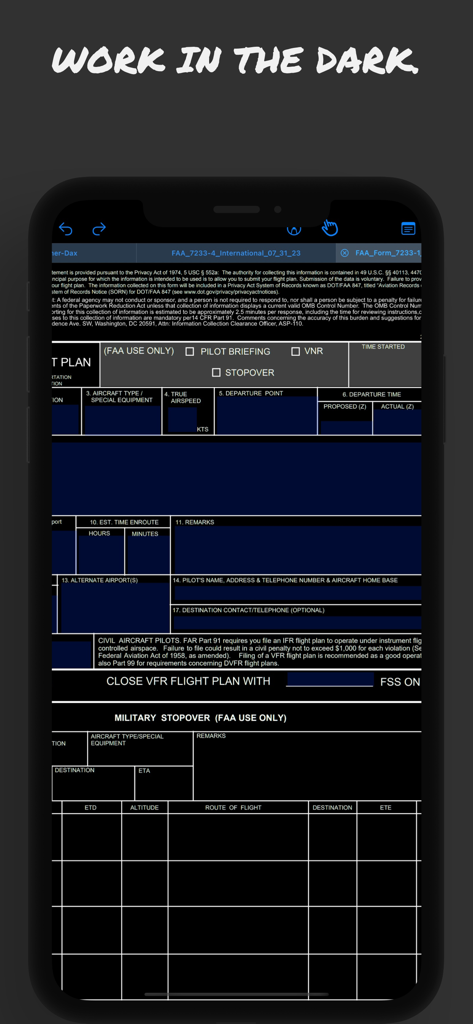
항공 사용에 최적화된 다크 모드에서 항공편 계획 양식을 보여주는 Good PDF Notebook 앱
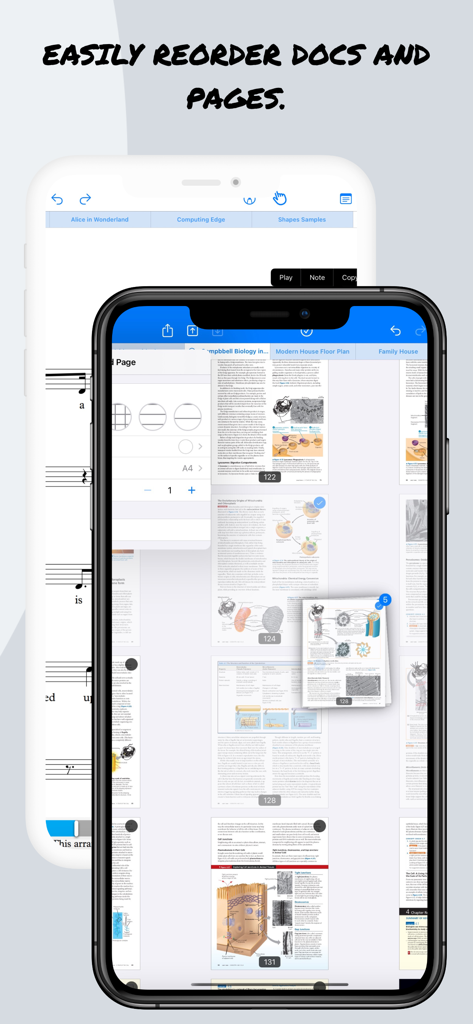
iPhone에서 문서 페이지를 재정렬하기 위한 Good PDF Notebook 앱 인터페이스
지능형 노트 필기로 워크플로우를 마스터하세요
이 앱을 돋보이게 하는 도구, 8K+ 명의 사용자가 선택.
🤖
AI 기반 리서치 어시스턴트
앱을 벗어나지 않고도 복잡한 정보를 합성하기 위해 빽빽한 PDF를 즉시 요약하고, 문서를 번역하고, 노트와 채팅하세요.
✏️
자연스러운 잉크 및 연필 정밀도
고급 기울기 및 압력 감지 기능으로 제로 지연 시간 쓰기 경험을 제공하여 스케치 및 주석에 픽셀 단위의 완벽한 종이 같은 느낌을 선사합니다.
🔒
개인 정보 보호 및 보안 로컬 OCR
필기를 텍스트로 변환하고 문서를 완전히 온디바이스에서 처리합니다. 인터넷이 필요 없어 아이디어와 데이터가 100% 비공개로 유지됩니다.
앱 소개
에 대해 알아야 할 모든 것 Good PDF Notebook - Pencil App.
설명
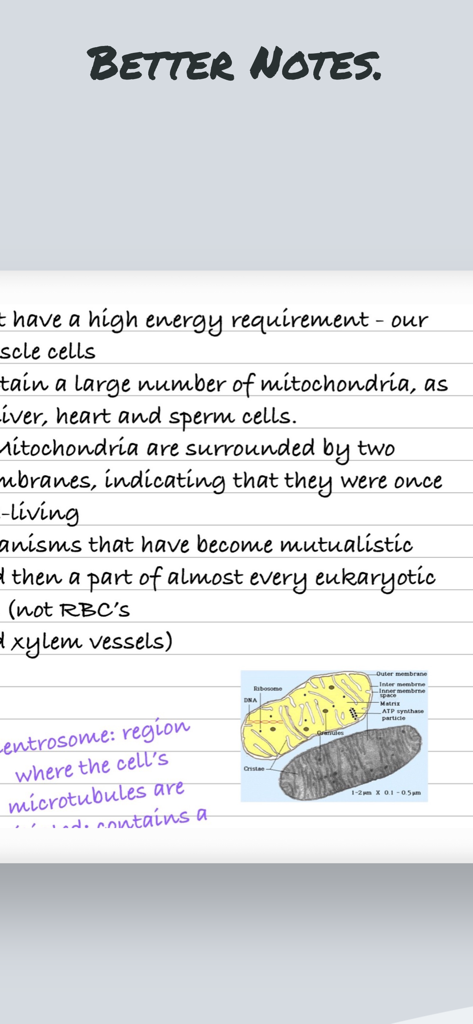
Pencil Notepad is a new, modern, powerful yet easy to use note-taking, draw and PDF markup app that allows you to create useful and beautiful notes, edit and annotate PDF documents and books and sketch your ideas quickly, and easily using your Apple Pencil, Stylus or even finger!
It lets you feel the ink and paper thanks to the intuitive, fast and pixel-perfect precise control of your Pencil with useful tilt and pressure sensitivity, and support for palm rejection.
Pencil Notepad means also smart notes: it uses machine learning and artificial intelligence algorithms to draw perfect shapes, convert your handwritten notes to text using Scribble, scan documents with automatic page frame recognition, search by text your photo library and insert them on your notes and other innovative smart features.
Main features:
+ Use advanced 7 Ink tools to write and sketch: Marker, Pen, Pencil, Monoline, FountainPen, Watercolor and Crayon.
+ Floating bar to choose from 8 customizable colors and stroke width.
+ Open multiples documents side by side using multi-windows and multitask.
+ AI Assistant: What’s that word? Allow the AI Assistant to explain. Need a brief? Ask it to summarize. Language barrier? Request for a translation. Your assistant is ready to lend a hand. Chat with the AI Assistant about your document!
+ Convert handwritten text into editable text and share it. (No Internet needed!)
+ Convert locally (No Internet needed!) on your device all kind of documents like Excel, PowerPoint, JPEG& PNG images, etc. to PDF and annotate them.
+ Lets you feel the ink and paper thanks to the intuitive, fast and pixel-perfect precise control of your Apple Pencil with useful tilt and pressure sensitivity, and support for palm rejection.
+ Powerful document browser integrated with Files app and any cloud services like iCloud, Dropbox, Box, GDrive, oneDrive, etc. to import, export and sync your files.
+ Full-text search makes finding PDFs files much easier and faster, so you don’t have to waste time opening folder after folder trying to find that one document you need.
+ Powerful PDF reader with search, bookmarks, highlighting and voice read aloud.
+ You can use your iPad and Apple Pencil (and other supported styluses) to write by hand in any text field in the PDF or in your own rich text boxes, like the search field in Safari or a text field in Mail. All handwriting and conversion to text happens on your iPad, keeping your writing private and secure.
+ Reader mode interface for distraction free moments.
+ Dark mode support in documents. Ready for aviation use.
+ Paper background guides (squared, lined, coloured, etc.) for your handwriting and sketching.
+ Use the iOS camera to scan documents then edit and annotate them.
+ User Interface available in multiple languages including Right to Left like Arabic and other like English, Japanese, Chinese Simplified, French, Italian, German, Spanish, Portuguese, Russian, etc.
Privacy Policy
http://www.noteswriter.com/Kairoos_Privacy_Policy.html
EULA
https://www.apple.com/legal/internet-services/itunes/dev/stdeula/
This app requires users to have a subscription to unlock all the features after a 3-day risk-free trial.
최신 버전
2.1.0
크기
290.9 MB
출시일
2023년 9월 15일
iPad를 궁극의 스마트 작업 공간으로 바꿔보세요
자연스러운 필기감과 AI 기반 생산성의 완벽한 조화를 경험하세요. 지금 3일간 무료 체험을 시작하고 학생과 전문가들이 왜 페이퍼리스를 선택하는지 알아보세요.
FAQ
자주 묻는 질문
에 대해 알아야 할 모든 것 Good PDF Notebook - Pencil App
Good PDF Notebook - Pencil App는 무엇인가요?
Pencil Notepad라고도 알려진 Good PDF Notebook - Pencil App는 강력한 노트 필기, 그림 그리기 및 PDF 주석 앱입니다. 사용자는 AI 지원과 같은 스마트 기능을 제공하는 Apple Pencil, 스타일러스 또는 손가락을 사용하여 노트를 작성하고, PDF를 편집하고, 아이디어를 스케치할 수 있습니다.
Good PDF Notebook - Pencil App는 Apple Pencil 기능을 지원하나요?
예, Good PDF Notebook - Pencil App는 기울기 및 압력 감도, 손바닥 거부 기능을 포함하여 Apple Pencil을 완벽하게 지원합니다. 이는 잉크와 종이의 느낌을 시뮬레이션하여 직관적이고 정확한 제어 경험을 제공합니다.
Pencil Notepad에서 손글씨 노트를 텍스트로 변환할 수 있나요?
예, Pencil Notepad는 필기 인식(Scribble)을 사용하여 손글씨 노트를 텍스트로 변환하며, 머신러닝 및 AI 알고리즘을 활용합니다. 이 변환은 인터넷 연결 없이 기기에서 로컬로 이루어져 개인 정보 보호 및 보안을 보장합니다.
Good PDF Notebook - Pencil App에는 어떤 AI 기능이 포함되어 있나요?
Good PDF Notebook - Pencil App에는 단어를 설명하고, 텍스트를 요약하며, 언어를 번역하는 AI 도우미가 포함되어 있습니다. 또한 앱은 AI를 사용하여 완벽한 모양을 그리고, 필기 인식(Scribble)으로 손글씨 노트를 텍스트로 변환합니다.
Good PDF Notebook - Pencil App를 사용하려면 구독이 필요한가요?
예, Good PDF Notebook - Pencil App의 모든 기능을 사용하려면 구독이 필요합니다. 사용자는 구독 전에 3일 무료 체험을 이용할 수 있습니다.
Pencil Notepad는 무료 체험을 제공하나요?
예, Pencil Notepad는 3일 무료 체험을 제공합니다. 이 기간이 지나면 앱의 모든 기능을 이용하고 잠금 해제하려면 구독이 필요합니다.
Good PDF Notebook - Pencil App를 사용하여 PDF 문서를 주석 처리할 수 있나요?
예, Good PDF Notebook - Pencil App를 사용하면 PDF 문서 및 책을 편집하고 주석 처리할 수 있습니다. 검색, 책갈피, 강조 표시, 음성 읽어주기 등 강력한 PDF 리더 기능이 포함되어 있습니다.
Pencil Notepad에는 어떤 잉크 도구가 있나요?
Pencil Notepad는 필기 및 스케치를 위한 7가지 고급 잉크 도구(마커, 펜, 연필, 모노라인, 펜, 수채화, 크레용)를 제공합니다. 사용자는 색상과 획 두께도 사용자 정의할 수 있습니다.
Good PDF Notebook - Pencil App는 다크 모드를 지원하나요?
예, Good PDF Notebook - Pencil App는 문서에서 다크 모드를 지원합니다. 이 기능은 항공용으로 준비되었으며 저조도 환경에서 편안한 보기 경험을 제공합니다.
Pencil Notepad로 다른 문서 유형을 PDF로 변환할 수 있나요?
예, Pencil Notepad는 Excel, PowerPoint, JPEG 및 PNG 이미지와 같은 다양한 문서 유형을 기기에서 로컬로 PDF로 변환합니다. 이 프로세스에는 인터넷 연결이 필요하지 않아 개인 정보 보호가 보장됩니다.
Good PDF Notebook - Pencil App는 손글씨 텍스트 변환에 대한 개인 정보를 어떻게 처리하나요?
Good PDF Notebook - Pencil App는 모든 필기를 iPad에서 로컬로 텍스트로 변환합니다. 이 프로세스는 변환을 위해 인터넷 연결이 필요하지 않으므로 작성한 내용이 비공개로 안전하게 유지되도록 합니다.
Pencil Notepad는 클라우드 서비스와 통합되나요?
예, Pencil Notepad는 파일 앱 및 iCloud, Dropbox, Box, GDrive, OneDrive와 같은 다양한 클라우드 서비스와 통합된 강력한 문서 브라우저를 제공합니다. 이를 통해 파일 가져오기, 내보내기 및 동기화를 쉽게 할 수 있습니다.
App information, icons, screenshots, and descriptions displayed on this page are sourced from the Apple App Store and are the property of their respective developers. Download estimates and rankings are based on MWM's proprietary models and may not reflect actual figures. This page is provided for informational and analytical purposes only.
Believe this page infringes your intellectual property? File a dispute