@Home for Homematic

@Home for Homematic

다운로드: App Store
로고: @Home for Homematic

@Home for Homematic: 현대 스마트 홈을 위한 정밀 제어

기술에 정통한 주택 소유자를 위해 설계된 간결하고 안전하며 고성능 인터페이스입니다. Siri 단축키, 깊은 iOS 통합 및 개인 정보를 최우선으로 하는 완벽하게 사용자 정의 가능한 대시보드를 사용하여 eQ-3 시스템을 관리하세요.

다운로드: App Store

개발사

Gerald Klunker

카테고리

Lifestyle

다운로드

33K+

사용자 평점

4.5/5

총 평가 수

400

지원 언어

2

당신의 집, 시각화됨

이 인터페이스를 사용하는 33K+ 명의 사용자.

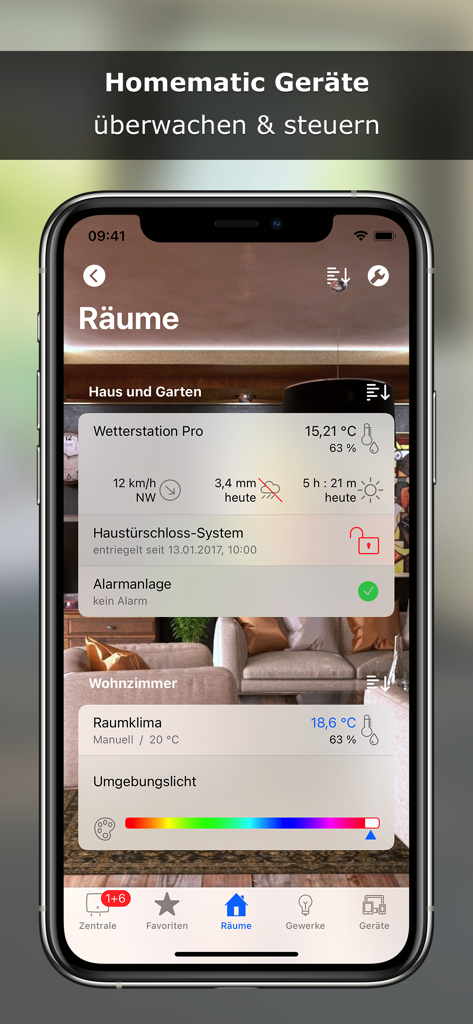
iPhone에서 날씨, 잠금 장치 및 조명에 대한 방 기반 제어를 보여주는 @Home for Homematic 앱의 인터페이스.

iPhone에서 날씨, 잠금 장치 및 조명에 대한 방 기반 제어를 보여주는 @Home for Homematic 앱의 인터페이스.

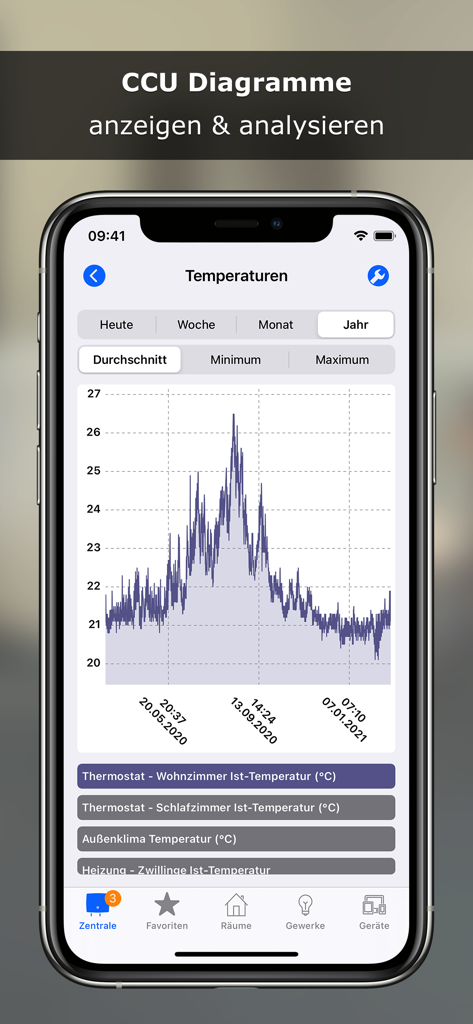
@Home for Homematic 앱의 스마트 홈 장치에 대한 상세한 온도 그래프.

@Home for Homematic 앱의 스마트 홈 장치에 대한 상세한 온도 그래프.

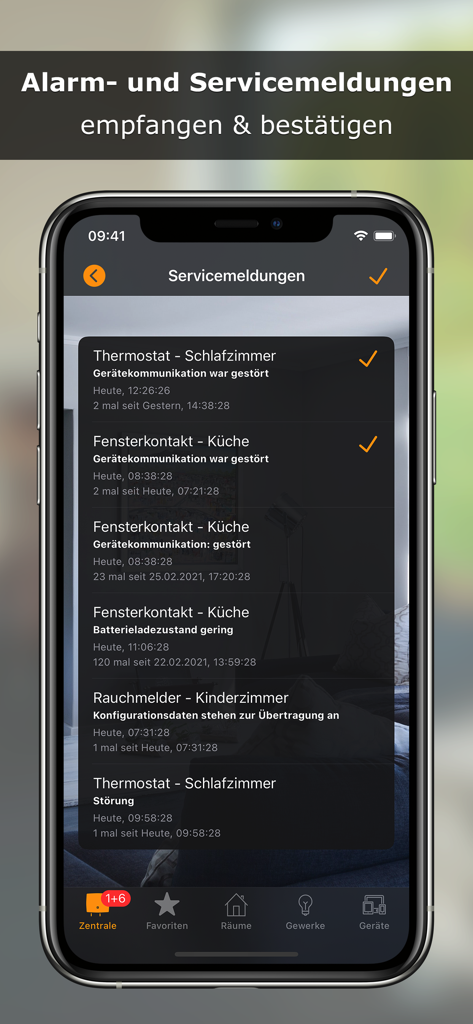
@Home for Homematic 앱의 서비스 알림 및 장치 상태를 표시하는 스마트폰 화면.

@Home for Homematic 앱의 서비스 알림 및 장치 상태를 표시하는 스마트폰 화면.

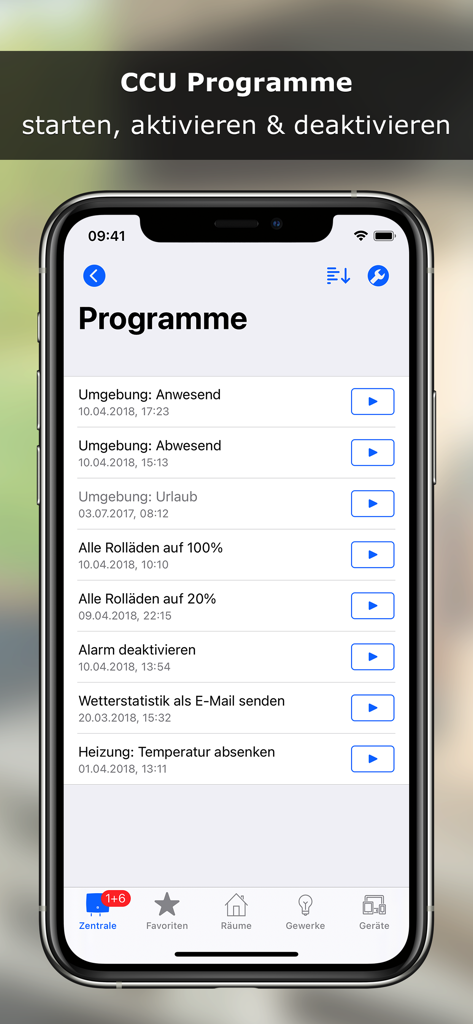
iPhone에서 CCU 프로그램 목록을 보여주는 @Home for Homematic 앱의 스크린샷

iPhone에서 CCU 프로그램 목록을 보여주는 @Home for Homematic 앱의 스크린샷

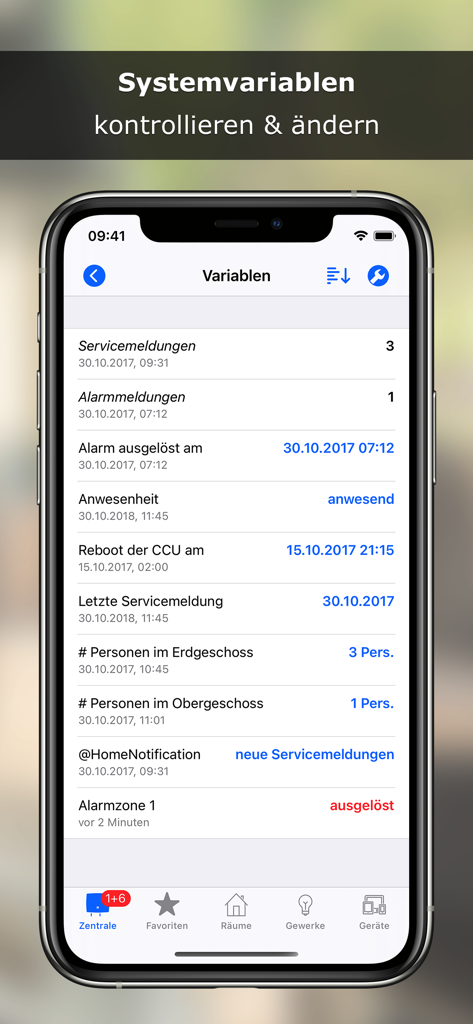
시스템 변수 및 상태 보고서 목록을 표시하는 @Home for Homematic 앱의 인터페이스

시스템 변수 및 상태 보고서 목록을 표시하는 @Home for Homematic 앱의 인터페이스

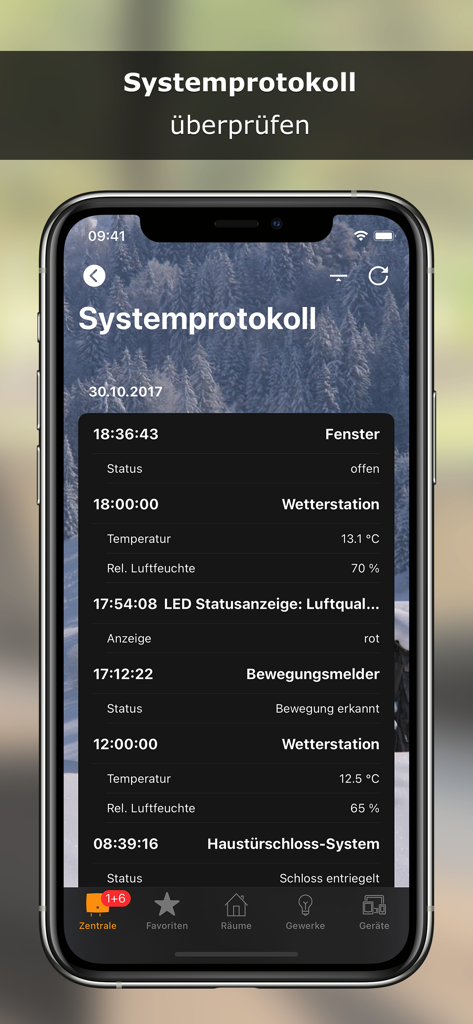
창문 모션 감지기 및 날씨 스테이션에 대한 이벤트가 포함된 상세한 스마트 홈 시스템 로그를 표시하는 스마트폰 화면

창문 모션 감지기 및 날씨 스테이션에 대한 이벤트가 포함된 상세한 스마트 홈 시스템 로그를 표시하는 스마트폰 화면

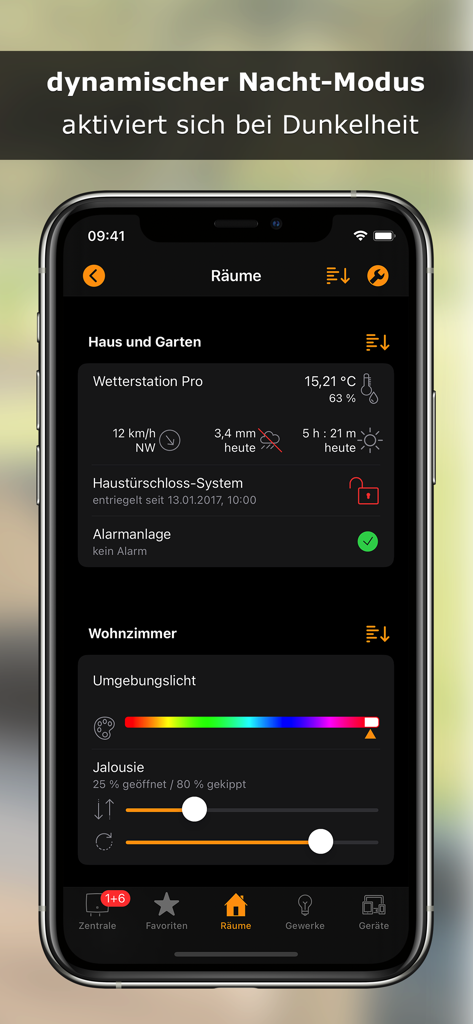
조명 및 보안 설정을 특징으로 하는 다크 모드의 스마트 홈 제어 인터페이스

조명 및 보안 설정을 특징으로 하는 다크 모드의 스마트 홈 제어 인터페이스

가정을 위한 엔지니어링 등급 제어

이 앱을 돋보이게 하는 도구, 33K+ 명의 사용자가 선택.

즉각적인 작업 및 자동화

Siri 단축키, 지오펜싱 및 위젯으로 복잡한 장면을 트리거하세요. 기기를 잠금 해제하지 않고도 즉시 집을 제어하세요.

🛡️

개인 정보를 우선하는 보안

VPN 또는 CloudMatic을 통해 안전하게 연결하세요. FaceID로 제어 센터를 보호하고 집 데이터를 올바른 위치에 보관하세요. 바로 당신과 함께.

⚙️

깊은 시스템 사용자 정의

워크플로에 맞게 인터페이스를 조정하세요. CCU 다이어그램 분석부터 레이아웃 투명도까지, 모든 세부 사항은 프로슈머를 위해 조정 가능합니다.

앱 소개

에 대해 알아야 할 모든 것 @Home for Homematic.

설명

With @Home you have control of the central functions of home automation system Homematic (eQ-3 AG). A lean and simple kept app for the essentials! Features • Monitor and control Homematic devices • Display and analyse CCU diagrams • Receive and confirm alarm and service messages • Run, activate and deactivate CCU programs • Check and change system variables • Check system log iOS Integration • Widget • CCU Push Notifications • Siri Shortcuts • Geofencing Adapt @Home to your own ideas • Background images, transparency and blur effects • Rename, sort and hide elements • Adjust the size of titles and column widths • Export, distribute and import settings, e.g. via iCloud Drive • Lock settings to protect against unauthorised changes, e.g. by family members • Access protection through password query, Touch ID or Face ID Access to Homematic CCU via • internal URL via WiFi or IPSec VPN • external URL (e.g. Dynamic DNS, Port Forwarding to Reverse Proxy) • CloudMatic Connect System requirements: • Homematic CCU from eQ-3 • Compatible clones running WebUI, e.g. OpenCCU (RaspberryMatic) • CCU and devices must already be configured. A configuration with @Home is not possible! @Home is still evolving! Suggestions are welcome! Contact me!

최신 버전

3.2.4

크기

26.7 MB

출시일

2019년 2월 24일

Homematic 시스템의 완전한 제어권을 확보하세요

더 많은 것을 요구하는 33,000명 이상의 파워 유저와 함께하세요. Apple 생태계를 위해 독점적으로 설계된 간결하고 안전하며 완벽하게 사용자 정의 가능한 대시보드를 경험하세요.

다운로드: App Store

App information, icons, screenshots, and descriptions displayed on this page are sourced from the Apple App Store and are the property of their respective developers. Download estimates and rankings are based on MWM's proprietary models and may not reflect actual figures. This page is provided for informational and analytical purposes only.

Believe this page infringes your intellectual property? File a dispute