Hue Lights

Hue Lights

다운로드: App Store
로고: Hue Lights

Hue Lights: 스마트 홈 생태계를 위한 궁극의 파워 툴

세밀한 하드웨어 제어, 고급 멀티룸 시퀀스 및 몰입감 있는 동적 효과를 통해 공식 앱의 한계를 뛰어넘으세요. 모든 전구, 스위치 및 센서의 잠재력을 최대한 발휘하려는 파워 사용자를 위해 설계되었습니다.

다운로드: App Store

개발사

LapApps, LLC

카테고리

Lifestyle

다운로드

59K+

사용자 평점

3.5/5

총 평가 수

100

지원 언어

9

가능성의 스펙트럼

이 인터페이스를 사용하는 59K+ 명의 사용자.

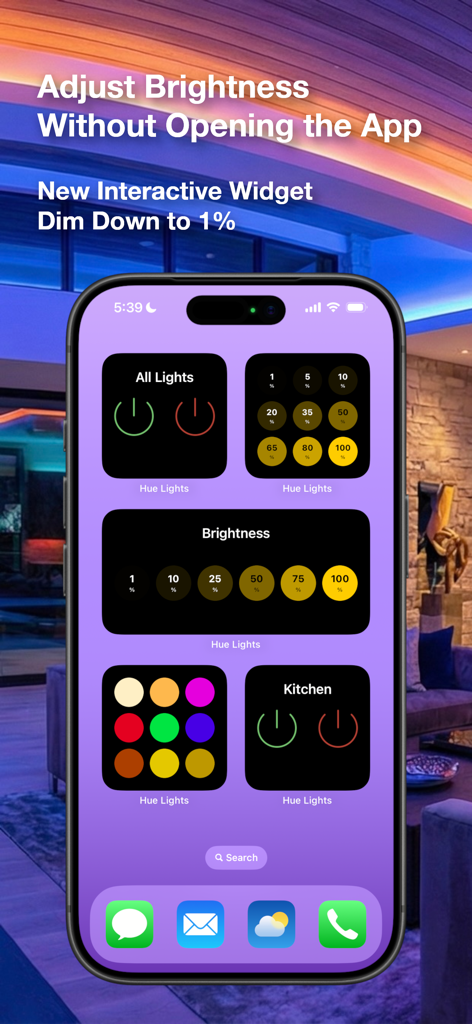
스마트 홈 밝기 및 전원 제어를 위한 Hue Lights 대화형 위젯이 있는 iPhone.

스마트 홈 밝기 및 전원 제어를 위한 Hue Lights 대화형 위젯이 있는 iPhone.

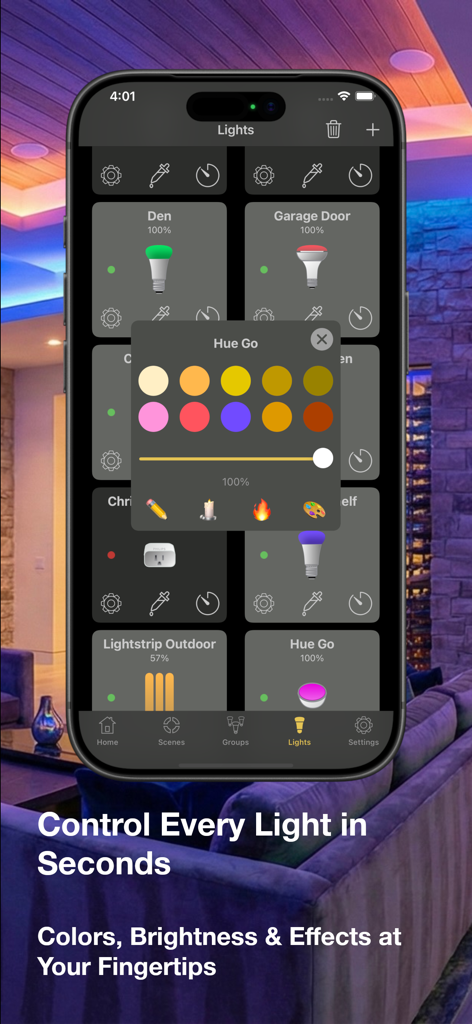
iPhone에서 스마트 조명에 대한 색상 및 밝기 제어를 표시하는 Hue Lights 모바일 앱 인터페이스.

iPhone에서 스마트 조명에 대한 색상 및 밝기 제어를 표시하는 Hue Lights 모바일 앱 인터페이스.

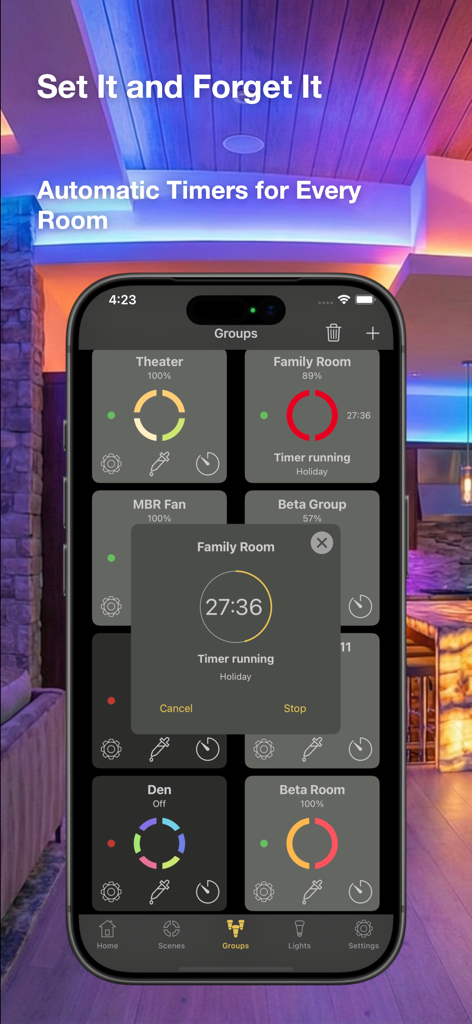
Hue Lights 앱 인터페이스는 다양한 방에 대한 자동 타이머와 스마트 홈 조명 그룹을 보여줍니다.

Hue Lights 앱 인터페이스는 다양한 방에 대한 자동 타이머와 스마트 홈 조명 그룹을 보여줍니다.

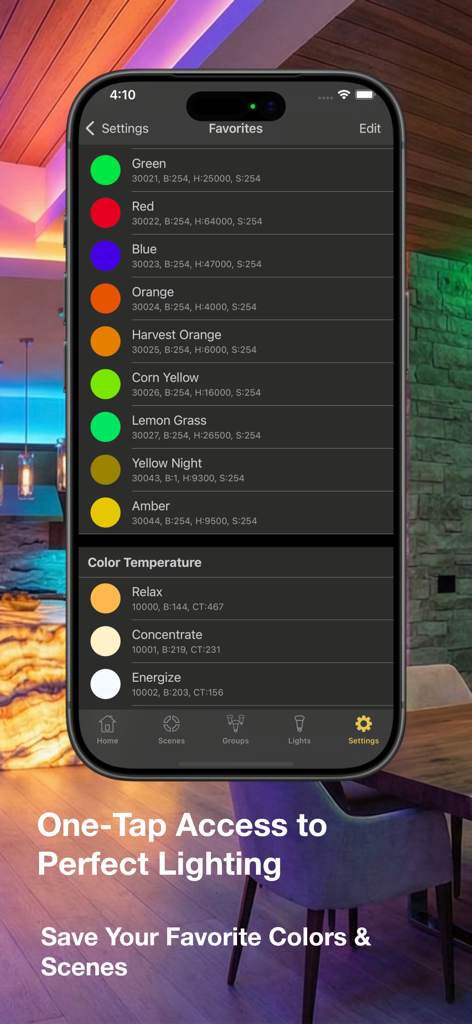
Hue Lights 앱 화면은 Relax 및 Energize와 같은 즐겨찾는 색상 사전 설정 및 색온도 설정 목록을 보여줍니다.

Hue Lights 앱 화면은 Relax 및 Energize와 같은 즐겨찾는 색상 사전 설정 및 색온도 설정 목록을 보여줍니다.

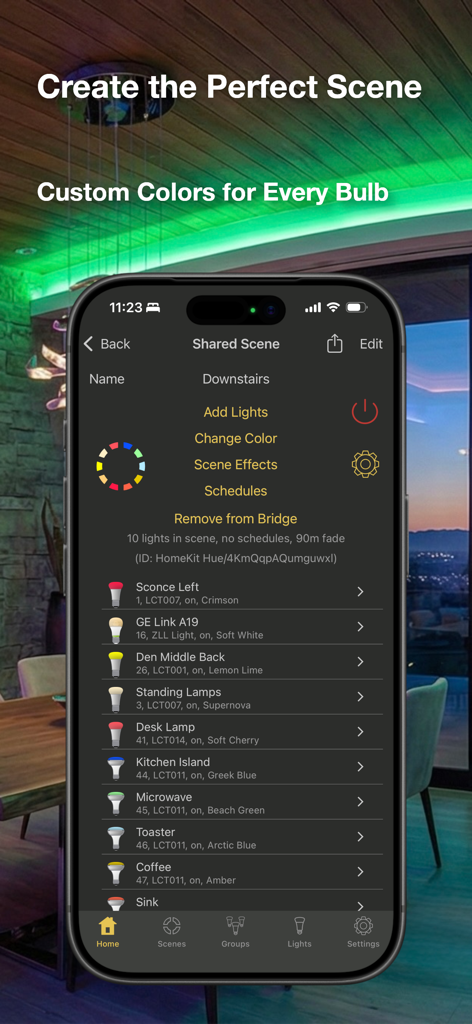
Hue Lights 앱은 가정 설정의 여러 스마트 전구에 대한 사용자 정의 색상 할당이 있는 상세 장면 편집기를 보여줍니다.

Hue Lights 앱은 가정 설정의 여러 스마트 전구에 대한 사용자 정의 색상 할당이 있는 상세 장면 편집기를 보여줍니다.

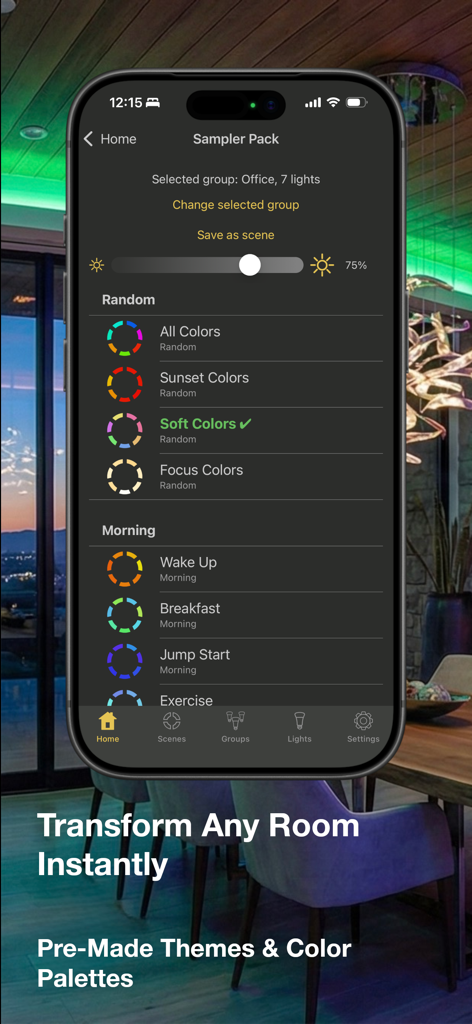
Hue Lights 앱 인터페이스는 다양한 미리 만들어진 조명 테마와 색상 팔레트를 보여줍니다.

Hue Lights 앱 인터페이스는 다양한 미리 만들어진 조명 테마와 색상 팔레트를 보여줍니다.

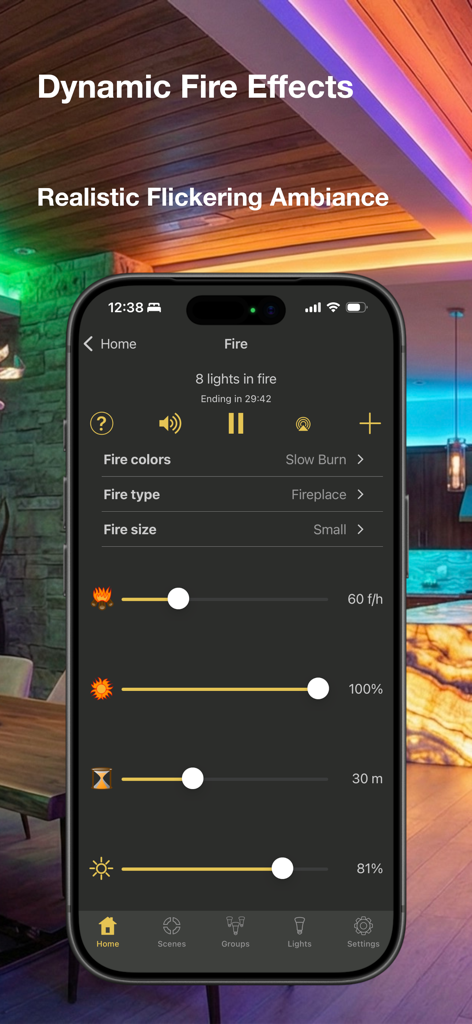
스마트 홈 조명을 위한 Hue Lights 앱 불 효과 설정을 표시하는 iPhone

스마트 홈 조명을 위한 Hue Lights 앱 불 효과 설정을 표시하는 iPhone

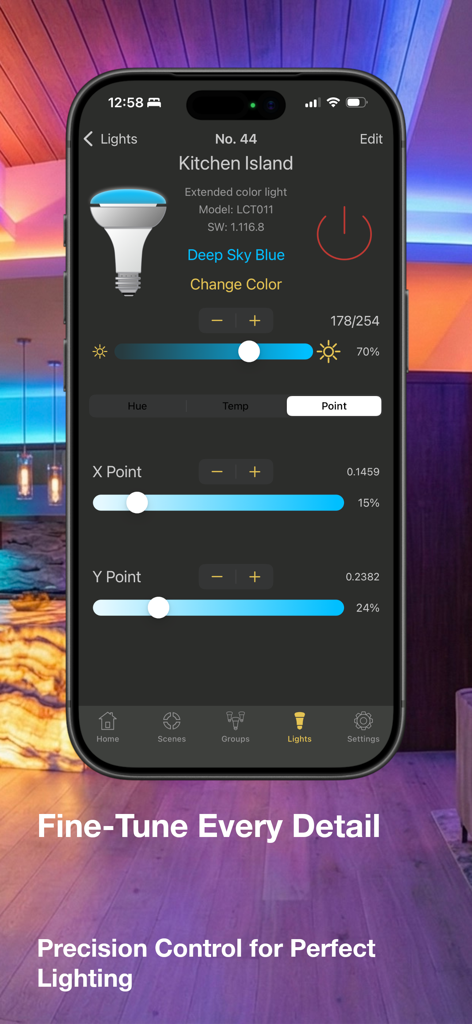
Hue Lights 앱은 주방 아일랜드 스마트 전구에 대한 정밀한 색상 및 밝기 제어를 보여줍니다.

Hue Lights 앱은 주방 아일랜드 스마트 전구에 대한 정밀한 색상 및 밝기 제어를 보여줍니다.

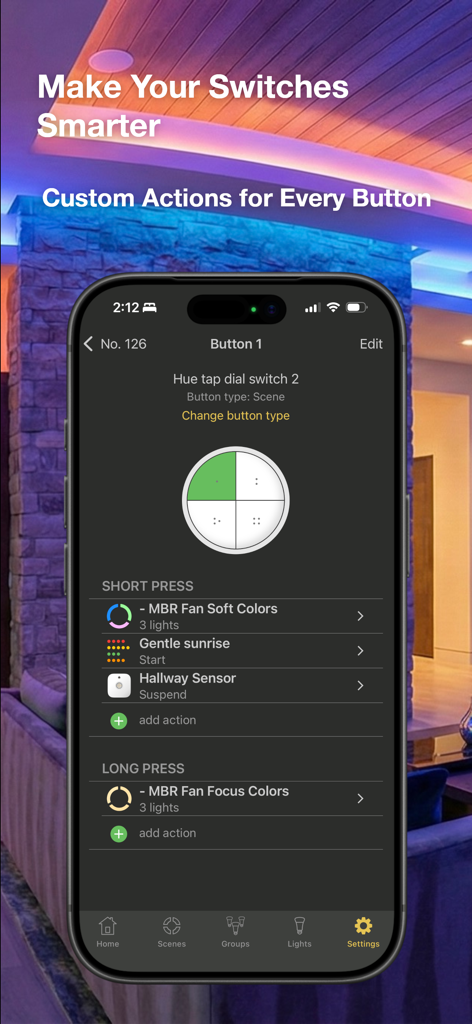
Hue Lights 앱 인터페이스는 스마트 스위치 버튼의 사용자 정의 짧게 누르기 및 길게 누르기 작업을 구성합니다.

Hue Lights 앱 인터페이스는 스마트 스위치 버튼의 사용자 정의 짧게 누르기 및 길게 누르기 작업을 구성합니다.

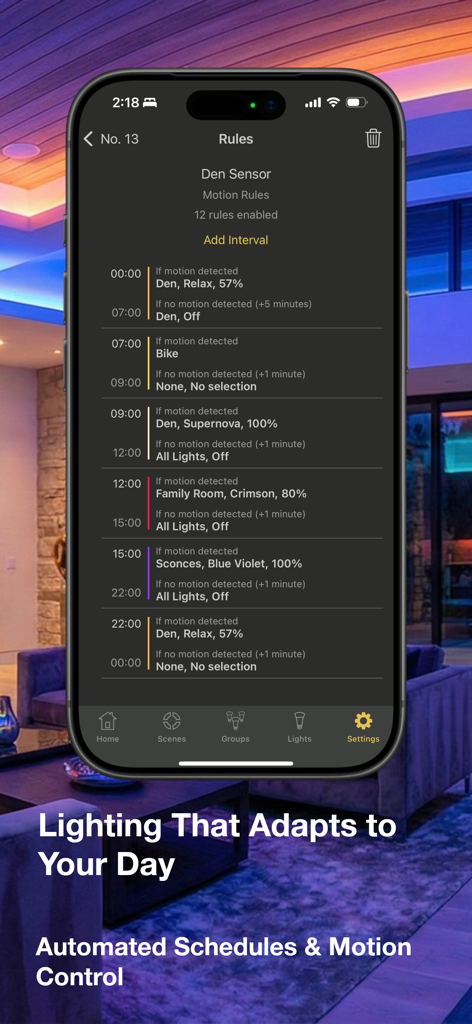
Hue Lights 앱의 인터페이스는 시간 및 모션 센서 감지를 기반으로 한 자동 조명 규칙 목록을 표시합니다.

Hue Lights 앱의 인터페이스는 시간 및 모션 센서 감지를 기반으로 한 자동 조명 규칙 목록을 표시합니다.

스마트 조명 생태계 마스터하기

이 앱을 돋보이게 하는 도구, 59K+ 명의 사용자가 선택.

🔘

궁극의 스위치 사용자 정의

표준 사전 설정을 넘어서세요. Hue Dimmer 또는 Tap 스위치를 프로그래밍하여 최대 8개의 고유한 장면을 트리거하고 정확한 정밀도로 밝기 속도를 제어하세요.

⛈️

동적 오디오-비주얼 장면

동기화된 조명과 사운드로 완전한 몰입감을 경험하세요. 사용자 정의 가능한 효과로 사실적인 뇌우, 아늑한 불꽃 또는 평화로운 해안선에 빠져보세요.

🛠️

Pro-Grade 브리지 관리

네트워크를 완전히 제어하세요. TouchLink로 잃어버린 전구를 복구하고, 실시간 와트 사용량을 모니터링하고, 50개 이상의 조명 설정을 위해 브리지에서 직접 복잡한 일정을 관리하세요.

앱 소개

에 대해 알아야 할 모든 것 Hue Lights.

설명

Hue Lights offers full feature support for all of your smart lighting needs: Precise control, multi-room scenes, schedules, sequences, dynamic lighting, and special effects. Create advanced configurations for your Hue motion sensor, Hue dimmer switch or Hue Tap. Check out our sample videos and FAQ at https://huelights.com. Teach your lights new tricks with Hue Lights! Completely customize each button on your Hue dimmer switch or Hue Tap. Control 8 scenes from a single Hue dimmer switch, change brightness speeds, or select groups based on duration of button press. Hue Lights leverages the latest firmware to store scene details directly on the bridge. You can view and edit shared scenes from any device on your network. The UI offers improved visual feedback and easier on/off/brightness controls directly from the home screen. Try the sequences feature to see amazing possibilities at your fingertips. Use your Apple Watch to activate scenes, adjust group brightness and trigger alerts. Escape to the beach with soothing ocean, lake, or creek sounds while your lights gently change and dim (Water In-App purchase). Experience amazing thunderstorms (In-App purchase) with customized controls for lightning strikes, rain density, bird songs, wind speed, sleep timer, brightness and sky color! Simulate realistic fires (In-App purchase) with dedicated controls for fire type, fire size, flare-ups and brightness. If you have any problems with previous In-App purchases, tap "Restore." Please see the comprehensive FAQ and documentation at https://huelights.com for App help. The free version allows control of lights 1 and 2. In-App purchases can unlock all lights and special effects. Hue Lights brings you shared scenes and groups, comprehensive scheduling, sequences and powerful light controls. Create multiple "On" and "Off" schedules per scene. Tap a row to select a light, group, or scene. Use quick controls at the bottom of the screen. Long press a row for quick actions (on, choose color, edit, off). Save scenes from any third-party app and use Hue Lights to activate these on your Apple Watch. Dynamically animate or schedule any scene from third-party apps. All screens are optimized for your favorite iOS devices in portrait and landscape mode. Hue Lights works well with any third-party app that saves scenes or schedules on the bridge. Do you have a favorite scene from another app that you use frequently? With Hue Lights you can turn this scene on or off with one tap! Hue Lights will show every schedule saved on your bridge from any app and give you the option to disable or remove unwanted schedules. Features: • Interactive widgets • Fire and candle effects • Light and group timers • Remote control • Hue motion sensor support • Hue dimmer switch/Hue Tap support • Sunrise/sunset actions • View/edit scenes and schedules on bridge • View/delete rules and sensors • See exact watts used on supported lights • 3D Touch on app icon • TouchLink for finding lost bulbs • Sequences • Apple Watch support • Dynamic animations • Scene themes • Supports multiple third-party ZigBee lights • Light, group and scene schedules • Tap bulb image to apply a favorite color • Localized VoiceOver support • Heuristics for working around common errors • Create transition times up to 90 minutes • Designed to work well with 50+ light deployments Experience multi-track, synchronized and visually appealing light animations and sequences. Requires "Hue Personal Wireless Lighting Starter Set" to operate. "Hue Personal Wireless Lighting" is a trademark owned by Koninklijke Philips Electronics N.V., see www.meethue.com for more information. LapApps, LLC is in no way affiliated with the Philips organization. Follow @HueLights on X and like our Facebook page for the latest news and updates. See https://huelights.com for more documentation and supported hardware.

최신 버전

4.7

크기

53.3 MB

출시일

2013년 12월 2일

스마트 홈을 궁극적으로 제어하세요

공식 앱에서 제공하지 않는 심층적인 하드웨어 사용자 정의 및 몰입감 있는 조명 시퀀스를 경험하세요. 59,000명 이상의 파워 사용자와 함께 오늘 Philips Hue 생태계의 잠재력을 최대한 발휘하세요.

다운로드: App Store

App information, icons, screenshots, and descriptions displayed on this page are sourced from the Apple App Store and are the property of their respective developers. Download estimates and rankings are based on MWM's proprietary models and may not reflect actual figures. This page is provided for informational and analytical purposes only.

Believe this page infringes your intellectual property? File a dispute