Adobe Acrobat Sign

Adobe Acrobat Sign

다운로드: App Store
로고: Adobe Acrobat Sign

Adobe Acrobat Sign: 이동 중인 전문가를 위한 안전한 전자 서명

전 세계 수백만 명의 비즈니스 리더와 함께 어디서든 문서를 서명, 전송 및 추적하는 글로벌 표준을 신뢰하세요. 거래를 더 빠르게 완료하고, HR 온보딩을 자동화하며, 기업급 보안으로 문서를 PDF로 스캔하세요.

개발사

Adobe Inc.

카테고리

Business

다운로드

1M+

사용자 평점

2.5/5

총 평가 수

1K+

지원 언어

19

효율성의 엿보기

이 인터페이스를 사용하는 1M+ 명의 사용자.

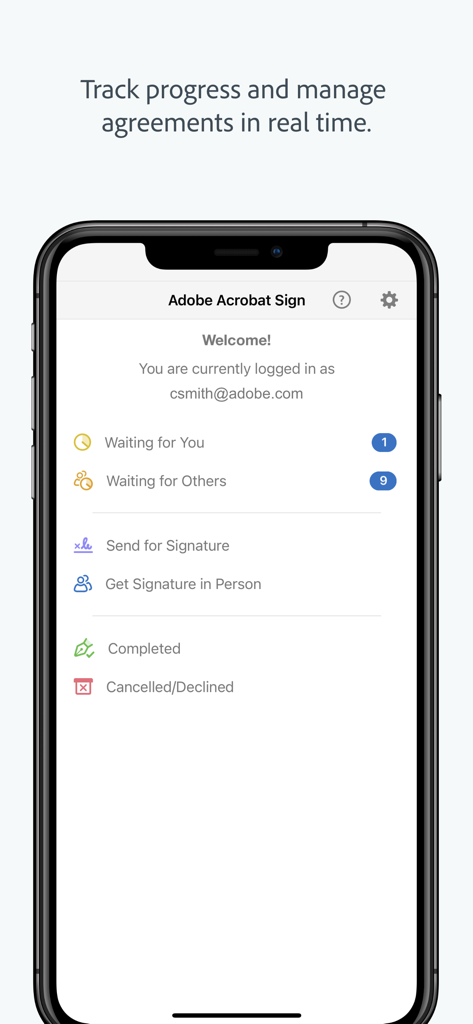
Adobe Acrobat Sign 모바일 대시보드로 계약 상태 및 실시간 추적 옵션 표시

Adobe Acrobat Sign 모바일 대시보드로 계약 상태 및 실시간 추적 옵션 표시

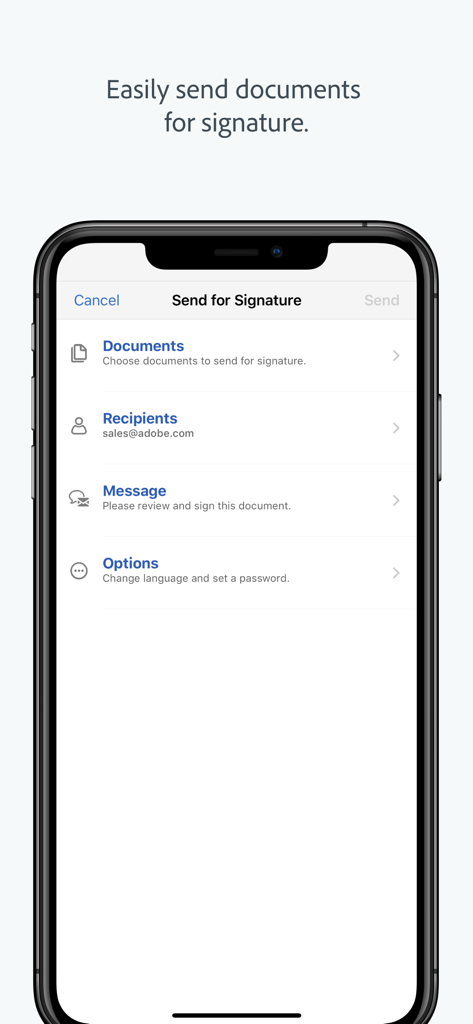
문서 및 수신자 필드가 있는 서명용 보내기 워크플로를 보여주는 스마트폰의 Adobe Acrobat Sign 앱 인터페이스.

문서 및 수신자 필드가 있는 서명용 보내기 워크플로를 보여주는 스마트폰의 Adobe Acrobat Sign 앱 인터페이스.

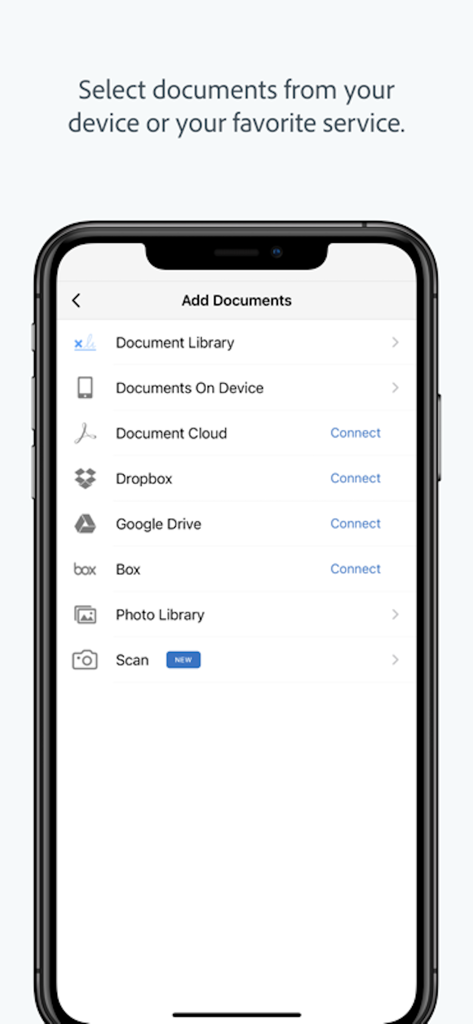
Dropbox 및 Google Drive와 같은 클라우드 서비스에서 문서를 추가하는 옵션을 보여주는 Adobe Acrobat Sign 모바일 인터페이스

Dropbox 및 Google Drive와 같은 클라우드 서비스에서 문서를 추가하는 옵션을 보여주는 Adobe Acrobat Sign 모바일 인터페이스

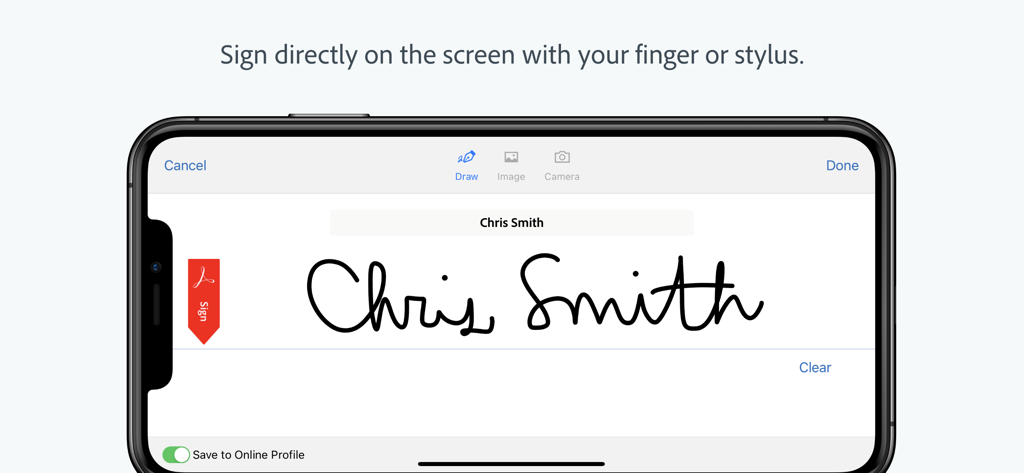
Adobe Acrobat Sign 앱에서 전자 서명을 표시하는 스마트폰 화면

Adobe Acrobat Sign 앱에서 전자 서명을 표시하는 스마트폰 화면

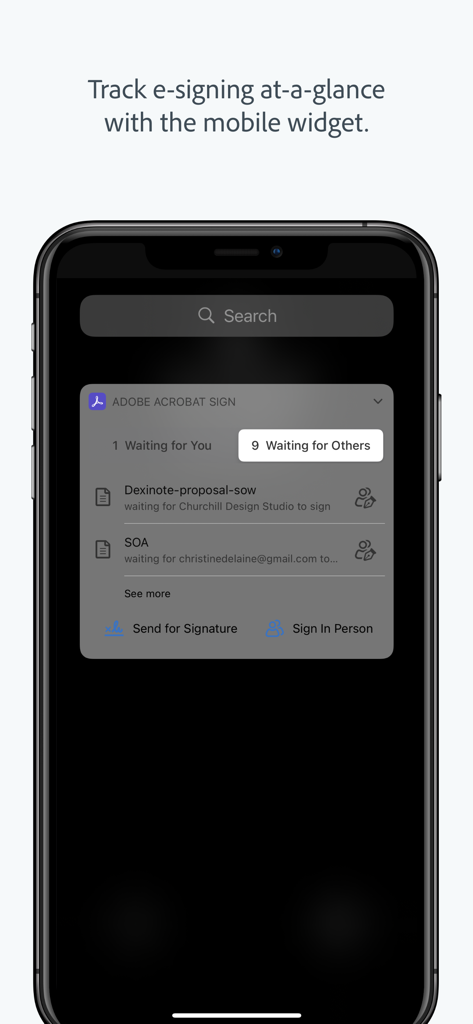
iPhone 화면에서 문서 상태를 표시하는 Adobe Acrobat Sign 모바일 위젯

iPhone 화면에서 문서 상태를 표시하는 Adobe Acrobat Sign 모바일 위젯

어디서든 더 빠르게 거래 완료

이 앱을 돋보이게 하는 도구, 1M+ 명의 사용자가 선택.

✍️

몇 초 만에 문서 서명

손가락이나 스타일러스로 계약을 즉시 완료하세요. 오프라인으로 작업하고 온라인으로 돌아오면 자동으로 동기화되어 비즈니스를 계속 진행하세요.

⚖️

법적 효력 및 보안

미국 ESIGN 및 EU eIDAS를 포함한 글로벌 전자 서명 법규를 준수합니다. 암호화된 PDF 및 전체 감사 추적으로 거래를 보호하세요.

🔔

실시간 상태 추적

실시간 업데이트로 진행 상황을 모니터링하세요. 고객이 문서를 보거나 서명한 시점을 확인하고 자동 알림을 보내 워크플로우 마찰을 제거하세요.

리뷰 분석

사용자 리뷰 인사이트.

감정 점수

5%
부정적

요약

The mobile app '481082197' receives overwhelmingly negative feedback, largely due to persistent login issues and a severe lack of core functionality. Users frequently encounter problems with signing in, getting stuck in infinite loops, or being unable to use third-party authentication methods like Google and Apple ID. Recent updates are repeatedly cited as detrimental, leading to app crashes, truncated template names, and an overall complicated user experience that often forces users back to desktop versions or manual processes. While a few individuals found simple signing easy, the vast majority express extreme dissatisfaction, deeming the app unusable and questioning the value of their paid subscriptions.

주요 테마

Overall Functionality(30)
Login Experience(18)
App vs. Web/Old Version(13)
Document Signing Features(12)
Subscription Value(7)
User Interface(5)
Performance & Stability(4)

앱 소개

에 대해 알아야 할 모든 것 Adobe Acrobat Sign.

설명

Get documents and forms signed. Easily. Securely. Anywhere. This app is a mobile companion for the Adobe Acrobat Sign e-signature service. With it, you’ll get an electronic signature solution you can trust, from the global leader in secure digital documents for over 25 years. Adobe Acrobat Sign is used by businesses of all sizes — including Fortune 1000 companies, healthcare organizations and financial institutions — to accelerate critical business processes in Sales, HR, Legal, and Operations. Adobe Acrobat Sign lets you e-sign documents and forms, send them to others for e-signature, track responses in real time and get signatures instantly with in-person signing. It even lets you work offline and syncs automatically when you’re back online. SIGN DOCUMENTS ON THE GO •Open and sign documents instantly. •Easily read documents before signing with Reading Mode. •Sign directly on the screen with your finger or stylus. •Sign or click to approve a document sent by others. •Delegate signing to another person or reject a signing request. •Save partially filled forms to complete at a more convenient time. •Sign documents offline. Adobe Acrobat Sign syncs automatically when you’re back online. GET SIGNATURES FROM OTHERS •Send documents for signature from your online document library, your device or email attachments. •Work with documents from Google Drive, Box, Dropbox or Adobe Document Cloud. •Use your iPad or iPhone to get signatures in person when meeting a client. •Choose a language for the signer’s experience. STORE AND MANAGE YOUR DOCUMENTS •Track progress and manage agreements with real-time status updates. •Send reminders to people who haven't signed yet. •View agreements stored in your online account. •All parties get a certified copy of the signed document automatically by email. LEGALLY BINDING AND SECURE •Adobe Acrobat Sign is compliant with e-signature laws around the world, including the U.S. ESIGN Act and the European Union eIDAS Regulation. •Signed documents are encrypted and saved as Certified PDFs. Recipients can validate document authenticity. •Each transaction includes a complete audit trail detailing events and actions. Signer geolocation information can also be added. •Adobe Acrobat Sign meets stringent security compliance standards and is certified compliant with ISO 27001, SOC 2 Type 2, HIPAA and PCI DSS v3.0 used by the Payment Card Industry. •Adobe Acrobat Sign provides protection for both the sender and the signer during the signing process with identity verification options, an audit trail, a tamper-evident seal and more. SCAN DOCUMENTS • Turn any paper document into a PDF, then send for fast e-signing. • Scan multiple document pages into a single PDF and reorder them as desired. • Easily attach, send, and sign scanned PDFs. • Enhance your camera images with boundary detection, perspective correction, and text sharpness. Adobe Acrobat Sign for iPhone and iPad requires an active subscription with one of these Adobe offerings: •Adobe Acrobat Sign Solutions •Adobe PDF Pack •Adobe Acrobat DC •Adobe Creative Cloud Complete Terms & Conditions: Your use of this application is governed by the Adobe General Terms of Use (https://adobe.com/go/terms_linkfree_en) and the Adobe Privacy Policy (http://www.adobe.com/go/privacy_policy_linkfree_en). Do Not Sell My Personal Information: https://www.adobe.com/privacy/ca-rights-linkfree.html

최신 버전

3.33.1

크기

137.7 MB

출시일

2011년 12월 20일

다음 거래를 성사할 준비가 되셨나요?

어디서든 계약을 안전하게 서명, 전송 및 추적하기 위해 Adobe를 신뢰하는 수백만 명의 전문가와 함께하세요. 오늘 Acrobat Sign을 다운로드하세요.

다운로드: App Store
FAQ

자주 묻는 질문

에 대해 알아야 할 모든 것 Adobe Acrobat Sign

Adobe Acrobat Sign은 무엇인가요?

Adobe Acrobat Sign은 전자 서명 서비스의 모바일 동반자로, 쉽고 안전하게 어디서든 문서 서명을 할 수 있습니다. 디지털 문서 분야의 글로벌 리더가 제공하는 신뢰할 수 있는 전자 서명 솔루션입니다.

Adobe Acrobat Sign은 문서 보안을 어떻게 보장하나요?

Adobe Acrobat Sign은 서명된 문서를 인증된 PDF로 암호화하고 완전한 감사 추적을 제공합니다. 글로벌 전자 서명법을 준수하며 ISO 27001, SOC 2 Type 2, HIPAA 및 PCI DSS v3.0 표준 인증을 받았습니다.

Adobe Acrobat Sign으로 오프라인에서 문서를 서명할 수 있나요?

네, Adobe Acrobat Sign을 사용하면 오프라인에서도 문서를 서명할 수 있습니다. 기기가 다시 온라인 상태가 되면 앱이 자동으로 모든 변경 사항을 동기화하여 중단 없이 계속 작업할 수 있습니다.

어떤 종류의 조직에서 Adobe Acrobat Sign을 사용하나요?

Fortune 1000 기업, 의료 기관, 금융 기관 등 모든 규모의 기업에서 Adobe Acrobat Sign을 사용합니다. 다양한 부서에서 중요한 비즈니스 프로세스를 가속화하기 위해 활용하고 있습니다.

Adobe Acrobat Sign으로 다른 사람에게 서명을 받으려면 어떻게 해야 하나요?

사용자는 온라인 문서 라이브러리, 기기 또는 이메일 첨부 파일에서 서명할 문서를 보낼 수 있습니다. 또한 Google Drive, Box, Dropbox 또는 Adobe Document Cloud의 문서도 지원합니다.

Adobe Acrobat Sign은 법적 구속력이 있나요?

네, Adobe Acrobat Sign은 법적 구속력이 있습니다. 미국 ESIGN법 및 유럽 연합 eIDAS 규정을 포함한 전 세계 전자 서명법을 준수하여 인증되고 정식적인 프로세스를 제공합니다.

Adobe Acrobat Sign 앱으로 문서를 스캔할 수 있나요?

네, Adobe Acrobat Sign을 사용하면 종이 문서를 PDF로 스캔하여 전자 서명할 수 있습니다. 여러 페이지를 스캔하고 순서를 재정렬하며, 경계 감지 및 원근 보정으로 이미지 품질을 향상시키는 것을 지원합니다.

iPhone 또는 iPad용 Adobe Acrobat Sign의 구독 요건은 무엇인가요?

iPhone 및 iPad용 Adobe Acrobat Sign은 다음 Adobe 제품 중 하나에 대한 활성 구독이 필요합니다: Adobe Acrobat Sign 솔루션, Adobe PDF Pack, Adobe Acrobat DC 또는 Adobe Creative Cloud Complete.

Adobe Acrobat Sign에서 서명된 계약의 진행 상황을 어떻게 추적할 수 있나요?

Adobe Acrobat Sign을 사용하면 실시간 상태 업데이트를 통해 진행 상황을 추적하고 계약을 관리할 수 있습니다. 사용자는 온라인 계정에서 계약을 확인하고 아직 서명하지 않은 사람들에게 미리 알림을 보낼 수 있습니다.

Adobe Acrobat Sign으로 기기 화면에서 직접 문서를 서명할 수 있나요?

네, 사용자는 손가락이나 스타일러스를 사용하여 화면에서 직접 문서를 서명할 수 있습니다. 이 기능을 통해 Adobe Acrobat Sign 앱 내에서 즉각적이고 편리하게 전자 서명을 할 수 있습니다.

Adobe Acrobat Sign은 문서에 대해 어떤 타사 클라우드 서비스와 통합되나요?

Adobe Acrobat Sign은 Google Drive, Box, Dropbox 및 Adobe Document Cloud와 통합됩니다. 이를 통해 사용자는 이러한 서비스에 저장된 문서를 사용하여 서명 요청을 처리할 수 있습니다.

App information, icons, screenshots, and descriptions displayed on this page are sourced from the Apple App Store and are the property of their respective developers. Download estimates and rankings are based on MWM's proprietary models and may not reflect actual figures. This page is provided for informational and analytical purposes only.

Believe this page infringes your intellectual property? File a dispute