KB Klíč

KB Klíč

다운로드: App Store
로고: KB Klíč

KB Klíč: 어디서든 체코 은행에 안전하고 즉시 접속

신뢰할 수 없는 국제 SMS 코드를 은행 등급의 생체 인식 인증으로 교체하세요. 탭 또는 시선만으로 MojeBanka에 로그인하고 글로벌 송금을 승인하여 모든 대륙에서 자산을 안전하게 유지하세요.

다운로드: App Store

개발사

Komercni banka a.s.

카테고리

Finance

다운로드

649K+

사용자 평점

4.7/5

총 평가 수

14K+

지원 언어

3

귀하의 디지털 키

이 인터페이스를 사용하는 649K+ 명의 사용자.

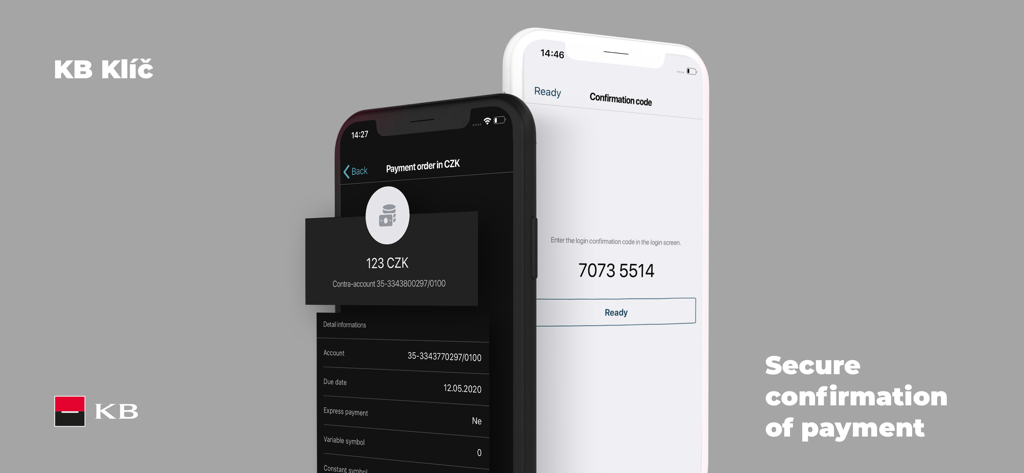
KB Klic 앱 화면에 보안 결제 확인 및 로그인 코드가 표시됩니다

KB Klic 앱 화면에 보안 결제 확인 및 로그인 코드가 표시됩니다

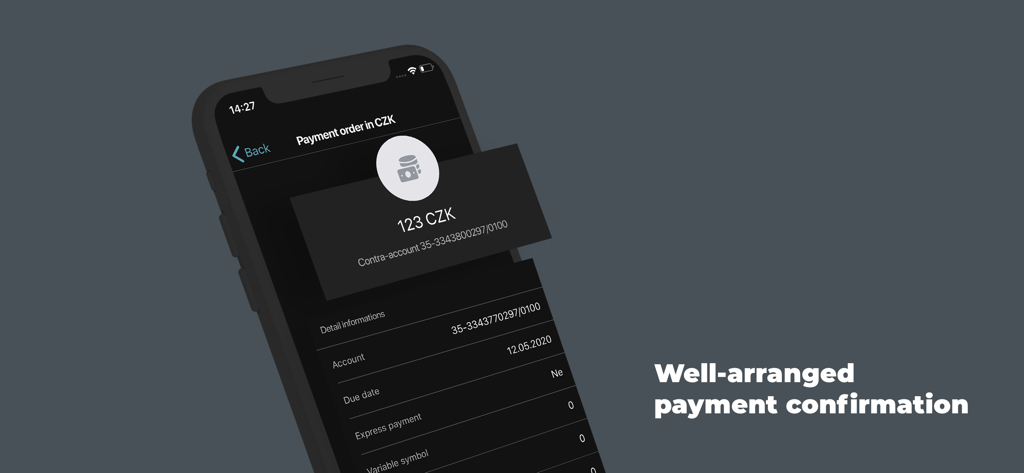
KB Klic의 모바일 앱 화면에 어두운 인터페이스로 123 CZK 결제 주문 확인이 표시됩니다

KB Klic의 모바일 앱 화면에 어두운 인터페이스로 123 CZK 결제 주문 확인이 표시됩니다

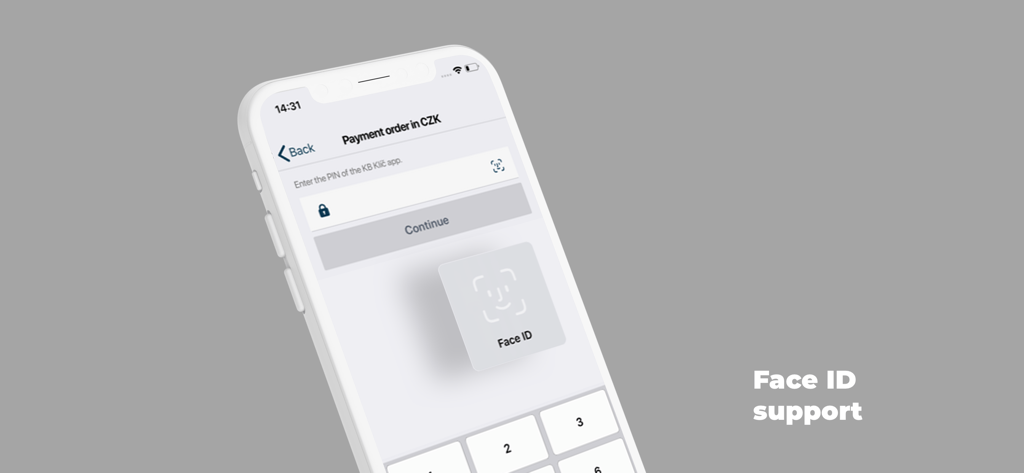
KB Klic 앱 결제 화면에 보안 인증을 위한 Face ID 지원이 표시됩니다

KB Klic 앱 결제 화면에 보안 인증을 위한 Face ID 지원이 표시됩니다

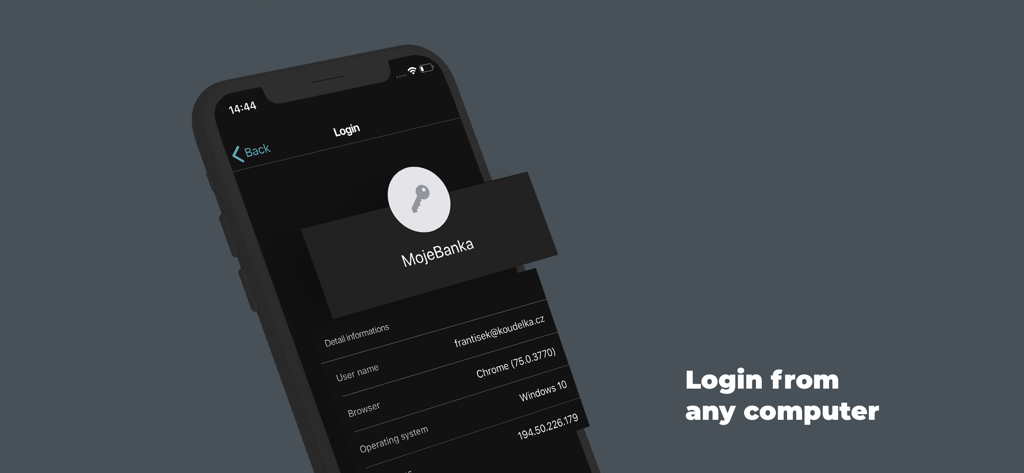
KB Klic 앱 인터페이스에 컴퓨터에서 MojeBanka 로그인 인증 화면이 표시됩니다

KB Klic 앱 인터페이스에 컴퓨터에서 MojeBanka 로그인 인증 화면이 표시됩니다

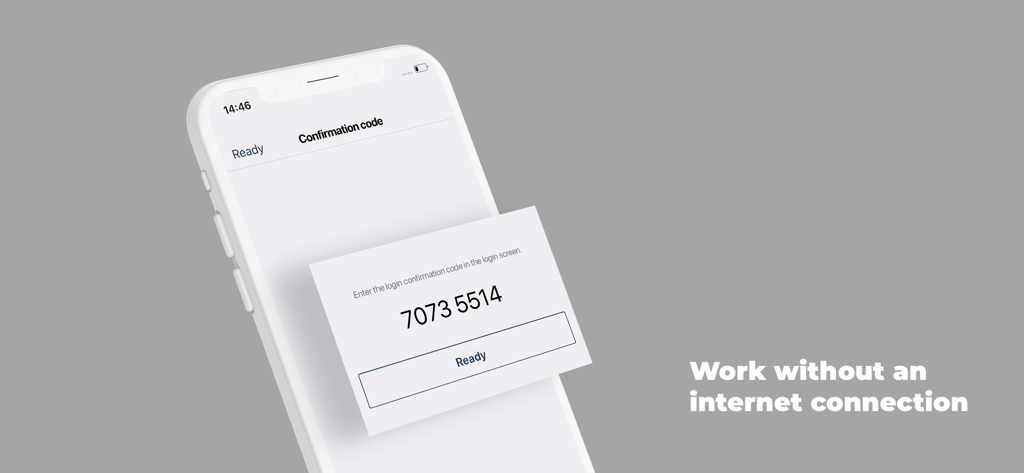
KB Klíč 앱 화면에 오프라인 인증을 위한 숫자 확인 코드가 표시됩니다

KB Klíč 앱 화면에 오프라인 인증을 위한 숫자 확인 코드가 표시됩니다

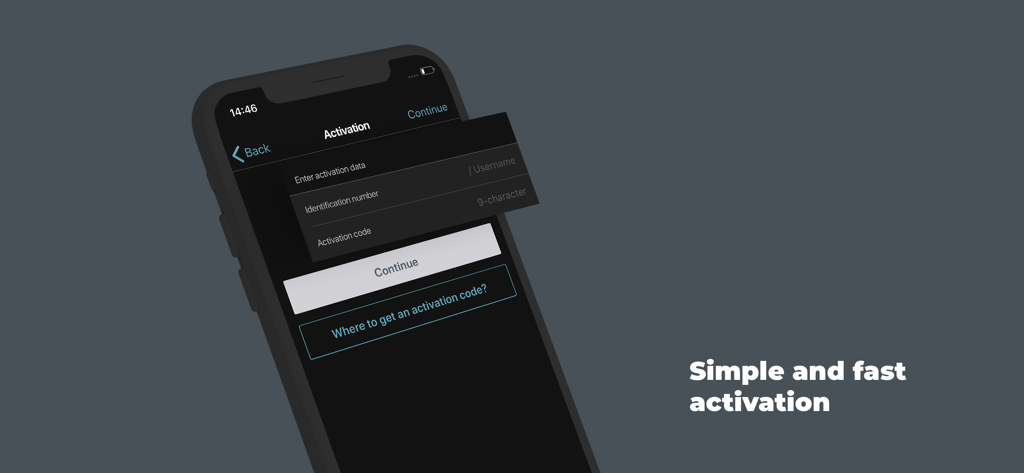
스마트폰에서 KB Klíč 은행 보안 앱의 활성화 화면

스마트폰에서 KB Klíč 은행 보안 앱의 활성화 화면

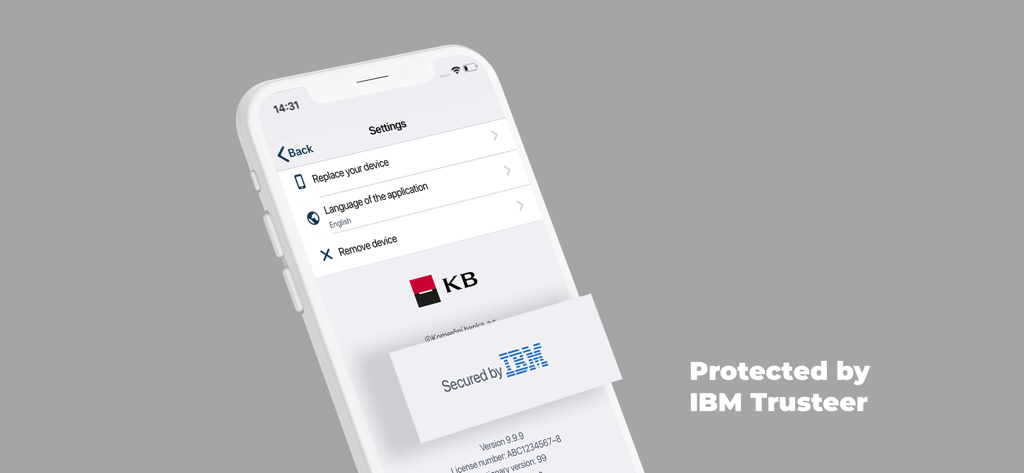
KB Klíč 앱 설정 화면에 기기 관리 옵션과 IBM Trusteer 보안 보호 기능이 표시됩니다.

KB Klíč 앱 설정 화면에 기기 관리 옵션과 IBM Trusteer 보안 보호 기능이 표시됩니다.

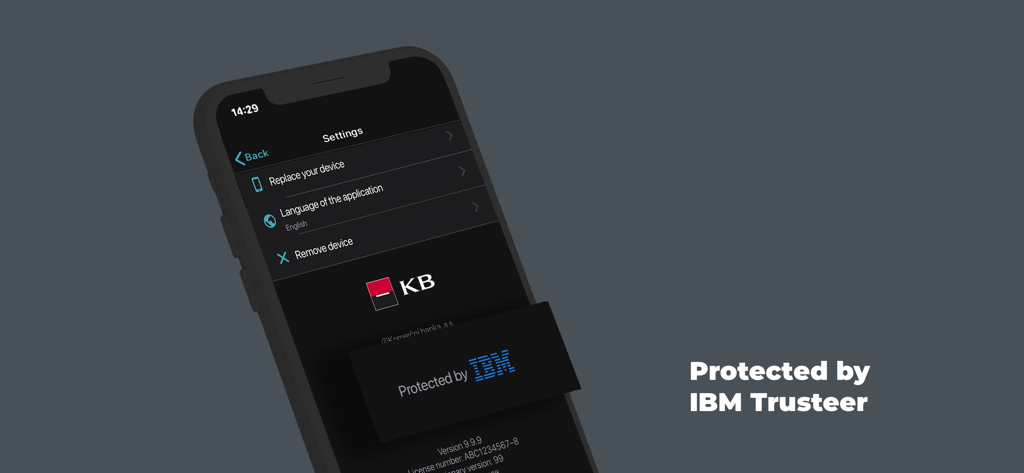
KB Klíč 앱 설정 인터페이스에 IBM Trusteer 보안 배지가 표시됩니다

KB Klíč 앱 설정 인터페이스에 IBM Trusteer 보안 배지가 표시됩니다

손끝에서 펼쳐지는 안전한 글로벌 액세스

이 앱을 돋보이게 하는 도구, 649K+ 명의 사용자가 선택.

🌐

더 이상 SMS 지연은 없습니다

국제 SMS 코드를 기다리는 좌절감을 없애세요. Wi-Fi 또는 현지 미국 데이터를 통해 은행 업무에 즉시, 안정적으로 로그인하세요.

👤

생체 인식 편의성

복잡한 비밀번호를 건너뛰고 TouchID 또는 FaceID를 사용하여 몇 초 안에 거래를 승인하여 미국 스타일의 편리함을 유럽 은행 업무에 적용하세요.

🛡️

은행 등급 보안

암호화된 PIN 및 고급 루트 감지 기술로 자산을 보호하여 해외에서 금융 거래를 관리하는 동안 안심하세요.

앱 소개

에 대해 알아야 할 모든 것 KB Klíč.

설명

The KB Klíč app verifies your identity and safely logs you into MojeBanka online banking and Komerční banka's other online apps. You don't have to enter a texted code and you also authorise payments through the app. You need the following for KB Klíč activation: - KB ID, which you will find in the Electronic Signature Agreement. You can also use your username/email - An activation code that you will receive at a KB branch or when you log into mujprofil.kb.cz otherwise than via KB Klíč The activation guide is available at https://www.kb.cz/en/faq-and-support/how-to-sign-in Set the PIN on the occasion of activation. You can set up your fingerprint if your phone supports them. Komerční banka will never see your fingerprints; they are retained in a secure repository in the phone. If your phone is connected to the internet the request to confirm the activation will be received automatically in your phone. Check and confirm the request. If offline, select 'The device is not connected to the internet' option in your computer. Using the KB Klíč app, scan the pictorial code from the computer's screen. Then confirm the code by the PIN or fingerprint. Finally, type the generated code in your computer. Please note: If you enter an incorrect PIN five times KB Klíč blocks access. You will then activate the apps using an activation code that you will receive in an ATM, at a KB branch or after logging into mujprofil.kb.cz otherwise than via KB Klíč. KB Klíč will not work for you if you have reinstalled software on your phone and your platform (root) is therefore not protected. All of this for the sake of security.

최신 버전

4.4.1

크기

81.8 MB

출시일

2018년 6월 12일

미국에서 체코 은행 업무를 안전하게 보호하세요

649,000명 이상의 사용자와 함께하세요. 신뢰할 수 없는 국제 SMS 코드를 버리고 오늘 Komerční banka 계정에 대한 즉각적인 생체 인식 인증으로 전환하세요.

다운로드: App Store

App information, icons, screenshots, and descriptions displayed on this page are sourced from the Apple App Store and are the property of their respective developers. Download estimates and rankings are based on MWM's proprietary models and may not reflect actual figures. This page is provided for informational and analytical purposes only.

Believe this page infringes your intellectual property? File a dispute