LooP'Dup - AudioClip Performer

LooP'Dup - AudioClip Performer

다운로드: App Store
로고: LooP'Dup - AudioClip Performer

LooP'Dup: 모바일 공연 스튜디오를 위한 전문 클립 런처

MIDI 클럭 동기화, Ableton Link, 트랙당 64개의 루프로 하드웨어와 모바일의 격차를 해소하세요. 현대의 DAW 없는 프로듀서를 위해 태양광으로 제작되었습니다.

다운로드: App Store

개발사

Rob Wilmot

카테고리

Music

다운로드

200

사용자 평점

1.0/5

총 평가 수

0

지원 언어

1

그루브 속 엿보기

이 인터페이스를 사용하는 200 명의 사용자.

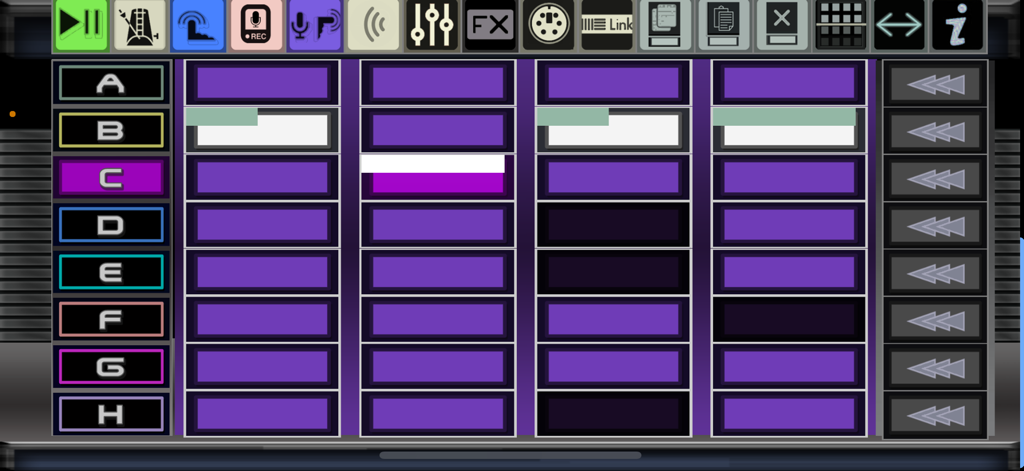
LooP Dup 음악 앱의 메인 인터페이스, 클립 행과 공연 아이콘 표시

LooP Dup 음악 앱의 메인 인터페이스, 클립 행과 공연 아이콘 표시

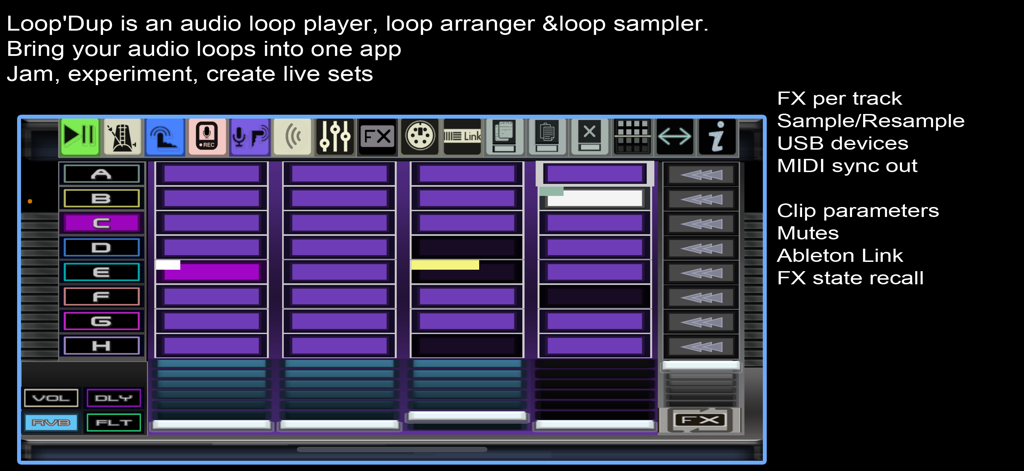
LooP'Dup 앱 인터페이스, 음악 프로덕션을 위한 오디오 트랙과 효과가 있는 세션 뷰 그리드 표시

LooP'Dup 앱 인터페이스, 음악 프로덕션을 위한 오디오 트랙과 효과가 있는 세션 뷰 그리드 표시

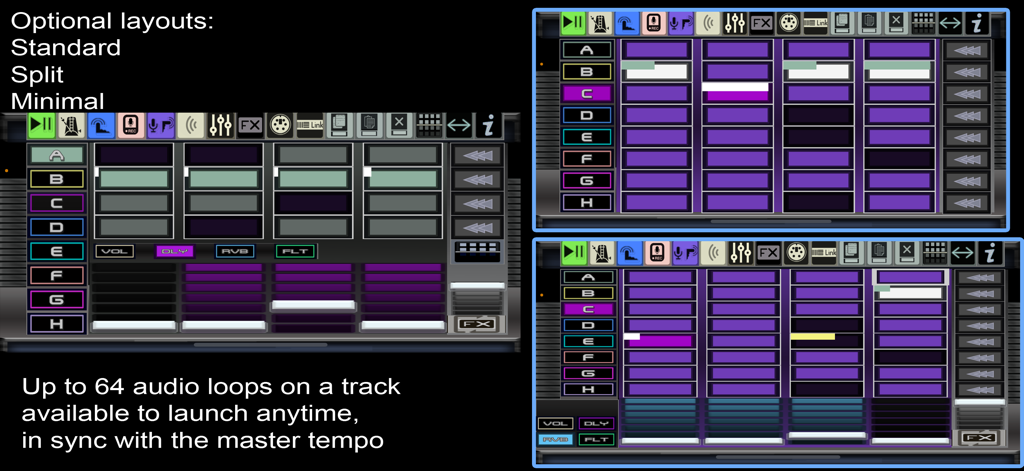
LooP Dup 앱 인터페이스, 오디오 공연을 위한 표준 분할 및 최소 레이아웃 옵션 표시

LooP Dup 앱 인터페이스, 오디오 공연을 위한 표준 분할 및 최소 레이아웃 옵션 표시

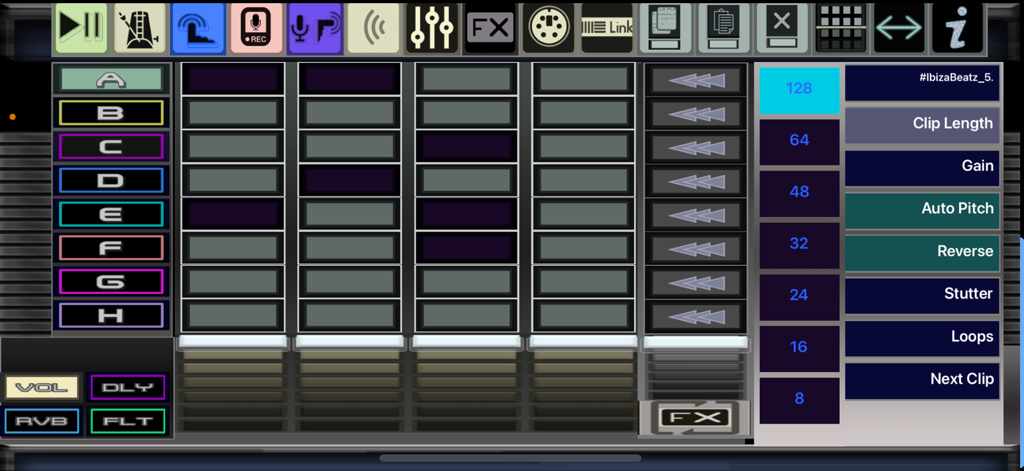
LooP'Dup 앱 인터페이스, 오디오 클립 그리드와 샘플 공연 설정 표시

LooP'Dup 앱 인터페이스, 오디오 클립 그리드와 샘플 공연 설정 표시

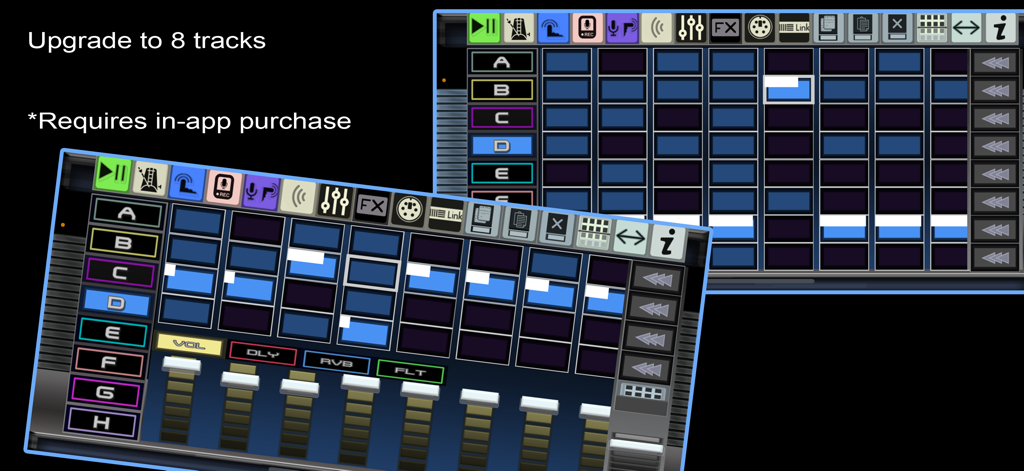
LooP'Dup 오디오 퍼포머 앱의 인터페이스, 클립의 8개 트랙과 볼륨 믹서 표시

LooP'Dup 오디오 퍼포머 앱의 인터페이스, 클립의 8개 트랙과 볼륨 믹서 표시

라이브 공연 마스터하기

이 앱을 돋보이게 하는 도구, 200 명의 사용자가 선택.

🎹

다이나믹 세션 뷰

각 트랙당 최대 64개의 클립을 세트와 씬으로 구성하세요. 마스터 템포와 완벽하게 동기화된 루프를 실행하여 복잡하고 진화하는 편곡을 실시간으로 구축하세요.

🔌

전문 등급 하드웨어 동기화

iOS 장치를 리그의 두뇌로 만드세요. MIDI 클럭 아웃, Ableton Link, IAA를 사용하여 외부 신디사이저, 드럼 머신 및 기타 앱과 완벽하게 동기화하세요.

표현력 있는 TempFX 컨트롤

듀얼 필터, 딜레이, 리버브로 고에너지 전환을 수행하세요. 독특한 TempFX 상태를 사용하여 깔끔한 믹스로 즉시 돌아오는 격렬한 빌드업을 실험해 보세요.

앱 소개

에 대해 알아야 할 모든 것 LooP'Dup - AudioClip Performer.

설명

Loop'Dup is an audio clip player, sample arranger and loop sampler. Bring your loops into one app to sample jam, experiment, create live sets and absolutely have lots of fun! Loop'Dup! - Infinite beats, endless inspiration. This app was made entirely with solar power. Each track can launch a clip anytime, in-time with the master tempo. Every project contains 8 sets of 8 clips per track. One track can have up to 64 audio loops available to play at anytime. You could arrange sets as a songs and each row is a song part. Or each set arranged as a genre of clips (Beats, Bass, Synth etc) Perform a whole live -set. Arrange clips as rows or launch a clip from any set. All tracks have separate send effects levels of delay, reverb, dual filter. Track FX can be muted on or off as well as track volume. A special TempFX state can be used to freely play with FX sends then revert back to previous state instantly. Launch rows of clips simultaneously for arranging parts or scenes. Sample into a clip at anytime using bult in microphone or external USB audio device (class compliant). While sequencer is playing it samples a fixed length (chosen in settings) and starts at the nearest quantised bar (chosen in options). Choose to manually start sampling (waits for slow signal) when sequencer is not running, stop sampling manually or wait for the chosen fixed length. It can also auto-play like a looper Resample what is playing including any FX into an empty clip to bounce multiple tracks into one clip. Load audio files into a clip from the "Samples" folder located in this Documents folder. You can also use AudioCopy general pasteboard to conveniently copy audio between apps. AudioPaste directly to a clip or copy the audio from a clip and AudioPaste into another supporting app. Includes a demo project containing 3 sets of audio clips Also included are some audio loops captured from 2XB303, 7XDXFM, 7XWAVE, 6X806 and PunkGen with some other drum loops to help get you started jamming. The included audio loops are electro synth based. Manually set an audio clip settings: Sample duration from 8 to 128 steps (sixteenths), Reverse, Stutter effect, Auto pitch to adjust pitch to fit length of clip or manually transpose for one-hit samples, Gain override, Loops count (how many times a loops a clip will repeat), Next-Clip ( auto launching a different clip loops have finished). Send MIDI out clock to external MIDI synths, drum machines or grooveboxes so they play in time while also sampling them. You can, for example sync to the Roland MC101/MC707 via USB and send MIDI clock while sampling the MC101/MC707 own audio back into loopD'up Up to 10 projects can be loaded at once and you can export consolidated projects or import backed up projects into a project slot. 3 Different metronome modes to help you sample in time. Latency setting to compensate for microphone delays. Ableton Link to sync with other apps. IAA to route audio into Audiobus, AUM or other supporting apps to process live audio or sample. Loop it. Layer it. Love It! Loop'Dup - Your pocket sized Studio! Specs: Time synced Delay FX speed . Auto play after sampling option. Launch quantize settings from 16 steps to 128 steps. Clip length options from 8,16,32,64,128. 8 Sets A - H per project. 8 Clips per each set. 64 Audio clips per track can be loaded. Ableton Link sync. USB audio device support up 44.1k or 48k only (class compliant). USB MIDI device support (class compliant). MIDI out sync. Audio latency adjust up to 100ms IAA Audio output. Memory efficient disk streaming of audio. Auto normalise option (default) 10 projects loaded at any time. Monitor audio in option. To get audio files from outside your device into the app you can transfer audio using airplay, iCloud or usb and copy into the samples folder located in this app's documents folder. You can access this folder using Apple's Files application. Any problems be sure to contact via the email link in information

최신 버전

1.9.1

크기

94.4 MB

출시일

2025년 7월 29일

포켓 사이즈 스튜디오를 무대로 옮길 준비가 되셨나요?

태양광으로 구동되는 DAW 없는 혁명에 동참하세요. 지금 LooP'Dup를 다운로드하여 하드웨어를 동기화하고, 무한한 루프를 쌓고, 어디서든 전문적인 라이브 세트를 공연하세요.

다운로드: App Store

App information, icons, screenshots, and descriptions displayed on this page are sourced from the Apple App Store and are the property of their respective developers. Download estimates and rankings are based on MWM's proprietary models and may not reflect actual figures. This page is provided for informational and analytical purposes only.

Believe this page infringes your intellectual property? File a dispute