엄선된 200곳의 상징적인 명소 지도, 호텔 핀 내비게이션, 원활한 교통 도구를 통해 호주 문화 수도를 경험하세요. 정교하고 스트레스 없는 모험을 추구하는 독립적인 여행자를 위해 설계되었습니다.
개발사
Jessica Tunnicliffe
카테고리
Travel
다운로드
22K+
사용자 평점
1.0/5
총 평가 수
0
지원 언어
1
멜버른 개요
이 인터페이스를 사용하는 22K+ 명의 사용자.
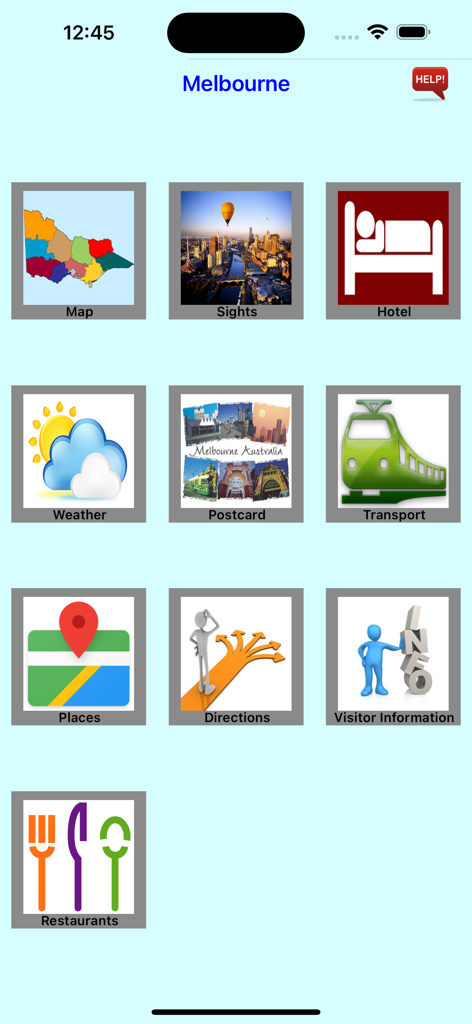
명소, 호텔, 교통, 날씨 내비게이션 아이콘이 있는 멜버른 여행 앱의 메인 메뉴.
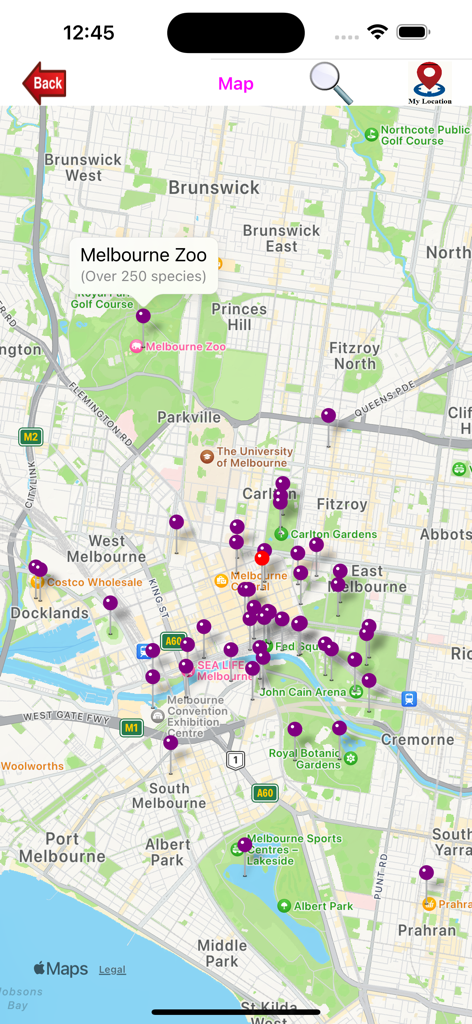
멜버른 지도에 보라색 핀으로 표시된 다양한 명소와 호텔 위치를 나타내는 빨간색 핀
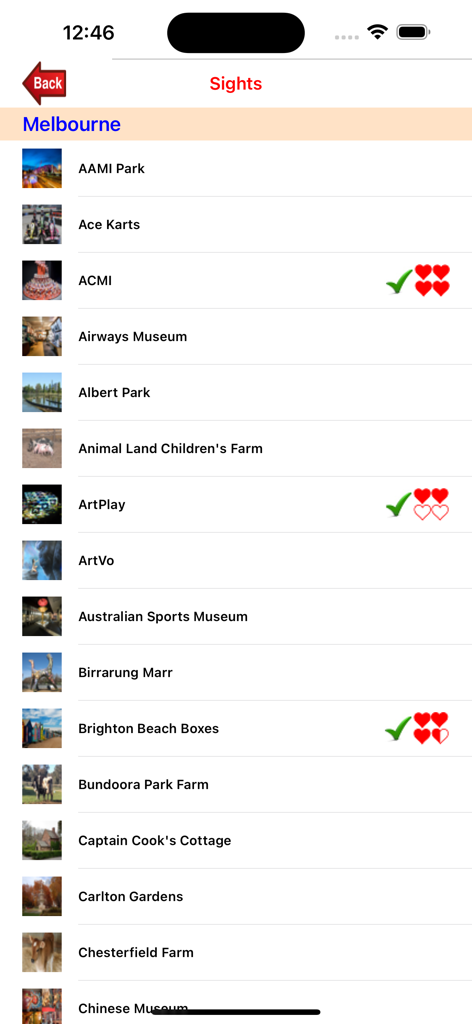
여행 앱 내에 표시된 멜버른의 인기 관광 명소 및 랜드마크 목록
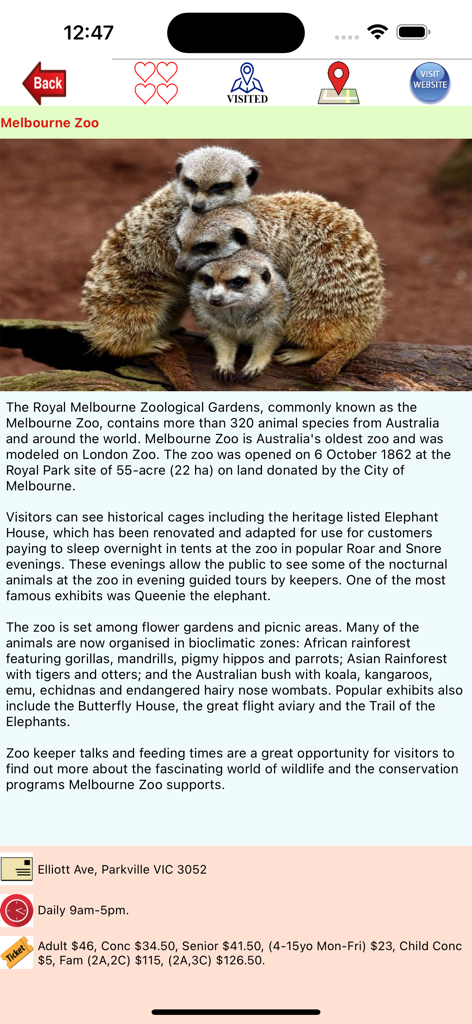
미어캣 사진과 방문자 정보가 포함된 멜버른 동물원의 멜버른 앱 내 명소 세부 정보
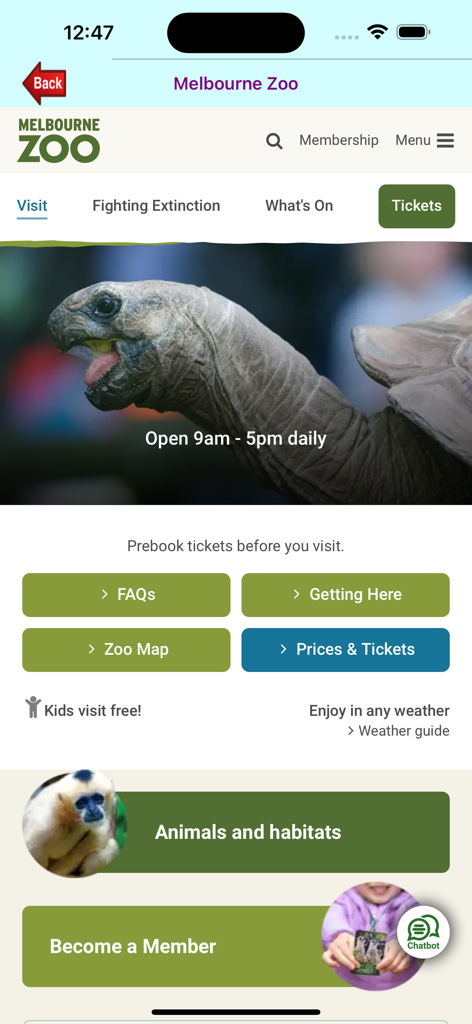
멜버른 앱 내 멜버른 동물원 방문자 정보 화면으로, 대형 거북이와 티켓 옵션이 특징입니다.
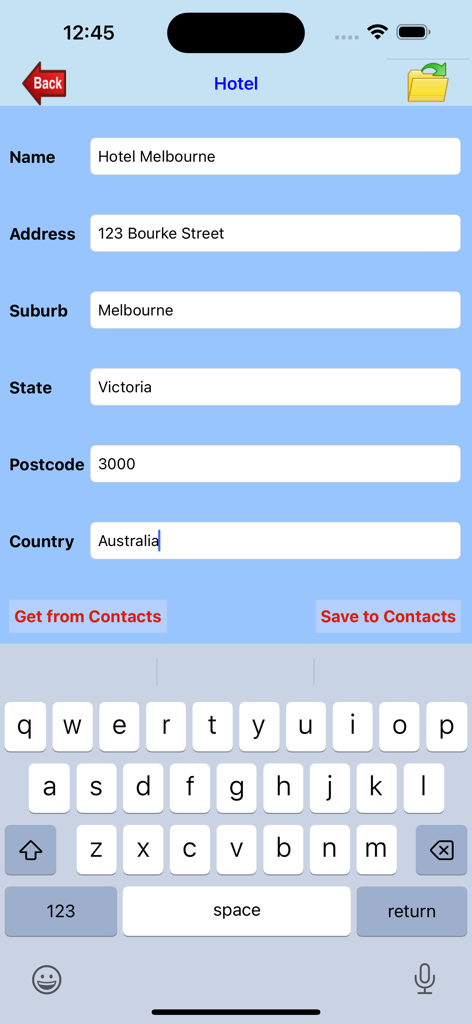
호텔 주소 및 연락처 정보를 입력하는 양식이 표시된 멜버른 앱 인터페이스.
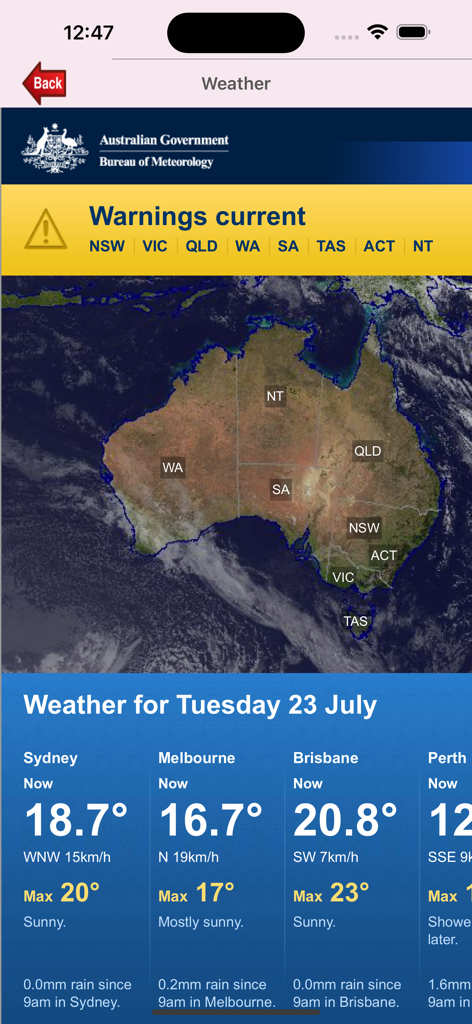
호주 지도와 주요 도시의 현재 온도를 표시하는 멜버른 앱의 날씨 예보 화면
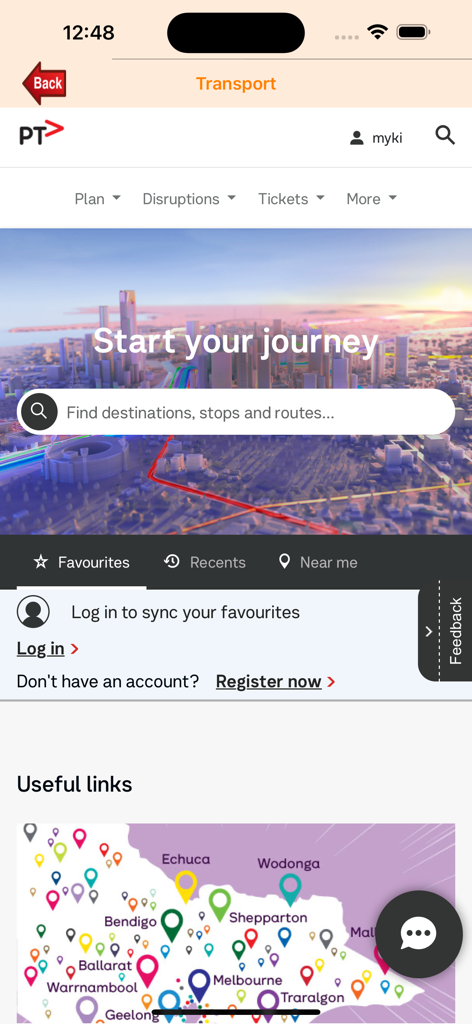
Public Transport Victoria 여정 플래너 및 지역 지도를 보여주는 멜버른 앱 교통 화면
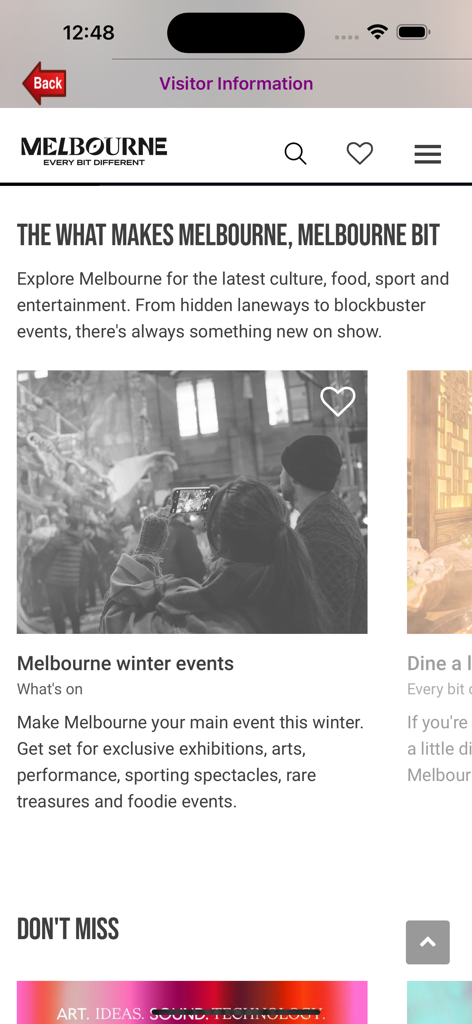
방문자 정보와 겨울 이벤트가 표시된 멜버른 앱 화면.
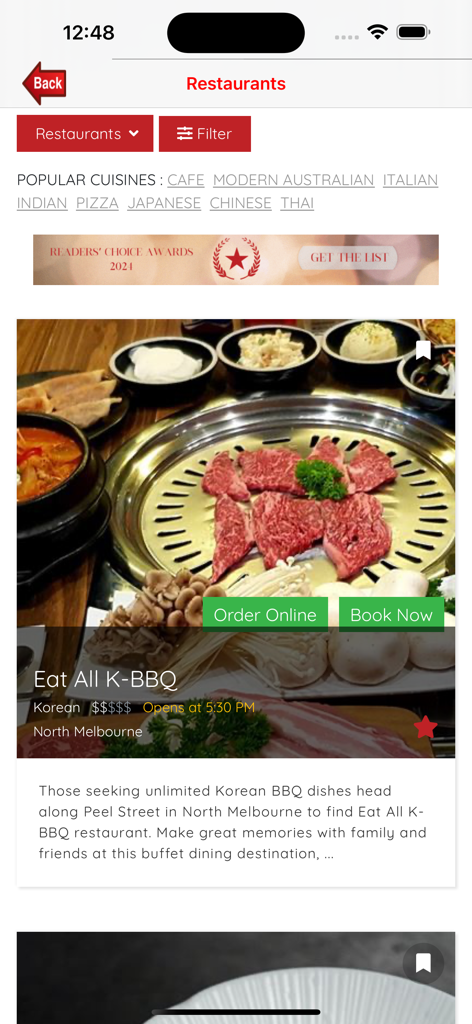
노스 멜버른의 한국식 바비큐 식당 목록을 보여주는 멜버른 여행 앱 스크린샷.
세계에서 가장 살기 좋은 도시를 마스터하세요
이 앱을 돋보이게 하는 도구, 22K+ 명의 사용자가 선택.
📍
스마트 근접성 계획
호텔을 입력하면 200곳의 상징적인 명소까지의 거리를 즉시 시각화할 수 있습니다. 색상으로 구분된 지도는 내비게이션 스트레스를 제거하여 바로 근처에 무엇이 있는지 정확히 보여줍니다.
🏛️
엄선된 문화 컬렉션
200곳의 엄선된 목적지로 선택의 고민을 덜어줍니다. 박물관, 갤러리, 정원에 대한 입장료, 운영 시간 및 전문가 요약을 즉시 이용할 수 있습니다.
✉️
개인 디지털 엽서
집에 있는 사랑하는 사람들과 여정을 공유하세요. 여행 사진을 개인 맞춤형 디지털 엽서로 변환하여 앱에서 직접 보내 친구들과 연결을 유지하세요.
앱 소개
에 대해 알아야 할 모든 것 Melbourne..
설명
Melbourne is the capital and most populous city in the state of Victoria, Australia. The city centre is the hub of the greater metropolitan area. Often referred to as the "Garden City" and "cultural capital of Australia", Melbourne was ranked as the world's most liveable city.
Most visitors base themselves in the city centre, the buzzing commercial heart of Melbourne that's also home to museums, theatres, restaurants, bars and shops. The city's grid layout makes Melbourne an easy city to navigate, and almost everything is within walking distance - if it's not, simply hop aboard a train, tram or bus.
This app is designed specifically to assist visitors navigate around interesting sights within Melbourne city and its surrounds as well as places of interest around Victoria. There are 200 sights included in the app with purple pin-drops showing their locations on the map. Once your hotel details are entered, you can easily find what interesting sights are around the hotel you're staying through the map pin-drops. The app also allows you to check the weather conditions, send postcards to family and friends, enter your hotel information by keying in the address or obtain from your contacts, visitor information, modes of transport, and restaurants in Melbourne.
As this app accesses the internet, an internet connection is required for the app to work.
Features:
Map - The map is mainly centred around Melbourne and its suburbs. It uses four coloured pin-drops. Purple pins shows all 200 sights within Melbourne and around Victoria. Red pins shows the location of hotels you've entered, green pins shows the locations that you wish to find, and the blue pin shows your current location. When you are in Australia, the 'Locate' button will pin-point your current location with a blue pin-drop. There is also a 'Find' button that allows you to find an address or place that you've entered and this location is shown with a green pin-drop.
Sights - All 200 sights are listed. When you select a sight, a summary of the sight will be displayed including the address, opening times and entrance fees. You have the option to mark the site as visited or give a rating for the site. You can also visit its website or display its location on a map.
Hotels - You can enter the name and address of a hotel or get one from your Contacts. When you press the 'Save' button, the hotel will be shown on the map. This will provide an indication of how far the sights are from your chosen hotel address. More than one hotel addresses may be entered. You can then go back to the Map section to see the locations (shown by red pin-drops) of these hotels. You can also save the hotel details to your contacts.
Weather - This website shows the 7-day forecast on the current weather conditions in Melbourne.
Postcard - You can send a postcard to your loved ones or friends with an attached photo of the sight you're visiting. Select the 'Sight' photo to send, enter the email address, type your email message, press either 'Send', 'Cancel', 'Delete Draft' or 'Save Draft'.
Transport - This takes you to the Public Victoria Transport website where you can obtain information on buses/trains/trams timetables, fares and tickets, journey planner, using public transport, etc.
Places - Shows the nearest location of places like restaurants, supermarket, banks, medical centres, etc. on the map based on your current location. It also shows driving direction or walk direction on the map between your current location and the selected place.
Directions - This takes you to a website where you can obtain directions (by car, bus, walk, or cycle) to where you want to go. It will initially show your current location.
Visitor Information - Obtain information on events, things to see and do, shops, food, etc.
Restaurants - Find restaurants by cuisine, speciality, region, suburb, map, etc. It will also display ten of Melbourne's best restaurants.
최신 버전
1.0.41
크기
86.7 MB
출시일
2013년 10월 23일
정원 도시를 위한 당신의 개인 가이드가 기다립니다
자신 있게 멜버른을 경험하세요. 최고의 레스토랑부터 원활한 트램 내비게이션까지, 완벽한 호주 여행에 필요한 모든 것이 탭 한 번으로 가능합니다.
App information, icons, screenshots, and descriptions displayed on this page are sourced from the Apple App Store and are the property of their respective developers. Download estimates and rankings are based on MWM's proprietary models and may not reflect actual figures. This page is provided for informational and analytical purposes only.
Believe this page infringes your intellectual property? File a dispute