Metronome - Beats Tempo Tap

Metronome - Beats Tempo Tap

다운로드: App Store
로고: Metronome - Beats Tempo Tap

메트로놈 - 박자 템포 탭: 전문적인 정밀도로 리듬을 마스터하세요

진지한 음악가를 위한 궁극의 타이밍 도구입니다. 드러머, 기타리스트 또는 피아니스트이든 관계없이 완벽한 BPM 정확도, 클래식 아날로그 인터페이스 및 연습의 모든 비트를 느낄 수 있는 햅틱 진동을 즐기십시오.

다운로드: App Store

개발사

Ratchanee Noparat

카테고리

Music

다운로드

29K+

사용자 평점

4.3/5

총 평가 수

100

지원 언어

1

모든 비트의 정밀도

이 인터페이스를 사용하는 29K+ 명의 사용자.

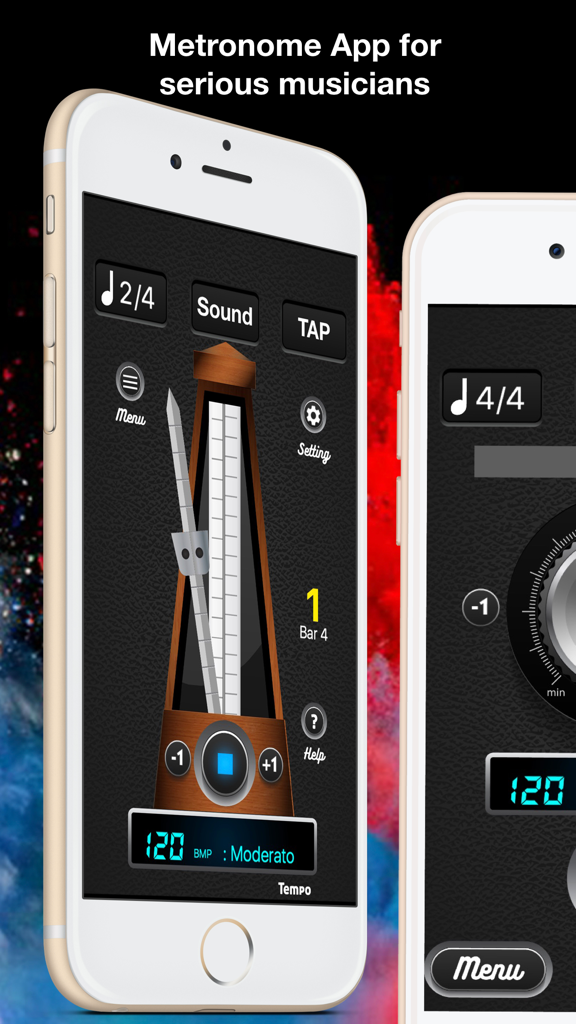
음악가를 위한 아날로그 및 디지털 인터페이스를 보여주는 메트로놈 앱

음악가를 위한 아날로그 및 디지털 인터페이스를 보여주는 메트로놈 앱

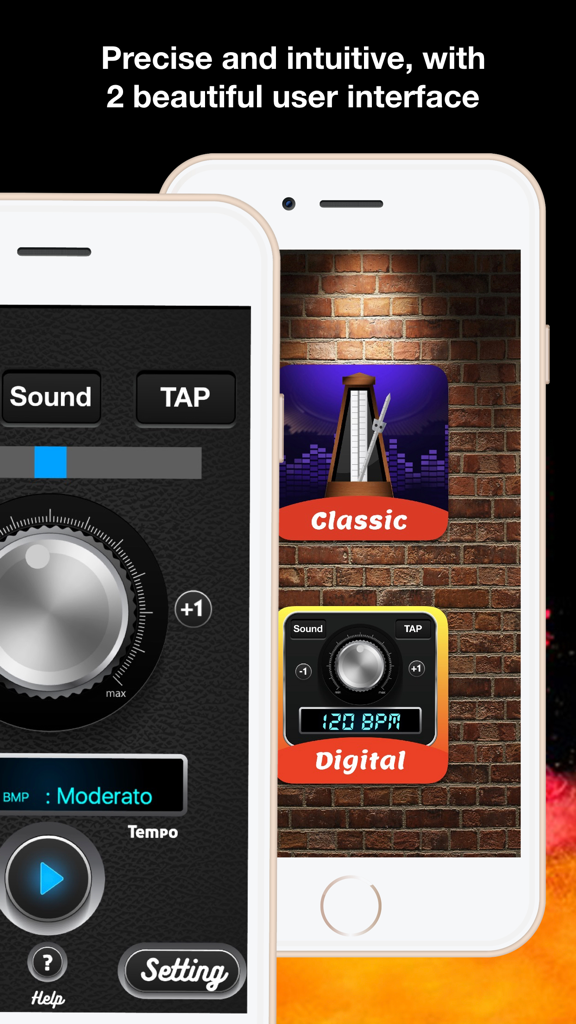
iPhone 화면에서 클래식 아날로그 및 최신 디지털 메트로놈 사용자 인터페이스 비교

iPhone 화면에서 클래식 아날로그 및 최신 디지털 메트로놈 사용자 인터페이스 비교

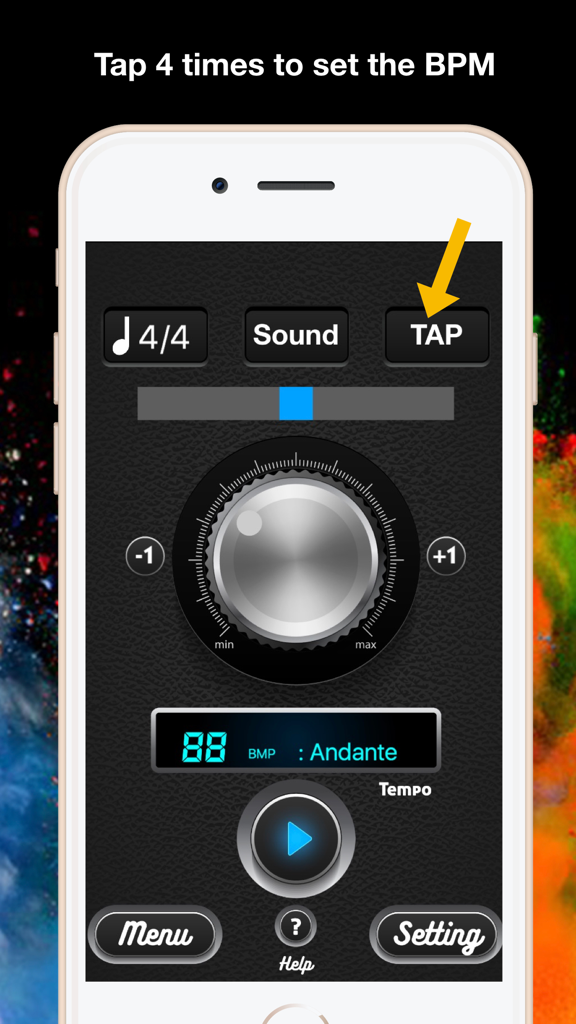
BPM 템포를 설정하기 위해 탭하는 방법을 보여주는 메트로놈 앱 인터페이스

BPM 템포를 설정하기 위해 탭하는 방법을 보여주는 메트로놈 앱 인터페이스

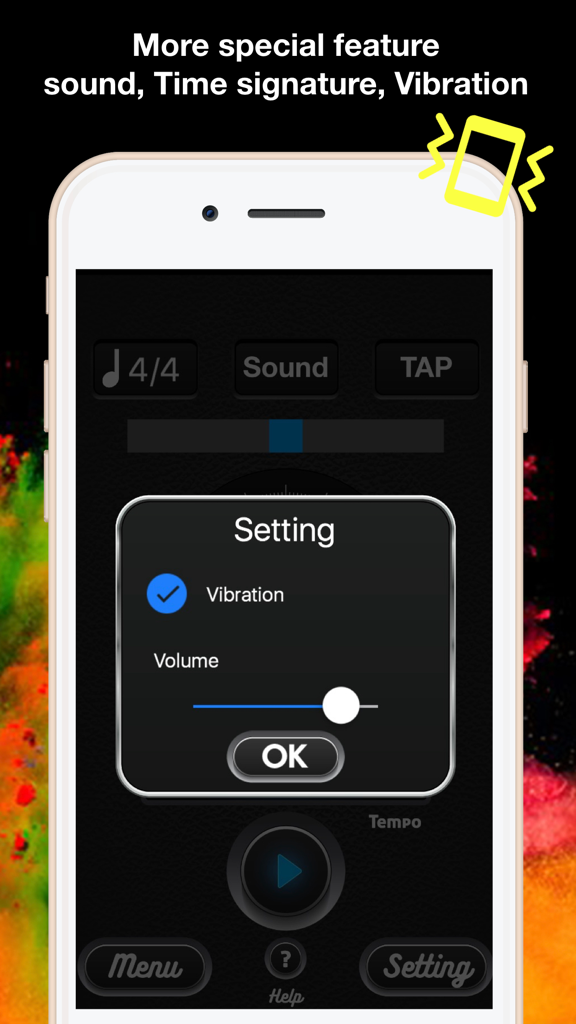
진동 및 볼륨 설정 메뉴를 보여주는 메트로놈 앱 인터페이스

진동 및 볼륨 설정 메뉴를 보여주는 메트로놈 앱 인터페이스

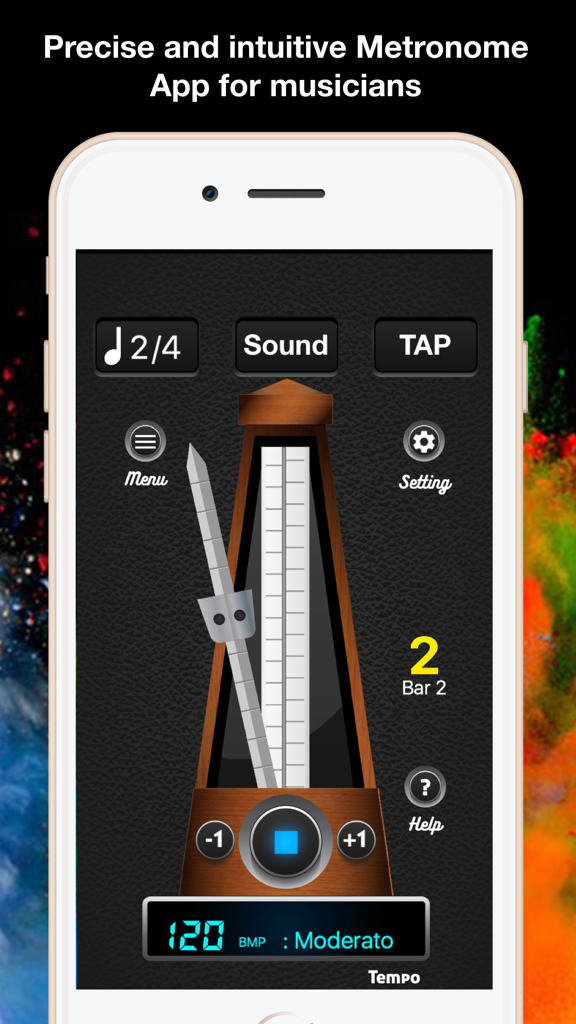
디지털 템포 120 BPM이 있는 클래식 아날로그 진자를 보여주는 메트로놈 앱

디지털 템포 120 BPM이 있는 클래식 아날로그 진자를 보여주는 메트로놈 앱

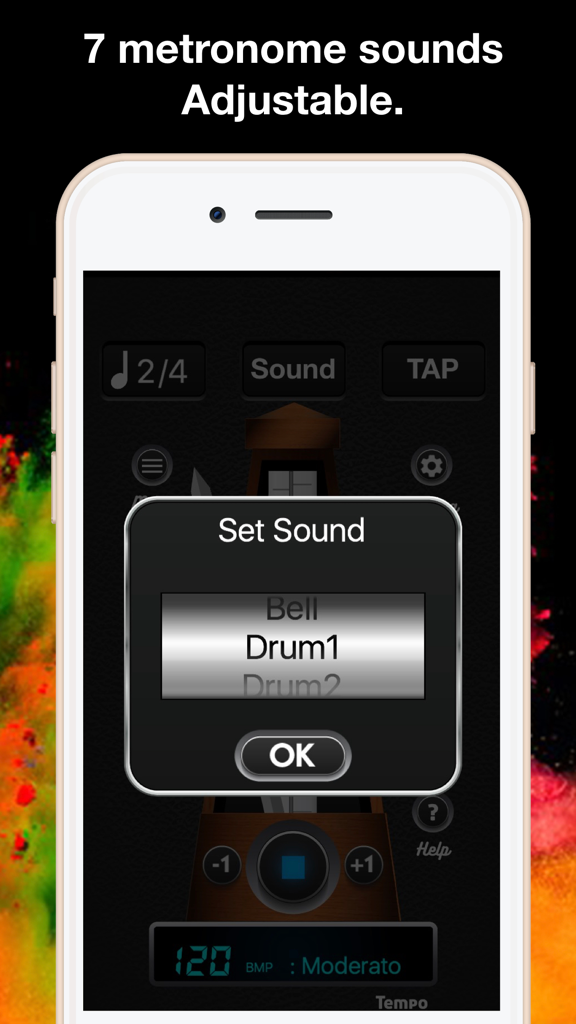
벨, 드럼과 같은 옵션이 있는 사운드 선택 메뉴를 보여주는 메트로놈 앱 인터페이스

벨, 드럼과 같은 옵션이 있는 사운드 선택 메뉴를 보여주는 메트로놈 앱 인터페이스

진지한 음악가를 위해 설계됨

이 앱을 돋보이게 하는 도구, 29K+ 명의 사용자가 선택.

⏱️

듀얼 인터페이스 정밀도

현대적인 효율성을 위한 세련된 디지털 튜너와 전통적인 메트로놈을 연상시키는 사실적인 시각적 흐름을 위한 클래식 아날로그 진자 사이를 전환하세요.

📳

강력한 촉각 피드백

리듬을 유지하기 위해 비트를 느껴야 하는 드러머 및 음악가에게 필수적인 진동 모드를 사용하여 가장 큰 환경에서도 동기화를 유지하세요.

👆

즉각적인 탭 투 템포

네 번 탭하여 모든 트랙의 BPM을 즉시 찾은 다음, 7가지 전문 사운드 프로필과 정밀한 +/- 1 컨트롤로 나만의 스타일을 미세 조정하세요.

앱 소개

에 대해 알아야 할 모든 것 Metronome - Beats Tempo Tap.

설명

Metronome - Beats Tempo Tap is a powerful tool that helps musician who needs a metronome for practice, daily exercise. It's a perfect app for drummers, guitarists and pianists. ** Design for serious musicians ** Even if you play guitar, Drums, Violin, or any other instrument. You need a reliable device that accurately presents the tempo for each played song? and also you want to have full control tempo over your song? This Metronome App can help you! Our metronome app will become a close friend of every musician who needs a metronome for daily exercise. It's a perfect app for drummers, guitarists and pianists. Also dancing and many other activities. Metronome - Beats Tempo Tap have 2 user interface for you 1. Digital Metronome: for simple using. 2. Classic analog metronome: for classic look and realistic pendulum motion. ** How to use. ** that's simple and convenient to use. Set the tempo, 1. using the weight which is located at the pendulum in classic analog metronome screen, rotate tempo tuner in digital metronome screen. 2. For greater precision in the selection of the tempo, there are "+1" and "-1" buttons. 3. Adjust music time signature 4. Adjust to other sound of metronome by you want by tap "sound" button. 5. Open vibration if you want to feel the beats by tap "setting" button. 6. To start or to stop the beats, simply tap on play/stop button. 7. For Set of find beats per minute, tab on "tab" button 4 times. Features - Precise and intuitive, beautiful user interface. - 7 metronome sounds included: classic metronome, Hi Hat, Clap, Cowbell, Bell, Drum1, Drum2. - Adjustable volume. - Adjustable ON/OFF vibration.(for playing loud instruments or when you need to FEEL the beats) - Tempo tuning from 20 to 240 BPM (Beats Per Minute). - Adjustable Tempo, time signature (T.S.) - Tap 4 times to set the BPM. - Displays the Tempo number (BPM) and show terms name. - Universal app – supported on phones and tablets. By using Metronome - Beats Tempo Tap, you'll be closer to be perfect musician in soon.

최신 버전

1.01

크기

26.2 MB

출시일

2018년 8월 1일

리듬을 완벽하게 만들 준비가 되셨나요?

수천 명의 진지한 음악가들과 함께 iPhone 또는 iPad에서 전문적인 정밀도와 촉각 피드백으로 일상 연습을 한 단계 더 끌어올리세요.

다운로드: App Store

App information, icons, screenshots, and descriptions displayed on this page are sourced from the Apple App Store and are the property of their respective developers. Download estimates and rankings are based on MWM's proprietary models and may not reflect actual figures. This page is provided for informational and analytical purposes only.

Believe this page infringes your intellectual property? File a dispute