MOA RangeR

MOA RangeR

다운로드: App Store
로고: MOA RangeR

MOA RangeR: 현대 사수를 위한 정밀 그룹 분석

캘리퍼스와 수동 계산은 이제 그만. 사격 애호가들이 기술적인 사격을 위해 만든 빠르고 개인 정보를 우선하는 도구로 모든 표적 사진에서 즉각적이고 높은 정확도의 MOA 결과를 얻으세요.

다운로드: App Store

개발사

ARKADIUSZ PATRYK ŁAPAJSKI

카테고리

Sports

다운로드

4K+

사용자 평점

5.0/5

총 평가 수

0

지원 언어

7

정밀도를 선명하게

이 인터페이스를 사용하는 4K+ 명의 사용자.

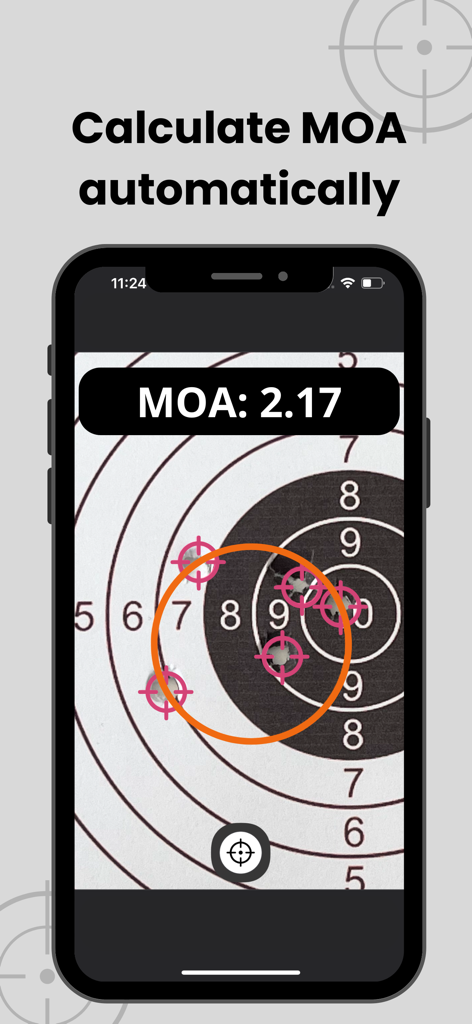
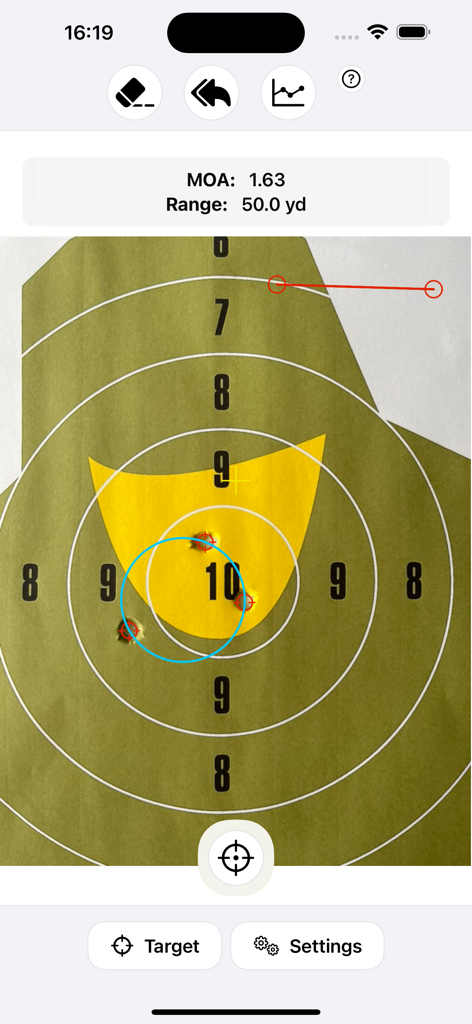
총알 구멍이 있는 사격 표적에서 자동 MOA 계산을 표시하는 MOA RangeR 앱

총알 구멍이 있는 사격 표적에서 자동 MOA 계산을 표시하는 MOA RangeR 앱

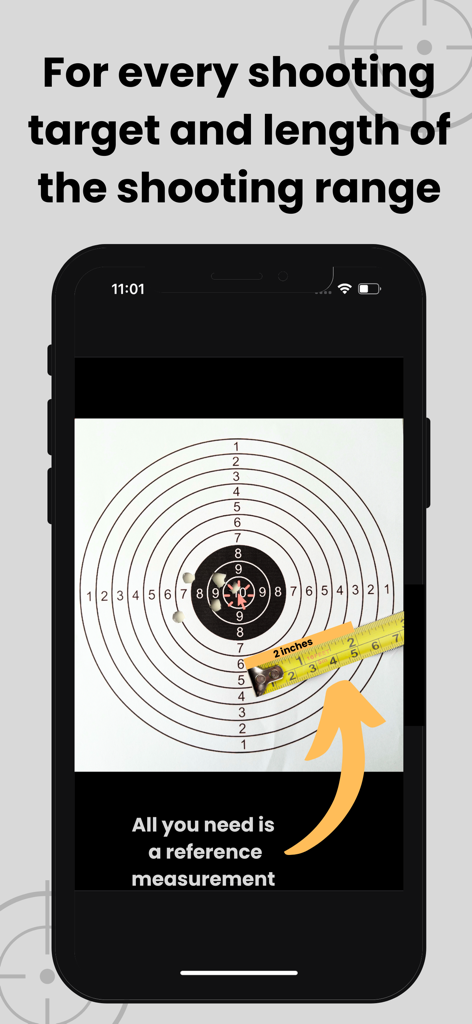
줄자를 사용하여 참조 측정을 사용하여 표적 보정을 보여주는 MOA RangeR 앱 스크린샷

줄자를 사용하여 참조 측정을 사용하여 표적 보정을 보여주는 MOA RangeR 앱 스크린샷

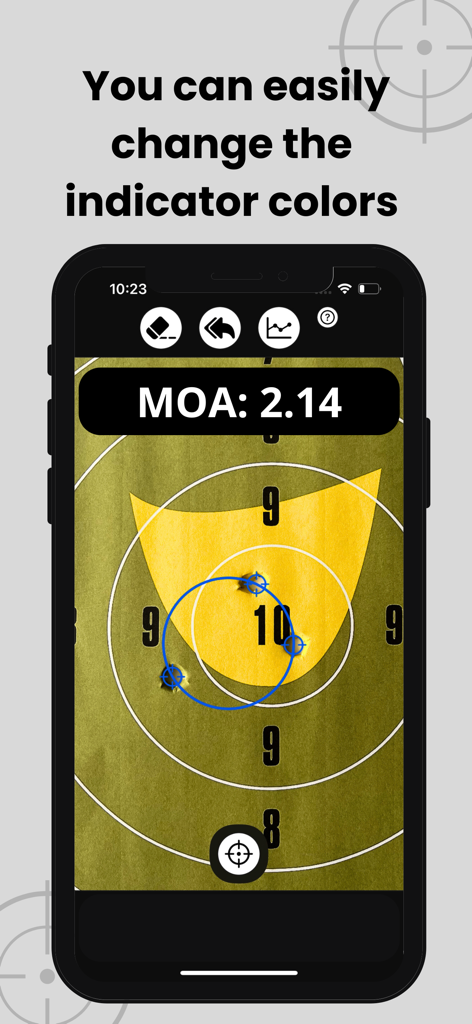
계산된 2.14 MOA와 함께 표적의 사격 그룹을 보여주는 MOA RangeR 앱 인터페이스

계산된 2.14 MOA와 함께 표적의 사격 그룹을 보여주는 MOA RangeR 앱 인터페이스

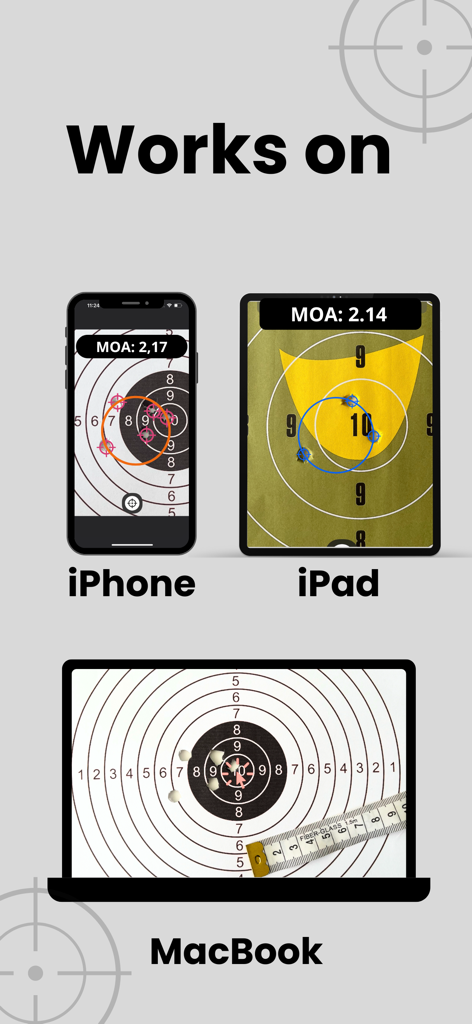
iPhone, iPad 및 MacBook 화면에 표시되는 MOA RangeR 앱 인터페이스

iPhone, iPad 및 MacBook 화면에 표시되는 MOA RangeR 앱 인터페이스

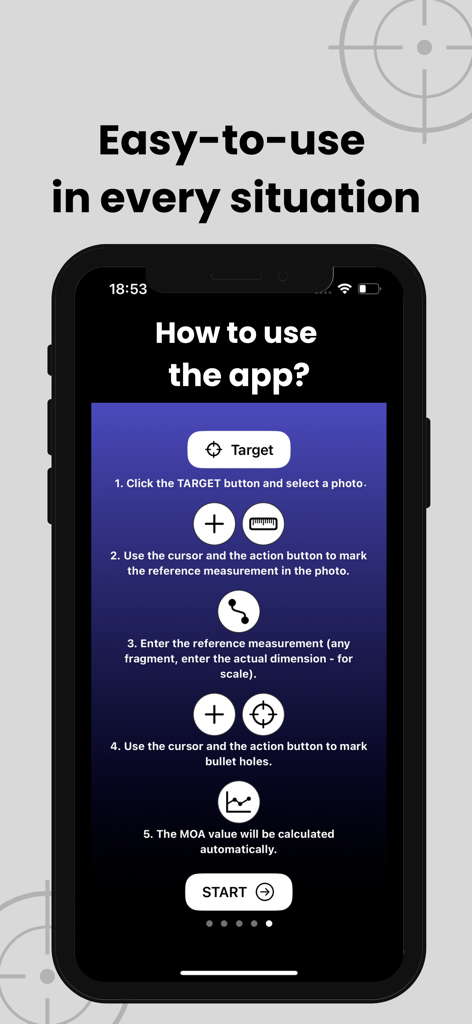
MOA RangeR 앱을 사용하여 MOA 사격 정밀도를 계산하는 5단계 과정을 보여주는 화면

MOA RangeR 앱을 사용하여 MOA 사격 정밀도를 계산하는 5단계 과정을 보여주는 화면

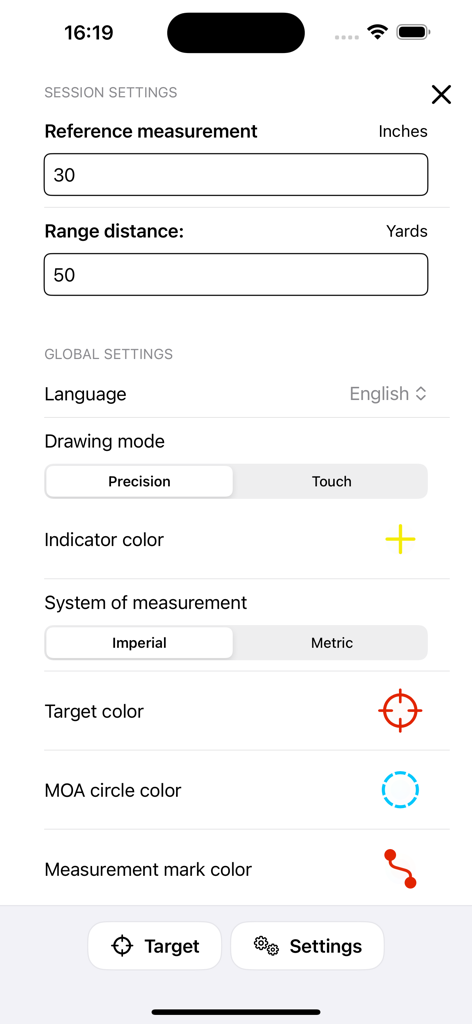
탄도 측정 및 사격 세션 매개변수 구성을 위한 MOA RangeR 앱의 설정 인터페이스

탄도 측정 및 사격 세션 매개변수 구성을 위한 MOA RangeR 앱의 설정 인터페이스

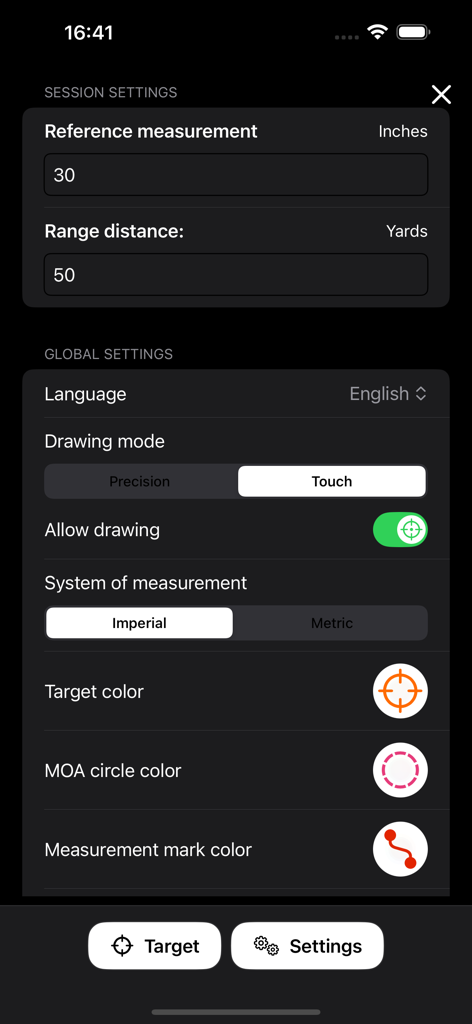
사격 측정 구성 옵션을 보여주는 MOA RangeR 앱의 설정 화면

사격 측정 구성 옵션을 보여주는 MOA RangeR 앱의 설정 화면

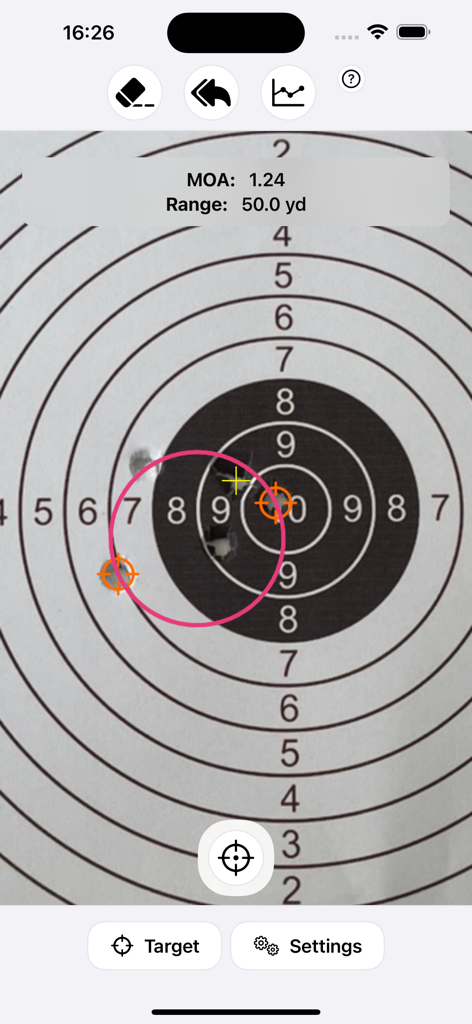
50야드 거리의 종이 표적에 계산된 1.24 MOA(Minute of Angle) 값을 보여주는 MOA RangeR 앱 스크린샷

50야드 거리의 종이 표적에 계산된 1.24 MOA(Minute of Angle) 값을 보여주는 MOA RangeR 앱 스크린샷

MOA RangeR 앱에서 사격 표적의 총알 구멍 MOA 계산

MOA RangeR 앱에서 사격 표적의 총알 구멍 MOA 계산

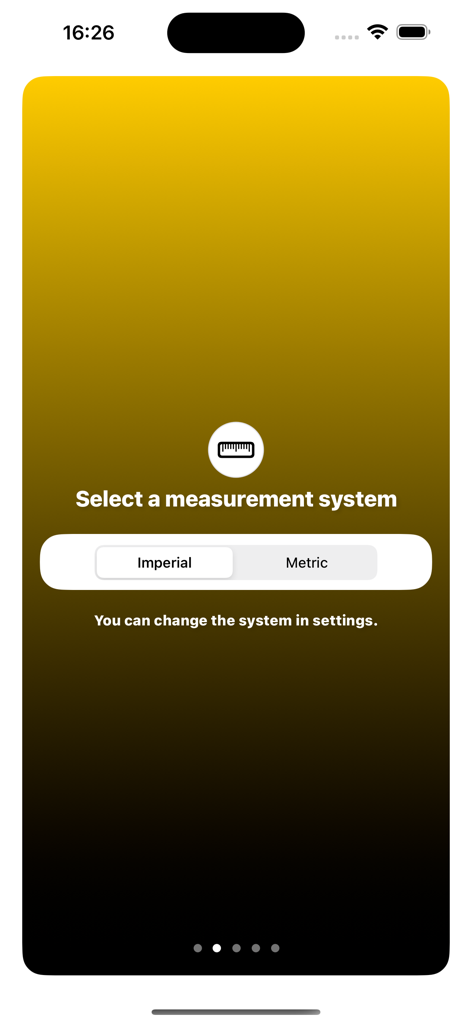
MOA RangeR 앱의 임페리얼 또는 미터법 측정 시스템 선택 화면

MOA RangeR 앱의 임페리얼 또는 미터법 측정 시스템 선택 화면

정밀도를 마스터하세요

이 앱을 돋보이게 하는 도구, 4K+ 명의 사용자가 선택.

🎯

인스턴트 MOA 계산

소수점 둘째 자리까지 정밀한 결과를 얻으세요. 더 이상 수동 계산이나 물리적 캘리퍼스가 필요 없습니다. 사진을 찍으면 그룹 크기를 즉시 확인할 수 있습니다.

📐

범용 참조 스케일링

표적의 모든 참조 지점을 사용하여 측정을 보정하세요. 모든 거리, 모든 크기의 표적에 대해 미터법 및 야드법 단위 모두에서 작동합니다.

🛡️

완전한 개인 정보 보호

당신의 데이터는 당신의 것입니다. 개인 정보는 전혀 수집하지 않으며 계정도 필요하지 않습니다. 따라서 당신의 사격 기록은 100% 비공개로 안전하게 유지됩니다.

앱 소개

에 대해 알아야 할 모든 것 MOA RangeR.

설명

Want to improve your accuracy? Calculate MOA for your shots and monitor your shooting results. Shoot better and better groups. The MOA RangeR application will calculate the minute of angle (MOA) for your shots – based on the photo of the bullet holes. How does it work? 1. Select the measurement system (metric or imperial). 2. Upload a picture of the target with bullet holes or take a photo directly in the application. 3. Measure the point of reference on the target (any fragment, enter the actual dimension for scale). 4. Set the range distance (your distance to the target). 5. Select the bullet holes you want to check and mark them. 6. The MOA value will be calculated automatically. The ballistic calculator works on any shooting range length and any target size – just enter the size of the reference. This is a simple and quick way to automatically measure MOA. You can choose from 2 drawing modes: > precision (default) – you set parameters using the arrow and button, > touch (experimental) – you set parameters using gestures. Additionally, you can easily select and change the indicator colors so that they are always visible (regardless of the shooting target color). With the MOA RangeR calculator, you will: — know the MOA with an accuracy of 2 decimal places, — save time on calculating MOA yourself, — know your shooting precision, — check and improve your shooting skills. This grouping app will be updated with new functionalities – in the future, there will be features such as: > average hit point, > multiple groups, > rifle scope zeroing assistant, > sharing photos (e.g., on social media), > saving photos, > statistics with a list of previous MOA results. For your comfort, the app does not collect any data. No more manual MOA calculations! Check your group size easily. Choose a calculator created by a shooting sport enthusiast – for shooters who like practical solutions, e.g. precision rifle shooters.

최신 버전

1.4.0

크기

1.6 MB

출시일

2024년 6월 6일

개인 최고 기록을 경신할 준비가 되셨나요?

인스턴트, 서브-MOA 그룹 분석을 위해 MOA RangeR를 신뢰하는 수천 명의 정밀 사격수들과 함께하세요. 수동 계산, 데이터 추적 없이 필요한 기술적 정밀도로 사격 기술을 마스터하세요.

다운로드: App Store

App information, icons, screenshots, and descriptions displayed on this page are sourced from the Apple App Store and are the property of their respective developers. Download estimates and rankings are based on MWM's proprietary models and may not reflect actual figures. This page is provided for informational and analytical purposes only.

Believe this page infringes your intellectual property? File a dispute