Mobile Banking UniCredit

Mobile Banking UniCredit


다운로드: App Store다운로드: Google Play
로고: Mobile Banking UniCredit

유니크레디트 모바일 뱅킹: 이탈리아로 가는 안전한 금융 다리

스마트폰으로 이탈리아 계좌를 손쉽게 관리하고, F24 및 PagoPA와 같은 세금을 납부하며, 국제 송금을 은행 수준의 보안으로 처리하세요. 전 세계 어디에 있든 가능합니다.

개발사

UniCredit S.p.a.

카테고리

Finance

다운로드

2M+

사용자 평점

4.6/5

총 평가 수

600K+

지원 언어

2

금융 자유의 엿보기

이 인터페이스를 사용하는 2M+ 명의 사용자.

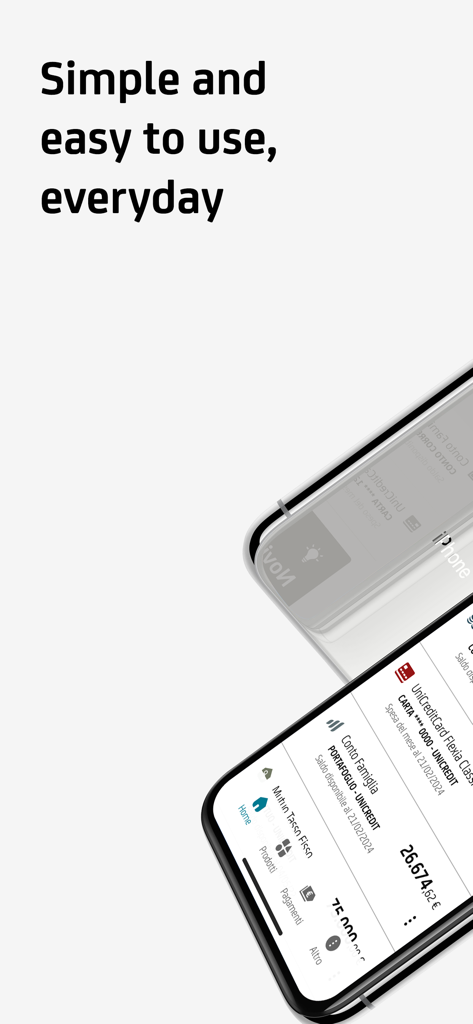
유니크레디트 모바일 뱅킹 앱 인터페이스, 스마트폰에서 계좌 잔액 및 카드 관리 표시

유니크레디트 모바일 뱅킹 앱 인터페이스, 스마트폰에서 계좌 잔액 및 카드 관리 표시

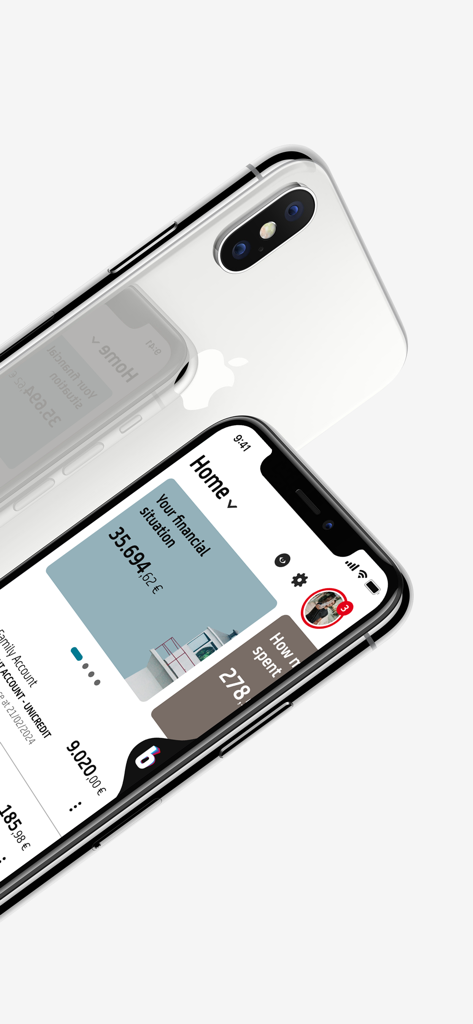
유니크레디트 모바일 뱅킹 앱 홈 화면, 두 대의 아이폰에서 금융 개요 및 계좌 잔액 표시

유니크레디트 모바일 뱅킹 앱 홈 화면, 두 대의 아이폰에서 금융 개요 및 계좌 잔액 표시

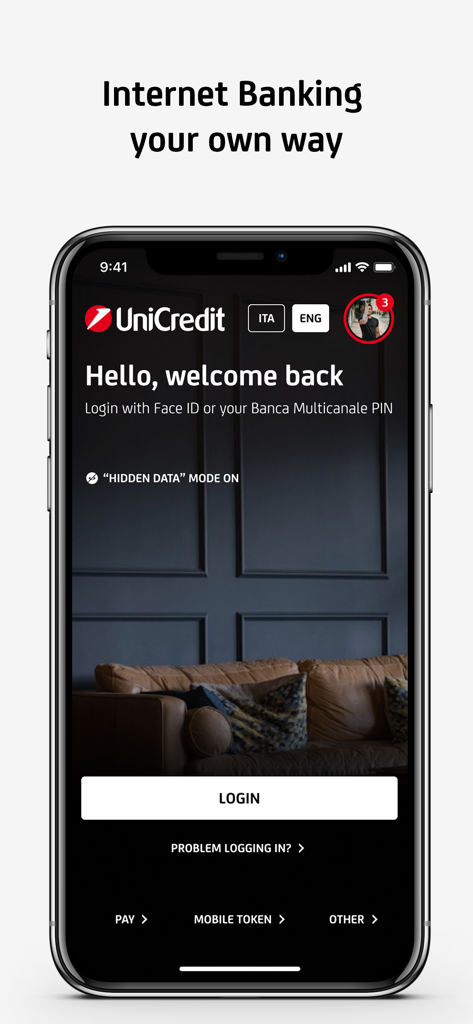
유니크레디트 모바일 뱅킹 앱 로그인 화면, 환영 메시지 및 Face ID 인증 옵션 표시

유니크레디트 모바일 뱅킹 앱 로그인 화면, 환영 메시지 및 Face ID 인증 옵션 표시

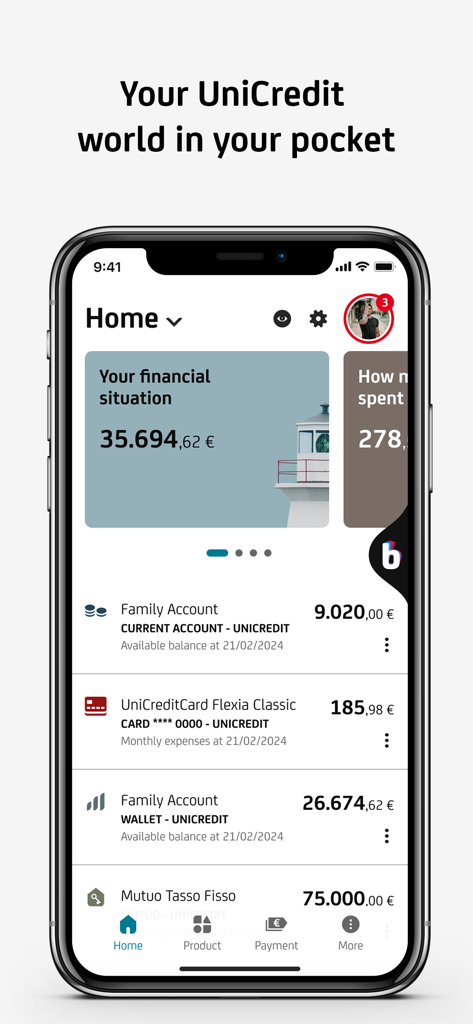
유니크레디트 모바일 뱅킹 앱 홈 화면, 계좌 잔액 및 금융 개요 표시

유니크레디트 모바일 뱅킹 앱 홈 화면, 계좌 잔액 및 금융 개요 표시

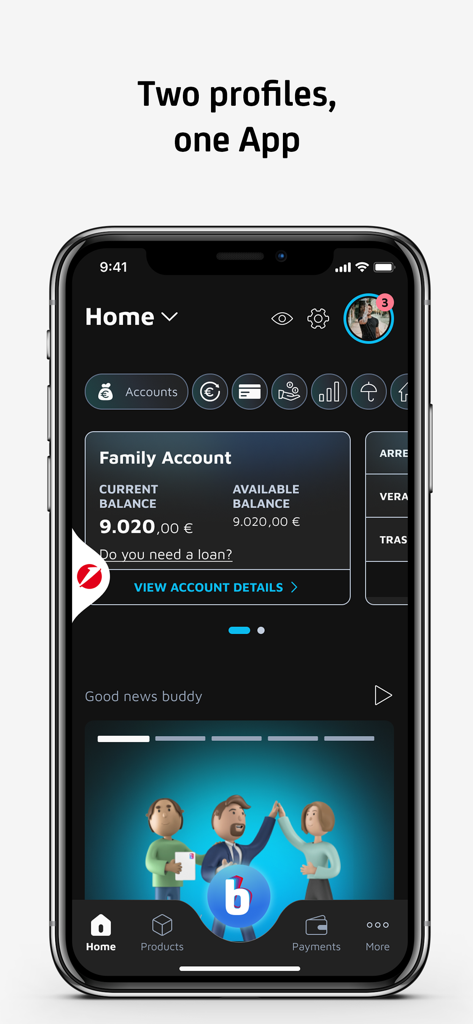
유니크레디트 모바일 뱅킹 앱 홈 화면, 계좌 잔액 및 듀얼 프로필 기능 표시

유니크레디트 모바일 뱅킹 앱 홈 화면, 계좌 잔액 및 듀얼 프로필 기능 표시

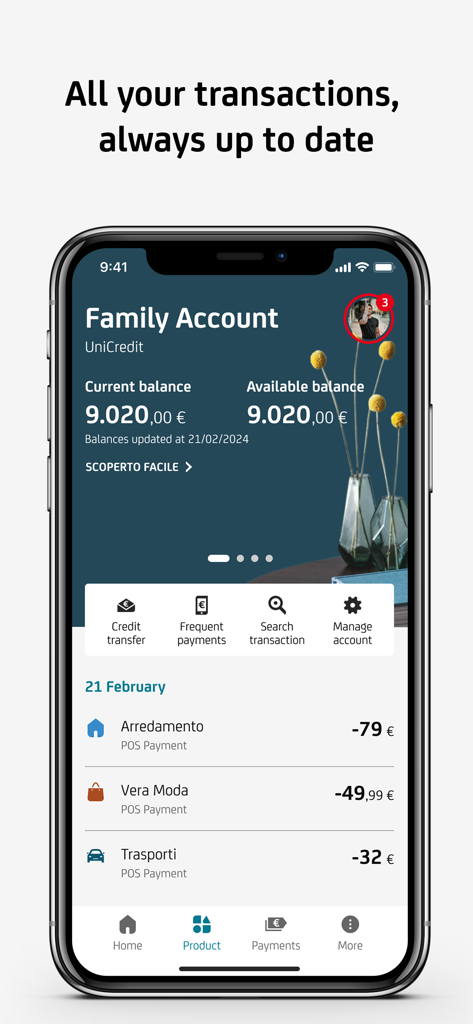
유니크레디트 모바일 뱅킹 앱 화면, 가족 계좌 잔액 및 최근 거래 목록 표시

유니크레디트 모바일 뱅킹 앱 화면, 가족 계좌 잔액 및 최근 거래 목록 표시

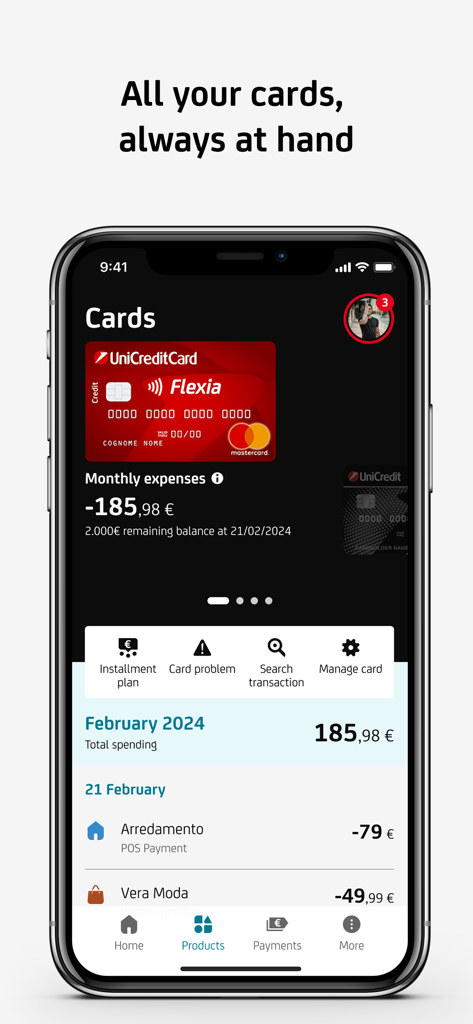
유니크레디트 모바일 뱅킹 앱 인터페이스, 신용 카드 세부 정보 및 거래 내역 표시

유니크레디트 모바일 뱅킹 앱 인터페이스, 신용 카드 세부 정보 및 거래 내역 표시

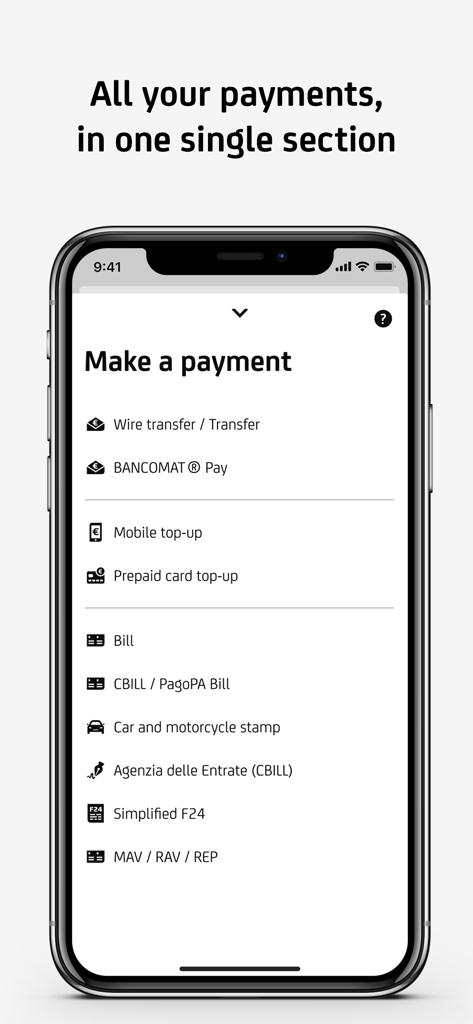
유니크레디트 모바일 뱅킹 앱 인터페이스, 송금 및 이탈리아 세금 납부와 같은 결제 옵션 표시

유니크레디트 모바일 뱅킹 앱 인터페이스, 송금 및 이탈리아 세금 납부와 같은 결제 옵션 표시

유럽으로 가는 당신의 금융 다리

이 앱을 돋보이게 하는 도구, 2M+ 명의 사용자가 선택.

🌍

글로벌 결제 및 송금

SEPA 송금을 보내고 F24, PagoPA, CBILL과 같은 이탈리아 특정 납부 의무를 스마트폰에서 직접 해결하세요.

🛡️

첨단 생체 인식 보안

FaceID, TouchID 및 통합 모바일 토큰 기술을 사용하여 안전하게 자금에 액세스하고 국제 거래를 승인하세요.

📊

총체적인 금융 감독

개인 금융 관리자와 스마트 예산 도구를 사용하여 투자, 주택 담보 대출 및 지출을 실시간으로 모니터링하세요.

앱 소개

에 대해 알아야 할 모든 것 Mobile Banking UniCredit.

설명

With the UniCredit Mobile Banking App and your smartphone, making transactions is easy, fast and secure. To use the App you must have a UniCredit current account and/or a rechargeable card with IBAN, sign up for the Banca Multicanale Service, download and activate the App. You can activate the App: - by Smartphone: press "Activate", enter your Banca Multicanale Codice di Adesione and PIN and press proceed. - by Banca via Internet: enter your Codice di adesione and PIN, then a one-time password generated by your device, go to "Settings" > "Mobile" > "Smartphone Application" and press proceed. From the new Home Page you can check the relationships linked to the Multi-Channel Banking Service (current accounts, cards, mortgages and loans, securities portfolio and investments), make transactions and monitor your expenses at your convenience. In the Current Accounts section you view all your current accounts and transactions (also with the 'Search' function), share IBAN details and manage your account. In the Cards section you have control of all your UniCredit cards (Credit, Debit, Rechargeable) and can easily manage all available features. With Personal Fainancial Manager and Budget organize your expenses has never been easier. Go to your personal area to upload a new profile photo, read notices and messages from the Bank, access Online Documents, read help and F.A.Q. pages or contact the Bank by telephone or chat. There is also a dedicated Payments section for: - SEPA transfers, extra SEPA transfers, fund transfers - mobile phone and UniCredit prepaid card top-ups - Simplified F24 - pre-printed postal bills, CBILL/PagoPA, blank slips and MAV, RAV, REP payments Find out how to: - set up cash withdrawals on UniCredit ATMs with Prelievo Smart - find the nearest Branch and/or Automatic Teller Machine (ATM) and the route to reach them - generate one-time passwords with Mobile Token - book an appointment at the branch through the UBook function If your Smartphone features a biometric-based recognition technologies, you can access the App and authorise transactions with these recognition tools. For assistance and information visit www.unicredit.it or call UniCredit Customer Service at the toll-free number 800.57.57 (for customers of UniCredit Private Banking branches: 800.710.710). Not a UniCredit Customer? Call the toll-free number 800.32.32.85 or go to www.unicredit.it With the UniCredit Mobile Banking App you can apply to open a UniCredit account using your Smartphone and even identify yourself with a selfie! The UniCredit current account can be requested from Mobile only by Italian residents who are not already holders of a UniCredit current account, card with IBAN and Banca Multicanale and entail signing contracts for the account, the Banca Multicanale Service and the International Debit Card. With this app you can also access information and services at any time not only at the physical UniCredit Branch, but also at the Buddy Branch. Advertising message for promotional purposes. Info and costs in the information documents in the Transparency section at www.unicredit.it Products and Services sold by UniCredit SpA. Accessibility statement: https://unicredit.it/accessibilita-app

최신 버전

3.68.1

크기

379.9 MB

출시일

2019년 10월 3일

어디에 있든 당신의 이탈리아 은행

2백만 명 이상의 사용자와 함께 계좌, SEPA 송금, 이탈리아 세금을 완벽한 보안으로 관리하세요. 지금 유니크레디트 앱을 다운로드하고 국경 없는 뱅킹을 경험하세요.

다운로드: App Store다운로드: Google Play
FAQ

자주 묻는 질문

에 대해 알아야 할 모든 것 Mobile Banking UniCredit

UniCredit 모바일 뱅킹 앱을 사용하려면 어떤 요구 사항이 있습니까?

예, UniCredit 모바일 뱅킹 앱을 사용하려면 UniCredit 당좌 예금 계좌 및/또는 IBAN이 있는 충전식 카드를 보유해야 하며, Banca Multicanale 서비스에 등록되어 있어야 합니다.

휴대폰에서 UniCredit 모바일 뱅킹 앱을 어떻게 활성화합니까?

스마트폰에서는 Codice di Adesione 및 PIN을 사용하여 UniCredit 모바일 뱅킹 앱을 활성화할 수 있으며, Banca via Internet에서는 '모바일' 섹션의 특정 설정을 통해 활성화할 수 있습니다.

UniCredit 모바일 뱅킹 앱으로 어떤 금융 거래를 할 수 있습니까?

UniCredit 모바일 뱅킹 앱을 사용하면 계좌, 카드, 주택 담보 대출, 대출을 조회하고, 거래를 하고, 지출을 모니터링하고, 스마트폰에서 직접 다양한 결제 유형을 관리할 수 있습니다.

UniCredit 모바일 뱅킹 앱은 생체 인식 로그인 및 거래 승인을 제공합니까?

예, UniCredit 모바일 뱅킹 앱은 Face ID와 같은 생체 인식 기술을 지원하여 앱에 액세스하고 거래를 승인함으로써 보안과 편의성을 향상시킵니다.

UniCredit 모바일 뱅킹 앱으로 어떤 종류의 결제를 할 수 있습니까?

UniCredit 모바일 뱅킹 앱을 사용하면 SEPA 송금, 모바일 및 선불 카드 충전, 간소화된 F24, 우편 요금, CBILL/PagoPA, MAV, RAV, REP 결제를 포함한 다양한 결제를 할 수 있습니다.

UniCredit 모바일 뱅킹 앱을 통해 새로운 UniCredit 계좌를 직접 개설할 수 있습니까?

예, 기존 UniCredit 당좌 예금 계좌 보유자가 아닌 이탈리아 거주자는 UniCredit 모바일 뱅킹 앱을 사용하여 UniCredit 계좌 개설을 신청하고 셀카로 신원을 확인할 수 있습니다.

UniCredit 모바일 뱅킹 앱 내에서 UniCredit 카드를 어떻게 관리합니까?

예, UniCredit 모바일 뱅킹 앱에는 할부 계획과 같은 기능을 포함하여 모든 UniCredit 신용 카드, 직불 카드 및 충전식 카드를 제어하고 관리할 수 있는 전용 '카드' 섹션이 있습니다.

UniCredit 모바일 뱅킹 앱에서 가까운 지점과 ATM을 찾는 데 도움이 됩니까?

예, UniCredit 모바일 뱅킹 앱에는 가장 가까운 UniCredit 지점 및/또는 자동 입출금기(ATM)를 찾는 기능이 포함되어 있으며 이동 경로를 제공합니다.

UniCredit 모바일 뱅킹 앱에 대한 고객 지원은 어떻게 받을 수 있습니까?

수신자 부담 전화 800.57.5757로 전화하거나 www.unicredit.it를 방문하여 UniCredit 고객 서비스에 연락하여 UniCredit 모바일 뱅킹 앱에 대한 지원 및 정보를 받을 수 있습니다.

UniCredit 모바일 뱅킹 앱에 개인 금융 및 예산 관리를 위한 도구가 포함되어 있습니까?

UniCredit 모바일 뱅킹 앱은 사용자가 지출을 정리하고 소비를 효과적으로 모니터링하는 데 도움이 되는 개인 금융 관리자 및 예산 도구를 제공합니다.

App information, icons, screenshots, and descriptions displayed on this page are sourced from the Apple App Store and are the property of their respective developers. Download estimates and rankings are based on MWM's proprietary models and may not reflect actual figures. This page is provided for informational and analytical purposes only.

Believe this page infringes your intellectual property? File a dispute