Mobile IDentification App

Mobile IDentification App


다운로드: App Store
로고: Mobile IDentification App

Mobile IDentification App: 당신의 공식 한국 신분증, 이제 완전한 디지털화

실물 주민등록증과 운전면허증을 iPhone에 안전하게 보관하세요. 국경을 넘나드는 은행 업무 및 공공 서비스에서 암호화 및 생체 인식 보호 기능으로 실물 신분증과 동일한 법적 효력을 경험하세요.

개발사

Ministry of the Interior and Safety

카테고리

Utilities

다운로드

4M+

사용자 평점

2.6/5

총 평가 수

2K+

지원 언어

3

당신의 신원, 디지털화되다

이 인터페이스를 사용하는 4M+ 명의 사용자.

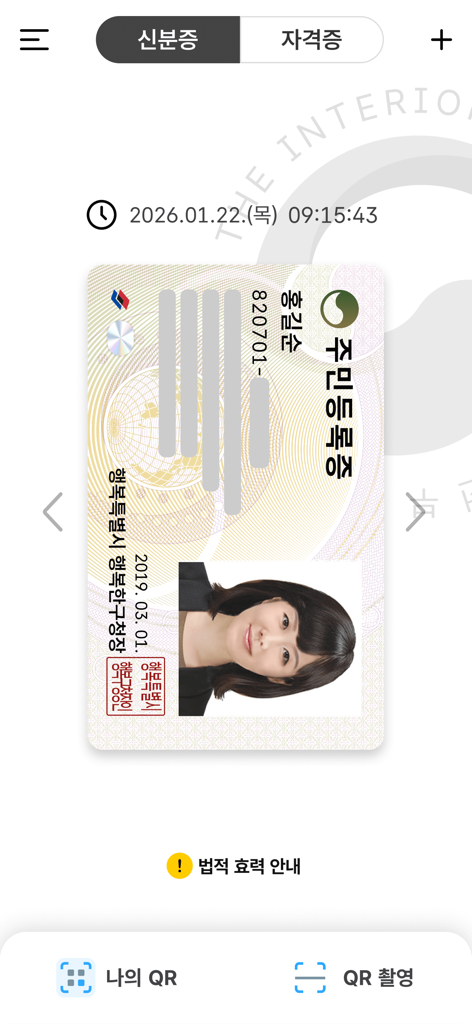
공식 Mobile ID 앱 인터페이스 내에 표시된 디지털 대한민국 주민등록증.

공식 Mobile ID 앱 인터페이스 내에 표시된 디지털 대한민국 주민등록증.

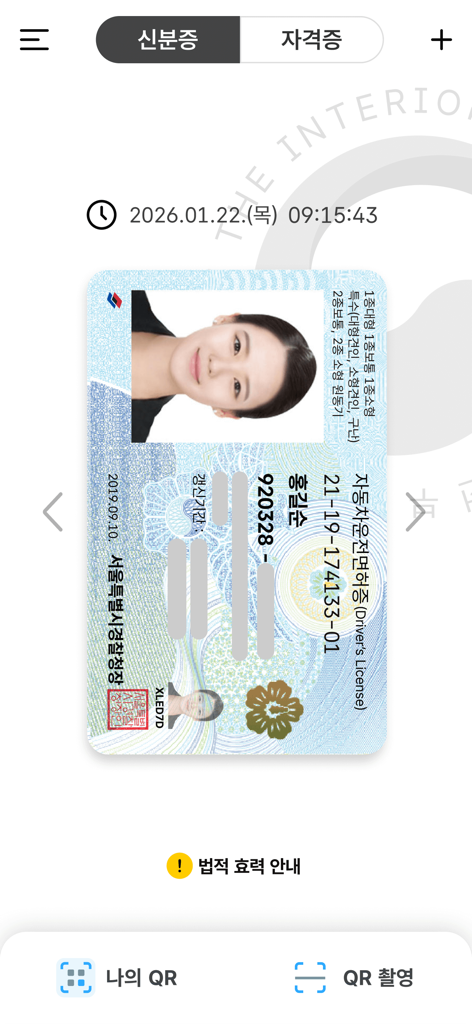
모바일 신분증 앱 내의 디지털 대한민국 운전면허증

모바일 신분증 앱 내의 디지털 대한민국 운전면허증

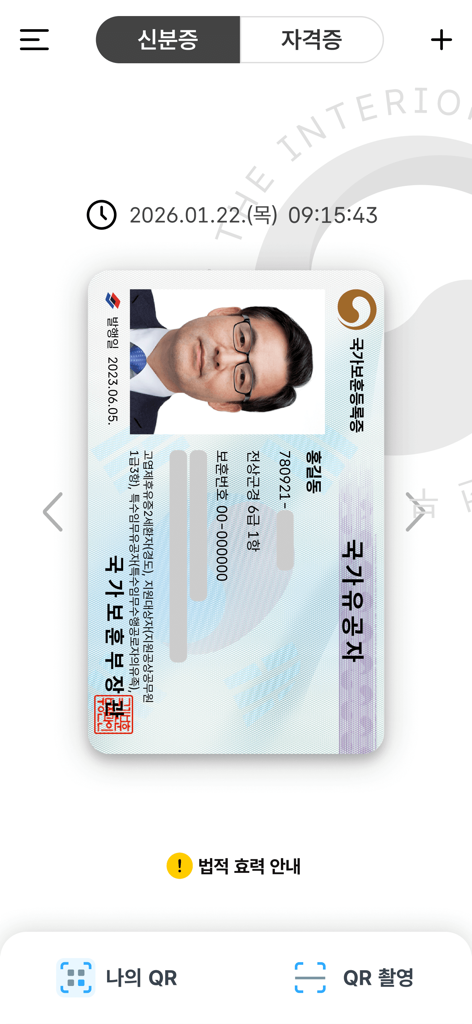
대한민국 Mobile ID 앱 내에 표시된 디지털 국가유공자 등록증

대한민국 Mobile ID 앱 내에 표시된 디지털 국가유공자 등록증

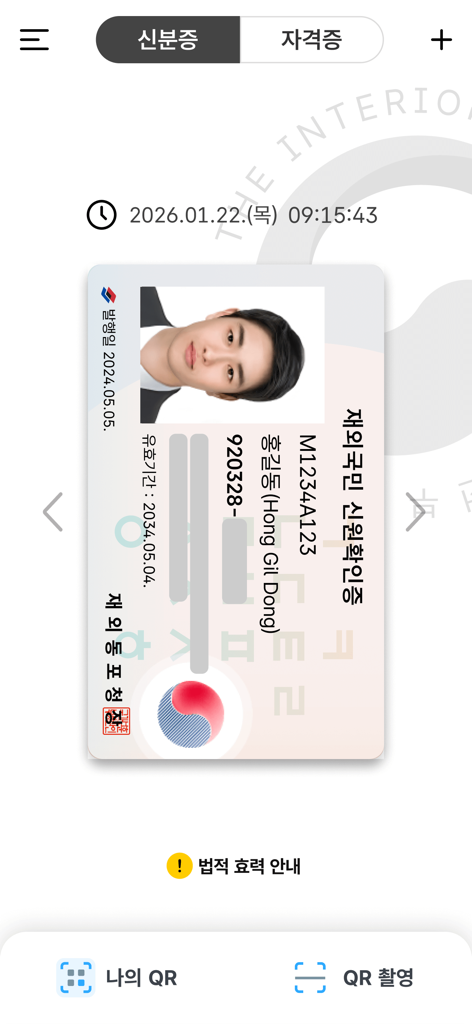
대한민국 Mobile ID 앱에 표시된 해외 거주 한국인을 위한 디지털 신분증

대한민국 Mobile ID 앱에 표시된 해외 거주 한국인을 위한 디지털 신분증

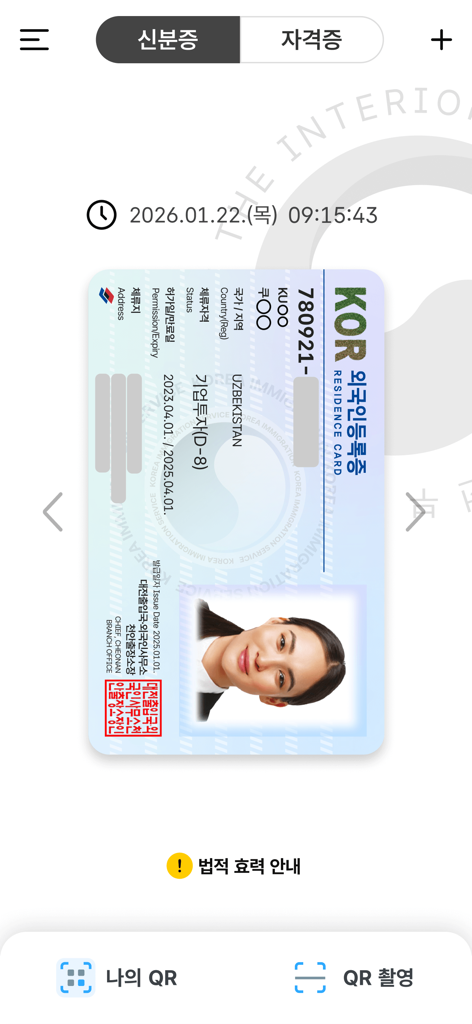
Mobile IDentification 앱 내에 표시된 대한민국 거주증 디지털 버전

Mobile IDentification 앱 내에 표시된 대한민국 거주증 디지털 버전

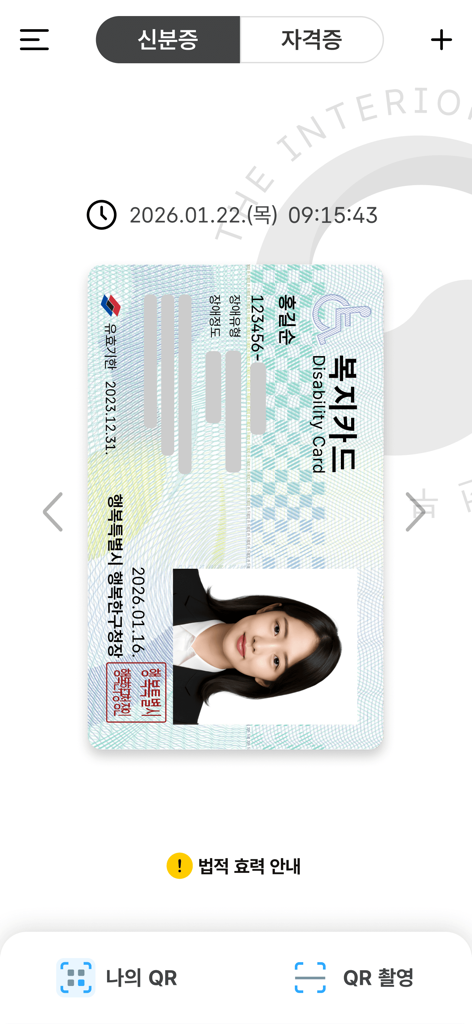
Mobile ID 앱에 표시된 디지털 대한민국 장애인 카드

Mobile ID 앱에 표시된 디지털 대한민국 장애인 카드

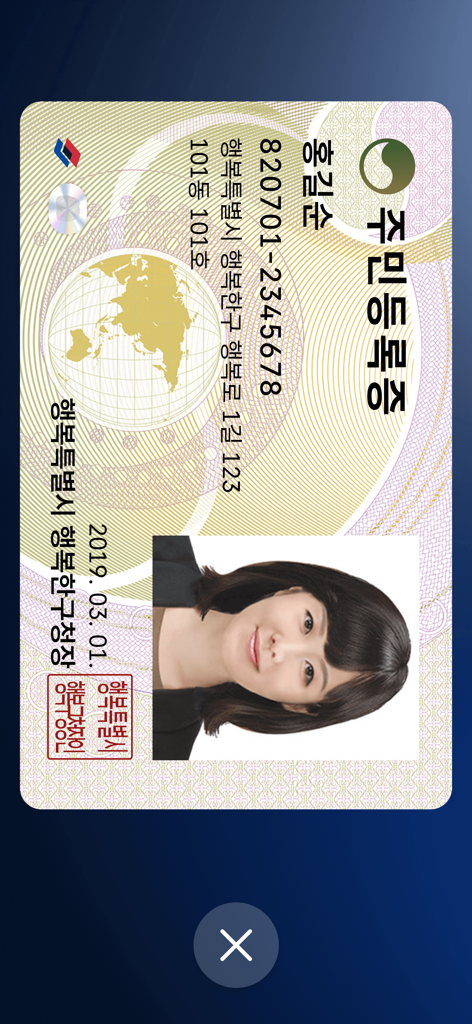
모바일 애플리케이션 내에 표시된 대한민국 주민등록증 디지털 버전

모바일 애플리케이션 내에 표시된 대한민국 주민등록증 디지털 버전

전 세계 어디서든 당신의 신원 안전하게

이 앱을 돋보이게 하는 도구, 4M+ 명의 사용자가 선택.

⚖️

완전한 법적 인정

실물 지갑은 잊으세요. 당신의 모바일 신분증은 은행 업무, 여행 및 공식 정부 서비스에서 실물 카드와 동일한 법적 효력을 가집니다.

🌐

원활한 디지털 인증

한국 앱 및 웹사이트에서 신원 확인의 복잡성을 쉽게 해결하세요. 실물 신분증 없이 미국에서 은행 및 쇼핑 포털에 접속하세요.

🛡️

정부급 보안

당신의 데이터는 기기에 로컬로 암호화되어 저장되며, FaceID 및 생체 인식 인증으로 보호되어 당신의 정보가 절대 잘못된 손에 넘어가지 않도록 보장합니다.

리뷰 분석

사용자 리뷰 인사이트.

감정 점수

17%
부정적

요약

This mobile identity app receives overwhelmingly negative feedback, with users frequently reporting severe issues that render the application unusable. Common complaints include persistent app crashes, unresponsive user interfaces, and endless loops at registration or login, especially related to terms and conditions acceptance. Many users experienced prolonged service outages due to a 'fire incident,' despite official announcements of restoration, and face recognition technology consistently fails during identity verification. While a small number of users acknowledge the app's potential convenience over traditional methods, technical difficulties such as device incompatibility after phone changes or OS updates (e.g., iPhone 17 Pro, iOS 26) significantly detract from its intended utility.

주요 테마

App Crashes & Unresponsive UI(14)
Service Outages & Restoration Delays(10)
Face Recognition Issues(6)
Device Compatibility & Re-registration(6)
Authentication & Verification Failures(5)
Feature Gaps & Requests(4)
Convenience & Positive Experience(3)

앱 소개

에 대해 알아야 할 모든 것 Mobile IDentification App.

설명

※If the app is not updated, errors may occur during app operation. Mobile ID, Mobile Resident Registration Card, Mobile Driver’s License, Mobile National Veterans Registration Card, and Mobile Overseas Koreans Identity Verification Card are IDs that can be issued on personal smartphones and have same legal effect as traditional IDs. [Mobile ID App Introduction] Mobile ID, Mobile Resident Registration Card, Mobile Driver’s License, Mobile National Veterans Registration Card, and Mobile Overseas Koreans Identity Verification Card are government-issued IDs stored securely on personal smartphones, carrying the same legal effect as traditional IDs and provides convenient usage. [Introduction to Mobile Resident Registration Card and Driver’s License] The Mobile Resident Registration Card and Driver’s License are legal IDs securely encrypted and stored on personal smartphones, issued by the Ministry of the Interior and Safety and the Korean National Police Agency. [Eligibility and Requirements] - Holders of a Resident Registration Card or Driver’s License, or new applicants - Smartphone registered under the applicant’s name - Subscriber to a domestic mobile network enabling personal identity verification iOS 16 or higher, with biometric authentication and NFC support ※For non-IC ID holders, QR issuance is available at community centers (Resident Registration Card) or driver’s license test centers (Driver’s License). ※Subscriber of mobile virtual network operator (MVNOs) can also apply. (Excluding TPlus (KCT – Korea Cable Telecom)) ※Corporate-issued phone or anonymous prepaid phones currently cannot be used. [How to Apply for a Mobile Driver’s License] To issue your Mobile Driver’s License quickly, bring your physical driver’s license and a smartphone with the Mobile ID app installed to a driver’s license test center. Applications can also be submitted at police department offices or through the Korea Road Traffic Authority's Integrated Driver’s License Services website for online IC driver’s license requests. ▶Issuance Methods (Resident Registration Card, Driver’s License): - Method 1: Replace your physical ID with an IC ID and issue the mobile ID directly by scanning (tagging) it with your smartphone. - Method 2: Use on-site QR issuance at community centers (Resident Registration Card) or driver’s license test centers (Driver’s License) without replacing the physical ID. ※ Mobile IDs (Resident Registration Card, Driver’s License) are legal IDs, and at least one in-person identity verification process is required at the issuing agency. ※ If a physical ID is replaced with an IC ID, future reissuance of a mobile ID upon changing smartphones will not require a revisit to the issuing agency. ※ IC Resident Registration Card: Application is available only at community centers, and it takes about 15 days for issuance. ※ IC Driver’s License: Issuance is available on the same day at license test centers or takes approximately 15 days when applying through police departments. ※ For online applications of IC driver’s licenses, select a date for receipt at least 15 days after the application date (excluding public holidays). ※ For details on IC Driver’s License issuance, visit the Korea Road Traffic Authority’s website (www.safedriving.or.kr). [Precautions] - Tagging IC IDs (Resident Registration Card, Driver’s License): Remove the smartphone case, place the IC ID on a flat surface, and ensure contact for 3–4 seconds. ※ Tagging area: Back upper section (near the camera). ※ Avoid overlapping IC IDs with other items like transit cards, as it may cause duplicate recognition. - Facial Recognition Procedure: Clean the smartphone's front camera and position it in a well-lit area. Keep your face about 40–50 cm (arm’s length) away, look straight ahead, and follow the instructions (e.g., blink, turn your head right and left). [Inquiries] Mobile ID Call Center: 1688-0990

최신 버전

5.0.0

크기

259.4 MB

출시일

2022년 1월 26일

당신의 공식 한국 신분증, 이제 당신의 주머니 속에

4백만 명 이상의 사용자와 함께 실물 지갑은 잊으세요. 미국에서 생활하면서도 정부급 암호화로 주민등록증 및 운전면허증에 안전하게 접근하세요.

다운로드: App Store
FAQ

자주 묻는 질문

에 대해 알아야 할 모든 것 Mobile IDentification App

모바일 신분증 앱이란 무엇인가요?

모바일 신분증 앱을 사용하면 모바일 주민등록증, 운전면허증 등 정부 발행 신분증을 스마트폰에 발급받아 보관할 수 있습니다. 이러한 모바일 신분증은 기존 실물 신분증과 동일한 법적 효력을 가집니다.

모바일 신분증 앱으로 어떤 종류의 신분증을 발급받을 수 있나요?

모바일 신분증 앱을 통해 모바일 주민등록증, 운전면허증, 국가유공자증, 재외국민 신원확인증을 발급받을 수 있습니다. 이러한 정부 발행 신분증은 개인 스마트폰에 안전하게 보관됩니다.

모바일 신분증 앱의 모바일 신분증은 법적으로 유효한가요?

네, 모바일 주민등록증 및 운전면허증을 포함한 모바일 신분증 앱을 통해 발급된 모바일 신분증은 기존 실물 신분증과 동일한 법적 효력을 가집니다. 정부에서 발행하는 것입니다.

모바일 신분증 앱을 사용하려면 어떤 요건이 필요한가요?

모바일 신분증 앱을 사용하려면 주민등록증 또는 운전면허증을 소지하고 있거나 신규 신청자여야 합니다. 본인 명의로 등록된 스마트폰, 국내 통신사 가입자, iOS 16 이상, 생체 인증 및 NFC 지원이 필요합니다.

모바일 신분증 앱으로 모바일 운전면허증을 어떻게 신청하나요?

모바일 신분증 앱으로 모바일 운전면허증을 신청하려면 실물 운전면허증과 스마트폰을 가지고 운전면허시험장으로 가야 합니다. 경찰서나 도로교통공단 웹사이트를 통해 IC 운전면허증 신청도 가능합니다.

모바일 주민등록증 및 운전면허증 발급 방법은 무엇인가요?

모바일 신분증 앱은 두 가지 발급 방법을 제공합니다. 방법 1은 실물 신분증을 IC 신분증으로 교체하고 스캔하는 방식입니다. 방법 2는 실물 신분증을 교체하지 않고 주민센터나 운전면허시험장에서 QR 코드로 발급받는 방식입니다.

MVNO 가입자도 모바일 신분증 앱을 사용할 수 있나요?

네, 알뜰폰(MVNO) 가입자도 모바일 신분증 앱을 신청할 수 있습니다. 단, T플러스(KCT) 가입자는 현재 제외됩니다.

법인 명의 또는 익명 선불폰으로 모바일 신분증 앱을 사용할 수 있나요?

아니요, 현재 법인 명의 휴대폰 및 익명 선불폰으로는 모바일 신분증 앱을 사용할 수 없습니다. 본인 명의로 등록된 스마트폰이 있어야 합니다.

모바일 신분증 앱에서 IC 신분증을 어떻게 태그하나요?

모바일 신분증 앱에서 IC 신분증을 태그하려면 스마트폰 케이스를 제거하세요. IC 신분증을 평평한 표면에 놓고 스마트폰 후면 상단 카메라 근처에 3~4초간 접촉시키세요.

모바일 신분증 앱에서 얼굴 인식 시 주의사항은 무엇인가요?

모바일 신분증 앱의 얼굴 인식 시에는 스마트폰 전면 카메라를 깨끗하게 닦고 조명이 밝은 곳에서 사용하세요. 얼굴을 40~50cm 거리에 두고 정면을 바라보며, 깜빡이거나 고개를 돌리는 등 화면 안내에 따르세요.

모바일 신분증 앱 지원은 어디서 받을 수 있나요?

모바일 신분증 앱 지원은 모바일 신분증 콜센터에 문의하시면 받을 수 있습니다. 문의 전화번호는 1688-0990입니다.

App information, icons, screenshots, and descriptions displayed on this page are sourced from the Apple App Store and are the property of their respective developers. Download estimates and rankings are based on MWM's proprietary models and may not reflect actual figures. This page is provided for informational and analytical purposes only.

Believe this page infringes your intellectual property? File a dispute