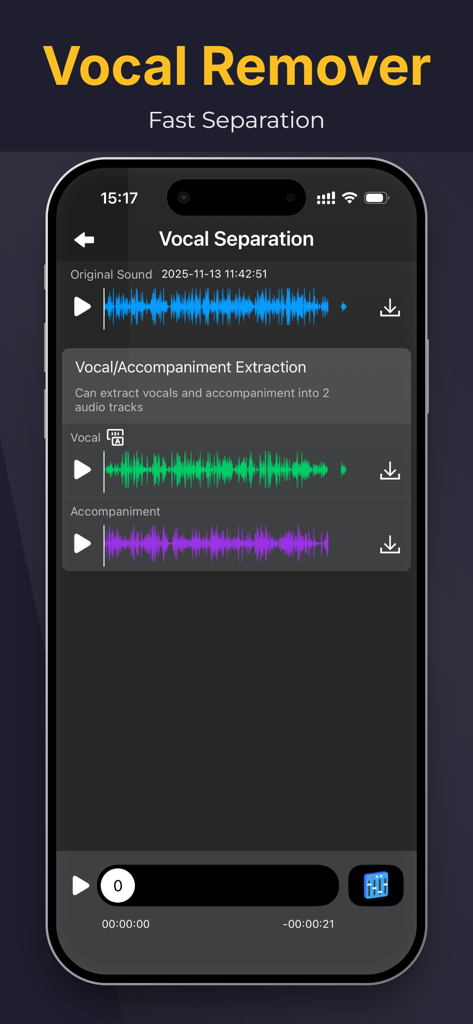
원본 사운드 파일에서 분리된 보컬 및 반주 오디오 트랙을 표시하는 MP3 변환기 앱 인터페이스
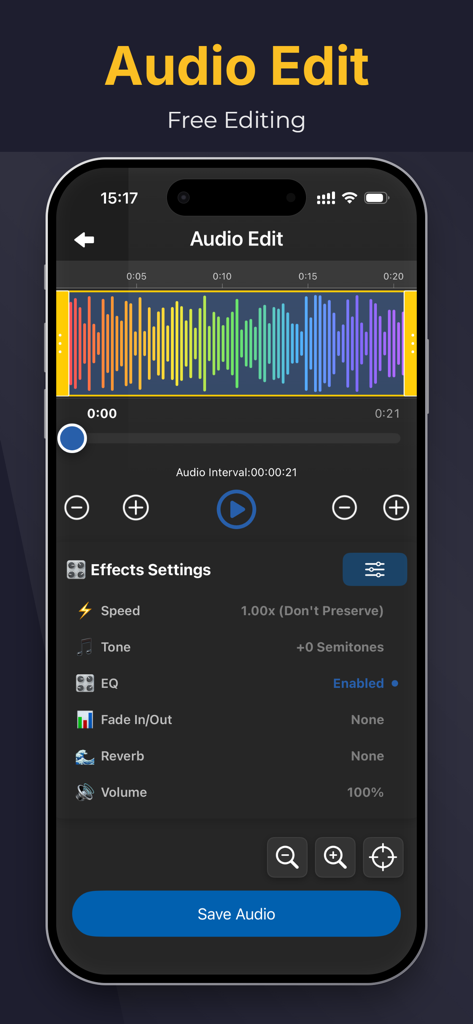
속도 및 톤과 같은 다양한 음향 효과 설정과 화려한 파형 시각화 기능을 갖춘 오디오 편집을 위한 모바일 앱 화면
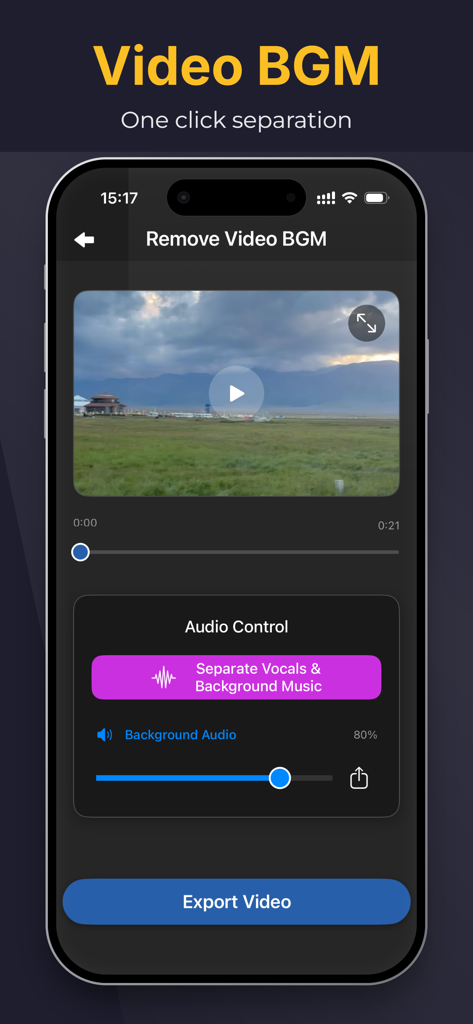
iPhone 인터페이스에서 원클릭으로 보컬 및 배경 음악 분리가 가능한 Remove Video BGM 기능 표시
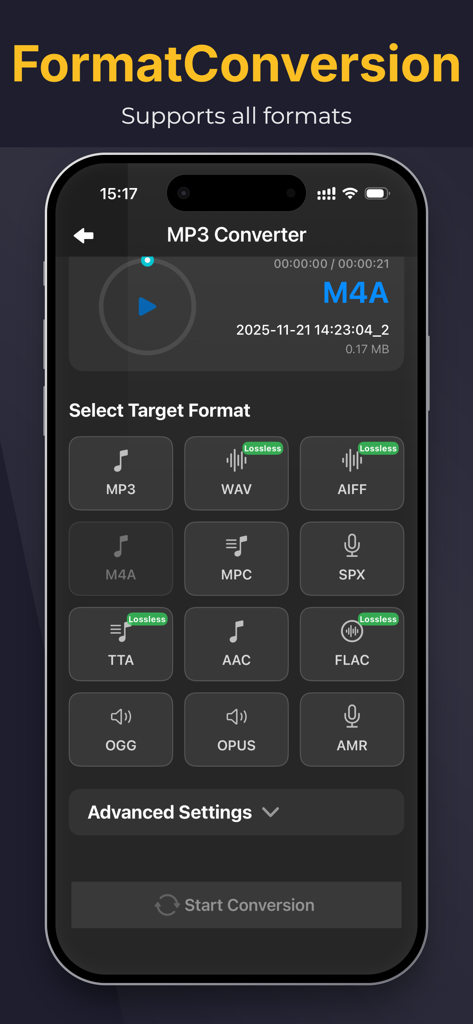
변환을 위한 대상 오디오 형식 선택을 보여주는 iPhone의 MP3 변환기 앱 인터페이스
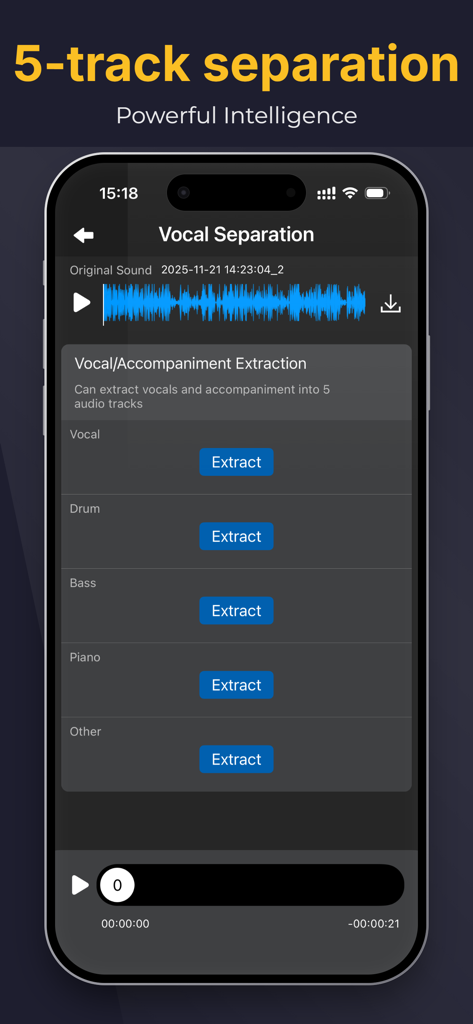
보컬, 드럼, 베이스, 피아노 및 기타 악기를 위한 AI 5트랙 분리를 보여주는 앱 인터페이스
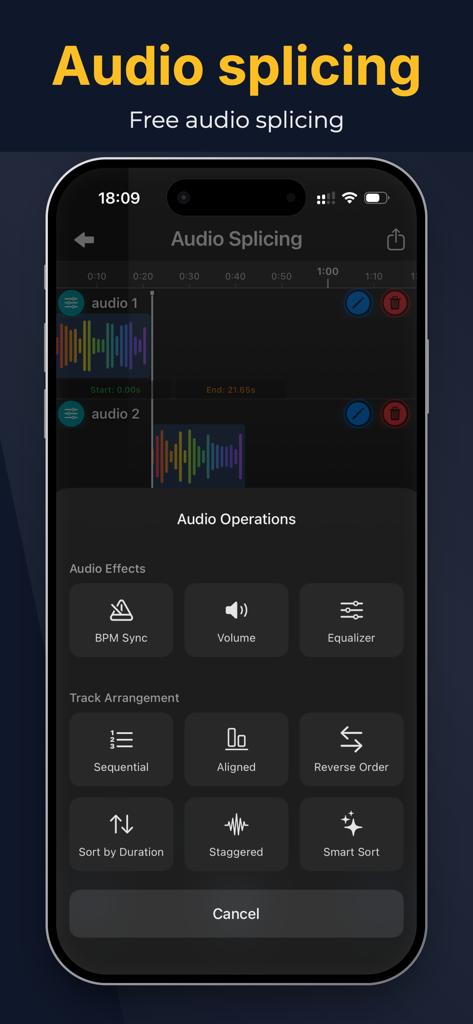
트랙 배열 및 오디오 효과 옵션이 있는 오디오 스플라이싱 인터페이스
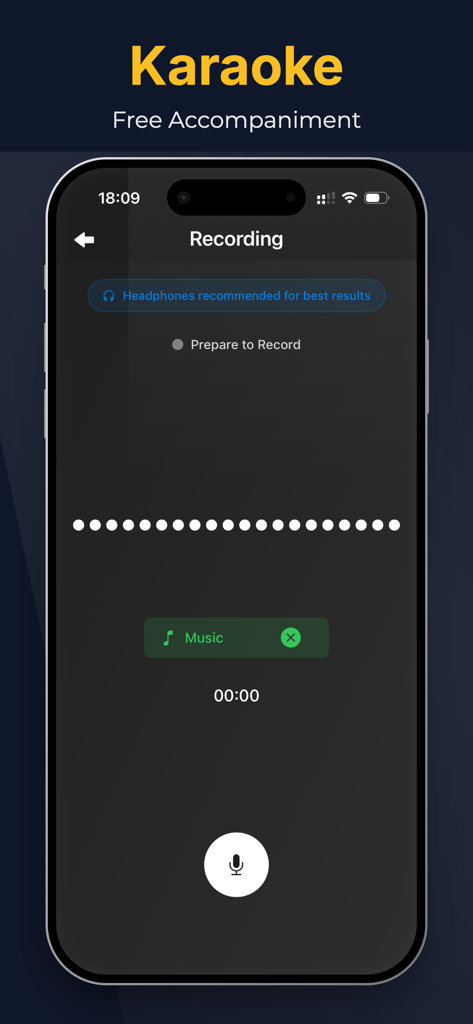
무료 반주 옵션으로 노래방 녹음 기능을 보여주는 모바일 앱 인터페이스
주머니 속의 전문가급 오디오 파워
이 앱을 돋보이게 하는 도구, 151K+ 명의 사용자가 선택.
🎤
즉석 노래방 & 반주 트랙
모든 노래에서 보컬을 몇 초 만에 제거하여 연습, 공연 또는 소셜 미디어 커버 비디오를 위한 고품질 반주를 만드세요.
📱
모든 비디오를 선명한 오디오로
바이럴 사운드를 잡으세요. 좋아하는 클립에서 고음질 MP3를 추출하여 iPhone에 직접 저장하여 쉽게 샘플링하세요.
🎚️
프로 리믹스를 위한 보컬 분리
고급 AI를 사용하여 반주에서 깨끗한 아카펠라를 분리하여 다음 제작 또는 매시업에 필요한 원본 스템을 제공합니다.
앱 소개
에 대해 알아야 할 모든 것 MP3 Converter-Remove Vocals.
설명
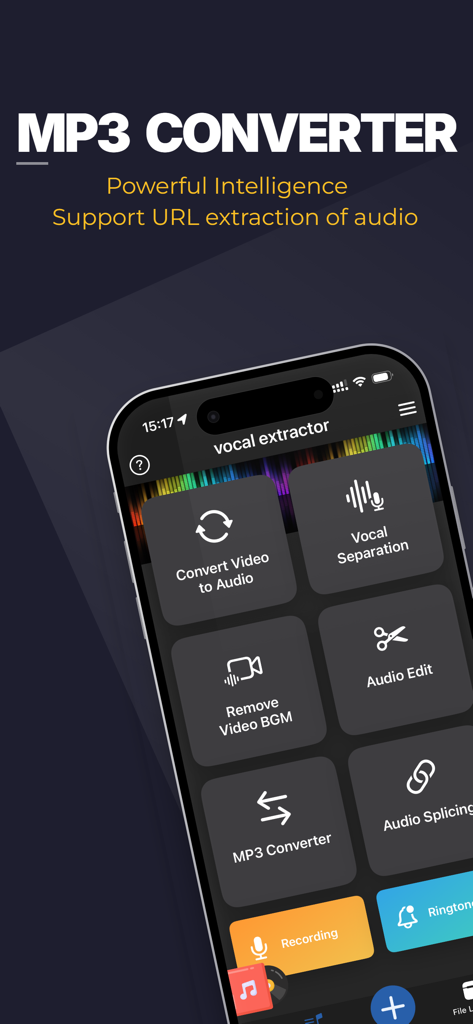
"MP3 Converter" empowers your musical creativity and practice to reach new heights. This iOS-based app offers powerful features and intelligent experiences, allowing you to extract accompaniments, separate vocals from instrumentals, remove background music from videos, and enjoy a rich library of background music (BGM).
"MP3 Converter" is a convenient audio extraction and format conversion tool that allows you to extract audio from various formats of videos. The converted audio files can be saved and played on your phone.
With the accompaniment extraction master, you can easily extract the exciting music from short videos, save it as a sound file, and play it using any audio player.
-Support various types of videos (3GP, FLV, MP4, MOV, MXF, MKV, AVI, MPG, MPEG, etc.);
-Support extracting various types of audio from videos, such as MP3, AAC, M4A, M4R, WAV, OPUS, or other formats;
Key Features:
1. Song Accompaniment Extraction: Easily extract the accompaniment from any song in your iOS music library. Remove vocals, focus on the instrumental parts, and create unique instrumental works or use them for personal practice.
2. Vocal Separation: Experience the powerful vocal separation function that separates vocals from the accompaniment. Remove vocals from songs, obtain pure instrumental tracks, suitable for karaoke, remixing, or personalized singing.
3. Video Background Music Removal: Remove unnecessary background music from videos, making vocals clearer, or add your own music. Make your video content more focused and captivating.
"MP3 Converter" gives you control over your music. With an intuitive interface and advanced processing algorithms, you can easily extract, separate, and customize audio and video content.
Whether you are a professional musician, aspiring artist, or music enthusiast, "MP3 Converter" will become your most valuable companion. Elevate your music production, create unique performance pieces, and enjoy the limitless possibilities of the music world.
Download "MP3 Converter" now and experience unprecedented audio processing and music creation on the iOS platform. Unleash your creativity and embark on a brand new musical journey!
Subscription instructions and terms
1. Monthly Membership - $3.99
2. Annual Membership - $14.99
3. Lifetime Membership - $29.99
【Payment】The payment will be charged to the user's iTunes account upon purchase confirmation.
【Renewal】“Continuous Monthly/Quarterly/Annual” products are auto-renewable subscriptions. Upon purchase confirmation, fees will be deducted from your iTunes account. Subscriptions will auto-renew unless auto-renewal is turned off at least 24 hours before the end of the current subscription period. Within 24 hours before your subscription expires, Apple will automatically charge your iTunes account and your membership will be automatically extended for one subscription period upon successful payment.
【Cancel Renewal】To cancel auto-renewal, manually go to iOS Settings > Apple ID > Subscriptions, and cancel the “MP3 Converter” subscription.
-- Terms of Service https://htmlpreview.github.io/?https://github.com/zhangxin1982/panger/blob/main/agreement.html
-- Privacy Policy https://htmlpreview.github.io/?https://github.com/zhangxin1982/panger/blob/main/audioPrivacyen.html
최신 버전
2.9.2
크기
210.9 MB
출시일
2023년 6월 26일
당신의 음악적 재능을 펼칠 준비가 되셨나요?
AI를 사용하여 보컬을 분리하고 완벽한 반주 트랙을 만드는 150,000명 이상의 크리에이터와 함께하세요. 지금 iOS에서 MP3 변환기를 다운로드하고 창작을 시작하세요.
FAQ
자주 묻는 질문
에 대해 알아야 할 모든 것 MP3 Converter-Remove Vocals
MP3 Converter-Remove Vocals란 무엇인가요?
MP3 Converter-Remove Vocals는 iOS 앱으로, 반주를 추출하고, 보컬과 악기를 분리하며, 동영상에서 배경 음악을 제거합니다. 또한 다양한 동영상 형식의 오디오를 변환하고 고급 오디오 편집 도구를 제공합니다.
MP3 Converter-Remove Vocals는 음악 트랙에서 보컬을 분리할 수 있나요?
네, MP3 Converter-Remove Vocals는 강력한 보컬 분리 기능을 제공합니다. 보컬과 반주를 별도의 오디오 트랙으로 추출하여 사용자가 다양한 목적으로 순수 악기 트랙을 얻을 수 있도록 합니다.
MP3 Converter-Remove Vocals는 동영상에서 배경 음악을 제거하나요?
네, MP3 Converter-Remove Vocals는 동영상에서 불필요한 배경 음악을 제거합니다. 이 기능을 통해 보컬을 명확하게 하거나 사용자가 자신의 음악을 추가할 수 있어 동영상 콘텐츠에 더 집중하고 매력적으로 만들 수 있습니다.
MP3 Converter-Remove Vocals는 오디오 추출을 위해 어떤 동영상 형식을 지원하나요?
MP3 Converter-Remove Vocals는 3GP, FLV, MP4, MOV, MXF, MKV, AVI, MPG, MPEG를 포함한 다양한 동영상 형식의 오디오 추출을 지원합니다. 또한 추출된 오디오를 MP3, AAC, M4A, WAV와 같은 형식으로 변환합니다.
MP3 Converter-Remove Vocals 구독료는 얼마인가요?
MP3 Converter-Remove Vocals는 월 $3.99의 월간 구독, 연 $14.99의 연간 구독, $29.99의 평생 멤버십이라는 세 가지 구독 요금제를 제공합니다. 이들은 자동 갱신 구독입니다.
MP3 Converter-Remove Vocals 구독을 어떻게 취소하나요?
MP3 Converter-Remove Vocals 구독을 취소하려면 iOS 설정 > Apple ID > 구독으로 이동하세요. 현재 기간이 종료되기 최소 24시간 전에 'MP3 Converter' 구독에 대한 자동 갱신을 수동으로 해제하세요.
MP3 Converter-Remove Vocals는 멀티트랙 오디오 분리를 지원하나요?
네, MP3 Converter-Remove Vocals는 5개 트랙 분리를 제공합니다. 보컬, 드럼, 베이스, 피아노, 기타 트랙을 오디오에서 추출하여 상세한 오디오 조작을 위한 강력한 지능을 제공합니다.
사용자는 MP3 Converter-Remove Vocals 앱 내에서 오디오를 편집할 수 있나요?
네, MP3 Converter-Remove Vocals에는 오디오 편집 기능이 포함되어 있습니다. 사용자는 앱 내에서 속도, 톤, EQ, 페이드 인/아웃, 리버브, 볼륨과 같은 매개변수를 조정할 수 있습니다.
MP3 Converter-Remove Vocals에 오디오 스플라이싱 기능이 있나요?
네, MP3 Converter-Remove Vocals는 무료 오디오 스플라이싱 기능을 제공합니다. 사용자는 여러 오디오 트랙을 결합하고 다양한 오디오 작업 및 트랙 배열을 적용할 수 있습니다.
MP3 Converter-Remove Vocals는 녹음 또는 노래방을 지원하나요?
네, MP3 Converter-Remove Vocals는 노래방을 위해 설계된 녹음을 지원합니다. 최상의 결과를 얻으려면 헤드폰을 사용할 것을 권장하며, 사용자는 반주와 함께 녹음할 준비를 할 수 있습니다.
MP3 Converter-Remove Vocals는 URL에서 오디오를 추출할 수 있나요?
네, MP3 Converter-Remove Vocals는 URL에서 오디오를 추출하는 것을 지원합니다. 이 기능을 통해 사용자는 온라인에서 찾은 오디오 콘텐츠를 직접 처리할 수 있습니다.
App information, icons, screenshots, and descriptions displayed on this page are sourced from the Apple App Store and are the property of their respective developers. Download estimates and rankings are based on MWM's proprietary models and may not reflect actual figures. This page is provided for informational and analytical purposes only.
Believe this page infringes your intellectual property? File a dispute