MultiTrack Recorder Plugin

MultiTrack Recorder Plugin

다운로드: App Store
로고: MultiTrack Recorder Plugin

MultiTrack Recorder Plugin: AUM을 위한 전문 녹음 타임라인

모듈식 설정을 강력한 8트랙 스튜디오로 변환하세요. AUv3 호스트 동기화 및 드래그 앤 드롭 기능으로 오디오를 손쉽게 녹음, 편집, 내보내세요.

다운로드: App Store

개발사

Limelight Software

카테고리

Music

다운로드

15K+

사용자 평점

4.2/5

총 평가 수

100

지원 언어

1

당신의 스튜디오, 시각화되다

이 인터페이스를 사용하는 15K+ 명의 사용자.

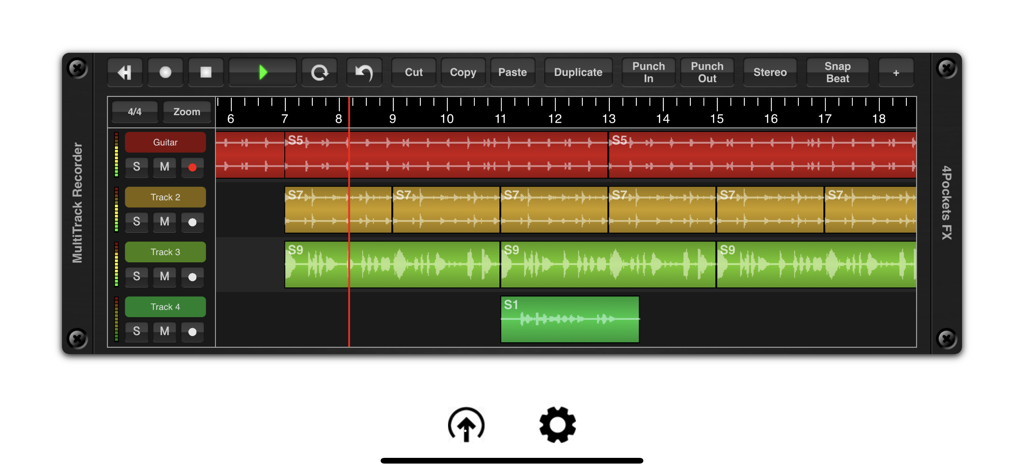
다양한 트랙과 파형, 편집 도구를 보여주는 멀티트랙 오디오 녹음 인터페이스

다양한 트랙과 파형, 편집 도구를 보여주는 멀티트랙 오디오 녹음 인터페이스

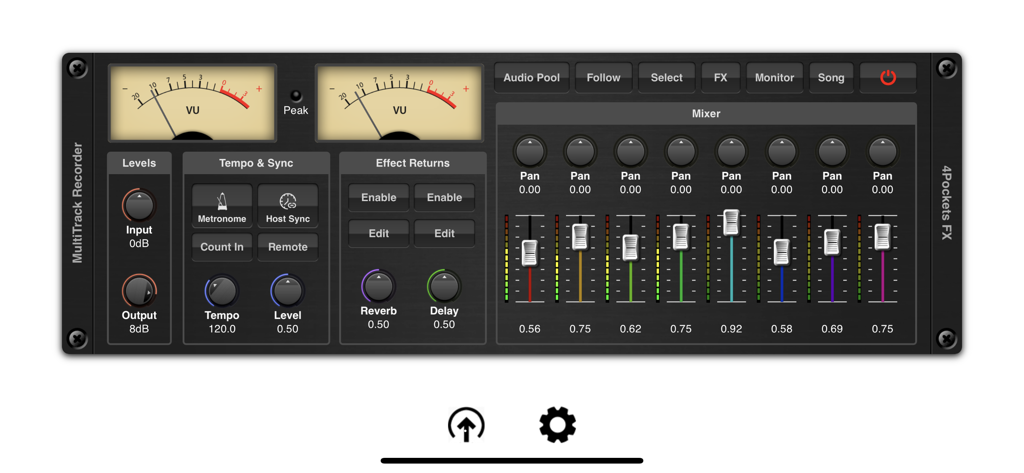
VU 미터와 8채널 믹서가 특징인 MultiTrack Recorder Plugin 인터페이스.

VU 미터와 8채널 믹서가 특징인 MultiTrack Recorder Plugin 인터페이스.

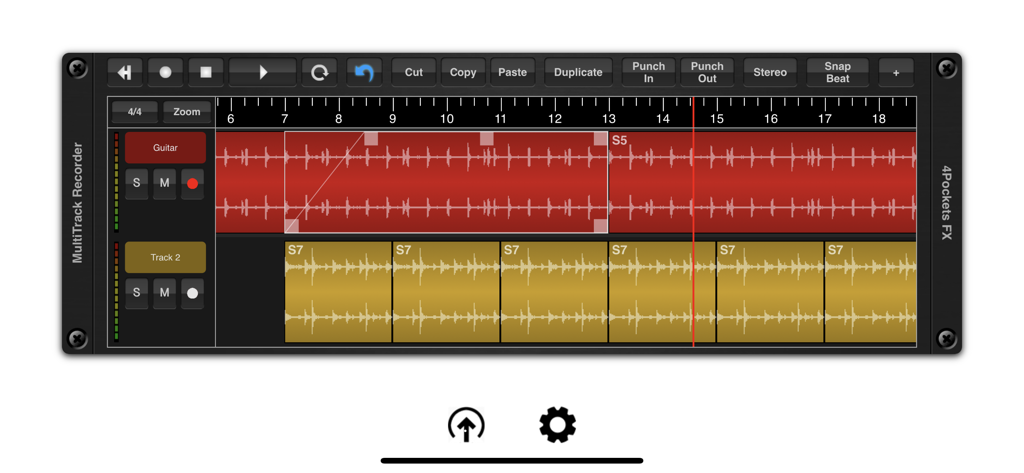
오디오 파형 트랙과 편집 도구를 보여주는 MultiTrack Recorder 인터페이스

오디오 파형 트랙과 편집 도구를 보여주는 MultiTrack Recorder 인터페이스

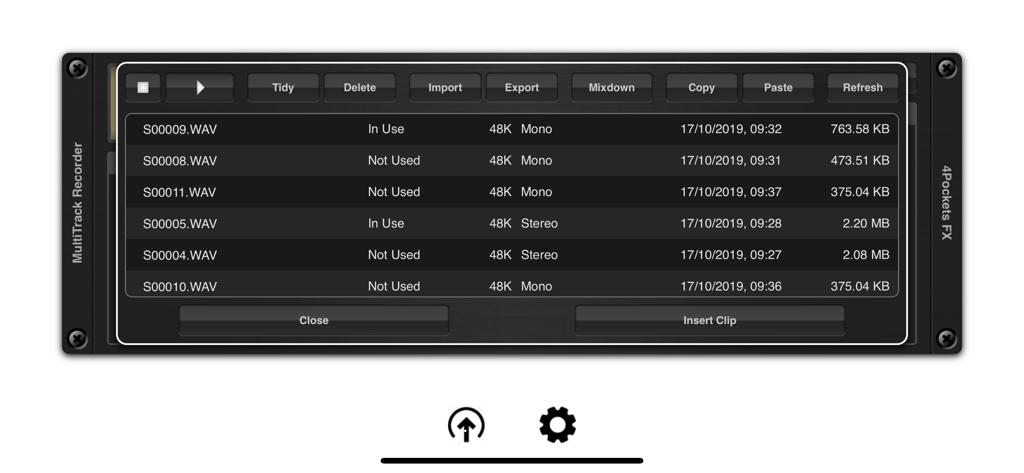
파일 관리 옵션이 있는 녹음된 wav 파일 목록을 표시하는 오디오 풀 인터페이스

파일 관리 옵션이 있는 녹음된 wav 파일 목록을 표시하는 오디오 풀 인터페이스

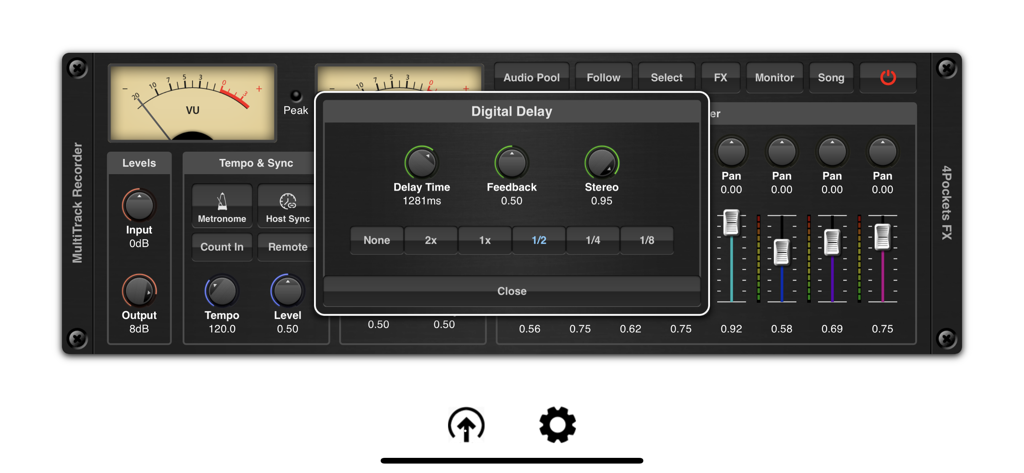
MultiTrack Recorder plugin 믹서 인터페이스 위에 오버레이된 디지털 딜레이 효과 설정 창

MultiTrack Recorder plugin 믹서 인터페이스 위에 오버레이된 디지털 딜레이 효과 설정 창

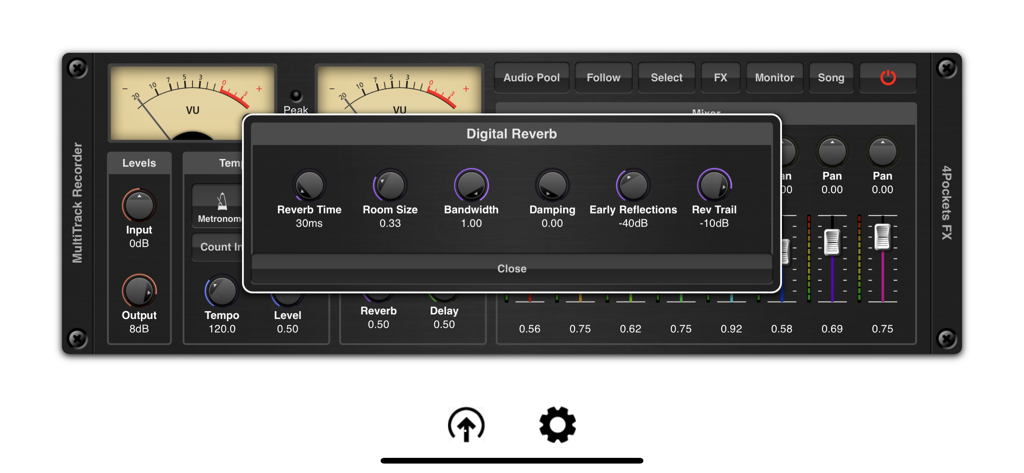
MultiTrack Recorder Plugin의 인터페이스에 디지털 리버브 설정 창과 믹서 컨트롤이 표시됨

MultiTrack Recorder Plugin의 인터페이스에 디지털 리버브 설정 창과 믹서 컨트롤이 표시됨

모바일 스튜디오의 빠진 연결고리

이 앱을 돋보이게 하는 도구, 15K+ 명의 사용자가 선택.

🧩

완벽한 AUv3 통합

AUM 및 모듈식 호스트를 위해 제작된 MultiTrack은 기존 환경에 강력한 선형 타임라인과 멀티트랙 녹음을 추가하여 격차를 메웁니다.

🎯

스튜디오급 정밀도

촉각적이고 터치 우선 경험에 최적화된 다단계 실행 취소 시스템으로 샘플 단위 정밀도의 펀치인, 정규화, 타임 스트레칭을 실행하세요.

📂

마찰 없는 스테레오 내보내기

iPadOS 드래그 앤 드롭 및 Files 앱 통합으로 녹음물을 손쉽게 이동하세요. 데스크탑 DAW를 위한 모바일 스케치를 캡처하는 데 완벽한 도구입니다.

앱 소개

에 대해 알아야 할 모든 것 MultiTrack Recorder Plugin.

설명

This is an AUv3 compatible Multi-Track Recorder plugin specifically designed for AUM and other DAW's that don't support audio recording capabilities. MultiTrack can be used for a host of purposes such as a tool for recording and layering audio for export to other DAW's , creating that perfect loop for other third party applications or recording vocal sessions to accompany you in AUM. Its uses are endless. It features the ability to record up to 8 mono or stereo audio tracks per instance, with the ability to run multiple instances under the control of your host DAW. MultiTrack has the ability to run standalone using it's own transport or synced to a host which allows synchronous control of multiple instances. MultiTrack supports various recording modes including the ability to set punch in and out points for sample accurate recordings. Press the Host Sync in order to the advantage of the hosts transport controls or enable the remote button to enable host recording controls (great for NS2). Use the Audio Pool window to quickly and easily import, export and perform mix-downs of audio clips. Quickly and easily move audio files using drag and drop to the time line or between the audio pool and the Files App. Imported audio is automatically converted to the projects sample rate. The audio pool also features the ability to copy and paste audio directly from the iOS pasteboard as well as preview and manage your data. An intergrated 8 channel mixer allows you to control the level, pan and effect send levels. Although AUM allows some great routing options for third party effects, MultiTrack also includes an extremely CPU friendly beat synced delay and reverb which can be used where recording pre-effected instruments is not an option. MultiTrack allows per clip volume level as well as being able to control start and end cropping and fade in/out on a clip by clip basis. All these operations are quick and easy to make using the touch screen alone. Also included is the ability to perform operations such as splitting, normalising, reversing and time stretching of audio clips all with a multi-level undo built right in. A comprehensive set of selection, copying and duplication tools make editing a breeze. Each track has it's own mute, solo and metering which can also be used to monitoring incoming signal levels. Finally you have the ability to mix down a selected range of your song or create perfectly looped samples for use in other DAW's , samplers and drum machines such as DigiStix. Features: ○ 8 tracks per instance. ○ Mixer with level, pan and effect settings. ○ Mix mono or stereo clips on a track. ○ Built in CPU friendly delay and reverb. ○ Multi-level undo function. ○ Loop play and record modes (when not synced to host). ○ Mix-down facility. ○ Cut, copy, paste and duplicate clips. ○ Ability to sync to host tempo. ○ Metronome with count-in. ○ Drag and drop support with the Files App. ○ Backup and Restore of individual songs. ○ Automatic conversion of imported audio. ○ Zoom mode for use when cropping clips.

최신 버전

1.26

크기

10.9 MB

출시일

2019년 10월 21일

모듈식 스튜디오를 위한 빠진 조각

라이브 잼과 구조화된 프로덕션 간의 격차를 해소하세요. 최고의 AUv3 레코더를 다운로드하고 AUM 내에서 직접 스튜디오 품질의 멀티트랙 스테레오 녹음을 시작하세요.

다운로드: App Store
FAQ

자주 묻는 질문

에 대해 알아야 할 모든 것 MultiTrack Recorder Plugin

MultiTrack Recorder Plugin은 AUv3와 호환됩니까?

네, MultiTrack Recorder Plugin은 AUv3 호환 멀티트랙 레코더 플러그인입니다. AUM 및 오디오 녹음 기능이 부족한 다른 DAW와 통합됩니다.

MultiTrack Recorder Plugin은 몇 개의 오디오 트랙을 녹음할 수 있습니까?

MultiTrack Recorder Plugin은 인스턴스당 최대 8개의 모노 또는 스테레오 오디오 트랙을 녹음합니다. 호스트 DAW 제어 하에서 여러 인스턴스를 실행하는 것을 지원합니다.

MultiTrack Recorder Plugin은 어떤 오디오 편집 기능을 제공합니까?

MultiTrack Recorder Plugin은 오디오 클립에 대한 분할, 정규화, 반전, 시간 늘리기 및 다단계 실행 취소를 제공합니다. 복사 및 복제 도구도 포함되어 있습니다.

MultiTrack Recorder Plugin에는 내장 효과가 포함되어 있습니까?

네, MultiTrack Recorder Plugin에는 CPU 효율적인 비트 동기화 딜레이 및 리버브가 포함되어 있습니다. 이러한 내장 효과는 사전 녹음된 악기 녹음 시 사용할 수 있습니다.

MultiTrack Recorder Plugin은 오디오 파일 관리를 어떻게 처리합니까?

MultiTrack Recorder Plugin은 가져오기, 내보내기 및 믹스다운을 위해 오디오 풀 창을 사용합니다. Files 앱, iOS 클립보드와의 드래그 앤 드롭을 지원하며 자동 샘플 속도 변환을 지원합니다.

MultiTrack Recorder Plugin은 호스트 DAW와 동기화할 수 있습니까?

네, MultiTrack Recorder Plugin은 전송 제어를 위해 호스트 DAW와 동기화됩니다. 또한 NS2와 같은 호환 호스트에 대한 원격 녹음 제어를 지원합니다.

MultiTrack Recorder Plugin은 펀치 인/아웃 녹음을 지원합니까?

네, MultiTrack Recorder Plugin은 샘플 단위의 정확한 녹음을 위해 펀치 인 및 아웃 지점을 설정하는 것을 지원합니다. 이를 통해 세션 중에 정확한 오디오 캡처를 보장합니다.

MultiTrack Recorder Plugin에 메트로놈이 있습니까?

네, MultiTrack Recorder Plugin에는 카운트인 기능이 있는 메트로놈이 포함되어 있습니다. 이는 녹음 세션 중에 정확한 타이밍을 돕고 리듬 정확성을 보장합니다.

MultiTrack Recorder Plugin은 노래를 백업하고 복원할 수 있습니까?

네, MultiTrack Recorder Plugin은 개별 노래에 대한 백업 및 복원 기능을 제공합니다. 이 기능을 통해 프로젝트를 안전하게 보관하고 장치 간에 이식할 수 있습니다.

App information, icons, screenshots, and descriptions displayed on this page are sourced from the Apple App Store and are the property of their respective developers. Download estimates and rankings are based on MWM's proprietary models and may not reflect actual figures. This page is provided for informational and analytical purposes only.

Believe this page infringes your intellectual property? File a dispute