Passport Photo - ID Photo

Passport Photo - ID Photo


다운로드: App Store
로고: Passport Photo - ID Photo

여권 사진 - 신분증 사진: 간편한 전문가 수준의 신분증 사진

비싼 약국 줄을 건너뛰세요. AI 기반 배경 제거 및 공식 템플릿을 사용하여 몇 초 안에 100개 이상의 국가에 맞는 완벽한 여권 사진을 만들고, 인쇄하고, 저장하세요.

다운로드: App Store

개발사

Vitalij Schaefer

카테고리

Photo & Video

다운로드

3M+

사용자 평점

4.5/5

총 평가 수

43K+

지원 언어

33

사진처럼 완벽한 결과

이 인터페이스를 사용하는 3M+ 명의 사용자.

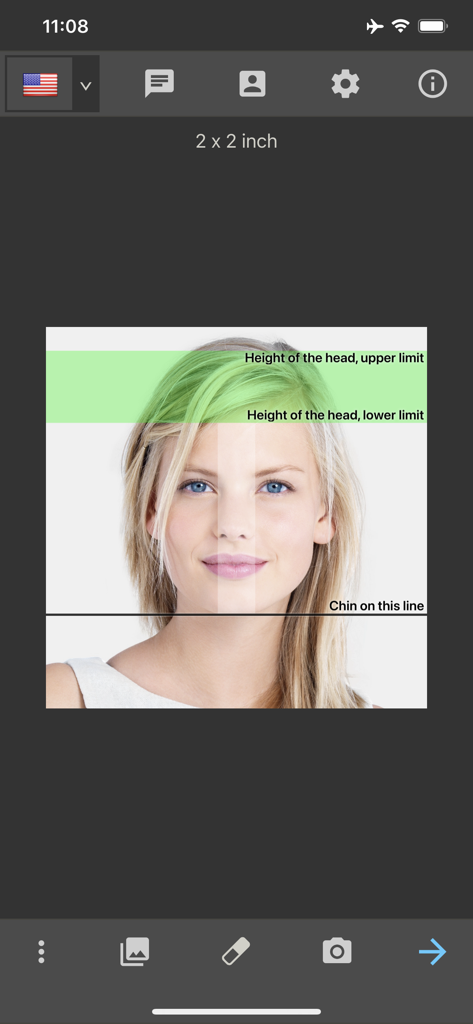
ID 사진 앱에서 머리 정렬 안내선이 있는 미국 여권 사진 템플릿

ID 사진 앱에서 머리 정렬 안내선이 있는 미국 여권 사진 템플릿

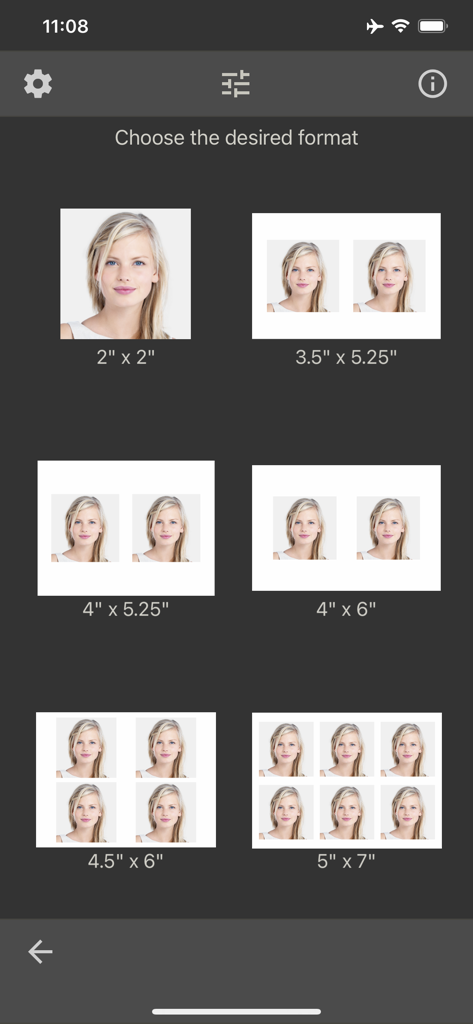
여권 및 신분증 사진을 위한 다양한 인쇄 용지 크기 및 레이아웃 옵션을 보여주는 메뉴 화면

여권 및 신분증 사진을 위한 다양한 인쇄 용지 크기 및 레이아웃 옵션을 보여주는 메뉴 화면

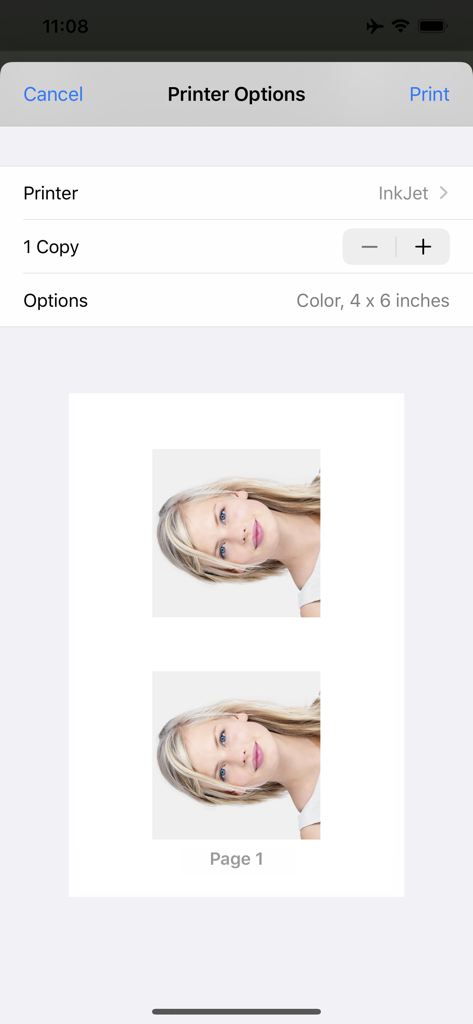
4x6인치 용지에 인쇄할 준비가 된 두 개의 여권 사진 미리 보기와 프린터 옵션을 보여주는 인터페이스

4x6인치 용지에 인쇄할 준비가 된 두 개의 여권 사진 미리 보기와 프린터 옵션을 보여주는 인터페이스

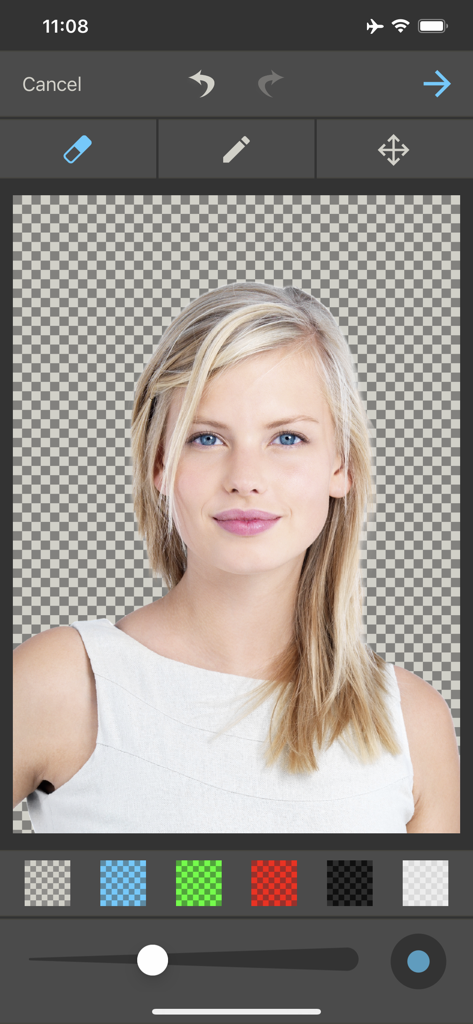
신분증 사진을 위한 배경 제거 및 편집 도구를 보여주는 여권 사진 앱 인터페이스

신분증 사진을 위한 배경 제거 및 편집 도구를 보여주는 여권 사진 앱 인터페이스

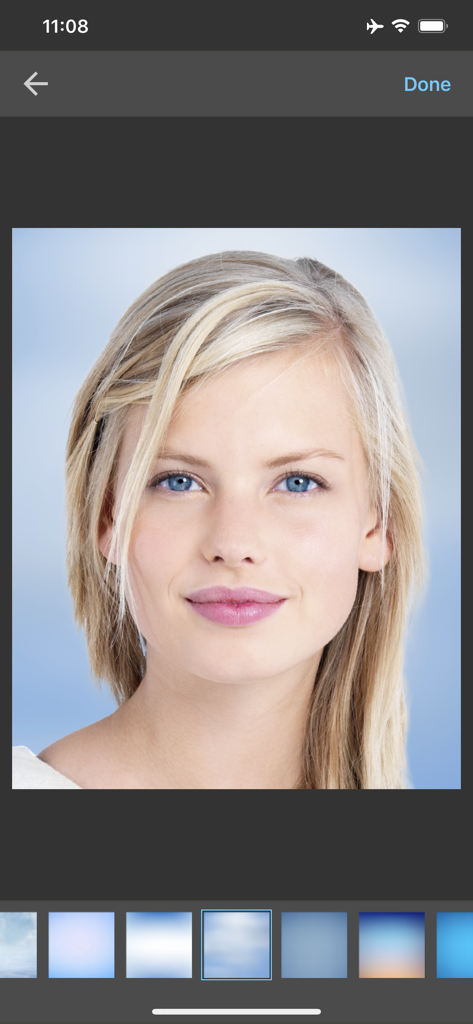
다양한 전문 배경 옵션이 있는 초상화를 보여주는 여권 사진 앱 인터페이스

다양한 전문 배경 옵션이 있는 초상화를 보여주는 여권 사진 앱 인터페이스

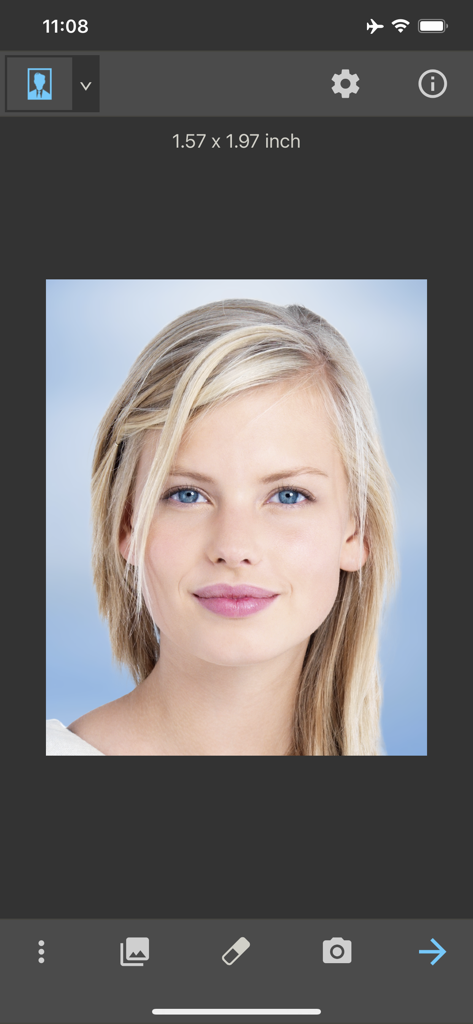
신분증 문서용으로 여권 사진 앱에서 편집 중인 여성의 초상화 사진

신분증 문서용으로 여권 사진 앱에서 편집 중인 여성의 초상화 사진

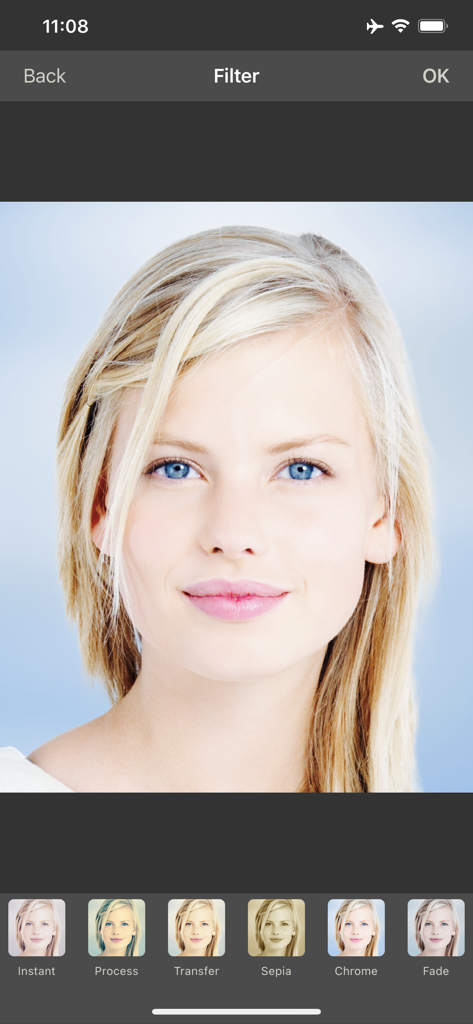
여권 또는 신분증 초상화를 위한 다양한 사진 필터를 보여주는 모바일 앱 화면

여권 또는 신분증 초상화를 위한 다양한 사진 필터를 보여주는 모바일 앱 화면

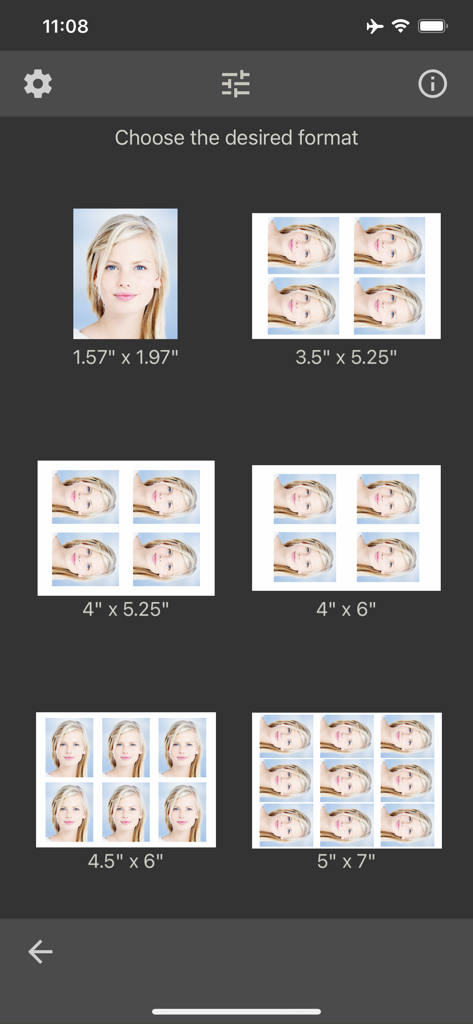
여권 및 신분증 사진 인쇄 크기 및 레이아웃 옵션 선택

여권 및 신분증 사진 인쇄 크기 및 레이아웃 옵션 선택

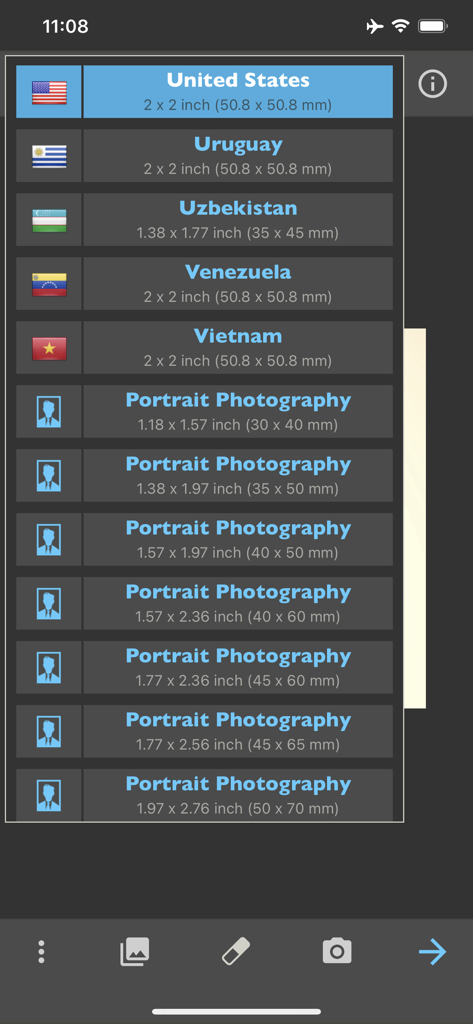
미국 및 다양한 초상화 크기를 포함한 국가별 여권 및 신분증 사진 템플릿 목록

미국 및 다양한 초상화 크기를 포함한 국가별 여권 및 신분증 사진 템플릿 목록

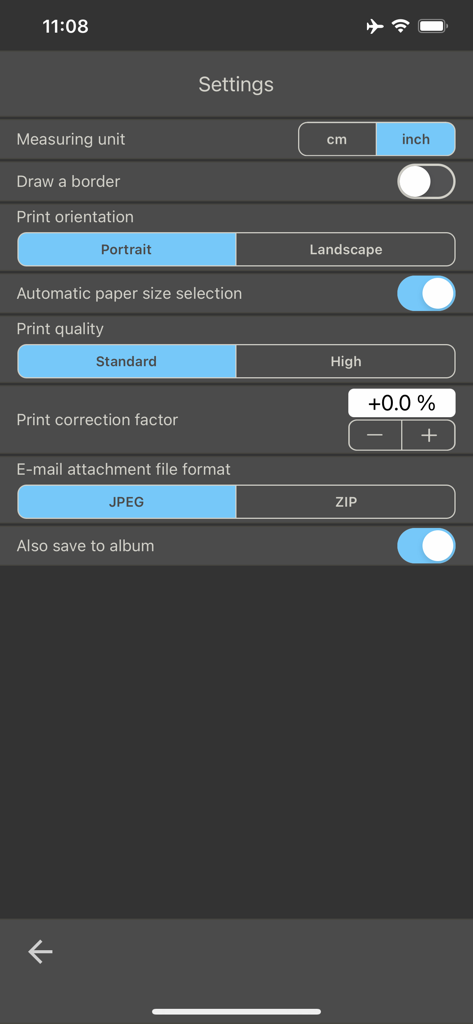
단위, 인쇄 방향 및 사진 품질 옵션을 보여주는 여권 사진 앱 설정 메뉴.

단위, 인쇄 방향 및 사진 품질 옵션을 보여주는 여권 사진 앱 설정 메뉴.

몇 초 만에 전문가 수준의 결과

이 앱을 돋보이게 하는 도구, 3M+ 명의 사용자가 선택.

🌍

전 세계 규정 템플릿

100개 이상의 국가 및 직업 지원 양식에 대한 공식 사진 표준에 액세스하여 모든 문서가 항상 승인되도록 보장합니다.

AI 배경 교체

원치 않는 배경을 자동으로 제거하고 탭 한 번으로 전문적인 흰색 또는 유색 배경으로 교체하세요.

🖨️

어디서든 인쇄 및 공유

홈 AirPrint 프린터로 직접 인쇄하거나 고해상도 레이아웃을 저장하여 좋아하는 지역 사진관에서 저렴하게 인쇄하세요.

앱 소개

에 대해 알아야 할 모든 것 Passport Photo - ID Photo.

설명

With this passport photo app, you can format, print, or save passport photos in seconds. It comes with passport photo templates for 100 countries. As well as passport photos, this app is ideal for printing photos for job applications. More than ten popular formats for job application photos have also been predefined. The feature of automatic background replacement is a great advantage of this app. It has never been easier to remove unwanted backgrounds and replace them with a clean, white background. Another 125 professional backgrounds can be unlocked with a one-time in-app purchase. Whether you need a professional passport photo for your ID, passport or driving license or are preparing for an important application - our app offers you the perfect tools to optimize your photos. This app can store, print, share or email multiple passport photos on photo paper. The resulting images can be printed directly, or ordered later (not from the app) from the photo lab of your choice on the Internet. To produce the passport photos, a photo can be taken from the camera or loaded from the album. The next step is to adjust the picture by multi-touch gestures with your fingers (position, zoom and rotation). Photo paper (cm): 9x13, 10x13, 10x15, 11x15, 13x18, single image (selected size) Photo paper (inch): 3½x5¼, 4x5¼, 4x6, 4½x6, 5x7, single image (selected size) This app supports printing on an AirPrint-compatible printer. The print size can be adjusted in the app if needed. The passport photo will be automatically printed slightly larger in order to facilitate cutting it out. The app already provides passport photo templates for the following countries: Albania, Algeria, Argentina, Armenia, Australia, Austria, Azerbaijan, Bahamas, Bangladesh, Belarus, Belgium, Bolivia, Bosnia and Herzegovina, Brazil, Bulgaria, Cambodia, Cameroon, Canada, Chile, China, Colombia, Croatia, Cuba, Cyprus, Czech Republic, Denmark, Dominican Republic, Ecuador, Egypt, El Salvador, European Union, Finland, France, Germany, Greece, Guatemala, Honduras, Hong Kong, Hungary, Iceland, India, Indonesia, Ireland, Israel, Italy, Jamaica, Japan, Kazakhstan, Kenya, Kyrgyzstan, Latvia, Lithuania, Luxembourg, Macedonia, Malaysia, Mexico, Moldova, Mongolia, Morocco, Myanmar, Netherlands, New Zealand, Nicaragua, Nigeria, Norway, Pakistan, Panama, Papua New Guinea, Paraguay, Peru, Philippines, Poland, Portugal, Qatar, Romania, Russia, Spain, Saudi Arabia, Serbia, Singapore, Slovakia, Slovenia, South Africa, South Korea, Spain, Sri Lanka, Sudan, Sweden, Switzerland, Taiwan, Thailand, Turkey, Turkmenistan, Uganda, Ukraine, United Arab Emirates, United Kingdom, United States, Uruguay, Uzbekistan, Venezuela, Vietnam We do not accept any liability for the correctness, accuracy, or up-to-dateness of the passport photo templates. Please check that the templates are suitable for you before using them. You should also find out about passport photo regulations from the relevant authorities. In particular, make sure that the shot you take is correct and meets the current regulations.

최신 버전

8.6

크기

45.4 MB

출시일

2016년 12월 2일

오늘 약국 줄을 건너뛰고 20달러를 절약하세요

몇 초 만에 정부 규격에 맞는 완벽한 여권 사진을 만드는 3백만 명 이상의 사용자와 함께하세요. 최상의 모습을 위해 필요한 만큼 사진을 찍고 집에서 바로 인쇄하세요.

다운로드: App Store
FAQ

자주 묻는 질문

에 대해 알아야 할 모든 것 Passport Photo - ID Photo

"Passport Photo - ID Photo" 앱은 어떤 기능을 하나요?

"Passport Photo - ID Photo" 앱은 여권 사진을 포맷하고, 인쇄하고, 저장합니다. 100개국 이상의 템플릿을 포함하며, 직업 지원 사진도 지원하고, 공식 사용에 맞게 이미지를 최적화하는 도구를 제공합니다.

"Passport Photo - ID Photo" 앱은 배경 교체 기능을 제공하나요?

네, "Passport Photo - ID Photo" 앱은 자동 배경 교체 기능을 제공합니다. 사용자는 원치 않는 배경을 제거하고 깨끗한 흰색 배경으로 교체하거나, 일회성 인앱 구매를 통해 125가지의 전문적인 배경 중에서 선택할 수 있습니다.

"Passport Photo - ID Photo"는 템플릿 지원 국가가 몇 개국인가요?

"Passport Photo - ID Photo" 앱은 미국, 캐나다, 영국을 포함하여 100개국 이상의 여권 사진 템플릿을 제공합니다. 사용자는 관련 기관에 템플릿의 적합성을 확인해야 합니다.

"Passport Photo - ID Photo" 앱에서 직접 사진을 인쇄할 수 있나요?

네, "Passport Photo - ID Photo" 앱은 AirPrint 호환 프린터로 직접 인쇄를 지원합니다. 사용자는 인쇄 크기를 조절하고 4x6인치와 같은 표준 사진 용지 크기에 여러 장의 사진을 출력할 수 있습니다.

"Passport Photo - ID Photo" 앱에 사진을 어떻게 넣나요?

사용자는 기기의 카메라로 직접 새 사진을 찍거나, 처리할 기존 사진을 앨범에서 불러와 "Passport Photo - ID Photo" 앱에 사진을 넣을 수 있습니다.

"Passport Photo - ID Photo"는 직업 지원 사진에 적합한가요?

네, "Passport Photo - ID Photo" 앱은 직업 지원 사진에 이상적입니다. 전문적인 직업 지원을 위해 특별히 설계된 10개 이상의 사전 정의된 인기 형식을 포함하고 있습니다.

"Passport Photo - ID Photo" 앱에 인앱 구매 기능이 있나요?

네, "Passport Photo - ID Photo" 앱에는 인앱 구매 기능이 있습니다. 사진 사용자 지정을 위해 125개의 추가 전문 배경을 잠금 해제하는 일회성 인앱 구매가 가능합니다.

"Passport Photo - ID Photo" 앱에서 사진을 어떻게 조정하나요?

"Passport Photo - ID Photo" 앱은 사용자가 다중 터치 제스처를 사용하여 사진을 배치, 확대/축소 및 회전하여 조정할 수 있도록 합니다. 또한 적절한 얼굴 배치를 위한 시각적 가이드라인을 제공합니다.

"Passport Photo - ID Photo"에서 사진의 출력 옵션은 무엇인가요?

"Passport Photo - ID Photo" 앱은 여러 출력 옵션을 제공합니다. 사용자는 사진을 저장, 인쇄, 공유 또는 이메일로 보낼 수 있습니다. 내보내기 형식에는 JPEG 또는 ZIP 파일이 포함되며, 기기 앨범에 이미지를 저장할 수도 있습니다.

"Passport Photo - ID Photo" 앱은 템플릿의 정확성에 대해 책임을 지나요?

아니요, "Passport Photo - ID Photo" 앱은 템플릿의 정확성이나 유효성에 대해 책임을 지지 않는다고 명시적으로 밝히고 있습니다. 사용자는 관련 기관 및 규정에 따라 템플릿과 촬영 준수 여부를 확인할 책임이 있습니다.

App information, icons, screenshots, and descriptions displayed on this page are sourced from the Apple App Store and are the property of their respective developers. Download estimates and rankings are based on MWM's proprietary models and may not reflect actual figures. This page is provided for informational and analytical purposes only.

Believe this page infringes your intellectual property? File a dispute