PatternDraw by Fashionary

PatternDraw by Fashionary

다운로드: App Store
로고: PatternDraw by Fashionary

PatternDraw by Fashionary: 심리스 표면 패턴 디자인을 위한 전문가용 스튜디오

스케치하고, 미리 보고, 실시간으로 실무 준비가 된 반복 패턴을 내보내세요. 실시간 타일링, 전문 브러시, 간편한 원탭 레이아웃으로 아이패드를 강력한 섬유 디자인 제품군으로 바꿔보세요.

다운로드: App Store

개발사

Fashionary

카테고리

Graphics & Design

다운로드

13K+

사용자 평점

4.0/5

총 평가 수

100

지원 언어

10

움직이는 디자인

이 인터페이스를 사용하는 13K+ 명의 사용자.

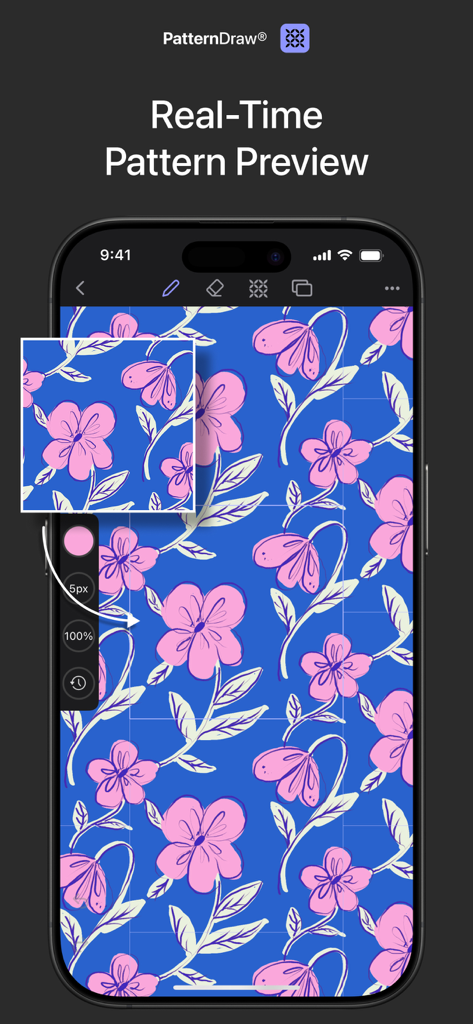
PatternDraw 앱에서 실시간 꽃무늬 패턴 미리보기를 보여주는 아이폰

PatternDraw 앱에서 실시간 꽃무늬 패턴 미리보기를 보여주는 아이폰

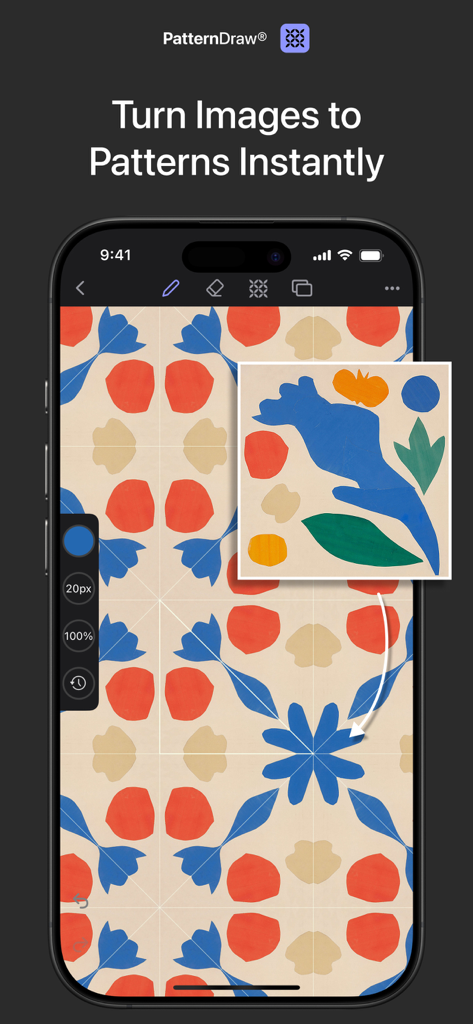
단일 그림을 심리스 반복 꽃무늬 패턴으로 변환하는 PatternDraw 앱을 보여주는 스마트폰 화면

단일 그림을 심리스 반복 꽃무늬 패턴으로 변환하는 PatternDraw 앱을 보여주는 스마트폰 화면

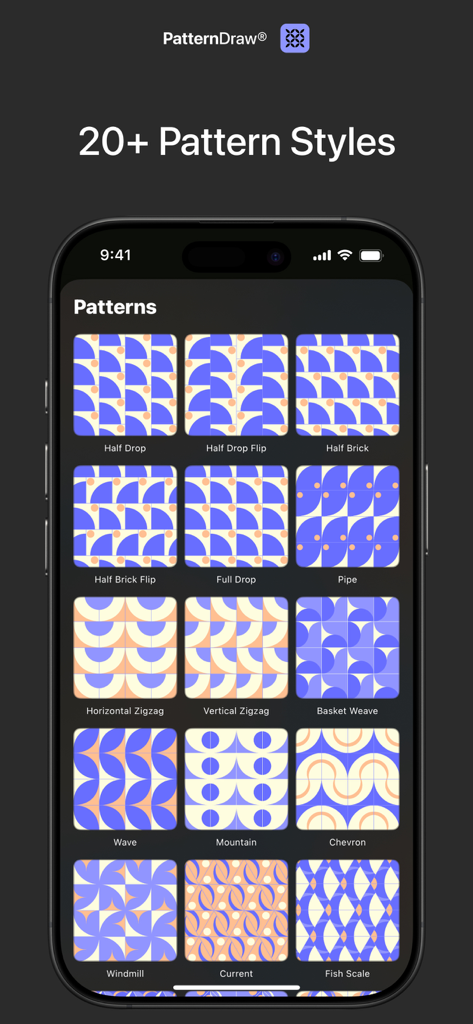
PatternDraw 앱에서 하프 드롭 및 셰브론과 같은 여러 심리스 패턴 반복 스타일을 보여주는 스마트폰 화면

PatternDraw 앱에서 하프 드롭 및 셰브론과 같은 여러 심리스 패턴 반복 스타일을 보여주는 스마트폰 화면

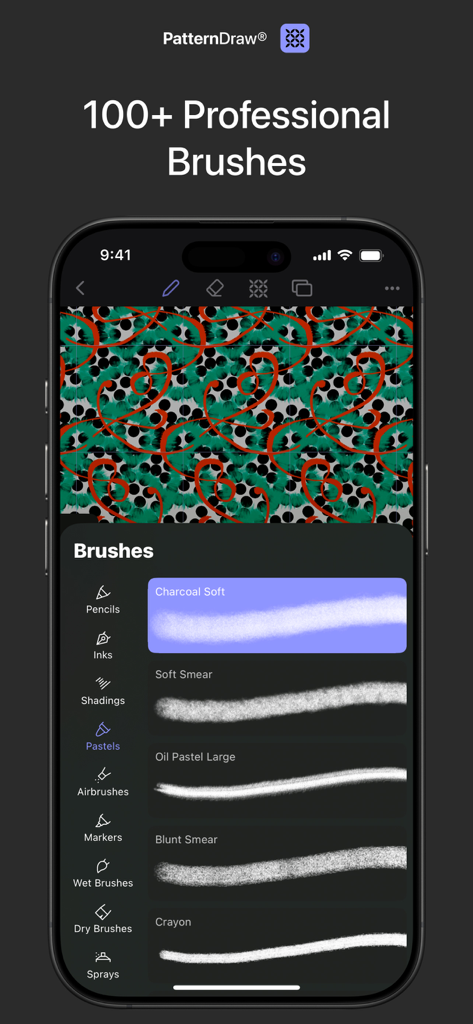
디지털 디자인을 위한 전문 드로잉 브러시 목록을 보여주는 PatternDraw 앱 인터페이스

디지털 디자인을 위한 전문 드로잉 브러시 목록을 보여주는 PatternDraw 앱 인터페이스

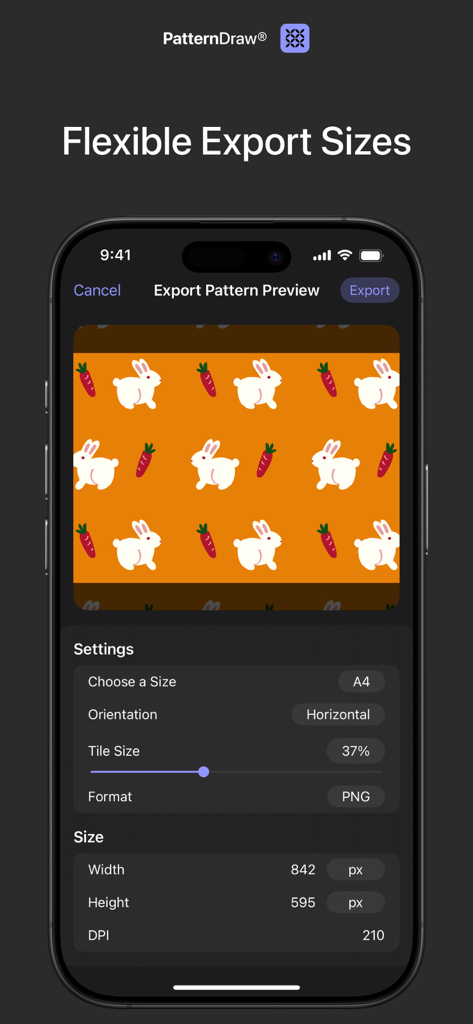
사용자 지정 가능한 크기 및 방향 옵션이 있는 반복되는 토끼와 당근 패턴을 보여주는 PatternDraw 앱의 내보내기 설정 화면.

사용자 지정 가능한 크기 및 방향 옵션이 있는 반복되는 토끼와 당근 패턴을 보여주는 PatternDraw 앱의 내보내기 설정 화면.

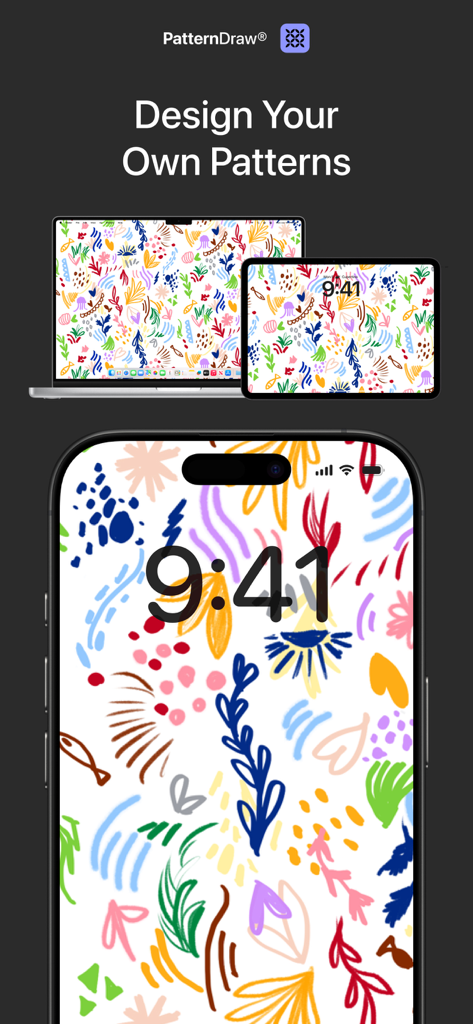
PatternDraw 앱이 아이폰, 아이패드 및 맥북에 사용자 지정 꽃무늬 패턴을 표시하는 모습

PatternDraw 앱이 아이폰, 아이패드 및 맥북에 사용자 지정 꽃무늬 패턴을 표시하는 모습

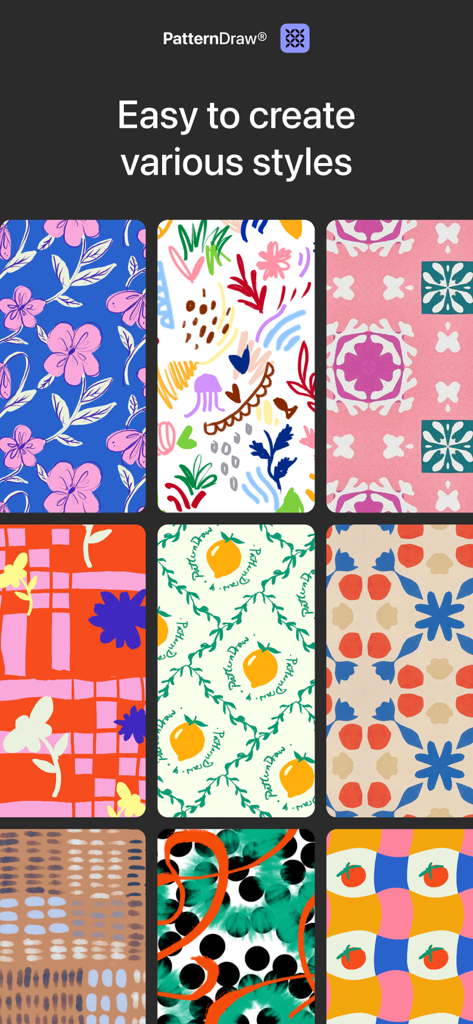
PatternDraw로 만든 다양한 심리스 패턴 디자인 컬렉션

PatternDraw로 만든 다양한 심리스 패턴 디자인 컬렉션

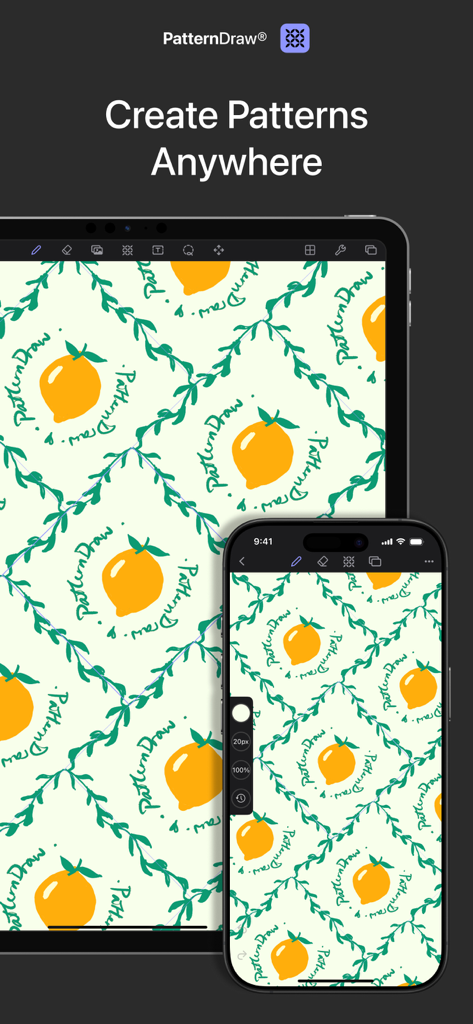
반복되는 레몬 패턴 디자인을 보여주는 아이패드 및 아이폰에 표시된 PatternDraw 앱 인터페이스

반복되는 레몬 패턴 디자인을 보여주는 아이패드 및 아이폰에 표시된 PatternDraw 앱 인터페이스

몇 초 만에 스케치에서 심리스로

이 앱을 돋보이게 하는 도구, 13K+ 명의 사용자가 선택.

🔄

실시간 반복 미리보기

브러시 스트로크가 캔버스 전체에 즉시 타일링되는 것을 확인하세요. 더 이상 내보내고 확인하는 과정을 반복할 필요 없이, 보이는 그대로의 패턴을 얻을 수 있습니다.

📐

원탭 레이아웃 스타일

하프 드롭, 브릭 또는 미러 레이아웃을 즉시 적용하세요. 복잡한 계산은 건너뛰고 디자인의 창의적인 흐름에 집중하세요.

🏭

상업 등급 내보내기

소파에서 생산까지. 직물 인쇄, 벽지 또는 전문 제조에 적합한 고해상도 심리스 파일을 내보내세요.

앱 소개

에 대해 알아야 할 모든 것 PatternDraw by Fashionary.

설명

PatternDraw is the first app tailor-made for drawing patterns on iPad. Now, you can sketch, paint, and create seamless repeating patterns in one powerful tool—without switching between multiple apps or relying on desktop software. Key Features: - Live Pattern Preview - Turn Any Image into Patterns - 20+ Pattern Styles - 100+ Professional Brushes - Production-Ready Export ** Live Pattern Preview ** See your pattern tile in real-time as you draw. No export-and-check cycles. No guesswork. What you see is what you get—instantly previewed across your chosen repeat method while your brush is still moving. ** Turn Any Image into Patterns ** Transform any image into a unique pattern with one tap. Import photos, sketches, or illustrations and instantly apply any pattern style. Complete creative control, zero technical barriers. ** 20+ Pattern Styles ** Access every repeat style you need: basic grids, half-drop, brick, mirror, diamond, and complex geometric layouts. Switch between methods instantly to explore different design directions without redrawing. ** 100+ Professional Brushes + Photoshop Import ** Our curated brush library covers everything from technical linework to expressive textures. Need your signature brush? Import your custom Photoshop brushes directly and work with the tools you already love. ** Production-Ready Export ** Export print-ready files for fabric manufacturers, wallpaper production, packaging design, or digital applications. Your patterns export clean, seamless, and ready for any commercial workflow. ** Universal Purchase—Design Anywhere ** One purchase unlocks PatternDraw on both iPad and iPhone. Use your iPad for detailed studio work, or sketch new ideas on your iPhone when inspiration strikes. ** Built by Designers, for Designers ** Two years ago, we launched FashionDraw. Our community of professional designers immediately asked: "Can it create patterns?" We tried every existing solution. Professional software felt bloated and unintuitive. Consumer apps couldn't handle serious design work. Nothing bridged the gap. So we built PatternDraw—the tool we wished existed. A professional-grade pattern design app that feels as natural as sketching on paper, with the precision and export quality your projects demand. Download PatternDraw and start creating production-ready patterns today! https://patterndraw.app/pages/terms-and-conditions https://patterndraw.app/pages/privacy-statement

최신 버전

1.1.16

크기

302.4 MB

출시일

2025년 10월 15일

스케치를 심리스 걸작으로 만들 준비가 되셨나요?

수동 타일링은 그만두고 제작을 시작하세요. 지금 PatternDraw를 다운로드하여 아이패드 및 아이폰에서 직접 실무 준비가 된 패턴을 디자인하세요.

다운로드: App Store

App information, icons, screenshots, and descriptions displayed on this page are sourced from the Apple App Store and are the property of their respective developers. Download estimates and rankings are based on MWM's proprietary models and may not reflect actual figures. This page is provided for informational and analytical purposes only.

Believe this page infringes your intellectual property? File a dispute