Pencil Planner & Calendar Pro

Pencil Planner & Calendar Pro

다운로드: App Store
로고: Pencil Planner & Calendar Pro

Pencil Planner & Calendar Pro: 당신의 삶과 동기화되는 종이 플래너

디지털 캘린더에 직접 손글씨를 쓰는 자유를 경험하세요. 최신 기술의 효율성과 불렛 저널의 감성을 원하는 Apple Pencil 사용자들을 위해 디자인되었습니다.

개발사

Wasdesign, LLC

카테고리

Productivity

다운로드

3M+

사용자 평점

4.5/5

총 평가 수

22K+

지원 언어

12

당신의 플래너, 재해석되다

이 인터페이스를 사용하는 3M+ 명의 사용자.

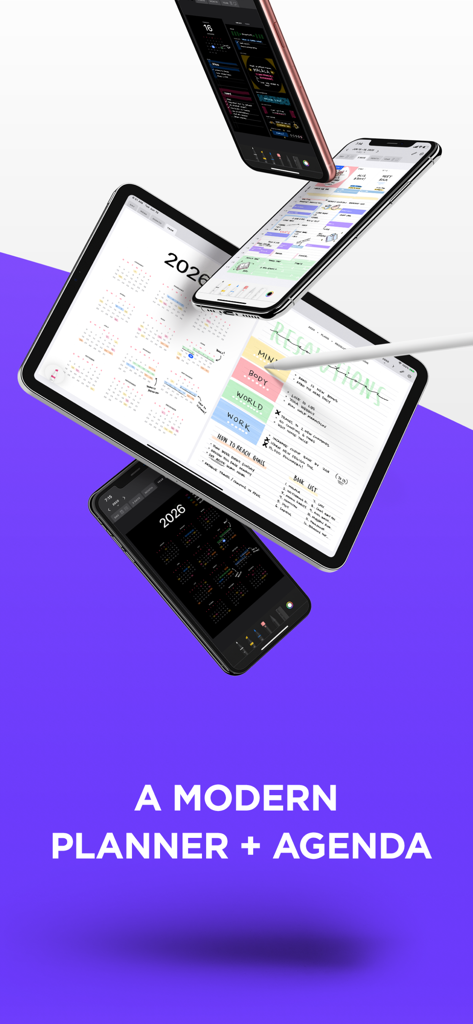
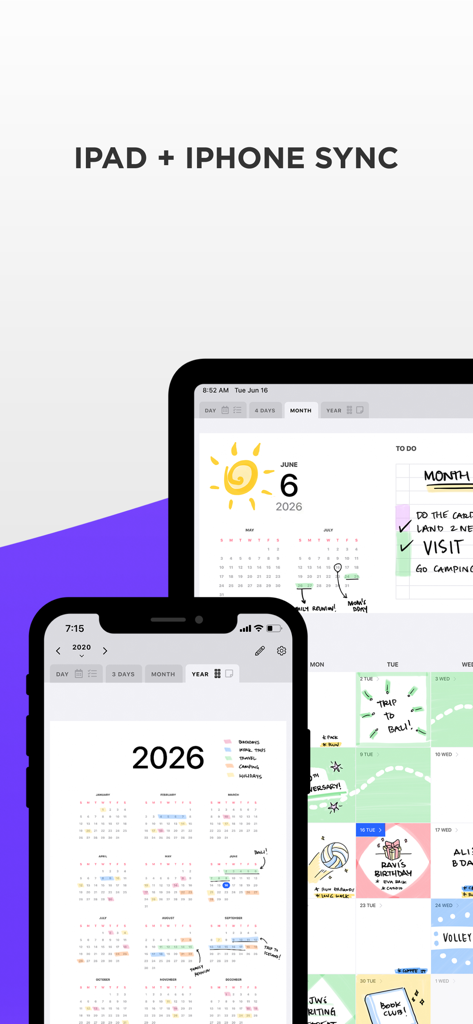
Pencil Planner와 Calendar Pro 앱이 iPad와 iPhone에서 손글씨로 작성된 일정을 보여줍니다.

Pencil Planner와 Calendar Pro 앱이 iPad와 iPhone에서 손글씨로 작성된 일정을 보여줍니다.

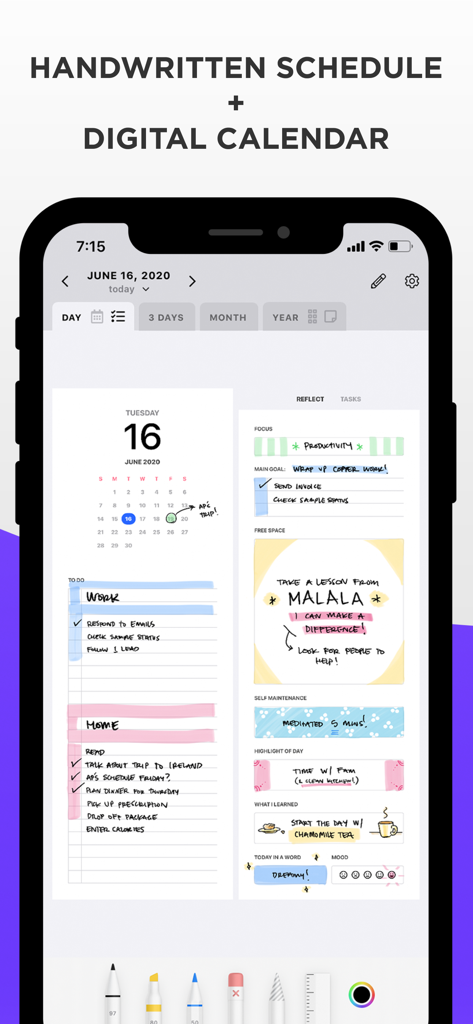
스마트폰의 Pencil Planner Pro 앱 인터페이스가 손글씨로 작성된 일일 일정과 디지털 캘린더 통합을 보여줍니다.

스마트폰의 Pencil Planner Pro 앱 인터페이스가 손글씨로 작성된 일일 일정과 디지털 캘린더 통합을 보여줍니다.

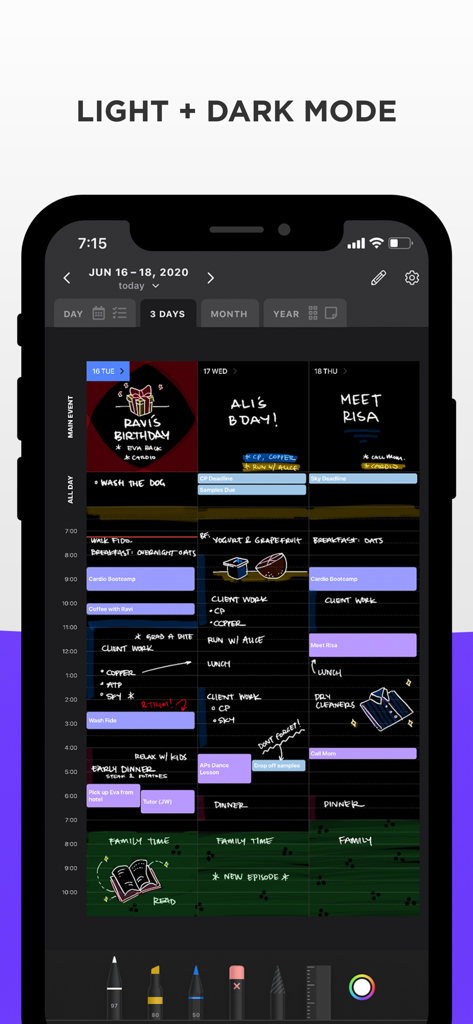
iPhone에서 Pencil Planner 앱이 손글씨 메모와 다채로운 스케치가 포함된 3일 캘린더 보기를 어두운 모드로 보여줍니다.

iPhone에서 Pencil Planner 앱이 손글씨 메모와 다채로운 스케치가 포함된 3일 캘린더 보기를 어두운 모드로 보여줍니다.

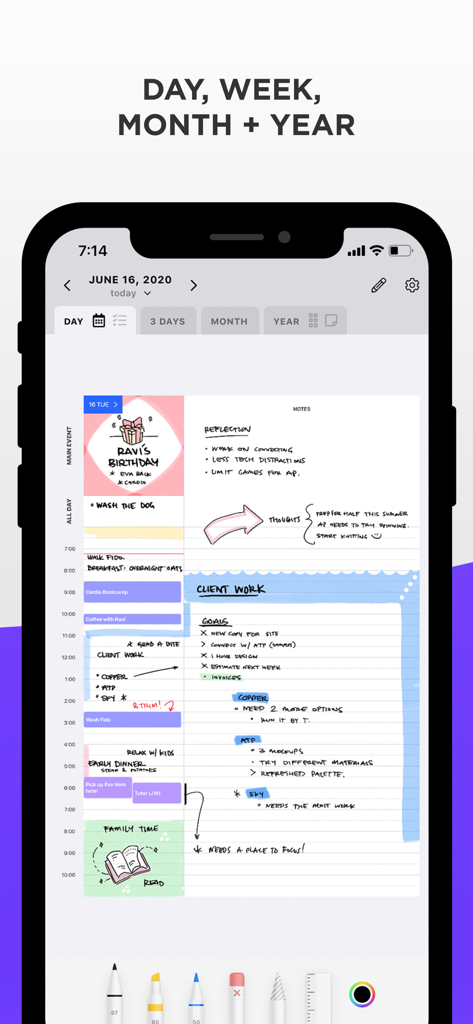
손글씨 메모와 스케치가 디지털 일일 일정에 통합된 Pencil Planner 앱을 보여주는 스마트폰 화면입니다.

손글씨 메모와 스케치가 디지털 일일 일정에 통합된 Pencil Planner 앱을 보여주는 스마트폰 화면입니다.

Pencil Planner 앱 인터페이스가 iPad와 iPhone 간의 손글씨 메모와 디지털 캘린더 동기화를 보여줍니다.

Pencil Planner 앱 인터페이스가 iPad와 iPhone 간의 손글씨 메모와 디지털 캘린더 동기화를 보여줍니다.

나만의 터치로 일정을 마스터하세요

이 앱을 돋보이게 하는 도구, 3M+ 명의 사용자가 선택.

✍️

손글씨의 자유

iPad에서 Apple Pencil을 사용하여 회의에 메모하고, 아이디어를 스케치하고, 우선순위를 강조 표시하세요.

🔄

손쉬운 동기화

작업을 반복하지 마세요. 모든 Apple 기기에서 기존 디지털 캘린더 이벤트 위에 손글씨가 그대로 유지됩니다.

감각적인 정리

디지털 앱의 힘으로 불렛 저널의 아름다움을 경험하세요. 일별, 주별, 월별 보기 간의 유동적인 탐색이 가능합니다.

리뷰 분석

사용자 리뷰 인사이트.

감정 점수

34%
부정적

요약

This app receives predominantly negative feedback, with many users expressing frustration over its instability and lack of reliability despite some initial appreciation for its handwriting feel, ease of use, and aesthetic design. Core issues include frequent crashes, freezing, and critical data loss where notes and planned items disappear, rendering the app unusable for many. Users also consistently report unreliable syncing across devices and unresponsive customer support, with many noting specific problems introduced by the V2 update and recent iOS updates. These significant drawbacks lead many to regret their subscriptions and advise against using the app.

주요 테마

Handwriting Experience(8)
Planning & Organization Features(4)
Ease of Use & Design(3)
Apple Ecosystem Integration(3)
Subscription Value(1)

앱 소개

에 대해 알아야 할 모든 것 Pencil Planner & Calendar Pro.

설명

Combine your daily digital calendar with your paper planner! Now you no longer have to choose between typing and handwriting your schedule, events and reminders. Pencil Planner Pro is the best of both worlds as you can write directly over the events that come from the Calendar app using your Apple Pencil. Take your paper agenda into the digital world! Plan daily, weekly, monthly and yearly with this handwritten bullet journal, agenda, and diary. VARIOUS CALENDAR INTEGRATIONS & DEVICES * Connect with you Calendar from all sources that the Calendar app supports * Sync between devices, including iPad and iPhone * Screen adapts to portrait and landscape * Integration with the Reminders app! BEAUTIFUL CALENDAR NAVIGATION * Main events written on the month view show up in the day and week * Schedule written in the week view shows up in the day * Tap on titles to quickly navigate * Full screen or split screen with other apps * Beautiful pages for day, week, month, year, and year grid LIKE ON REAL PAPER - NATURAL WRITING EXPERIENCE * Fluent, precise, and completely natural writing experience * Write with the Apple Pencil, Logitech Crayon, or with many capacitive styluses * Select and customize your pen color, thickness, and style (fountain pen, colored pencil, highlighter) * Easily switch between pen, highlighter, and eraser PLANNING YOUR AGENDA IS A BREEZE * Several writing tools and many different styles * Swipe left/right to go between dates * Dark mode and light mode * Zoom in & pan * Draw with pencil, finger, or other stylus BETTER THAN YOUR PAPER AGENDA * Select and move your handwriting * Undo & Redo * Powerful & smart eraser tool: Choose to erase the entire stroke or only parts of it. Set it to "Erase Highlighter Only" to leave the ink intact * Pinch to zoom and write more precisely * Sync to iPhone for your calendar on the go! PRO ACCESS Pencil Planner Pro Access is a subscription that unlocks all of the features available in Pencil Planner Pro shown below. Pro Access is available as a monthly ($4.99 USD) and a yearly ($24.99 USD) subscription. Try out all of Pencil Planner's features with a 3 day free trial. * Unlimited entries * Unlimited storage * Unlimited devices * Cloud backup & sync * Incredible planning experience! QUESTIONS * Reach out to us at support@pencilplanner.app with any questions or requests. We are always happy to help. Terms of use: https://pencilplanner.app/terms-of-use/

최신 버전

2.1.0

크기

46.2 MB

출시일

2020년 5월 31일

Apple Pencil을 위한 완벽한 플래너

필기의 즐거움과 디지털 동기화의 힘을 연결한 3백만 명 이상의 사용자들과 함께하세요. 3일 무료 체험을 시작하고 오늘 당신의 일상을 업그레이드하세요.

다운로드: App Store
FAQ

자주 묻는 질문

에 대해 알아야 할 모든 것 Pencil Planner & Calendar Pro

Apple Pencil로 Pencil Planner Pro에 손글씨를 입력할 수 있나요?

네, Pencil Planner Pro에서는 Apple Pencil 또는 기타 지원되는 스타일러스를 사용하여 디지털 캘린더 이벤트 위에 직접 손글씨를 입력할 수 있습니다.

Pencil Planner Pro에서 어떤 플래닝 뷰를 사용할 수 있나요?

Pencil Planner Pro는 일별, 주별, 월별, 연별 뷰를 제공하여 일정, 이벤트 및 미리 알림을 효과적으로 구성할 수 있습니다.

Pencil Planner Pro는 다른 캘린더 앱과 통합되나요?

네, Pencil Planner Pro는 기본 캘린더 앱에서 지원하는 모든 캘린더 소스와 연결되며 미리 알림 앱과 통합됩니다.

여러 Apple 기기에서 Pencil Planner Pro를 동기화할 수 있나요?

네, Pencil Planner Pro는 iPad 및 iPhone을 포함한 기기 간에 원활하게 동기화되며 세로 및 가로 방향에 맞게 조정됩니다.

Pencil Planner Pro는 다크 모드를 지원하나요?

네, Pencil Planner Pro는 다크 모드와 라이트 모드 모두 지원하여 사용자가 선호하는 시각적 인터페이스를 선택할 수 있습니다.

Pencil Planner Pro Access의 구독 비용은 얼마인가요?

Pencil Planner Pro Access는 월 $4.99 USD 또는 연 $24.99 USD입니다. 신규 사용자에게는 3일 무료 체험판이 제공됩니다.

Pencil Planner Pro Access를 구독하면 어떤 기능이 잠금 해제되나요?

Pencil Planner Pro Access는 무제한 항목, 저장 공간 및 기기를 잠금 해제하며 클라우드 백업 및 동기화를 통해 향상된 플래닝 경험을 제공합니다.

Pencil Planner Pro에 대한 지원은 어떻게 받을 수 있나요?

사용자는 질문이나 요청 사항이 있을 경우 support@pencilplanner.app으로 이메일을 보내 Pencil Planner Pro에 대한 지원을 받을 수 있습니다.

App information, icons, screenshots, and descriptions displayed on this page are sourced from the Apple App Store and are the property of their respective developers. Download estimates and rankings are based on MWM's proprietary models and may not reflect actual figures. This page is provided for informational and analytical purposes only.

Believe this page infringes your intellectual property? File a dispute