Photo finish app

Photo finish app

다운로드: App Store
로고: Photo finish app

포토 피니시 앱: 주머니 속 프로 타임 키핑의 정밀함

0.004초의 정확도로 결승선 분쟁을 없애세요. 스마트폰만 사용하여 트랙 경기부터 사이클링까지 모든 경기에 대한 결정적인 시각적 증거를 캡처하세요.

개발사

IURII VOEVODIN

카테고리

Sports

다운로드

2K+

사용자 평점

1.0/5

총 평가 수

0

지원 언어

1

모든 픽셀의 정밀함

이 인터페이스를 사용하는 2K+ 명의 사용자.

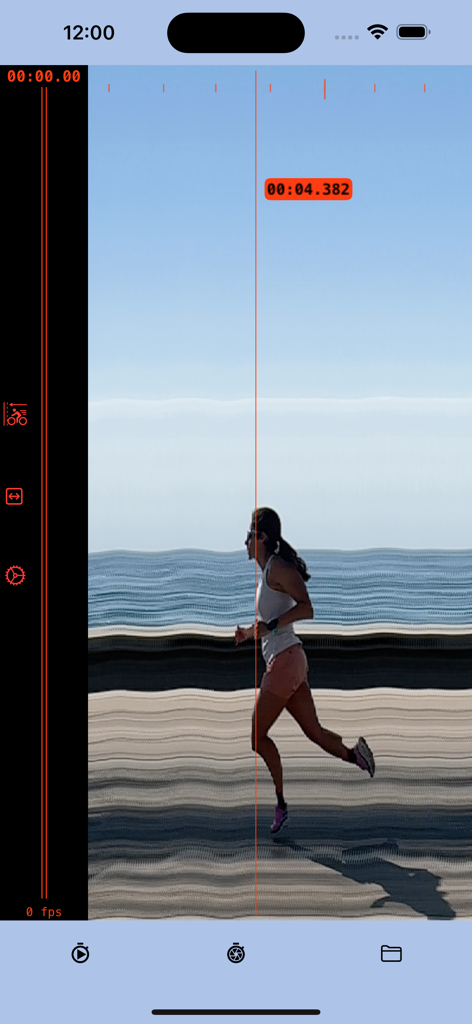
여성 러너가 결승선을 통과하는 슬릿 사진 캡처로, 정확한 타임스탬프는 4.382초입니다.

여성 러너가 결승선을 통과하는 슬릿 사진 캡처로, 정확한 타임스탬프는 4.382초입니다.

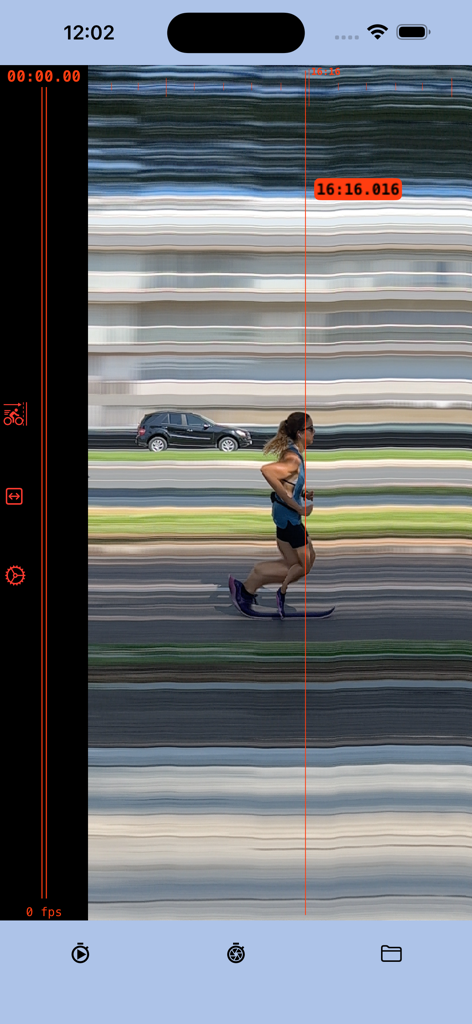
Photo finish 앱 스크린샷으로, 러너가 결승선을 통과하는 모습과 정확한 타임스탬프 16:16.016을 보여줍니다.

Photo finish 앱 스크린샷으로, 러너가 결승선을 통과하는 모습과 정확한 타임스탬프 16:16.016을 보여줍니다.

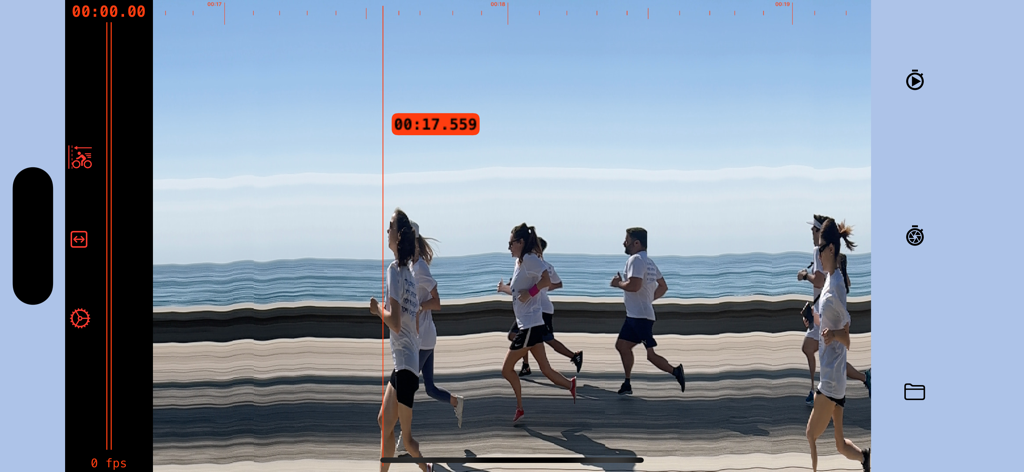
정확한 타임스탬프 17.559초로 결승선을 통과하는 러너들을 보여주는 디지털 포토 피니시 화면

정확한 타임스탬프 17.559초로 결승선을 통과하는 러너들을 보여주는 디지털 포토 피니시 화면

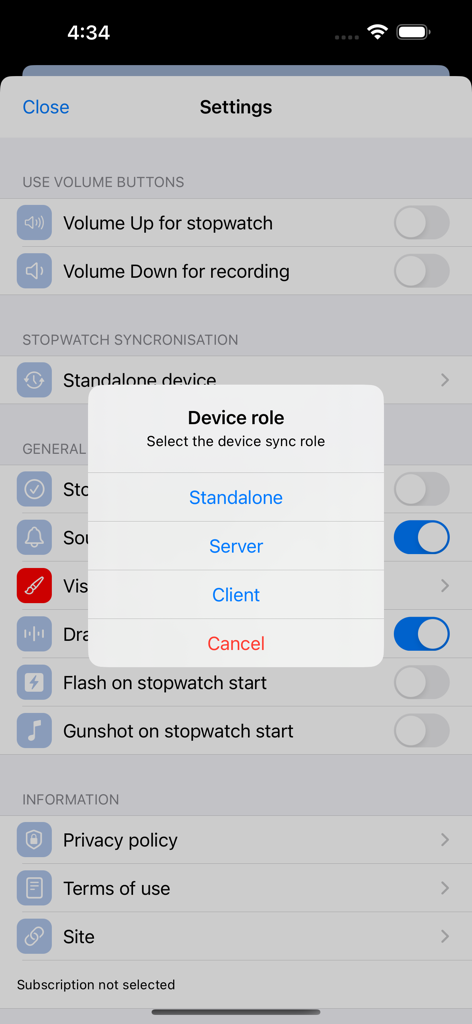
Photo finish 앱 설정에서 기기 역할 선택

Photo finish 앱 설정에서 기기 역할 선택

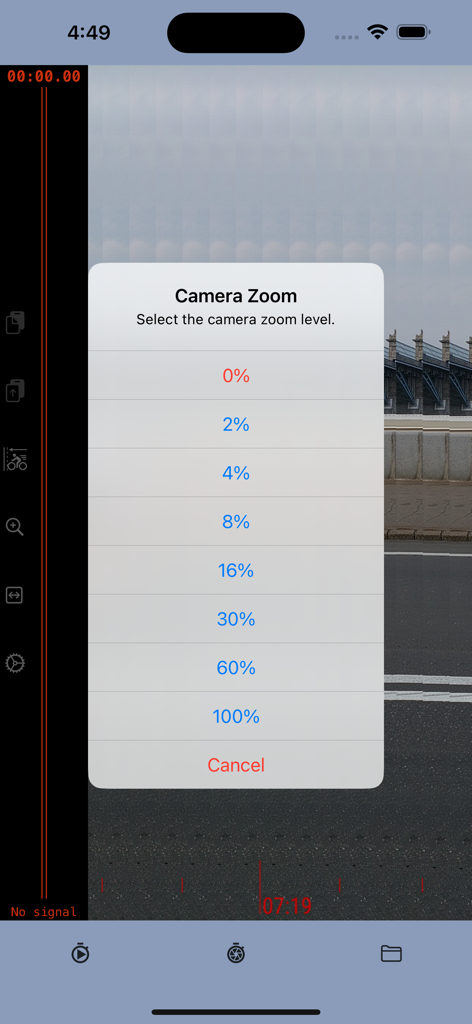
Photo finish 앱에서 카메라 줌 레벨 선택 메뉴

Photo finish 앱에서 카메라 줌 레벨 선택 메뉴

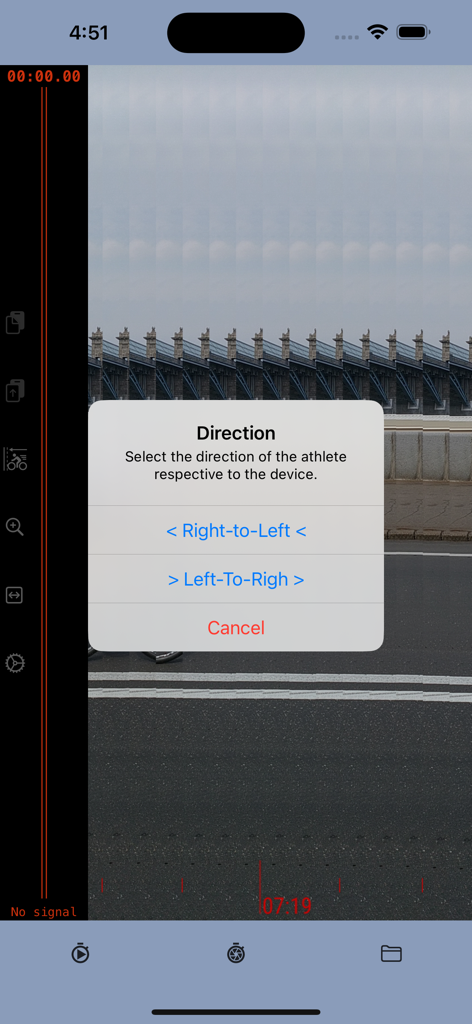
Photo finish 앱 인터페이스로, 오른쪽에서 왼쪽 또는 왼쪽에서 오른쪽으로 선수 방향을 선택하는 팝업 메뉴를 보여줍니다.

Photo finish 앱 인터페이스로, 오른쪽에서 왼쪽 또는 왼쪽에서 오른쪽으로 선수 방향을 선택하는 팝업 메뉴를 보여줍니다.

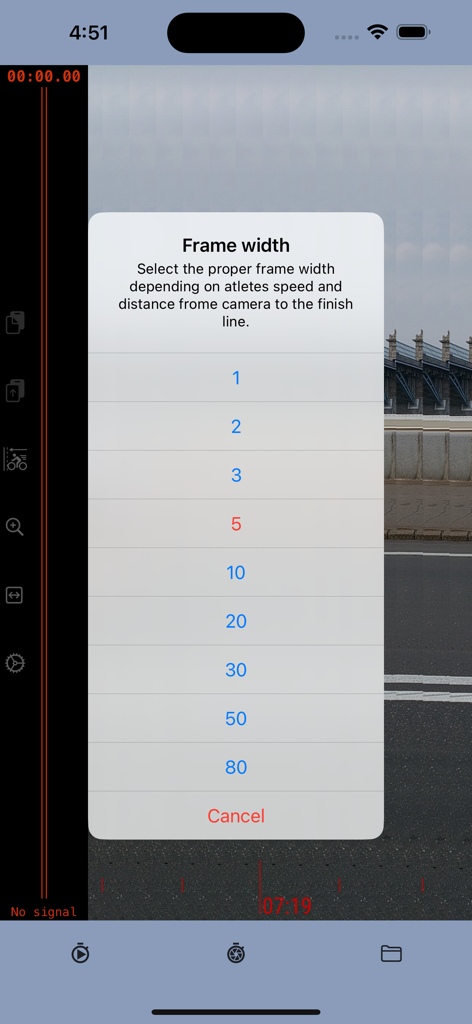
선수 속도 및 카메라 거리에 따라 프레임 너비 설정을 선택하는 메뉴인 Photo finish 앱

선수 속도 및 카메라 거리에 따라 프레임 너비 설정을 선택하는 메뉴인 Photo finish 앱

모든 결승선에 대한 프로 수준의 정확도

이 앱을 돋보이게 하는 도구, 2K+ 명의 사용자가 선택.

⏱️

0.004초 정밀 타임 키핑

밀리초 단위의 정확도를 위해 고속 240fps 카메라 기술을 활용하세요. 수동 스톱워치로는 맞출 수 없는 정확한 결과를 얻으세요.

🏁

반박할 수 없는 시각적 증거

결승선에서의 논쟁을 멈추세요. 누가 언제 먼저 통과했는지 명확하게 보여주는 연대순 슬릿 사진을 생성하세요.

📊

전문적인 결과, DIY 예산

주머니에 들어가는 프로 도구로 고가의 타임 키핑 하드웨어를 교체하세요. 고등학교 트랙 경기, 사이클링 및 아마추어 경주에 적합합니다.

앱 소개

에 대해 알아야 할 모든 것 Photo finish app.

설명

The photo-finish technique enables the precise measurement of the finishing time in any race event and provides a detailed image to accurately determine the winner. The photo-finish application enables you to measure finish time with a precision of 0.004 seconds, identify the race winner, and save a picture as evidence of the winner and results. The app captures a sequence of slit photos of the finish line, with each photo frame featuring a timestamp indicating a precise time. When the frame shows the crossing of the finish line, the timestamp of that specific frame serves as the defining finish time. Instructions: 1. Position the camera to capture the finish line within the frame borders. 2. Initiate the stopwatch at the beginning of the race. 3. Commence recording as the winning participant nears the finish line. 4. Cease recording once the athlete has crossed the finish line. 5. Identify the frame capturing the winner crossing the finish line; the timestamp at the cursor line indicates the precise result. Direction: The application employs the slit-photo technique, merging a sequence of frames into a chronological resulting image. The top scale on the resulting image provides an approximate timeline. Depending on the winner's approach to the finish line, it is advisable to combine frames in either "left to right" or "right to left" order. For instance, if the camera is positioned inside the stadium track, the direction should be "right to left"; if outside, then "left to right" would be appropriate. Frame width.  The frame width setting is contingent upon the distance between the camera and the track, as well as the speed of the athlete. If the camera is too close or the winner's speed is high, there's a risk of the winner crossing the frame sector too rapidly, potentially compromising the clarity of the image. Therefore, it is advisable to increase the frame width. However, it's essential to consider that the size of the resulting image is constrained. If the frame width is excessively wide, it may limit the time available to record the winner's result. Striking a balance between frame width and image size is crucial for optimal performance.us it is better to increase the image width. From another point, the size of the resulting image is limited. If the frame is too wide then you will have less time to record the winner result. Precision Note: The estimated measurement precision is approximately 0.004 seconds, with the main determinant being the camera frame rate. The iPhone camera, for instance, supports 240 frames per second (fps), resulting in a precision of 1:240, equivalent to 0.0041 Subscription Guidelines: 1. A complimentary trial period of 14 days is accessible for new users exclusively. The trial period does not automatically renew. 2. Payment will be debited from the iTunes Account upon confirmation of purchase. 3. Subscriptions, excluding the trial, automatically renew unless the auto-renewal feature is disabled at least 24 hours before the ongoing period concludes. 4. The account will incur charges for renewal within 24 hours prior to the termination of the ongoing period, specifying the renewal cost. 5. Users can manage subscriptions, and auto-renewal can be deactivated by navigating to the user's Account Settings post-purchase. 6. During the active subscription period, cancellation of the current subscription is not permitted. 7. Any remaining unused duration of a complimentary trial, if provided, will be forfeited upon the user's subscription purchase for that publication. Please read the: 1. Privacy Policy https://photo-finish.app/contacts/privacy-policy/ 2. Terms of Use https://www.apple.com/legal/internet-services/itunes/dev/stdeula/

최신 버전

2.52

크기

18.5 MB

출시일

2022년 10월 13일

진정한 승자를 가릴 준비가 되셨나요?

수동 스톱워치에 의존하는 것을 멈추고 결승선 분쟁을 없애세요. 오늘 14일 무료 평가판을 시작하여 0.004초의 정밀도와 전문가 수준의 슬릿 사진 증거를 주머니 속에서 바로 확인하세요.

다운로드: App Store

App information, icons, screenshots, and descriptions displayed on this page are sourced from the Apple App Store and are the property of their respective developers. Download estimates and rankings are based on MWM's proprietary models and may not reflect actual figures. This page is provided for informational and analytical purposes only.

Believe this page infringes your intellectual property? File a dispute