Plannera Restaurant Bookings

Plannera Restaurant Bookings


다운로드: App Store
로고: Plannera Restaurant Bookings

플라네라 레스토랑 예약: 완벽한 테이블을 위한 즉시 예약

스마트 메인보드로 다이닝 경험을 완벽하게 제어하세요. 실시간 이용 가능 여부를 검색하고, 좋아하는 자리를 선택하고, 가족, 접근성 또는 식이 제한 요구 사항에 대한 특별 태그로 방문을 맞춤 설정하세요. 단 몇 번의 탭으로 모든 것이 가능합니다.

다운로드: App Store

개발사

FUGA BAR LTD

카테고리

Food & Drink

다운로드

300

사용자 평점

1.0/5

총 평가 수

0

지원 언어

1

당신의 테이블, 시각화되다

이 인터페이스를 사용하는 300 명의 사용자.

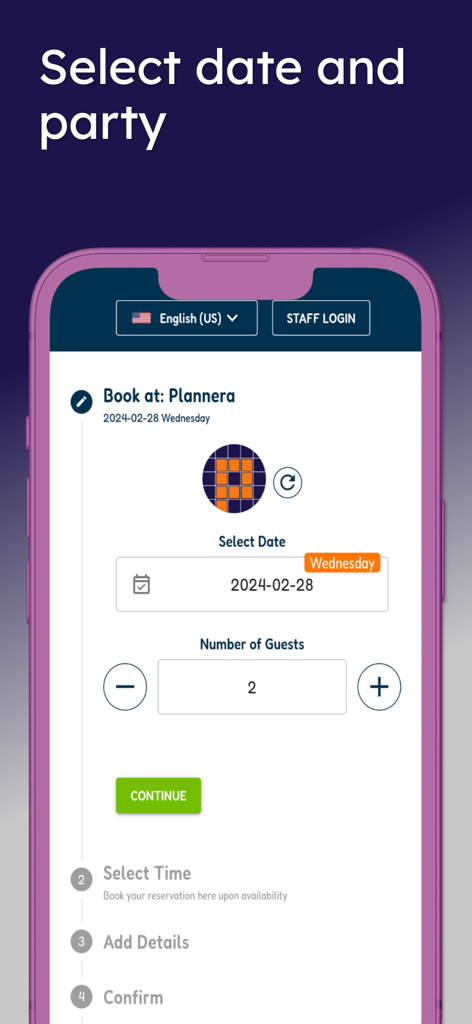
예약 날짜 및 인원수 선택을 위한 플라네라 앱 화면

예약 날짜 및 인원수 선택을 위한 플라네라 앱 화면

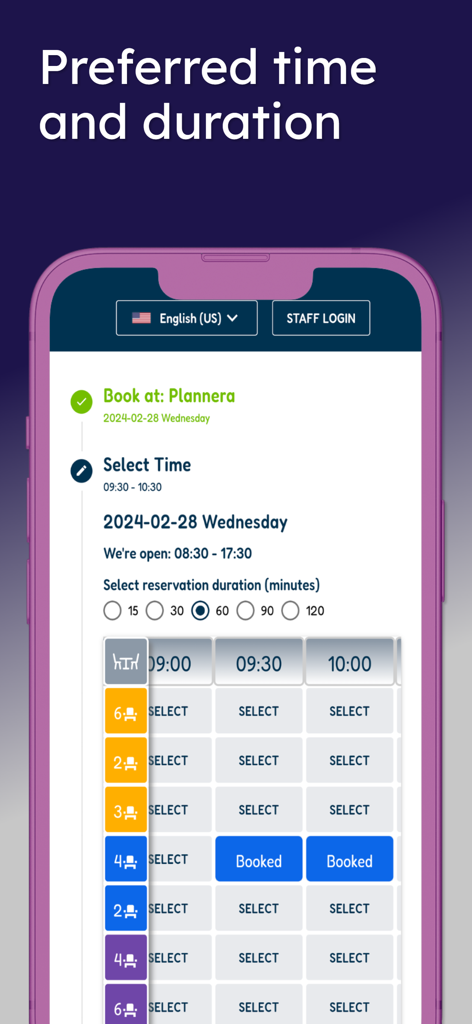
플라네라 앱 화면으로 테이블 이용 가능 여부 및 예약 시간 선택을 보여줌

플라네라 앱 화면으로 테이블 이용 가능 여부 및 예약 시간 선택을 보여줌

플라네라 앱 화면에 '레스토랑 예약이 쉬워졌습니다'라는 텍스트와 와인잔 및 식탁 아이콘 표시

플라네라 앱 화면에 '레스토랑 예약이 쉬워졌습니다'라는 텍스트와 와인잔 및 식탁 아이콘 표시

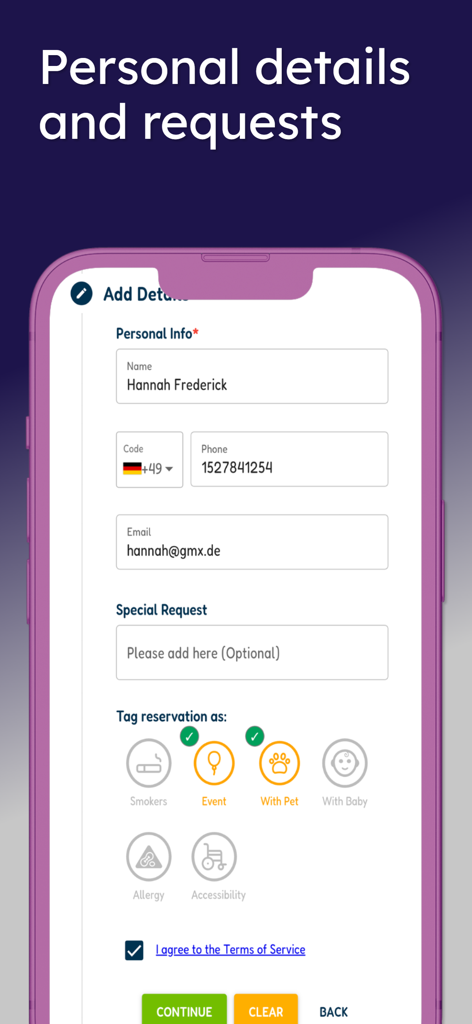
플라네라 앱 화면으로 개인 정보 및 애완 동물 또는 이벤트와 같은 특별 요청 태그 필드가 있는 예약 양식 표시

플라네라 앱 화면으로 개인 정보 및 애완 동물 또는 이벤트와 같은 특별 요청 태그 필드가 있는 예약 양식 표시

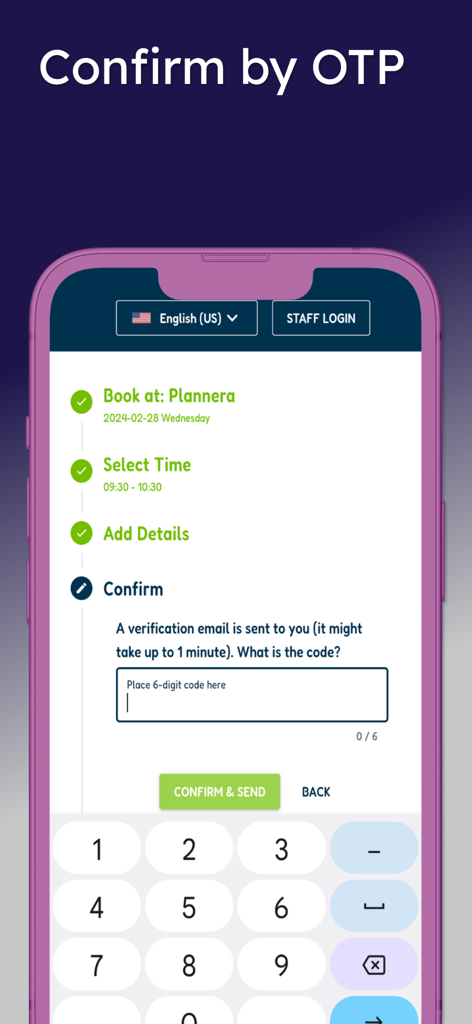
플라네라에서 레스토랑 예약을 위한 OTP 인증 프로세스를 보여주는 모바일 앱 화면

플라네라에서 레스토랑 예약을 위한 OTP 인증 프로세스를 보여주는 모바일 앱 화면

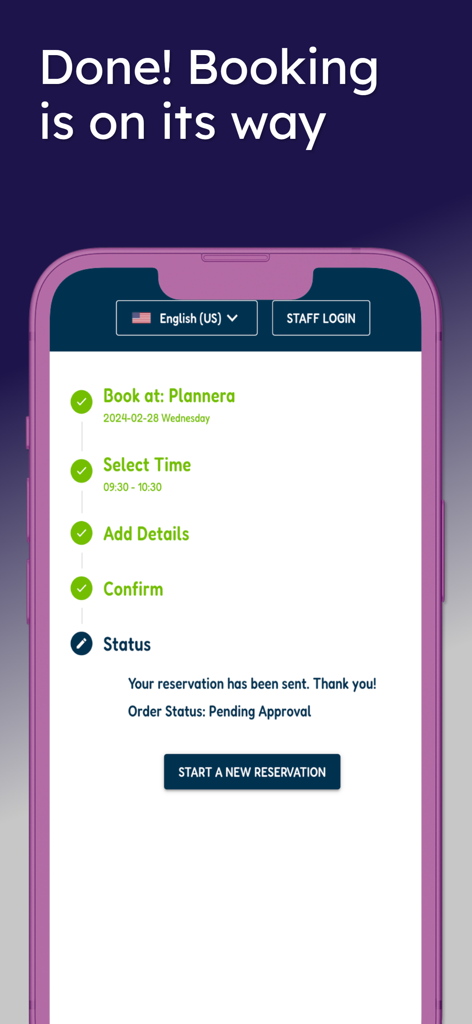
보류 승인 상태 및 완료된 예약 단계 체크리스트와 함께 예약 확인을 보여주는 플라네라 앱의 모바일 화면

보류 승인 상태 및 완료된 예약 단계 체크리스트와 함께 예약 확인을 보여주는 플라네라 앱의 모바일 화면

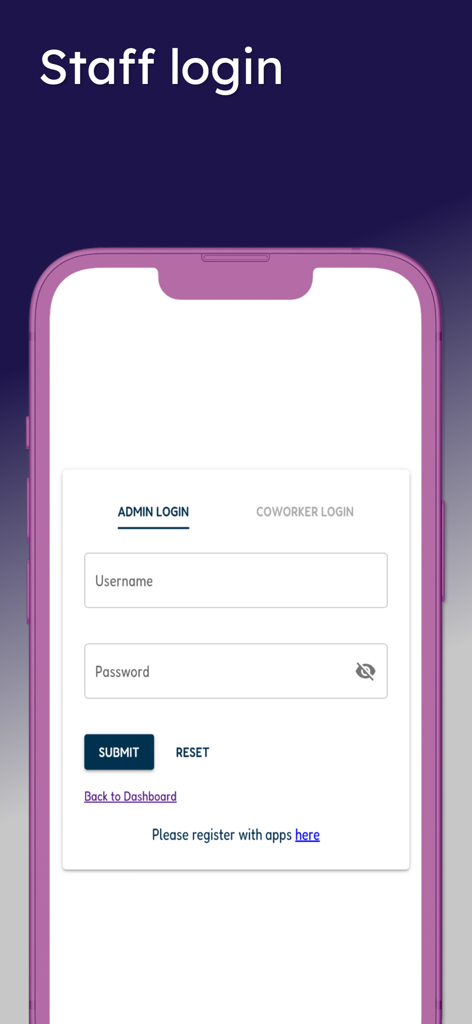
관리자 및 동료 로그인 옵션이 있는 플라네라 직원 로그인 화면

관리자 및 동료 로그인 옵션이 있는 플라네라 직원 로그인 화면

다이닝 계획을 직접 관리하세요

이 앱을 돋보이게 하는 도구, 300 명의 사용자가 선택.

🖼️

시각적인 테이블 탐색

스마트 메인보드를 탐색하여 실시간으로 비어 있는 테이블이 정확히 어디인지 확인하세요. 그룹 규모와 선호하는 시간에 맞는 완벽한 자리를 선택하세요.

👨‍👩‍👧‍👦

맞춤형 편의 제공

유아용 의자, 접근성 요구 사항 또는 식이 제한 알림을 탭 한 번으로 요청하세요. 구체적인 기본 설정은 즉시 레스토랑 직원에게 동기화됩니다.

📱

원탭 보안 예약

빠른 코드로 신원을 확인하고 예약을 즉시 확정하세요. 중간 단계도, 불확실성도 없습니다. 테이블에 직접 좌석을 확보할 수 있습니다.

앱 소개

에 대해 알아야 할 모든 것 Plannera Restaurant Bookings.

설명

Plannera enables clients to set self-bookings and reservations for their favorite registered restaurant, subject to availability, with this app! Here's how to get started: - Search and select your favorite business (if not auto-redirected). - Specify the desired date and number of guests. - The smart mainboard will display all available possibilities for any time and table, depending on your guests' number. - To make your booking, click "SELECT" on the appropriate cell, which will then change to "BOOKED" - and it's all yours! - Continue by filling in your details, requesting special needs, or tagging a relevant icon (Smokers, Baby chair, Allergy, Accessibility, etc.). - Enter a valid email, which will be code-verified (OTP), before proceeding to the final booking step. - Once verified, confirm your reservation, and you're set! Your booking is instantly updated on the restaurant's Table Planner mainboard. Please note that some businesses may want to double-check it with you by sending a confirmation message via SMS, WhatsApp, or email. Staff member? Log in to the top bar with the same app credentials to enjoy a mobile version of the front desk dashboard. Enjoy your booking! == About Plannera == Plannera specializes in reservation and appointment planners, focusing on collaborative teamwork and shared access. Available on multiple platforms, this includes Admin and Coworkers native apps for mobile devices and Client Online and Walk-In Reservations Dashboards for web and mobile devices. Visit the plannera.app to learn more.

최신 버전

20251029

크기

8.9 MB

출시일

2023년 10월 16일

완벽한 테이블을 차지할 준비가 되셨나요?

다음 식사를 우연에 맡기지 마세요. 지금 플라네라를 다운로드하여 자리를 확보하고, 요구 사항을 지정하고, 완전한 투명성을 갖춘 다이닝을 경험하세요.

다운로드: App Store

App information, icons, screenshots, and descriptions displayed on this page are sourced from the Apple App Store and are the property of their respective developers. Download estimates and rankings are based on MWM's proprietary models and may not reflect actual figures. This page is provided for informational and analytical purposes only.

Believe this page infringes your intellectual property? File a dispute