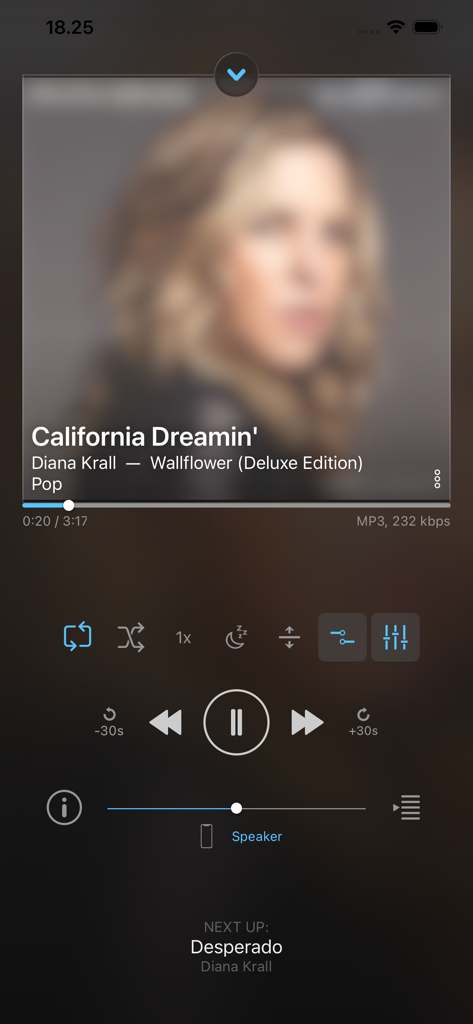
재생 중인 play:Sub Music Streamer 앱의 아이폰 화면으로 재생 컨트롤과 노래 정보 표시
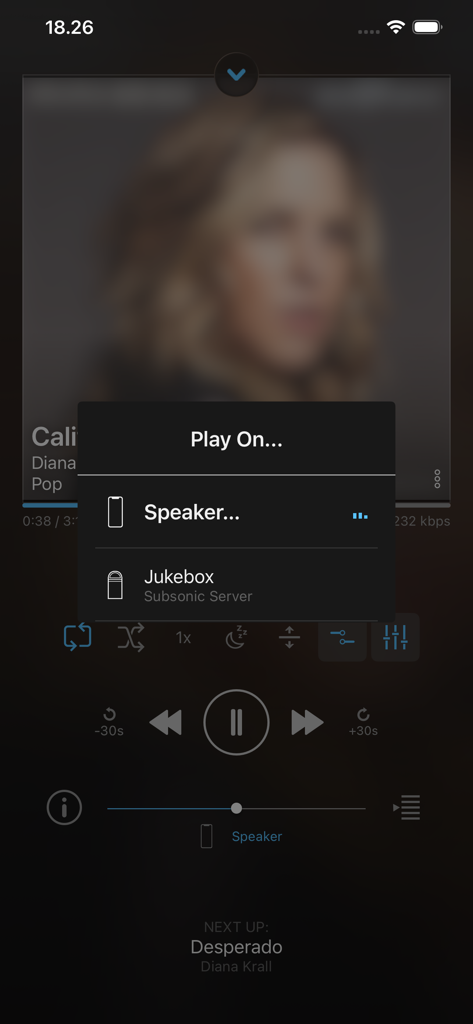
play Sub 앱의 메뉴로 스피커 또는 주크박스 서버에서 음악을 재생하는 옵션 표시
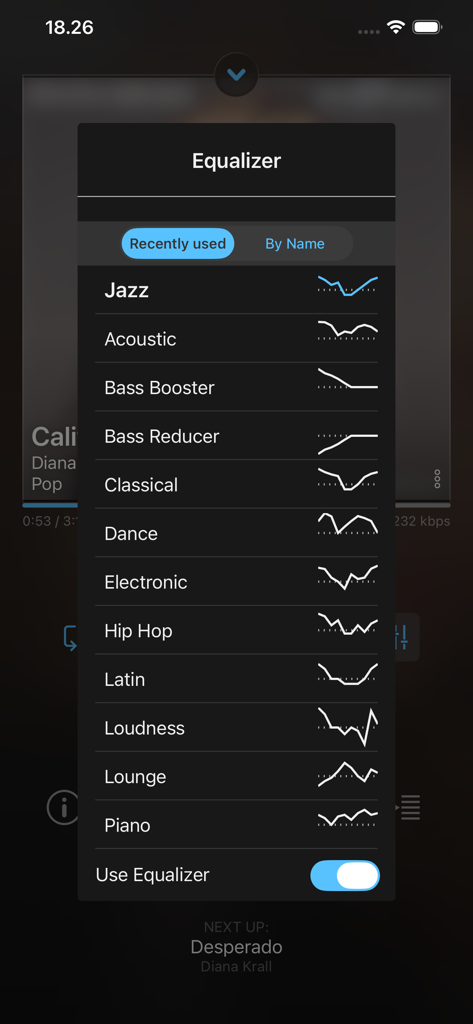
playSub 앱의 이퀄라이저 설정 메뉴로 재즈 및 어쿠스틱과 같은 다양한 오디오 프리셋 표시
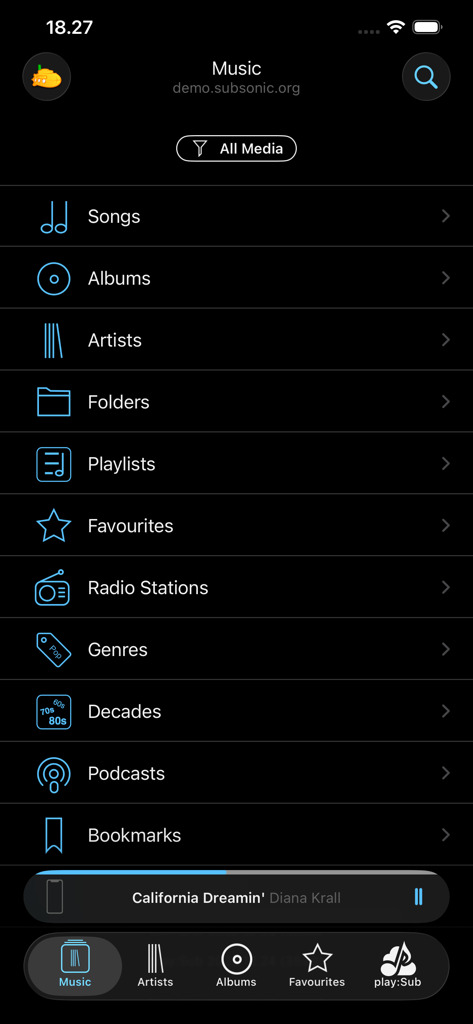
play:Sub 음악 스트리밍 앱의 메인 탐색 메뉴로 앨범 및 아티스트와 같은 카테고리 표시
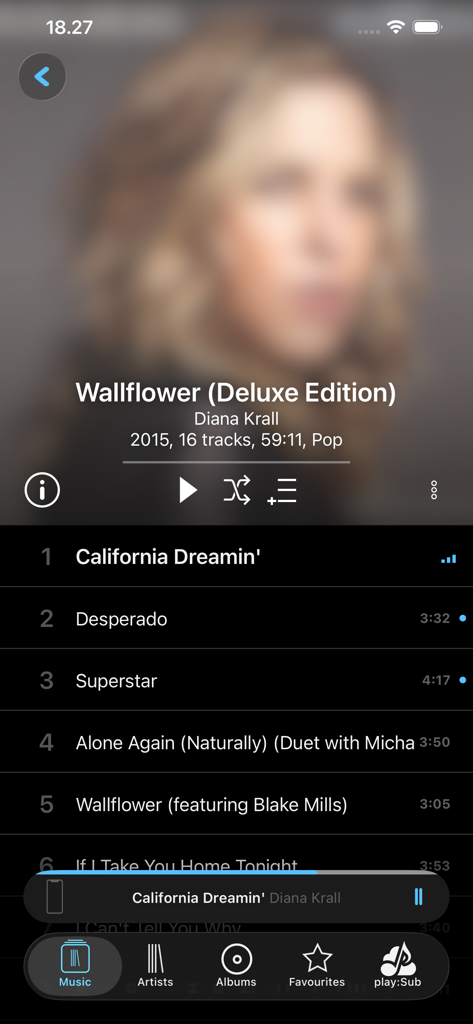
playsub music streamer 앱 인터페이스에 다이애나 크롤 앨범 트랙 목록 및 재생 컨트롤 표시
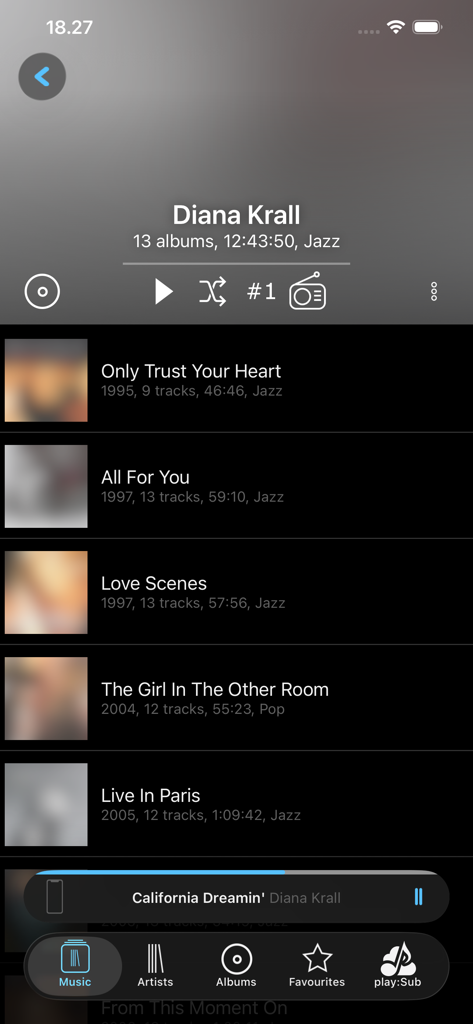
play Sub Music Streamer 앱 인터페이스의 아티스트 앨범 목록 보기로 디스코그래피 및 재생 컨트롤 표시
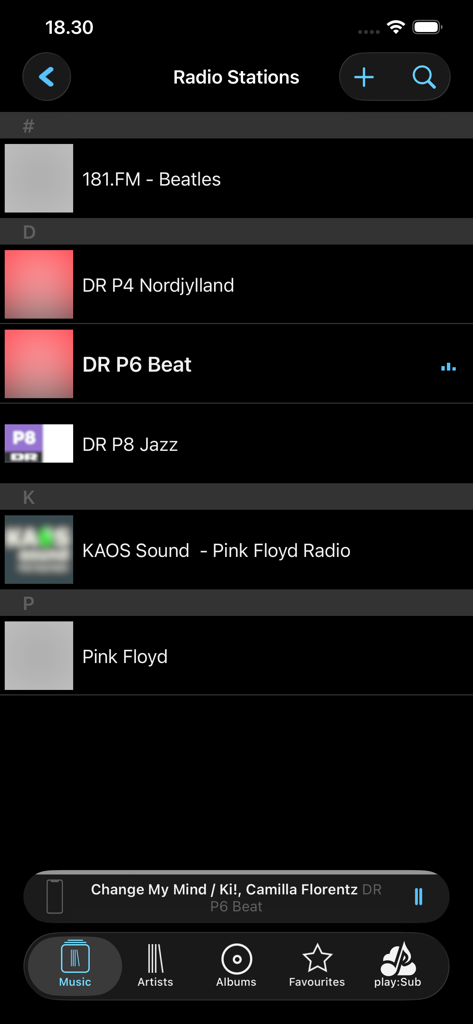
play:Sub Music Streamer 앱의 인터넷 라디오 방송국 목록을 보여주는 인터페이스.
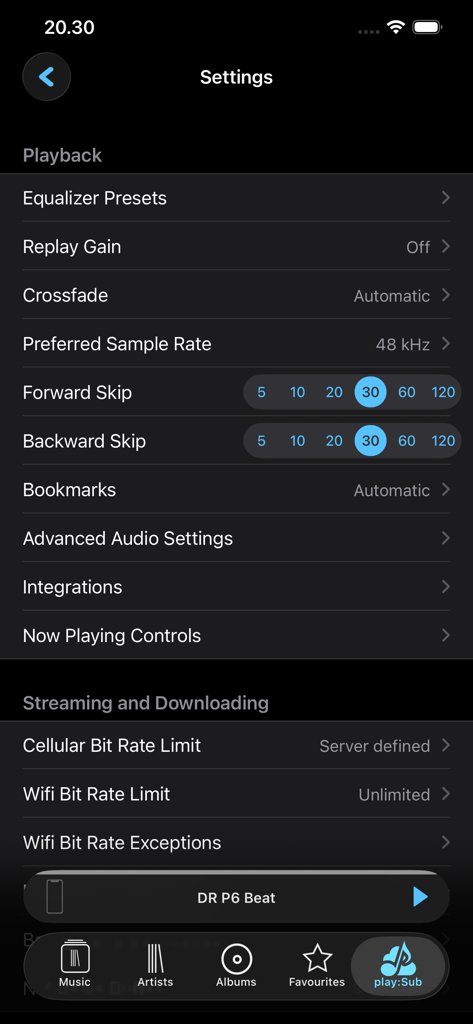
샘플 속도 및 스트리밍 비트 전송률 제한과 같은 재생 옵션을 보여주는 play:Sub Music Streamer의 설정 인터페이스.
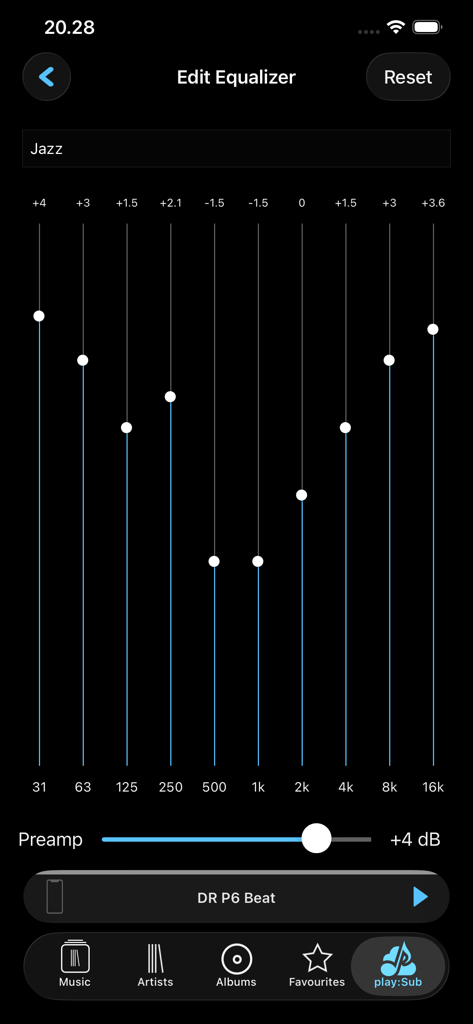
재즈 프리셋 및 프리앰프 슬라이더가 있는 10밴드 사용자 지정 가능 이퀄라이저를 보여주는 play:Sub 앱 인터페이스.
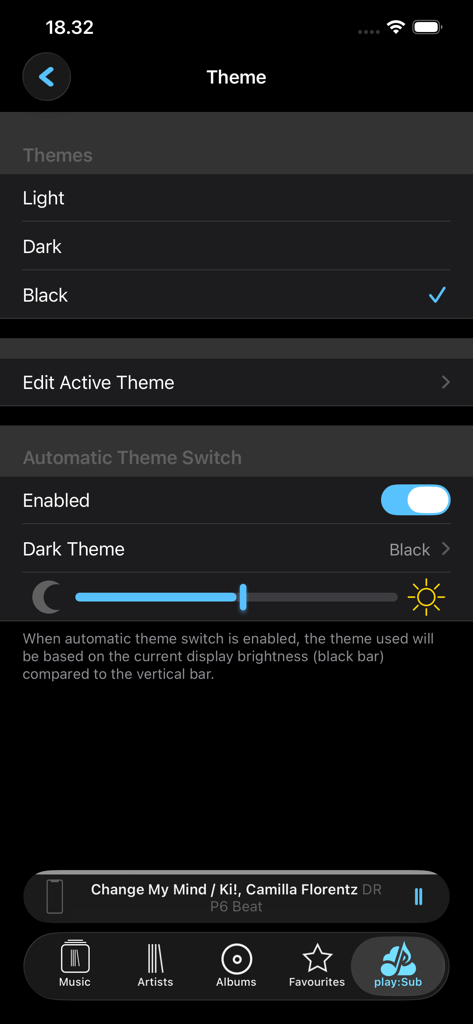
밝기 자동 전환 기능과 함께 라이트, 다크, 블랙 테마 옵션을 보여주는 playSub Music Streamer의 테마 설정 화면
개인 라이브러리 마스터하기
이 앱을 돋보이게 하는 도구, 158K+ 명의 사용자가 선택.
🔊
비트 단위 완벽 오디오 음질
무손실 FLAC, ALAC 및 최대 24비트/192kHz의 고해상도 오디오를 스트리밍하세요. 끊김 없는 재생과 사용자 지정 10밴드 이퀄라이저로 녹음된 그대로의 컬렉션을 즐기세요.
📡
범용 서버 통합
Subsonic, Navidrome, AirSonic 등을 위한 최고의 클라이언트입니다. 여러 서버에 손쉽게 연결하고 클라우드 비용 없이 데이터의 완전한 소유권을 유지하세요.
💾
지능형 오프라인 캐싱
자동 및 수동 캐싱으로 끊김 현상을 제거하세요. 신호 없이도 어디서든 안정적인 고비트 전송률로 재생할 수 있도록 좋아하는 아티스트와 재생 목록을 로컬에 저장하세요.
앱 소개
에 대해 알아야 할 모든 것 play:Sub Music Streamer.
설명
Stream your Subsonic-server-hosted music to your iOS or CarPlay device, Chromecast device or Subsonic Jukebox.
Enjoy your music everywhere, anytime, in the quality you decide!
play:Sub supports playback of most audio formats like FLAC, MP3, AAC and more.
Lossless and gapless playback is supported, as well as crossfading between tracks.
Use the 10-band fully customizable equalizer to get the right sound.
The equalizer has presets for common genres and scenarios.
Apply crossfade and replay-gain for the perfect listening experience.
Browse your music your way, be it by folder, artist, album, decade.
Control playback using gestures, buttons or remote controlled from you headset.
Play on anything: builtin speaker, headphones, Bluetooth connected headphones/amp/speaker/car-stereo or AirPlay devices.
play:Sub streams your music over any connection, and caches songs for when connectivity is bad.
Played songs are cached automatically, and you can manually cache individual songs or entire folders, artists or albums.
SERVER SUPPORT
• Subsonic, AirSonic, Ampache, Madsonic, Funkwhale, Libresonic, Navidrome
• Supports multiple servers and easy switching between them
• Any Subsonic 4.8+ compatible server should work
• You may need to enable Subsonic API on some server types
USER INTERFACE
• Dark and light UI themes
• All orientations, incl. iPad multitasking support
AUDIO
• FLAC, AAC, ALAC, MP3, MP4, OGG, WAV, AIFF, WEBM and more
• Plays most audio formats without transcoding
• Lossless playback (wo transcoding)
• Gapless playback
• 10-band equalizer
• Crossfade
• Replay Gain
• HI-rez digital up to 24bit/192kHz
• Variable playback speed (0.5-2x)
PLAY ON
• Any iOS device
• CarPlay
• Chromecast
• Jukebox
DISCOVERY
• Artist radio.
• Artist top songs
• Similar artists
• Be inspired by random artist, album or songs
• Play random songs in a genre
BROWSE YOUR MUSIC ANY WAY YOU LIKE IT
• Artists, Albums, Songs
• Folders
• Playlists, Favorites, Genres
• Podcasts, Audiobooks, Bookmarks
• Decades
• Filter by Subsonic mediafolder
INTERNET RADIOSTATIONS
• Server configured / shared internet radiostation.
• 20000+ radiostation directory powered by radiobrowser,info
PLAYLISTS
• Create, update and delete playlists
• Personal and shared playlists
• Cache complete playlists to device
• Full playlist support in both online and offline mode
FAVORITES
• Starring of artists, albums, tracks and folders
• Starring works in both online and offline mode
• Items starred when offline is synced at first chance
• Easily filter lists for starred content
GENRES
• View All, Random or Starred albums from a genre
• View Random or Starred songs from a genre
CONTEXT MENU EVERYWHERE
• Long-press any item to show relevant actions
• Easily navigate between associated artist, album, tracks and folders
• Add tracks, albums, artists or folders to playlists
• Swipe-to-reveal shortcuts
CACHING
• Automatic caching of played tracks, pre-cache upcoming tracks
• Manually cache selected folders, artists, albums or tracks
• Upgrade cached audio to better bitrate when available
SEAMLESS OFFLINE MODE
• Play cached music when connectivity is bad
• Show only cached content
• Same user interface in online and offline mode
INTEGRATION
• AirPlay, Bluetooth, remote control, lock screen & control center integration
• Support iOS’ sleep timer
• Resumes music after being interrupted by phone calls
• Background downloads
CONNECTION
• SSL, self-signed certificates
• Secure authentication for Subsonic 5.3+ servers
• cellular/wifi dependent bitrate; override settings for slow/fast WiFi networks
SCROBBLING
• Scrobbles to last.fm if configured on the server
• Updates Now Playing on the server
• Updates server-playcounts when playing cached content
• Music played while offline is scrobbled when online again
NOTE: a licensed installation of Subsonic 4.8+ is required.
Some features need a higher server version (Top Songs, Artist Radio, Similar Artists, Last.fm Imagery, Album Info)
최신 버전
2025.12.26
크기
21.5 MB
출시일
2015년 3월 26일
당신의 음악, 당신의 서버, 타협 없음.
음악을 임대하는 것을 거부하는 158,000명 이상의 자체 호스팅 사용자와 오디오 애호가에 동참하세요. 지금 play:Sub를 다운로드하고 고음질 라이브러리를 iOS 기기, CarPlay, Chromecast로 비트 단위로 완벽하게 가져오세요.
App information, icons, screenshots, and descriptions displayed on this page are sourced from the Apple App Store and are the property of their respective developers. Download estimates and rankings are based on MWM's proprietary models and may not reflect actual figures. This page is provided for informational and analytical purposes only.
Believe this page infringes your intellectual property? File a dispute