QR Code Reader—Barcode Scanner

QR Code Reader—Barcode Scanner

다운로드: App Store
로고: QR Code Reader—Barcode Scanner

QR 코드 리더—바코드 스캐너: 스마트 스캔을 위한 궁극의 올인원 도구

즉시 가격을 비교하고, 비즈니스를 위한 맞춤 QR 코드를 생성하고, 스캔 기록을 완벽하게 정리하세요. 빠르고 신뢰할 수 있으며 일상적인 효율성을 위해 제작되었습니다.

개발사

My Thu Nguyen Thi

카테고리

Utilities

다운로드

98K+

사용자 평점

3.8/5

총 평가 수

100

지원 언어

17

속도를 경험하세요

이 인터페이스를 사용하는 98K+ 명의 사용자.

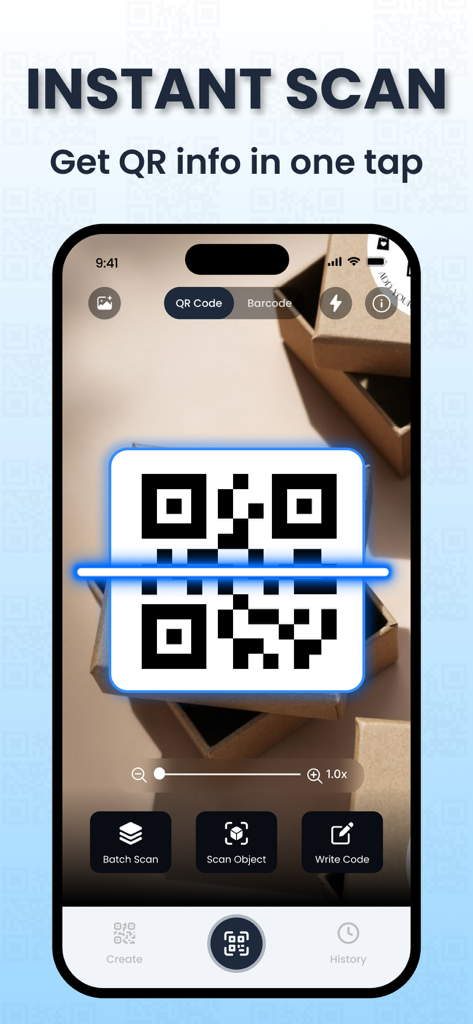
QR Code Reader 앱을 사용하여 포장지의 QR 코드를 스캔하는 스마트폰

QR Code Reader 앱을 사용하여 포장지의 QR 코드를 스캔하는 스마트폰

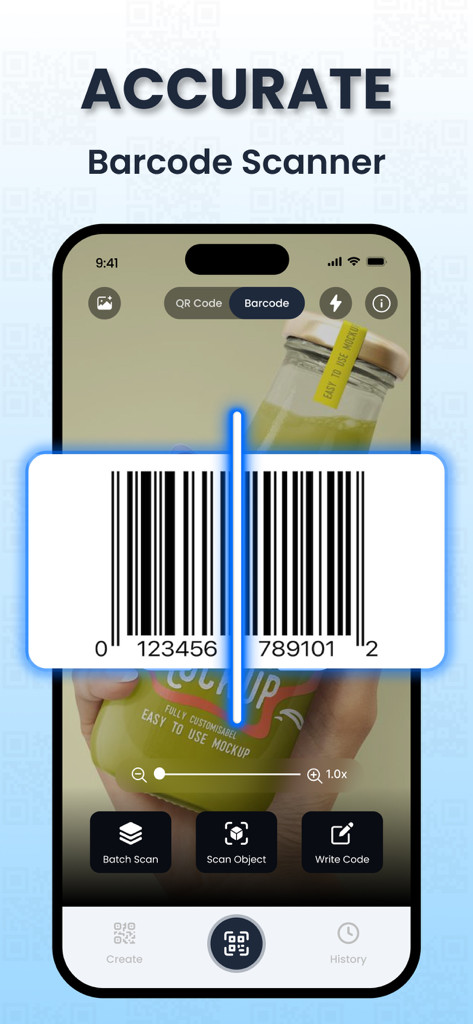
제품 병에 있는 바코드 스캔 기능을 보여주는 모바일 앱 인터페이스

제품 병에 있는 바코드 스캔 기능을 보여주는 모바일 앱 인터페이스

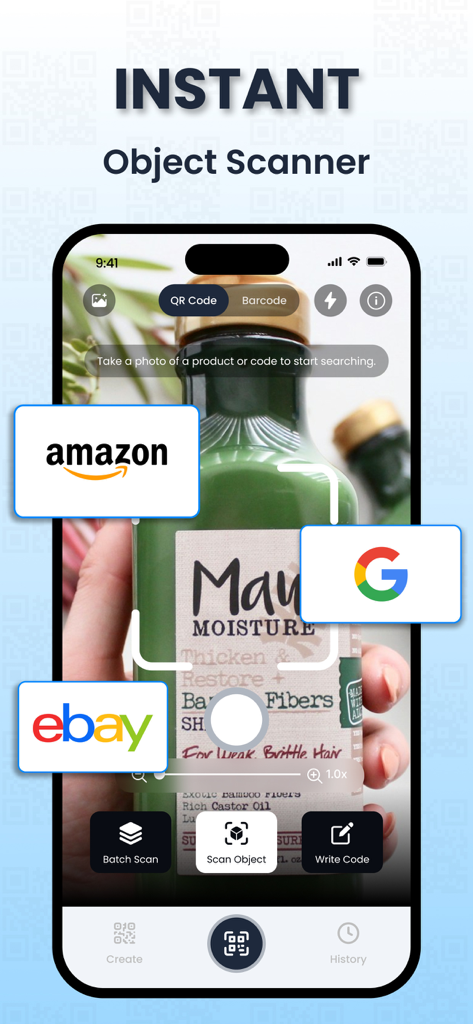
Amazon, Google 및 eBay 검색 링크가 포함된 제품을 식별하는 즉석 객체 스캐너 앱 인터페이스

Amazon, Google 및 eBay 검색 링크가 포함된 제품을 식별하는 즉석 객체 스캐너 앱 인터페이스

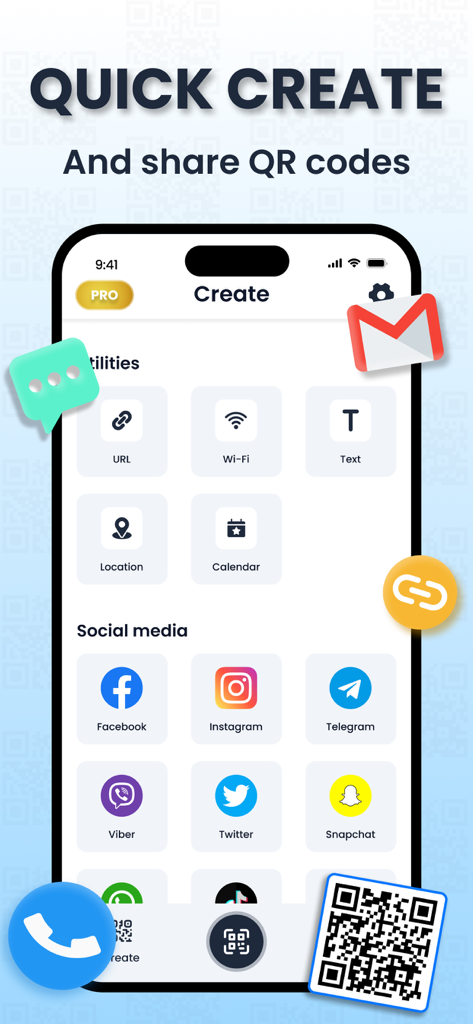
소셜 미디어 및 유틸리티용 맞춤 QR 코드를 생성하는 모바일 앱 인터페이스

소셜 미디어 및 유틸리티용 맞춤 QR 코드를 생성하는 모바일 앱 인터페이스

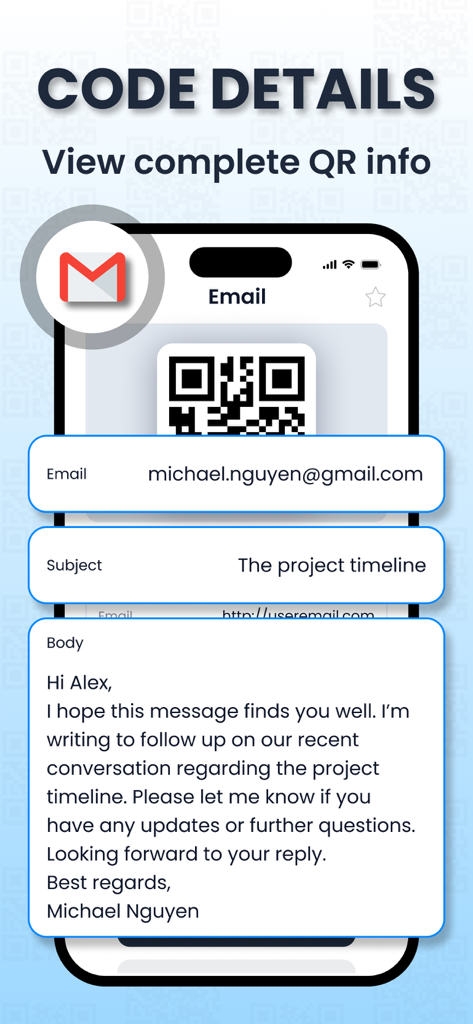
스캔된 QR 코드에서 추출한 이메일 세부 정보를 표시하는 스마트폰 화면

스캔된 QR 코드에서 추출한 이메일 세부 정보를 표시하는 스마트폰 화면

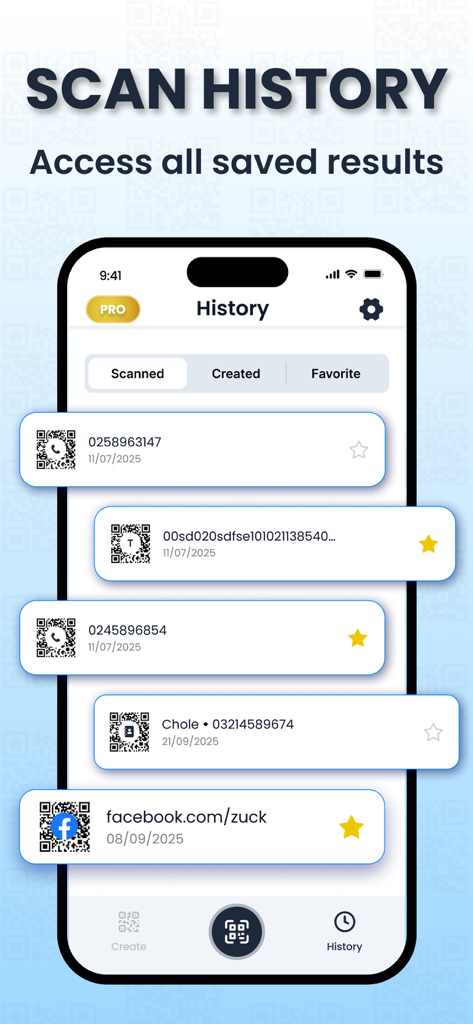
날짜와 즐겨찾기가 포함된 스캔된 QR 코드 및 바코드 목록을 표시하는 모바일 앱 인터페이스

날짜와 즐겨찾기가 포함된 스캔된 QR 코드 및 바코드 목록을 표시하는 모바일 앱 인터페이스

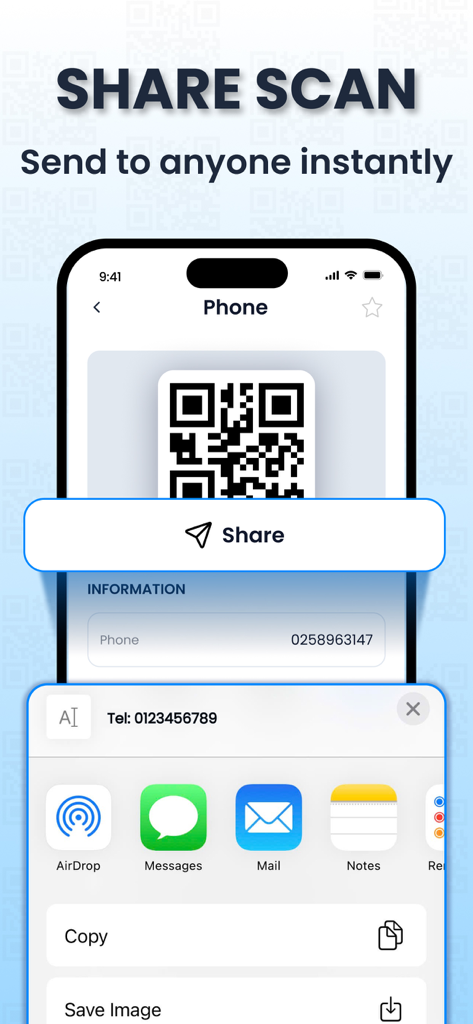
AirDrop, Messages 및 Mail을 통해 스캔된 QR 코드를 보내는 옵션이 있는 공유 메뉴를 보여주는 모바일 앱 화면

AirDrop, Messages 및 Mail을 통해 스캔된 QR 코드를 보내는 옵션이 있는 공유 메뉴를 보여주는 모바일 앱 화면

모든 스캔을 쉽게 마스터하세요

이 앱을 돋보이게 하는 도구, 98K+ 명의 사용자가 선택.

🏷️

스마트 쇼핑 도우미

모든 소매점에서 바코드를 스캔하여 즉시 가격을 비교하고 제품 정보를 확인하여 항상 최고의 거래를 얻을 수 있도록 합니다.

🪄

즉석 QR 생성

Wi-Fi 액세스, 디지털 명함 또는 소셜 링크를 위한 맞춤 QR 코드를 쉽게 생성하여 고객 및 방문객과 공유할 수 있습니다.

🕒

체계적인 스캔 기록

링크나 제품을 다시는 잃어버리지 마세요. 전체 스캔 기록은 자동으로 저장 및 정리되어 필요할 때마다 빠르게 액세스할 수 있습니다.

앱 소개

에 대해 알아야 할 모든 것 QR Code Reader—Barcode Scanner.

설명

QR Code Reader—Barcode Scanner is the all-in-one tool for scanning, reading, and creating QR codes and barcodes. With a fast camera scanner and smart utilities, you can instantly decode any code, look up product details, or generate your own QR codes for Wi-Fi, contacts, events, and more. Designed for both everyday users and businesses, this app delivers accurate results and keeps all your scans organized in one place. Key Features: SCAN QR CODES INSTANTLY - Quickly scan QR codes from your surroundings or saved images with our fast QR reader and access the information you need in seconds. READ BARCODES EFFORTLESSLY - Scan barcodes with ease to access product details, pricing, availability, and more. You can also enter serial numbers manually, making it simple to look up information anytime with our barcode checker. CREATE QR CODES - Generate QR codes for both personal and business purposes. This QR code app isn’t just a scanner – it’s a complete tool for creating and sharing your own codes, whether it’s for contact details, Wi-Fi access, or events. ACCESS YOUR SCAN HISTORY - Easily review, manage, and share your entire scan history in just a few taps. All of your QR and barcode scan details are neatly organized in one convenient place, making it simple to find what you need anytime. Enjoy a smooth, reliable scanning experience. **Premium Subscription ** Upgrade to Premium to unlock all features: unlimited scans, create & scan QR codes, and advanced editing tools. You can choose: - Weekly subscription (with 3-day free trial) at $4.99/week - Yearly subscription at $29.99/year Payment & Renewal: – Payment will be charged to your iTunes Account at confirmation of purchase (after the free trial period, if offered). – Subscription automatically renews unless auto-renew is turned off at least 24 hours before the end of the current period. – Your account will be charged for renewal within 24 hours prior to the end of the current period, at the same price of $9.99/week or $39.99/year. – You can manage subscriptions and turn off auto-renewal in your Account Settings after purchase. – Any unused portion of a free trial period, if offered, will be forfeited when you purchase a subscription. Privacy Policy: https://sites.google.com/view/qrcode-reader-scanner/privacy-policy Terms of Use (EULA): https://www.apple.com/legal/internet-services/itunes/dev/stdeula

최신 버전

1.2

크기

31.8 MB

출시일

2025년 9월 23일

오늘부터 더 스마트하게 스캔하세요

98,000명 이상의 현명한 쇼핑객 및 전문가와 함께하세요. 하나의 강력한 앱에서 즉시 가격을 비교하고, 맞춤 코드를 생성하고, 기록을 정리하세요.

다운로드: App Store
FAQ

자주 묻는 질문

에 대해 알아야 할 모든 것 QR Code Reader—Barcode Scanner

QR Code Reader—Barcode Scanner 앱으로 QR 코드를 어떻게 스캔하나요?

QR Code Reader—Barcode Scanner 앱은 빠른 QR 리더 기능을 사용하여 주변 환경이나 저장된 이미지에서 QR 코드를 빠르게 스캔합니다. 정보를 즉시 액세스합니다.

QR Code Reader—Barcode Scanner 앱이 바코드 스캔을 지원하나요?

네, QR Code Reader—Barcode Scanner 앱은 바코드 스캔을 지원합니다. 제품 세부 정보, 가격 및 가용성에 액세스하기 위해 바코드를 쉽게 스캔합니다. 사용자는 수동으로 일련 번호를 입력할 수도 있습니다.

QR Code Reader—Barcode Scanner 앱으로 QR 코드를 만들 수 있나요?

네, QR Code Reader—Barcode Scanner 앱을 사용하면 개인 및 비즈니스 목적으로 QR 코드를 만들 수 있습니다. 여기에는 연락처 정보, Wi-Fi 액세스 또는 이벤트에 대한 코드 생성이 포함됩니다.

QR Code Reader—Barcode Scanner 앱의 프리미엄 구독에는 어떤 기능이 포함되어 있나요?

QR Code Reader—Barcode Scanner 앱의 프리미엄 구독은 무제한 스캔, QR 코드 생성 및 스캔 기능, 고급 편집 도구를 포함한 모든 기능을 잠금 해제합니다.

QR Code Reader—Barcode Scanner 앱의 프리미엄 구독 비용은 얼마인가요?

QR Code Reader—Barcode Scanner 앱의 프리미엄 구독은 3일 무료 체험이 포함된 주간 요금제($4.99/주) 또는 연간 구독($29.99/년)을 제공합니다.

QR Code Reader—Barcode Scanner 앱의 프리미엄 구독에 무료 체험이 제공되나요?

네, QR Code Reader—Barcode Scanner 앱은 주간 프리미엄 구독에 대해 3일 무료 체험을 제공합니다. 구독 구매 시 무료 체험의 미사용 부분은 소멸됩니다.

QR Code Reader—Barcode Scanner 앱의 구독은 어떻게 관리하나요?

사용자는 구매 후 계정 설정에서 QR Code Reader—Barcode Scanner 앱의 구독을 관리하고 자동 갱신을 해제합니다. 자동 갱신은 기간 종료 24시간 전에 해제해야 합니다.

QR Code Reader—Barcode Scanner 앱의 개인정보 처리방침은 어디에서 찾을 수 있나요?

QR Code Reader—Barcode Scanner 앱의 개인정보 처리방침은 다음에서 확인할 수 있습니다: https://sites.google.com/view/qrcode-reader-scanner/privacy-policy.

QR Code Reader—Barcode Scanner 앱이 스캔한 항목의 기록을 유지하나요?

네, QR Code Reader—Barcode Scanner 앱은 스캔 기록에 액세스할 수 있습니다. 사용자는 모든 스캔 기록을 쉽게 검토, 관리 및 공유할 수 있으며, 이는 한곳에 깔끔하게 정리됩니다.

QR Code Reader—Barcode Scanner 앱으로 어떤 종류의 QR 코드를 만들 수 있나요?

QR Code Reader—Barcode Scanner 앱을 사용하면 URL, Wi-Fi, 텍스트, 위치, 캘린더 이벤트 및 Facebook, Instagram, Telegram과 같은 소셜 미디어 플랫폼에 대한 QR 코드를 만들 수 있습니다.

App information, icons, screenshots, and descriptions displayed on this page are sourced from the Apple App Store and are the property of their respective developers. Download estimates and rankings are based on MWM's proprietary models and may not reflect actual figures. This page is provided for informational and analytical purposes only.

Believe this page infringes your intellectual property? File a dispute