running time record

running time record

다운로드: App Store
로고: running time record

running time record: 전문가적이고 개인적인 달리기 기록부

정확한 수동 입력과 통찰력 있는 연간 차트로 훈련을 관리하세요. 소셜 미디어나 GPS 추적의 번잡함 없이 데이터 개인 정보 보호와 다중 사용자 관리를 중요하게 생각하는 러너를 위해 설계되었습니다.

다운로드: App Store

개발사

YUTAKA IZUMIYAMA

카테고리

Sports

다운로드

200

사용자 평점

1.0/5

총 평가 수

0

지원 언어

2

한눈에 보는 나의 통계

이 인터페이스를 사용하는 200 명의 사용자.

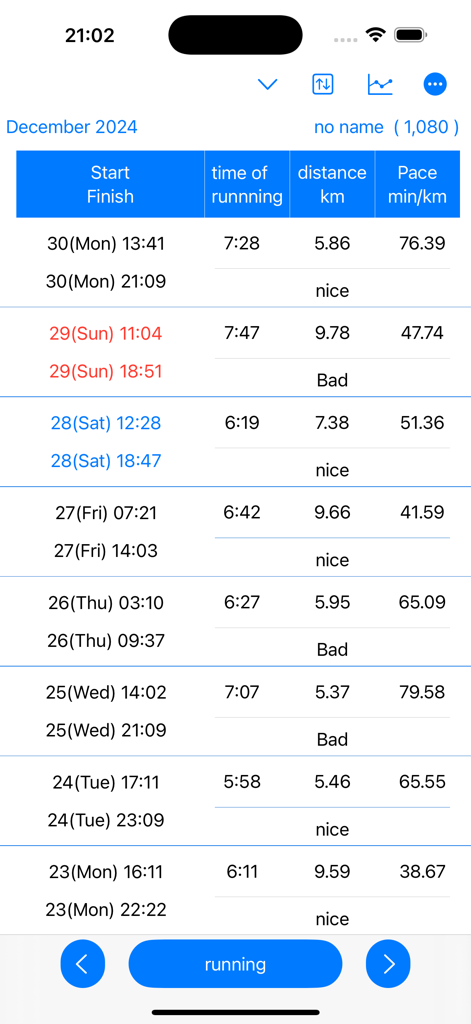
시작 시간, 종료 시간, 거리 및 페이스를 보여주는 달리기 기록의 상세 테이블

시작 시간, 종료 시간, 거리 및 페이스를 보여주는 달리기 기록의 상세 테이블

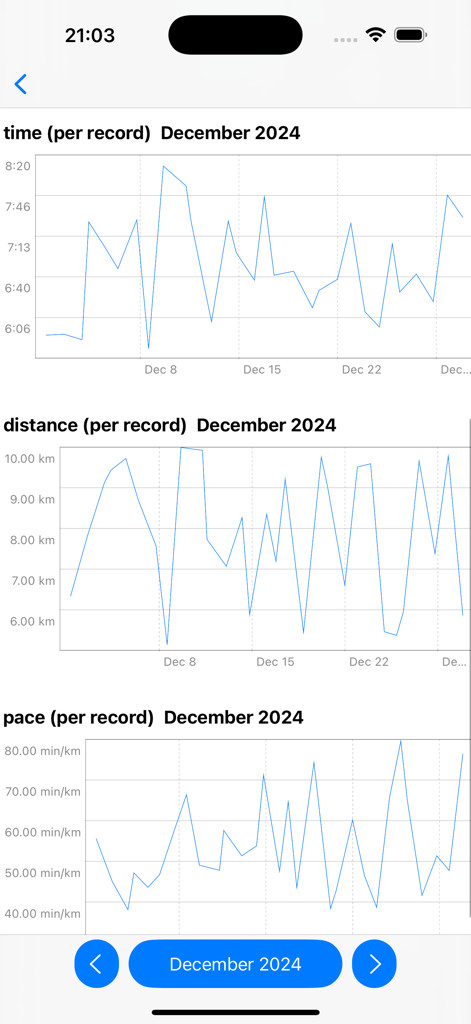
2024년 12월의 시간, 거리 및 페이스에 대한 월별 달리기 데이터를 보여주는 선 차트

2024년 12월의 시간, 거리 및 페이스에 대한 월별 달리기 데이터를 보여주는 선 차트

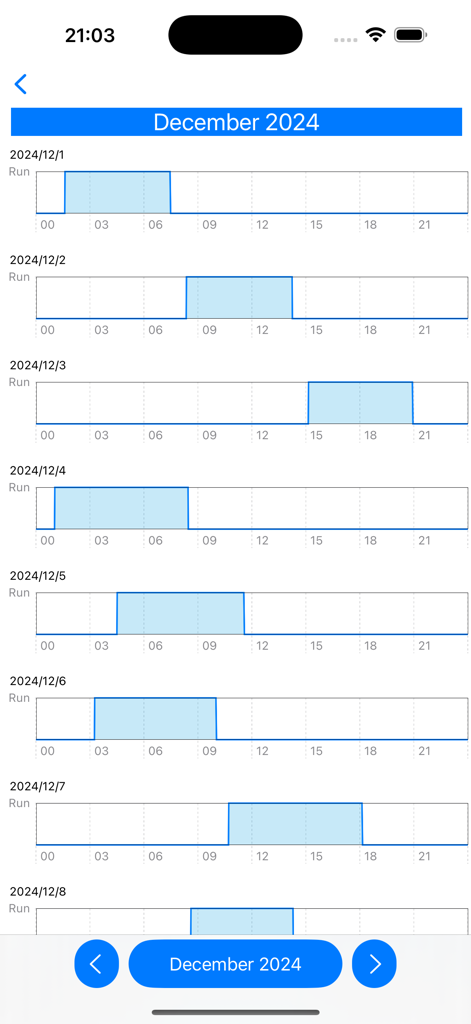
12월의 일일 운동 기록을 보여주는 월별 달리기 리듬 차트

12월의 일일 운동 기록을 보여주는 월별 달리기 리듬 차트

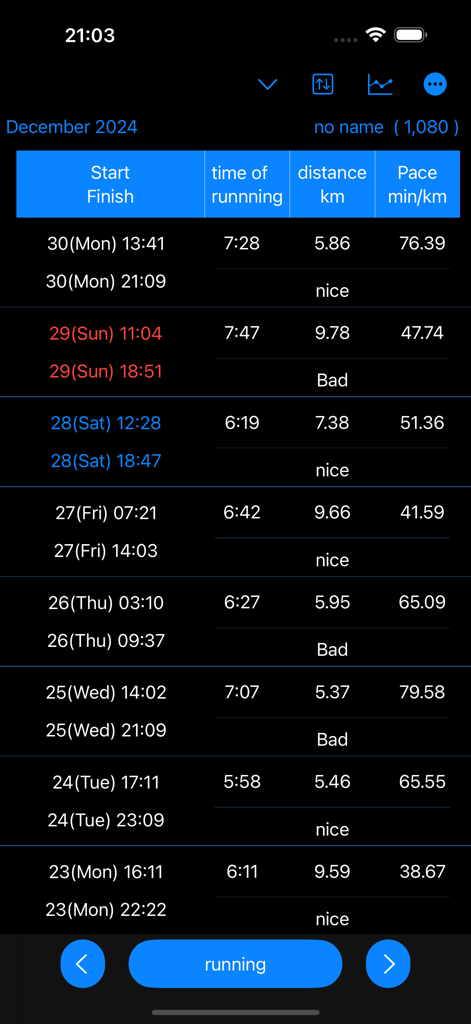
어두운 모드에서 달리기 시작 및 종료 시간, 지속 시간, 거리 및 킬로미터당 페이스를 보여주는 상세 활동 로그

어두운 모드에서 달리기 시작 및 종료 시간, 지속 시간, 거리 및 킬로미터당 페이스를 보여주는 상세 활동 로그

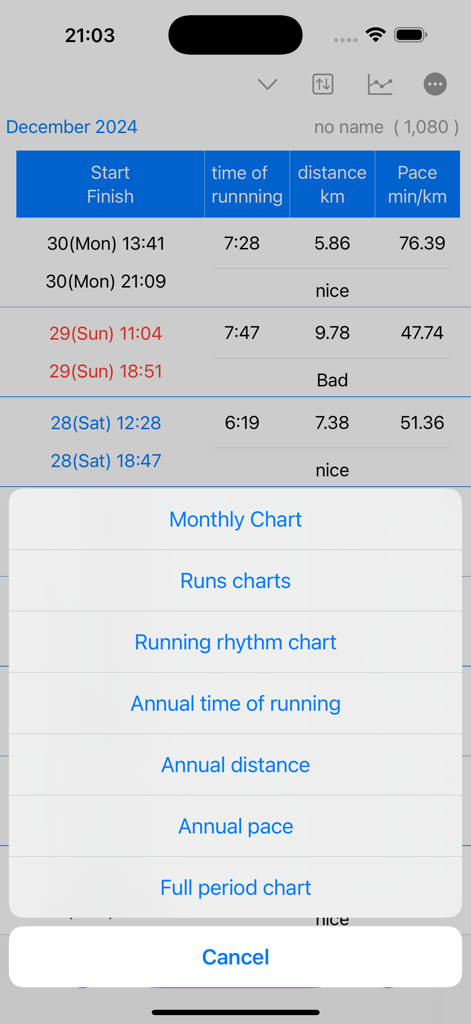
월별 및 연간 페이스 및 거리 차트를 포함한 데이터 시각화 옵션 목록을 표시하는 running time record 앱 화면

월별 및 연간 페이스 및 거리 차트를 포함한 데이터 시각화 옵션 목록을 표시하는 running time record 앱 화면

정확한 성능 추적

이 앱을 돋보이게 하는 도구, 200 명의 사용자가 선택.

🔒

개인 정보 우선 수동 기록

방해가 되는 GPS 추적을 버리세요. 100% 수동 제어로 트레드밀 또는 동네 달리기 기록을 저장하여 위치 데이터를 비공개로 유지하고 기록을 정확하게 유지하세요.

👥

다중 사용자 관리

가족 및 청소년 코치를 위한 최고의 도구입니다. 단일 앱에서 각기 다른 데이터 세트를 가진 여러 러너 또는 학생의 진행 상황을 추적하세요.

📈

심층 분석 시각화

기록을 실행 가능한 통찰력으로 변환하세요. 장기적인 성장을 위해 설계된 상세한 선 차트를 통해 연간 페이스, 월별 리듬 및 전체 기간 성능을 확인하세요.

앱 소개

에 대해 알아야 할 모든 것 running time record.

설명

Running time is calculated and displayed based on start and end date and time. Displays time in a line graph. ・Record start date and time 1. Tap the “running” button. If you press/tap for a long time, step 2/step 3 will be skipped. The current date and time will be set. 2. Select the year, month, and day and tap "Next". 3. Select your start time and tap OK. ・When recording the end date and time 1. Tap the “end date and time" button in the Finish column of the table. If you press/tap for a long time, step 2/step 3 will be skipped. The current date and time will be set. 2. Select the year, month, and day and tap "Next". 3. Select finish time and tap "OK". ▼running time The running time in the table is automatically displayed based on the start and end date and time. ▼Display chart 1. Press the line chart button at the top. 2. Click the displayed chart from the menu below. Monthly chart Runs chart Running rhythm chart Annual time of runnning Annual distance Annual pace Full period chart ▼Add user 1. Press the user button at the top 2. Press add user 3. Enter the username and press OK. ▼Edit username 1. Press the user button at the top 2. Press user edit and delete 3. Press the username from the list. 4. Edit the user name on the edit screen and press OK. ▼Delete username 1. Press the user button at the top 2. Press user edit and delete 3. Swipe the username you want to delete from the list from the left and press Delete. ▼Dartk mode ON/OFF You can choose between Light mode and Dark mode. Setting apperance mode Light mode Dark mode ▼If you want to delete all records From the menu on the top right, select Erase all data. You can delete all records. ▼Model change data migration For users with the same Apple ID Because records are stored in iCloud View the same recording on a new iPhone/iPad

최신 버전

25.11.5

크기

4.9 MB

출시일

2025년 4월 9일

오늘 바로 러닝 여정을 관리하세요

개인 트레드밀 목표를 추적하든 가족의 진행 상황을 관리하든, 합당한 단순하고 안전하며 데이터 기반의 기록부를 받으세요.

다운로드: App Store

App information, icons, screenshots, and descriptions displayed on this page are sourced from the Apple App Store and are the property of their respective developers. Download estimates and rankings are based on MWM's proprietary models and may not reflect actual figures. This page is provided for informational and analytical purposes only.

Believe this page infringes your intellectual property? File a dispute