Screen Mirroring TV Smart View

Screen Mirroring TV Smart View

다운로드: App Store
로고: Screen Mirroring TV Smart View

TV 스마트 뷰 화면 미러링: 당신의 iPhone을 큰 화면으로

지연 없이 비디오, 사진, 문서를 모든 스마트 TV로 즉시 전송하세요. 케이블이나 추가 하드웨어 없이 작업 및 엔터테인먼트를 위한 완벽한 미러링을 경험하세요.

다운로드: App Store

개발사

Gec Investment Consulting & Education Development Limited Company

카테고리

Entertainment

다운로드

40K+

사용자 평점

4.2/5

총 평가 수

300

지원 언어

10

당신의 화면, 확대해서 보세요

이 인터페이스를 사용하는 40K+ 명의 사용자.

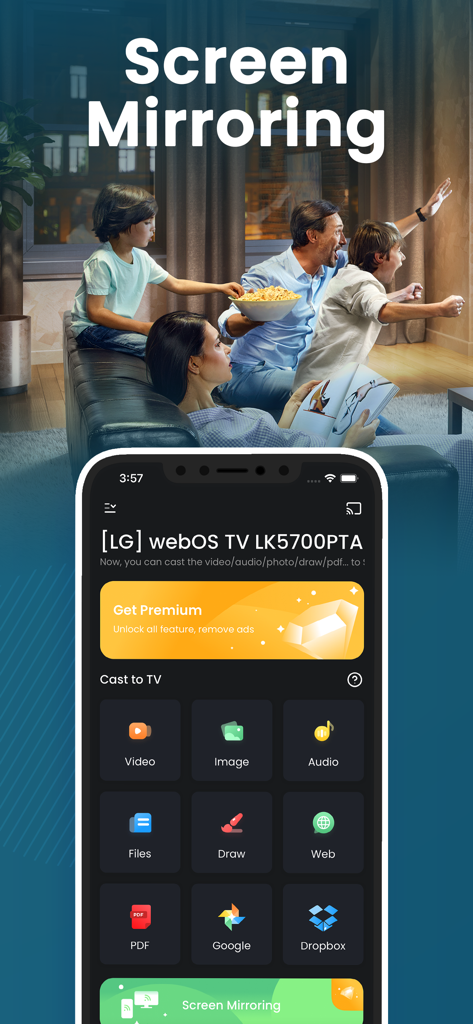
가족이 배경에서 시청하는 가운데 스마트 TV로 비디오 이미지 및 파일을 전송하는 옵션을 보여주는 iPhone의 화면 미러링 앱 인터페이스

가족이 배경에서 시청하는 가운데 스마트 TV로 비디오 이미지 및 파일을 전송하는 옵션을 보여주는 iPhone의 화면 미러링 앱 인터페이스

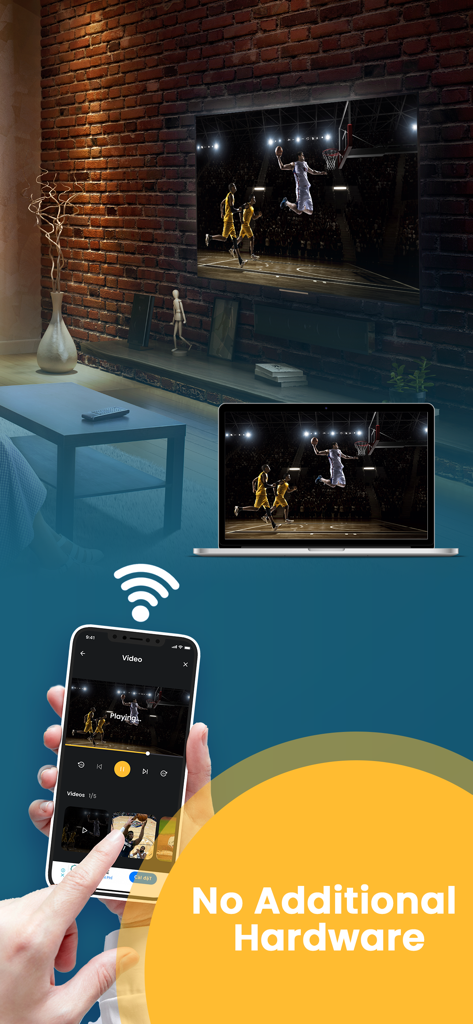
추가 하드웨어 없이 무선으로 노트북 및 스마트 TV로 농구 경기를 미러링하는 iPhone 화면

추가 하드웨어 없이 무선으로 노트북 및 스마트 TV로 농구 경기를 미러링하는 iPhone 화면

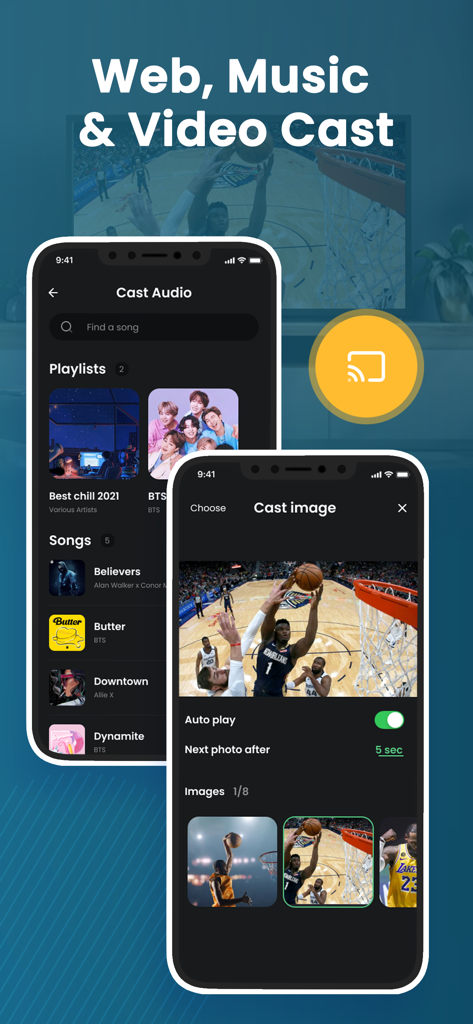
iPhone에서 오디오 및 이미지 전송 기능을 보여주는 TV 스마트 뷰 화면 미러링 앱.

iPhone에서 오디오 및 이미지 전송 기능을 보여주는 TV 스마트 뷰 화면 미러링 앱.

시청 경험을 업그레이드하세요

이 앱을 돋보이게 하는 도구, 40K+ 명의 사용자가 선택.

지연 없는 미러링

번거로운 지연이나 래그 없이 부드러운 프레젠테이션과 원활한 앱 탐색을 위한 실시간 화면 공유를 경험하세요.

📂

업무 및 엔터테인먼트 다용도

업무용 전문 PDF 및 웹사이트부터 가족용 개인 4K 비디오 및 대화형 사진 슬라이드쇼까지 모든 것을 전송하세요.

🔌

하드웨어 없는 설정

비용을 절약하고 케이블 복잡함을 없애세요. 값비싼 어댑터나 Apple TV 없이 Wi-Fi를 통해 기존 스마트 TV에 무선으로 연결하세요.

앱 소개

에 대해 알아야 할 모든 것 Screen Mirroring TV Smart View.

설명

Screen Mirroring and Smart View helps you to cast videos, picture slideshow, music, web, pdf documents, and show your drawing from your iPhone or Tab to a big TV screen. It also helps you to mirror your IPhone screen to Smart TV via Wifi connection without any additional hardware needed, and no delay. Following features are available: ・Cast photos, videos, music, web, PDF documents from your iPhone & iPad to TVs. ・Mirror your iPhone screen without any delay. ・Draw & slideshows from your iPhone to TVs. ・Support most popular smart TVs. How to Mirror? ・Connect your iPhone and your TV on the same WIFI network. ・Open the app and connect the app to your TV ・Tab “Cast” or “Screen Mirroring” button and follow the instructions to start casting or mirroring. DISCLAIMER: This app is not an official product, and we are not affiliated with any trademark in any way. ***Upgrade to Premium to remove ads and unlock all feature*** You can select on-time payment or a monthly subscription. *** The price corresponds to the same price segment, which is set in the "Apple's App Store Matrix" for other currencies. - Your free trial subscription will automatically renew to a paid subscription unless auto-renew is turned off at least 24 hours before the end of the free trial period. Please note: any unused portion of a free trial period (if offered) will be forfeited when you purchase a premium subscription during the free trial period. - You can cancel a free trial or subscription anytime by turning off auto-renewal through your iTunes account settings. This must be done 24 hours before the end of a free trial or subscription period to avoid being charged. The cancellation will take effect the day after the last day of the current subscription period, and you will be downgraded to the free service. For more information, please visit: https://support.apple.com/HT202039 Privacy policy : https://gec.contact/privacy-policy.html Terms of Service: https://gec.contact/terms-of-use.html If you have any feedback that you think may improve the app, please send email to: support@gec.contact

최신 버전

6.0

크기

30.1 MB

출시일

2021년 7월 20일

큰 화면으로 모든 것을 볼 준비가 되셨나요?

추가 하드웨어 없이 지연 없이 사진, 비디오, PDF를 즉시 미러링하는 40,000명 이상의 사용자와 함께하세요.

다운로드: App Store
FAQ

자주 묻는 질문

에 대해 알아야 할 모든 것 Screen Mirroring TV Smart View

Screen Mirroring TV Smart View의 주요 기능은 무엇인가요?

Screen Mirroring TV Smart View 앱은 iPhone 또는 iPad의 동영상, 사진, 음악, 웹 콘텐츠 및 문서를 대형 TV 화면으로 전송합니다. 또한 지연 없이 iPhone 화면을 미러링합니다.

Screen Mirroring TV Smart View는 미러링을 위해 추가 하드웨어가 필요한가요?

아니요, Screen Mirroring TV Smart View 앱은 iPhone 화면을 스마트 TV로 미러링하는 데 추가 하드웨어가 필요하지 않습니다. Wi-Fi를 통해 연결됩니다.

Screen Mirroring TV Smart View 앱을 사용하여 iPhone을 TV에 어떻게 연결하나요?

연결하려면 iPhone과 TV가 동일한 Wi-Fi 네트워크에 연결되어 있는지 확인하세요. Screen Mirroring TV Smart View 앱을 열고 TV에 연결한 다음 '캐스트' 또는 '화면 미러링'을 탭하여 시작합니다.

Screen Mirroring TV Smart View로 어떤 종류의 콘텐츠를 전송할 수 있나요?

Screen Mirroring TV Smart View를 사용하여 iPhone 및 iPad에서 사진, 동영상, 음악, 웹 콘텐츠 및 PDF 문서를 전송할 수 있습니다. 또한 iPhone에서 TV로 직접 그림을 그리는 기능도 지원합니다.

Screen Mirroring TV Smart View는 모든 스마트 TV를 지원하나요?

예, Screen Mirroring TV Smart View 앱은 대부분의 인기 있는 스마트 TV를 지원합니다. iPhone 또는 iPad에서 호환되는 텔레비전으로 캐스팅 및 미러링할 수 있습니다.

사용자는 Screen Mirroring TV Smart View에서 광고를 제거하고 모든 기능을 잠금 해제하려면 어떻게 해야 하나요?

사용자는 Screen Mirroring TV Smart View를 프리미엄 구독으로 업그레이드하여 광고를 제거하고 모든 기능을 잠금 해제할 수 있습니다. 이는 일회성 결제 또는 월간 플랜을 통해 제공됩니다.

Screen Mirroring TV Smart View 프리미엄의 무료 체험은 어떻게 작동하나요?

Screen Mirroring TV Smart View 프리미엄의 무료 체험은 자동으로 유료 구독으로 갱신됩니다. 요금이 부과되는 것을 방지하려면 사용자는 체험 기간이 종료되기 최소 24시간 전에 자동 갱신을 꺼야 합니다.

Screen Mirroring TV Smart View 구독을 어떻게 취소하나요?

iTunes 계정 설정에서 자동 갱신을 끄면 언제든지 Screen Mirroring TV Smart View 구독을 취소할 수 있습니다. 이는 기간 종료 24시간 전에 수행해야 합니다.

App information, icons, screenshots, and descriptions displayed on this page are sourced from the Apple App Store and are the property of their respective developers. Download estimates and rankings are based on MWM's proprietary models and may not reflect actual figures. This page is provided for informational and analytical purposes only.

Believe this page infringes your intellectual property? File a dispute