Sequincer: MIDI Sequencer

Sequincer: MIDI Sequencer

다운로드: App Store
로고: Sequincer: MIDI Sequencer

Sequincer: MIDI 시퀀서 – 진지한 작곡가를 위한 화음 정밀도

가장 지능적인 그리드 기반 시퀀서로 이동 중에도 음악을 마스터하세요. 빠른 스케치부터 전체 교향곡까지, 현대 iPad 뮤지션을 위해 설계된 전문적인 AUv3 통합 및 고급 화음 인식을 경험하세요.

다운로드: App Store

개발사

Alexis Doualle

카테고리

Music

다운로드

400

사용자 평점

4.3/5

총 평가 수

0

지원 언어

2

정밀함의 예술

이 인터페이스를 사용하는 400 명의 사용자.

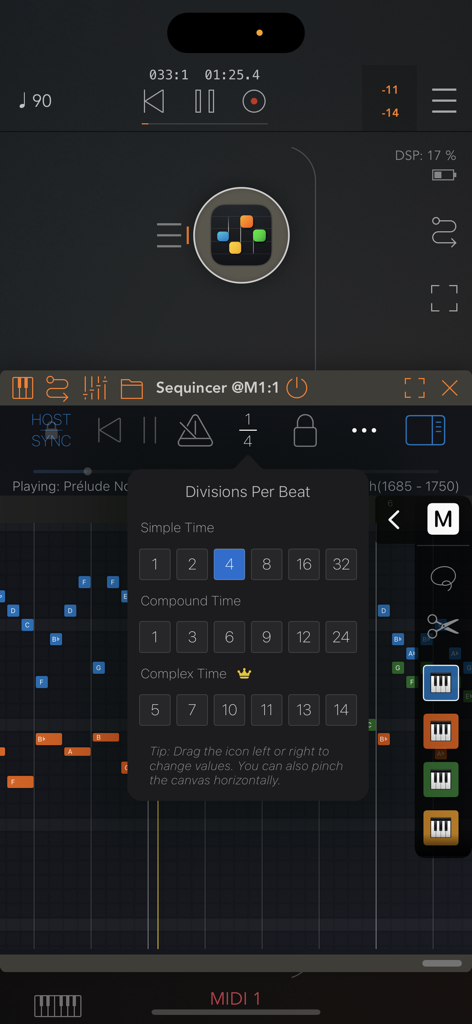
Sequincer MIDI 시퀀서 앱의 박자당 분할 메뉴

Sequincer MIDI 시퀀서 앱의 박자당 분할 메뉴

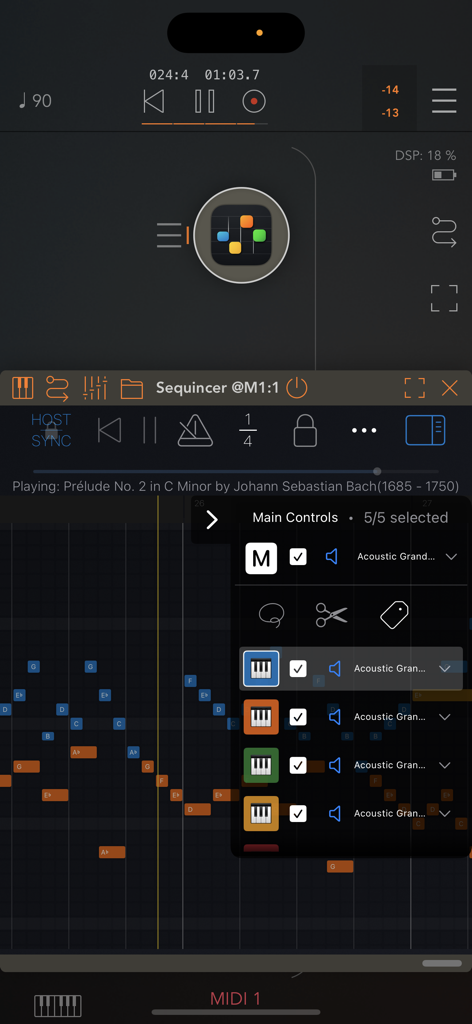
Sequincer 앱 인터페이스, 그리드 기반 MIDI 시퀀서 및 트랙 제어 메뉴 표시

Sequincer 앱 인터페이스, 그리드 기반 MIDI 시퀀서 및 트랙 제어 메뉴 표시

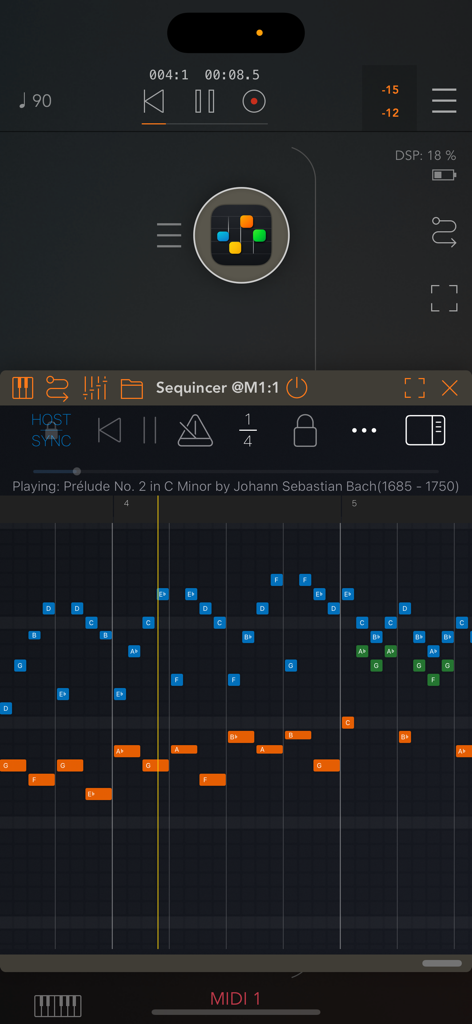
모바일 그리드 기반 MIDI 시퀀서 인터페이스, 다채로운 음표 블록 및 전송 컨트롤이 있는 피아노 롤 표시

모바일 그리드 기반 MIDI 시퀀서 인터페이스, 다채로운 음표 블록 및 전송 컨트롤이 있는 피아노 롤 표시

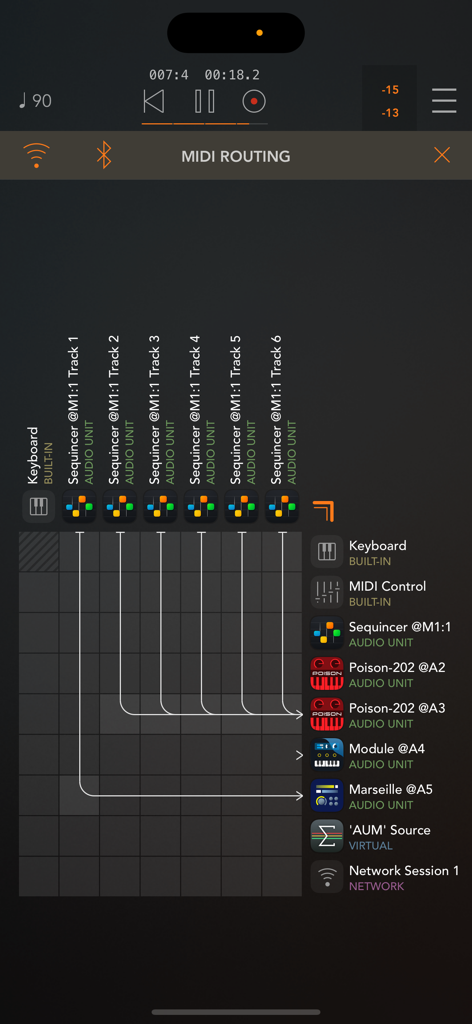
AUv3 악기에 대한 트랙 연결을 보여주는 Sequincer의 MIDI 라우팅 그리드

AUv3 악기에 대한 트랙 연결을 보여주는 Sequincer의 MIDI 라우팅 그리드

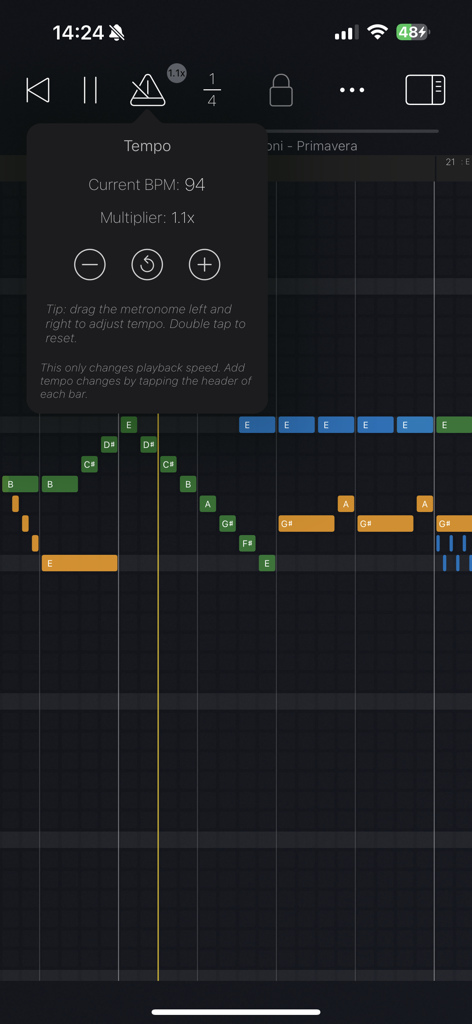
Sequincer MIDI 시퀀서 앱의 템포 컨트롤 및 그리드에 표시된 다채로운 음표 인터페이스

Sequincer MIDI 시퀀서 앱의 템포 컨트롤 및 그리드에 표시된 다채로운 음표 인터페이스

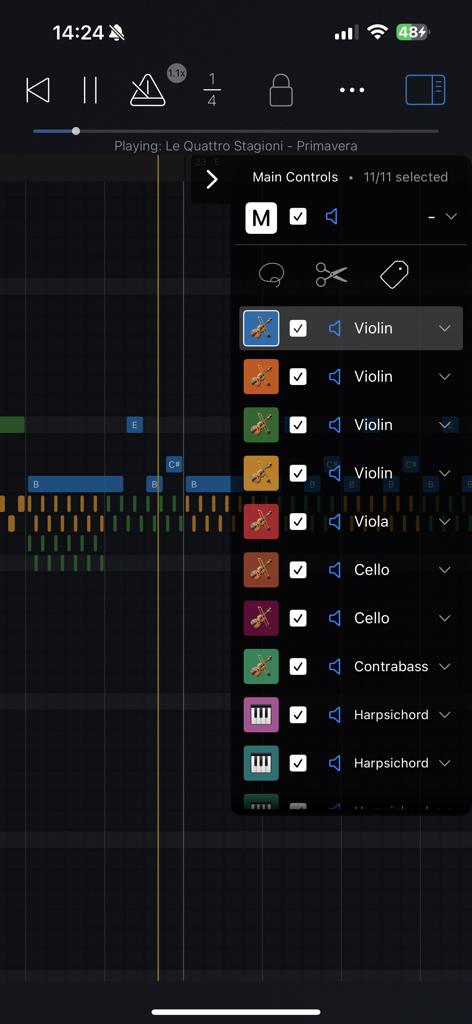
Sequincer MIDI 시퀀서 앱, 피아노 롤 그리드에 오케스트라 악기 목록 표시

Sequincer MIDI 시퀀서 앱, 피아노 롤 그리드에 오케스트라 악기 목록 표시

전문 MIDI 시퀀싱, 재해석

이 앱을 돋보이게 하는 도구, 400 명의 사용자가 선택.

🎼

화음 인텔리전스

음악적 의도로 쓰세요. 모든 키에서 진정한 화음 정확도를 위해 반음계와 사용자 정의 튜닝 시스템을 구별하세요.

🔌

원활한 AUv3 워크플로우

모바일 스튜디오 전체를 구동하세요. AUM과 같은 호스트 내에서 Sequincer를 플러그인으로 사용하여 최대 64개 트랙으로 좋아하는 신디사이저를 트리거하세요.

✏️

정밀 연필 지원

iPad를 제도 테이블로 바꾸세요. 직관적이고 빠른 작곡 경험을 위해 미리 보려면 호버하고 쥐는 제스처를 사용하세요.

앱 소개

에 대해 알아야 할 모든 것 Sequincer: MIDI Sequencer.

설명

Sequincer is a powerful grid-based MIDI sequencer for iPhone and iPad which makes it easy to compose music on the go. Just tap the grid to add notes and hit the play button to hear your creation. Notes added by a tap will have the duration of whichever beat division is selected. You can select a wide range of beat divisions by tapping the "1/4" button, or by pinching horizontally to double and halve the current value. You can change a note's duration by tapping on it to shorten it, or by holding and panning to the right to increase it. There are four tiers: a free preview tier, then Loops, Producer, and Composer. The free tier lets you preview the app. The second paid tier, Loops, gives you 4 tracks and 64 beats to compose (16 standard bars). The third tier, Producer, brings this to 16 tracks and 1000 beats, enough for a full-length song. The fourth tier, Composer, allows you to use up to 64 tracks and an even greater number of beats, enough for a complete symphony. In the current 7-note input system, inspired by sheet music, you can add accidentals for any new note by dragging up or down as soon as you create it. A chromatic mode is currently in the works to let you input notes from a 12-tone scale. Velocity, tempo changes and other properties can be edited for each bar in "Structure" mode, by tapping the bar's header or using the edit button. You can write up to 64 simultaneous tracks each with its own instrument, all overlaid on the same piano roll so you can see your full composition at a glance. Each track can be selected, muted, or soloed. • Works as standalone or as a plugin Sequincer is also an AUv3 MIDI processor, so you can use it inside host apps like AUM. Each track can send MIDI to a different synth, making it ideal for layering sounds or building complex arrangements. • Flexible timing and rhythm Create as many bars as you need, and set a custom beat count for each one. Pinch horizontally to zoom in or out on the beat divisions: add quarters, eighths, sixteenths, or even dotted rhythms for compound time. Pinch vertically to zoom in and out of the piano roll. Add tempo change events to speed up or slow down specific parts. • MIDI and MusicXML compatibility Import MIDI files or MusicXML (sheet music). Sequincer currently supports many standard features like tempo changes, dynamics, and jumps. • Write with real notes Each bar can be set to a musical key, so you’re always writing in scale. A C sharp and a D flat might sound the same in equal temperament, but they’re not the same note. If you’re writing a B flat minor chord for example, you need a D flat for the minor third–a C sharp would be an augmented second. This harmonic awareness makes it possible to experiment with other tuning systems such as Pythagorean, Meantone, and more. To add accidentals, drag the note up or down as you place it. • Compatible with Apple Pencil on iPad Hover to hear notes before placing them. Double-tap to quickly switch instruments. Use a squeeze gesture (on Pencil Pro) to open the track palette. It’s a fast and intuitive way to compose, if you’ve got a compatible device. • Available on all your devices Your creations are automatically synced with iCloud so you can start on your iPhone and finish it on your iPad. Happy composing! This app is subject to Apple’s standard EULA: https://www.apple.com/legal/internet-services/itunes/dev/stdeula/

최신 버전

1.6.0

크기

28.6 MB

출시일

2025년 3월 12일

타협 없이 작곡 시작하기

iPhone에서의 화음 스케치부터 iPad에서의 64트랙 교향곡까지, 오늘날 귀하의 창의적인 워크플로우에 전문적인 MIDI 정밀도를 더하세요.

다운로드: App Store

App information, icons, screenshots, and descriptions displayed on this page are sourced from the Apple App Store and are the property of their respective developers. Download estimates and rankings are based on MWM's proprietary models and may not reflect actual figures. This page is provided for informational and analytical purposes only.

Believe this page infringes your intellectual property? File a dispute