Sessions: Plug-In Host

Sessions: Plug-In Host


다운로드: App Store
로고: Sessions: Plug-In Host

Sessions: 최고의 공연 우선 플러그인 호스트

DAW는 잊고 창의적인 흐름을 유지하세요. 간소화된 MIDI 라우팅, 원활한 장면 전환, 그리고 모든 행운의 사고를 위한 항상 켜져 있는 녹음 기능으로 iPad와 Mac에서 AUv3 악기와 효과를 손쉽게 호스팅하세요.

다운로드: App Store

개발사

Open Planet Software Limited

카테고리

Music

다운로드

1K+

사용자 평점

4.8/5

총 평가 수

0

지원 언어

1

한눈에 보는 공연

이 인터페이스를 사용하는 1K+ 명의 사용자.

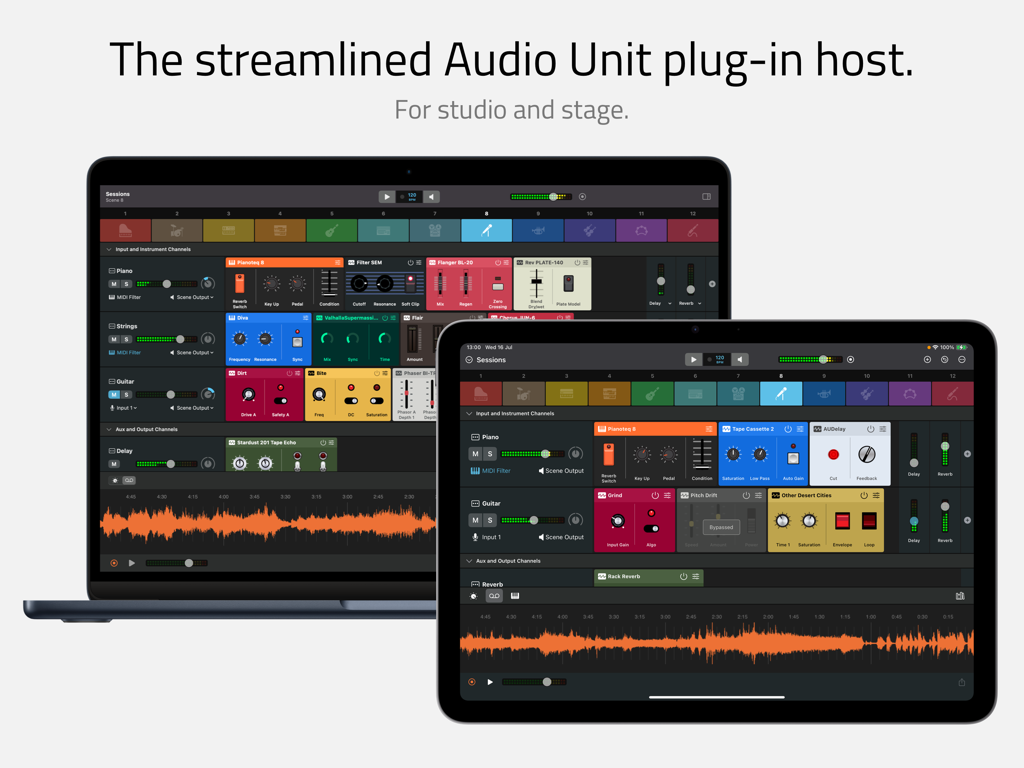
MacBook과 iPad에 표시된 Sessions 앱 인터페이스로, 오디오 유닛 플러그인 호스트 및 믹서를 보여줍니다.

MacBook과 iPad에 표시된 Sessions 앱 인터페이스로, 오디오 유닛 플러그인 호스트 및 믹서를 보여줍니다.

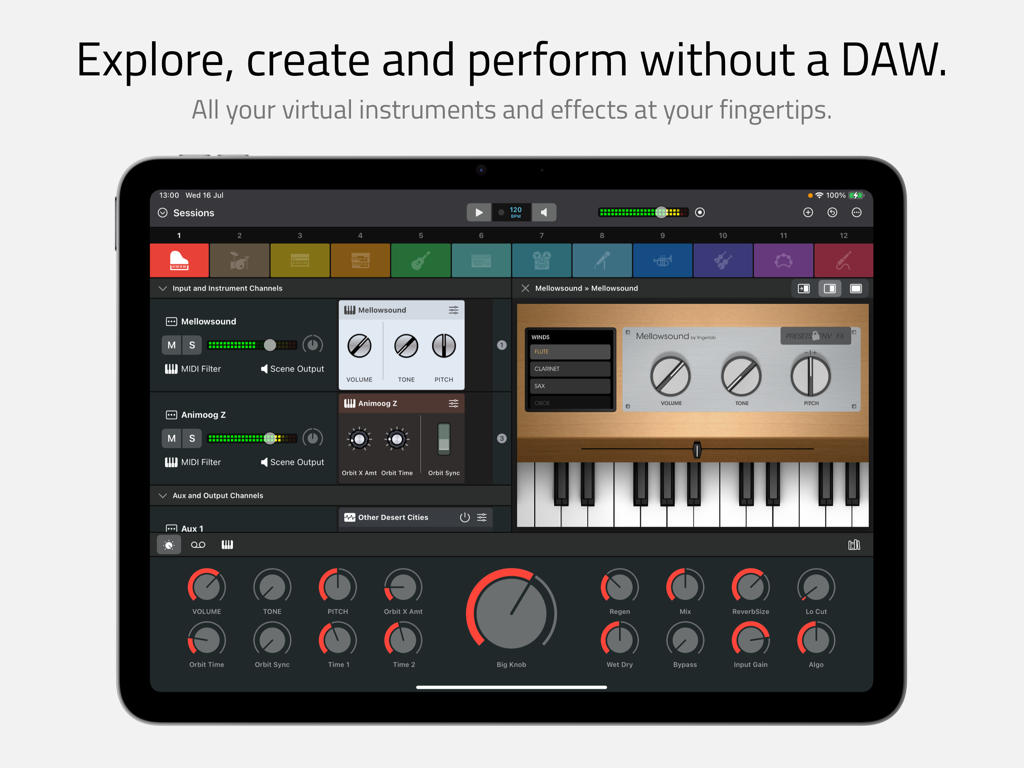
가상 악기와 매크로 컨트롤이 있는 멀티 채널 믹서를 보여주는 iPad의 Sessions 앱 인터페이스.

가상 악기와 매크로 컨트롤이 있는 멀티 채널 믹서를 보여주는 iPad의 Sessions 앱 인터페이스.

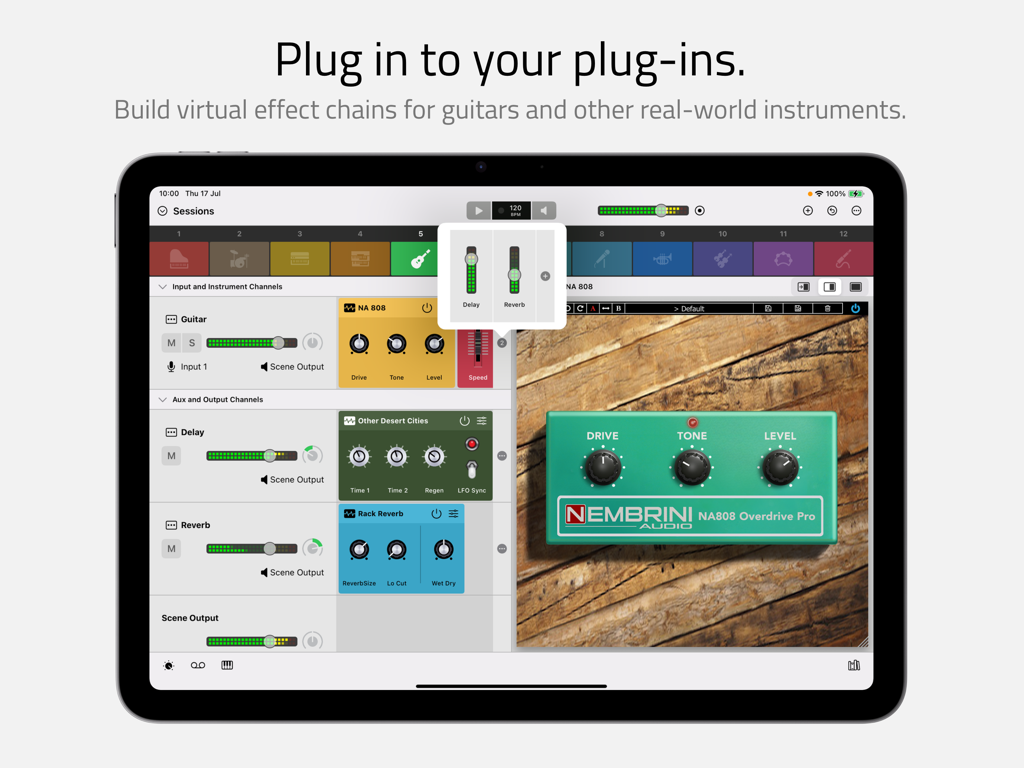
기타 이펙트 체인과 가상 오버드라이브 페달을 보여주는 iPad의 Sessions 플러그인 호스트 인터페이스

기타 이펙트 체인과 가상 오버드라이브 페달을 보여주는 iPad의 Sessions 플러그인 호스트 인터페이스

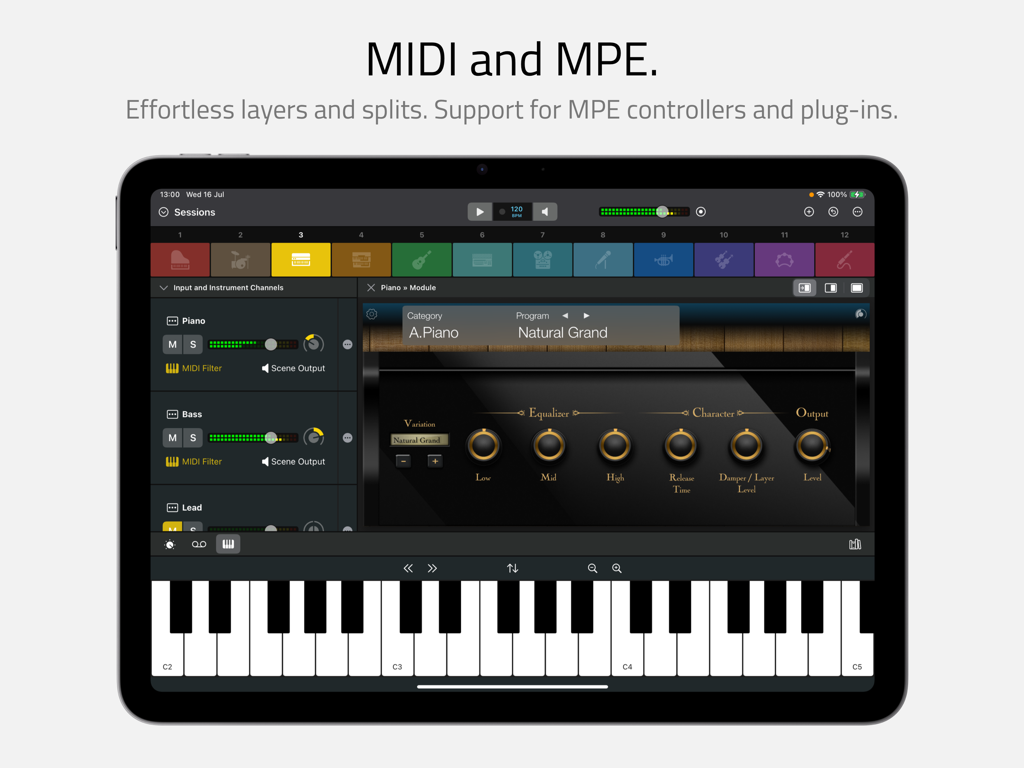
가상 키보드 및 피아노 플러그인과 함께 MIDI 및 MPE 기능을 보여주는 iPad의 Sessions 앱 인터페이스.

가상 키보드 및 피아노 플러그인과 함께 MIDI 및 MPE 기능을 보여주는 iPad의 Sessions 앱 인터페이스.

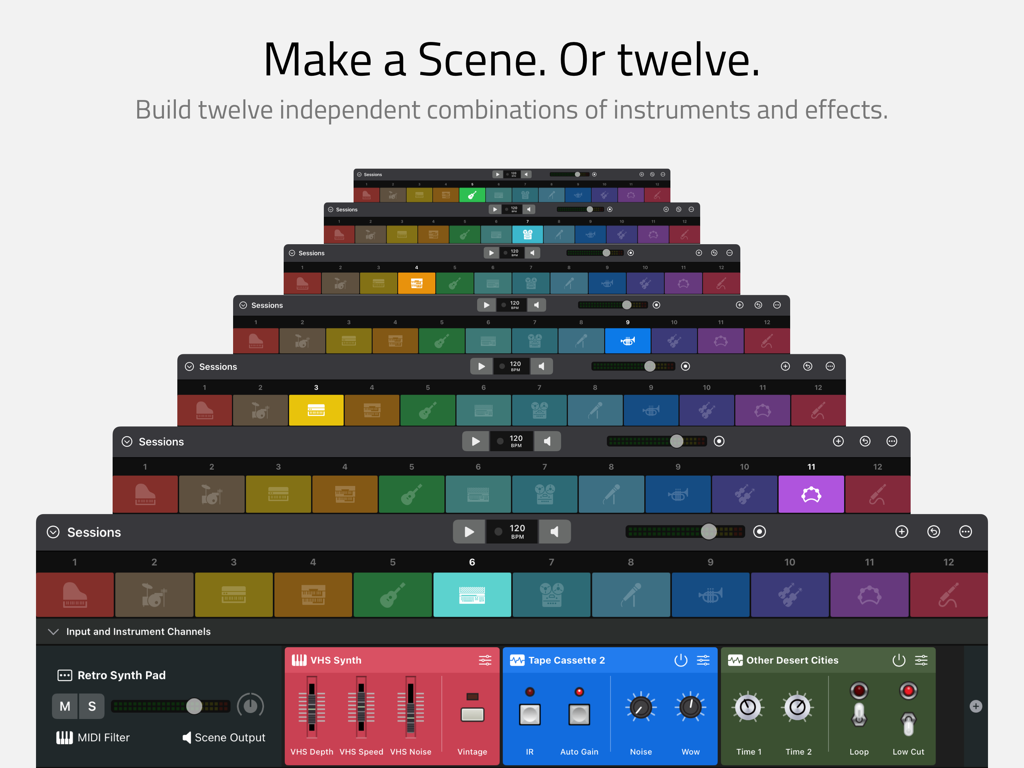
Sessions 인터페이스에서 12개의 독립적인 악기 및 이펙트 장면을 보여주는 앱 화면 스택

Sessions 인터페이스에서 12개의 독립적인 악기 및 이펙트 장면을 보여주는 앱 화면 스택

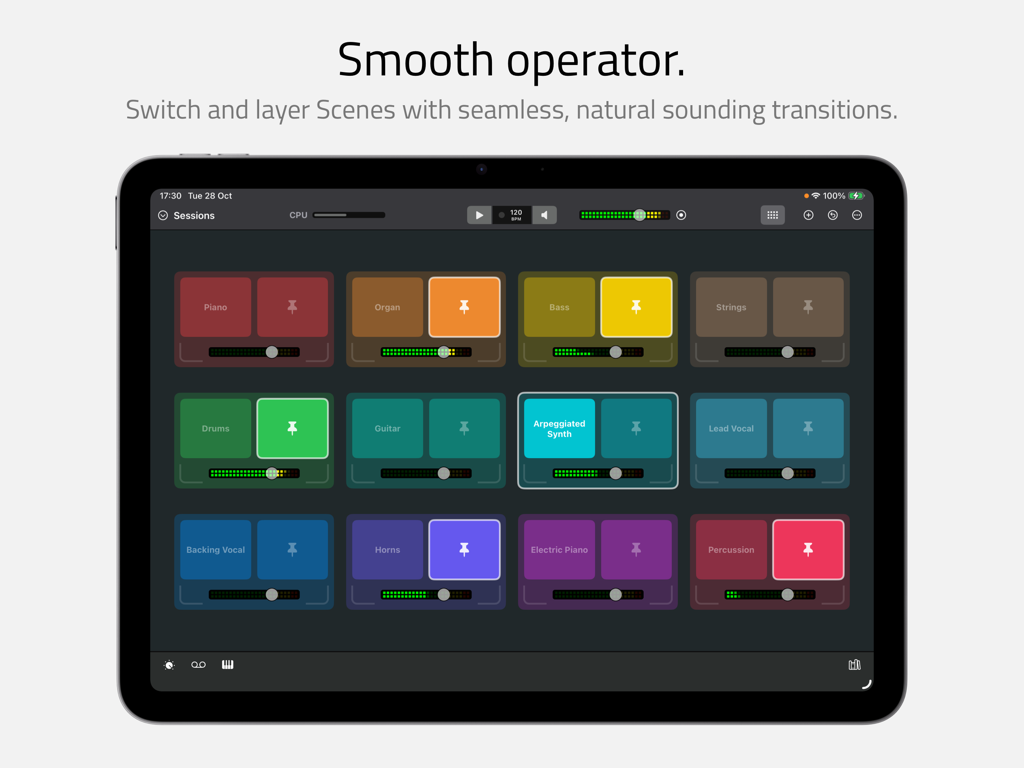
원활한 전환 및 레이어링을 위한 다채로운 악기 장면 그리드를 보여주는 iPad의 Sessions 앱 인터페이스

원활한 전환 및 레이어링을 위한 다채로운 악기 장면 그리드를 보여주는 iPad의 Sessions 앱 인터페이스

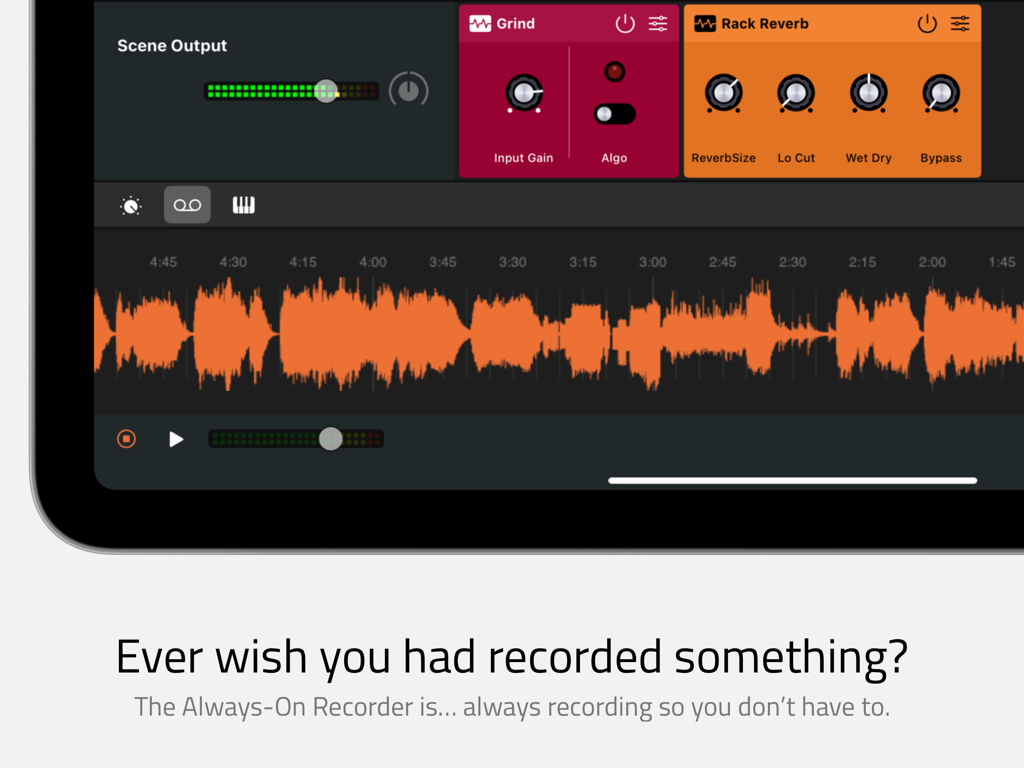
주황색 오디오 파형과 함께 항상 켜져 있는 녹음 기능이 표시된 Sessions 앱 인터페이스.

주황색 오디오 파형과 함께 항상 켜져 있는 녹음 기능이 표시된 Sessions 앱 인터페이스.

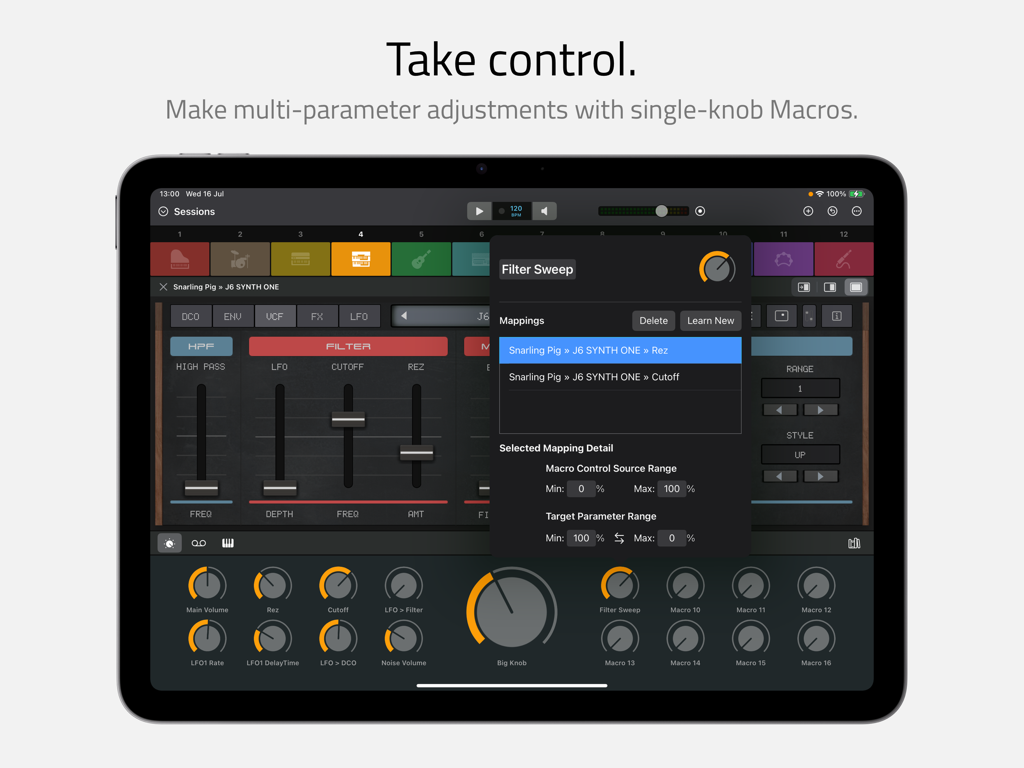
단일 노브 매크로 컨트롤에 대한 다중 매개변수 조정을 매핑하는 것을 보여주는 iPad의 Sessions 앱 인터페이스.

단일 노브 매크로 컨트롤에 대한 다중 매개변수 조정을 매핑하는 것을 보여주는 iPad의 Sessions 앱 인터페이스.

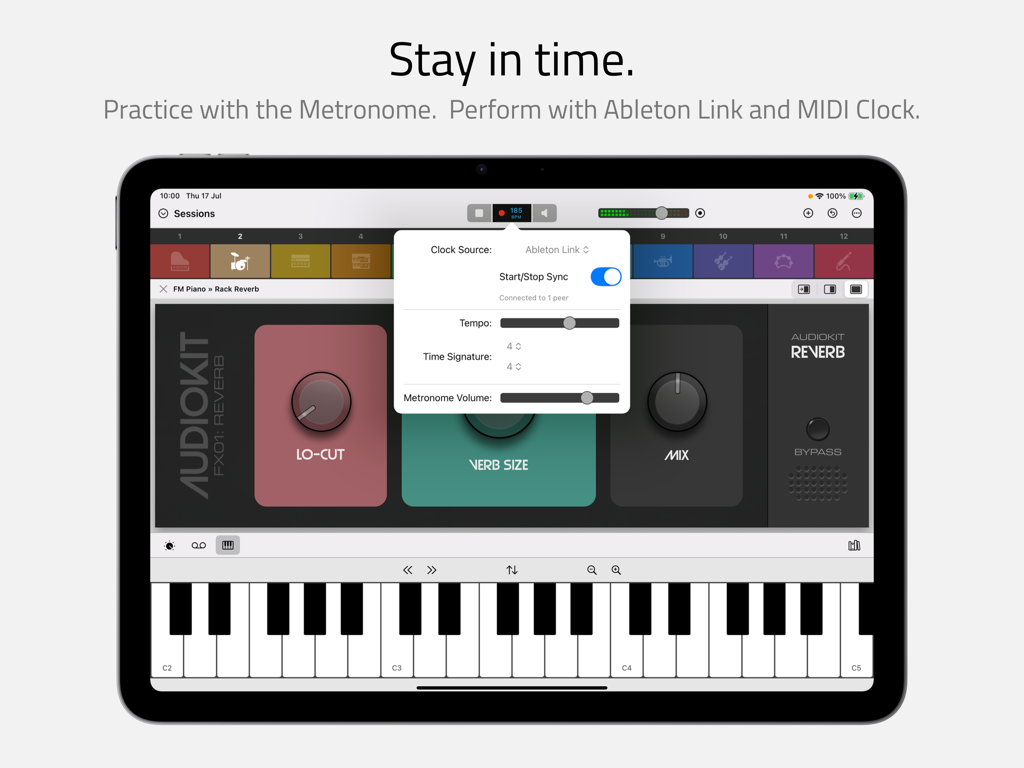
가상 키보드와 함께 비트 클럭 및 Ableton Link 설정을 보여주는 iPad의 Sessions 앱 인터페이스

가상 키보드와 함께 비트 클럭 및 Ableton Link 설정을 보여주는 iPad의 Sessions 앱 인터페이스

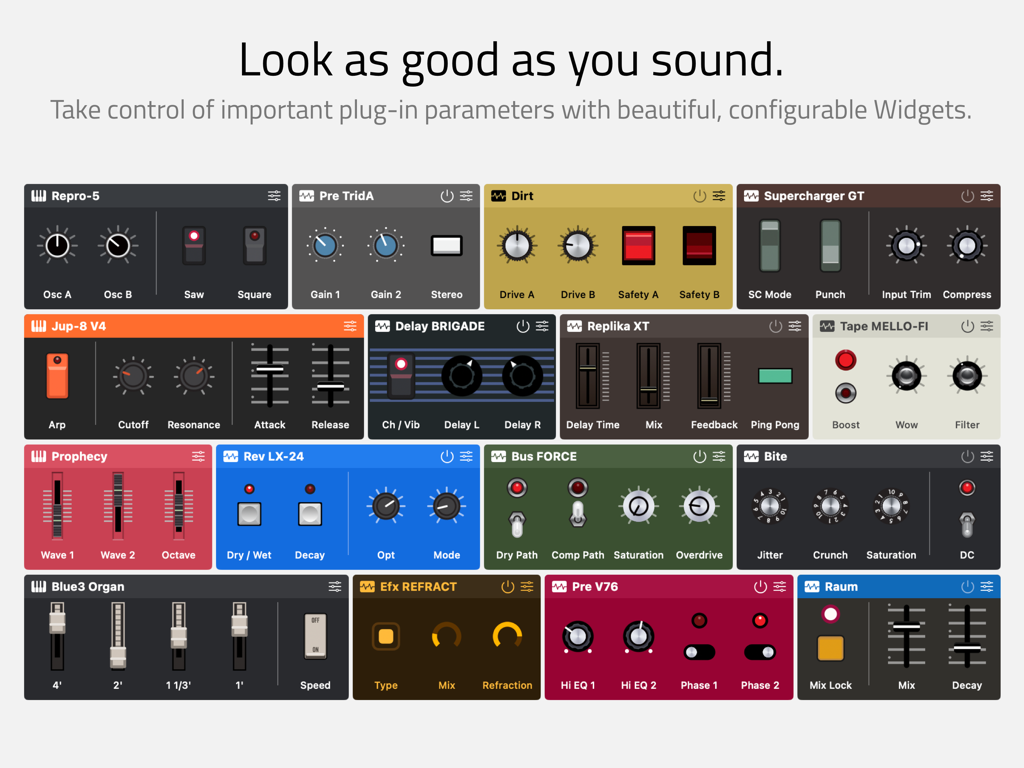
노브와 슬라이더가 있는 다양하고 다채롭고 사용자 정의 가능한 오디오 플러그인 위젯을 보여주는 그리드.

노브와 슬라이더가 있는 다양하고 다채롭고 사용자 정의 가능한 오디오 플러그인 위젯을 보여주는 그리드.

DAW의 번잡함 없이 라이브 사운드를 마스터하세요

이 앱을 돋보이게 하는 도구, 1K+ 명의 사용자가 선택.

영감의 불꽃을 놓치지 마세요

항상 켜져 있는 녹음 기능으로 흐름 상태를 유지하세요. 백그라운드에서 지속적으로 공연을 캡처하여 '행운의 사고'를 절대 놓치지 않도록 합니다.

🎹

복잡한 장비도 쉽게

전문 등급의 MIDI 레이어와 분할을 몇 초 만에 구축하세요. 12개의 독립적인 장면을 원활하게 전환하여 완벽한 라이브 전환과 즉흥 연주를 즐기세요.

🎛️

촉각적인 하드웨어 미학

30가지 이상의 아름다운 위젯 테마로 작업 공간을 개인화하세요. 복잡한 매개변수를 간단한 매크로와 큰 노브에 매핑하여 무대에서 최고의 제어를 경험하세요.

앱 소개

에 대해 알아야 할 모든 것 Sessions: Plug-In Host.

설명

Sessions is the performance-oriented plug-in host that puts all your virtual instruments and effects at your fingertips. With powerful features and a streamlined workflow, musicians can enjoy ultimate freedom to explore, create, play and perform without a DAW. Refreshingly straightforward, Sessions is designed to keep you ‘in the moment’ however you make music. Thanks to the fluid drag-and-drop interface and innovations like the Always-On Recorder, producers, songwriters and sound designers can quickly experiment with new ideas and jump-start the creative process. For live players, Sessions has everything you need for an impromptu jam or a professional stage performance including MIDI layers and splits, flexible audio mixing, seamless sound switching, MIDI control, Ableton Link support and so much more… COMPATIBILITY * AUv2* and AUv3 instrument and effect plug-ins * Mac / iPad compatible multi-channel audio interfaces * MIDI keyboards and controllers * MPE controllers and plug-ins MIXER * Unlimited Audio Input Channels for live audio sources * Unlimited Instrument Channels for hosting instrument plug-ins * Unlimited Auxiliary Channels * 1 Master Output Channel per Scene * Unlimited effect plug-ins on each Channel * 8 sends per Channel, switchable pre / post fader * Auxiliary Channels can be routed to independent external outputs MIDI * Layers and splits using MIDI device, channel, note and velocity * Note transposition on each Instrument Channel * MIDI CC control for switching Scenes and controlling Macros, Start/Stop and more PLUG-INS AND WIDGETS * Plug-ins are represented in the Mixer by Widgets * Widgets can be customized with knobs, sliders and switches to control up to 12 plug-in parameters * Over 30 beautiful Widget themes, many inspired by the classic hardware of yesteryear * Flexible Mixer / Plug-in split screen options: auto-sized, fixed 50/50 or full width * A plug-in’s own UI can be displayed in the main app window or in separate floating windows* SCENES * 12 Scenes, each with its own independent Mixer * Seamless switching between Scenes * Seamless layering using Pinned Scenes * Session Mix view for ‘big-button’ Scene switching and pinning * Customizable with color, icon and name MACROS * 16 Macro Controls and 1 Big Knob per Scene * Macros auto-map to the first 16 Widget parameters by default * Macros can be configured to control multiple parameters, each with its own scale and range PATCHES AND PROJECTS * Save individual Channels and Scenes to the Patch Library * Save the content of all 12 Scenes, Macros and the Beat Clock as a Project file * Move Patches and Projects between Mac and iPad (third party plug-in availably may vary between platforms) RECORDING * The Always-On Recorder continuously records the last 5, 10 or 15 minutes * Loop playback of recorded or selectable region * Export recorded or selectable region as M4A or WAV * Manual direct-to-file recorder for recordings of unlimited duration BEAT CLOCK * Start / Stop, Tempo and Time Signature controls * Internal, Ableton Link and external MIDI clock sources * Metronome with selectable tick sound PLUG-IN LIBRARY * Separate tabs for Instruments and Effects * Independent Search and Favorites filter in each tab * Organise Plug-ins alphabetically or grouped by manufacturer * Hide unwanted plug-ins using the Plug-In Manager AND MORE… * Highly efficient multi-threaded audio engine * CPU meter * iPad background audio * Bluetooth Audio / MIDI * Keyboard shortcuts* * Light and Dark modes * Safe Start to help troubleshoot problematic plug-ins * Feature only available on macOS Promotional materials depict Sessions hosting Audio Units from third party manufacturers. These Audio Units are not included with Sessions and no endorsement from or affiliation with these manufacturers is implied. All trademarks from these manufacturers are property of their respective holders.

최신 버전

5.3

크기

18.5 MB

출시일

2024년 8월 28일

라우팅을 멈추고 공연을 시작하세요.

iPad 또는 Mac을 강력하고 DAW 없는 악기 호스트로 바꿔보세요. 간소화된 워크플로우의 자유를 경험하고, 항상 켜져 있는 녹음 기능으로 영감의 불꽃을 놓치지 마세요.

다운로드: App Store
FAQ

자주 묻는 질문

에 대해 알아야 할 모든 것 Sessions: Plug-In Host

Sessions: Plug-In Host는 무엇인가요?

네, Sessions는 가상 악기 및 이펙트를 위한 성능 중심의 플러그인 호스트입니다. 전통적인 디지털 오디오 워크스테이션(DAW) 없이도 뮤지션이 탐색, 생성, 연주, 공연할 수 있도록 합니다.

Sessions: Plug-In Host는 AUv3 플러그인을 지원하나요?

네, Sessions는 AUv2 및 AUv3 악기 및 이펙트 플러그인을 모두 지원합니다. 또한 Mac/iPad 호환 다중 채널 오디오 인터페이스, MIDI 키보드, 컨트롤러 및 MPE 장치도 지원합니다.

Sessions의 Always-On Recorder 기능은 어떻게 작동하나요?

Sessions는 마지막 5, 10 또는 15분간의 오디오를 지속적으로 녹음하는 Always-On Recorder 기능을 제공합니다. 사용자는 녹음된 영역을 루프 재생하고 M4A 또는 WAV 파일로 내보낼 수 있습니다.

Sessions에서 여러 개의 독립적인 씬(Scene)을 만들 수 있나요?

네, Sessions를 사용하면 최대 12개의 독립적인 씬을 만들 수 있습니다. 각 씬은 자체 믹서(Mixer)를 가지며, 원활한 전환 및 레이어링을 위해 고유한 악기 및 이펙트 조합을 포함할 수 있습니다.

Sessions: Plug-In Host의 매크로(Macro)는 무엇인가요?

Sessions는 씬당 16개의 매크로 컨트롤과 1개의 빅 노브(Big Knob)를 제공합니다. 이러한 매크로는 위젯(Widget) 매개변수에 자동 매핑될 수 있으며, 사용자 정의 스케일 및 범위를 가진 여러 매개변수를 제어하도록 구성할 수 있습니다.

Sessions에서 MIDI 레이어링 및 분할 기능을 제공하나요?

Sessions는 장치, 채널, 음표 및 벨로시티를 기반으로 MIDI 레이어 및 분할을 지원합니다. 또한 각 악기 채널에 대한 음표 이송(note transposition) 및 다양한 기능을 위한 MIDI CC 제어도 포함합니다.

Sessions 믹서의 채널 제한은 어떻게 되나요?

Sessions는 무제한의 오디오 입력, 악기 및 보조 채널을 제공합니다. 각 씬에는 하나의 마스터 출력 채널이 있으며, 사용자는 각 채널에 무제한의 이펙트 플러그인을 추가할 수 있으며 8개의 센드(send)를 사용할 수 있습니다.

Sessions: Plug-In Host는 Ableton Link 동기화를 지원하나요?

네, Sessions는 시작/중지, 템포 및 박자표 제어가 포함된 비트 클럭(Beat Clock)을 통합합니다. 내부, Ableton Link 및 외부 MIDI 클럭 소스를 지원하며 선택 가능한 메트로놈도 포함합니다.

Sessions의 위젯(Widget)은 무엇이며 어떻게 작동하나요?

Sessions의 위젯은 믹서에서 플러그인의 시각적 표현입니다. 노브, 슬라이더, 스위치를 사용하여 사용자 정의할 수 있으며 최대 12개의 플러그인 매개변수를 제어하고 30개 이상의 테마를 제공합니다.

Sessions: Plug-In Host에서 사용자 정의 패치 및 프로젝트를 저장할 수 있나요?

네, Sessions는 개별 채널 및 씬을 패치 라이브러리에 저장할 수 있습니다. 전체 프로젝트(12개의 씬, 매크로, 비트 클럭 포함)를 프로젝트 파일로 저장할 수 있습니다.

App information, icons, screenshots, and descriptions displayed on this page are sourced from the Apple App Store and are the property of their respective developers. Download estimates and rankings are based on MWM's proprietary models and may not reflect actual figures. This page is provided for informational and analytical purposes only.

Believe this page infringes your intellectual property? File a dispute