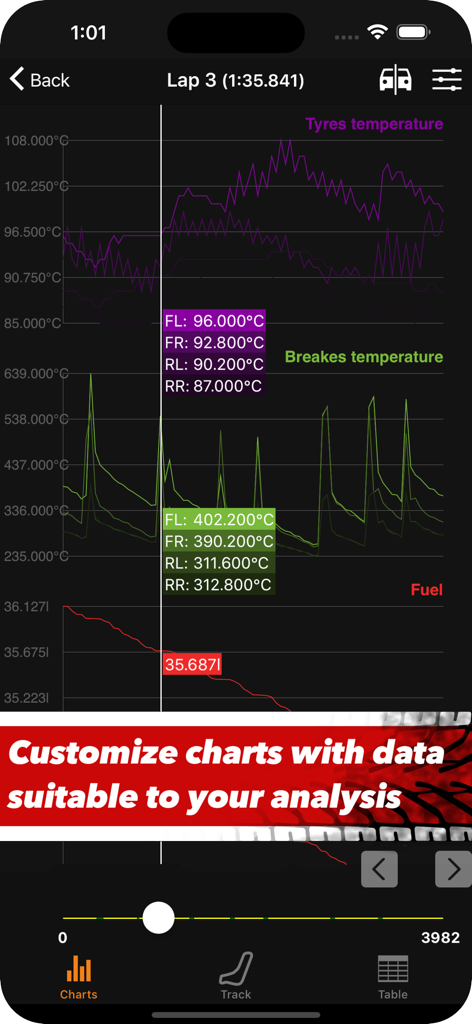
타이어 온도, 브레이크 온도 및 연료량을 위한 대화형 차트를 보여주는 Sim Racing Telemetry 앱 인터페이스
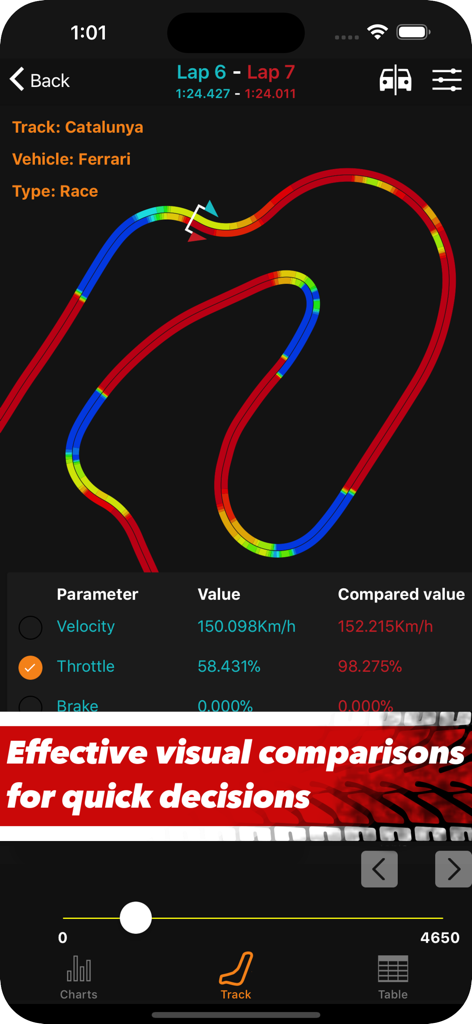
속도 및 스로틀 데이터와 함께 카탈루냐 트랙 맵에서 시각적인 랩 비교를 보여주는 Sim Racing Telemetry 앱 스크린샷.
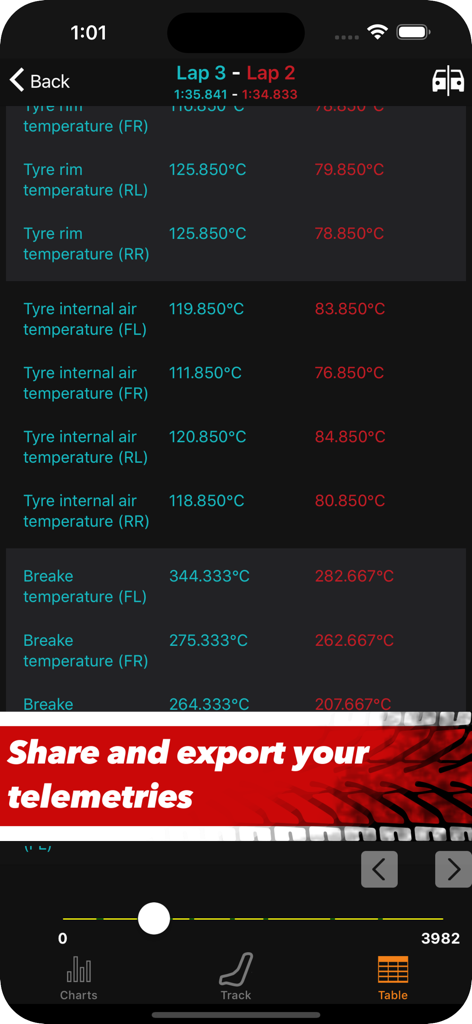
Sim Racing Telemetry 앱에서 두 개의 레이싱 랩에 대한 타이어 및 브레이크 온도 비교표
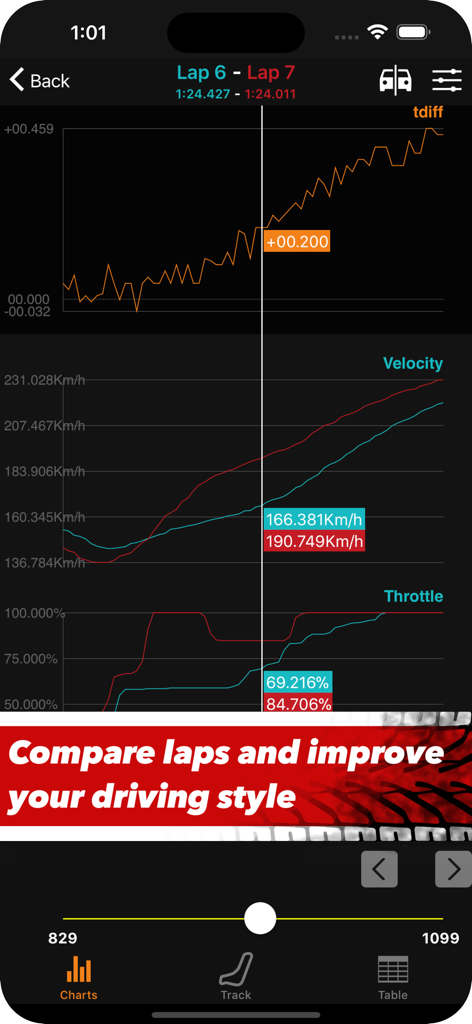
두 랩 간의 속도 및 스로틀 비교를 보여주는 Sim Racing Telemetry 앱 인터페이스
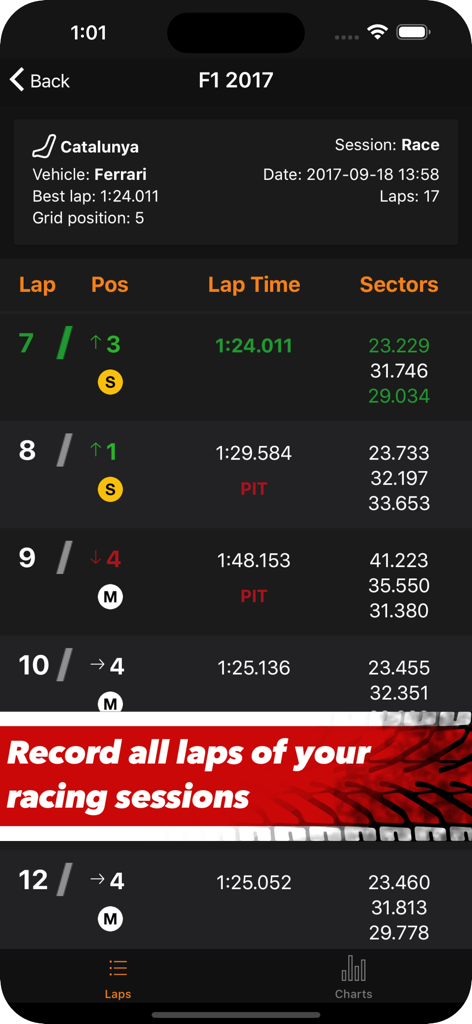
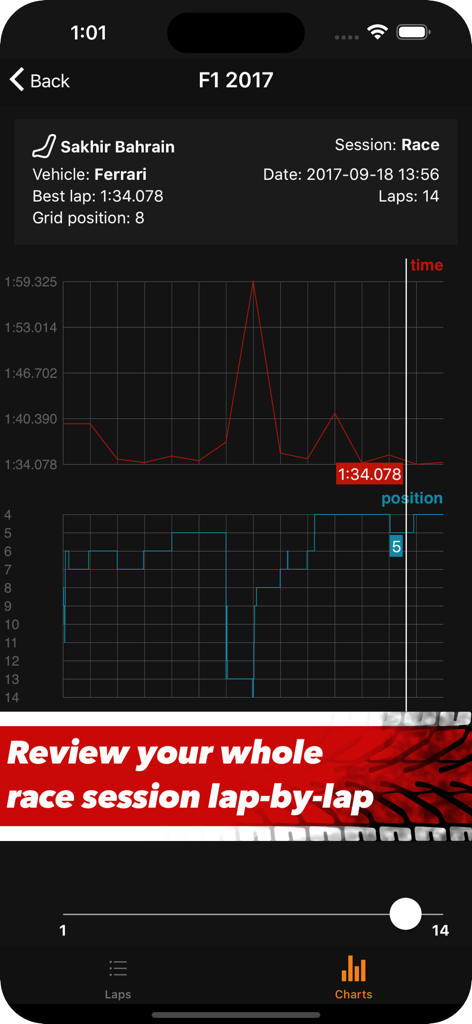
F1 2017의 랩 타임 및 레이스 순위에 대한 심 레이싱 텔레메트리 차트를 표시하는 모바일 앱 인터페이스.
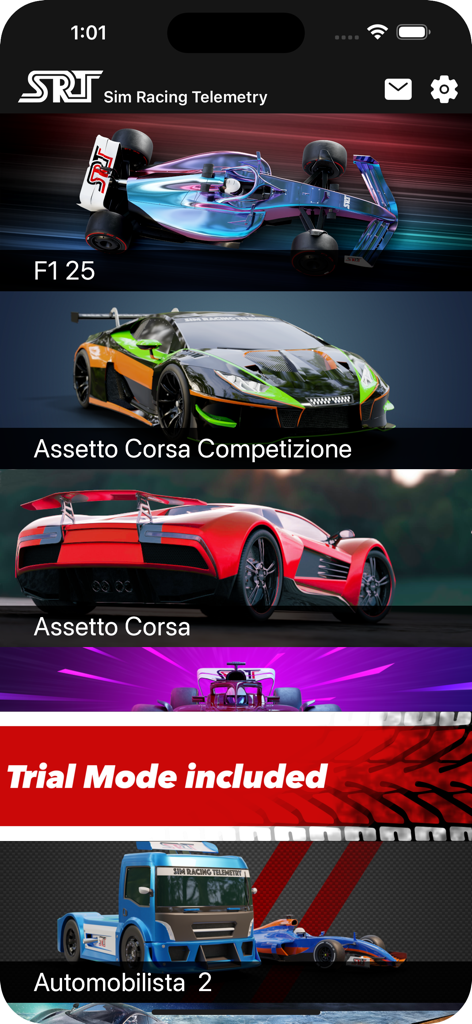
F1 25 및 Assetto Corsa와 같은 지원되는 레이싱 게임 목록을 보여주는 Sim Racing Telemetry 앱의 메인 메뉴
데이터를 마스터하고 트랙을 정복하세요
이 앱을 돋보이게 하는 도구, 40K+ 명의 사용자가 선택.
⏱️
미세한 이점 포착
대화형 TDiff 차트로 랩을 나란히 비교하여 결정적인 10분의 1초를 어디서 단축할 수 있는지 정확히 확인하세요.
📈
심층 셋업 엔지니어링
진지한 차량 셋업 최적화를 위해 설계된 고화질 차트로 모든 기어 변경, 브레이크 압력, 타이어 온도를 시각화하세요.
🏎️
대화형 트랙 오버레이
재구성된 트랙 맵에 성능 데이터를 직접 표시하여 실수를 파악하고 모든 에이펙스에서 레이싱 라인을 완벽하게 만드세요.
앱 소개
에 대해 알아야 할 모든 것 Sim Racing Telemetry.
설명
Sim Racing Telemetry is the essential tool for the sim racing eSports community to quickly acquire, analyze and review detailed telemetry data from sim racing games.
Telemetry is a key factor in eSports racing, allowing sim drivers to interpret data collected during a race or session and use them to properly tune their driving style and vehicle setup for optimum performance.
SRT is the right tool to improve the in-game performance of any sim racer, as real telemetry tools do for real drivers. It’s an indispensable tool to study and plan the setups for time-attacks, qualifications and races.
Sim Racing Telemetry records all available telemetry data during timed laps and presents them on simple and intuitive interfaces: drivers can analyze data by looking at bare numbers, interactive charts or projected on a reconstructed track. Recorded sessions are also summarized with charts. Available telemetry data vary based on the used game.
## SUPPORTED GAMES
- F1 25 (PC, PS4/5, Xbox);
- Assetto Corsa Competizione (PC);
- Assetto Corsa (PC);
- Project Cars 2 (PC, PS4/5, Xbox);
- Automobilista 2 (PC);
- F1 24 (PC, PS4/5, Xbox);
- F1 23 (PC, PS4/5, Xbox);
- F1 22 (PC, PS4/5, Xbox);
- F1 2021 (PC, PS4/5, Xbox);
- F1 2020 (PC, PS4/5, Xbox);
- F1 2019 (PC, PS4/5, Xbox);
- F1 2018 (PC, PS4/5, Xbox);
- MotoGP 18 (PC, PS4/5, Xbox - official support, in collaboration with Milestone);
- F1 2017 (PC, PS4/5, Xbox, Mac).
- Project Cars (PC, PS4/5, Xbox).
- F1 2016 (PC, PS4/5, Xbox, Mac).
Note: this product is not made by, or affiliated with, developers of the supported games (unless expressly stated otherwise).
Available telemetry data vary based on the used game.
## MAIN FEATURES
- Free Trial Mode (with access to a limited set of parameters and a limited number of storable sessions).
- Access to *all* telemetry data produced by games (requires the purchase of the appropriate IAP).
- Continuous recording: SRT detects new game sessions automatically.
- Session view with per-lap information (positions, timings, tyre compound, pit-lane status, etc).
- Laps comparison: compare the telemetry of two laps. A "time difference" (TDiff) chart is available to get evidence of faster/slower sections.
- Interactive charts for all recorded parameters (select the parameters to plot, reorder them, zoom in/out, etc).
- Interactive tracks with overlaid telemetry data: see telemetry data plotted over a reconstructed track, with the ability to overlay multiple parameters together. Visual comparisons supported.
- Statistics: compute statistics on parameters. Essential when working on car setups. Supported statistics: min, max, arithmetic mean, standard deviation, median, median absolute deviation. Compute statistics for individual laps or for whole sessions, with output in tabular and graphics forms. Comparisons supported.
- Sharing: share your telemetries with other users and compare your laps with the ones from your friends. Used with the "comparison" feature, this is the best tool to improve your skills.
- Exporting: export your telemetry data to CSV file, to analyze them with other programs (Excel, LibreOffice, etc.).
## NOTES
- In-app purchases are required to unlock the full & unlimited versions. To capture data, you must own a copy of the games on a supported platform.
- This is not a dashboard app and no dashboard features are present.
- To record data, both your device and the PC/console running the game must be connected to the same WiFi network. SRT records only complete timed laps. Follow the integrated instructions (Help button in the Recording view) for more info.
All product names, logos, registered trademarks and brands are property of their respective owners. All company, product and service names used are for identification purposes only. Use of these names, logos, and brands does not imply endorsement.
최신 버전
1.18.1
크기
60.6 MB
출시일
2018년 4월 5일
데이터를 마스터하고 트랙을 지배하세요.
트랙에 시간 낭비하지 마세요. 40,000명 이상의 심 레이서와 함께 프로급 텔레메트리 데이터를 사용하여 랩 타임을 밀리초 단위로 단축하고 리더보드를 지배하세요.
App information, icons, screenshots, and descriptions displayed on this page are sourced from the Apple App Store and are the property of their respective developers. Download estimates and rankings are based on MWM's proprietary models and may not reflect actual figures. This page is provided for informational and analytical purposes only.
Believe this page infringes your intellectual property? File a dispute