Simionic G1000 (MFD)

Simionic G1000 (MFD)

다운로드: App Store
로고: Simionic G1000 (MFD)

Simionic G1000 (MFD): 글래스 조종석 절차 마스터하기

고품질 G1000 MFD 에뮬레이션으로 비행 시뮬레이션과 현실 사이의 격차를 해소하세요. 홈에서 버튼 조작을 완벽하게 익히고 복잡한 IFR 절차를 마스터하여 실제 훈련 시간을 수천 시간 절약하세요.

다운로드: App Store

개발사

晨 李

카테고리

Utilities

다운로드

134K+

사용자 평점

2.9/5

총 평가 수

300

지원 언어

1

손끝의 정밀도

이 인터페이스를 사용하는 134K+ 명의 사용자.

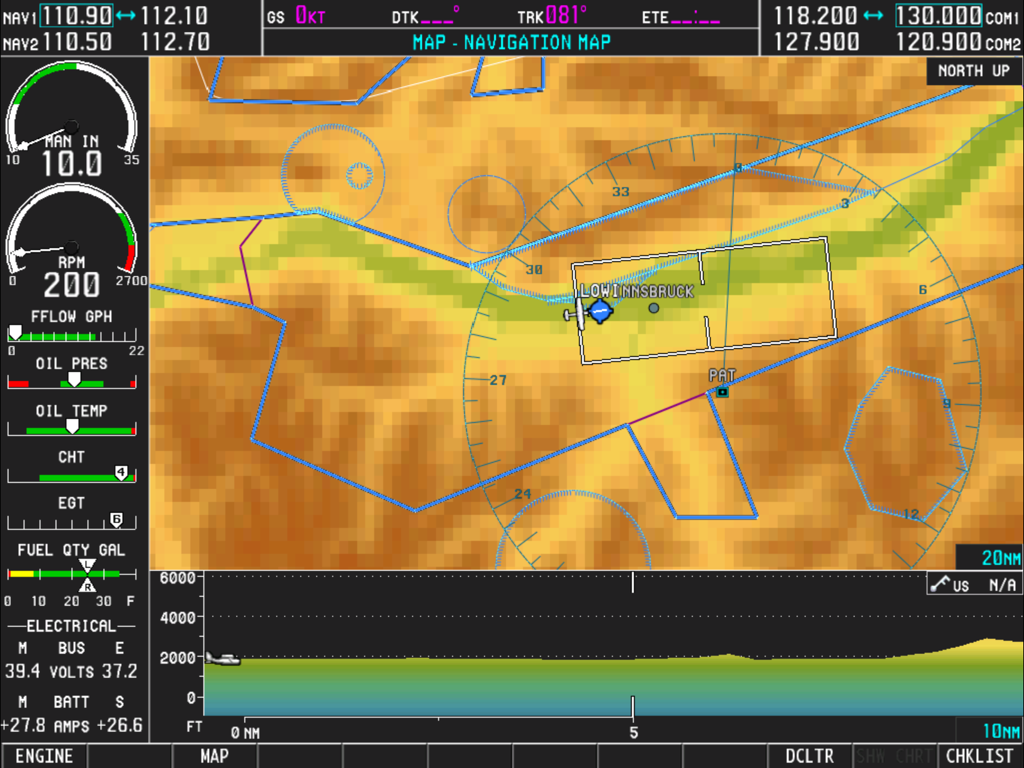
이동 내비게이션 지도와 상세한 엔진 성능 계측기가 특징인 Simionic G1000 MFD의 스크린샷

이동 내비게이션 지도와 상세한 엔진 성능 계측기가 특징인 Simionic G1000 MFD의 스크린샷

내비게이션 지도와 엔진 게이지를 보여주는 Simionic G1000 MFD 앱 인터페이스

내비게이션 지도와 엔진 게이지를 보여주는 Simionic G1000 MFD 앱 인터페이스

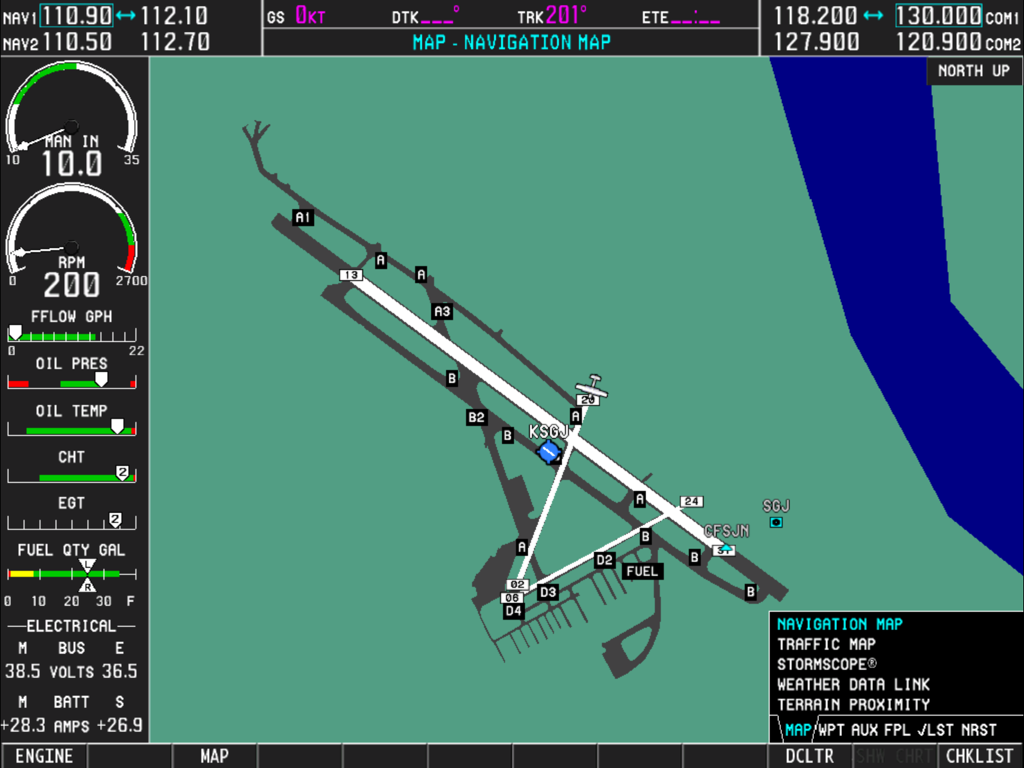
Garmin G1000 내비게이션 지도와 엔진 계측기를 표시하는 디지털 비행 계기 패널

Garmin G1000 내비게이션 지도와 엔진 계측기를 표시하는 디지털 비행 계기 패널

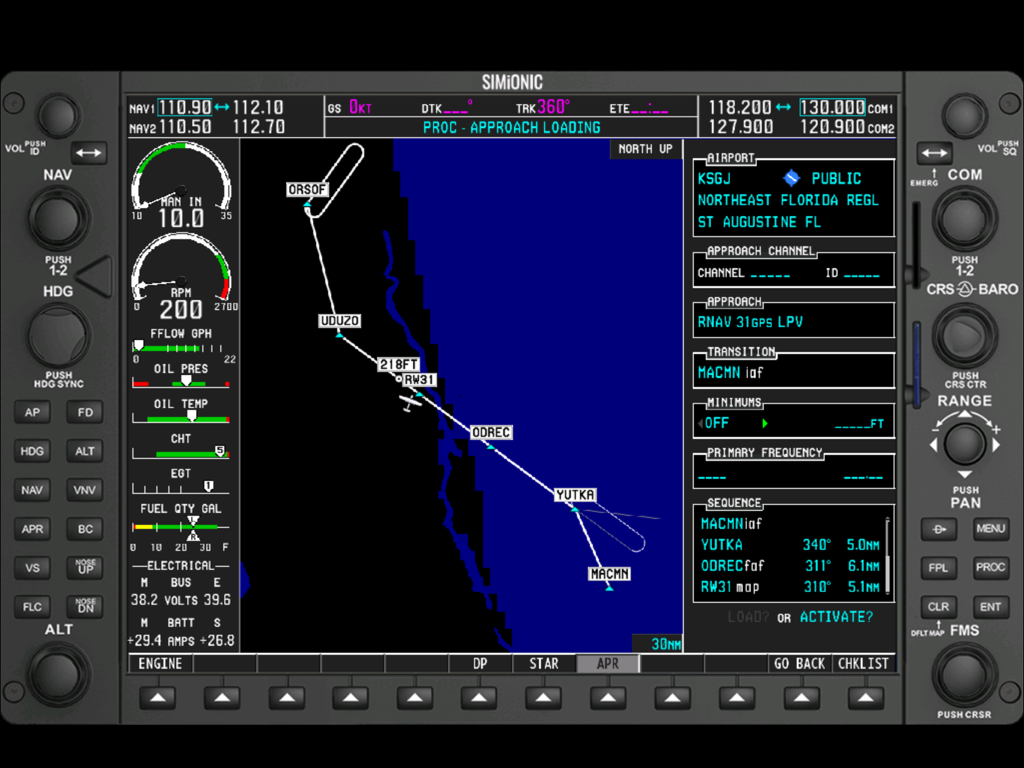
이동 내비게이션 지도, 엔진 계측기 및 활성 비행 계획을 보여주는 Simionic G1000 MFD 인터페이스

이동 내비게이션 지도, 엔진 계측기 및 활성 비행 계획을 보여주는 Simionic G1000 MFD 인터페이스

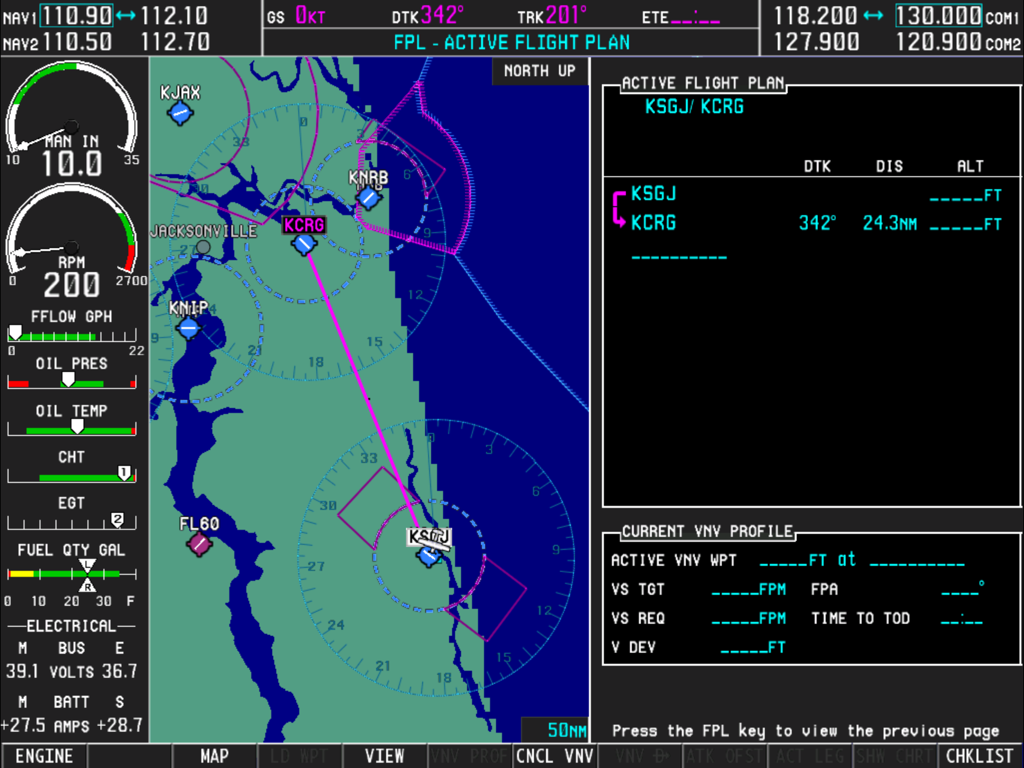
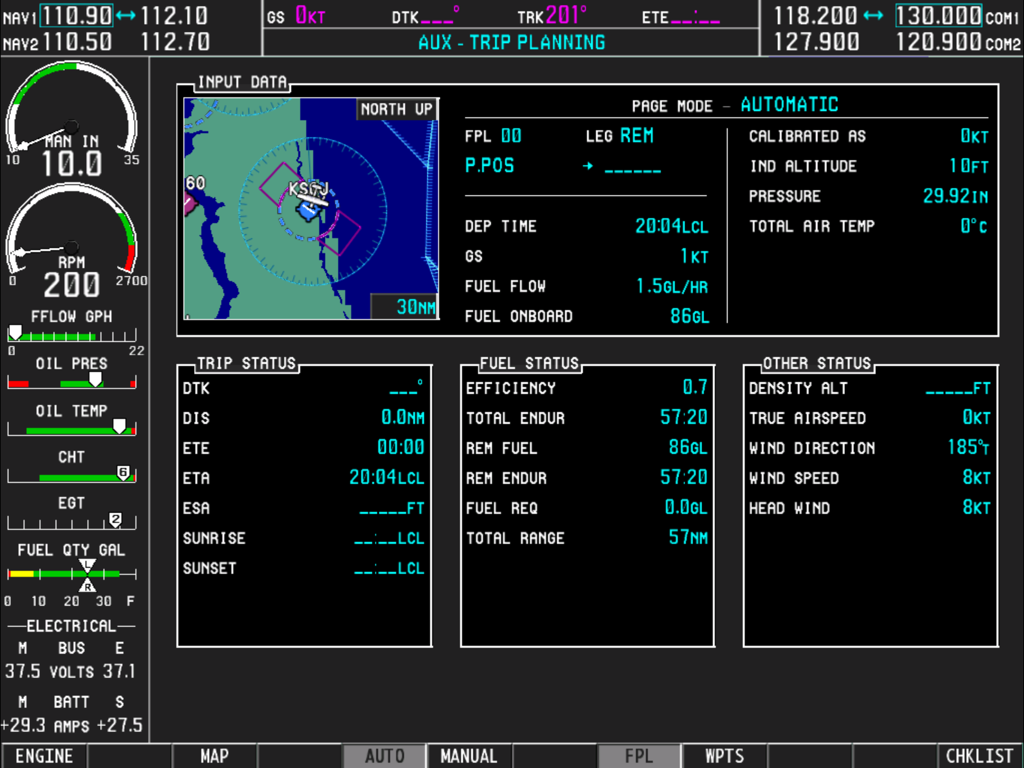
여행 계획 페이지와 엔진 모니터링 계측기를 보여주는 Simionic G1000 MFD 인터페이스

여행 계획 페이지와 엔진 모니터링 계측기를 보여주는 Simionic G1000 MFD 인터페이스

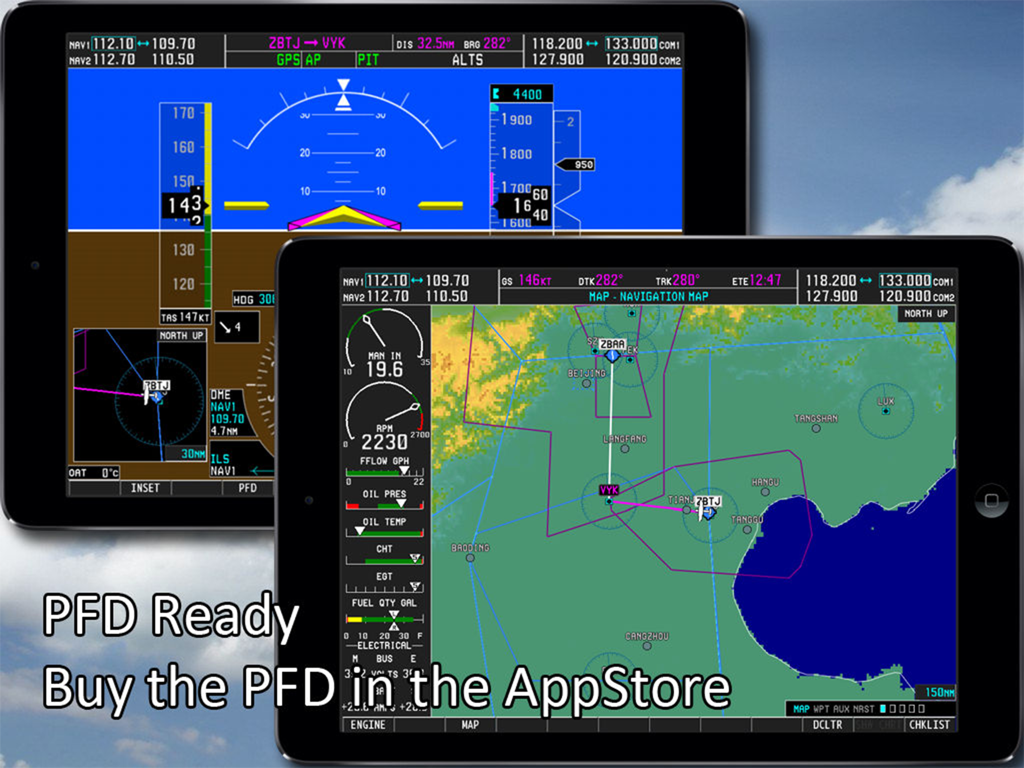
Simionic G1000 MFD 및 PFD 비행 시뮬레이터 앱을 보여주는 듀얼 iPad 설정

Simionic G1000 MFD 및 PFD 비행 시뮬레이터 앱을 보여주는 듀얼 iPad 설정

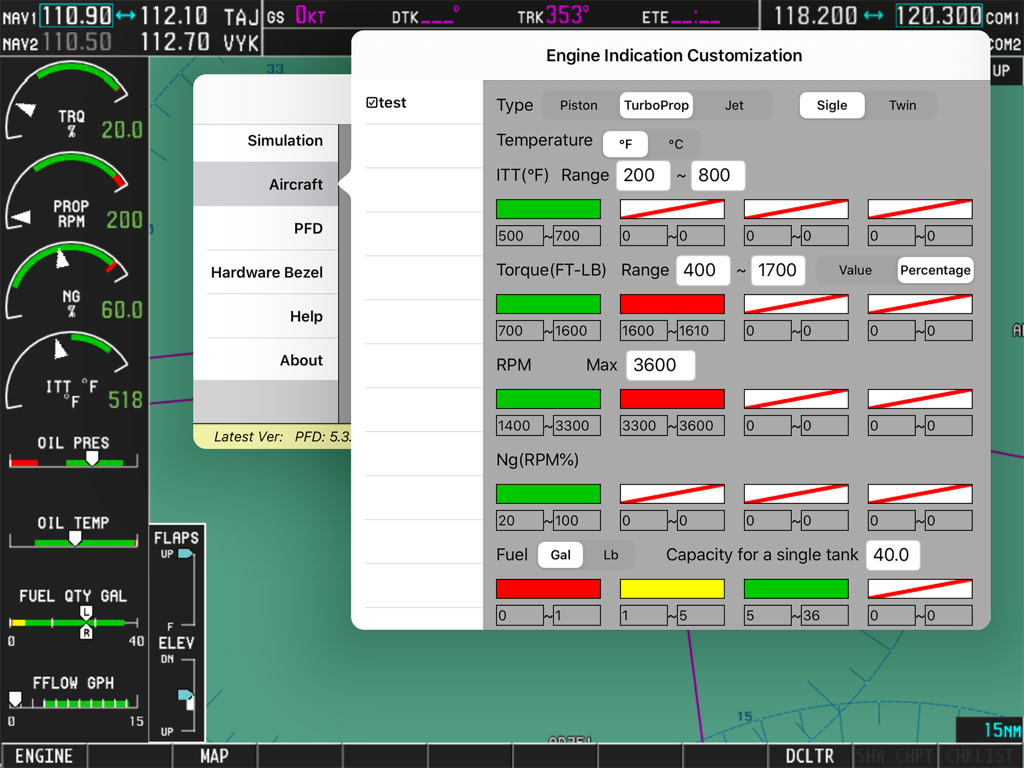
Simionic G1000 MFD 엔진 표시 사용자 지정 설정 화면

Simionic G1000 MFD 엔진 표시 사용자 지정 설정 화면

전문 등급 절차 훈련

이 앱을 돋보이게 하는 도구, 134K+ 명의 사용자가 선택.

🗺️

완전한 시스템 충실도

실제 Garmin 장치에서 찾을 수 있는 글로벌 내비게이션 데이터베이스, 터미널 절차 및 모든 AUX 페이지에 액세스하여 '버튼 조작'을 마스터하세요.

🔗

원활한 시뮬레이션 통합

Wi-Fi를 통해 X-Plane, Microsoft Flight Simulator 또는 Prepar3D에 연결하여 iPad를 전용 항공전자 장치 패널로 변환하세요.

⏱️

높은 ROI 숙련도

집에서 IFR 운영 및 비행 계획을 위한 중요한 근육 기억을 구축하여 항공기 임대 및 연료 비용을 수천 시간 절약하세요.

앱 소개

에 대해 알아야 할 모든 것 Simionic G1000 (MFD).

설명

Check out this video: https://www.youtube.com/watch?v=3xePnu3MsBQ IMPORTANT NOTICE: 1. This app emulates G1000 MFD functionalities only. It does not include PFD functionalities. To obtain PFD functionalities, download the PFD app from AppStore which can co-operate with this app(MFD) via wifi connection. Download address of PFD app: http://itunes.apple.com/us/app/id501990787?mt=8 2. This app is for practice only. The navigation database included in this app may be outdated and very possible to be different from what it is in real life. 3. Due to huge memory consumption, it's highly recommended that you install this app on an iPad which has at least 1G memory on board. Thus, install this app on iPad 1, iPad 2 or iPad mini is not recommended. Running this app on iPad Air or newer devices will get you a much better performance. Disclaimer: -Simionic and the seller are not affiliated with Garmin, -The app is not provided, approved, endorsed, or otherwise supported by Garmin. This is an app which simulates the Multi Function Display(MFD) of the Garmin G1000 used on Cessna 182T, 172S, 172R, 206H and Beechcraft Baron G58. It can also be configured to adapt piston, turboprop and jet engines. Most of the functionalities are implemented just as they are in the real life. It can be used by aviation enthusiasts as well as pilots to perform either an IFR training or just to familiarize the operations of G1000 MFD. This app is capable to connect to another app which simulates the G1000 PFD via wifi connection through which you can have a complete set of G1000 and make them work with FSX, Prepar3D , X-Plane or InfiniteFlight to get the best experience. G1000 is a highly integrated system, it is very powerful and also very complicated. It is recommended that you have a real G1000 user guide from Garmin. Details: 1. Global navigation database and topo data 2. Engine status simulation 3. Functional "Map Setup" 4. All pages including AUX pages are implemented 5. Terminal procedures are included 6. User waypoint creating/editing 7. User defined holding patterns 8. Flight plans storing/editing 9. Checklists for Cessna 182T, 172S, 172R and 206H are included 10. PFD connection via wifi

최신 버전

7.5.1

크기

1.9 GB

출시일

2014년 3월 5일

조종석에 들어가기 전에 G1000 마스터하기

절차 숙련도를 달성하고 비행 시간을 절약하세요. iPad용으로 가장 발전된 MFD 시뮬레이션을 다운로드하고 홈 비행 시뮬레이터와 현실 사이의 격차를 해소하세요.

다운로드: App Store

App information, icons, screenshots, and descriptions displayed on this page are sourced from the Apple App Store and are the property of their respective developers. Download estimates and rankings are based on MWM's proprietary models and may not reflect actual figures. This page is provided for informational and analytical purposes only.

Believe this page infringes your intellectual property? File a dispute