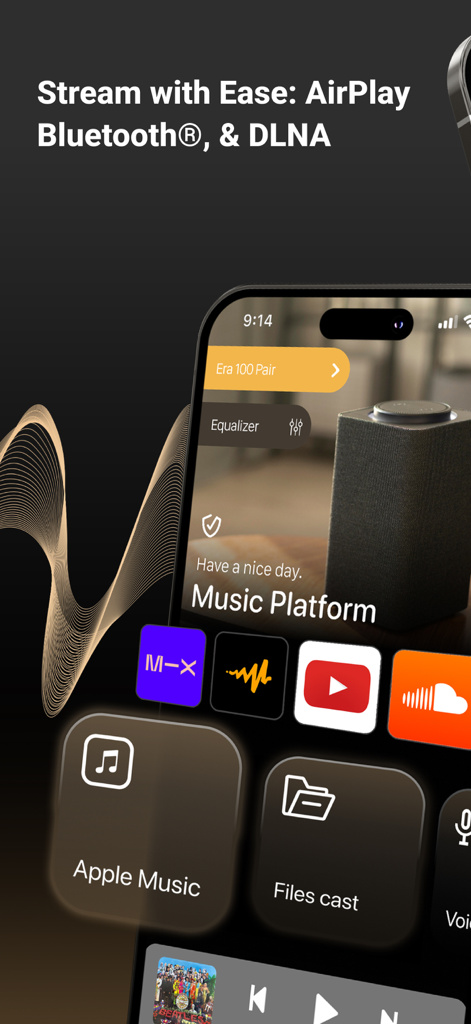
AirPlay 및 Bluetooth 스트리밍 옵션과 음악 플랫폼 아이콘이 표시되는 Smart Speaker Equalizer Remote 앱 인터페이스
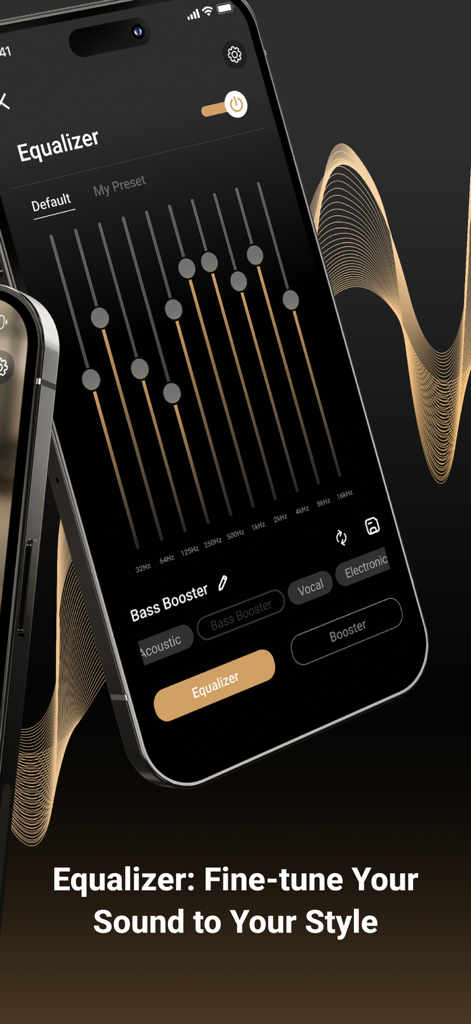
주파수 슬라이더와 사운드 사전 설정이 있는 오디오 이퀄라이저 인터페이스를 보여주는 스마트폰 화면
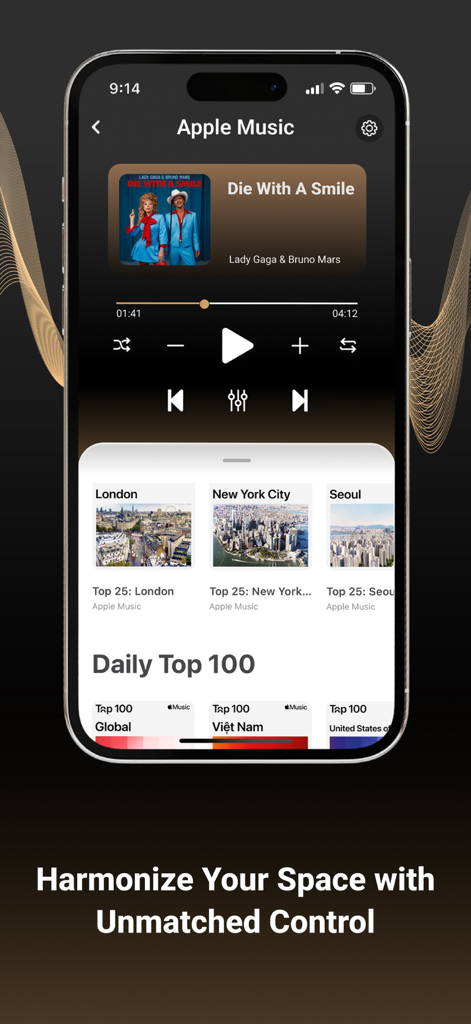
재생 컨트롤과 글로벌 인기 차트가 있는 Smart Speaker Equalizer Remote 앱의 음악 플레이어 화면
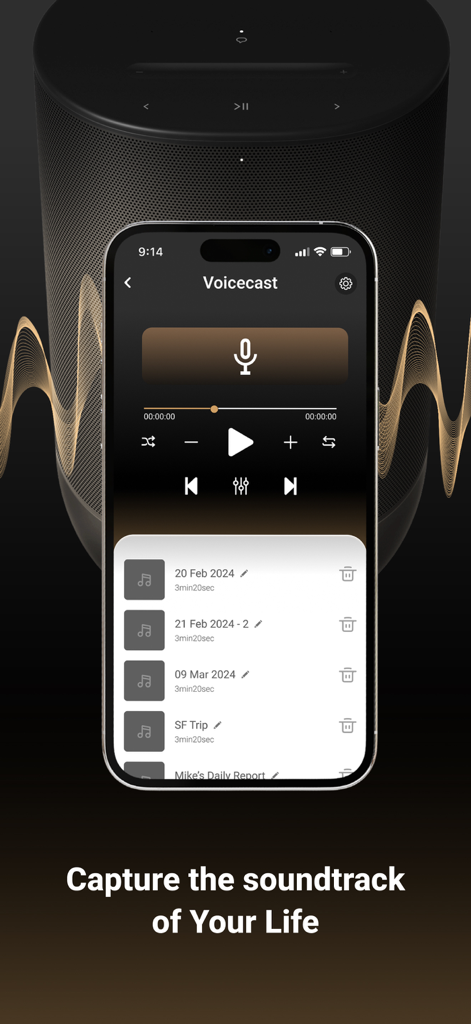
Smart Speaker Equalizer Remote 앱의 Voicecast 녹화 인터페이스
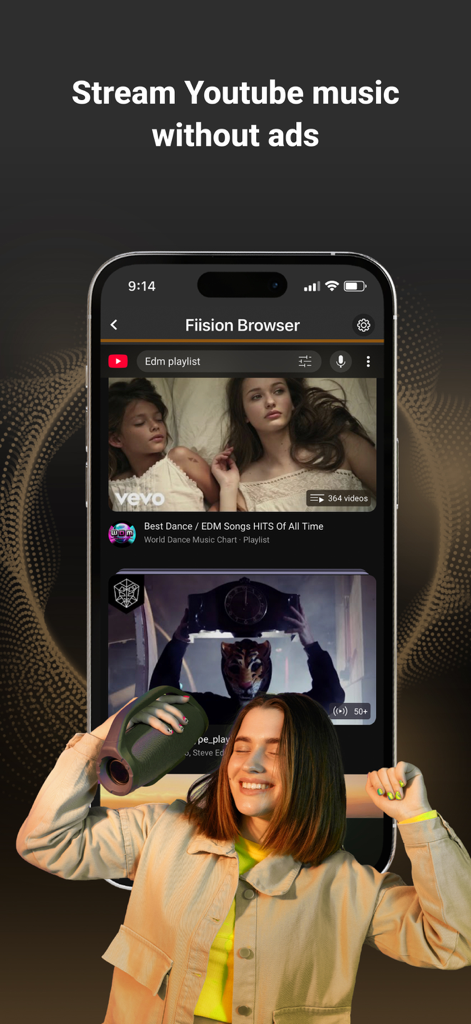
광고 없는 YouTube 음악을 스트리밍하기 위해 Smart Speaker Equalizer Remote 앱을 사용하는 여성의 춤추는 모습
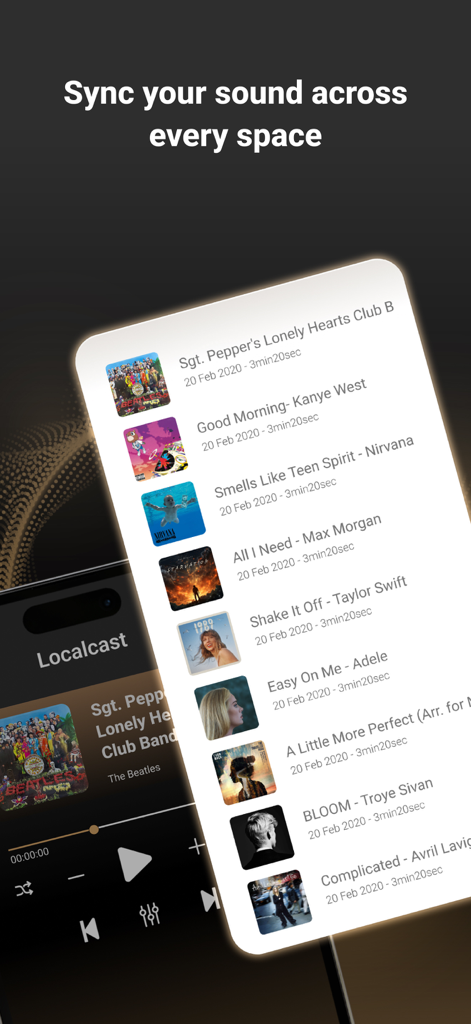
Smart Speaker Equalizer Remote 앱의 로컬 음악 재생 목록과 "모든 공간에서 사운드 동기화" 텍스트가 표시되는 인터페이스
홈 오디오 생태계를 마스터하세요
이 앱을 돋보이게 하는 도구, 591K+ 명의 사용자가 선택.
🌐
하나의 앱, 모든 스피커
제조업체 제한에서 벗어나세요. 단일 통합 인터페이스에서 Sonos, Bose, AirPlay 및 Bluetooth 장치를 원활하게 그룹화하고 제어하세요.
🎚️
정밀 사운드 엔지니어링
전문가 수준의 이퀄라이저, 깊은 저음 부스터, 방에 맞춰진 맞춤형 음향 사전 설정을 통해 하드웨어의 진정한 잠재력을 발휘하세요.
🚀
무제한 광고 없는 스트리밍
중단이나 추적 없이 YouTube, SoundCloud 및 웹 콘텐츠에 액세스하세요. 고품질 오디오를 모든 소스에서 스피커로 직접 전송하세요.
앱 소개
에 대해 알아야 할 모든 것 Smart Speaker Equalizer Remote.
설명
GIVE OUR APP A TRY IF YOU WANT TO:
• Connect, control, group, and ungroup all nearby AirPlay speakers, amplifiers, and smart TVs.
• Boost and sync multiple speakers to deliver high-quality sound at extra-high volumes for loud music.
• Enhance your music experience with our bass booster, treble booster, volume booster, and full-range equalizer, including presets such as Acoustic, Dance, Electronic, Jazz, Pop, R&B, and more.
• Manage and enjoy your all-time favorite songs, artists, and personalized playlists for every occasion with our Localcast feature.
• Use our all-in-one music hub to access multiple streaming services — Apple Music, YouTube, Dailymotion, Vimeo, Audiomack, SoundCloud, and more — and seamlessly switch between them without leaving the app.
• Instantly turn your iPhone into a microphone to record and stream your voice.
• Discover trending songs updated daily.
• Enjoy our ad blocker to watch your favorite YouTubers’ content and cast YouTube Music to your speakers without limitations or interruptions.
• Use a private, secure, and fast built-in web browser to access your favorite online audio content providers with no tracking and no personal data stored during browsing.
1. Detect & Connect
• Detect and connect to any nearby Wi-Fi or AirPlay speakers and amplifiers, such as:
- Sonos Era 100, Sonos One (S1 & S2), Sonos Play, and more.
- DENON, HEOS, Marantz, and Naim.
- B&O Beoplay, and B&O Beosound.
- Many other brands.
• Detect and pair with any Bluetooth speakers, amplifiers, headphones, or earbuds, such as:
- Bose Home Speaker, Bose Smart Soundbar, and more.
- Harman Kardon Aura, Harman Kardon AVR, JBL, and more.
- Logitech UE Boom
2. Control
• Bass booster, treble booster, volume booster, and equalizer.
• Adjust bass and treble output; enable or disable loudness.
• Play / Pause / Next Track / Previous Track / Seek.
3. Offline Music Player / Online Music Streaming
• Stream music from Apple Music, YouTube, Dailymotion, Vimeo, Audiomack, SoundCloud, and more.
• My Local music library: Import music files in various formats into your library, download your favorite tracks, and enjoy high-quality offline playback.
• Cast music to your speakers without Wi-Fi.
• Voice recorder: Create and amplify your voice with our VoiceCast.
HOW IT WORKS
• Getting started is simple — download the Smart Speakers Remote Control app.
• Join our Annual Premium Membership gives you access to:
- A free 3-day trial — cancel any time.
- Unlimited connection and casting of audio to speakers and headphones.
- Ad-free YouTube listening & streaming.
- Full control over your sound quality.
- Dedicated customer support just an email away.
• In addition to the annual plan, we offer more budget-friendly weekly and monthly options — cancel anytime.
• If you choose not to become our Premium member, that’s okay too! You can still enjoy our Premium Features using your iPhone’s built-in speaker all day long. DOWNLOAD Smart Speakers Remote Control NOW!
PAYMENT AND SUBSCRIPTIONS
• Pricing may vary by country, and actual charges may be converted to your local currency based on your country of residence.
• Payment will be charged to your iTunes Account at the time of purchase confirmation.
• Subscriptions automatically renew unless auto-renew is turned off at least 24 hours before the end of the current period.
• Your account will be charged for renewal within 24 hours prior to the end of the current period, and you will be informed of the renewal cost.
• Manage your membership in your account settings, including the option to disable auto-renewal. If a free trial is offered, any unused portion will be forfeited once you purchase a membership to the applicable publication.
Privacy Policy: https://fiisionstudio.com/privacy-policy/
Terms of Use: https://fiisionstudio.com/terms-and-conditions/
For assistance, contact us at support@fiisionstudio.com. Questions or suggestions? Just send us an email.
최신 버전
1.0.16
크기
56.9 MB
출시일
2021년 7월 26일
한계 없는 사운드를 경험하세요
591,000명 이상의 오디오 애호가들과 함께 스마트 스피커를 마스터하세요. 전문가 수준의 EQ, 보편적인 연결성, 광고 없는 스트리밍을 하나의 강력한 허브에서 경험하세요. 오늘 무료 평가판을 시작하세요.
FAQ
자주 묻는 질문
에 대해 알아야 할 모든 것 Smart Speaker Equalizer Remote
Smart Speaker Equalizer Remote 앱은 무엇인가요?
Smart Speaker Equalizer Remote 앱은 AirPlay 및 Bluetooth 스피커의 오디오를 연결, 제어 및 향상시킵니다. 이퀄라이저, 스트리밍 서비스 액세스, 음성 녹음 및 최적화된 음악 경험을 위한 광고 없는 웹 브라우저를 제공합니다.
네, Smart Speaker Equalizer Remote 앱은 Sonos, DENON, Marantz, B&O와 같은 다양한 AirPlay 스피커 및 Bose, Harman Kardon, JBL, Logitech UE Boom과 같은 Bluetooth 스피커에 연결되어 다재다능한 오디오 제어를 제공합니다.
Smart Speaker Equalizer Remote 앱에 오디오 이퀄라이저 기능이 포함되어 있나요?
네, Smart Speaker Equalizer Remote 앱은 Acoustic, Dance, Electronic, Jazz와 같은 프리셋을 포함하는 풀레인지 이퀄라이저를 제공합니다. 또한 오디오 맞춤 설정을 위한 전용 베이스 부스터, 트레블 부스터 및 볼륨 부스터 컨트롤도 포함되어 있습니다.
Smart Speaker Equalizer Remote는 어떤 음악 스트리밍 서비스를 지원하나요?
Smart Speaker Equalizer Remote 앱은 Apple Music, YouTube, Dailymotion, Vimeo, Audiomack 및 SoundCloud에서 스트리밍을 지원합니다. 사용자는 앱의 통합 음악 허브 내에서 이러한 서비스 간을 원활하게 전환할 수 있습니다.
Smart Speaker Equalizer Remote 앱으로 음성을 녹음할 수 있나요?
네, Smart Speaker Equalizer Remote 앱을 사용하면 iPhone을 즉시 마이크로 변환하여 음성을 녹음하고 스트리밍할 수 있습니다. 이 기능은 앱의 VoiceCast 기능을 통해 액세스할 수 있습니다.
Smart Speaker Equalizer Remote는 YouTube 광고를 차단하나요?
네, Smart Speaker Equalizer Remote 앱에는 광고 차단 기능이 있습니다. 이를 통해 사용자는 광고나 중단 없이 YouTube 콘텐츠를 시청하고 YouTube Music을 스피커로 전송할 수 있습니다.
Smart Speaker Equalizer Remote 프리미엄 멤버십에 대한 무료 평가판이 제공되나요?
네, Smart Speaker Equalizer Remote 앱의 연간 프리미엄 멤버십에는 3일 무료 평가판이 포함됩니다. 사용자는 평가판이 종료되기 전에 언제든지 취소할 수 있습니다.
프리미엄 구독 없이 Smart Speaker Equalizer Remote 앱을 사용할 수 있나요?
네, 프리미엄 구독 없이도 Smart Speaker Equalizer Remote 앱을 사용할 수 있습니다. iPhone의 내장 스피커를 사용하여 프리미엄 기능을 액세스하고 즐길 수 있습니다.
Smart Speaker Equalizer Remote 앱 구독을 어떻게 관리하나요?
Smart Speaker Equalizer Remote 앱 구독은 iTunes 계정 설정 내에서 관리합니다. 여기에는 현재 기간이 끝나기 최소 24시간 전에 자동 갱신을 비활성화하는 옵션이 포함됩니다.
Smart Speaker Equalizer Remote 앱이 개인 브라우징 데이터를 저장하나요?
아니요, Smart Speaker Equalizer Remote 앱의 내장 웹 브라우저는 추적 없이 작동하며 브라우징 중 개인 데이터를 저장하지 않습니다. 개인적이고 안전하며 빠른 온라인 오디오 경험을 제공합니다.
Smart Speaker Equalizer Remote가 로컬 음악 재생을 지원하나요?
네, Smart Speaker Equalizer Remote 앱은 Localcast 기능을 통해 로컬 음악 파일을 지원합니다. 사용자는 다양한 음악 형식을 가져오고, 트랙을 다운로드하고, 라이브러리에서 직접 고품질 오프라인 재생을 즐길 수 있습니다.
Smart Speaker Equalizer Remote를 사용하여 Wi-Fi 없이 음악을 전송할 수 있나요?
네, Smart Speaker Equalizer Remote는 사용자가 Wi-Fi 연결 없이도 스피커로 음악을 전송할 수 있도록 합니다. 이 기능은 다양한 환경에서 음악 재생의 유연성을 향상시킵니다.
App information, icons, screenshots, and descriptions displayed on this page are sourced from the Apple App Store and are the property of their respective developers. Download estimates and rankings are based on MWM's proprietary models and may not reflect actual figures. This page is provided for informational and analytical purposes only.
Believe this page infringes your intellectual property? File a dispute