Speede Scooters

Speede Scooters

다운로드: App Store
로고: Speede Scooters

Speede 스쿠터: 라이딩을 위한 궁극의 스마트 대시보드

실시간 속도 추적, 정밀한 주행 가능 거리 업데이트, 현대 도시 통근자를 위한 원활한 연결 기능으로 e-스쿠터를 완벽하게 제어하세요.

다운로드: App Store

개발사

Matus Vido

카테고리

Travel

다운로드

4K+

사용자 평점

4.1/5

총 평가 수

0

지원 언어

7

당신의 주행, 시각화되다

이 인터페이스를 사용하는 4K+ 명의 사용자.

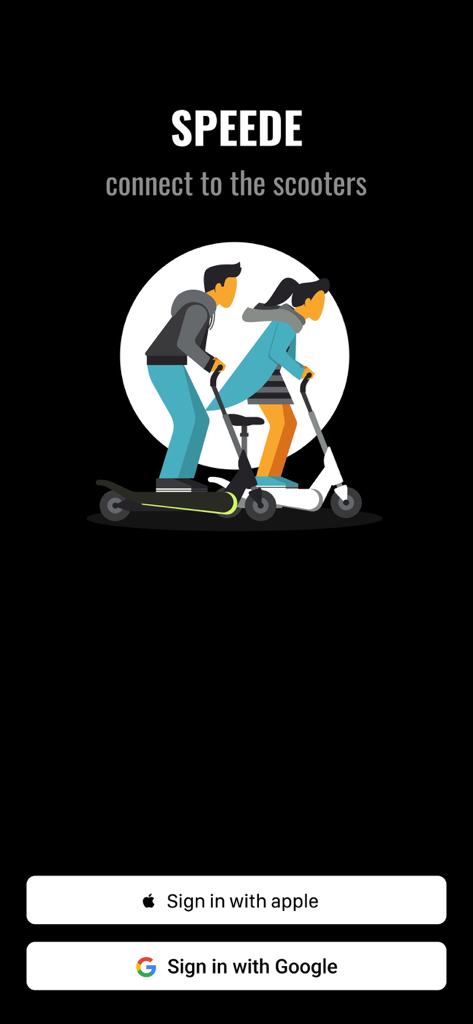
Speede Scooters 앱 로그인 화면, Apple 및 Google 로그인 버튼과 전동 스쿠터에 탄 사람들의 그림이 특징입니다.

Speede Scooters 앱 로그인 화면, Apple 및 Google 로그인 버튼과 전동 스쿠터에 탄 사람들의 그림이 특징입니다.

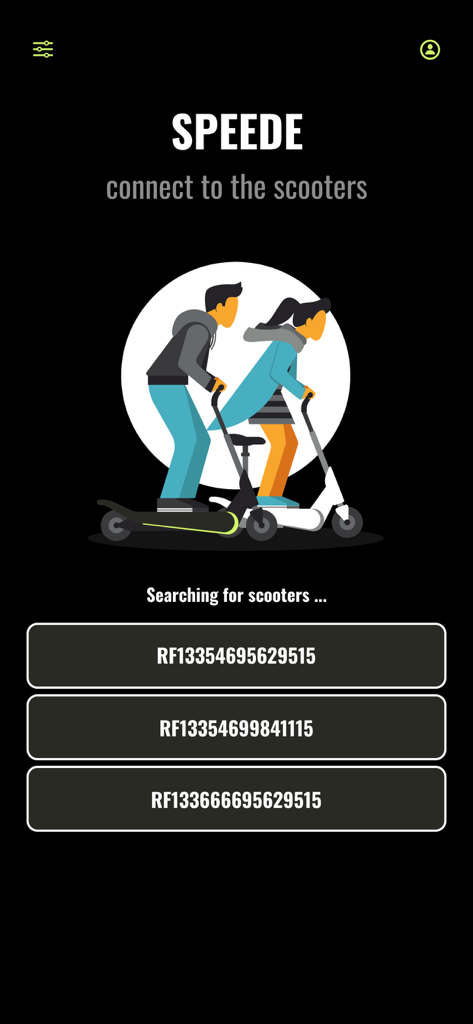
Speede Scooters 모바일 앱 화면이 근처 전동 스쿠터를 검색하고 연결 가능한 목록을 표시합니다.

Speede Scooters 모바일 앱 화면이 근처 전동 스쿠터를 검색하고 연결 가능한 목록을 표시합니다.

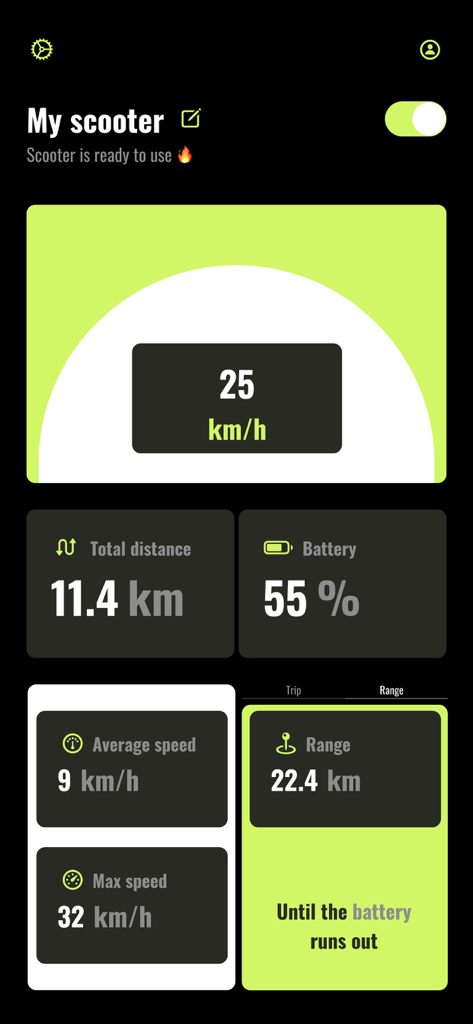
Speede Scooters 앱의 대시보드, 속도, 배터리 수명 및 주행 거리가 표시됩니다.

Speede Scooters 앱의 대시보드, 속도, 배터리 수명 및 주행 거리가 표시됩니다.

도시 주행을 마스터하세요

이 앱을 돋보이게 하는 도구, 4K+ 명의 사용자가 선택.

정밀 HUD 속도계

주행 중 완벽한 가시성을 위해 설계된 고대비 대시보드에서 실시간 속도, 평균 속도, 최대 속도를 추적하세요.

🔋

주행 거리 불안 해소

충전하기 전에 정확히 몇 킬로미터를 주행할 수 있는지 정확한 업데이트를 받아 절대 곤경에 처하지 않도록 하세요.

📲

스마트 원격 제어

탭 한 번으로 스쿠터를 켜거나 끄고 장치 설정을 개인화하여 진정한 맞춤형 소유 경험을 누리세요.

앱 소개

에 대해 알아야 할 모든 것 Speede Scooters.

설명

Introducing Speede, the ultimate app for enhancing your electric scooter experience. The app was made by a team of scooter lovers who want to provide the users with the best experience. Seamlessly connect to your scooter, customize device settings, and track your rides with the Speedometer and Trip features. Enjoy convenient control over scooter. 1. Sign in effortlessly with your Apple or Google account. Your travel data will be securely stored and automatically loaded each time you log in. 2. Automatically scan the devices around you and connect to the scooter: you are able to see the nearby scooters available to connect. When you tap on the scooter name you will be connected and redirected to the scooter page. 3. Changing the name of the scooter: To customize the name of your device, you have the ability to do so on the main screen by tapping the edit icon located next to the scooter name when it is detected nearby. 4. Turning the scooter on/off: Once you are connected to your scooter, you can locate the power button in the upper right corner. Tapping on this button will turn on the scooter. Likewise, the same procedure applies in reverse when you wish to turn off the scooter. Please note that when you toggle the turn off button, the scooter may not immediately power down. In most cases, you will observe two red flashes on the scooter's head LED, indicating that the scooter is in the process of turning off. However, in certain instances, the scooter's LED may attempt to flash multiple times for a brief duration. Please be advised that this behavior is normal, and the scooter will eventually power off after approximately one minute. 5. Speedometer: Showing the current scooter speed. 6. Battery state visibility. 7. Total distance traveled: The cumulative distance traveled on your scooter begins counting from the moment you install the application and start using it for the first time. If you power off the scooter and then turn it back on the following day, the distance displayed will remain the same as when you last left it on the previous day. 8. Average and maximum speed: Those speeds are calculated for the whole usage of the application. You are able to reset the values by settings icon once you are connected to the scooter. 9. Trip feature: Feature allows you to track your personal trip by restarting the traveled distance while the total distance is unchanged. 10. Filter distance: Filter icon on the upper left corner of the main page represents the functionality to have an option to limit visibility of the closes devices by the range. Set it to min to see the scooters within the range 1 meter, medium with 5 meters and the maximum to 10. 11. Settings icon: If you ever wondered if you can reset your previous speed or distance traveled with your scooter, now you are able to do it. Once you connected to your scooter locate the setting icon just next to power button. Just click on the icon and choose which value you want to reset and the app will do it for you. 12. Range: Get precise updates on how many kilometers you can still travel before your scooter needs a recharge Thank you for the purchase, enjoy the time spent on the scooters and ride safe Speede team.

최신 버전

1.0.8

크기

14.0 MB

출시일

2024년 7월 6일

라이딩을 업그레이드할 준비가 되셨나요?

4,000명 이상의 도시 통근자와 함께 iPhone을 궁극의 하이테크 대시보드로 바꾸세요. 모든 주행을 추적하고, 주행 거리 불안을 해소하며, 오늘 e-스쿠터를 완벽하게 제어하세요.

다운로드: App Store

App information, icons, screenshots, and descriptions displayed on this page are sourced from the Apple App Store and are the property of their respective developers. Download estimates and rankings are based on MWM's proprietary models and may not reflect actual figures. This page is provided for informational and analytical purposes only.

Believe this page infringes your intellectual property? File a dispute