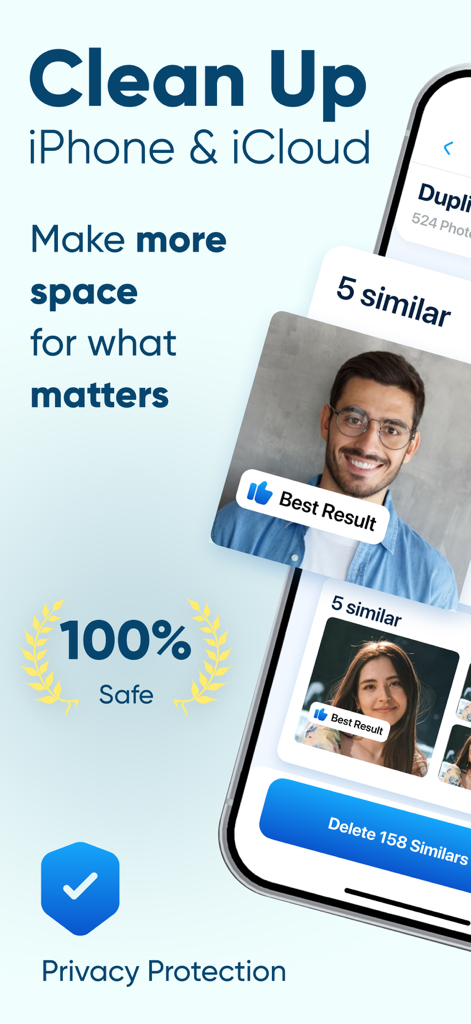
Storage Cleaner 앱 인터페이스가 iPhone용 유사 사진 정리 및 개인 정보 보호 기능을 보여줍니다.
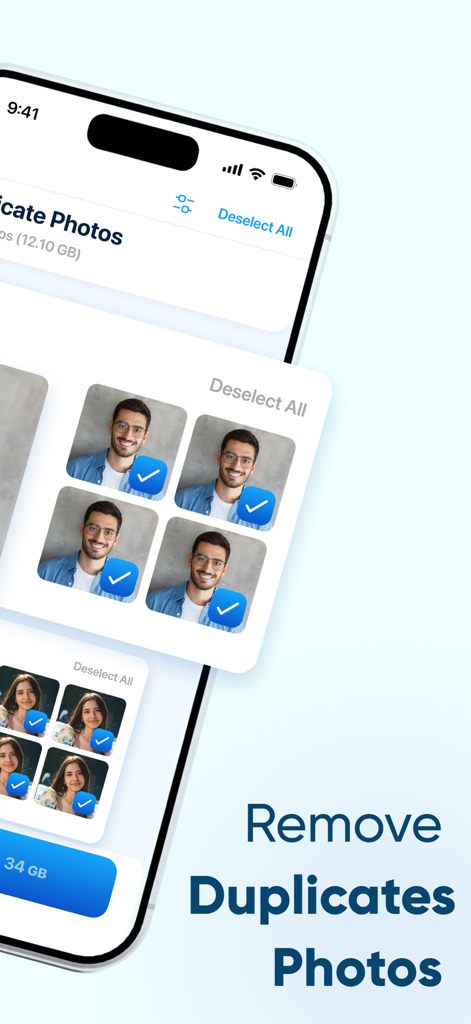
저장 공간을 확보하기 위해 삭제하도록 선택된 중복 사진 그룹을 보여주는 iPhone 앱 인터페이스
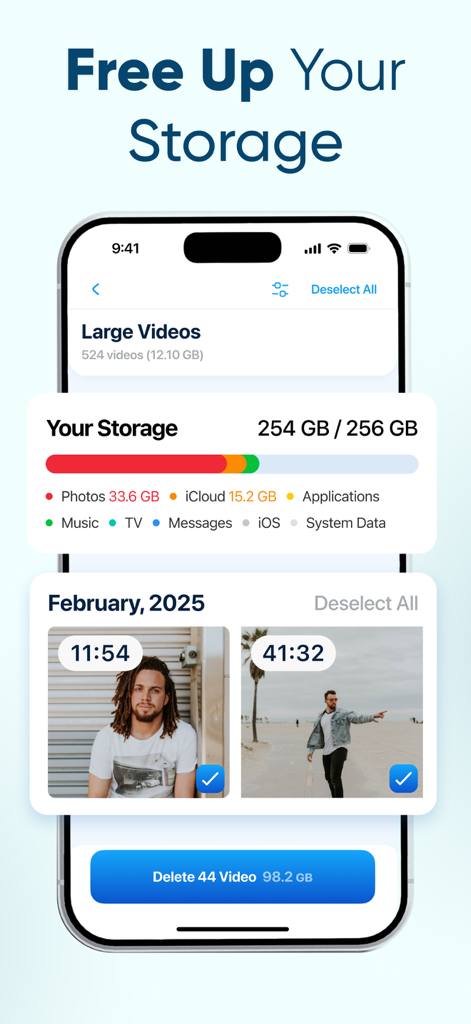
256GB iPhone 저장 공간이 거의 꽉 찼음을 보여주는 Storage Cleaner 앱 인터페이스와 공간 확보를 위해 대용량 동영상을 삭제하는 기능
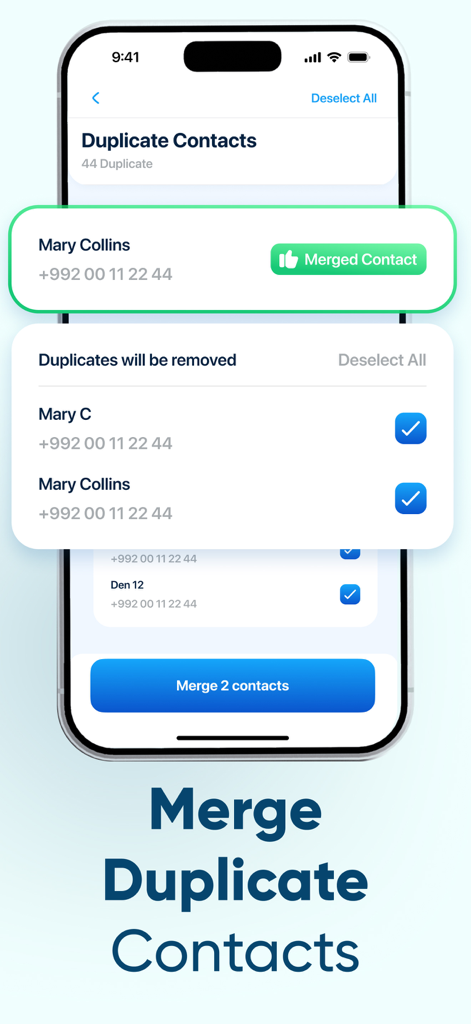
Storage Cleaner 앱의 중복 연락처 병합 기능을 보여주는 iPhone 스크린샷
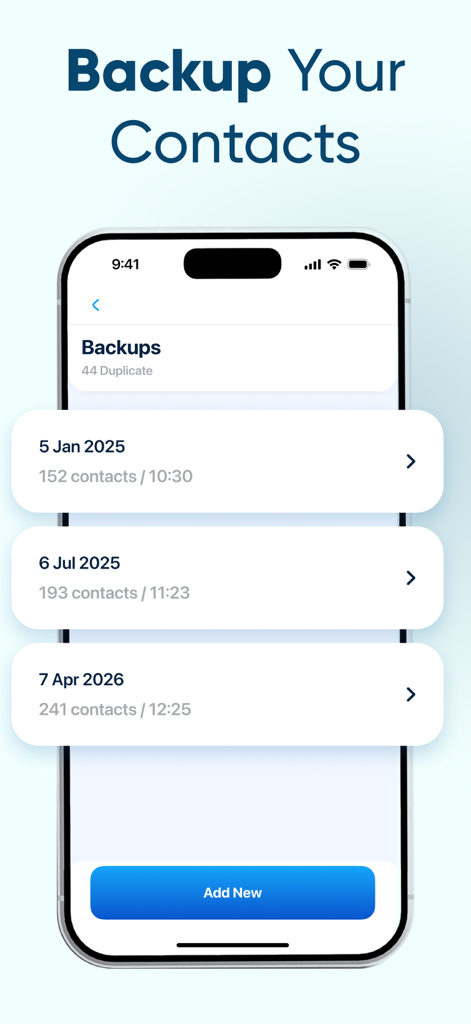
추가 버튼과 함께 연락처 백업의 시간순 목록을 표시하는 모바일 앱 인터페이스
몇 분 안에 디지털 생활을 정리하세요
이 앱을 돋보이게 하는 도구, 88K+ 명의 사용자가 선택.
📸
스마트 사진 정리
갤러리를 어지럽히는 흐릿한 사진과 불필요한 사진을 제거하고, 연속 촬영 사진 중에서 가장 좋은 사진을 즉시 찾아 보관하세요.
🎬
심층 동영상 정리
공간을 가장 많이 차지하는 대용량 동영상 파일과 화면 녹화본을 찾아 삭제하여 새로운 추억을 위한 공간을 확보하세요.
👥
정리된 연락처 목록
중복된 연락처를 병합하고 주소록을 백업하여 복잡한 목록을 전문적이고 간소화된 디렉토리로 바꾸세요.
앱 소개
에 대해 알아야 할 모든 것 Storage Cleaner: Clean Up Now.
설명
Your iPhone stores more than memories — it also keeps thousands of photos, videos, and contacts you may no longer need.
From similar shots and large videos to duplicate contacts and old screenshots, unwanted files quietly build up and take space.
Storage Cleaner: Clean Up Now helps you take control again — bringing everything into one smart space where organizing, sorting, and backing up your content is effortless.
WHY USERS TRUST “STORAGE CLEANER”
You stay in complete control of every action
Nothing is ever removed or merged without your clear confirmation.
Your gallery and contacts stay neat, clean, and well-organized
Everything is structured in a way that makes navigation effortless.
You find important photos, videos, and contacts much faster
Smart grouping and intuitive filters highlight what matters most.
Your device feels lighter and works smoother
Space-heavy files are identified and removed with precision, freeing valuable storage.
OUR FEATURES
Duplicate Photos, Similar Photos, Screenshots, Large Videos, Screen Recordings, Similar Live Photos, All Videos, Duplicate Contacts, Contact Backup and Other Files.
WHAT EACH FEATURE DOES
Duplicate Photos.
Instantly detects fully identical images in your gallery and helps you keep a single clean, original copy. Removing duplicates frees a significant amount of storage without any risk of losing important photos.
Similar Photos.
Analyzes groups of look-alike images — for example, burst shots — and highlights the best one based on clarity and overall quality. The rest can be removed in just a few taps to reduce visual clutter in your gallery.
Screenshots.
Gather all screenshots in one place, including accidental or outdated ones. Allows you to quickly review them and free up space that these files often occupy unnoticed.
Large Videos.
Identifies the heaviest video files that take up the most storage. Lets you easily review, evaluate, and remove videos you no longer need.
Screen Recordings.
Finds all screen recordings, which often consume large amounts of space. Helps you sort, preview, and delete unnecessary clips created during work tasks or by accidental taps.
Similar Live Photos.
Detects Live Photos that look almost identical, taking both frames and motion into account. Helps you keep the best version while removing duplicates, keeping your library tidy and streamlined.
All Videos.
Displays your entire video collection in one convenient list. Makes it easier to browse, sort, and manage videos without switching between albums.
Duplicate Contacts.
Identifies repeated contacts, compares the data, and offers to merge them, keeping your contact list organized, clean, and efficient.
Contact Backup.
Creates a secure backup of all your contacts. You can restore it at any time — useful when switching devices, after system issues, or if something was deleted by accident.
Other Files.
Reveals additional files taking up storage quietly. Lets you review and remove unnecessary items to free up as much space as possible.
Review, organize, and back up everything — so your iPhone stays light, fast, and ready for what’s next.
Privacy Policy: https://telegra.ph/Privacy-Policy-for-Storage-Cleaner-12-04
Terms of Use: https://telegra.ph/Terms-of-Service-for-Storage-Cleaner-12-04
최신 버전
1.6
크기
50.4 MB
출시일
2025년 10월 16일
'저장 공간 부족' 알림을 오늘 멈추세요
이미 88,000명 이상의 사용자가 몇 분 안에 GB 단위의 불필요한 데이터를 안전하게 정리했습니다. 최고의 추억은 간직하고 중복 데이터는 삭제하여 iPhone을 새것처럼 만드세요.
FAQ
자주 묻는 질문
에 대해 알아야 할 모든 것 Storage Cleaner: Clean Up Now
Storage Cleaner: Clean Up Now는 무엇을 하나요?
Storage Cleaner: Clean Up Now는 iPhone에서 불필요한 사진, 동영상, 연락처를 정리하고 청소합니다. 중복 파일 및 대용량 미디어를 식별하고 제거하여 저장 공간을 확보합니다.
Storage Cleaner: Clean Up Now를 사용하는 것이 안전한가요?
네, Storage Cleaner: Clean Up Now는 100% 안전합니다. 모든 작업을 확인하여 명확한 확인 없이는 아무것도 제거하거나 병합되지 않도록 합니다. 이 앱은 개인 정보 보호를 최우선으로 합니다.
Storage Cleaner: Clean Up Now는 중복 사진을 어떻게 처리하나요?
Storage Cleaner: Clean Up Now는 완전히 동일한 이미지를 즉시 감지합니다. 중요한 사진을 잃을 위험 없이 저장 공간을 상당히 확보하기 위해 중복을 제거하고 하나의 원본 사본을 유지하도록 도와줍니다.
Storage Cleaner: Clean Up Now가 비슷한 사진을 제거할 수 있나요?
네, Storage Cleaner: Clean Up Now는 연속 촬영 사진과 같은 비슷한 이미지 그룹을 분석합니다. 선명도와 품질을 기준으로 가장 좋은 사진을 강조 표시하여 나머지를 제거하여 시각적 혼란을 줄일 수 있습니다.
Storage Cleaner: Clean Up Now를 사용하여 대용량 동영상으로 공간을 확보하는 방법은 무엇인가요?
Storage Cleaner: Clean Up Now는 가장 많은 저장 공간을 차지하는 가장 무거운 동영상 파일을 식별합니다. 더 이상 필요하지 않은 동영상을 쉽게 검토, 평가 및 제거할 수 있습니다.
Storage Cleaner: Clean Up Now가 중복 연락처를 병합하나요?
네, Storage Cleaner: Clean Up Now는 반복되는 연락처를 식별하고 데이터를 비교하여 병합을 제안합니다. 이를 통해 연락처 목록을 체계적이고 깔끔하며 효율적으로 유지할 수 있습니다.
Storage Cleaner: Clean Up Now로 연락처를 백업할 수 있나요?
네, Storage Cleaner: Clean Up Now는 모든 연락처의 안전한 백업을 생성합니다. 이 백업은 기기 전환 또는 실수로 삭제한 경우 유용하며 언제든지 복원할 수 있습니다.
Storage Cleaner: Clean Up Now가 어떤 종류의 파일을 청소하나요?
Storage Cleaner: Clean Up Now는 중복 사진, 비슷한 사진, 스크린샷, 대용량 동영상, 화면 녹화, 비슷한 Live Photos 및 기타 다양한 파일과 중복 연락처를 정리합니다.
Storage Cleaner: Clean Up Now가 iCloud 저장 공간을 청소하나요?
네, Storage Cleaner: Clean Up Now는 iPhone 및 iCloud 저장 공간을 모두 정리하는 데 도움이 됩니다. 이를 통해 중요한 콘텐츠를 위한 더 많은 공간을 확보할 수 있습니다.
Storage Cleaner: Clean Up Now의 개인 정보 보호 정책은 어디에서 찾을 수 있나요?
Storage Cleaner: Clean Up Now의 개인 정보 보호 정책은 다음에서 확인할 수 있습니다: https://telegra.ph/Privacy-Policy-for-Storage-Cleaner-12-04.
App information, icons, screenshots, and descriptions displayed on this page are sourced from the Apple App Store and are the property of their respective developers. Download estimates and rankings are based on MWM's proprietary models and may not reflect actual figures. This page is provided for informational and analytical purposes only.
Believe this page infringes your intellectual property? File a dispute