Storage Cleaner · Smart Clean

Storage Cleaner · Smart Clean


다운로드: App Store
로고: Storage Cleaner · Smart Clean

Storage Cleaner · Smart Clean: 공간 확보 및 iPhone 속도 향상

'저장 공간 부족' 알림에 영원히 작별을 고하세요. 번잡한 갤러리를 쉽게 정리하고, 중복 연락처를 병합하고, 민감한 앱을 안전하게 보호하세요. 궁극의 디지털 위생 도우미입니다.

다운로드: App Store

개발사

涛 马

카테고리

Utilities

다운로드

171K+

사용자 평점

4.5/5

총 평가 수

1K+

지원 언어

11

한눈에 보는 깔끔함

이 인터페이스를 사용하는 171K+ 명의 사용자.

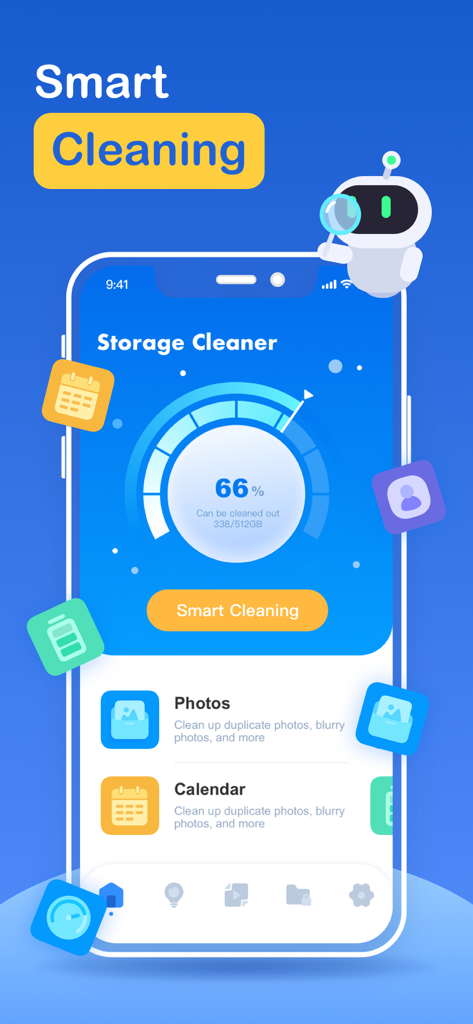
Storage Cleaner 앱 대시보드, 저장 공간 사용량 및 스마트 정리 옵션 표시

Storage Cleaner 앱 대시보드, 저장 공간 사용량 및 스마트 정리 옵션 표시

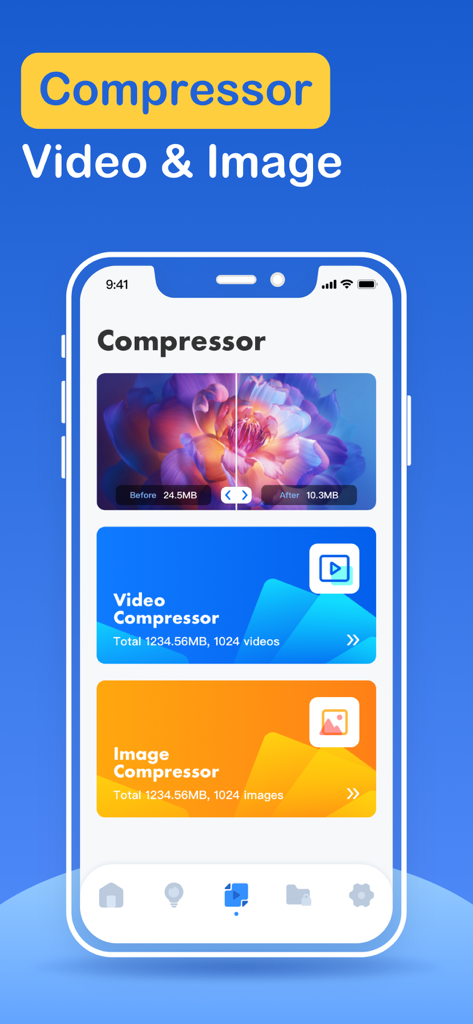
Storage Cleaner 앱 인터페이스, 휴대폰 저장 공간 절약을 위한 동영상 및 이미지 압축 기능 표시

Storage Cleaner 앱 인터페이스, 휴대폰 저장 공간 절약을 위한 동영상 및 이미지 압축 기능 표시

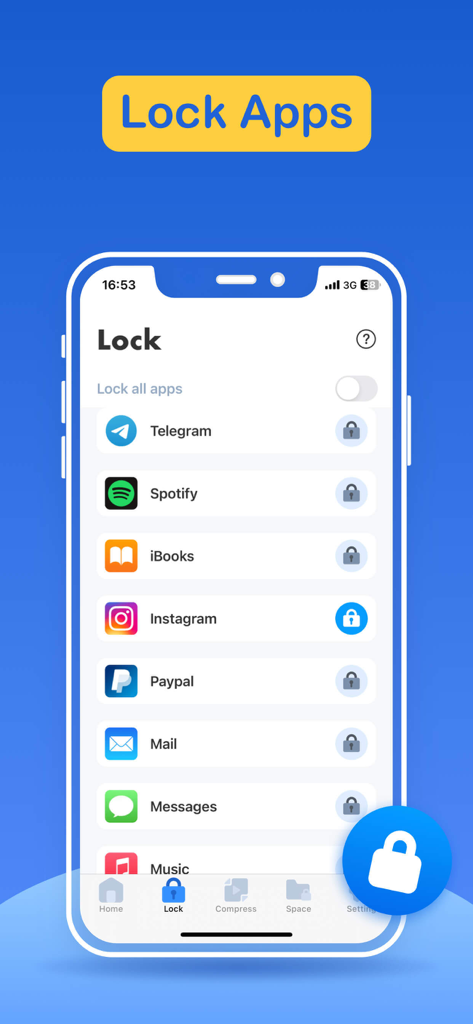
Storage Cleaner 앱 인터페이스, 소셜 미디어 및 개인 앱을 보호하기 위한 앱 잠금 기능 표시

Storage Cleaner 앱 인터페이스, 소셜 미디어 및 개인 앱을 보호하기 위한 앱 잠금 기능 표시

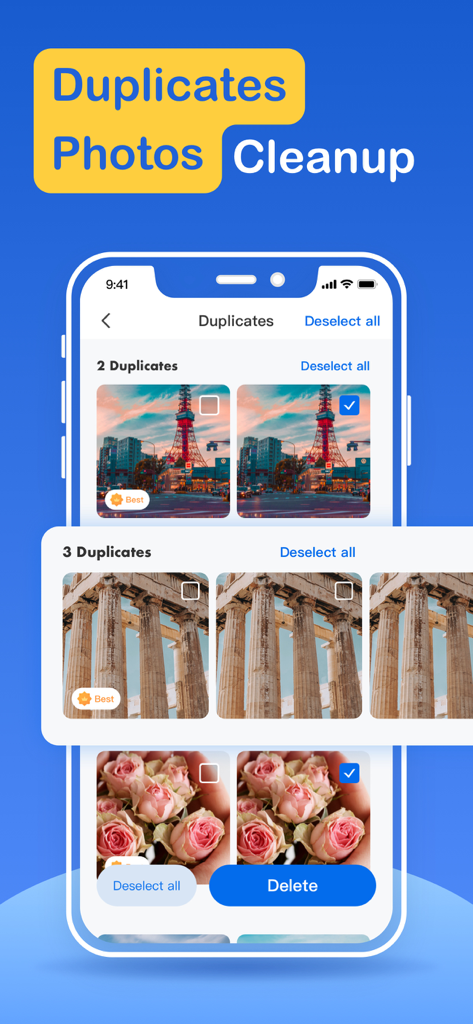
Storage Cleaner 앱 인터페이스, 삭제를 위해 식별된 중복 사진 표시

Storage Cleaner 앱 인터페이스, 삭제를 위해 식별된 중복 사진 표시

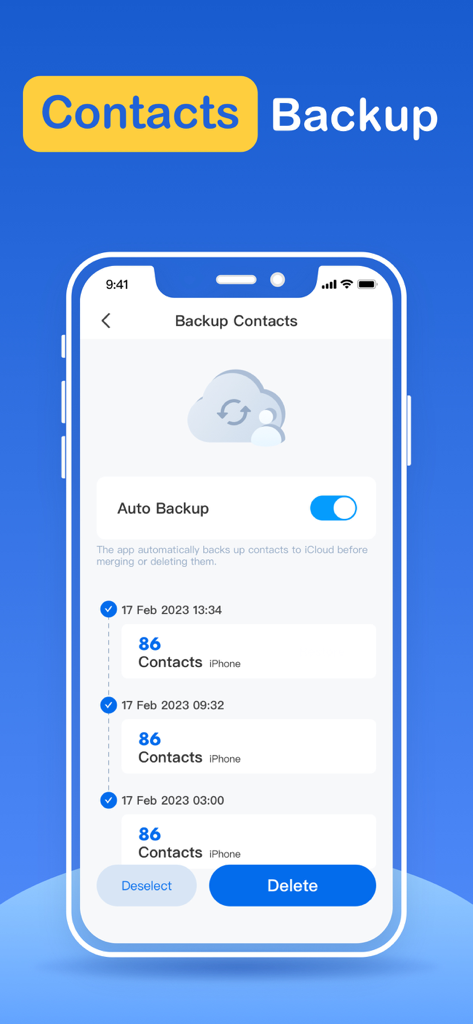
연락처 자동 백업 토글 및 기록 목록이 있는 Storage Cleaner 앱의 연락처 백업 인터페이스

연락처 자동 백업 토글 및 기록 목록이 있는 Storage Cleaner 앱의 연락처 백업 인터페이스

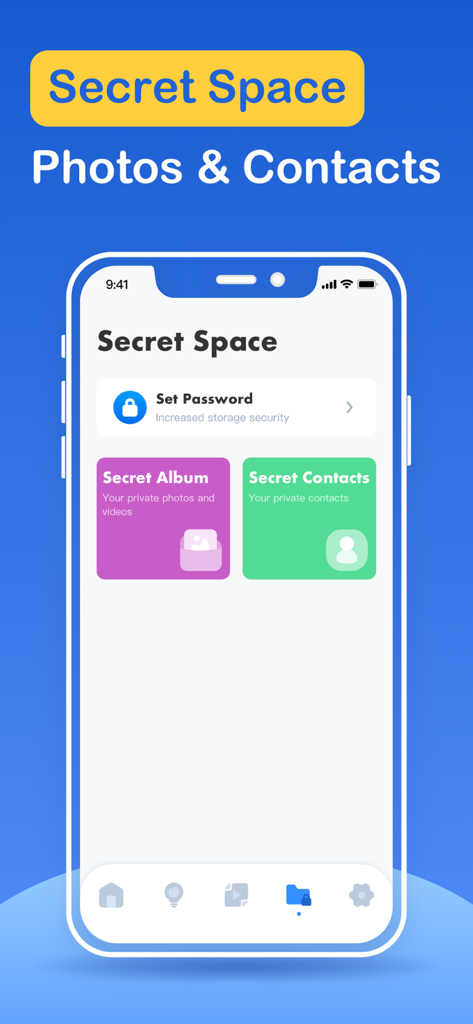
개인 사진 및 연락처를 위한 비밀 공간 기능이 있는 Storage Cleaner 앱 인터페이스

개인 사진 및 연락처를 위한 비밀 공간 기능이 있는 Storage Cleaner 앱 인터페이스

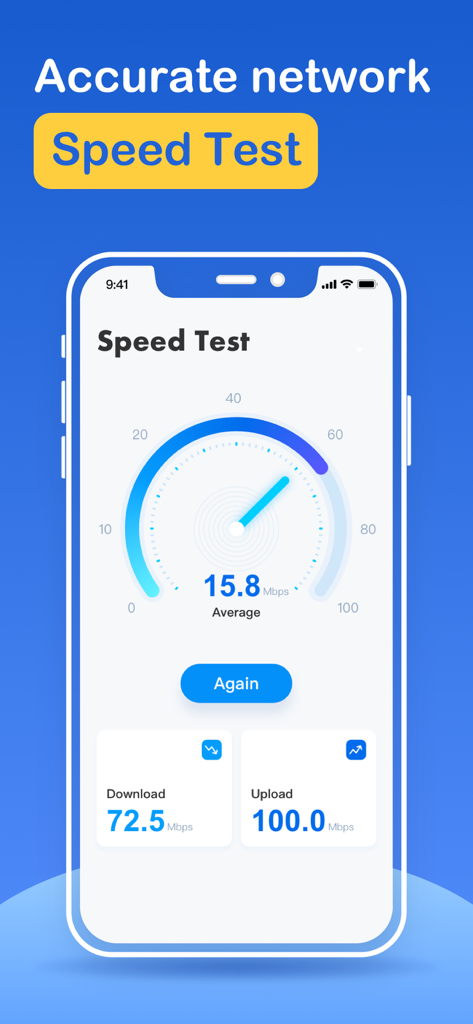
Storage Cleaner 앱의 인터넷 속도 테스트 인터페이스 스크린샷, 다운로드 및 업로드 속도 표시

Storage Cleaner 앱의 인터넷 속도 테스트 인터페이스 스크린샷, 다운로드 및 업로드 속도 표시

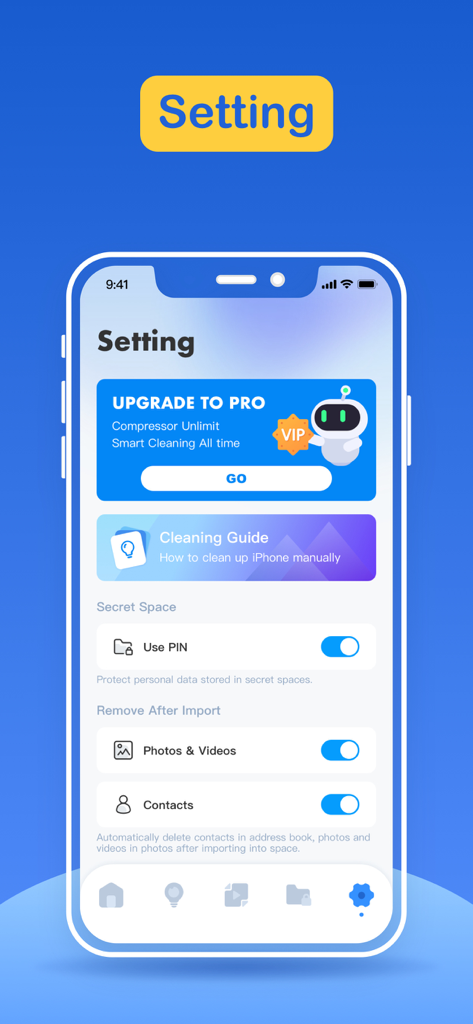
개인 정보 보호 옵션 및 정리 가이드를 보여주는 Storage Cleaner 앱의 설정 인터페이스

개인 정보 보호 옵션 및 정리 가이드를 보여주는 Storage Cleaner 앱의 설정 인터페이스

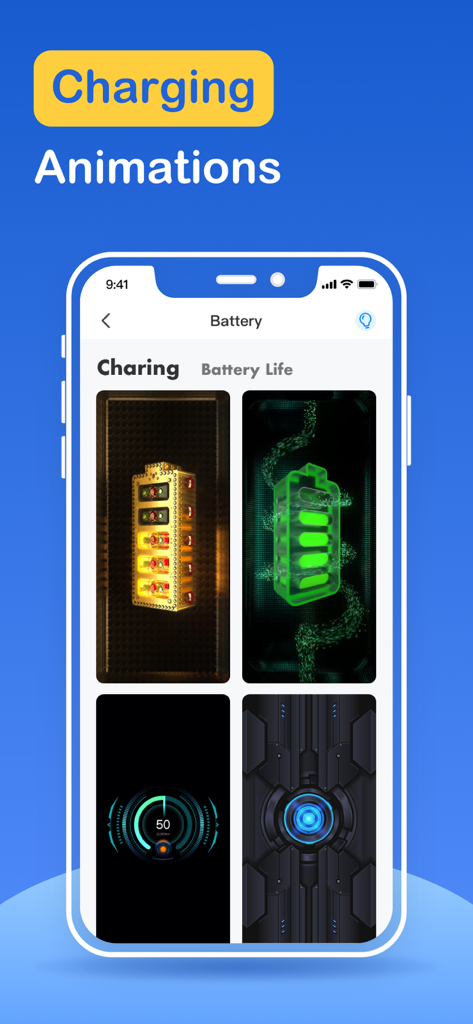
맞춤형 배터리 충전 애니메이션을 보여주는 iPhone 앱 화면

맞춤형 배터리 충전 애니메이션을 보여주는 iPhone 앱 화면

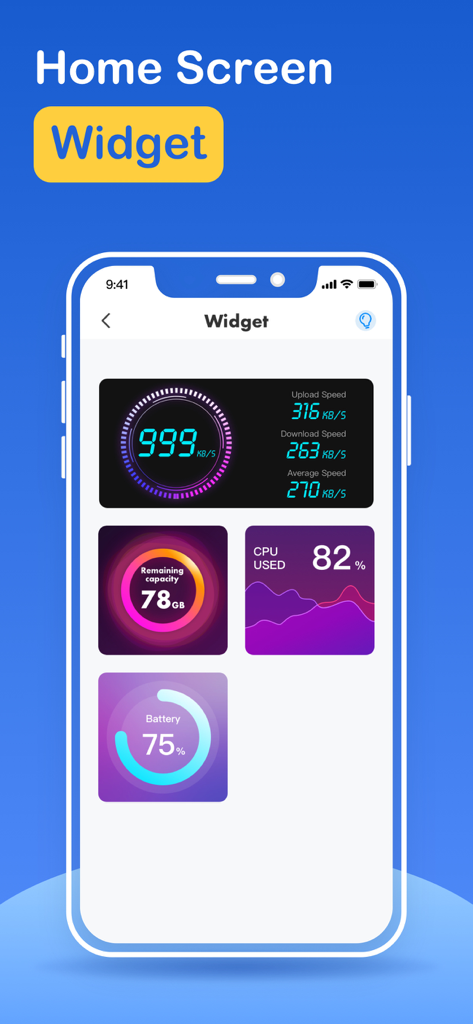
인터넷 속도, 저장 공간 용량, CPU 사용량 및 배터리 수명을 포함한 다양한 홈 화면 위젯을 보여주는 Storage cleaner 앱 인터페이스.

인터넷 속도, 저장 공간 용량, CPU 사용량 및 배터리 수명을 포함한 다양한 홈 화면 위젯을 보여주는 Storage cleaner 앱 인터페이스.

몇 초 만에 iPhone 저장 공간 확보

이 앱을 돋보이게 하는 도구, 171K+ 명의 사용자가 선택.

스마트 원탭 정리

지능형 필터링 엔진으로 쌓인 파일, 흐릿한 중복 사진, 불필요한 캐시를 즉시 식별하고 제거하세요.

📸

직관적인 스와이프 정리

갤러리 정리도 힘들 필요는 없습니다. Tinder 스타일의 스와이프로 최고의 추억만 간직하고 디지털 쓰레기는 버리세요.

🔒

개인 앱 보호

개인 공간을 안전하게 보호하세요. 민감한 앱을 잠금 처리하여 개인 정보 보호 수준을 높이세요.

앱 소개

에 대해 알아야 할 모든 것 Storage Cleaner · Smart Clean.

설명

What can Storage Cleaner help you do? 1. Smart cleaning Smart cleaning helps you search and filter related data such as picture information, address book information, calendar information, etc. You can manage multiple types of data at one time through the one-click cleaning function. 2. Picture management Picture management can help you analyze similar or duplicate picture resources in the system album, and can also help you analyze screenshots and other resources, and you can choose to delete them. 3. Address book management Address book management helps you analyze and filter duplicate contacts, similar contacts, invalid contacts and other information, and you can merge these contacts with one click. 4. Swipe You can quickly browse and filter the resources in the album. How to filter them? You only need to swipe left or right to distinguish them. After filtering, you can clear the pictures you don't like. 5. Lock App You can choose which application to lock in the Lock module, and then follow the tutorial instructions to create Personal Automation using the Shortcuts application. Then, you can lock the app you specify so that others cannot peek into the privacy of your app. 6. Internet speed test It only takes one click, and everything is automatically produced. After a short time test, you can get the downlink speed and uplink speed of the current network. 7. Widgets Desktop widgets allow you to add network tests, memory usage, CPU usage, etc. to your desktop. 8. Calendar management Calendar management can make it easier for you to manage events added to the calendar in history. The app provides a simple operation method that allows you to delete unnecessary events very easily. 9. Mobile phone optimization guide Here you can learn how to find unused apps, how to delete useless apps, and some common social software optimization methods. For unlocking all features and content, Premium Membership offers one auto-renewable subscription options: Weekly payment and annual payment subscription options. - Payment will be charged to iTunes Account at confirmation of purchases. - Subscription automatically renews unless auto-renew is turned off at least 24 hours before the end of the current period. - Account will be charged for renewal within 24-hours prior to the end of the current period, and identify the cost of the renewal. - Subscriptions may be managed by the user and auto-renewal may be turned off by going to the user’s Account Settings after purchase. - Any unused portion of a free trial period, if offered, will be forfeited when the user purchases a subscription to that publication, where applicable. Privacy policy: http://www.conhor.pro/privacystatement/smartdevice/privacyPolicy.html Terms of use: http://www.conhor.pro/privacystatement/smartdevice/termsofuse.html

최신 버전

2.8.1

크기

103.4 MB

출시일

2023년 3월 15일

'저장 공간 부족' 알림에 영원히 작별을 고하세요.

공간을 확보한 171,000명 이상의 사용자와 함께하세요. 번잡한 파일들을 정리하고, 개인 앱을 잠그고, iPhone에 숨 쉴 공간을 주세요.

다운로드: App Store

App information, icons, screenshots, and descriptions displayed on this page are sourced from the Apple App Store and are the property of their respective developers. Download estimates and rankings are based on MWM's proprietary models and may not reflect actual figures. This page is provided for informational and analytical purposes only.

Believe this page infringes your intellectual property? File a dispute