SumUp: Payments and POS

SumUp: Payments and POS

다운로드: App Store
로고: SumUp: Payments and POS

SumUp: 결제 및 POS – 올인원 비즈니스 제어 센터

월별 수수료 없이 결제를 받고, 송장을 발행하고, 재정을 관리할 수 있는 프리랜서 및 1인 사업가를 위한 무료 툴킷입니다. 전문적인 모습을 갖추고 비즈니스가 어디를 가든 결제를 받으세요.

개발사

SumUp Limited

카테고리

Business

다운로드

9M+

사용자 평점

4.5/5

총 평가 수

46K+

지원 언어

24

비즈니스에 집중하세요

이 인터페이스를 사용하는 9M+ 명의 사용자.

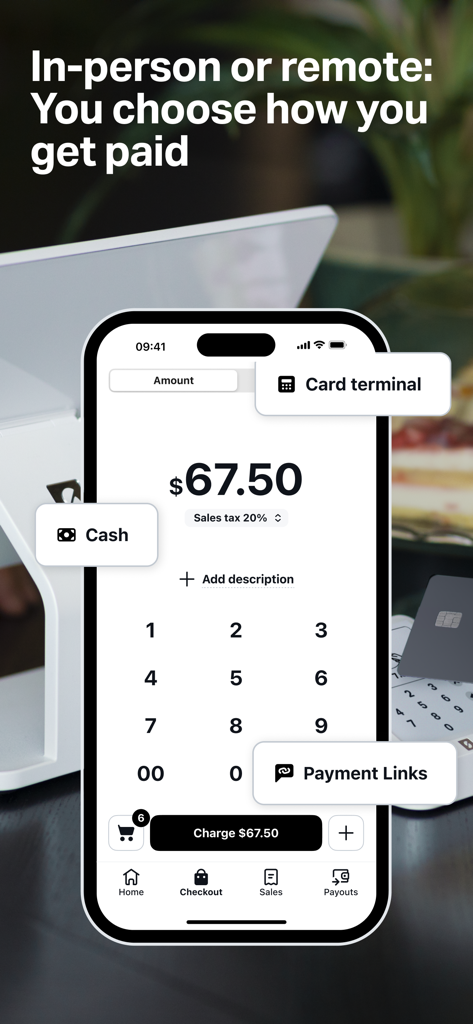
SumUp 모바일 앱 인터페이스에 스마트폰 화면에 현금, 카드 단말기, 결제 링크 옵션이 표시됩니다.

SumUp 모바일 앱 인터페이스에 스마트폰 화면에 현금, 카드 단말기, 결제 링크 옵션이 표시됩니다.

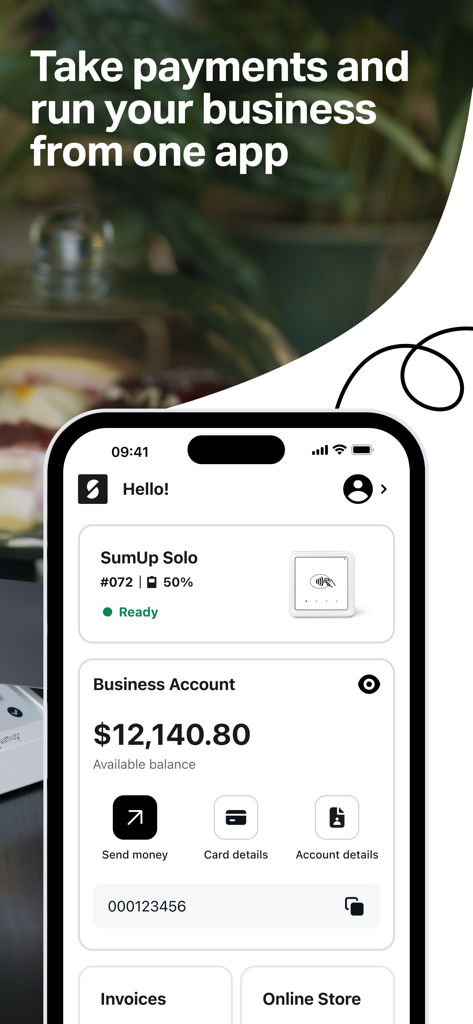
SumUp 모바일 앱 인터페이스에 비즈니스 계정 잔액 및 결제 관리 도구가 표시됩니다.

SumUp 모바일 앱 인터페이스에 비즈니스 계정 잔액 및 결제 관리 도구가 표시됩니다.

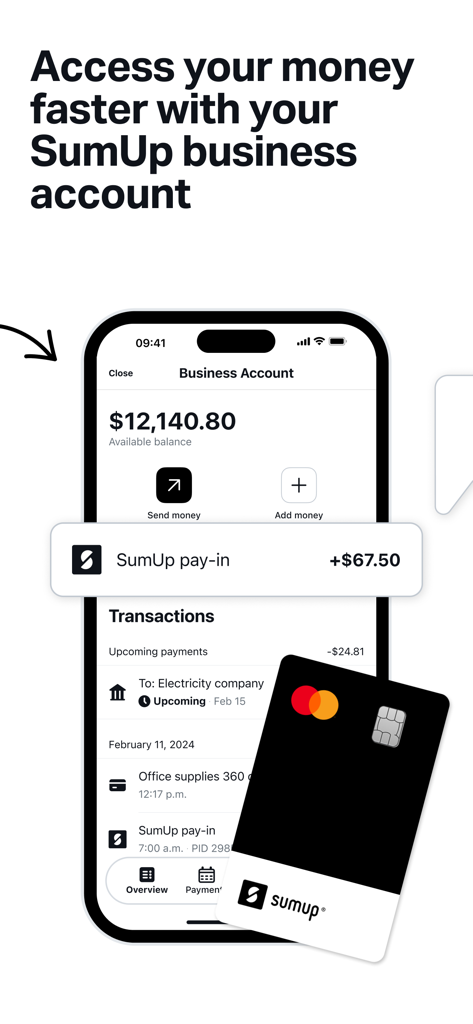
SumUp 비즈니스 계정 인터페이스가 스마트폰에 실물 Mastercard와 함께 표시됩니다.

SumUp 비즈니스 계정 인터페이스가 스마트폰에 실물 Mastercard와 함께 표시됩니다.

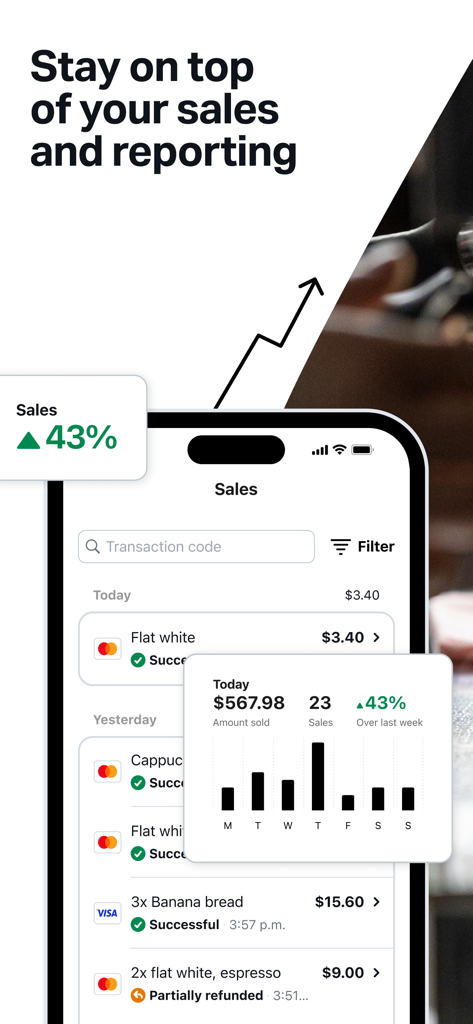
SumUp 앱 인터페이스에 스마트폰에 판매 보고서 및 거래 내역이 표시됩니다.

SumUp 앱 인터페이스에 스마트폰에 판매 보고서 및 거래 내역이 표시됩니다.

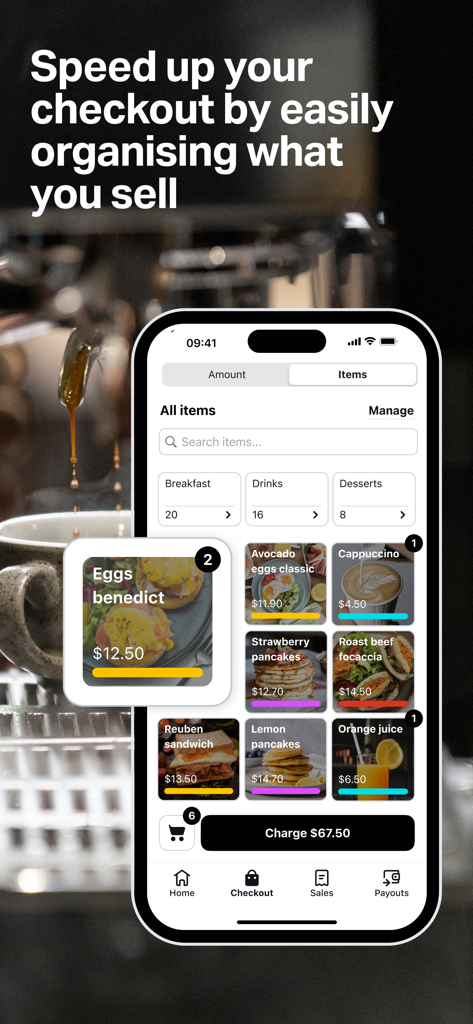
SumUp 모바일 앱 POS 인터페이스에 아침 식사 메뉴 품목 카탈로그가 표시됩니다.

SumUp 모바일 앱 POS 인터페이스에 아침 식사 메뉴 품목 카탈로그가 표시됩니다.

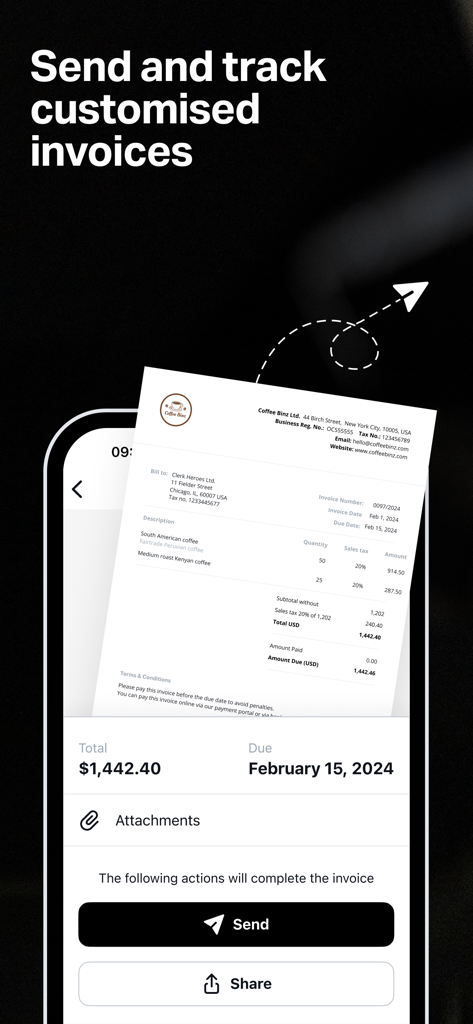
모바일 앱 화면에 소규모 비즈니스를 위한 보내기 및 공유 버튼이 있는 전문 송장 미리보기가 표시됩니다.

모바일 앱 화면에 소규모 비즈니스를 위한 보내기 및 공유 버튼이 있는 전문 송장 미리보기가 표시됩니다.

전체 비즈니스를 주머니에 쏙

이 앱을 돋보이게 하는 도구, 9M+ 명의 사용자가 선택.

💳

원하는 방식으로 결제받기

카드 결제, QR 코드 또는 모바일 결제를 수락하세요. 팝업 스토어에 있든 현장에서 일하든 절대 판매 기회를 놓치지 마세요.

📄

전문적으로 보이고 더 빠르게 결제받기

몇 초 안에 전문적인 송장이나 SMS 결제 링크를 보내세요. 원격 판매 및 고객 보증금을 즉시 확보하는 데 완벽합니다.

🏦

수수료 없는 은행 서비스

무료 비즈니스 계정 및 Mastercard로 즉시 자금을 이용하세요. 월별 비용 없이 모든 금액을 관리하세요.

앱 소개

에 대해 알아야 할 모든 것 SumUp: Payments and POS.

설명

The all-in-one app for your business needs With the free SumUp mobile app you can take payments, manage your item catalog, track your sales, and more. Our app connects with SumUp’s hardware to bring you closer to your customers and get paid wherever your business takes you. Open the app to manage your top business needs on the spot. Looking to send payment links, issue invoices, or boost your customer base? You can explore all your options with this free, portable app. All of our tools are intuitive and many can be mixed-and-matched to meet your personal needs. Organize items and get helpful reports Add, edit, and delete items in your own personalized catalogue straight from your app. You can then easily select any of these items to speed up your transactions using one of the payment methods highlighted below. The app also includes sales reports so you can track your performance and spot trends in the data to improve and manage your business. Take payments Invoices Activate and issue professional, legally-complaint, on-brand invoices from your app in minutes. You can also track the status of any invoices you’ve issued so you’ll always stay on track with pending payments. Our invoicing app feature is very simple. When your customer receives an invoice, they’ll have the option to pay securely online. Payment Links The free SumUp app makes it easy to get paid remotely with Payment Links. All you have to do is select “Payment Links” from the app home screen, enter the amount you want to charge, create your link, and share it with your customers via social media, SMS, or email. The link will take the customer to a secure website where they can complete the transaction. It’s a great way to take cashless payments from afar or without a device. QR codes Use QR codes to offer your customers an alternative way to pay. Generate QR codes instantly via the free app. If you’re looking to speed up in-person payments, you can order stickers or displays to place around your business—allowing your customers to pay quickly and securely, with just their smartphones. Boost your business Gift cards You’ll find your business’s gift card page on the app home screen. Your customers can buy digital gift cards for any amount, and personalize them by picking from a range of designs. You can manage the balance of every gift card you sell within your app. Manage your finances SumUp Business Account With a free SumUp Business Account, you can stay on top of your finances in one secure, easy-to-manage space. Sign-up is simple with zero paperwork, and you won’t be charged any monthly fees or hidden costs. You’ll also receive a free contactless Mastercard for your business expenses and track your spending in the app. You can pay with your card anywhere that takes Mastercard, or use it to withdraw cash from an ATM.

최신 버전

3.80.0

크기

464.7 MB

출시일

2015년 10월 20일

월별 수수료 없이 비즈니스를 운영할 준비가 되셨나요?

SumUp을 사용하여 결제를 받고, 송장을 보내고, 모든 것을 하나의 무료 앱에서 재정을 관리하는 수백만 명의 기업가에 합류하세요.

다운로드: App Store
FAQ

자주 묻는 질문

에 대해 알아야 할 모든 것 SumUp: Payments and POS

SumUp 앱은 비즈니스를 위해 어떤 기능을 제공하나요?

SumUp 앱은 비즈니스를 위한 올인원 솔루션을 제공합니다. 사용자는 결제를 받고, 상품 카탈로그를 관리하고, 판매를 추적하고, 결제 링크를 보내고, 송장을 발행할 수 있습니다.

SumUp은 대면 및 비대면 결제를 어떻게 지원하나요?

SumUp은 대면 및 비대면 결제를 모두 지원합니다. 대면 결제의 경우 카드 단말기 및 현금을 지원합니다. 비대면 결제의 경우 결제 링크와 QR 코드를 사용하여 고객이 온라인에서 안전하게 결제할 수 있도록 합니다.

SumUp 앱으로 상품 카탈로그를 관리할 수 있나요?

네, 사용자는 SumUp 앱 내에서 직접 개인화된 상품 카탈로그를 관리할 수 있습니다. 상품 추가, 편집, 삭제 기능을 통해 거래를 간소화하고 효율성을 높일 수 있습니다.

SumUp 앱에 판매 보고 기능이 포함되어 있나요?

네, SumUp 앱에는 포괄적인 판매 보고서가 포함되어 있습니다. 이러한 보고서는 사용자가 앱에서 직접 실적을 추적하고, 판매 동향을 파악하고, 비즈니스 운영을 효과적으로 관리하는 데 도움이 됩니다.

SumUp 비즈니스 계정에 월별 요금이 있나요?

아니요, SumUp 비즈니스 계정에는 월별 요금이나 숨겨진 비용이 없습니다. 간단하고 서류 없는 가입 절차를 갖춘 무료 서비스입니다.

SumUp 결제 링크란 무엇이며 어떻게 작동하나요?

SumUp 결제 링크는 비대면 결제를 가능하게 합니다. 사용자는 앱에서 요금 금액과 함께 링크를 생성한 다음 소셜 미디어, SMS 또는 이메일을 통해 공유하여 고객이 온라인에서 안전하게 거래할 수 있도록 합니다.

SumUp 앱을 통해 송장을 발행할 수 있나요?

네, SumUp 앱에서 직접 전문적이고 법적 요구 사항을 준수하며 브랜드에 맞는 송장을 발행할 수 있습니다. 또한 앱에서 송장 상태를 추적하고 고객이 온라인으로 안전하게 결제할 수 있습니다.

SumUp은 계정 보유자를 위한 비즈니스 카드를 제공하나요?

네, SumUp은 비즈니스 계정으로 무료 비접촉식 마스터카드를 제공합니다. 이 카드를 사용하면 사용자는 비즈니스 비용을 관리하고, 앱 내에서 지출을 추적하고, ATM에서 현금을 인출할 수 있습니다.

SumUp은 고객 충성도 및 성장을 어떻게 지원하나요?

SumUp은 디지털 상품권으로 고객 충성도 및 성장을 지원합니다. 비즈니스는 개인화된 상품권을 제공하고 앱 내에서 잔액을 직접 관리할 수 있습니다.

SumUp은 결제를 위한 QR 코드를 생성할 수 있나요?

네, SumUp은 무료 앱을 통해 결제를 위한 QR 코드를 즉시 생성할 수 있습니다. 이는 고객에게 스마트폰을 사용하여 대면 거래를 할 수 있는 빠르고 안전한 대체 결제 방법을 제공합니다.

App information, icons, screenshots, and descriptions displayed on this page are sourced from the Apple App Store and are the property of their respective developers. Download estimates and rankings are based on MWM's proprietary models and may not reflect actual figures. This page is provided for informational and analytical purposes only.

Believe this page infringes your intellectual property? File a dispute