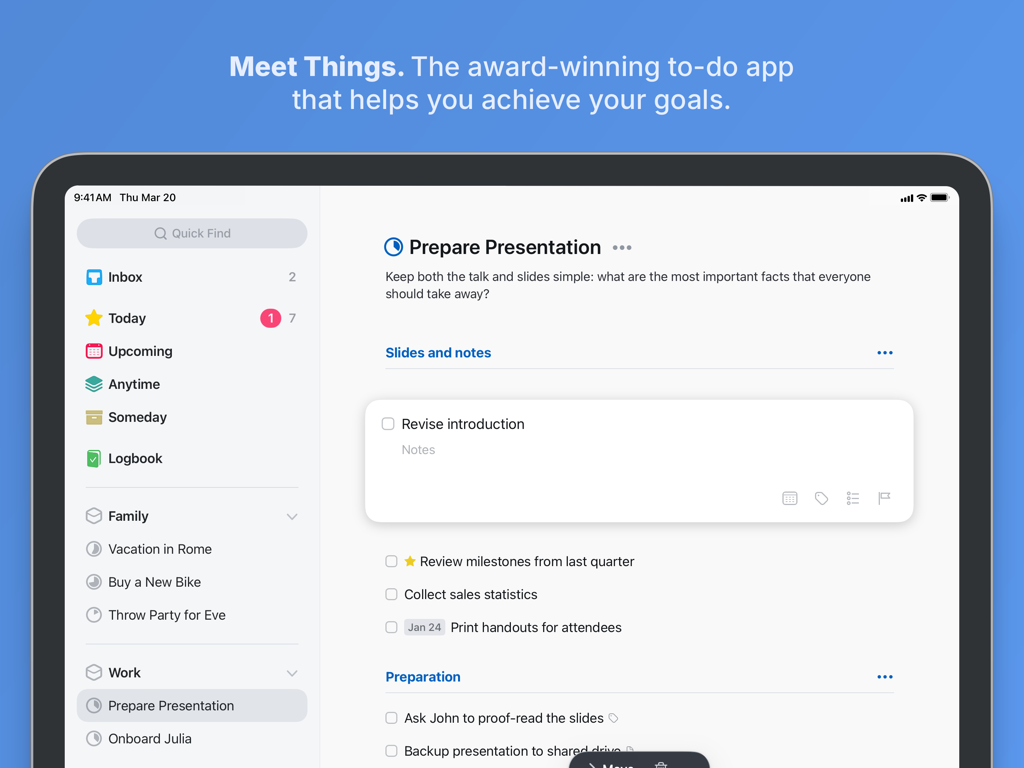
Things 3 앱의 미니멀리스트 할 일 관리 인터페이스가 iPad에 표시되며, 정리된 할 일 목록과 범주가 있는 프레젠테이션 프로젝트를 보여줍니다.
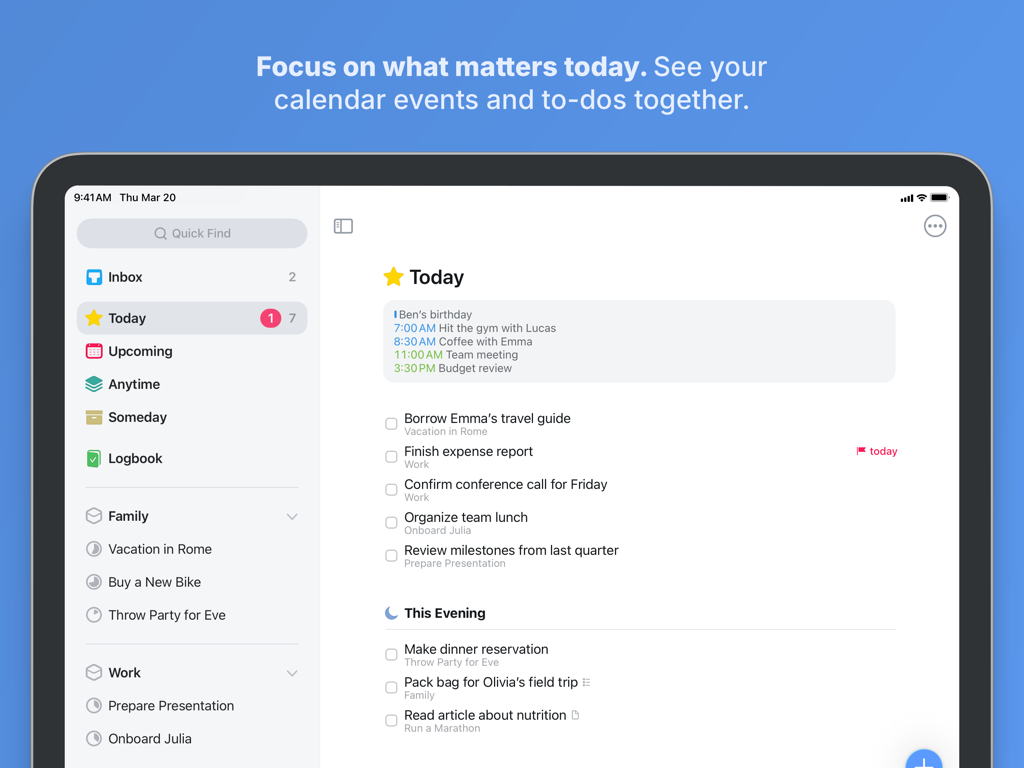
통합된 캘린더 이벤트와 할 일이 있는 오늘 보기의 Things 3 for iPad
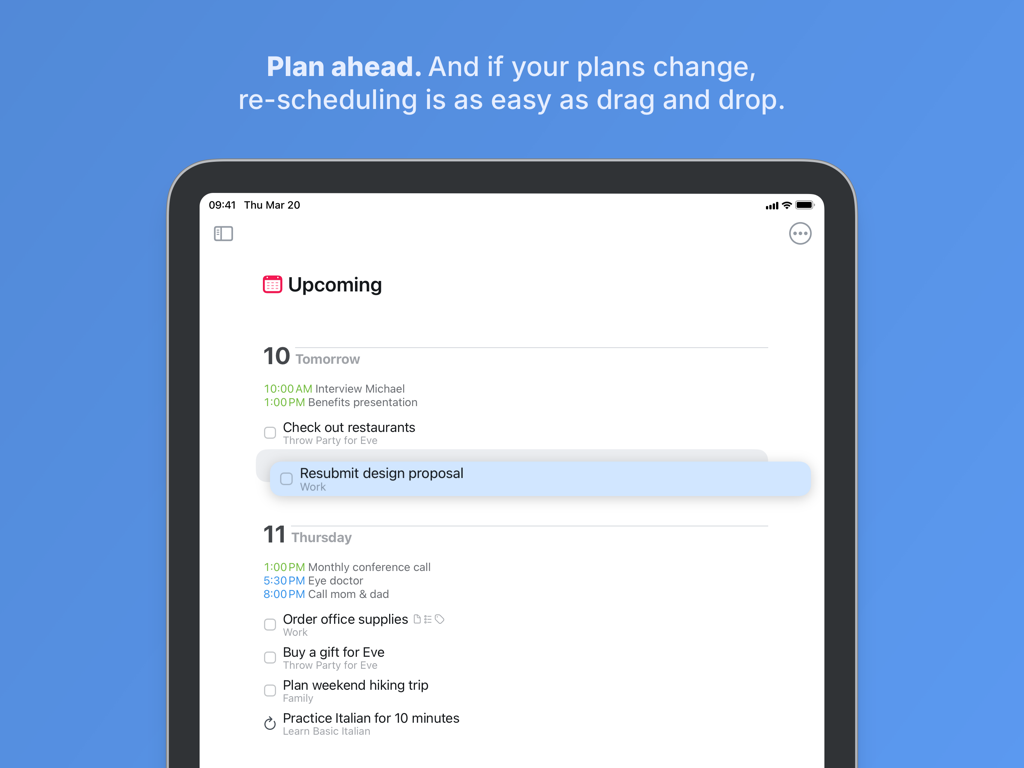
예정된 보기에서 끌어서 놓기 할 일 재예약을 보여주는 Things 3 for iPad
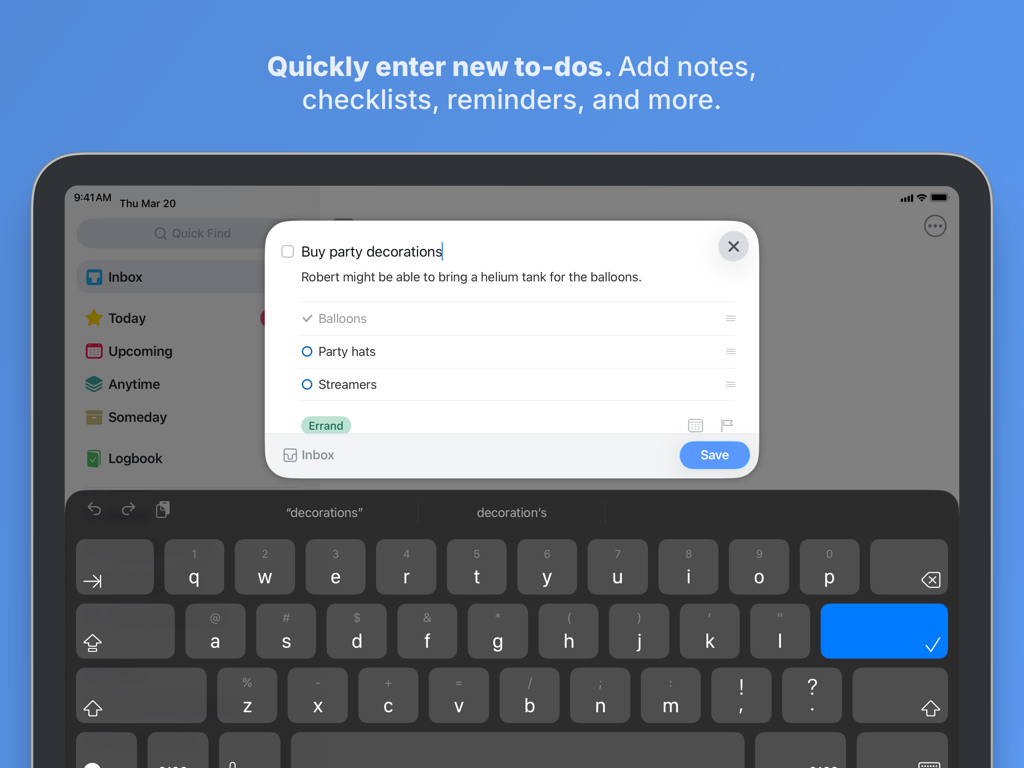
메모와 체크리스트가 있는 새 작업 생성을 보여주는 Things 3 for iPad의 팝업 창
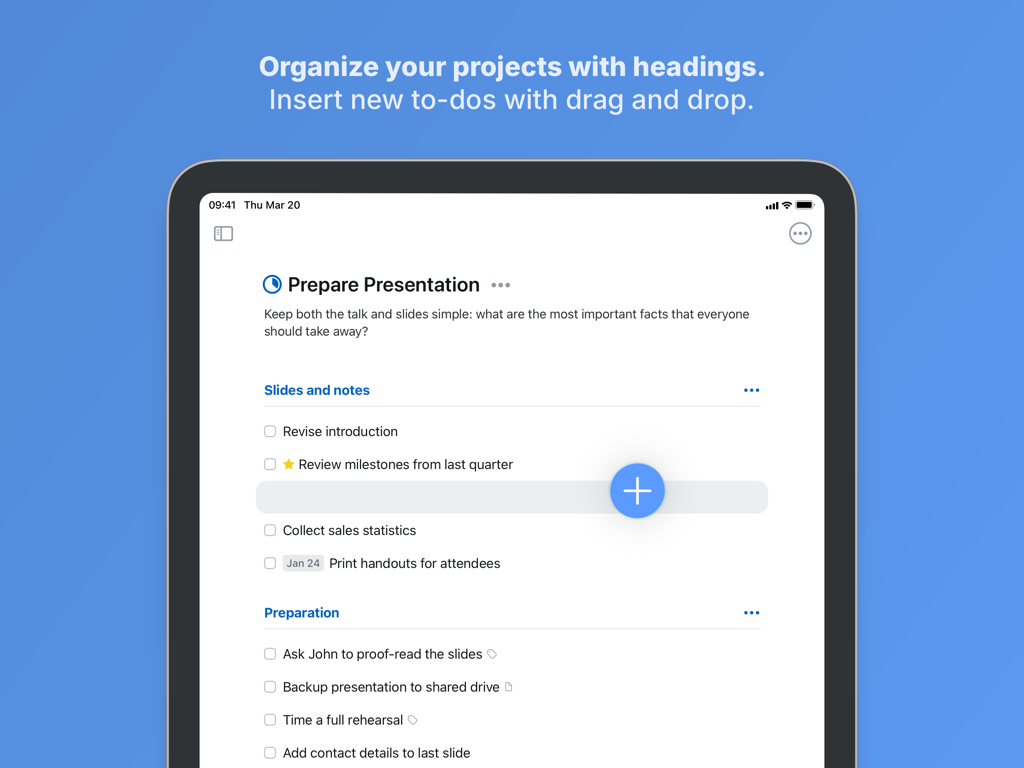
머리글과 작업 삽입을 위한 Magic Plus 버튼이 있는 프로젝트 조직을 보여주는 Things 3 for iPad 인터페이스
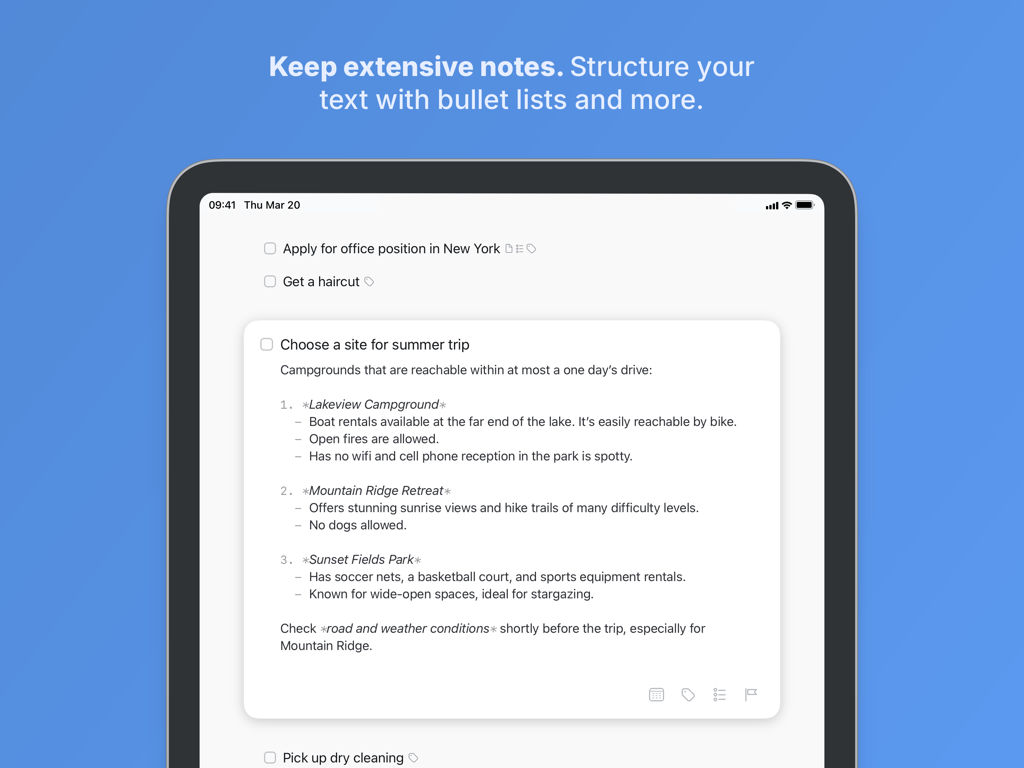
번호 및 글머리 기호 목록으로 구성된 광범위한 메모를 보여주는 Things 3 for iPad의 작업
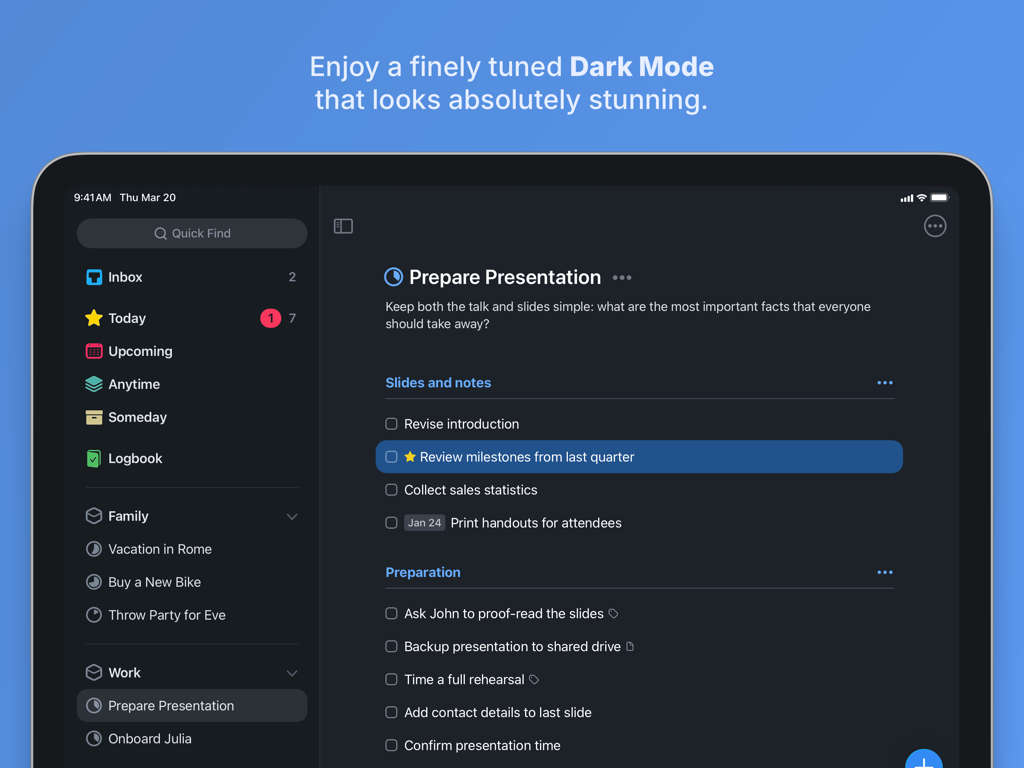
어두운 모드에서 프레젠테이션 프로젝트를 보여주는 Things 3 for iPad 할 일 관리 앱 인터페이스
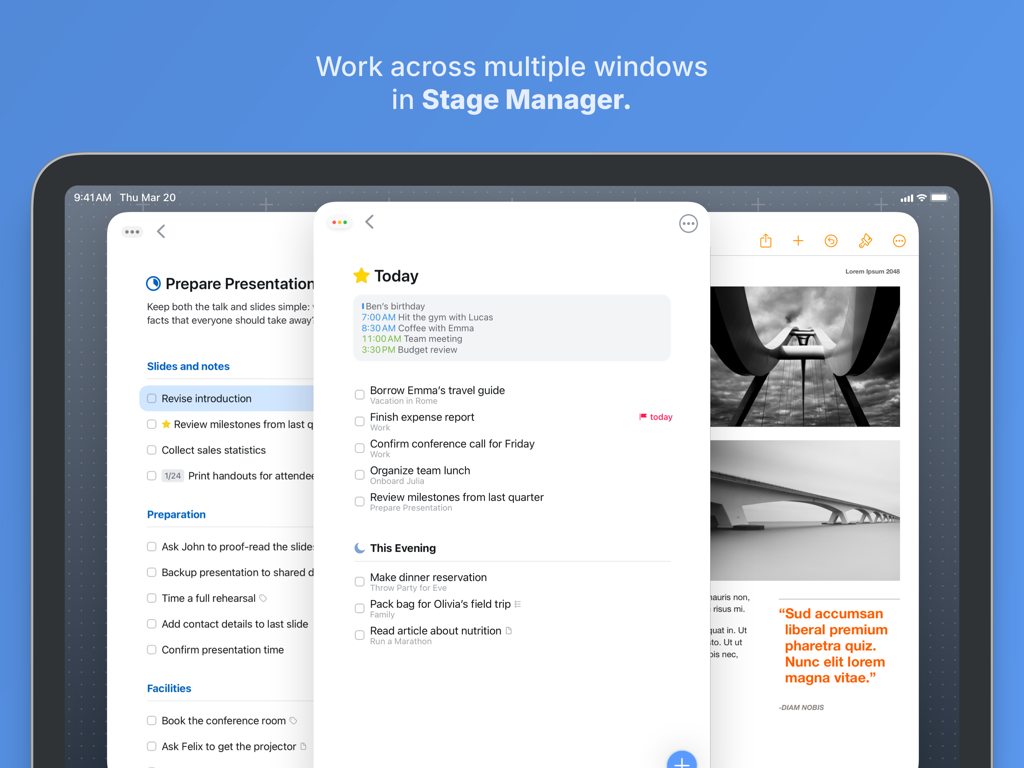
스테이지 관리자에서 여러 작업 창을 보여주는 Things 3 for iPad
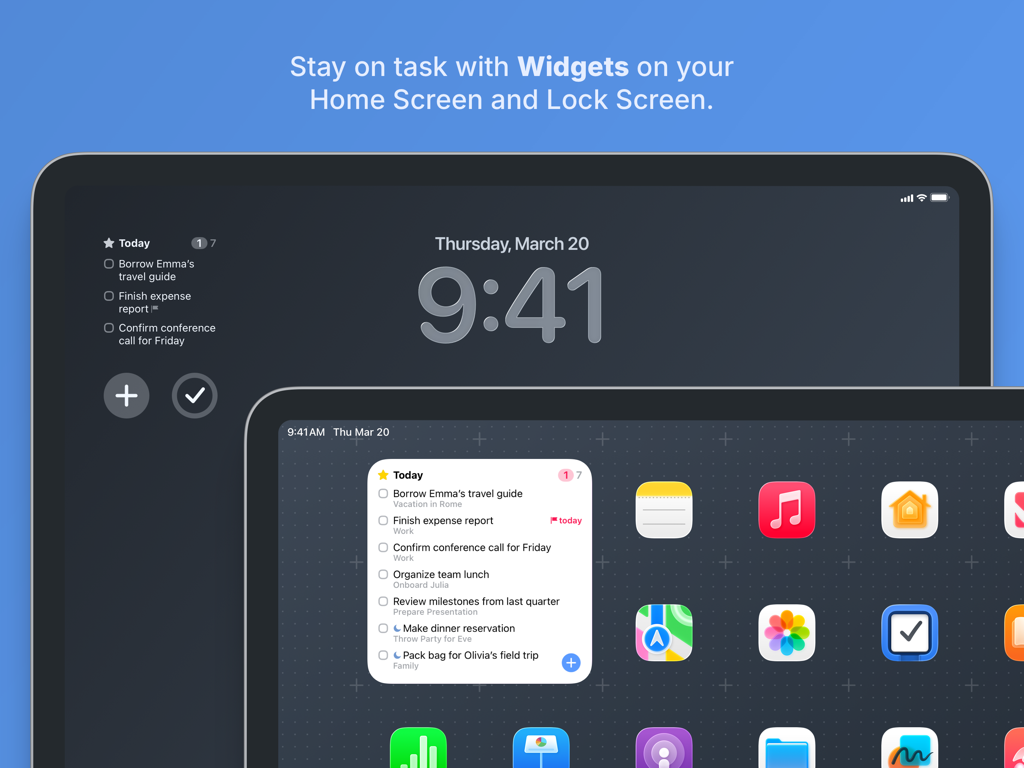
잠금 화면 및 홈 화면에 작업 위젯을 표시하는 Things 3 for iPad
정밀하게 워크플로우를 마스터하세요
이 앱을 돋보이게 하는 도구, 315K+ 명의 사용자가 선택.
⌨️
데스크톱급 iPad 파워
전체 키보드 및 트랙패드 지원으로 iPad Pro 시대를 위해 설계되었습니다. 놀라운 속도로 목록을 탐색하고 화면을 터치하지 않고도 바로 가기를 사용하여 작업을 관리하세요.
🎯
의도적인 일일 계획
매일 아침 엄선된 '오늘' 목록으로 시작하세요. 통합된 캘린더 이벤트와 할 일은 일정에 대한 통합된 보기를 제공하여 전체 명확성으로 우선순위를 정할 수 있도록 합니다.
🏗️
우아한 프로젝트 구조
독일 엔지니어링 디자인을 사용하여 삶을 '영역'과 '프로젝트'로 구성하세요. 머리글, 체크리스트 및 Markdown 지원 메모를 사용하여 복잡한 목표를 분해하세요.
앱 소개
에 대해 알아야 할 모든 것 Things 3 for iPad.
설명
Get things done! The award-winning Things app helps you plan your day, manage your projects, and make real progress toward your goals.
Best of all, it’s easy to use. Within the hour, you’ll have everything off your mind and neatly organized—from routine tasks to your biggest life goals—and you can start focusing on what matters today.
“Things offers the best combination of design and functionality of any app we tested, with nearly all the features of other power user applications and a delightful interface that never gets in the way of your work.”
—Wirecutter, The New York Times
KEY FEATURES
• Your To-Dos
Your basic building block is the almighty To-Do—each a small step toward a great accomplishment. You can add notes, tag it, schedule it, and break it down into smaller steps.
• Your Projects
Create a Project for any big goal, then add the to-dos to reach it. Use headings to structure your list as you outline your plan. There’s also a place to jot down your notes, and a deadline to keep you on schedule.
• Your Areas
Create an Area for each sphere of your life, such as Work, Family, Finance, and so on. This keeps everything neatly organized, and helps you see the big picture as you set your plans in motion.
• Your Plan
Everything on your schedule is neatly laid out in the Today and Upcoming lists, which show your to-dos and calendar events. Each morning, see what you planned for Today and decide what you want to do. The rest is down to you :)
MORE THINGS TO LOVE
As you dive deeper, you’ll find Things packed with helpful features. Here are just a few:
• Reminders — set a time and Things will remind you.
• Repeaters — automatically repeat to-dos on a schedule you set.
• This Evening — a special place for your evening plans.
• Calendar integration — see your events and to-dos together.
• Tags — categorize your to-dos and quickly filter lists.
• Quick Find — instantly locate to-dos, headings, or tags.
• Type Travel — jump from list to list with your keyboard; just start typing!
• Magic Plus — drag the + button to insert to-dos anywhere in a list.
• Share extension — create to-dos with content from other apps.
• Widgets — see lists on your home/lock screens.
• Mail to Things — forward an email to Things; now it’s a to-do.
• Markdown — structure & style your notes.
• And much more!
MADE FOR IPAD
Things is tailored to the iPad, with excellent pro features as well. Chief among them is the outstanding support for your keyboard & trackpad. You can edit your to-dos without touching the screen, utilize plenty of shortcuts, and navigate your lists at blistering speed—just start typing!
“Things has the best implementation of external keyboard support I’ve ever seen in an iPad app.”
—Federico Viticci, MacStories
You can also enjoy a beautiful dark mode at sunset, connect your calendars, open multiple windows, add a variety of widgets, scribble with Apple Pencil, create to-dos via Siri, import from Reminders—Things can do it all! There’s even Shortcuts integration if you want to automate your workflows.
AWARD-WINNING DESIGN
Made in Stuttgart, with two Apple Design Awards to its name, Things is a fine example of German engineering: designed not only to look fantastic, but to be perfectly functional as well. Every detail is thoughtfully considered, then polished to perfection.
“It’s like the unicorn of productivity tools: deep enough for serious work, surprisingly easy to use, and gorgeous enough to enjoy staring at.”
—Apple
GET THINGS TODAY
Whatever it is you want to accomplish in life, Things can help you get there. Install the app today and see what you can do!
• Things is also available for Mac, iPhone, Apple Watch, and Apple Vision Pro (sold separately).
• Sync is provided for free via our Things Cloud service.
• A free trial is available for Mac: www.things.app
If you have any questions, please get in touch. We provide professional support and will be glad to help you!
최신 버전
3.22.6
크기
58.0 MB
출시일
2017년 5월 18일
당신의 세계에 질서를 가져오세요.
iPad 생산성의 황금 표준을 다운로드하세요. 일회성 구매, 세심하게 디자인되었으며 오늘날 진정한 발전을 이루도록 도와줄 준비가 되어 있습니다.
App information, icons, screenshots, and descriptions displayed on this page are sourced from the Apple App Store and are the property of their respective developers. Download estimates and rankings are based on MWM's proprietary models and may not reflect actual figures. This page is provided for informational and analytical purposes only.
Believe this page infringes your intellectual property? File a dispute