Total files

Total files

다운로드: App Store
로고: Total files

Total Files: iOS를 위한 궁극의 통합 파일 관리자 및 PDF 편집기

모바일 파일 관리의 한계를 벗어나세요. 모든 클라우드를 연결하고, PDF에 주석을 달고, 데이터를 안전하게 보관하세요. iPhone 및 iPad를 전문가용 워크스테이션으로 바꿔줄 강력한 앱 하나로 모든 것을 해결할 수 있습니다.

개발사

App Ideas S.r.l.

카테고리

Utilities

다운로드

11M+

사용자 평점

4.5/5

총 평가 수

472K+

지원 언어

6

한눈에 보는 제어

이 인터페이스를 사용하는 11M+ 명의 사용자.

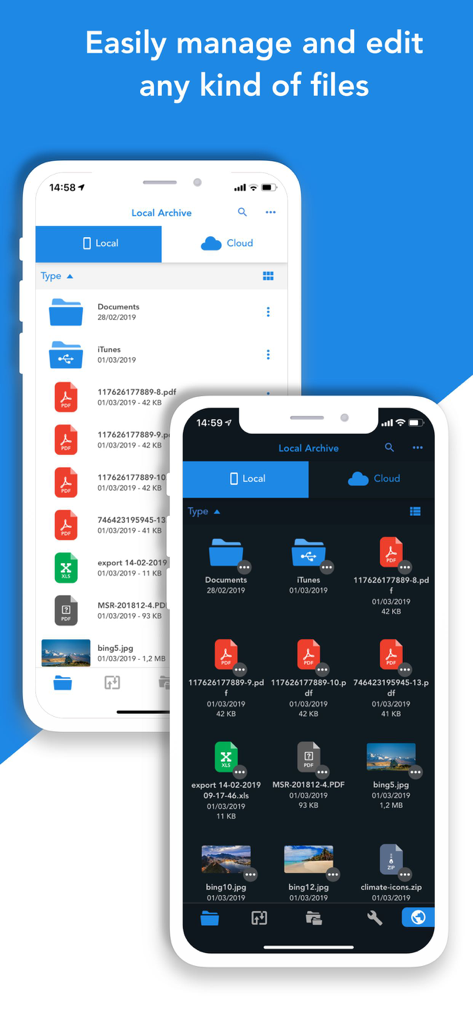
Total Files 앱 인터페이스가 라이트 및 다크 모드의 두 iPhone에서 파일 관리를 보여줍니다.

Total Files 앱 인터페이스가 라이트 및 다크 모드의 두 iPhone에서 파일 관리를 보여줍니다.

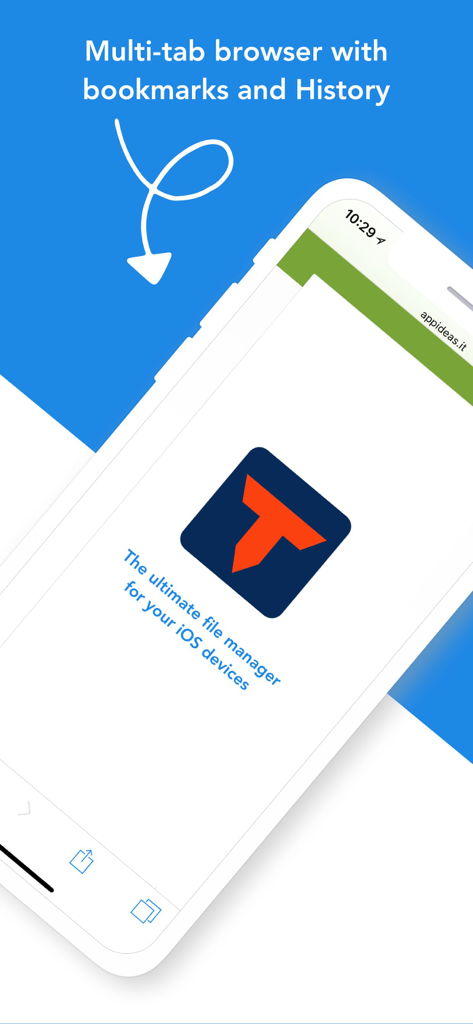
Total Files 앱의 다중 탭 브라우저와 북마크 및 기록

Total Files 앱의 다중 탭 브라우저와 북마크 및 기록

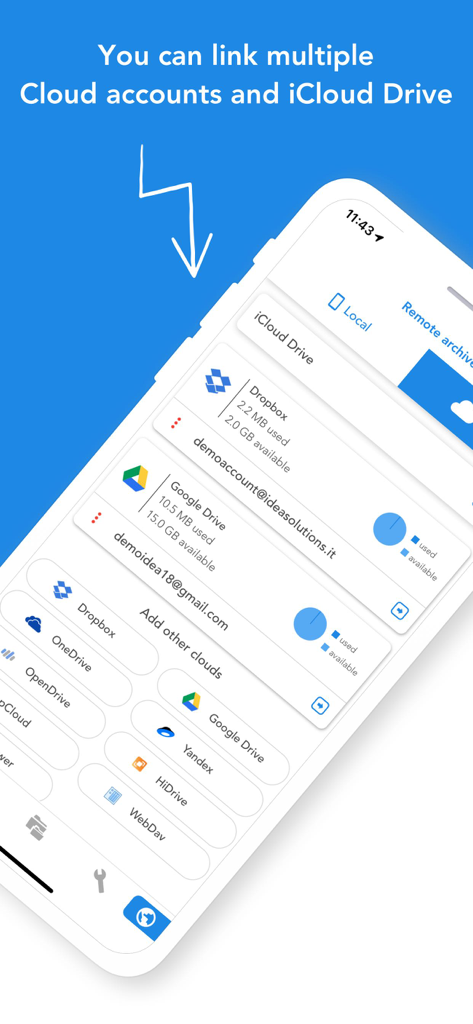
Total Files 앱 인터페이스에 Dropbox 및 Google Drive와 같은 연결된 클라우드 스토리지 계정이 표시됩니다.

Total Files 앱 인터페이스에 Dropbox 및 Google Drive와 같은 연결된 클라우드 스토리지 계정이 표시됩니다.

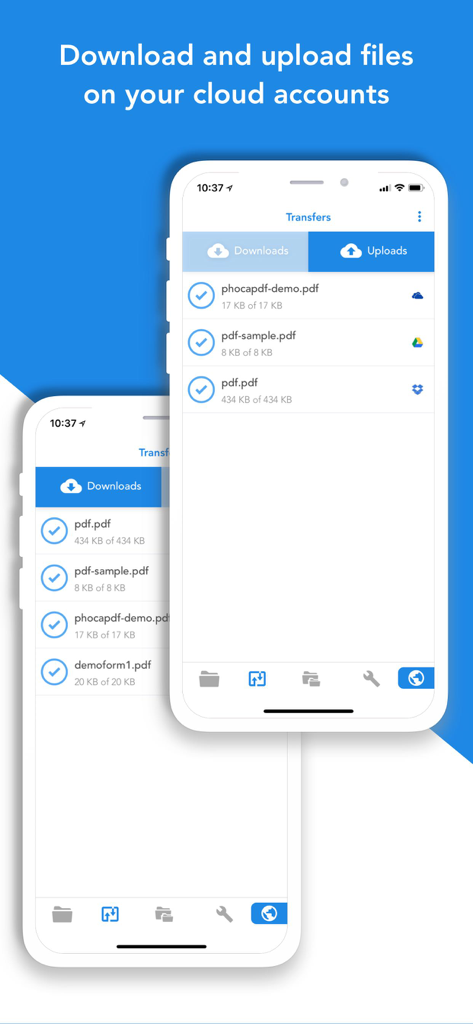
Total Files 앱 인터페이스에 iPhone의 클라우드 계정에서 파일 다운로드 및 업로드 진행률이 표시됩니다.

Total Files 앱 인터페이스에 iPhone의 클라우드 계정에서 파일 다운로드 및 업로드 진행률이 표시됩니다.

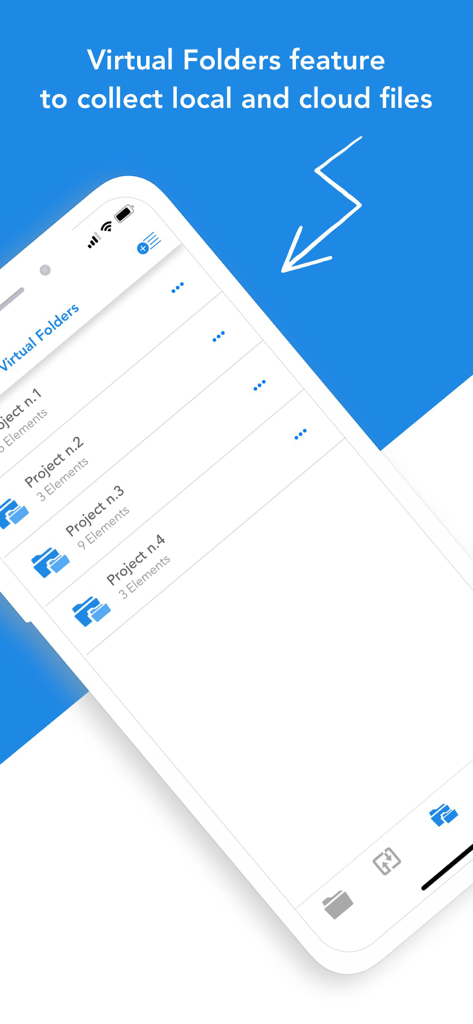
Total Files 앱 스크린샷으로, 로컬 및 클라우드 스토리지 파일을 한 곳에서 구성하는 데 사용되는 가상 폴더 기능이 표시됩니다.

Total Files 앱 스크린샷으로, 로컬 및 클라우드 스토리지 파일을 한 곳에서 구성하는 데 사용되는 가상 폴더 기능이 표시됩니다.

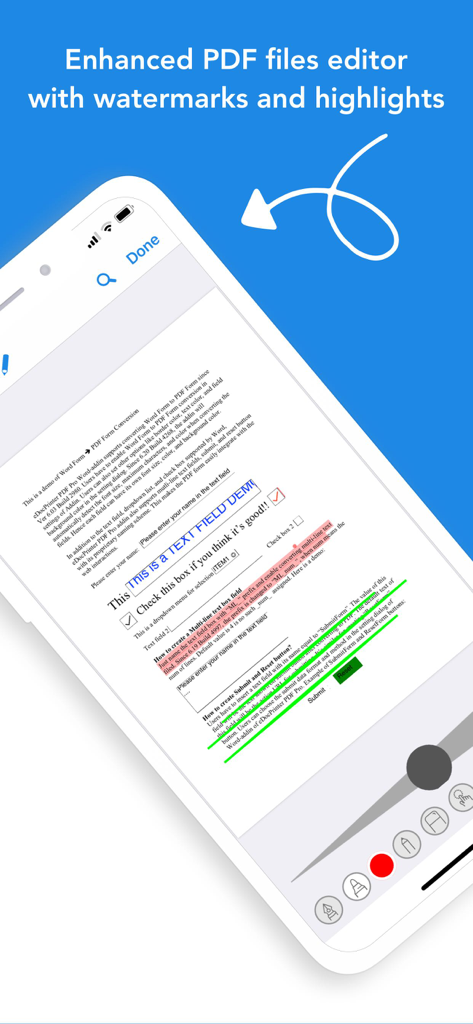
Total Files 모바일 앱에 하이라이트 및 주석 도구가 있는 향상된 PDF 편집기가 표시됩니다.

Total Files 모바일 앱에 하이라이트 및 주석 도구가 있는 향상된 PDF 편집기가 표시됩니다.

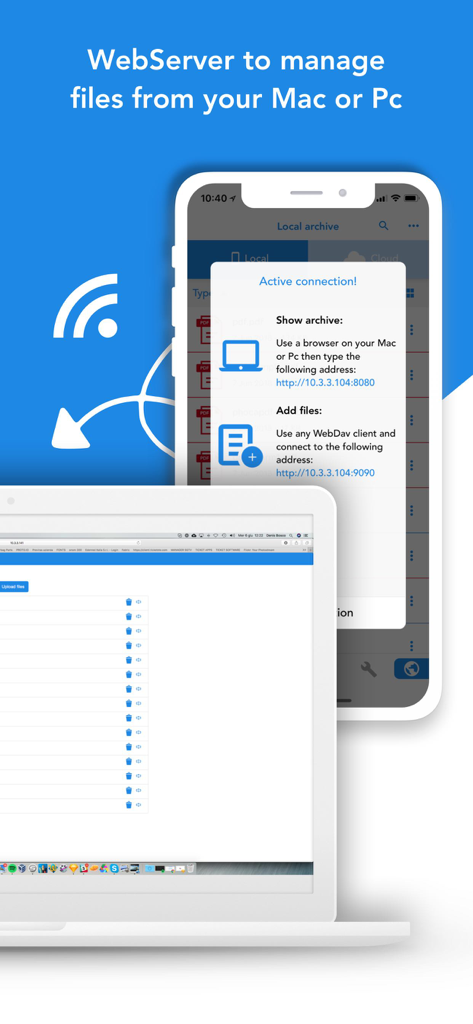
iPhone과 컴퓨터 간의 무선 파일 관리를 위한 WebServer 기능을 보여주는 Total Files 인터페이스.

iPhone과 컴퓨터 간의 무선 파일 관리를 위한 WebServer 기능을 보여주는 Total Files 인터페이스.

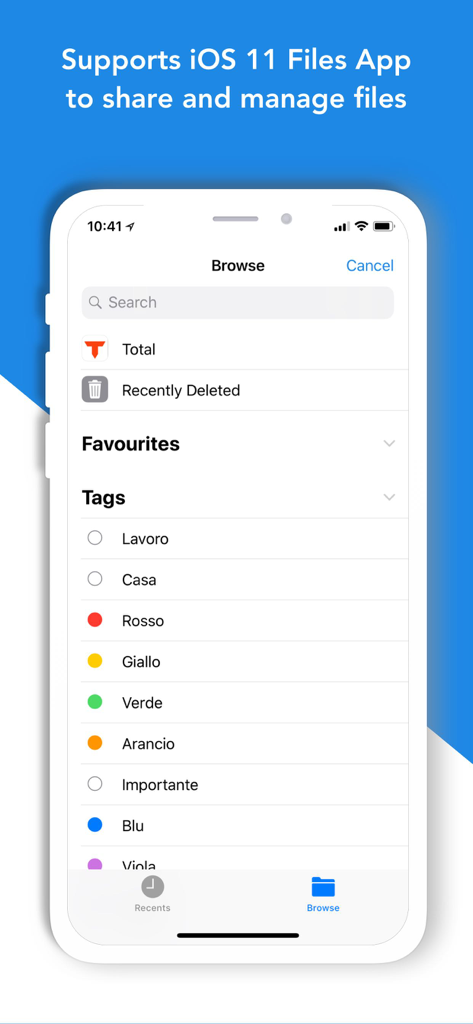
Total Files 앱 인터페이스에 iPhone의 iOS 파일 통합 및 파일 태그가 표시됩니다.

Total Files 앱 인터페이스에 iPhone의 iOS 파일 통합 및 파일 태그가 표시됩니다.

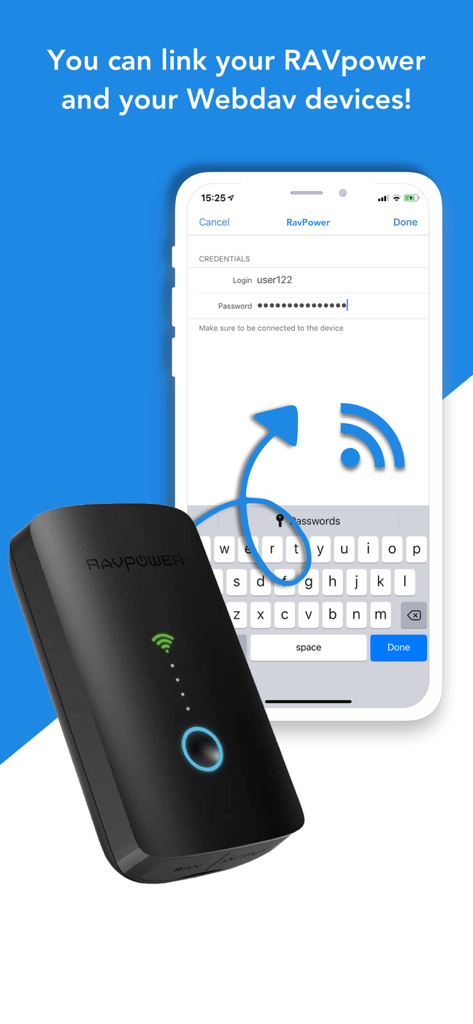
Total Files 앱 인터페이스에 RAVpower 장치 및 WebDAV를 연결하여 외부 스토리지 관리를 수행하는 방법이 표시됩니다.

Total Files 앱 인터페이스에 RAVpower 장치 및 WebDAV를 연결하여 외부 스토리지 관리를 수행하는 방법이 표시됩니다.

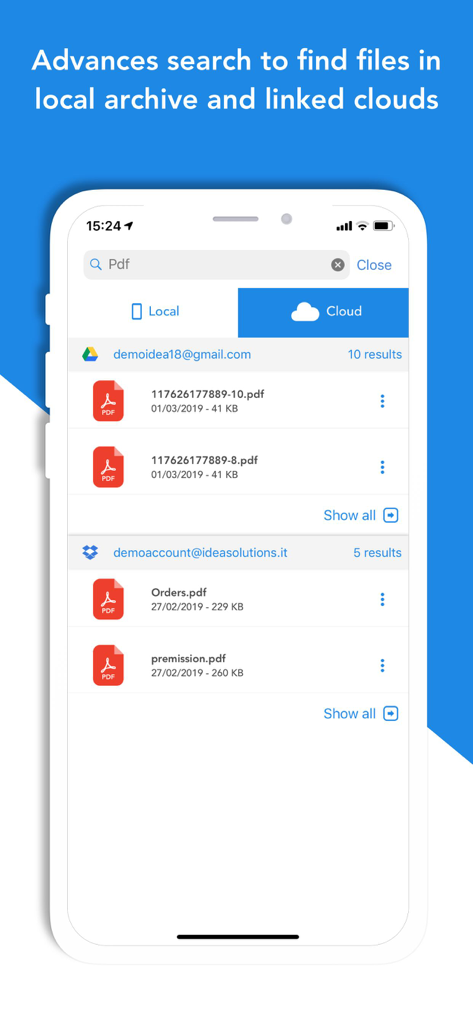
Total Files 앱 검색 화면에 Google Drive 및 Dropbox 클라우드 계정의 PDF 결과가 표시됩니다.

Total Files 앱 검색 화면에 Google Drive 및 Dropbox 클라우드 계정의 PDF 결과가 표시됩니다.

모바일 생산성을 극대화하세요

이 앱을 돋보이게 하는 도구, 11M+ 명의 사용자가 선택.

☁️

통합 클라우드 제어

Dropbox, Google Drive, OneDrive, iCloud를 원활하게 연결하세요. 하나의 직관적인 인터페이스에서 여러 서비스 간에 파일을 이동, 동기화, 정리하세요.

✍️

전문 PDF 주석

계약서에 서명하고, 연구 자료에 하이라이트하고, 이동 중에 문서를 편집하세요. 고급 엔진이 모양과 제스처를 인식하여 데스크톱과 같은 워크플로우를 제공합니다.

🛡️

보안 개인 저장소

PIN으로 암호화된 폴더로 민감한 데이터를 보호하고, 통합 개인 브라우저를 사용하여 에셋을 보안 파일 시스템으로 직접 다운로드하세요.

리뷰 분석

사용자 리뷰 인사이트.

감정 점수

19%
부정적

요약

This app receives predominantly negative feedback from recent users, indicating a significant decline in functionality. Many users report a critical bug where media files are downloaded as unreadable .txt files, and express general frustration over the inability to download music and videos. A large number of these issues, including app crashes and missing audio, are explicitly attributed to recent updates, which users feel have rendered the app unusable. While a small segment of users appreciate its past reliability and ease of use, the prevailing sentiment points to a severe breakdown in core features and a perceived lack of developer responsiveness.

주요 테마

Download Functionality(22)
Recent Updates(10)
Incorrect File Format(9)
App Stability(5)
Paid Version Issues(4)
User Experience(3)
Excessive Ads(3)
Missing Audio(3)

앱 소개

에 대해 알아야 할 모든 것 Total files.

설명

Total Files is the one stop file manager for iOS, with powerful PDF reader, cloud storage support and much more! Total Files supports DropBox, Google Drive, OneDrive and iCloud Files and offers iOS Files app integration to download and upload to any cloud from any app! You'll not need to install a separate app for each storage provider that you want to use from your device! Link all cloud accounts in Total Files and enjoy the full integration with iOS. For example, thanks to the iOS “Files” integration, you can directly save files to one of the cloud linked in Total, simply using the "Save in files” feature available in any apps on your device. Virtual folders allows to group files that come from different sources (cloud or local). The Spotlight indexing of all local contents allows to immediately find and open the file you're looking for, without opening the app! Our powerful PDF viewer offers annotation capabilities and automatically recognise common shapes and gestures to highlight paragraph Main features: - iOS 11 Files app integration for ALL clouds linked to the app in read write mode. - Supports Dropbox, GDrive, OneDrive, iCloud services for remote file storage. - Search between all contents in the app and in the linked cloud storages thanks to the advanced search - Compression and decompression features (zip) - Spotlight indexing - PDF editor with annotation, shape recognition - Simultaneous linking of multiple Cloud accounts and management of folders shared with other users. - Bookmarks and history management. - URL autocomplete - Quick search bar, and enhanced search within all cloud and local files. - PIN to hide and secure folders. - Multi-tab browser

최신 버전

3.13.11

크기

160.4 MB

출시일

2012년 9월 7일

디지털 워크플로우를 마스터할 준비가 되셨나요?

클라우드 혼란을 끝낸 1,100만 명의 파워 유저와 함께하세요. 오늘 Total Files를 다운로드하여 모든 파일을 하나의 전문 허브에서 관리, 편집, 안전하게 보관하세요.

다운로드: App Store
FAQ

자주 묻는 질문

에 대해 알아야 할 모든 것 Total files

Total Files는 여러 클라우드 스토리지 서비스를 지원하나요?

네, Total Files는 Dropbox, Google Drive, OneDrive, iCloud를 포함한 여러 클라우드 서비스를 지원합니다. 하나의 애플리케이션에서 이 모든 계정을 원활하게 통합하고 관리할 수 있습니다.

Total Files는 iOS 파일 앱과 통합되나요?

네, Total Files는 iOS 파일 앱과의 완벽한 통합을 제공합니다. 이를 통해 사용자는 iOS 기기의 모든 앱에서 직접 연결된 클라우드 서비스로 파일을 쉽게 다운로드하고 업로드할 수 있습니다.

사용자는 Total Files에서 PDF 파일을 주석할 수 있나요?

네, Total Files에는 주석 기능이 포함된 강력한 PDF 편집기가 포함되어 있습니다. PDF 문서 내에서 단락을 강조 표시하기 위한 일반적인 모양과 제스처를 자동으로 인식합니다.

Total Files의 가상 폴더는 무엇에 사용되나요?

Total Files의 가상 폴더를 사용하면 다른 소스의 파일을 그룹화하고 구성할 수 있습니다. 여기에는 로컬 스토리지와 연결된 다양한 클라우드 서비스가 포함되며, 단일 통합 보기로 통합됩니다.

Total Files는 파일 간 검색을 어떻게 지원하나요?

Total Files는 고급 검색 기능을 제공합니다. 사용자는 애플리케이션에서 직접 모든 로컬 콘텐츠 및 연결된 모든 클라우드 스토리지 내에서 파일을 효율적으로 검색할 수 있습니다.

Total Files에 웹 브라우저가 포함되어 있나요?

네, Total Files에는 여러 탭 브라우저가 통합되어 있습니다. 이 브라우저에는 북마크 및 기록 관리 기능이 포함되어 있어 앱 내에서 전반적인 파일 관리 기능을 향상시킵니다.

Total Files는 폴더 보안을 제공하나요?

네, Total Files는 특정 폴더를 숨기고 보호하기 위한 PIN 기능을 제공합니다. 이 기능은 개인 정보를 강화하고 애플리케이션에 저장된 민감한 파일을 보호합니다.

Total Files를 사용하여 파일을 다운로드하고 업로드할 수 있나요?

네, Total Files는 연결된 클라우드 계정으로 파일을 다운로드하고 업로드하는 것을 지원합니다. 애플리케이션은 이러한 전송을 관리하기 위한 전용 섹션을 제공합니다.

Total Files는 Mac 또는 PC의 파일을 관리할 수 있나요?

네, Total Files에는 WebServer 기능이 포함되어 있습니다. 이를 통해 사용자는 컴퓨터의 브라우저를 통해 앱에 액세스하여 Mac 또는 PC의 파일을 관리할 수 있습니다.

Total Files는 ZIP 파일을 지원하나요?

네, Total Files에는 압축 및 압축 해제 기능이 포함되어 있습니다. 특히 ZIP 파일 형식을 지원하므로 사용자는 애플리케이션 내에서 보관된 파일을 직접 관리할 수 있습니다.

App information, icons, screenshots, and descriptions displayed on this page are sourced from the Apple App Store and are the property of their respective developers. Download estimates and rankings are based on MWM's proprietary models and may not reflect actual figures. This page is provided for informational and analytical purposes only.

Believe this page infringes your intellectual property? File a dispute