UniCredit RO - Mobile Banking

UniCredit RO - Mobile Banking

다운로드: App Store
로고: UniCredit RO - Mobile Banking

UniCredit RO - 모바일 뱅킹: 루마니아로 가는 귀하의 금융 브릿지

미국에서 루마니아 계좌를 안전하게 관리하세요. 공과금 스캔부터 즉시 발급되는 가상 카드 및 모바일 토큰 보안까지, 현지인처럼 쉽게 집안 재정을 처리하세요.

다운로드: App Store

개발사

UniCredit Bank SA

카테고리

Finance

다운로드

564K+

사용자 평점

4.8/5

총 평가 수

66K+

지원 언어

2

국경 없는 뱅킹

이 인터페이스를 사용하는 564K+ 명의 사용자.

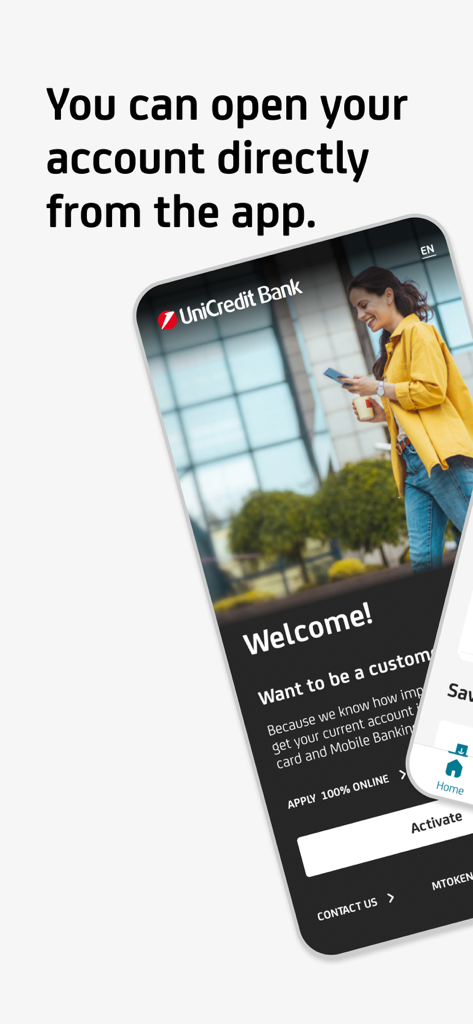
100% 온라인으로 계좌를 신청할 수 있는 옵션과 함께 UniCredit Bank 환영 페이지를 표시하는 스마트폰 화면

100% 온라인으로 계좌를 신청할 수 있는 옵션과 함께 UniCredit Bank 환영 페이지를 표시하는 스마트폰 화면

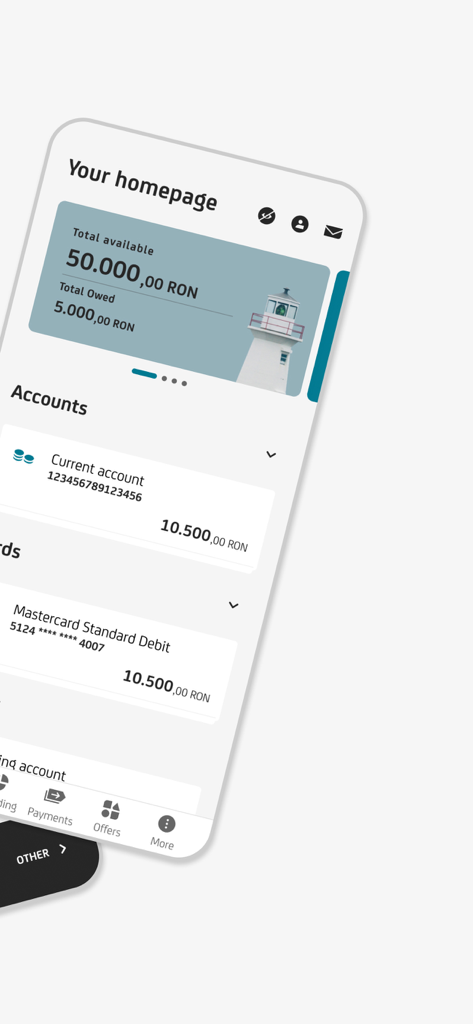
계좌 잔액 및 카드 정보가 포함된 UniCredit RO 모바일 뱅킹 홈페이지를 보여주는 스마트폰 화면

계좌 잔액 및 카드 정보가 포함된 UniCredit RO 모바일 뱅킹 홈페이지를 보여주는 스마트폰 화면

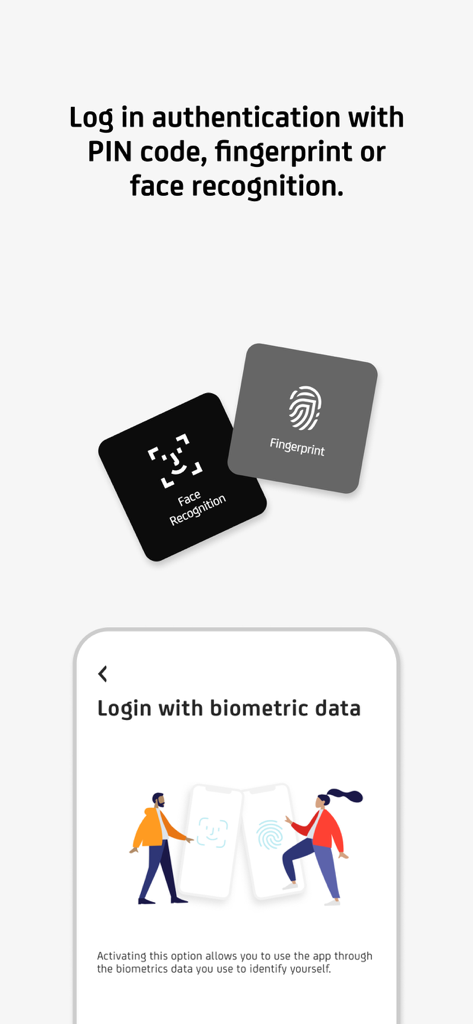
지문 및 얼굴 인식 옵션을 보여주는 UniCredit RO 모바일 뱅킹의 안전한 로그인 인터페이스

지문 및 얼굴 인식 옵션을 보여주는 UniCredit RO 모바일 뱅킹의 안전한 로그인 인터페이스

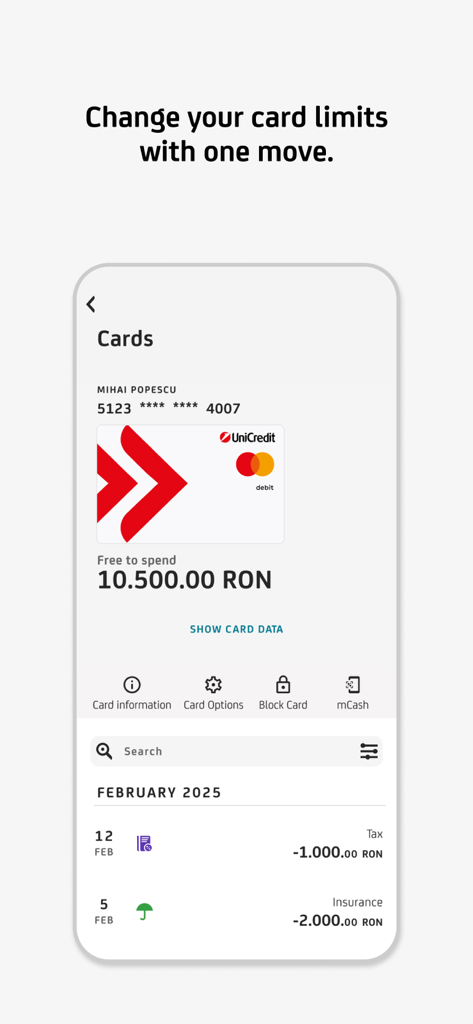
한도 변경 또는 카드 차단과 같은 카드 세부 정보 및 관리 옵션을 보여주는 UniCredit RO 모바일 뱅킹 앱 스크린샷

한도 변경 또는 카드 차단과 같은 카드 세부 정보 및 관리 옵션을 보여주는 UniCredit RO 모바일 뱅킹 앱 스크린샷

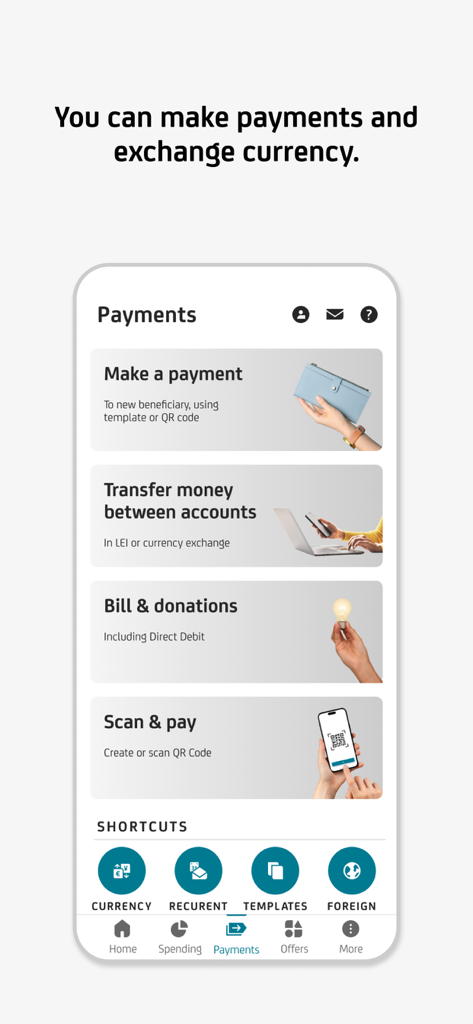
통화 환전 및 스캔 및 결제 옵션이 있는 UniCredit RO 모바일 뱅킹 결제 메뉴

통화 환전 및 스캔 및 결제 옵션이 있는 UniCredit RO 모바일 뱅킹 결제 메뉴

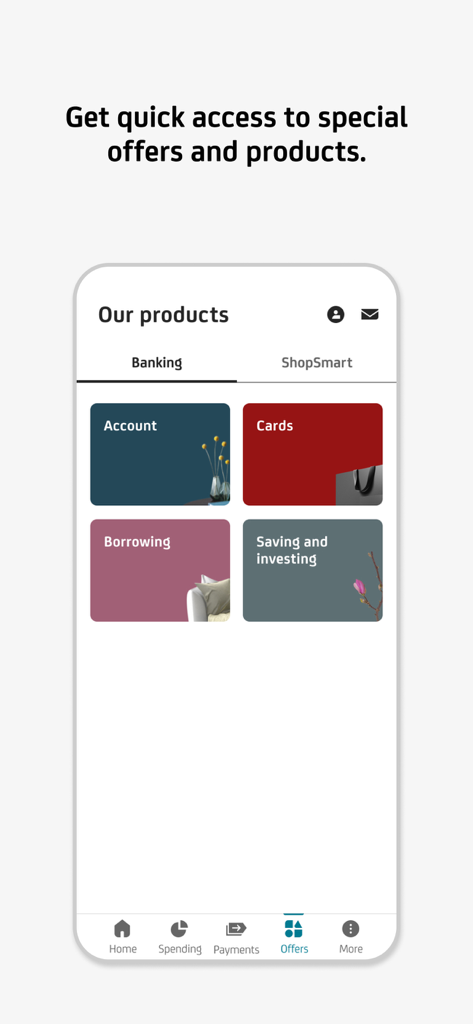
계좌 및 카드와 같은 은행 상품 카테고리를 보여주는 UniCredit RO 앱

계좌 및 카드와 같은 은행 상품 카테고리를 보여주는 UniCredit RO 앱

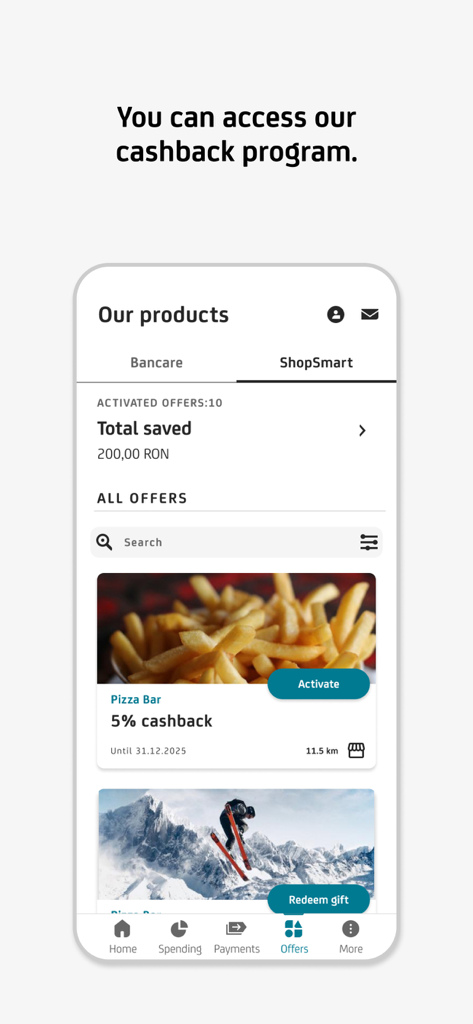
UniCredit RO 모바일 앱의 절약 및 사용 가능한 제안을 보여주는 ShopSmart 캐시백 프로그램 인터페이스

UniCredit RO 모바일 앱의 절약 및 사용 가능한 제안을 보여주는 ShopSmart 캐시백 프로그램 인터페이스

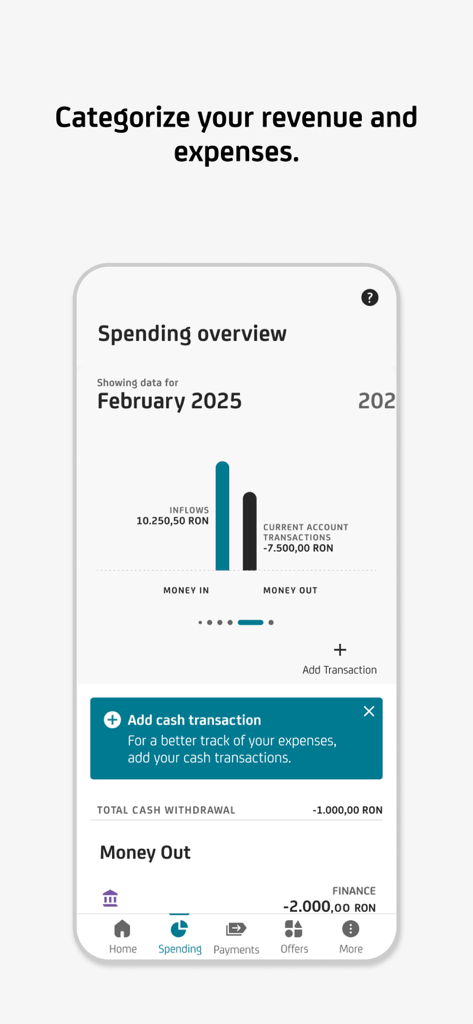
수익 및 지출에 대한 월별 지출 개요 차트를 보여주는 UniCredit RO 모바일 뱅킹 화면

수익 및 지출에 대한 월별 지출 개요 차트를 보여주는 UniCredit RO 모바일 뱅킹 화면

루마니아로 가는 귀하의 금융 브릿지

이 앱을 돋보이게 하는 도구, 564K+ 명의 사용자가 선택.

🏠

손쉬운 자산 관리

바코드 스캔 또는 자동 이체 설정을 통해 루마니아 공과금을 즉시 납부하여 본국의 자산을 우편 지연 없이 관리하세요.

💳

즉시 발급 가상 카드 및 Apple Pay

몇 초 안에 가상 직불 카드를 발급받고 Apple Wallet에 추가하여 루마니아 웹사이트에서 안전하게 비접촉 결제를 하거나 온라인 쇼핑을 즐기세요.

🔐

100% 지점 없는 보안

물리적 디지털 패스를 내장된 모바일 토큰으로 교체하세요. 미국 어디에서든 원격으로 거래를 안전하게 승인하고 신분증을 업데이트하세요.

리뷰 분석

사용자 리뷰 인사이트.

감정 점수

26%
부정적

요약

The mobile app receives mixed feedback, with some users commending its simplicity, intuitive design, and improved performance following recent updates. However, many users express strong dissatisfaction with its frequent unavailability due to prolonged maintenance, frustratingly slow loading times, and significant delays in updating transactions and balances. Common complaints also include a cumbersome activation process that often necessitates physical branch visits or dealing with unresponsive customer support. Furthermore, users highlight critical bugs such as malfunctioning facial recognition, an unoptimized dark mode icon, and the inability to transfer money between own accounts on weekends.

주요 테마

User Interface & Design(8)
App Performance(3)
App Availability(2)
Transaction Management(1)
Account Activation(1)
Credit/Loan Features(1)
Customer Support & Bank Interaction(1)

앱 소개

에 대해 알아야 할 모든 것 UniCredit RO - Mobile Banking.

설명

The mobile application from UniCredit Bank has an intuitive, safe navigation and helps you save time for the things that really matter. - Do you want to enroll you card in Apple Pay and use your phone for payments? You can do it directly from Mobile Banking. Go to Cards/Card Info menu, press the "Add to Apple Wallet" button, enroll the card and activate the NFC on your phone. - Do you need quickly a debit card? Request a virtual one from home page or “Offers” menu. Easy to issue it, easy to close it. - Do you want to get money back for some of your transactions? Activate and use offers from ShopSmart cashback program that you may find in “Offers” menu. We have more than 100 partners. - Do you need to credit your UniCredit account quickly in order to pay contactless using your phone or to pay your monthly rate for your loan? Access "Add money" icon from Account page, fill in the amount and the card details, and authorize the card transaction as you normally do when making online payments using that card. - Have you changed your phone number or e-mail address and want to update your contact details in relationship with the Bank? From "My Profile" menu you can update the phone number, the email address and even upload your ID picture. - Do you want to stop worrying about bill payment deadlines? You can activate a Direct Debit mandate from Payments/Utility Payments and the bills will be automatically payed each month from your current account. You can set up a limit or cancel the mandate at any time. - Did you forgot your card at home and you need to withdraw cash? All you need to do is access the mCash icon from the Accounts or Card menu (only those with RON currency), specify the amount and generate the code, which you can use at any UniCredit Romania cash withdraw terminal. - Do you want to pay utility bills? You can do it directly by scanning the barcode on the invoice, without the necessity to complete any additional details. - Do you want to block a card or to set its limits? Tap on the Cards menu, choose the desired card and you have full access to its settings. You can change POS or ATM limits and you can also block/unblock it or decide whether you want to use it for online payments. Anytime, on the spot. - Do you want to pay back your credit card? Select the credit card repayment option from either the Payments menu, or from the Cards menu after you previously choose the desired card. You modify the amount, if you want, and sign. - Do you want to open a term deposit? Select the option from the Products menu and open the desired term deposit with just a few clicks. - Do you want to get rid of the digipass? Activate Mobile Token. The app generates unique passwords for each authentication or transaction authorization you do in Online Banking. - And much more.

최신 버전

25.7.26

크기

410.2 MB

출시일

2012년 9월 5일

미국과 루마니아의 격차를 해소하세요

수천 명의 해외 거주자들이 쉽게 루마니아 자산을 관리하고 있습니다. UniCredit RO를 다운로드하여 귀하의 초국경적 라이프스타일에 맞춰 설계된 안전하고 모바일 중심의 뱅킹을 경험하세요.

다운로드: App Store

App information, icons, screenshots, and descriptions displayed on this page are sourced from the Apple App Store and are the property of their respective developers. Download estimates and rankings are based on MWM's proprietary models and may not reflect actual figures. This page is provided for informational and analytical purposes only.

Believe this page infringes your intellectual property? File a dispute