URL Manager Pro

URL Manager Pro

다운로드: App Store
로고: URL Manager Pro

URL Manager Pro: 전문 지식 라이브러리 마스터하기

연구원 및 파워 유저를 위한 궁극의 북마크 관리자. 중첩 폴더, 풍부한 주석, Mac 및 iOS 장치 전반의 원활한 브라우저 통합으로 복잡한 프로젝트를 정리하세요.

다운로드: App Store

개발사

Alco Blom

카테고리

Reference

다운로드

2K+

사용자 평점

5.0/5

총 평가 수

0

지원 언어

5

시각화된 워크플로우

이 인터페이스를 사용하는 2K+ 명의 사용자.

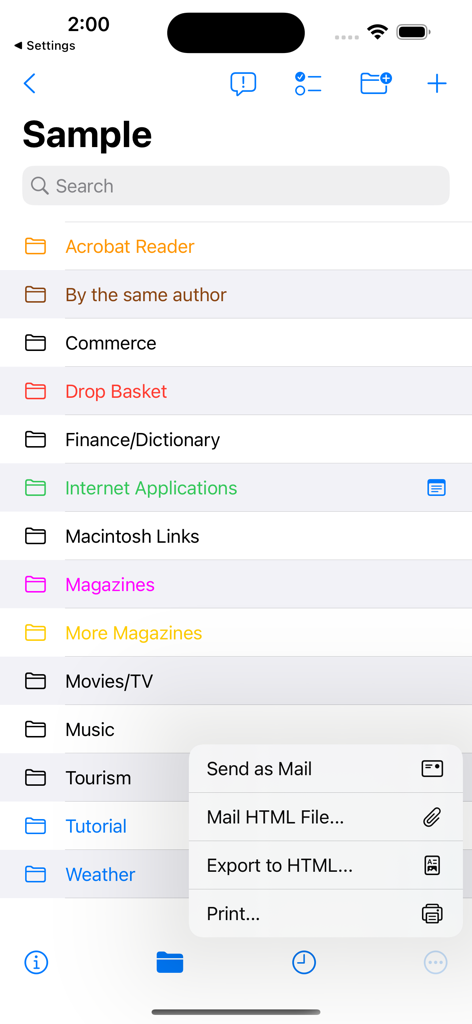
URL Manager Pro의 색상 코드로 구분된 북마크 폴더 목록과 열린 내보내기 및 공유 메뉴

URL Manager Pro의 색상 코드로 구분된 북마크 폴더 목록과 열린 내보내기 및 공유 메뉴

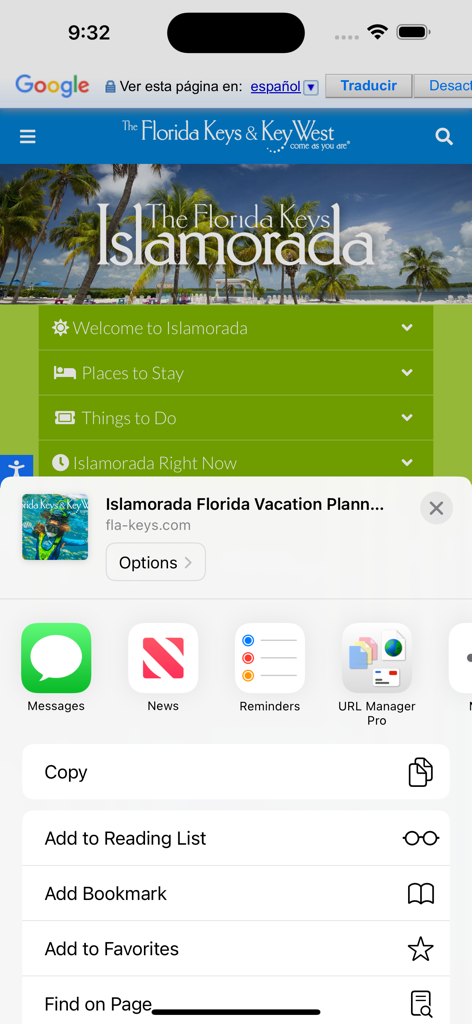
URL Manager Pro 아이콘이 iOS 공유 시트 메뉴에 표시됨

URL Manager Pro 아이콘이 iOS 공유 시트 메뉴에 표시됨

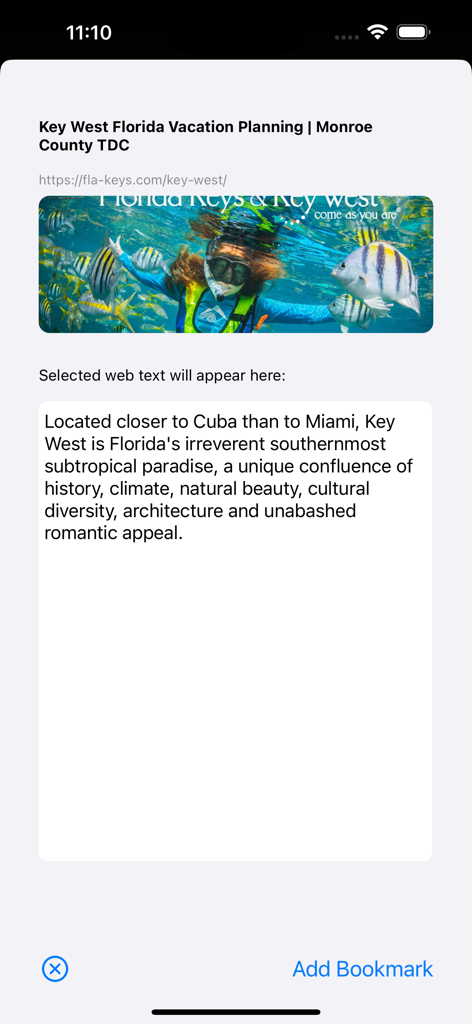
자동으로 가져온 웹사이트 텍스트 및 이미지가 포함된 URL Manager Pro에서 북마크 추가

자동으로 가져온 웹사이트 텍스트 및 이미지가 포함된 URL Manager Pro에서 북마크 추가

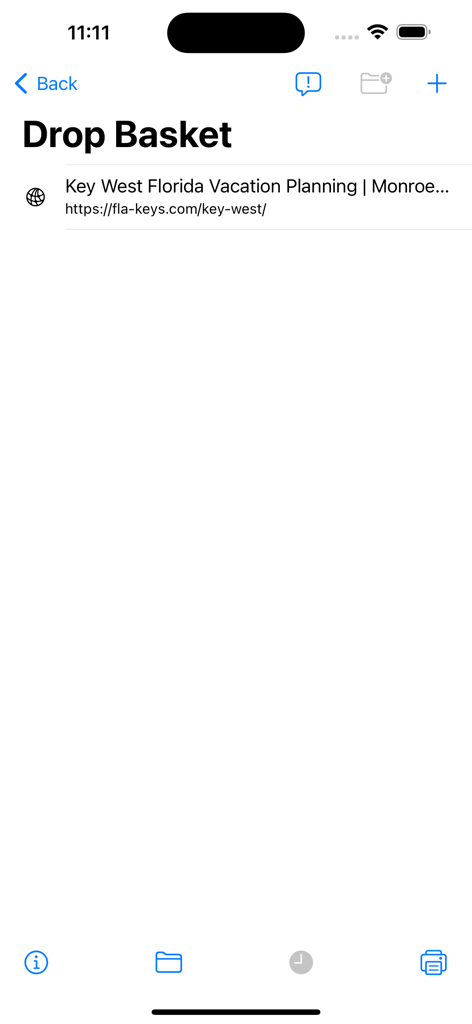
북마크된 링크가 있는 드롭 바구니를 보여주는 URL Manager Pro 인터페이스

북마크된 링크가 있는 드롭 바구니를 보여주는 URL Manager Pro 인터페이스

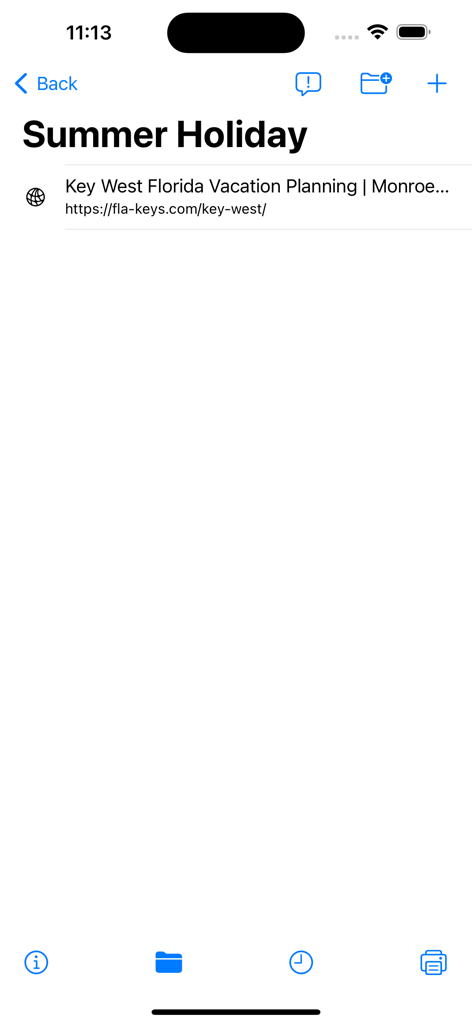
휴가 계획을 위한 웹 링크가 저장된 Summer Holiday라는 폴더를 보여주는 URL Manager Pro 화면.

휴가 계획을 위한 웹 링크가 저장된 Summer Holiday라는 폴더를 보여주는 URL Manager Pro 화면.

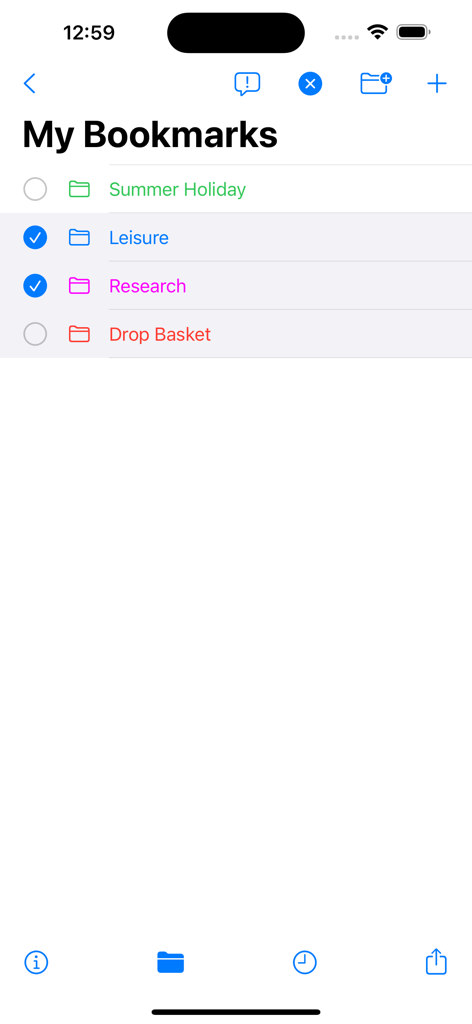
URL Manager Pro 모바일 앱의 색상 코드로 구분된 북마크 폴더 목록

URL Manager Pro 모바일 앱의 색상 코드로 구분된 북마크 폴더 목록

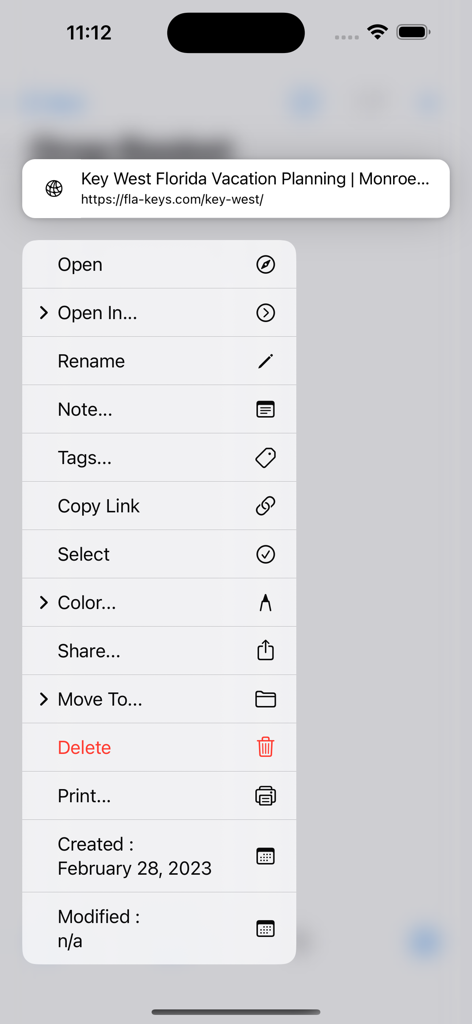
저장된 북마크를 열고, 태그를 지정하고, 정리하는 옵션을 보여주는 URL Manager Pro 앱의 컨텍스트 메뉴

저장된 북마크를 열고, 태그를 지정하고, 정리하는 옵션을 보여주는 URL Manager Pro 앱의 컨텍스트 메뉴

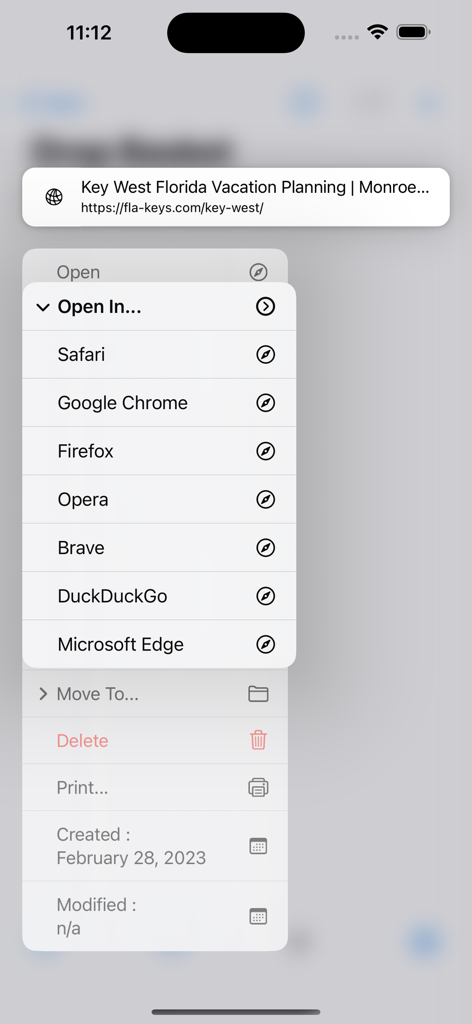
Safari Chrome 및 Firefox와 같은 다른 웹 브라우저에서 저장된 북마크를 여는 메뉴를 보여주는 URL Manager Pro 인터페이스

Safari Chrome 및 Firefox와 같은 다른 웹 브라우저에서 저장된 북마크를 여는 메뉴를 보여주는 URL Manager Pro 인터페이스

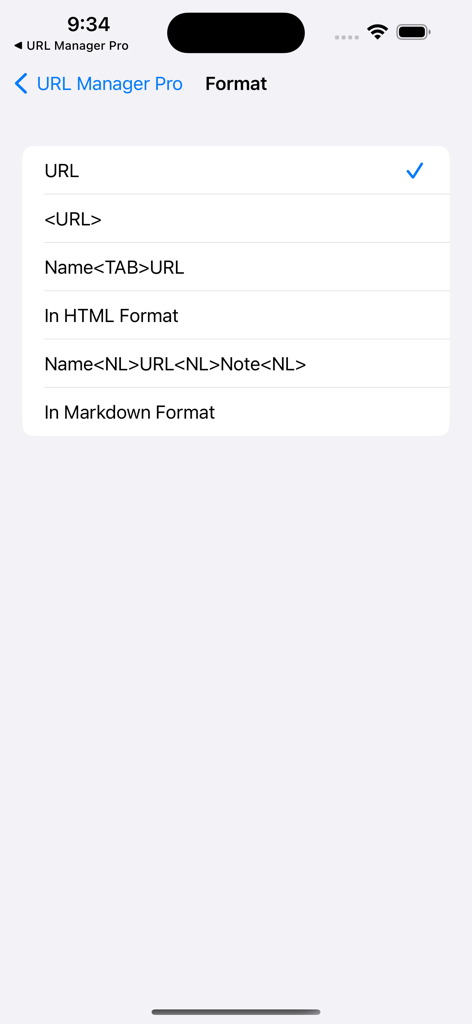
HTML 및 Markdown 옵션이 있는 북마크 형식 선택 화면

HTML 및 Markdown 옵션이 있는 북마크 형식 선택 화면

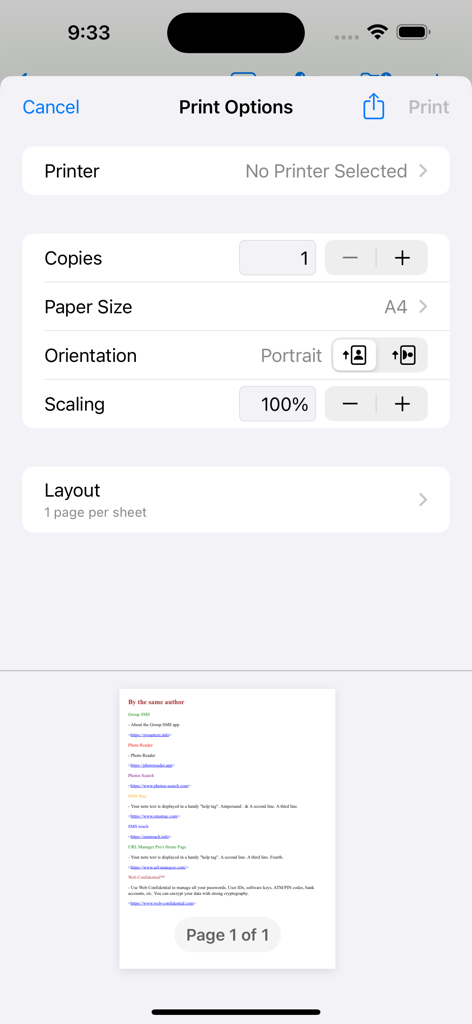
URL Manager Pro 앱의 인쇄 옵션 메뉴 및 북마크 목록 미리보기

URL Manager Pro 앱의 인쇄 옵션 메뉴 및 북마크 목록 미리보기

디지털 지식 마스터하기

이 앱을 돋보이게 하는 도구, 2K+ 명의 사용자가 선택.

🗄️

프로젝트 기반 컬렉션

웹 리소스를 별도의 문서와 계층적 폴더로 정리하세요. 리서치 프로젝트, 고객 데이터 및 개인 라이브러리를 완벽하게 분리하고 검색 가능하게 유지하세요.

✍️

맥락적 주석

링크를 통찰력으로 변환하세요. 브라우징하는 동안 선택한 텍스트를 자동으로 노트 필드에 캡처하여 북마크 라이브러리를 검색 가능한 지식 베이스로 만드세요.

🔄

프로 워크플로우 통합

macOS용 URL Manager Pro와 원활하게 동기화하고, Apple 단축키로 작업을 자동화하며, 컬렉션을 전문 HTML 파일 또는 팀 핸드아웃으로 내보내세요.

앱 소개

에 대해 알아야 할 모든 것 URL Manager Pro.

설명

URL Manager Pro is a bookmark manager for the web and includes a share extension. While surfing the web using Safari or another web browser, you can bookmark the web page using the Share button and then add the bookmark to URL Manager Pro. Any selected text on the web page, will be automatically copied to the note field of the bookmark. If you want to add a note, that is also possible. You can also bookmark any web URL that any other app might make available after you use the share button. It supports the following features: - user guide (PDF) - creating bookmarks - adding bookmarks - adding notes to bookmarks - creating folders - moving bookmarks to folders - deleting bookmarks and folders - colorise bookmarks and folders - opening (launching) bookmarks - opening bookmarks in Safari, Chrome, Firefox, Opera, Vivaldi etc. - emailing bookmarks - printing bookmarks - sorting bookmarks - selecting bookmarks - searching bookmarks - copy URL(s) of bookmark(s) (several formats) - mail bookmarks in HTML format - export bookmarks to an HTML file - Tweet (X) bookmarks - showing name, URL and note - showing date added attribute - support for Apple Shortcuts - compatibility with URL Manager Pro for macOS - make several collections (documents) of bookmarks Some examples: 1) build a collection of bookmarks for your research project 2) build another collection to fund your research project 3) use it as a Clipboard or Notepad of often used URLs you need to copy and paste 4) use it to print a handout to give to a class with reference documentation URLs 5) use Apple Shortcuts to automate

최신 버전

2.2.8

크기

7.1 MB

출시일

2011년 7월 30일

오늘 바로 리서치 워크플로우를 향상시키세요

Apple 생태계 전반의 디지털 라이브러리를 정리, 주석 처리 및 마스터하기 위해 URL Manager Pro를 신뢰하는 수천 명의 파워 유저 및 지식 근로자와 함께하세요.

다운로드: App Store

App information, icons, screenshots, and descriptions displayed on this page are sourced from the Apple App Store and are the property of their respective developers. Download estimates and rankings are based on MWM's proprietary models and may not reflect actual figures. This page is provided for informational and analytical purposes only.

Believe this page infringes your intellectual property? File a dispute