Visio - AI Photo & Face Editor

Visio - AI Photo & Face Editor


다운로드: App Store
로고: Visio - AI Photo & Face Editor

Visio - AI 사진 & 얼굴 편집기: 올인원 AI 사진 스튜디오

한 번의 탭으로 전문가 수준의 LinkedIn 프로필 사진, 사실적인 헤어 및 메이크업 스타일, 즉각적인 배경 교체를 통해 디지털 존재감을 변화시키세요. 방해 요소를 제거하는 것부터 바이럴 AI 필터까지, 몇 초 만에 스튜디오 품질의 결과를 얻으세요.

다운로드: App Store

개발사

VISION LABS YAZILIM HIZMETLERI ANONIM SIRKETI

카테고리

Photo & Video

다운로드

78K+

사용자 평점

4.5/5

총 평가 수

400

지원 언어

31

당신의 변화, 시각화되다

이 인터페이스를 사용하는 78K+ 명의 사용자.

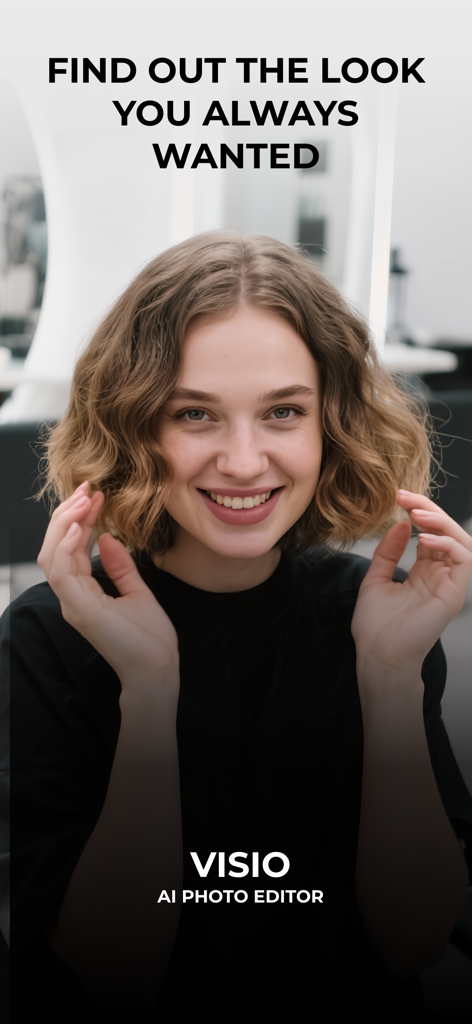
Visio AI 사진 편집기 앱의 소개 화면에 짧은 웨이브 머리를 한 미소 짓는 젊은 여성

Visio AI 사진 편집기 앱의 소개 화면에 짧은 웨이브 머리를 한 미소 짓는 젊은 여성

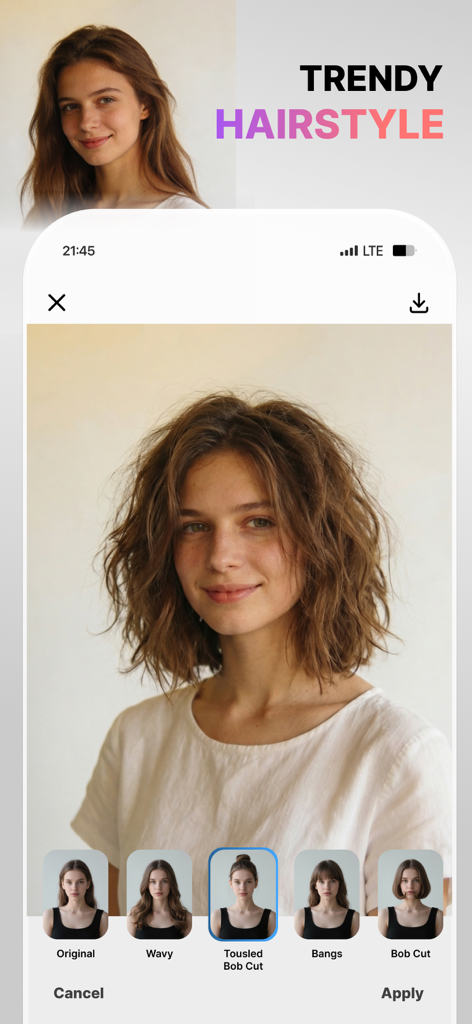
Visio 앱 인터페이스, 물결치는 보브컷 미리 보기가 포함된 트렌디한 헤어스타일 기능 표시

Visio 앱 인터페이스, 물결치는 보브컷 미리 보기가 포함된 트렌디한 헤어스타일 기능 표시

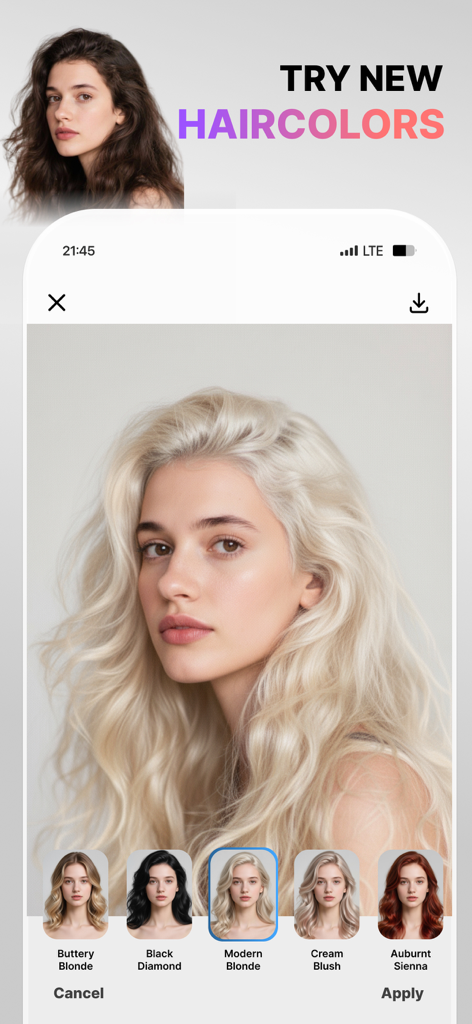
Visio 앱 인터페이스, 다양한 필터 옵션이 있는 AI 헤어 컬러 체험 기능 표시

Visio 앱 인터페이스, 다양한 필터 옵션이 있는 AI 헤어 컬러 체험 기능 표시

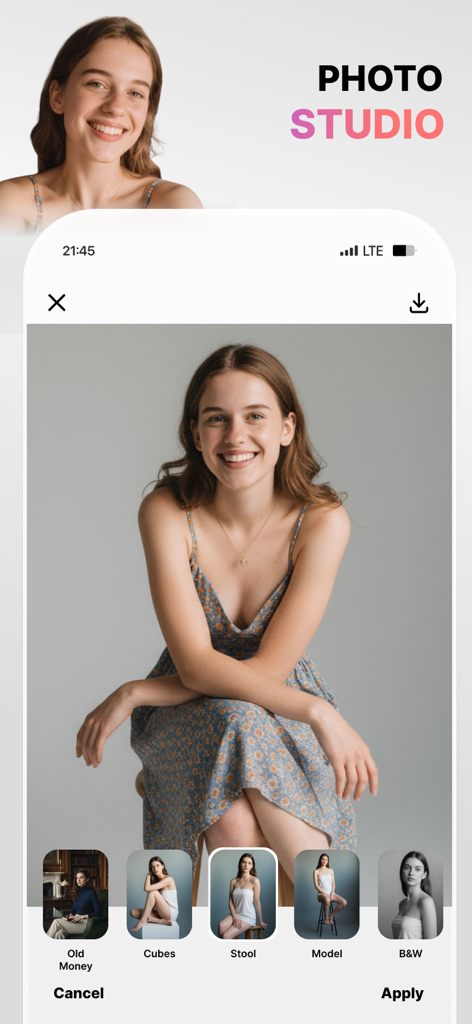
미소 짓는 여성의 초상화에 적용된 전문 사진 촬영 사전 설정 표시하는 Visio AI 사진 편집기 모바일 앱 인터페이스

미소 짓는 여성의 초상화에 적용된 전문 사진 촬영 사전 설정 표시하는 Visio AI 사진 편집기 모바일 앱 인터페이스

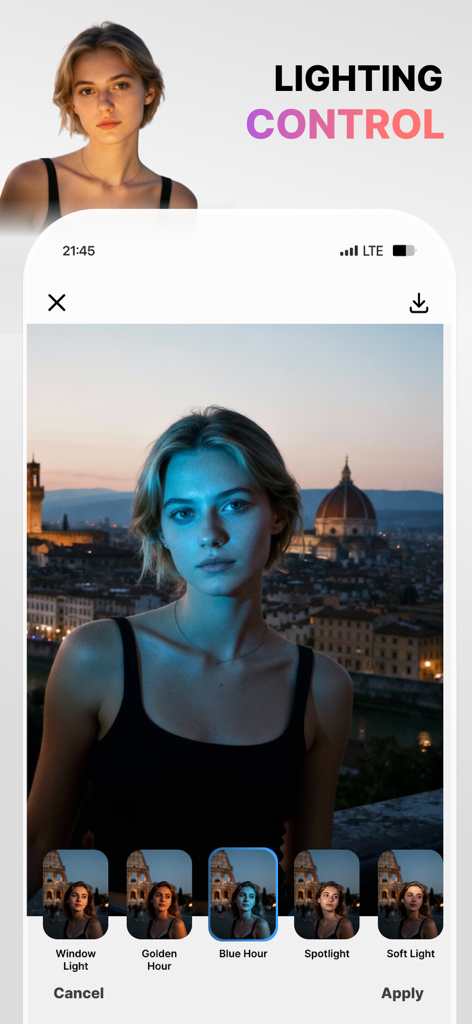
초상화에 블루 아워 필터가 적용된 조명 제어 기능을 보여주는 Visio AI 사진 편집기 인터페이스

초상화에 블루 아워 필터가 적용된 조명 제어 기능을 보여주는 Visio AI 사진 편집기 인터페이스

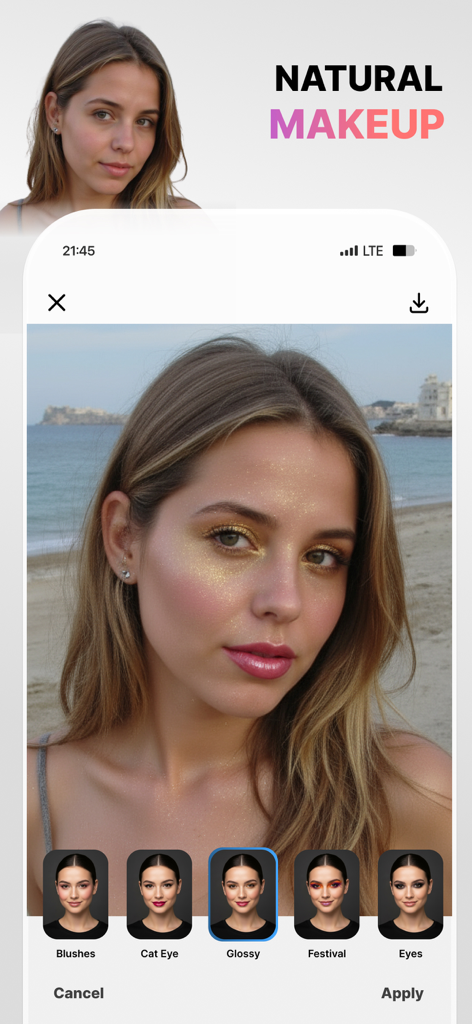
여성에 광택 메이크업 필터가 적용되고 Cat Eye 및 Festival과 같은 다양한 메이크업 옵션이 하단에 표시되는 Visio AI 사진 편집기 앱 인터페이스

여성에 광택 메이크업 필터가 적용되고 Cat Eye 및 Festival과 같은 다양한 메이크업 옵션이 하단에 표시되는 Visio AI 사진 편집기 앱 인터페이스

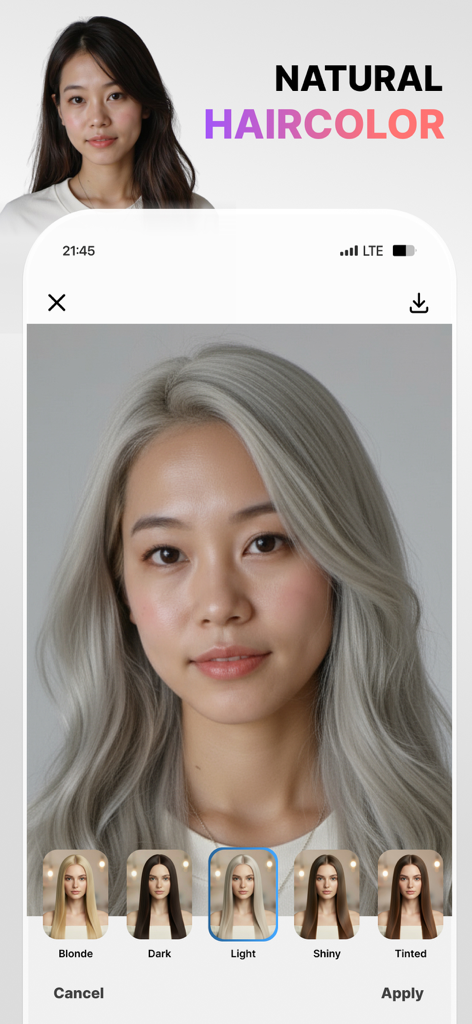
여성이 Visio 앱을 사용하여 AI 사전 설정을 사용하여 자연스러운 밝은 은색으로 머리 색깔을 바꾸는 모습

여성이 Visio 앱을 사용하여 AI 사전 설정을 사용하여 자연스러운 밝은 은색으로 머리 색깔을 바꾸는 모습

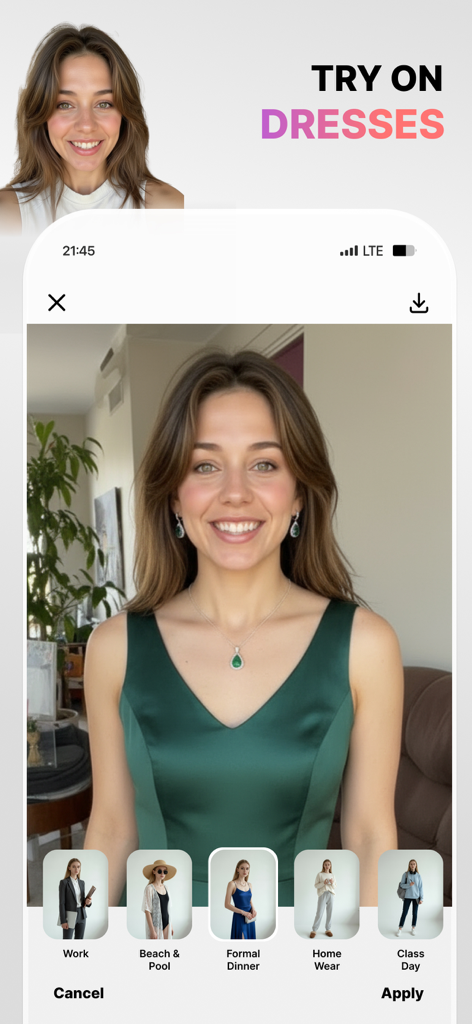
녹색 정장 드레스 옵션이 선택된 AI 드레스 착용 기능을 시연하는 Visio 앱 인터페이스

녹색 정장 드레스 옵션이 선택된 AI 드레스 착용 기능을 시연하는 Visio 앱 인터페이스

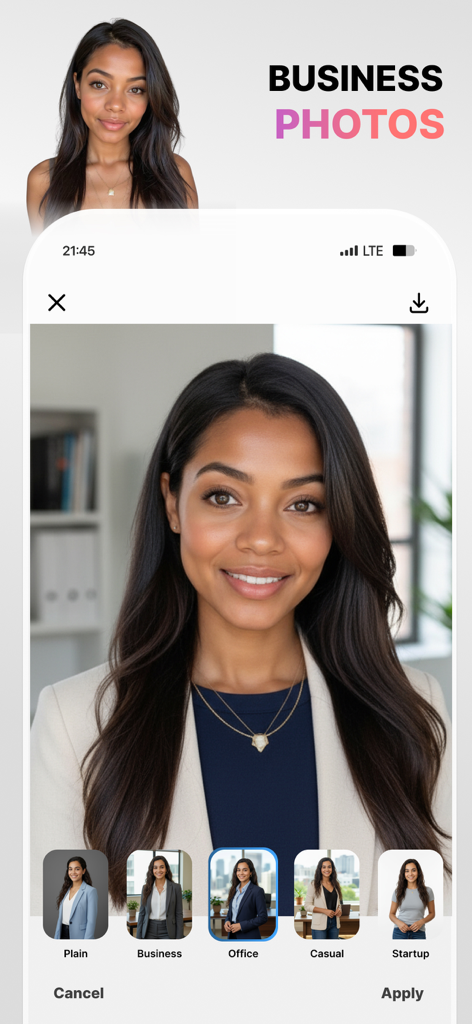
다른 사무실 배경 및 복장 옵션으로 전문적인 비즈니스 프로필 사진으로 변환되는 여성 사진을 보여주는 Visio 앱 인터페이스

다른 사무실 배경 및 복장 옵션으로 전문적인 비즈니스 프로필 사진으로 변환되는 여성 사진을 보여주는 Visio 앱 인터페이스

디지털 존재감 향상

이 앱을 돋보이게 하는 도구, 78K+ 명의 사용자가 선택.

👔

몇 초 만에 완성되는 프로필 사진

비싼 스튜디오는 건너뛰세요. AI 기반 'LinkedIn 샷' 기능으로 전문적인 느낌의 LinkedIn 준비된 사진을 생성하세요.

완벽한 장면 제어

완벽한 '주인공' 바이브를 위해 방해 요소를 쉽게 제거하고 배경을 도시 옥상이나 해변 일몰로 바꿔보세요.

💄

가상 헤어 & 메이크업 스튜디오

'올드 머니' 미학부터 사실적인 헤어 변경 및 빛나는 피부까지, 트렌디한 스타일을 한 번의 탭으로 실험해 보세요.

리뷰 분석

사용자 리뷰 인사이트.

감정 점수

21%
부정적

요약

This application receives overwhelmingly negative feedback, primarily due to numerous issues with its subscription model and core functionality. Users frequently report being charged unexpectedly after canceling free trials, or even without clear consent for annual subscriptions. Many also complain about the app being excessively slow, often failing to process photos or apply changes, rendering it unusable even after payment. Despite these significant problems, a small number of users appreciate its potential for photo editing, realistic hair styling options, and a simple user interface.

주요 테마

Hair Styling Feature(5)
Photo Editing Capabilities(4)
Effectiveness(3)
Realistic Results(2)
User Interface Simplicity(2)

앱 소개

에 대해 알아야 할 모든 것 Visio - AI Photo & Face Editor.

설명

Meet your new AI Photo Editor, Visio. In one tap, erase people and distractions for a clean scene, then swap to white/transparent, office, home, café, city, rooftop, or beach sunset backgrounds. Create pro headshots with LinkedIn Shots; try realistic hair changes (curtain/wispy bangs, bob, pixie, bun, long or wavy, volume & shine, and color shifts - blonde, brown, red, black, light/dark, subtle highlights). Add makeup your way (winged liner, cat eye, long lashes, blush & contour, matte or glossy, festival looks) and refine skin (smooth, brighten, glow, freckles, tan, matte, undereye bags). Tune face details (dimples, cheekbones, jawline, cupid’s bow), choose natural smiles (classic, wide, pretty teeth, closed), and add glasses without glare (thin/thick, oval/rectangle, sunglasses). Finish with Photoshoot modes (Model, B&W, Spotlight, Cinematic, Old Money, Beach Sunset) or go creative with cartoon, Pixar-style, clay, sketch, 90s anime, or caricature - all fast, photoreal, and share-ready. Why users love it One-Tap People Remover: Clear the scene fast. Keep the subject sharp while our smart background eraser fills in the scene naturally - no masks, no learning curve. Ready-Made Backgrounds: Swap to plain white, transparent, office, home, café, city, rooftop, or beach sunset backgrounds in seconds. Pro Headshots in Seconds: Use LinkedIn Shots (Casual, Business, Relaxed, Everyday) for credible profile photos - no studio needed. Look your best (subtle, real, you) Hair Studio: Try bangs, bob, pixie, bun, long/wavy styles; add volume and shine; change color (blonde, brown, red, black, light/dark, highlights). Makeup: Winged eyeliner, cat eye, long lashes, blush, contour, matte or glossy finishes, and festival looks. Skin: Smooth gently, brighten or glow, add freckles, a soft tan, or keep it matte—always natural. Face Details: Accentuate jawline, cheekbones, cupid’s bow; add dimples; refine smiles (classic, wide, pretty teeth, closed). Glasses: Thin/thick, oval/rectangle, no glare. Create your vibe Photoshoot Modes: Model, Model B&W, Spotlight, Cinematic, Old Money, Beach Sunset. Stylized Filters: Cartoon, Pixar-style, Clay, Sketch, Caricature, 90s anime. 60+ photoreal presets so every edit is post-ready. Visio Pro You can subscribe to get access to useful style filters, filters updates and all the features and content offered for purchase within Visio. Subscriptions are auto renewable and are billed weekly, monthly or annually at the rate selected depending on the subscription plan. Subscription automatically renews unless auto-renew is turned off at least 24-hours before the end of the current period. Account will be charged for renewal within 24-hours prior to the end of the current period. Payment will be charged to iTunes Account at confirmation of purchase. Subscriptions can be managed and auto-renewal can be turned off in Account Settings in iTunes after the purchase. Any unused portion of a free trial period, if offered, will be forfeited when the user purchases a subscription to that publication, where applicable. - Terms of use: https://www.visionlabs.com.tr/terms-of-use-visio - Privacy policy: https://www.visionlabs.com.tr/privacy-policy-visio

최신 버전

1.13

크기

131.2 MB

출시일

2025년 9월 4일

AI 변화를 시작할 준비가 되셨나요?

Visio를 사용하여 완벽한 프로필 사진을 만들고, 방해 요소를 제거하고, 모든 사진을 한 번의 탭으로 스타일링하는 78K명 이상의 크리에이터 및 전문가와 함께하세요. 지금 다운로드하고 오늘 스튜디오 품질의 변화를 시작하세요.

다운로드: App Store
FAQ

자주 묻는 질문

에 대해 알아야 할 모든 것 Visio - AI Photo & Face Editor

Visio - AI 사진 및 얼굴 편집기란 무엇인가요?

Visio는 원클릭 사진 보정을 위한 AI 기반 사진 편집기입니다. 고급 AI 도구를 사용하여 방해 요소를 제거하고, 배경을 바꾸고, 전문적인 프로필 사진을 만들고, 헤어스타일을 바꾸고, 메이크업을 추가하고, 얼굴 세부 정보를 다듬습니다.

Visio는 어떻게 객체를 제거하고 배경을 변경하나요?

Visio에는 장면을 빠르게 정리하는 원클릭 인물 제거 기능과 자연스럽게 장면을 채우는 지능형 배경 지우개가 있습니다. 사용자는 흰색, 투명, 사무실, 집, 카페, 도시, 옥상 또는 해변 일몰 배경으로 바꿀 수 있습니다.

Visio로 머리 색깔과 스타일을 바꿀 수 있나요?

네, Visio는 앞머리와 단발머리 같은 스타일, 금발, 갈색, 빨간색, 검은색, 밝은색, 어두운색 또는 은은한 하이라이트 색상 변경 등 사실적인 헤어 변경을 가능하게 합니다. 또한 볼륨과 광택을 더합니다.

Visio에는 전문적인 프로필 사진을 만들기 위한 도구가 제공되나요?

네, Visio에는 신뢰할 수 있는 프로필 사진을 만들기 위한 LinkedIn Shots가 포함되어 있습니다. 캐주얼, 비즈니스, 편안한, 일상 등 옵션을 사용할 수 있어 스튜디오 없이도 전문적인 프로필 사진을 생성할 수 있습니다.

Visio 앱으로 어떤 종류의 메이크업을 적용할 수 있나요?

Visio는 날개 아이라이너, 고양이 눈, 긴 속눈썹, 블러셔, 컨투어, 매트 또는 글로시 마감 등 다양한 메이크업 옵션을 제공합니다. 축제 느낌도 얼굴 특징을 강조하기 위해 사용할 수 있습니다.

사용자는 Visio 앱으로 다른 의상을 입어볼 수 있나요?

네, Visio를 사용하면 다양한 의상을 입어볼 수 있습니다. 업무, 해변 및 수영장, 공식 만찬, 홈웨어, 수업 날 등 옵션이 있습니다. 이 기능을 통해 앱 내에서 가상으로 옷을 갈아입을 수 있습니다.

Visio Pro를 구독하려면 어떻게 해야 하며, 결제 옵션은 어떻게 되나요?

사용자는 스타일 필터 및 기능에 액세스하기 위해 Visio Pro를 구독할 수 있습니다. 구독은 자동 갱신되며 선택한 요금제에 따라 주간, 월간 또는 연간으로 청구됩니다. 결제는 iTunes 계정으로 청구됩니다.

Visio Pro 구독을 관리하거나 취소하려면 어떻게 해야 하나요?

Visio Pro 구독은 구매 후 iTunes 계정 설정에서 관리할 수 있으며 자동 갱신을 해제할 수 있습니다. 자동 갱신은 현재 기간이 종료되기 최소 24시간 전에 비활성화해야 합니다.

Visio는 사진에 창의적인 스타일 필터를 제공하나요?

네, Visio는 만화, 픽사 스타일, 클레이, 스케치, 캐리커처, 90년대 애니메이션과 같은 창의적인 스타일 필터를 제공합니다. 이러한 필터를 사용하면 사진을 독특한 예술적 해석으로 변환할 수 있습니다.

Visio로 얼굴 특징을 다듬고 미소 옵션을 추가할 수 있나요?

네, Visio를 사용하면 보조개, 광대뼈, 턱선, 큐피드 활과 같은 얼굴 세부 정보를 조정할 수 있습니다. 또한 클래식, 활짝, 예쁜 치아, 닫힌 미소 등 자연스러운 미소 옵션을 제공합니다.

App information, icons, screenshots, and descriptions displayed on this page are sourced from the Apple App Store and are the property of their respective developers. Download estimates and rankings are based on MWM's proprietary models and may not reflect actual figures. This page is provided for informational and analytical purposes only.

Believe this page infringes your intellectual property? File a dispute