VoiceNotes: Audio Recordings

VoiceNotes: Audio Recordings


다운로드: App Store
로고: VoiceNotes: Audio Recordings

VoiceNotes: 아이디어를 손쉽게 캡처, 전사 및 정리

전문가와 학생을 위한 올인원 오디오 솔루션. 음성을 몇 초 만에 텍스트로 변환하고, 사용자 지정 폴더로 정리하며, 모든 기기에서 녹음 자료를 동기화하세요.

개발사

MobileTech OU

카테고리

Business

다운로드

930K+

사용자 평점

3.8/5

총 평가 수

100

지원 언어

12

내부 미리보기

이 인터페이스를 사용하는 930K+ 명의 사용자.

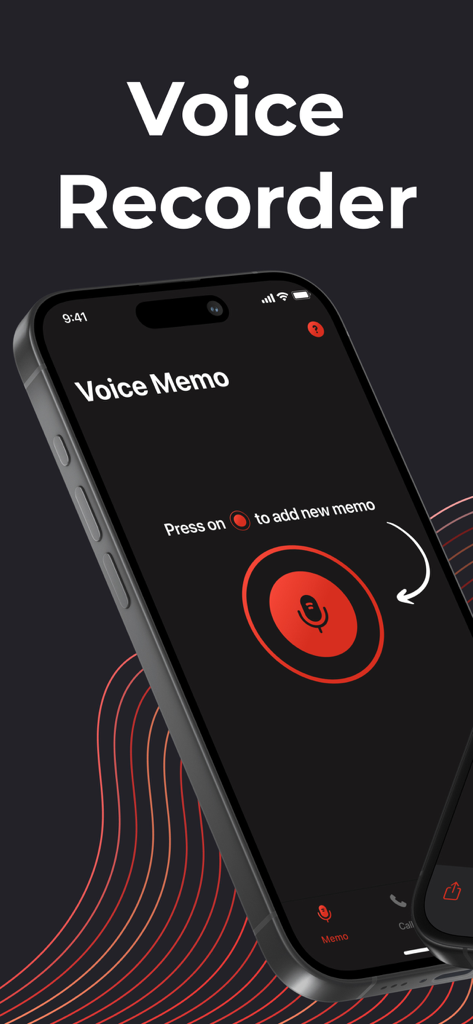
어두운 전문 인터페이스에 큰 빨간색 녹음 버튼과 마이크 아이콘이 표시된 VoiceNotes 앱 화면

어두운 전문 인터페이스에 큰 빨간색 녹음 버튼과 마이크 아이콘이 표시된 VoiceNotes 앱 화면

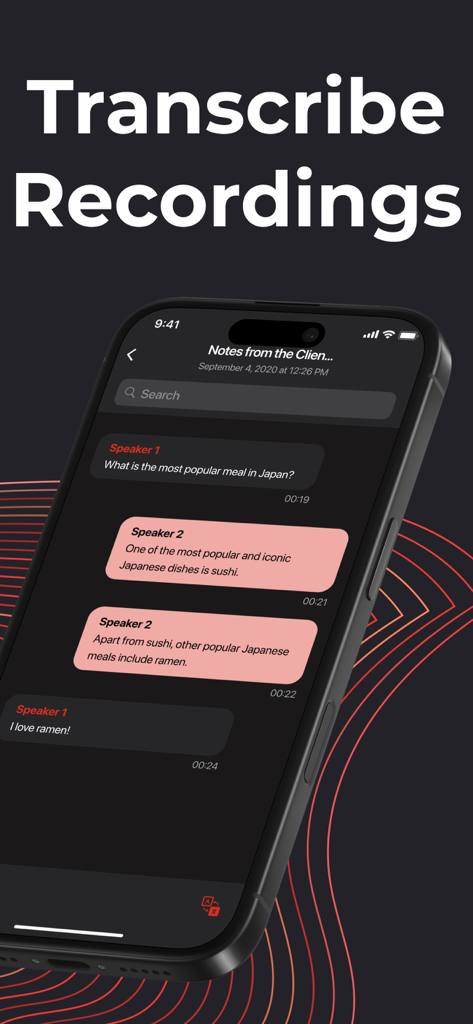
타임스탬프가 찍힌 텍스트 블록과 함께 두 명의 화자 간의 대화를 전사하는 VoiceNotes 앱을 보여주는 스마트폰 화면.

타임스탬프가 찍힌 텍스트 블록과 함께 두 명의 화자 간의 대화를 전사하는 VoiceNotes 앱을 보여주는 스마트폰 화면.

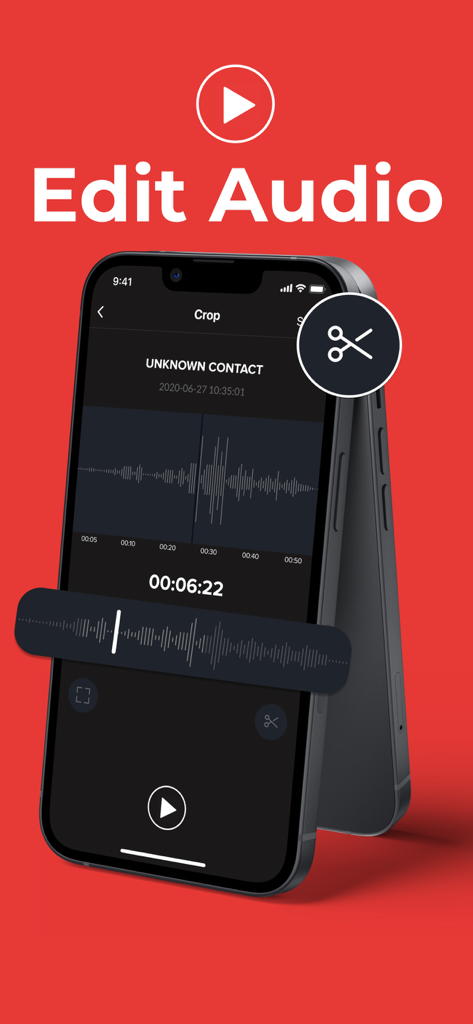
VoiceNotes 앱에서 오디오 편집 및 자르기 도구를 보여주는 iPhone 화면

VoiceNotes 앱에서 오디오 편집 및 자르기 도구를 보여주는 iPhone 화면

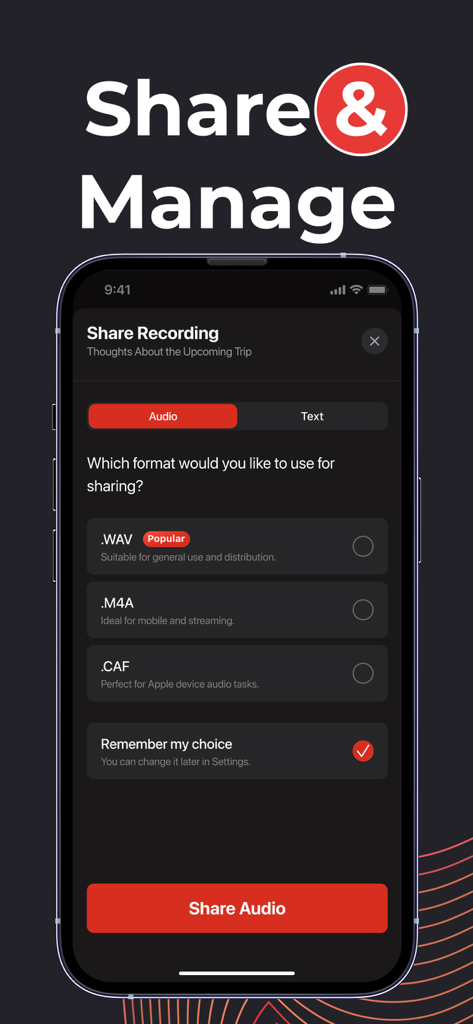
WAV, M4A, CAF와 같은 녹음 자료 공유를 위한 오디오 파일 형식 옵션을 보여주는 VoiceNotes 앱 화면

WAV, M4A, CAF와 같은 녹음 자료 공유를 위한 오디오 파일 형식 옵션을 보여주는 VoiceNotes 앱 화면

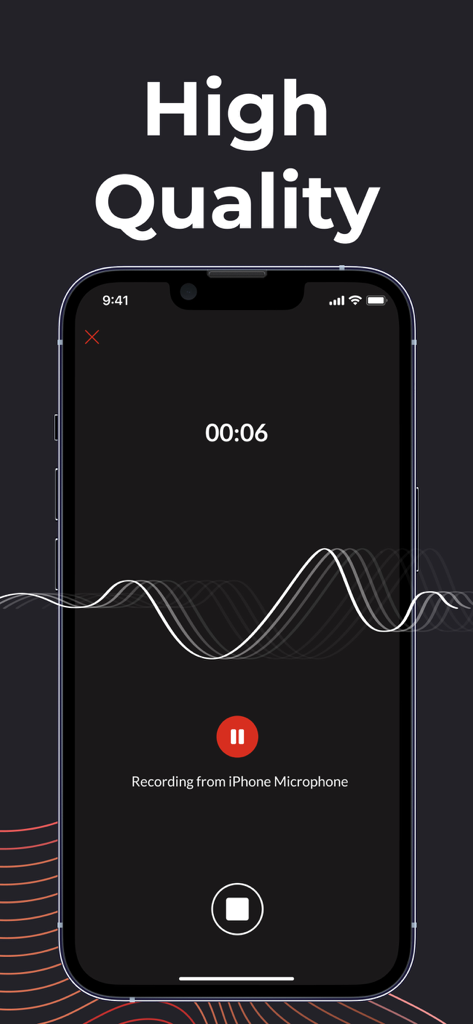
파형 표시 및 타이머가 있는 iPhone에서 오디오를 녹음하는 VoiceNotes 앱 인터페이스

파형 표시 및 타이머가 있는 iPhone에서 오디오를 녹음하는 VoiceNotes 앱 인터페이스

일상적인 생산성을 극대화하세요

이 앱을 돋보이게 하는 도구, 930K+ 명의 사용자가 선택.

✍️

손쉬운 전사

수동으로 메모를 타이핑하는 데 시간을 낭비하지 마세요. 모든 녹음 내용을 높은 정확도의 텍스트로 변환하여 신속하게 편집하고 팀과 즉시 공유하세요.

🗂️

전문적인 정리

사용자 지정 폴더 및 라벨로 프로젝트를 정리 상태로 유지하세요. 여러 클라이언트, 복잡한 주제 또는 창의적인 브레인스토밍을 관리하는 데 이상적입니다.

🔄

원활한 클라우드 동기화

생각을 절대 잃어버리지 마세요. 녹음 자료는 모든 기기에서 자동으로 백업 및 동기화되어 항상 작업에 접근할 수 있습니다.

리뷰 분석

사용자 리뷰 인사이트.

감정 점수

8%
부정적

요약

The app receives overwhelmingly negative feedback from users, primarily due to deceptive billing practices and unexpected high subscription costs, with many reporting unauthorized charges and issues with free trials. While some users praise its ease of use and effective call recording features for business purposes, a significant number report critical functionality problems, including recordings not working, app crashes, and difficulty accessing saved data. Many users also struggled with the cancellation and refund process, citing the absence of clear options within the app. Multiple complaints describe the app as a scam, with users alleging that card information was sold or that they were charged significant amounts without proper notification.

주요 테마

Billing and Subscription Issues(33)
Cancellation and Refund Process(22)
App Functionality and Reliability(7)
Deceptive Practices(4)
Ease of Use(2)
Call Recording Quality(2)

앱 소개

에 대해 알아야 할 모든 것 VoiceNotes: Audio Recordings.

설명

VoiceNotes is the ultimate voice recording app designed for simplicity, clarity, and convenience. Whether you're capturing important meetings, lectures, interviews, or simply recording your thoughts, VoiceNotes ensures crystal-clear audio quality with just a tap. -Key Features- ‣ High-Quality Recording: Capture audio in crisp, clear quality with adjustable settings to suit your needs. ‣ Easy Organization: Save and categorize recordings with custom labels, folders, and tags for quick access. ‣ Share with Ease: Share your recordings via email, messaging apps, or social media in just a few taps. ‣ Voice-to-Text Transcription: Convert your recordings into text for easy editing, sharing, or reference. ‣ Convert recordings into different formats: M4A, WAV, CAF and more. ‣ Background Recording: Continue recording even while using other apps or when your screen is off. ‣ Playback Control: Play, pause, rewind, or fast-forward your recordings with ease. Adjust playback speed for efficient listening. ‣ Cloud Sync & Backup: Automatically back up your recordings to the cloud and access them across all your devices. VoiceNotes is designed for everyone - students, professionals, journalists, musicians, and anyone who needs a reliable voice recorder on the go. With its intuitive interface and powerful features, VoiceNotes makes recording, organizing, and sharing audio effortless. Download VoiceNotes today and never miss a moment worth remembering! The following subscription plans are available(price may vary depending on location): - 1-week subscription with a 3-day trial version - 1-month subscription - Annual subscription Information about subscription auto-renewal: - Subscription automatically renews unless the auto-renewal is turned off at least 24h before the end of the current period. - The user can manage subscriptions and turn auto-renewal off by going to the user's Account Settings after purchase. - Any unused portion of the trial period will be forfeited when the user purchases a subscription. - Payment will be charged for renewal within 24h prior to the tnd of the current period, and the cost of the renewal will be identified. Terms of Service: https://call-recorder.biz/terms-of-use Privacy Policy: https://call-recorder.biz/privacy-policy

최신 버전

2.3.2

크기

188.5 MB

출시일

2020년 5월 27일

시간을 되찾을 준비가 되셨나요?

주당 수 시간이 걸리는 회의 및 생각을 정리된 텍스트로 바꾸는 930,000명 이상의 전문가 및 학생들과 함께하세요. 지금 VoiceNotes를 다운로드하고 다시는 세부 사항을 놓치지 마세요.

다운로드: App Store
FAQ

자주 묻는 질문

에 대해 알아야 할 모든 것 VoiceNotes: Audio Recordings

VoiceNotes: 오디오 녹음이란 무엇인가요?

VoiceNotes는 명확한 오디오 캡처, 쉬운 정리, 편리한 공유를 위해 설계된 음성 녹음 앱입니다. 전사, 백그라운드 녹음, 클라우드 백업과 같은 기능을 제공합니다.

VoiceNotes는 고품질 오디오 녹음을 제공하나요?

네, VoiceNotes는 고품질 오디오 녹음을 제공합니다. 사용자는 다양한 목적에 맞게 설정을 조정하여 선명하고 깨끗한 사운드 캡처를 보장할 수 있습니다.

VoiceNotes는 오디오 녹음을 텍스트로 전사할 수 있나요?

네, VoiceNotes는 음성을 텍스트로 변환하는 기능을 제공합니다. 이 기능은 녹음을 텍스트로 변환하여 쉽게 편집, 공유 또는 참조할 수 있으며 사용성을 향상시킵니다.

VoiceNotes는 백그라운드 녹음을 지원하나요?

네, VoiceNotes는 백그라운드 녹음을 지원합니다. 다른 앱을 사용 중이거나 기기의 화면이 꺼져 있어도 앱은 계속 녹음됩니다.

VoiceNotes에서 녹음을 어떻게 공유할 수 있나요?

VoiceNotes를 사용하면 이메일, 메시징 앱 또는 소셜 미디어를 통해 녹음을 쉽게 공유할 수 있습니다. 녹음은 공유를 위해 M4A, WAV 또는 CAF와 같은 다른 형식으로 변환할 수도 있습니다.

VoiceNotes는 어떤 오디오 형식으로 변환을 지원하나요?

VoiceNotes는 M4A, WAV 및 CAF를 포함한 다양한 오디오 형식으로 녹음을 변환하는 것을 지원합니다. 이는 다양한 사용 및 공유 요구 사항에 대한 유연성을 제공합니다.

VoiceNotes는 클라우드 동기화 및 백업을 제공하나요?

네, VoiceNotes는 클라우드 동기화 및 백업 기능을 포함합니다. 녹음을 클라우드에 자동으로 백업하여 모든 사용자 기기에서 액세스할 수 있습니다.

VoiceNotes는 구독에 대한 무료 평가판을 제공하나요?

네, VoiceNotes는 1주 구독 플랜과 함께 3일 평가판을 제공합니다. 이를 통해 사용자는 유료 플랜에 가입하기 전에 앱의 기능을 경험할 수 있습니다.

VoiceNotes 구독에 대한 자동 갱신은 어떻게 작동하나요?

VoiceNotes 구독은 현재 기간이 종료되기 최소 24시간 전에 비활성화하지 않는 한 자동으로 갱신됩니다. 사용자는 계정 설정에서 자동 갱신 설정을 관리할 수 있습니다.

VoiceNotes에서 어떤 재생 컨트롤을 사용할 수 있나요?

VoiceNotes는 포괄적인 재생 컨트롤을 제공합니다. 사용자는 녹음을 쉽게 재생, 일시 중지, 되감기 또는 빨리 감기할 수 있습니다. 또한 앱은 효율적인 청취를 위해 재생 속도를 조절할 수 있습니다.

사용자는 VoiceNotes에서 녹음을 어떻게 정리하나요?

VoiceNotes는 녹음을 쉽게 정리할 수 있습니다. 사용자는 빠른 액세스 및 관리를 위해 사용자 지정 레이블, 폴더 및 태그로 오디오 파일을 저장하고 분류할 수 있습니다.

App information, icons, screenshots, and descriptions displayed on this page are sourced from the Apple App Store and are the property of their respective developers. Download estimates and rankings are based on MWM's proprietary models and may not reflect actual figures. This page is provided for informational and analytical purposes only.

Believe this page infringes your intellectual property? File a dispute