Watch Cam for Nest Cam

Watch Cam for Nest Cam

다운로드: App Store
로고: Watch Cam for Nest Cam

Nest Cam용 Watch Cam: 손목 위에서 확인하는 우리 집

애플 워치에서 직접 실시간 피드를 모니터링하고, Siri 단축어를 사용하며, 외출/귀가 상태를 관리하세요. LTE 지원과 워치 페이스의 간편한 스냅샷으로 연결 상태를 유지하세요. 개인 정보 보호와 보안을 갖추고 활동적인 라이프스타일을 위해 제작되었습니다.

다운로드: App Store

개발사

Marko Radakovic

카테고리

Lifestyle

다운로드

122K+

사용자 평점

3.8/5

총 평가 수

100

지원 언어

1

한눈에 확인하는 보안

이 인터페이스를 사용하는 122K+ 명의 사용자.

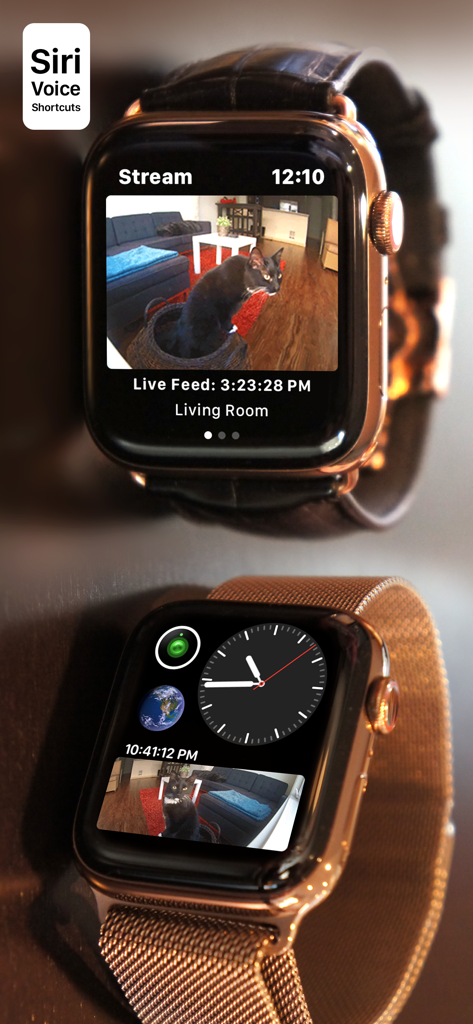
실시간 Nest 카메라 스트림과 워치 페이스 컴플리케이션을 보여주는 애플 워치

실시간 Nest 카메라 스트림과 워치 페이스 컴플리케이션을 보여주는 애플 워치

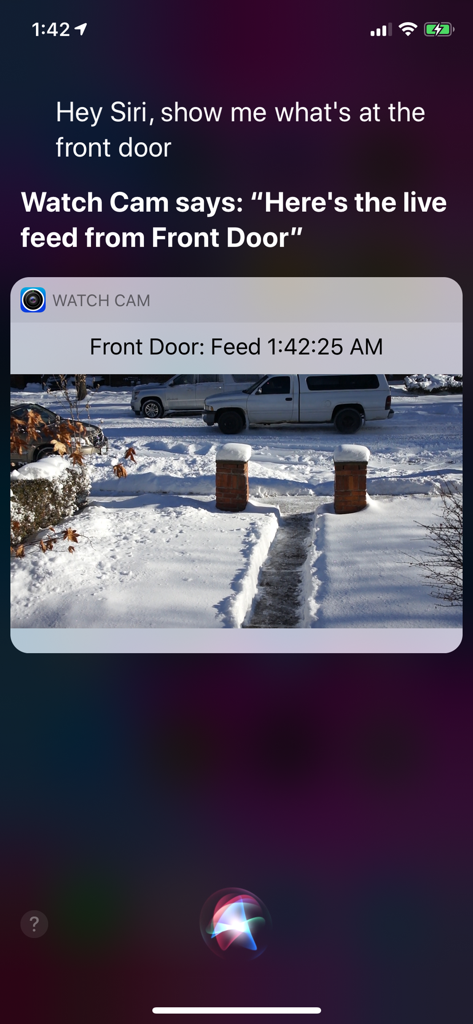
Watch Cam 앱을 통해 Siri가 Nest 카메라 실시간 피드를 표시하는 아이폰 화면

Watch Cam 앱을 통해 Siri가 Nest 카메라 실시간 피드를 표시하는 아이폰 화면

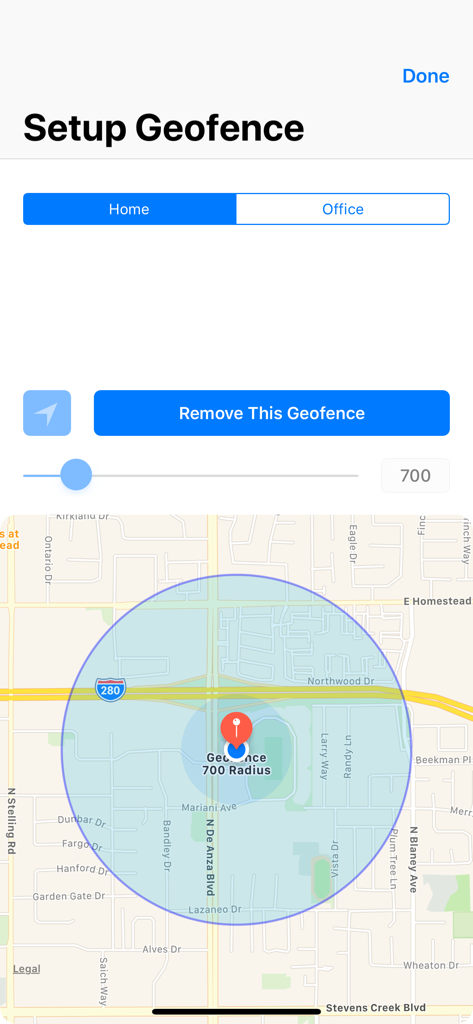
지도와 반경 제어 기능이 있는 홈 지오펜스 설정 인터페이스

지도와 반경 제어 기능이 있는 홈 지오펜스 설정 인터페이스

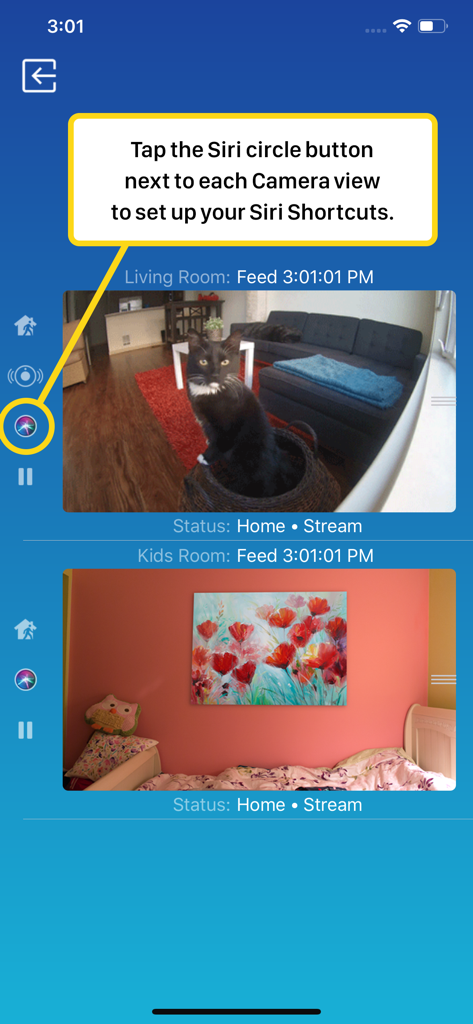
실시간 카메라 피드와 Siri 단축어 설정이 표시된 Nest Cam용 Watch Cam의 스마트폰 인터페이스

실시간 카메라 피드와 Siri 단축어 설정이 표시된 Nest Cam용 Watch Cam의 스마트폰 인터페이스

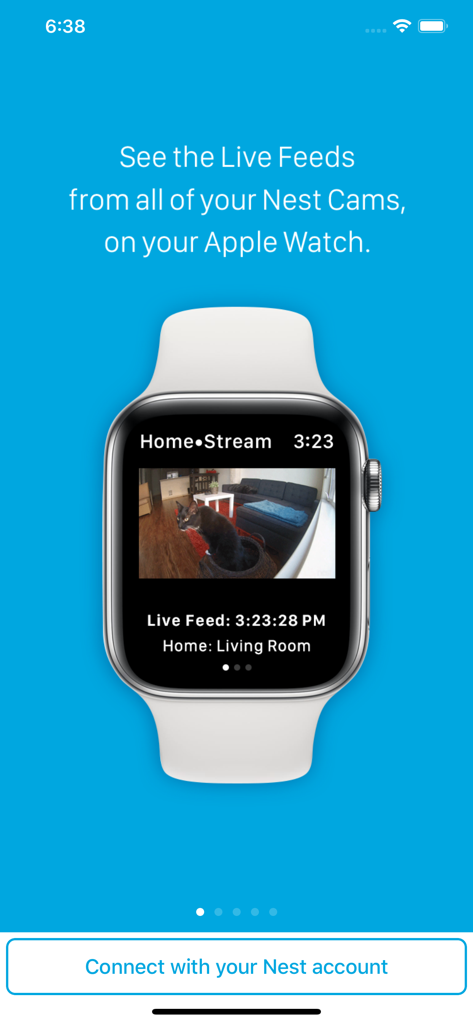
거실에 있는 고양이를 보여주는 Nest 보안 카메라의 실시간 비디오 피드를 표시하는 애플 워치

거실에 있는 고양이를 보여주는 Nest 보안 카메라의 실시간 비디오 피드를 표시하는 애플 워치

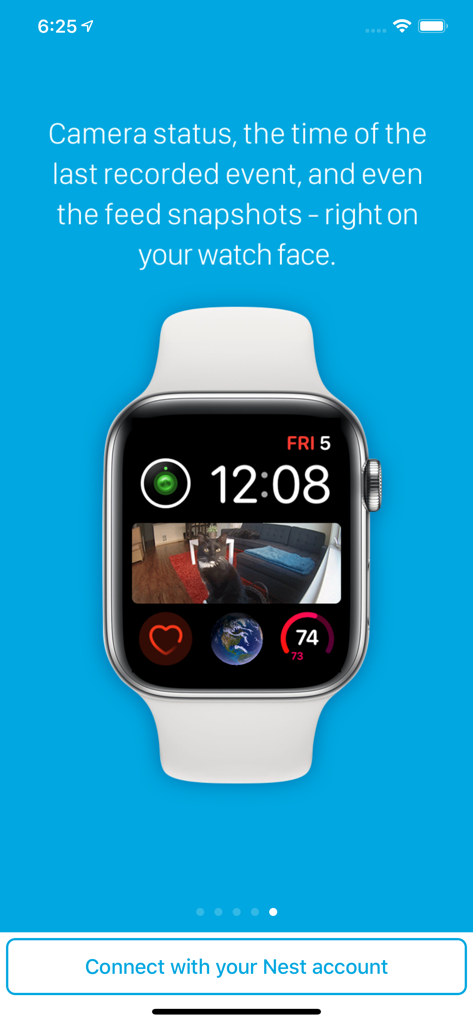
소파 위 고양이의 Nest 카메라 스냅샷 컴플리케이션이 있는 애플 워치 페이스

소파 위 고양이의 Nest 카메라 스냅샷 컴플리케이션이 있는 애플 워치 페이스

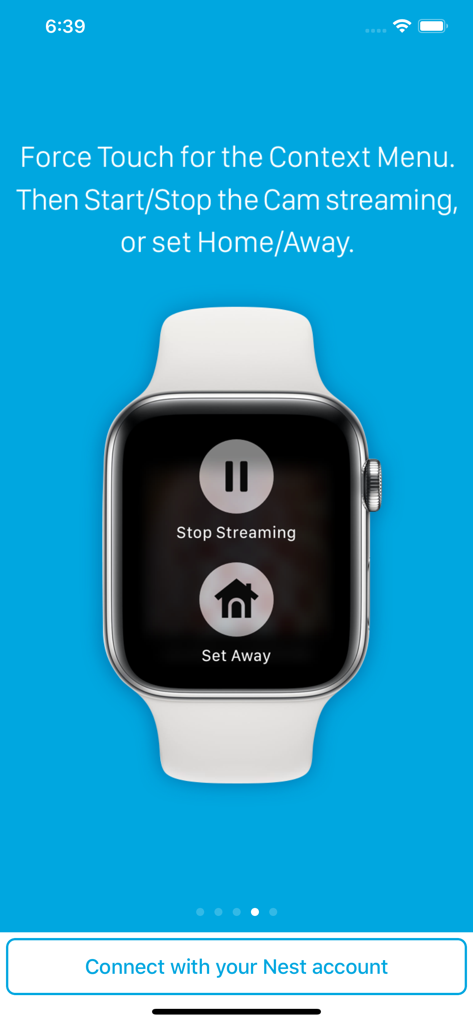
Nest 카메라를 위한 스트리밍 중지 및 외출 설정 버튼이 표시된 애플 워치

Nest 카메라를 위한 스트리밍 중지 및 외출 설정 버튼이 표시된 애플 워치

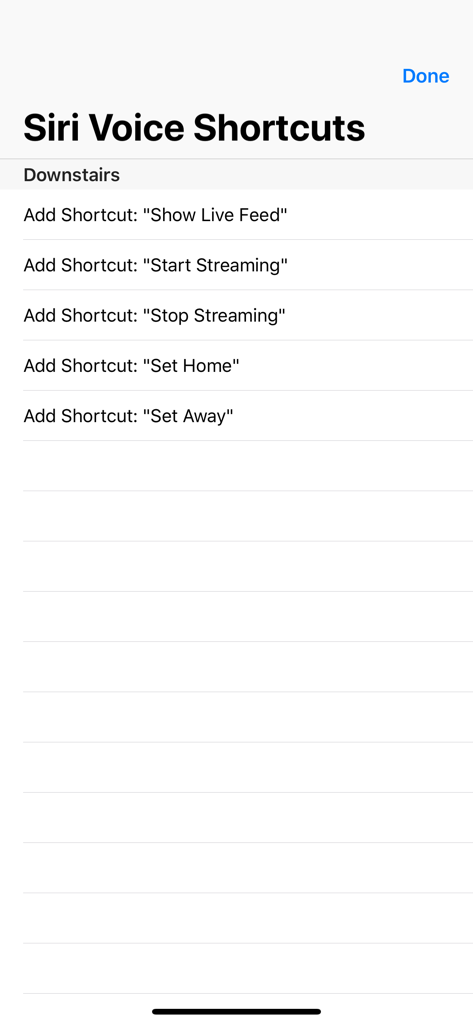
실시간 피드 표시, 귀가 또는 외출 상태 설정을 포함한 Nest 카메라 제어용 Siri 음성 단축어 옵션 목록

실시간 피드 표시, 귀가 또는 외출 상태 설정을 포함한 Nest 카메라 제어용 Siri 음성 단축어 옵션 목록

한눈에 확인하는 우리 집

이 앱을 돋보이게 하는 도구, 122K+ 명의 사용자가 선택.

진정한 폰 프리의 자유

아이폰을 두고 나가도 연결 상태를 유지하세요. 완벽한 LTE 지원을 통해 조깅이나 심부름 중에도 애플 워치에서 직접 실시간 피드를 볼 수 있습니다.

🖼️

한눈에 보는 보안

더 이상 휴대폰을 찾지 마세요. 워치 페이스에 사용자 지정 컴플리케이션을 추가하여 손목을 들어 올리는 순간 즉각적인 카메라 스냅샷을 확인하세요.

🗣️

핸즈프리 Siri 제어

멀티태스킹이 쉬워집니다. Siri 음성 단축어를 사용하여 실시간 피드를 불러오거나 외출/귀가 상태를 전환하세요. 식료품이나 아이들로 손이 가득 찼을 때 매우 유용합니다.

앱 소개

에 대해 알아야 할 모든 것 Watch Cam for Nest Cam.

설명

Apple Watch, Nest Cam, and Siri together. What a sight! The app has Siri Voice shortcuts, and they can be used to set your home into Away or Home state using Siri on your Watch or iPhone, as well as to display the live feeds from your cameras. The app supports Apple Watch LTE, and can work when the iPhone is not around - as long as the watch itself has internet access (either LTE or WiFi). The app is fully functional with the initial purchase. In-app purchases are available only for tipping the developer. Watch Cam lets you monitor all your Nest Cams from the Apple Watch. • From the watch face, tap on the Watch Cam complication to open the app. Swipe left and right to view life feeds from all your Nest Cams. • One of the watch complications shows you the snapshot from the camera of your choice, right on the watch face. • View the continuously updated Live Feed from the camera in the watch app, iOS app, or with Siri. Newer cameras show live video in the iOS app and Siri. Older cameras show snapshot images that update every second. The feed updates with a new snapshot image every few seconds on the Watch - may be faster or slower, depending on your network speed. • Use the digital crown on the Watch to zoom in and out, or tap the screen to toggle zoom levels. • Use the pinch gesture on the camera views in the iOS app to zoom in and out. Single tap toggles the zoom level in the iOS app and the iOS widget. • Turn the device to landscape mode to increase the camera views sizes. • Double tap on the Live Feed view in the iOS app or the widget to launch the Nest app. • Set Geofence around your home to reliably set the Home and Away state when you come and go. Watch Face Complications can display the following: • Snapshot from the camera of your choice. • Camera icon that opens the app. You can long-press the Watch screen for additional functions, like setting the home/away status, or turning the camera streaming on and off. While the app's minimalist looks betray the simplicity of its operation, what they don't show is the amount of planning, design, development and refinement that went into it, ensuring it becomes something that is enjoyable to use and experience. Please Note: Watch Cam does not collect any of your data. Your login information, camera feeds, and any activity - all of it flows exclusively between your devices and Nest. Author of Watch Cam does not receive any of it, at any point. This app and its developer are unaffiliated with Google Inc. or Google Nest. Nest is a trademark of Google Inc.

최신 버전

8.7.1

크기

16.7 MB

출시일

2016년 11월 22일

한눈에 확인하는 우리 집

Nest와 애플 워치를 연결한 122,000명 이상의 사용자와 함께하세요. 지금 다운로드하여 개인 정보가 보호되는 폰 프리(Phone-free) 모니터링과 원활한 Siri 제어를 경험해 보세요.

다운로드: App Store

App information, icons, screenshots, and descriptions displayed on this page are sourced from the Apple App Store and are the property of their respective developers. Download estimates and rankings are based on MWM's proprietary models and may not reflect actual figures. This page is provided for informational and analytical purposes only.

Believe this page infringes your intellectual property? File a dispute