Water Polo Scoreboard

Water Polo Scoreboard

다운로드: App Store
로고: Water Polo Scoreboard

워터폴로 스코어보드: 간편해진 프로 경기 관리

코치와 자원봉사자가 정확하게 점수, 파울, 샷 클락을 추적할 수 있는 올인원 도구—뜨거운 풀장 데크를 위해 설계되었습니다.

다운로드: App Store

개발사

NAOYA ONO

카테고리

Sports

다운로드

800

사용자 평점

1.0/5

총 평가 수

0

지원 언어

2

경기 당일 준비 완료

이 인터페이스를 사용하는 800 명의 사용자.

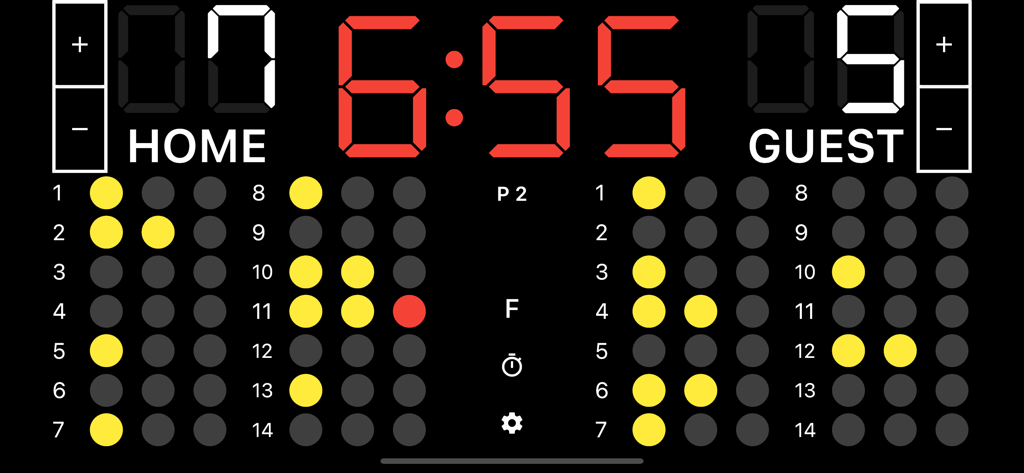
디지털 워터폴로 스코어보드 앱 인터페이스에 6:55 경기 타이머, 7과 5의 팀 점수, 개별 선수 파울 추적 점이 표시됩니다.

디지털 워터폴로 스코어보드 앱 인터페이스에 6:55 경기 타이머, 7과 5의 팀 점수, 개별 선수 파울 추적 점이 표시됩니다.

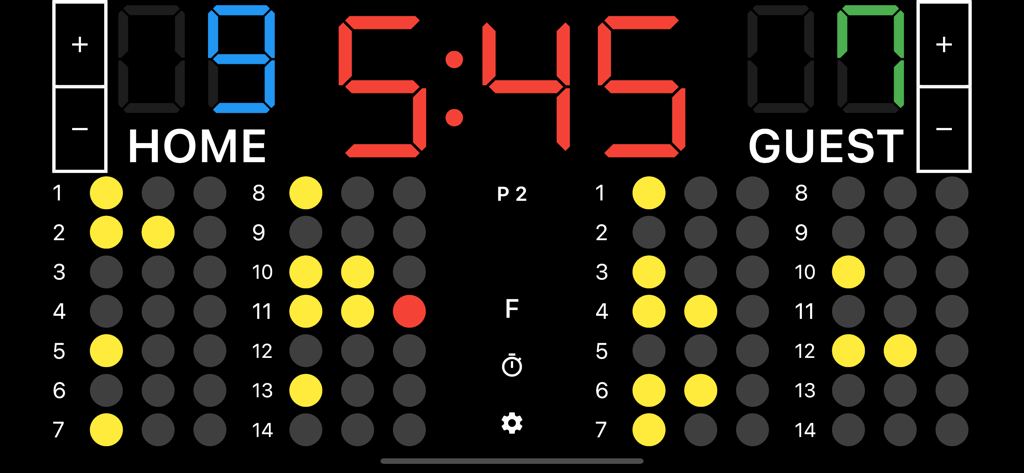
팀 점수, 경기 시계 및 선수 파울 추적을 보여주는 디지털 워터폴로 스코어보드 인터페이스

팀 점수, 경기 시계 및 선수 파울 추적을 보여주는 디지털 워터폴로 스코어보드 인터페이스

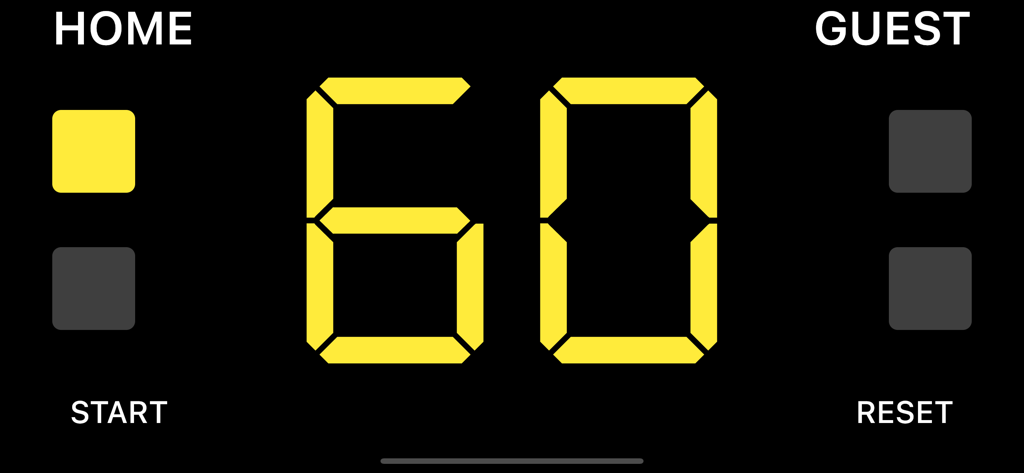
워터폴로 스코어보드 앱의 홈 및 게스트 팀을 위한 60초 디지털 타임아웃 타이머

워터폴로 스코어보드 앱의 홈 및 게스트 팀을 위한 60초 디지털 타임아웃 타이머

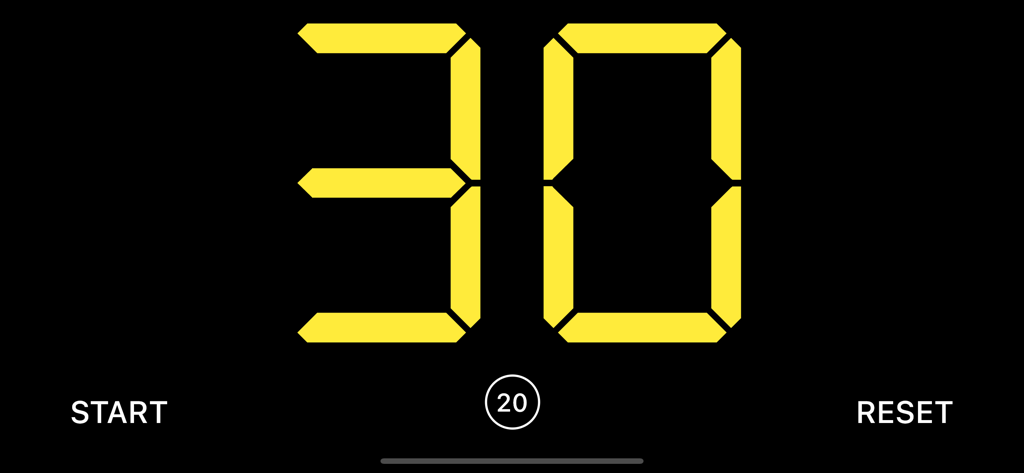
워터폴로 경기를 위한 디지털 30초 샷 클락 인터페이스

워터폴로 경기를 위한 디지털 30초 샷 클락 인터페이스

간편해진 프로페셔널 스코어링

이 앱을 돋보이게 하는 도구, 800 명의 사용자가 선택.

⏱️

통합 샷 클락

공식 경기 규정을 충족하도록 설계된 내장 30초 타이머와 경기 클락으로 속도를 유지하세요.

🟥

정확한 파울 추적

선수 퇴장을 쉽게 관리하세요. 고강도 게임 플레이 중 정확성을 보장하기 위해 전체 화면 파울 모드를 사용하세요.

📋

자원봉사자를 위해 제작됨

부모와 팀 관리자가 숙련된 전문가처럼 테이블을 운영할 수 있는 제로 러닝 커브 인터페이스입니다.

앱 소개

에 대해 알아야 할 모든 것 Water Polo Scoreboard.

설명

A scoreboard app specialized for water polo. It is easy to use, and allows you to set team names and register fouls. ●Basic Functions 1. Team name Tap “HOME or “GUEST” on the screen to enter the team name. 2. Adding and subtracting points You can add or subtract points by tapping the button next to the score. You can also add points by tapping the score. 3. Period Tap the “P” button in the middle of the screen to go to the next period. 4. Foul Tap the player who fouled to count the number of fouls. If your device is too small to tap a player, tap the "F" button on the center of the screen to display the fouls in full screen, making it easier to register the fouls. 5. Game timer Tap the time to start the timer. If you want to stop it, tap it again. 6. Timeout timer Swipe the scoreboard to either left or right to display it. Tap the time or the "Start" button at the bottom of the screen to start the timer. Tap again to stop the timer. 7. Shot clock (30 second timer) Swipe the scoreboard to either left or right to display it. Tap the time or the "Start" button at the bottom of the screen to start the timer. Tap again to stop the timer. 8. Reset Tap the cog icon at the bottom center of the screen to display the menu, where you can reset the score and timer.

최신 버전

1.3.3

크기

35.5 MB

출시일

2021년 12월 19일

프로처럼 경기를 운영할 준비가 되셨나요?

iPad 또는 iPhone을 프로급 테이블 오피셜 스테이션으로 바꾸세요. 전국 코치 및 자원봉사자들과 함께 모든 샷 클락, 파울, 쿼터를 완벽하게 관리하세요.

다운로드: App Store

App information, icons, screenshots, and descriptions displayed on this page are sourced from the Apple App Store and are the property of their respective developers. Download estimates and rankings are based on MWM's proprietary models and may not reflect actual figures. This page is provided for informational and analytical purposes only.

Believe this page infringes your intellectual property? File a dispute